Build With AI.
Manage And Edit In
WordPress, Forever.
You build with AI already, and you know the catch: most of what it makes is code you can look at but never really edit. UiChemy Composer is the one widget where AI builds real, editable HTML, CSS, and JS right inside Elementor.
The AI Build Trap
AI Builds It In Seconds. Then You Own It Forever.
Generating was never the hard part. Living with what AI made is.
AI builds the page in seconds. Then it hardens into something you cannot touch.
Frozen Markup
It looks right. Then you move one section and the whole thing shifts. You are editing concrete.
The Re-Prompt Loop
You want one small change, so you describe the whole page again and hope it does not break what worked.
Nobody Can Maintain It
Six months later someone opens the page. No structure, no classes, no system. They rebuild it.
The problem was never AI. It was where AI's work landed.
Editable Structure
Move any section and the layout holds. It is real, structured markup, not a baked screenshot.
Change Once, Safely
Edit the one thing you meant to. Globals and classes update everywhere, with nothing else touched.
A System, Kept
Clean classes, variables, and standard output your whole team can open and edit months later.
One Widget. Real Code. Edited Live.
Add the Composer widget once. From then on, AI builds sections as genuine, editable code, and you change any line by hand or by prompt.
Install The UiChemy Plugin
Add UiChemy to your WordPress site and activate it.
Add The Composer Widget
Drop the Composer widget into your page, once.
Connect Claude From Your Terminal
Run one command to link Claude to your site.
Describe And Build
Ask in the Composer chat. It builds the section as real code, right inside your builder.
Install The UiChemy Plugin
Add UiChemy to your WordPress site and activate it.
Add The Composer Widget
Drop the Composer widget into your page, once.
Connect Claude From Your Terminal
Run one command to link Claude to your site.
Describe And Build
Ask in the Composer chat. It builds the section as real code, right inside your builder.
Real class system
Changes stay consistent across the whole site.
Global colors & variables
Simple globals, changed once.
Layers & assets manager
Everything organized, like a proper editor.
Featherlight output
Only the code you build ever ships.
One Widget. Two Ways To Work
The person who never touches code and the developer who lives in it get the same clean result.
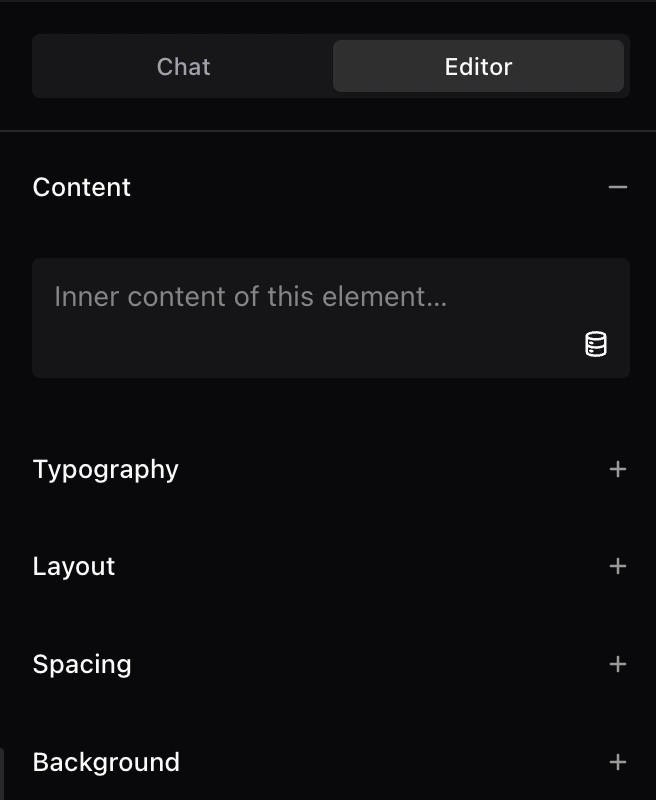
Simple Mode
Fill in fields, change text, images, links, and colors. No code, nothing to break.
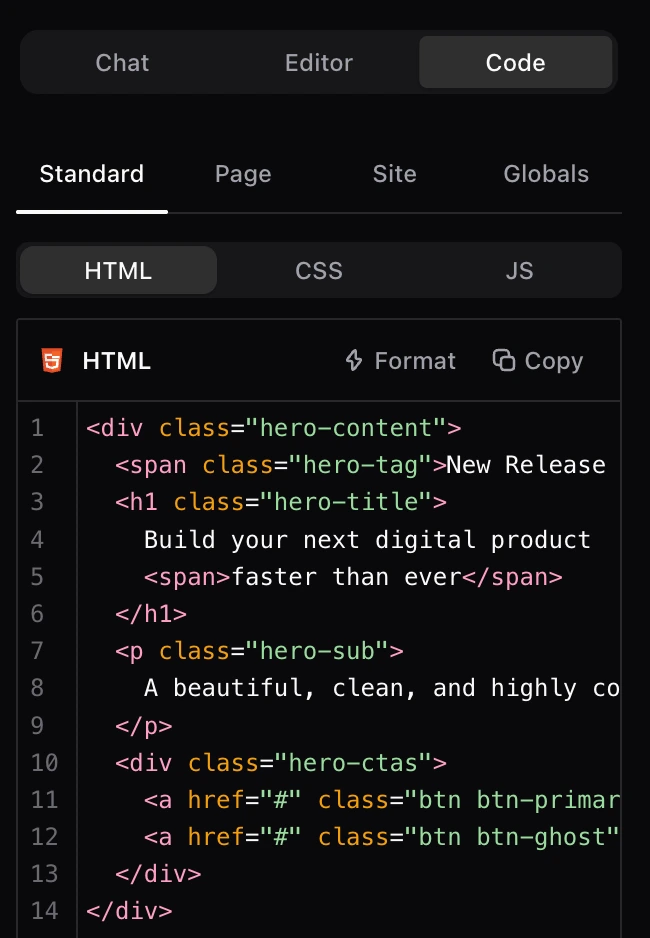
Developer Mode
The class editor, the code, the layers panel, and the global variables. Full control, nothing hidden.
Build by field, by code, by drawing on the page, by comment, or with your own AI agent. Your call.
Everything In One Widget
Explore Every Feature.
From the AI Chat to the class system, forms, and 24 MCP abilities. Every feature produces real, structured code you can edit by hand or by AI. Pick a category to dive in.
Build
One widget, real code, edited on the live page.
02AI & Agents
Chat, your own CLI agent, and 24 MCP abilities.
03Design & Data
Global variables, classes, and live Twig data.
04Forms
Any element becomes a form. No extra plugin.
05Agency
White label everything, run it from one dashboard.
06Security
Power gated to the right people, clean output for all.
From the community
See The Real Pages Designers Ship With UiChemy
Real pages, real reviews, and the Figma files behind them. See how designers moved their work into WordPress, in their words.
FAQ
Frequently Asked Questions.
Yes. Everything UiChemy Composer builds is raw HTML, CSS, and JS that lives in your site. Nothing is locked to our service.
Real, structured, editable code, not a baked screenshot. Move any section and the layout holds.
No. Simple Mode lets you fill in fields and change text, images, links, and colors. Developer Mode is there when you want the code.
No. Raw HTML, CSS, and JS you can edit anytime.
No. UiChemy MCP is just a basic connection and migration layer with the skills and abilities you need. But if you are using any mainstream MCPs like Elementor Angie, WPVibe, Novamira, or similar, you can simply start using them as well. It is not dependent on any one MCP connector.
Install the UiChemy Composer plugin, drop the Composer widget into your builder once, then describe what you want and it writes real, structured code you keep.
OpenAI, Anthropic, or Google via the WordPress AI Client, or your own CLI agent.
Yes. Bring your own key, or connect your own AI agent. AI Chat works with either.
Yes, free at launch. The Free plan includes the full UiChemy Composer widget, Simple and Developer modes, and AI Chat with your own key or agent.
Yes, pay the difference anytime.
The plugin keeps working. Updates and support pause until you renew.
No, staging and local sites do not count.
Yes, a 60-day money-back guarantee on every paid plan.
Elementor today. Gutenberg and Bricks are coming soon.
The same Composer section is rendered in each builder's look, so your content moves with you as new builders go live.