Move your
Next.js site into
WordPress, light, fast, and yours
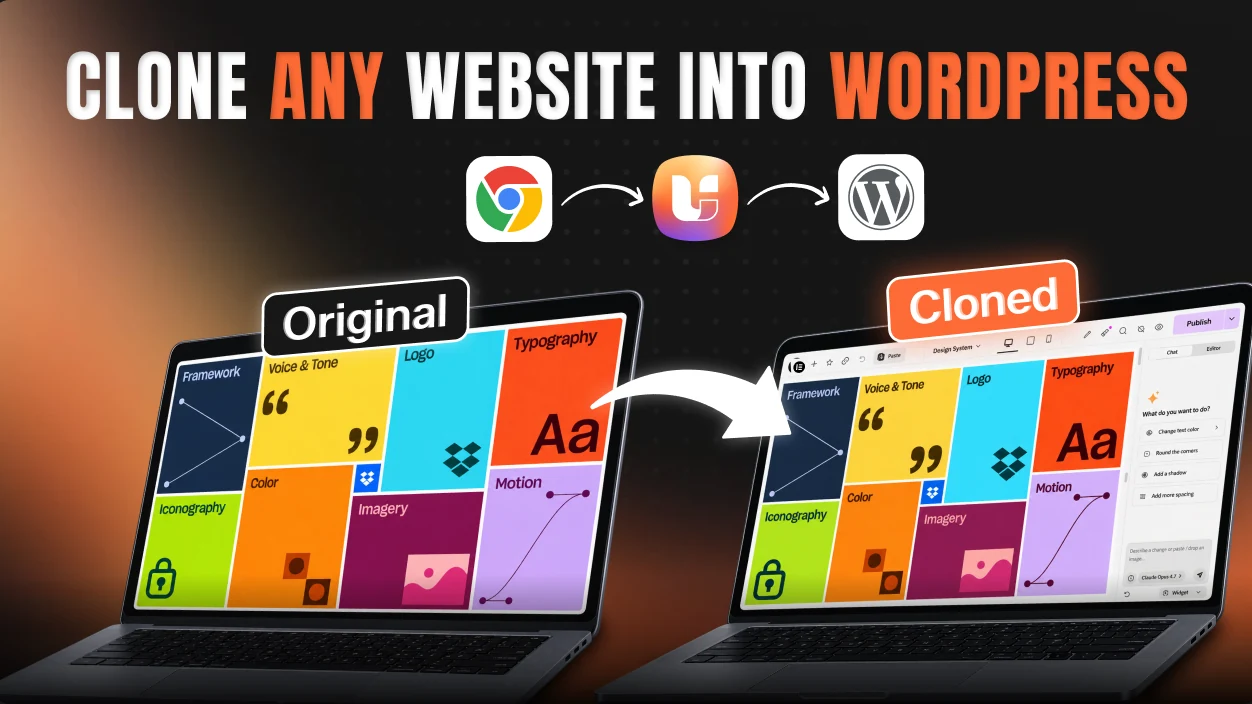
Have Claude clone your live Next.js site, then push it straight into WordPress with UiChemy, native and editable in Elementor, Gutenberg, or Bricks (coming soon). No copy-paste. No rebuild. Real, editable WordPress you own, in your builder.

Your Next.js site looks done.
Then someone needs to edit it.
A Next.js build gives you React code that only a developer can change. A website you own is something else: your own host, your own plugins, a CMS that grows with you. That gap is where most of these builds stall.
Rebuild taxYou build it twice
The AI hands you a copy of the markup. Getting it into WordPress means rebuilding it section by section, by hand.
Section 14 of 38
rebuilt manually
Static foreverIt never becomes real
It's frozen at whatever text the AI copied. No blog posts, no products, no CMS data flowing in.
No SEO layerFiles, not a website
No per-page titles, descriptions or social previews, and raw file paths instead of clean, readable URLs.
What a file doesn't ship with
Markup renders the page. It doesn't make a site findable.
Raw file paths
not real URLs
The fixOne push, and it's yours
UiChemy rebuilds the same design as native WordPress blocks, on your domain, in the builder you already use.
Fresh bread, baked every morning
Heading
38 native blocks, live
Elementor · Gutenberg · Bricks
How to convert a Next.js site
to WordPress in five steps
Clone your Next.js site in Claude
Give Claude your live Next.js URL, run a cloning prompt, check the result matches, then download the ZIP.
Install the UiChemy plugin
Search for UiChemy in the WordPress plugin library, then install and activate it.
Connect the UiChemy MCP
In AI Agent (MCP), generate a connection, pick your AI tool and run the prompt in Claude Code. Verify, and you're set.
Convert to WordPress
Attach the ZIP of your Next.js site and ask Claude to convert it with the UiChemy MCP, each section as a UiChemy Composer.
Edit in UiChemy Composer
Restyle, rewrite and rearrange any section visually or by prompt. No code needed.
Clone your Next.js site in Claude
Give Claude your live Next.js URL, run a cloning prompt, check the result matches, then download the ZIP.
Install the UiChemy plugin
Search for UiChemy in the WordPress plugin library, then install and activate it.
Connect the UiChemy MCP
In AI Agent (MCP), generate a connection, pick your AI tool and run the prompt in Claude Code. Verify, and you're set.
Convert to WordPress
Attach the ZIP of your Next.js site and ask Claude to convert it with the UiChemy MCP, each section as a UiChemy Composer.
Edit in UiChemy Composer
Restyle, rewrite and rearrange any section visually or by prompt. No code needed.
Why use UiChemy to move a Next.js site into WordPress instead of copy-pasting code?
Because pasted code gives you a frozen, hard-to-edit page. UiChemy rebuilds your Next.js design as a real, editable WordPress site, and it's made for exactly this workflow.

Elementor
Sections & widgets
Gutenberg
Blocks & patterns
Bricks
Coming soon

Next.js vs WordPress: which should your site live on?
Next.js is built for developers; WordPress is where a site should live: editable, dynamic, rankable, and owned.
The only cost of the WordPress way is a few minutes of setup, for a site you own, edit, rank, and grow.
What can your team do on WordPress without a developer?
Once your build lands in WordPress with UiChemy, you unlock the whole platform: dynamic content, a theme builder, SEO, forms, and more.
Client-editable, role-controlled
Hand off to clients and teammates. They edit visually, with a full role manager, no code.

| Content | Design | Settings | |
| You · Owner | |||
| Teammate · Editor | – | ||
| Client · Contributor | – | – |
Dynamic content & loops
Bind live data and repeat layouts: post grids, listings, anything data-driven.

ACF & custom fields
Structured content with Advanced Custom Fields, ready to wire into any template.
Theme builder
Design headers, footers, archives, and single templates that apply across the whole site.
Forms & SEO
Native forms plus RankMath / Yoast, with schema, meta, and sitemaps built in.
White-label & long-term CMS
Rebrand the editor, stay lightweight and fast, and grow on a real CMS for years.
Will your site still rank on Google?
Yes, and your marketing team can run it. In Next.js every title, schema block and sitemap entry is code. On WordPress they are settings: RankMath or Yoast, schema, meta, sitemaps, and server-rendered pages give Google and AI answer engines the layer they read.
RankMath & Yoast
Full SEO plugins for titles, meta, and on-page scoring on every page you publish.
Schema markup
Structured data for HowTo, FAQ and Article, so Google and AI engines understand your pages.
Meta & Open Graph
Per-page titles, descriptions, and social previews, edited in a field instead of in code.
XML sitemaps
Auto-generated sitemaps so search engines discover and index every page.
Clean permalinks
Readable, keyword-friendly URLs you can change without a redeploy.
Server-rendered pages
Fast, crawlable HTML, the SEO layer Google and AI answer engines actually read.
Bringing a build from another tool?
UiChemy isn't just for Next.js sites. Bring a build from any of these and turn it into an editable WordPress site the same way.

Next.js to WordPress, answered
It means having Claude clone your live Next.js site into HTML, CSS and JS, then publishing it as a real, editable WordPress site with UiChemy, so your team can change it without touching React code.
Yes. Have Claude clone as many routes as you need, then push them all to WordPress with UiChemy, and each one arrives as an editable page.
No. Your pages arrive as native, editable WordPress content you change visually. You can drop in your own HTML, CSS, or JS if you want, but it is never required.
No. Claude clones what your Next.js site renders: pages, layout, styles and content. API routes, auth and server logic stay behind, so rebuild those with WordPress plugins or keep them as a separate service.
Fully editable. Every section comes in as real WordPress elements you can drag, restyle, and rewrite, never a flat image or a locked export.
Yes. Choose your builder and your Next.js site lands as native, editable elements in Elementor or Gutenberg, with Bricks coming soon.
Yes. UiChemy outputs clean, HTML-based markup with few plugins, so pages stay lightweight and load fast.
Yes. On WordPress you get RankMath or Yoast, schema, meta tags, XML sitemaps, and clean permalinks, the SEO layer Google and AI answer engines read.
Yes. Clients and teammates edit visually in WordPress, with a role manager to control who can change what.
Use the UiChemy MCP for the smoothest push to WordPress, or any WordPress MCP you already run: Novamira, WPVibe, or Elementor Angie. Either route publishes the build.
About five minutes once the ZIP is ready: install the plugin, connect the MCP once, then ask Claude to convert the ZIP.
You connect it once. Link the UiChemy MCP to Claude, and every conversion after remembers it. Our docs walk you through the one-time setup.
Yes. Because it is WordPress, you can add a blog, store, memberships, and more anytime with 60k+ plugins.
You can start free. Install the UiChemy plugin and try it at no cost. Pro unlocks the full Composer, Theme Builder, and MCP push.
Free works for getting started. Pro unlocks the full Composer, Theme Builder, and MCP push for complete site conversions.