
Introducing UiChemy 2.0: More Powerful than Ever Before
 Sagar Patel
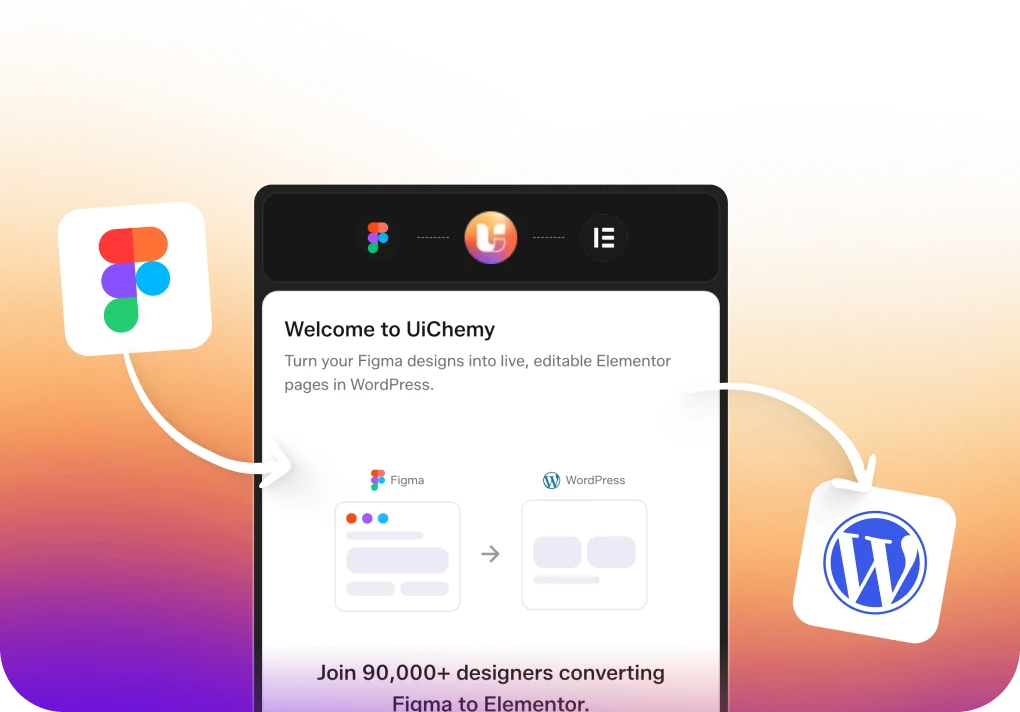
We are embarking on an exciting journey with the release of UiChemy 2.0, a groundbreaking update that takes our Figma to WordPress conversion capabilities to new heights.
This new version introduces a host of innovative features designed to streamline and enhance the conversion process, making it faster, more efficient, and more accurate. Our mission has always been to bridge the gap between Figma and WordPress, and UiChemy 2.0 is a significant step forward in achieving that goal.
A Heartfelt Thanks to Our 50+ Beta Agencies
Before diving into the details of the new features, we want to extend a heartfelt thank you to the 50+ early users who joined our beta feedback program. Your support and invaluable feedback have been instrumental in shaping UiChemy 2.0. We are committed to continuous improvement, and your insights have helped us fine-tune this release to better meet your needs.
We are still eager to hear more from our users. If you haven’t yet, please consider setting up a feedback or demo call with our team using this link.
We value your input and are always looking for ways to improve experience.
UPDATE 1 : Select & Convert Multiple Figma Frames at Once
One of the most anticipated features of UiChemy 2.0 is the ability to select and convert multiple Figma frames simultaneously. This new functionality is a game-changer for designers and developers alike, as it significantly reduces the time and effort required to convert designs into WordPress pages.
In previous versions, converting multiple frames often involved a repetitive and time-consuming process. With UiChemy 2.0, you can now select multiple frames within your Figma project and export them in bulk.
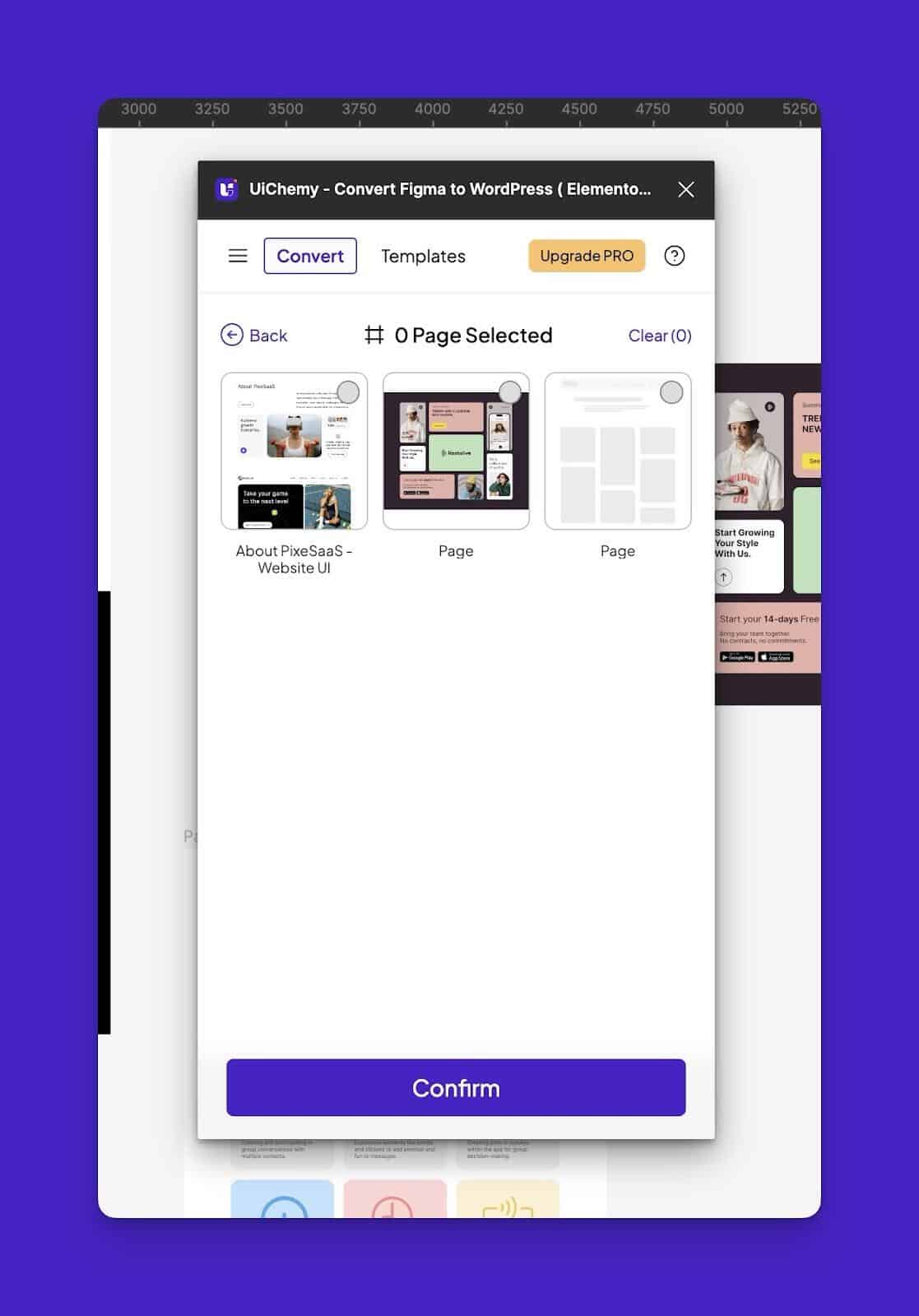
This streamlined workflow not only saves time but also ensures consistency across your entire project.
UPDATE 2 : New Smart Figma Design Optimizer
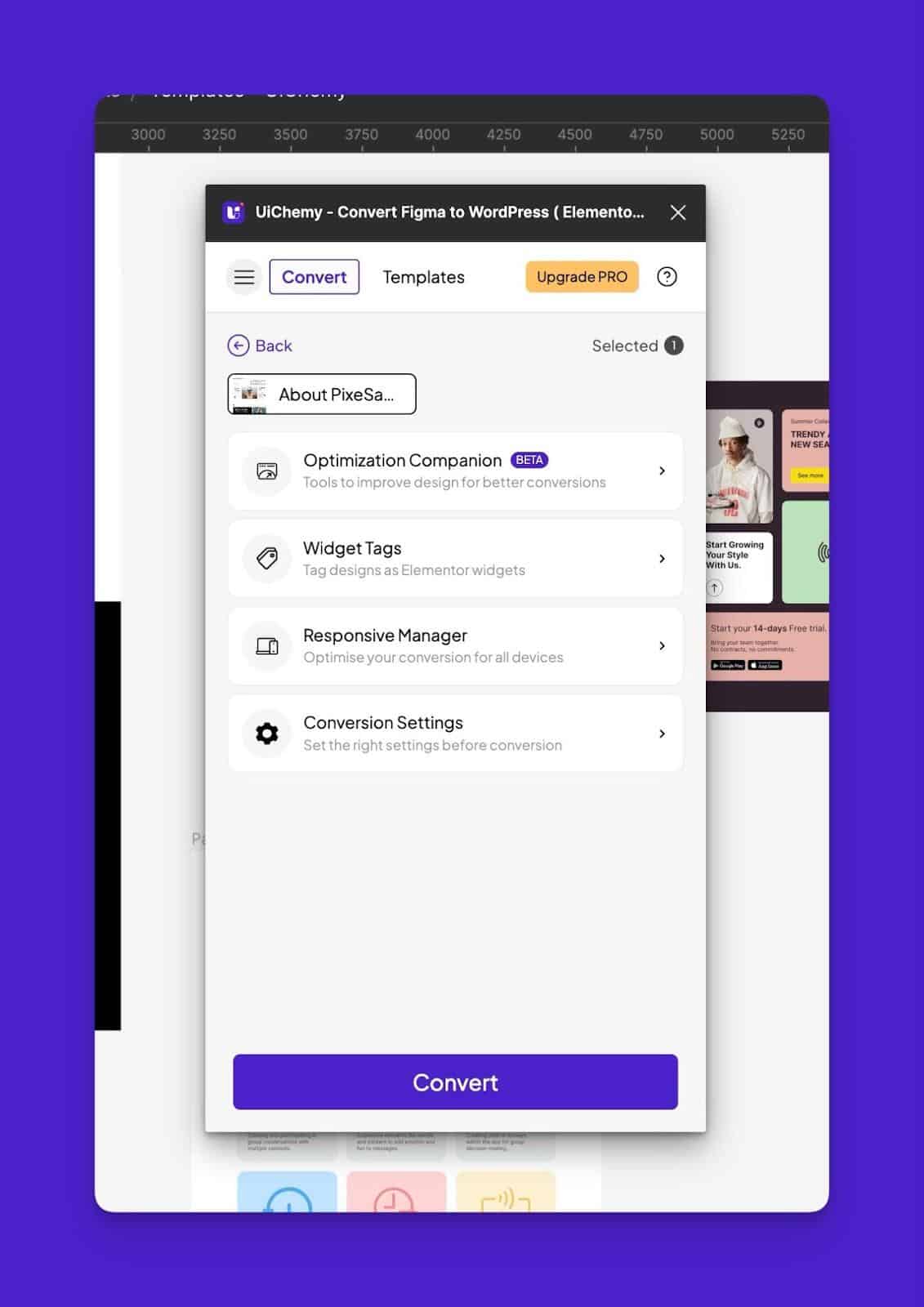
At the core of UiChemy 2.0 is the new Smart Figma Design Optimizer, one of the most advanced tools we’ve developed to date. This feature is designed to provide you with all the necessary suggestions and optimizations to make your Figma designs as compatible as possible with WordPress.
Comprehensive Design Optimization
The Smart Figma Design Optimizer covers various aspects of design optimization, including:
- Media Optimization: Ensures that all media files are optimized for web use, reducing load times and improving performance.
- Frame Optimization: Analyzes and optimizes the structure of your frames to ensure they are converted accurately.
- Text Optimization: Adjusts text elements to ensure they are displayed correctly and consistently across different devices and browsers.
- Mainframe Optimization: Focuses on the overall layout and structure of your main frames, ensuring they are ready for seamless conversion to WordPress.
Check out our UiChemy Design Optimizer YouTube playlist for in-depth tutorials and tips!
Widget Tagging
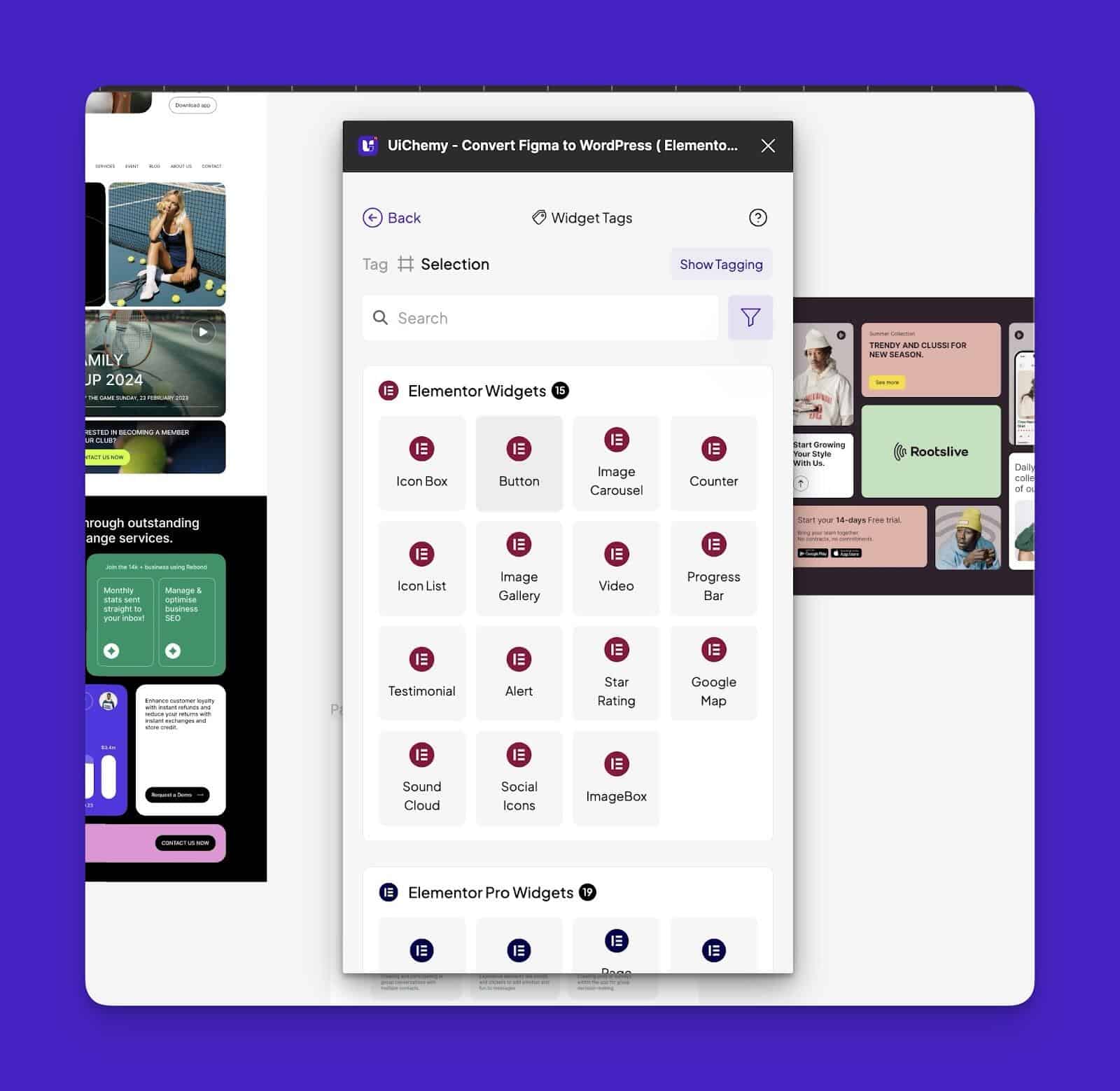
Another exciting feature within the Smart Figma Design Optimizer is the ability to tag widgets. You can now tag Elementor or any other page builder widgets to specific sections of your design.
This tagging process allows you to specify which particular widget you want to use to create a given design element.
For example, you can tag a section as a “Hero Banner” and specify that it should use the corresponding Elementor widget. This feature not only streamlines the conversion process but also ensures that your designs are implemented exactly as intended.
Advanced Responsive Manager
Responsive design is a crucial aspect of modern web development, and our new Advanced Responsive Manager ensures that your designs are fully optimized for all devices. This feature provides detailed settings and controls to adjust the responsiveness of your designs.
UPDATE 3 : New UiChemy Panel Look
We’ve listened to your feedback and completely revamped the UiChemy panel to provide a more intuitive and user-friendly experience. The new panel design is based on extensive user research and testing, ensuring that it meets the needs of our diverse user base.
The updated UiChemy panel features a cleaner, more streamlined interface that makes it easier to navigate and use. We’ve reorganized menu items and added new functionalities to provide a smoother and more efficient workflow.
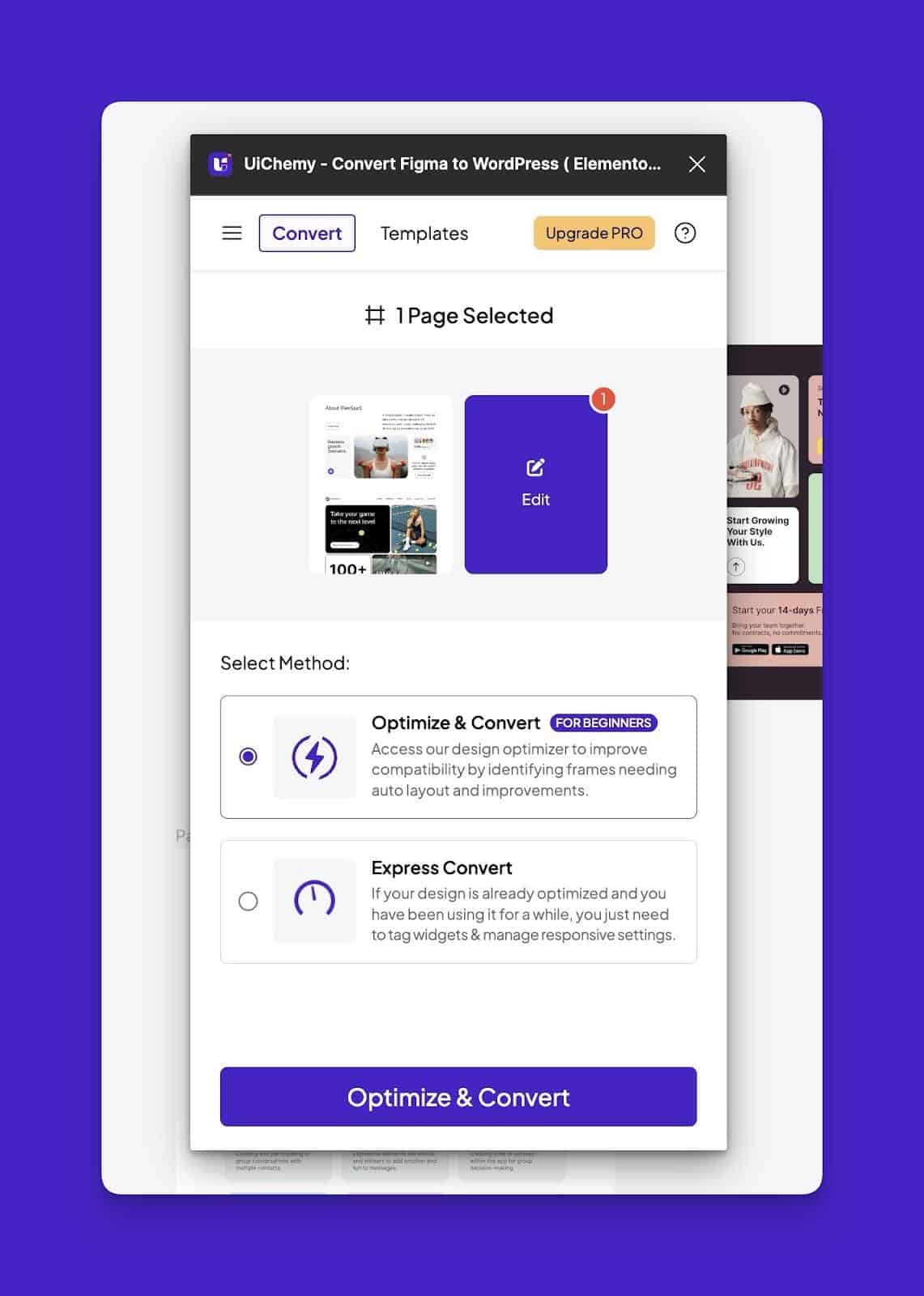
We’ve introduced two new import modes to provide greater flexibility and control over the conversion process:
- Optimize & Convert in Home: This mode provides more detailed customization options, allowing you to fine-tune your designs before converting them to WordPress.
- Express Convert: This mode allows you to quickly convert your designs with minimal customization, ideal for fast-paced projects.
These import modes provide you with the flexibility to choose the level of customization and optimization that best suits your project needs.
UPDATE 4 : Revamped Import JSON File Mode
In UiChemy 2.0, we’ve reworked our JSON Import File mode to provide a more efficient and streamlined process.
The revamped Import JSON File mode allows you to export multiple JSON files simultaneously, saving you time and effort.
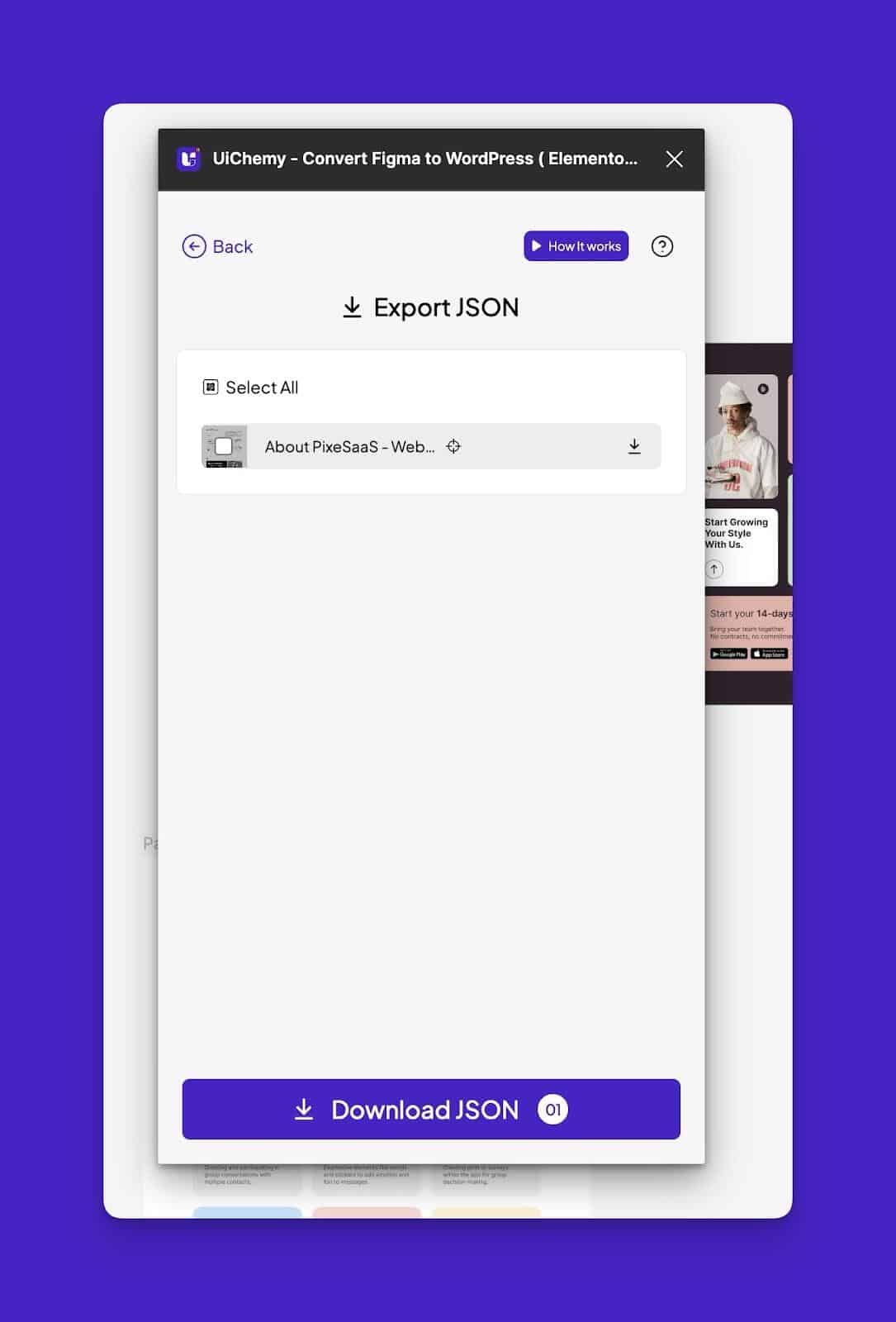
You can then upload these files to your site manually, ensuring that all sections are imported correctly and efficiently. This feature is ideal for complex projects where you need to manage multiple sections and pages.
UPDATE 5: New Advanced Website Imported Mode (Add Section on New/Existing Pages)
One of the most exciting features of UiChemy 2.0 is the new Advanced Website Imported Mode. This feature is designed for agency owners and developers who manage multiple client sites. With this mode, you can import entire websites or specific sections to new or existing pages, providing greater flexibility and control over the conversion process.
Import as Full Page or Section
The Advanced Website Imported Mode allows you to import your designs as a full page or add them as sections to existing pages. This feature is particularly useful for agencies managing multiple client sites, as it allows you to easily import and customize designs for different projects.
Elementor PRO & Nexter Theme Builder Integration
We’ve also gone further by allowing you to import designs directly into your theme builder. You can now import designs into headers, archives, and other areas of your site, providing greater flexibility and customization options. This feature ensures that your designs are fully integrated into your site’s theme, providing a seamless and consistent user experience.
UPDATED 6 : New UiChemy Compatible Templates — Powered by WDesignKit
To further personalize your experience, we are continuously adding more pre-designed Figma templates that are optimized for the best Figma to WordPress conversion.
These templates are powered by WDesignKit and follow standard design guidelines, ensuring that your designs are implemented accurately and efficiently.
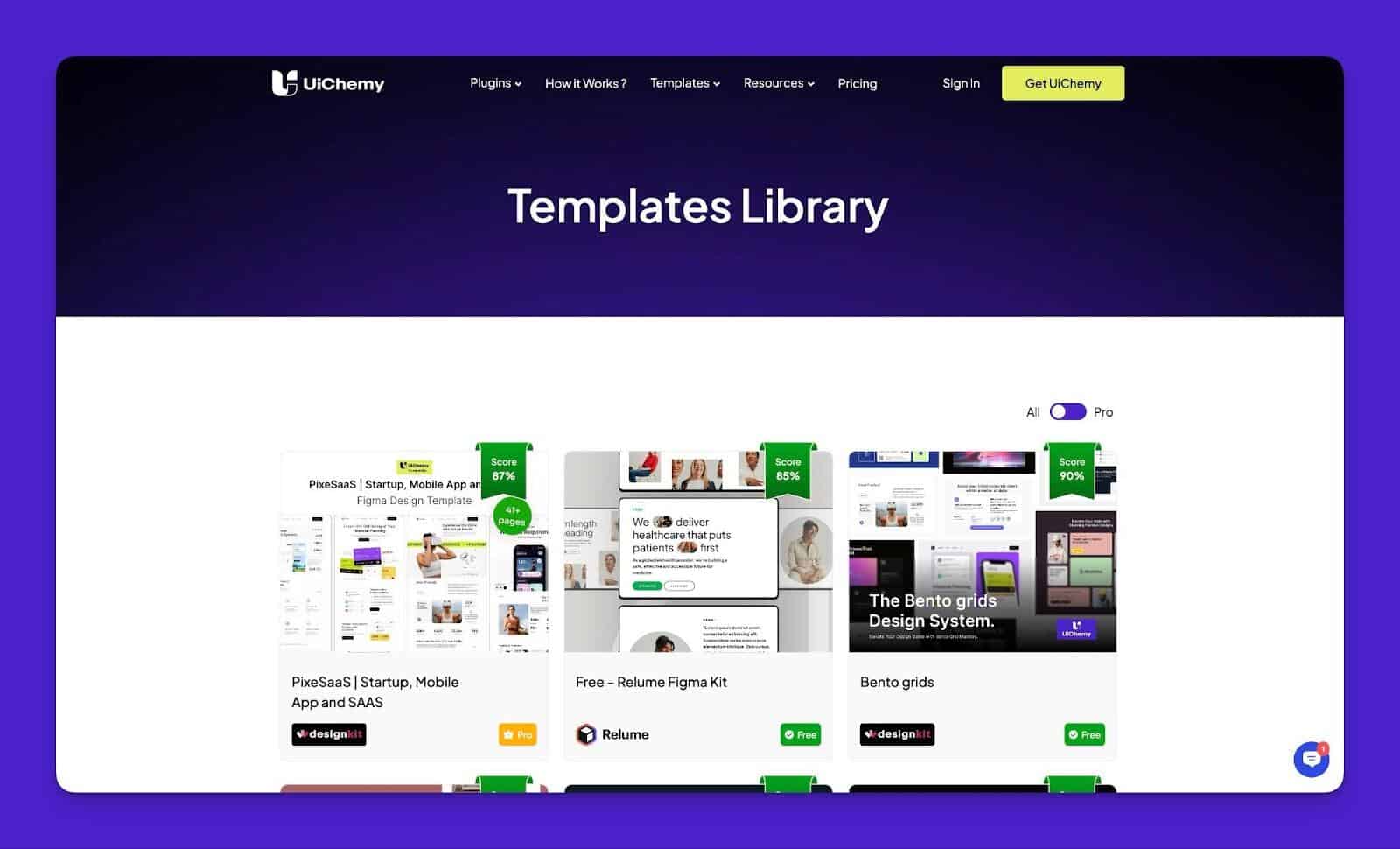
The new templates are specifically designed and optimized for Figma to WordPress conversion. They follow best practices and standard design guidelines, ensuring that your designs are converted accurately and efficiently.
The templates also include widget tagging, providing you with the flexibility to specify which widgets to use for different sections of your design. This feature ensures that your designs are implemented exactly as intended, providing a seamless and consistent user experience.
Summing Up
You must have felt the massive efforts put into this release, but we won’t stop here. We are committed to continuously improving UiChemy and making it the best Figma to WordPress conversion tool on the market. Your feedback is invaluable to us, and we look forward to hearing from you as we continue to optimize and enhance our platform.
Our mission is to bring Figma and WordPress closer than ever, enhancing the productivity of web creators and making the design-to-development process as seamless and efficient as possible. We are sponsoring WordCamp Europe 2024 and would love to welcome you to our booth for an in-person demo.
Stay tuned for even more features coming soon in Bricks and Gutenberg! Thank you for being a part of our journey, and we look forward to continuing to serve and support you in your creative endeavors.