Restaurant Website Prompt: Checked on the Casa Nopal Demo
 Sagar Patel
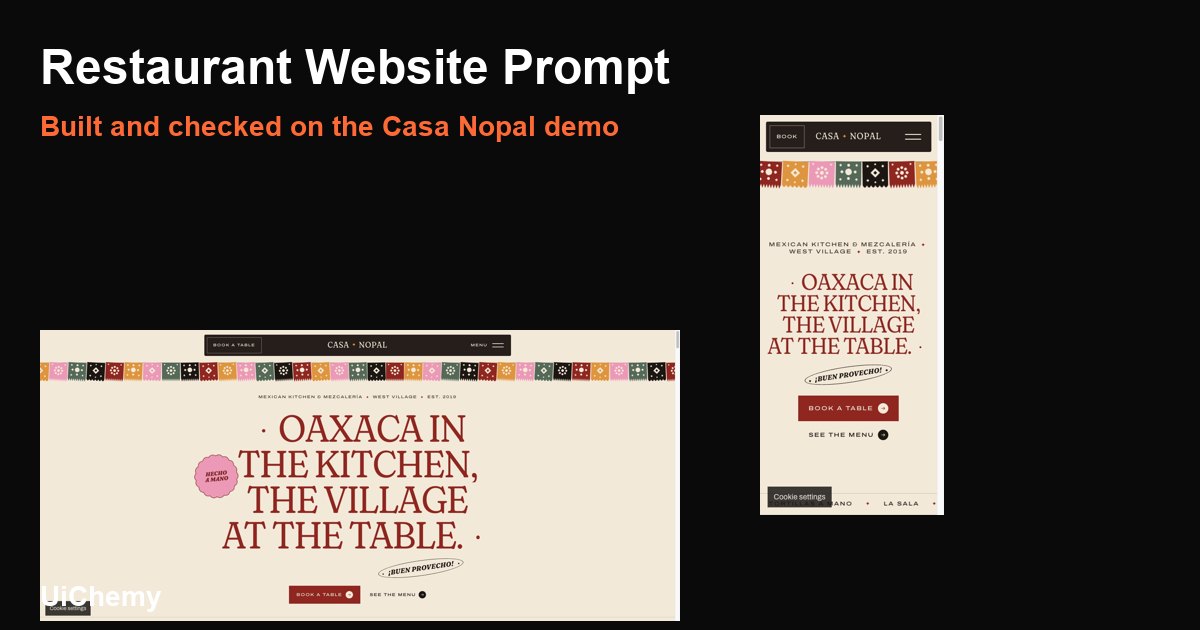
The Casa Nopal prompt in the UiChemy library builds a full restaurant site, and on 24 November 2026 its live demo loaded 11 sections, 14 dishes and 5 page types in 808 ms in our browser. This guide shows what the prompt contains, what we measured on the demo, and what you must replace before it is your restaurant.
Last updated: November 24, 2026. We opened the demo at desktop width and at a phone width and read the prompt page. We did not paste the prompt into Claude for this guide, so build time and the quality of your own result are not covered.
The short answer
- Casa Nopal is one of five full site prompts in the library, and it is the one made for a restaurant. The plain version asks Claude for a folder of HTML, CSS and JavaScript with 48 images and 3 fonts (prompt text, read 24 November 2026).
- A second prompt on the same page builds the site in WordPress. It adds reservations, QR ordering, a kitchen display, an owner dashboard, custom fields and SEO, and the page says the WordPress setup needs UiChemy Pro.
- The demo is a made-up restaurant. Every name, price, address, phone number and email on it is placeholder text you must replace.
What the restaurant website prompt builds
The prompt page describes it in one line: a warm Mexican restaurant website with menus, dish pages, journal and catering layouts. The plain prompt starts with the instruction “Paste this whole document into Claude. Nothing to attach.” and says to write every file exactly as given, download the images and fonts, and hand back a zip (prompt page, read 24 November 2026).
That makes it a build package, not a short brief. The structure, fonts, colours and animation are already decided, so the work left for you is content: dishes, prices, hours, photos and the booking link.
What the demo looks like on desktop and on a phone
Both captures below are the first screen of demo.uichemy.com/casa-nopal/, taken by us on 24 November 2026. The phone capture uses a 390 px wide viewport. The cookie settings button in the corner belongs to the demo.
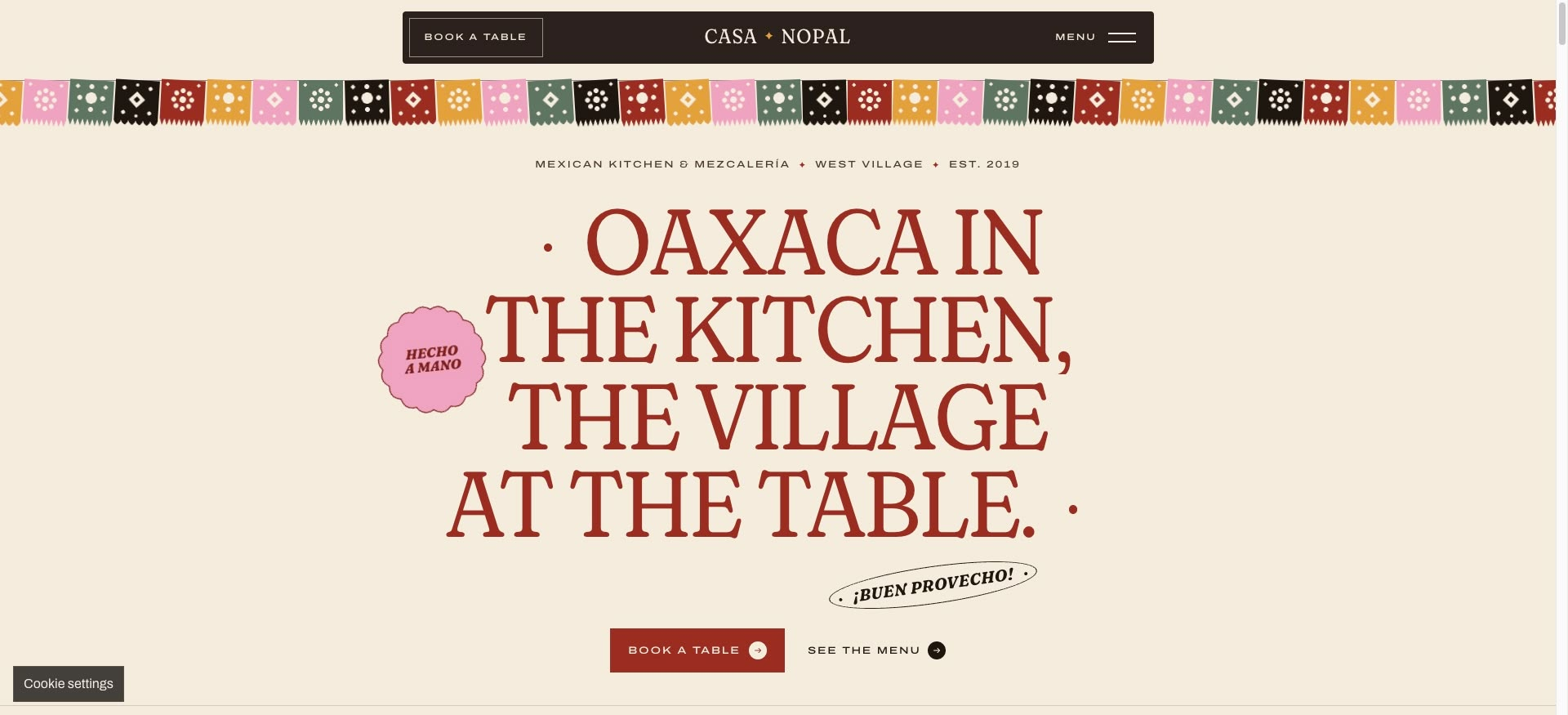
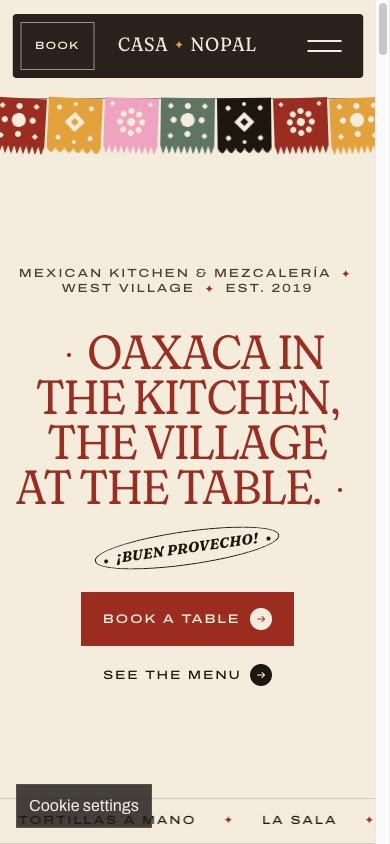
On the phone view the header keeps a Book button and a menu button, and the first screen still shows the headline and both calls to action. That is the part a hungry visitor uses most.
What we measured on the live demo
| Check | Result on 24 November 2026 | How we read it |
|---|---|---|
| Sections on the home page | 11 | Counted in the page in our browser |
| Page height | 13,204 px at desktop width | Browser scroll height |
| Headings | 1 h1 and 8 h2 | Page markup |
| Images in the page | 42 | Page markup |
| Load event | 808 ms, one run, desktop | Browser navigation timing |
| Dishes shown | 14, from antojitos to desserts, with prices from $13 to $42 on the six featured plates | Page text |
| Pages linked in the footer | Menu, Reservations, Event Catering, Journal, About and Contact | Page text |
One run on one connection is a snapshot, not a speed test. Run your own test on your own hosting before you trust any number.
What to replace before this is your restaurant
Replace every one of these
- The restaurant name, address, phone number and email on the page and in the footer. They belong to the demo.
- The 14 dishes, their prices and the six featured plates.
- The opening hours, which the demo shows for all seven days.
- The Book a table link, so it goes to your real booking tool or form.
- All 48 images, because they are the demo photos.
Do this before you publish anything. A restaurant page with a made-up phone number sends real guests to nobody.
What changes when the site goes to WordPress
The prompt page has a “Want this in WordPress?” panel with three steps: install the free UiChemy plugin from WordPress.org, connect the UiChemy MCP, and paste the WordPress setup prompt into your AI tool. The page says that prompt adds reservations, QR ordering, a kitchen display, an owner dashboard, custom fields and SEO, that setup needs UiChemy Pro, and that production PHP modules need owner approval (prompt page, read 24 November 2026).
We did not run the WordPress prompt, so we cannot say which of those modules work on your host without changes. Which MCP does what is explained in UiChemy MCP: which one to use.
Try it
- Open the Casa Nopal prompt page and watch the demo in the preview frame.
- Copy the plain prompt and paste it whole into Claude in a tool that can write files and make a zip.
- Replace the placeholder content from the list above, then use the WordPress prompt on the same page if you want it in WordPress.
Other restaurant and food prompts in the library
The library marks four prompts with the Restaurant filter (audit, 14 November 2026). Casa Nopal is the full site. The others are Ember and OVAL zero-proof botanicals, which the page lists under Cooking, as hero and landing page prompts. For more page types, see landing page prompts and 3D website prompts.
When this prompt is the wrong choice
Restaurant website prompt questions
What does the Casa Nopal prompt build?
A Mexican restaurant website with menus, dish pages, journal and catering layouts. The plain version outputs HTML, CSS and JavaScript. The WordPress version adds reservations, QR ordering, a kitchen display, an owner dashboard, custom fields and SEO.
Is the Casa Nopal prompt free?
The prompt page says it is free to copy with no account needed. The WordPress setup needs UiChemy Pro.
Which AI tool do I use?
The page says the prompt is written for Claude: paste the whole prompt into Claude and it builds the site.
Can I use my own photos and menu?
Yes. Replace the demo dishes, prices, hours, contact details and the 48 images with your own before you publish.
Does the demo work on a phone?
On a 390 px wide viewport the first screen showed the headline and both buttons. We did not test it on a physical phone.
Sources and read dates
- Casa Nopal prompt page and prompt text, read 24 November 2026: https://uichemy.com/ai-to-wordpress/ai-website-prompts/casa-nopal/
- Casa Nopal demo, opened and measured by us at desktop and 390 px on 24 November 2026: demo.uichemy.com/casa-nopal/
- UiChemy prompt library audit, 14 November 2026, internal research file (industry filter, free tier).