April 2025 Updates: Export Non-Auto Layouts, Figma Updates, and WordPress 6.8 Highlights!
 Sagar Patel
We’ve rolled out several new features to make your Figma-to-WordPress workflow even faster and smarter:
- Convert Non-Auto Layout to Auto Layout: Export designs without Auto Layout? Now, UiChemy automatically converts them for you — saving you manual effort and time!
- Global Box Width Container: Take full control of container widths across your site with this new powerful feature.
- 85% Reduction in Optimization Steps: We’ve cut optimization steps from 14 to just 1, letting you focus on creativity while UiChemy 3.0 does the heavy lifting behind the scenes.
- Smarter Global Styles: We’ve improved Global Colors and Typography for more consistent styling and efficiency.
- Auto-Recommended Export Methods: UiChemy now intelligently suggests the best export method for your design, say goodbye to confusion!
- Improved Live Import Connections: Importing live sites is now smoother and more reliable, solving connection issues once and for all.
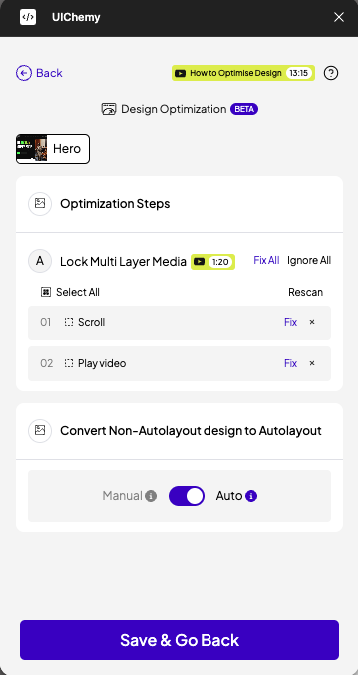
7. Cleaner Design Exports: We’ve made your exports lighter and cleaner by automatically removing unnecessary frames before export.
8. Better Responsiveness: Enjoy improved mobile responsiveness in your Elementor exports, out-of-the-box.
In case you missed our last email, UiChemy 3.0 is here – our biggest update yet!
Check out all the new features and improvements in detail through our Blog Post and detailed Video Tutorial.
🔥— Feature Spotlight
Smarter Export Methods – Let UiChemy Do the Thinking for You!
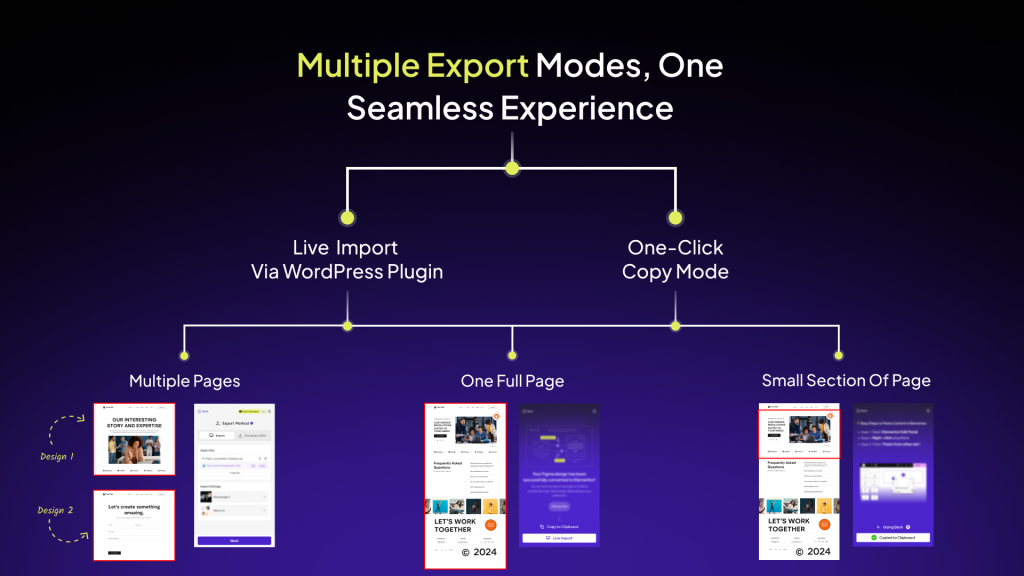
One of the most exciting updates this month is the Auto-Recommended Export Methods. No more second-guessing, which export method works best for your designs. UiChemy now intelligently suggests the optimal export method for each project, saving you time and eliminating confusion.
Whether it’s choosing between full-site exports or partial exports, UiChemy ensures you’re always making the best choice for a smooth, efficient workflow.
📈– What’s Next at UiChemy?
We’re building even more ways to simplify your design-to-WordPress workflow.
Coming soon:
- 10 Ready-to-Use Templates – Pre-tagged elements with global styles, so you can tweak content and export to Elementor in minutes.
- Smarter Design Conversion – Smoother, faster exports with better accuracy.
- Auto Locking – Save time letting UiChemy handle layer locking automatically.
- Enhanced Global Styles – More control over your color and typography system.
🎙️– Webinar / Live Session Announcement
We’re hosting a live session where our team will answer all your questions about UiChemy — from using the plugin efficiently to upcoming features.
Topic: All Your UiChemy Questions — Answered in One Go!
📅Date: 28th May
⏲️Time: 7:00 PM IST
📍Location: YouTube Live
Got questions? Bring them to the webinar!
You can also check out our past webinars or subscribe to stay updated on future sessions.
📰 — Figma & Tech Bytes
- Figma introduces UI3 to simplify the design interface, focusing on a more intuitive and consistent experience. The update features resizable panels, improved placement of tools, and seamless integration with other Figma products like FigJam and Figma Slides, which enhances overall workflow for designers.
- WordPress.com has introduced a new free AI site builder that allows users to create a website in seconds by simply providing a description prompt. Matt Mullenweg shared on X that this AI builder will soon be available for all WordPress websites.
- Figma introduces “Edit Image” for AI-powered image edits, including background changes and object movement, free during beta. A new model picker lets users choose from GPT-image-1, Gemini Imagen 3, or Titan V2. AI features are available for Professional, Organization, and Enterprise plans.
- WordPress 6.8 Is Here With Global Style Book Support, Speculative Loading, bcrypt Password Hashing, and Database Optimizations
- Figma’s Connected Projects feature improves collaboration between freelancers, agencies, and clients. It allows co-editing of designs, resource sharing like libraries, and easy teamwork, all while staying on individual Figma seats.
- Elementor updates bring instant AI logo generation, curated wireframe sections, and enhanced image tools to Elementor, helping users save time and boost creativity with faster customizations and approvals.
- Figma introduces 9 updates to speed up workflows, including a shortcut to jump to the main component, the ability to hide/show variable paints, and options to duplicate and copy styles. Additional improvements include better UI descriptions, draggable variable modals, auto-saving of variable changes, tooltips for component names, and more alignment fixes.
- Elementor has released the alpha version of Editor V4, marking a major shift towards a CSS-first approach. This release introduces a modular class system, new styling controls, and simplified markup, aiming to enhance performance and streamline workflows for professional users.
- WordPress 6.8.1 Released With 15 Bug Fixes Covering Core, Block Editor, Multisite, and REST API.
💡— Figma Tips, Tricks & Tools
Tool of the Month
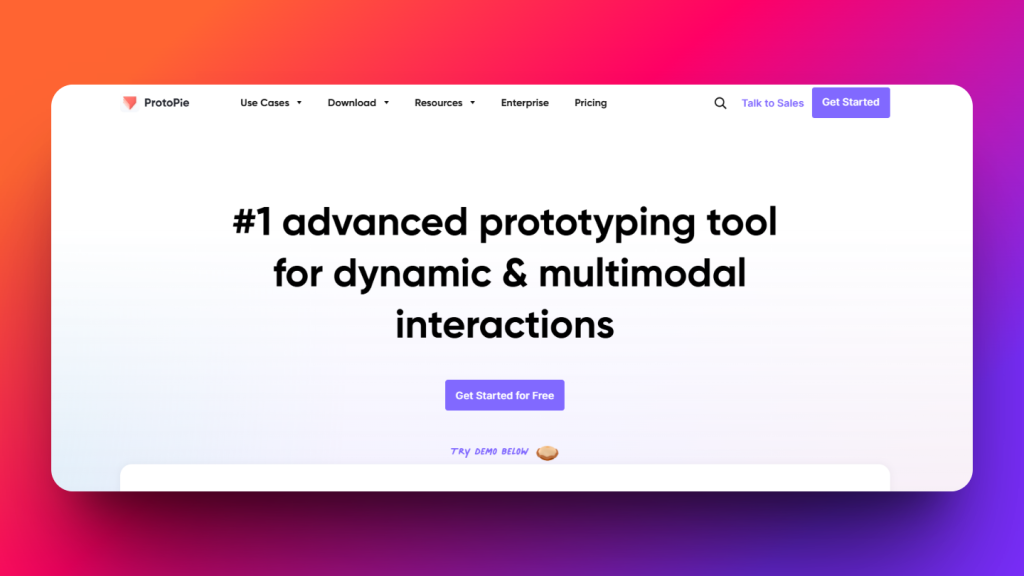
ProtoPie – The #1 advanced prototyping tool for dynamic and multimodal interactions.
Perfect for creating realistic prototypes with logic, conditions, and sensor-based triggers — all without code.
Tip of the Month
Maximize Your Design Workflow with Global Styles
Did you know, with the new enhancements to Global Colors and Typography in UiChemy, you can maintain consistent styles across all your Figma designs effortlessly. Whether you’re working on a new project or updating an existing one, global styles ensure that you’re always on-brand with just a few clicks.
Pro Tip: Use the Global Box Width Container to easily control your container widths across your entire site without having to adjust individual sections, making your workflow even smoother.
🗣️— From the Community
Very nifty plugin for Figma to Elementor Transfer
Great features with even better support. Love what you guys build and support. Highly recommend both free and paid plugin.
Subscribe our Newsletter, get Monthly & Weekly Product updates, News and more….✉️