WordPress MCP Claude Prompts: 15 From the UiChemy Docs
 Sagar Patel
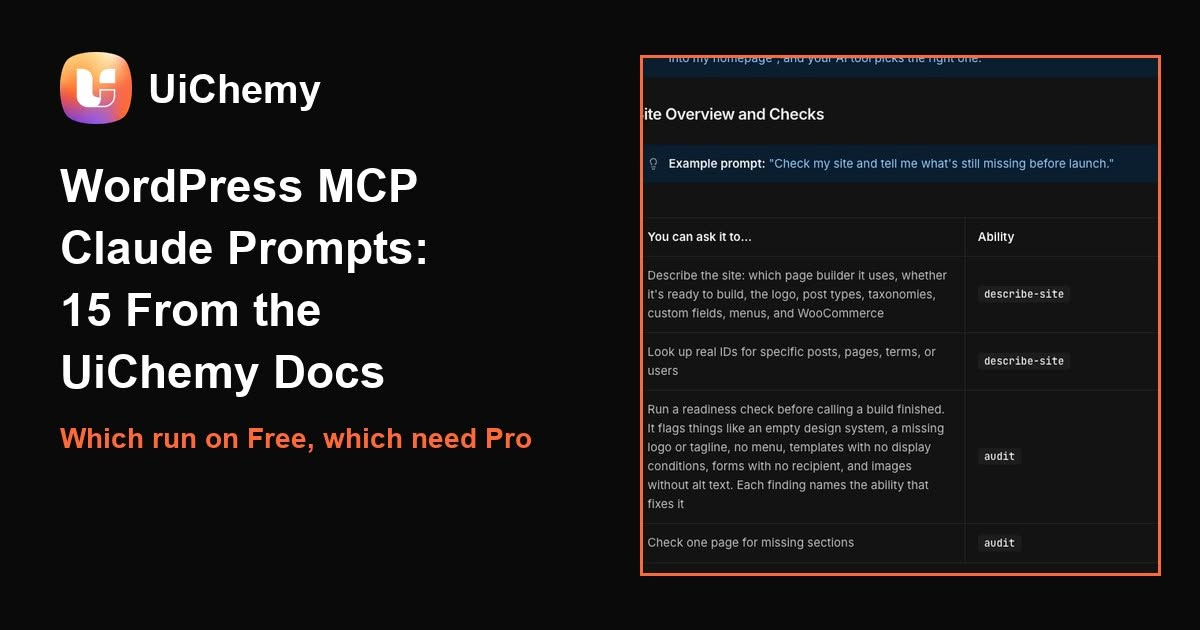
The UiChemy docs give 15 example prompts for an AI tool connected to a WordPress site, and 6 of them call abilities that need UiChemy Pro. We read the page on 19 November 2026, matched each prompt to the ability behind it, and sorted them by what the Free plugin covers. The prompts are the docs’ own wording, so you can copy them as written.
Last updated: November 19, 2026. We did not run these 15 prompts against a connected site for this guide. What we checked is the docs page, the ability each prompt names, and which rows the docs mark Pro. Results from your own site can differ.
The short answer
- Once Claude, Cursor or another AI tool is connected to your site through the UiChemy Composer MCP, you describe the job in plain English and the tool picks the ability (the docs call each tool an “ability”). You never name one.
- Of the 15 example prompts, 9 map to abilities the docs do not mark Pro: site check, pages and sections, header and footer, design system, menus, post loops, SEO audit, performance settings and media alt text.
- The other 6 need UiChemy Pro: custom post types, a WooCommerce store, shared code files, custom fonts, modules and the PHP error log.
Which MCP these prompts are for
UiChemy has more than one MCP, and the prompts in this guide are for the one on your own WordPress site: the UiChemy Composer MCP, which writes pages, posts and templates into Elementor or Gutenberg, whichever your site uses. The hosted UiChemy MCP at app.uichemy.com is a different connection for UiChemy projects, and Elementor has its own MCP. Our guide which UiChemy MCP to use explains all three. For setup, the docs page Set Up AI to WordPress covers getting connected.
Searches for “wordpress mcp” ran at about 1,600 a month in the US in October 2026, up from 480 a year earlier (DataForSEO Google Ads data, 19 November 2026), and “wordpress mcp claude” about 50. Google does not report a volume for “wordpress mcp prompts”, and the page-one results we read for it are the WordPress MCP Adapter on GitHub, a WordPress developer post, a tested list of 10 tasks and a Reddit thread about MCP prompts in general. From their titles and snippets, none lists prompts for one site builder with a Free and Pro split.
The 15 prompts, with the ability each one uses
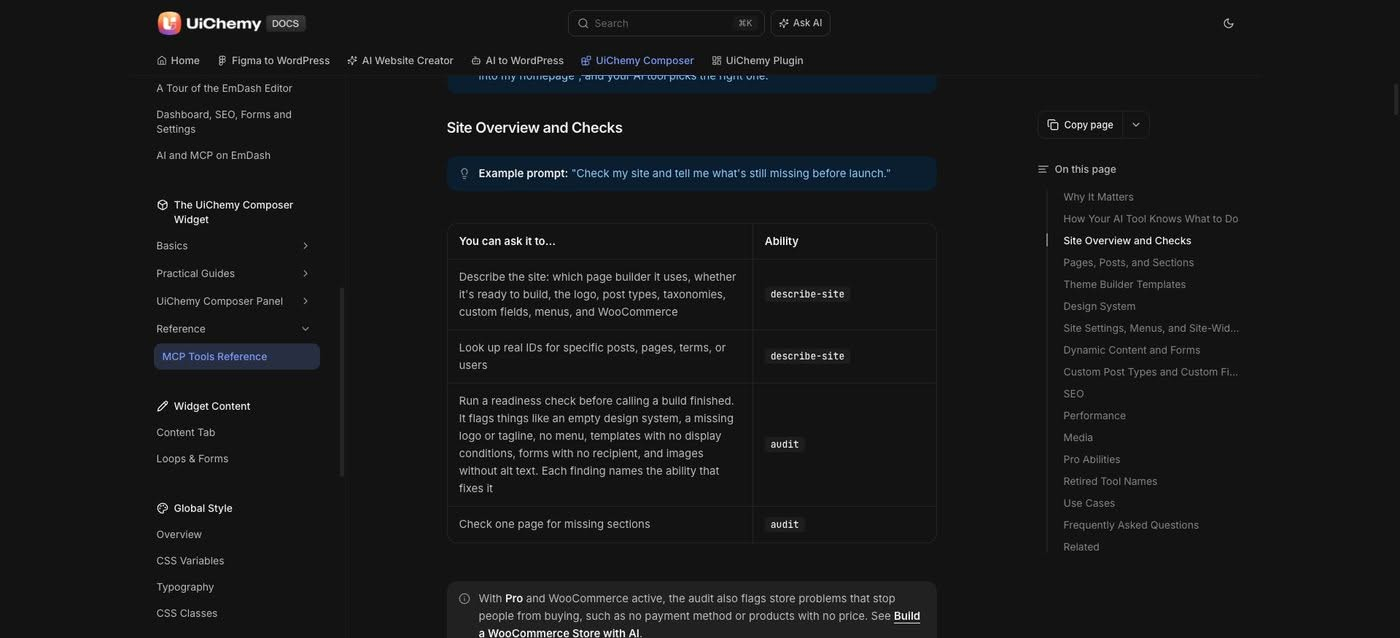
Each prompt below is quoted from the MCP Tools Reference page of the UiChemy docs, read on 19 November 2026. The ability is the name your AI tool calls behind the scenes. “Not marked Pro” means the row for that ability on the docs page carries no Pro label. Where only part of an ability is Pro, the notes column says so.
| # | Prompt (docs wording) | Ability | Free or Pro | Notes from the docs |
|---|---|---|---|---|
| 1 | Check my site and tell me what’s still missing before launch. | describe-site, audit | Not marked Pro | Pro adds store checks when WooCommerce is active. |
| 2 | Add a testimonials section below the hero on my homepage, then publish the page. | page | Not marked Pro | New pages start as drafts unless you ask to publish. |
| 3 | Build me a header with the logo on the left and a Get Started button on the right, and make it site-wide. | theme-builder | Not marked Pro | Header, footer, single and 404 templates. Archive, product and search templates are Pro. |
| 4 | Change my brand color variable to a deep green and check it reads correctly everywhere. | design-system | Not marked Pro | Reads and edits your Global Style. |
| 5 | Set my site title and logo, then build a main menu from my published pages. | platform | Not marked Pro | With no details, it builds a Main Menu from published pages. |
| 6 | Turn this into a loop showing my 6 latest blog posts, 3 per row. | dynamic | Free covers post loops | Free shows four live data kinds. Other fields and loops over products, terms or users are Pro. |
| 7 | Create a Case Studies post type with a client name and a results field, then add three sample case studies. | cpt | Pro | Free can read the content model. Creating types and fields needs Pro. |
| 8 | Audit my site’s SEO, fix missing alt text, and redirect my old /services page to /what-we-do. | seo | Not marked Pro | Available while the SEO feature is on in UiChemy settings. |
| 9 | Turn on performance optimization and lazy-load images below the first screen. | performance | Settings not marked Pro | Image format, compression and Google Fonts actions are Pro. |
| 10 | Find my logo in the media library and add alt text to it. | media | Not marked Pro | Search media, set alt text, title or caption, upload a file. |
| 11 | Build a coffee shop with 12 products, set up cash on delivery and free shipping, and tell me if anything still stops people from checking out. | store | Pro | Needs WooCommerce installed and active. |
| 12 | Put this animation library in a shared file and load it on every page. | code-file | Pro | Files live in wp-content/uichemy-composer/. |
| 13 | Upload the font files in my fonts folder as a family called Brand Sans. | custom-font | Pro | Accepts woff2, woff, ttf or otf. |
| 14 | Add a module that shows a free shipping banner in the footer, only to visitors who aren’t logged in. | module | Pro | Module Studio code modules. |
| 15 | Mark the error log, then switch on my new module and tell me if it caused any PHP errors. | error-log | Pro | The log itself is never cleared or changed. |
How to write the prompt once you are connected
Read the 15 prompts side by side and the same moves repeat. Each states the job, names the thing it changes, and in the site check, store and error-log prompts asks the tool to report back on what is still wrong. That last part matters: the docs say the audit ability names the ability that fixes each finding, so a follow-up prompt can say “fix the first three” instead of starting over.
Try it in three steps
- Connect your AI tool to your site with the Set Up AI to WordPress guide, then start with a read-only prompt such as number 1.
- Run one prompt from the Free group, for example number 10, and check the result in the WordPress admin before you ask for a bigger change.
- Keep deletes for last: the docs say deleting a section, template, menu or product asks for a second confirmation before anything is removed.
For wording that carries a full page, see our guide how to write a website prompt. It covers the structure behind the UiChemy library prompts.
The hosted MCP has its own prompt page
The six prompts on the docs page MCP Prompt Examples are for the hosted UiChemy MCP and UiChemy projects, not your WordPress site. They all use one made-up business, Cedar Studio, an interior design studio in Bristol. Each one sets a boundary: a “do not” line or a wait-for-approval line. For example, the first begins “Confirm the UiChemy account connected here and list my projects by name” and ends “Do not create or edit anything.” The docs advice is to start read-only, then name the project, page and exact change.
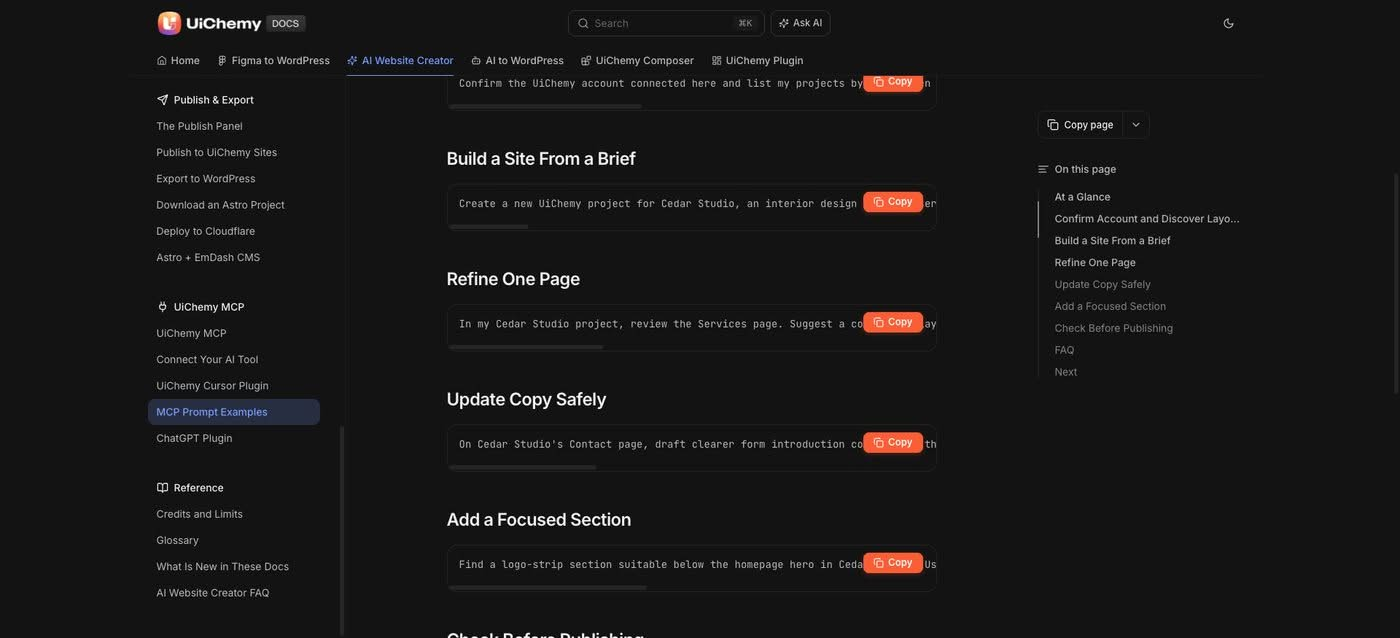
One caution from that page: AI-generated project changes can use credits, and prompts do not replace the permissions your AI client asks you to approve.
| Composer MCP (your WordPress site) | Hosted UiChemy MCP (UiChemy projects) | |
|---|---|---|
| Where it works | Your own WordPress site | Your UiChemy account and projects |
| Example prompt | Add a testimonials section below the hero on my homepage, then publish the page. | Find a logo-strip section suitable below the homepage hero in Cedar Studio. |
| Docs page | MCP Tools Reference | MCP Prompt Examples |
When these prompts are the wrong tool
WordPress MCP prompt questions
What is a WordPress MCP prompt?
It is a plain English request you type into an AI tool that is connected to your WordPress site over MCP. The tool picks the matching ability, such as page, seo or media, and runs it on your site.
Do I need to know the ability names?
No. The UiChemy docs say your AI tool discovers what is available on its own, so you describe the job. The names in the table above are for your reference.
Which of these prompts work on the free plugin?
By the docs, 9 of the 15 map to abilities not marked Pro. Custom post types, the WooCommerce store, shared code files, custom fonts, modules and the PHP error log need UiChemy Pro.
Does it work with Elementor and Gutenberg?
Yes. The docs say pages, posts and UiChemy Theme Builder templates are written into Elementor or Gutenberg, whichever your site uses.
Can the AI delete things on my site?
It can ask to. The docs say deleting a section, template, menu or product asks for a second confirmation before anything is removed.
Sources and read dates
- UiChemy docs, MCP Tools Reference, read 19 November 2026: https://docs.uichemy.com/uichemy-composer/uichemy-widget/mcp-tools-reference
- UiChemy docs, MCP Prompt Examples, read 19 November 2026: https://docs.uichemy.com/ai-website-creator/mcp/prompt-examples
- Search volume, US, DataForSEO Google Ads data, 19 November 2026: wordpress mcp 1,600 in October 2026 (1,000 average over the year), wordpress mcp claude 50, claude wordpress 110. Search results for “wordpress mcp prompts” read the same day.
- Related guides: UiChemy MCP: which one to use, Connect Claude to WordPress with UiChemy MCP and WordPress Application Passwords for MCP