UiChemy Composer: The AI-First Visual Builder For WordPress
 Sagar Patel
UiChemy Composer is the AI-First Visual Builder for WordPress. It helps you build, launch and hand over editable sites using the AI you already work with, while keeping visual controls for your team and your clients.
You can use Composer with its own visual editor, or work with it inside Elementor, Gutenberg and Bricks.
Build WordPress sites with your own AI
Connect an agent such as Claude Code, Codex or Cursor through UiChemy MCP, then describe the page or section you need. You can also use AI Chat in the editor with your own AI connection.
Composer gives your AI a design system, templates and WordPress data to work with. Set your brand colours and typography once, build headers and footers, and connect designs to posts, custom fields or WooCommerce products.
AI builds it. You keep editing.
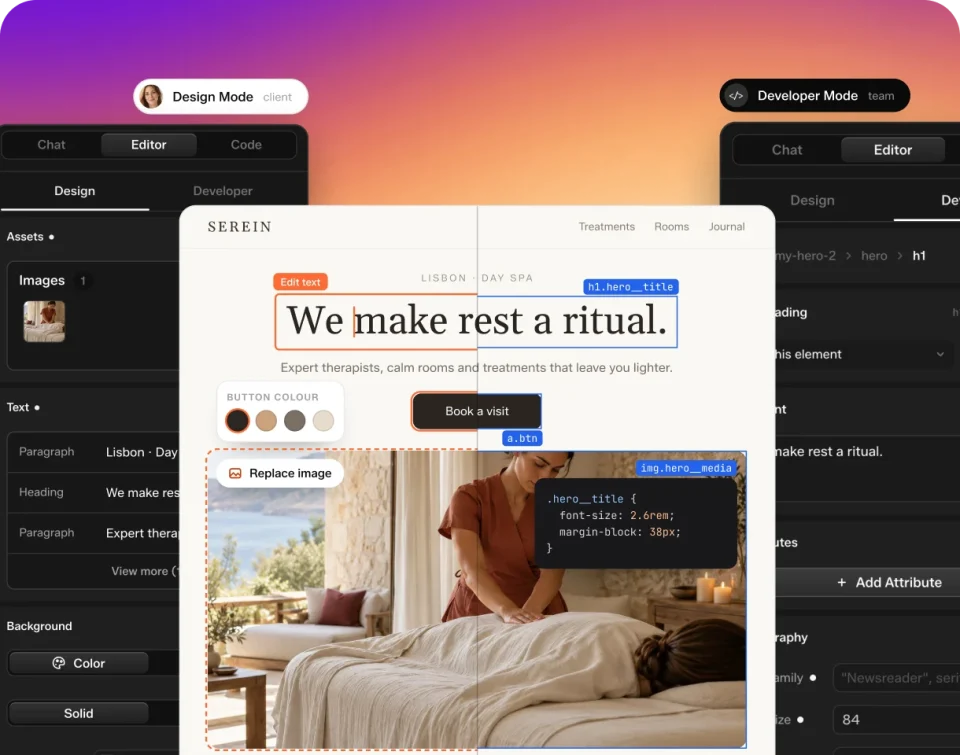
Composer stores real HTML, CSS and JavaScript with a visual editor on top. You are not handing a client a screenshot or an uneditable preview.
- Design Mode: change text, images, links, colours and spacing visually.
- Developer Mode: work with classes, layers and code when you need deeper control.
Prepare the site for launch with fewer plugins
Composer includes more than the editor:
- SEO for page titles, descriptions and social previews.
- Forms with submissions in your WordPress dashboard.
- Performance tools and page-specific CSS and JavaScript loading.
- Theme Builder for headers, footers and other site templates.
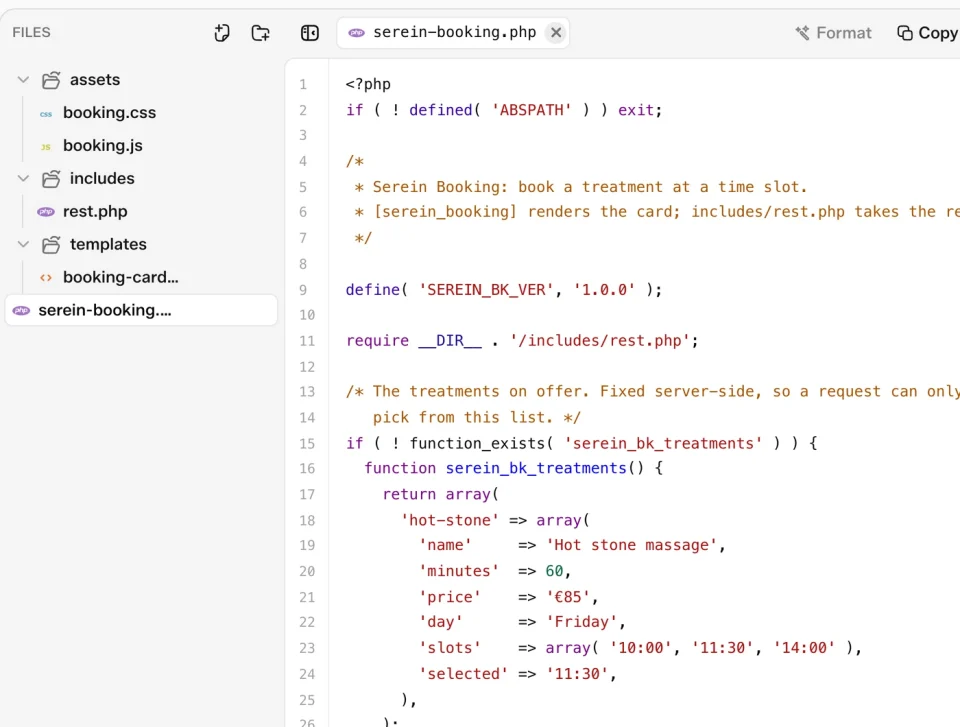
- Module Studio for small custom features built as reusable code modules.
These can reduce the separate plugins you need for those jobs. They do not replace every specialist plugin a project might require.
Hand over the site without handing over every control
Set client permissions with Role Manager, let clients edit text, images and buttons on the live page, and use white label to hand over under your own brand. You decide what they can change, while your team keeps control of layout and code.
Feature availability depends on the plan. In-editor AI Chat, Role Manager and White Label require a paid plan. Check the Composer plan details before choosing.
Common questions
Do I need to write code?
No. Design Mode lets you edit content and style visually. Developer Mode is there when you want to work with classes and code.
Can I use Composer without AI?
Yes. The visual editor works without AI. When you do use AI, bring your own agent or connect your own API key.
Do I own the site and its code?
Yes. Composer stores real HTML, CSS and JavaScript in your own WordPress database, on your own hosting.
What would help your WordPress workflow?
We would value feedback from people building sites for clients. What would you want to see in Composer, and which part of AI-to-client handover is still difficult for you? Share your thoughts in the comments.
Every feature named in this post is listed on the Composer features page. Ready to try it? Explore UiChemy Composer.