
How to Tag The Post Info Widget for Figma to Elementor?

Key Takeaways

  • UiChemy allows tagging elements in Figma as an Elementor Post Info widget.
  • Only the style of the Post Info widget is exported, not the content.
  • A UiChemy Pro license is required to tag Elementor Pro widgets.

Table of Contents

If you are showing post metadata in your post or post listing design in Figma, then you can tag those elements as an Elementor Post Info widget directly from your Figma design using the UiChemy plugin.

So when you export the design as an Elementor template, that particular section will use the Post Info widget.

What Can be Tagged?

A frame or a frame containing a text and an icon can be tagged as a Post Info widget.

Note: Since this is a dynamic widget only the style will be exported not the content.

How to Tag?

Here, we’ll go with the Step by Step Method.

  1. First, select the Step by Step Method and click on the Start button.
  2. Select the top-level page or frame of your layout, then click on the Next button.
  3. Under the Widget Tagging Mode tab, select the Manual Widget Tagging Option.
  4. Next, under the Manage Auto Layout tab, you’ll see two options: It’s already in Auto Layout and Convert to Auto Layout. We’ll go with the first option.
  5. After that, under the Tag Widgets tab, choose the frame or container that contains your element (Widget). Then, search for the Post Info widget from Elementor Pro in the UiChemy panel and select it. Here, you’ll see all the supported Elementor widgets.

Note: You need to have a UiChemy Pro license to tag Elementor Pro widgets.

On the next screen, you’ll get the information of which element you are tagging as what widget.

Then you’ll see widget specific tagging options.

  1. From the Text dropdown, you have to select the meta text.
  2. In the Icon dropdown, the icon will be auto selected.
  3. Once done, click the Save button to complete the tagging, and you’ll see a Tagged successfully message.

Now if you export the design, that element will use the Elementor Post Info widget with your set style. 
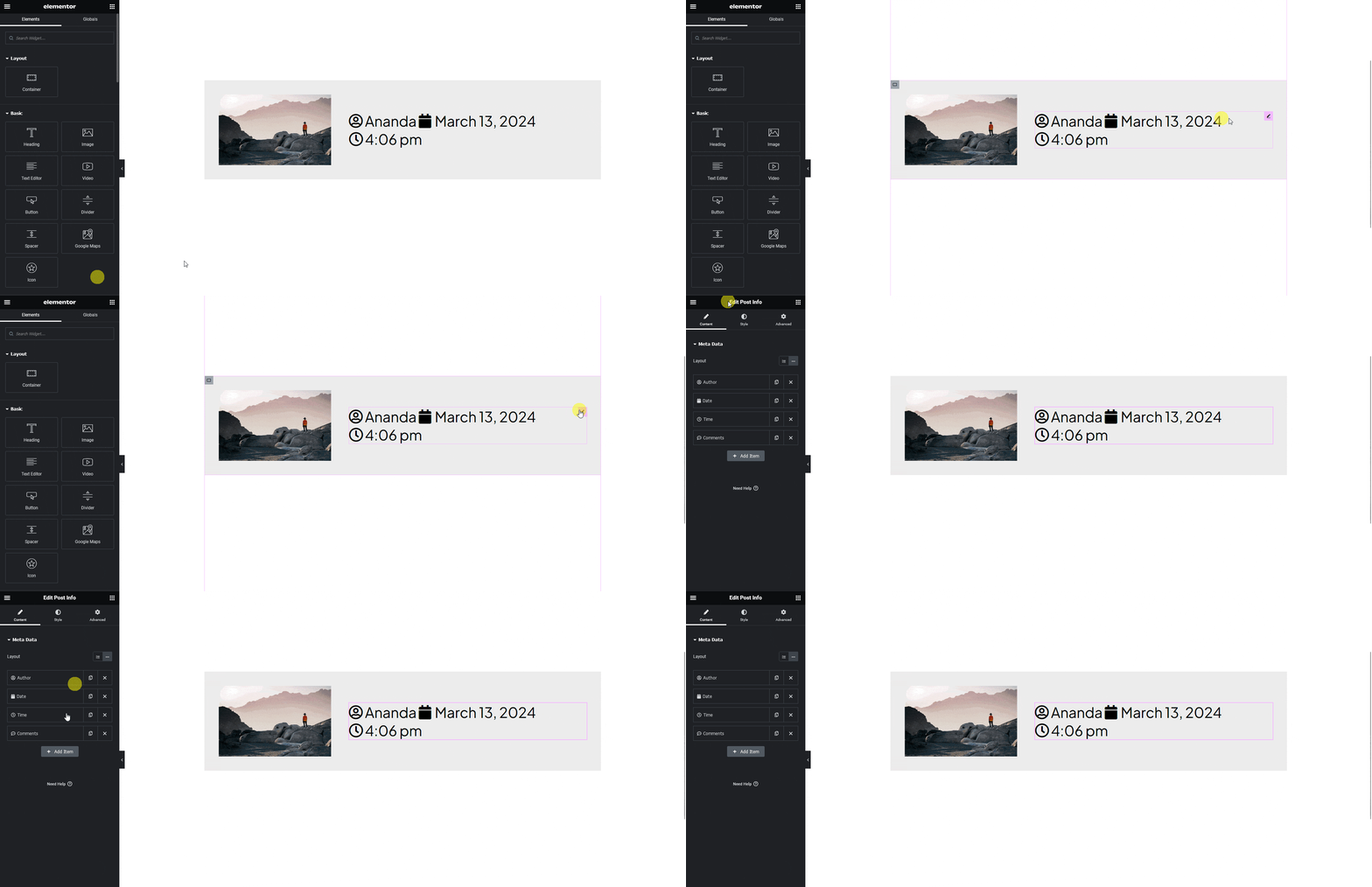
exported template with post info

Note: Since this is a pro widget make sure the Elementor pro plugin is installed and activated. You might have to make some minor adjustments in the widget settings to match the design, especially those elements that are not tagged.

About the Author

Photo of Sagar Patel CEO of UiChemy
CEO · UiChemy · 11 years experience

Sagar is the Founder & CEO of POSIMYTH Innovations, with 10+ years building WordPress products trusted by 100,000+ websites globally. He has led the development of The Plus Addons for Elementor, Nexter, WDesignKit, and UiChemy, all built hands-on from concept to launch. His work focuses on making website building faster, more flexible, and accessible for creators and businesses worldwide.

WordPressFigmaUI DesignWeb DesignElementorBricksAutomationClaudeAI

Related Frequently Asked Questions


What if my Post Info widget isn't displaying correctly after tagging?

If your Post Info widget isn't displaying as expected, ensure that the Elementor Pro plugin is installed and activated. Since the UiChemy Figma Plugin only exports the style and not the content for dynamic widgets, you may need to adjust the widget settings in Elementor to match your design. This is a common issue when the tagging isn't fully aligned with the intended design.

What is the best way to ensure accurate tagging of the Post Info widget?

To ensure accurate tagging of the Post Info widget, select the correct frame or container that contains your elements before tagging. Use the Manual Widget Tagging Option in the UiChemy panel, and double-check the Text and Icon dropdowns to confirm they reflect the desired metadata. This attention to detail helps maintain the integrity of your design when exported.

Are there any limitations when using the Post Info widget with UiChemy?

One limitation is that only the style of the Post Info widget is exported, not the content. This means that while you can customize the appearance, you'll need to ensure the correct content is set up in Elementor after exporting. Additionally, you must have a UiChemy Pro license to tag Elementor Pro widgets, which is essential for full functionality.

Last reviewed: April 14, 2026