Your  Figma Design, Live In
 Elementor In Minutes
Turn on AI Express Mode. UiChemy reads your frame, builds real Elementor widgets, checks its own spacing and contrast, and hands you a finished page in 5 clicks. Open Elementor and every section is already editable, headings, buttons, images, layout, all yours to change. Any Figma file works, and there’s no code to untangle.
 Download the plugin

Every Section Lands As A Native Elementor Widget
Headings, buttons, and containers map to real Elementor widgets. Your colors and fonts come through as reusable global styles you can update in one place.
- Native Elementor widgets, fully editable in the Elementor editor.
- Not exported HTML, not a flat image. A real, native page.
- 95% responsive across desktop, tablet, and mobile breakpoints.
- Global colors and typography synced into Elementor as reusable classes.

Real widgets, not a screenshot
Real Elementor Widgets, Not A Flattened Export
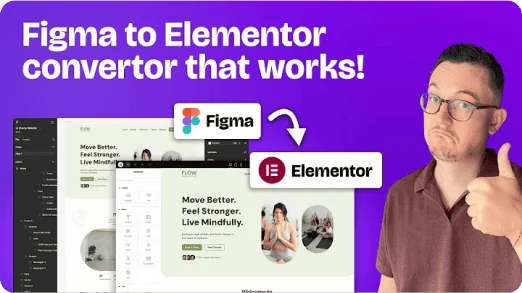
Your Figma frame on the left, the live Elementor page on the right. Every heading, button, and container is a native widget you can click, drag, and restyle, never a locked image.
 Figma design
Your approved design, exactly as you drew it
- Tag any layer to the widget you want it to become
- Colors, text styles, and images already set in your file
- Your header and footer frames, not just the page
 Live in Elementor
The same design, now native Elementor widgets
- Elementor Free and Pro widgets, exactly as tagged
- Colors and fonts synced into your global styles
- Header and footer sent to the theme builder
Or Convert Into Elementor V4 Atomic
Same Figma frame, a different output. In V4 your styles become reusable classes rather than settings on each element.


Elementor V4 Atomic: Styles Become Classes
Your Figma styles convert into reusable Elementor classes instead of settings buried on each element. Structured, responsive, still fully editable.
Explore Elementor V4 AtomicYou Choose How Much We Automate, How Much You Steer
AI Express reads your design and builds the Elementor page in minutes. Classic hands you the controls to tag each layer so the result matches your Figma exactly.


AI Express Mode: Built For You Automatically
UiChemy reads your frame, builds the Elementor page, and fixes spacing and contrast. You review a finished page.
Explore AI Express Mode


Classic Mode: You Control Every Pixel
You tag the layers yourself for pixel-level control, and we convert into native Elementor, Gutenberg, or Bricks right now.
Explore Classic ModeLoved by designers
90,000+ Designers Already Trust Us To Finish The Build
Rated 4.9 out of 5 by more than 90,000 Figma designers, with 1,300+ templates to start from.