figmatoelementorv4 1
UiChemy users
5 star ratingRated 4.9 out of 5 Trusted by 90,000+ Figma designers
Elementor V4 Atomic

Convert FigmaFigma Into
ElementorAtomic Class-Based Layouts

Your design converts into Elementor V4 Atomic elements, and your Figma styles become reusable classes. Structured, responsive, and fully editable inside Elementor.

Atomic ElementsClass-Based StylingStructured LayoutsResponsive-ReadyReusable ClassesFully Editable
Get Started
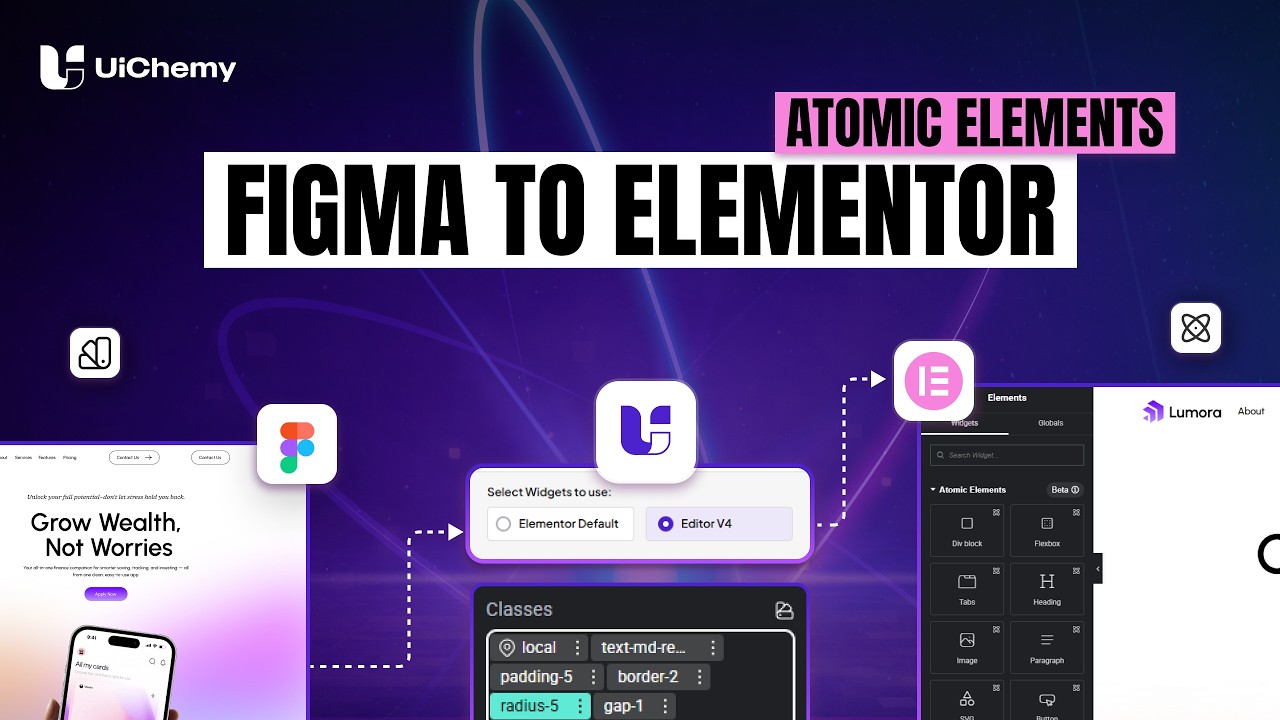
UiChemy Elementor V4 Atomic walkthrough
Class-based global styling

Your Styles Stop Being Per-Element

In V4 a style is a class, not a setting buried on one element. Change the class once and every element using it follows.

  • Figma colors become Elementor variables.
  • Typography, spacing, borders and shadows become reusable classes.
  • Edit a class once and it updates everywhere it is used.
  • Nothing is baked into individual elements on export.
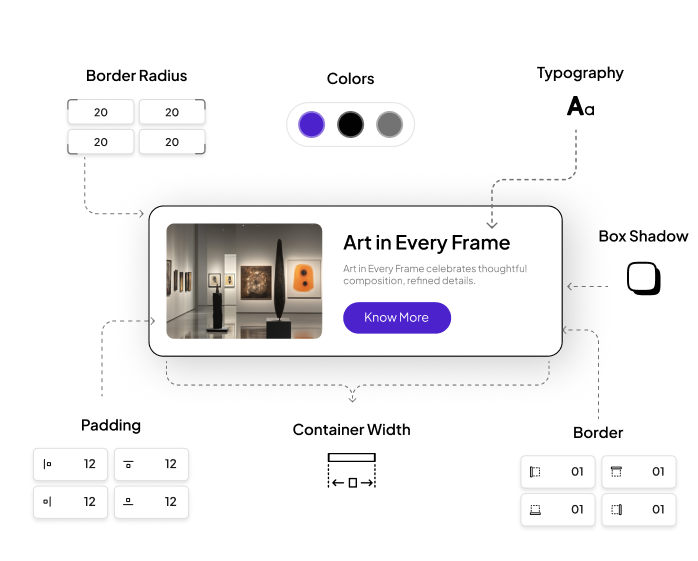
A card with its border radius, colors, typography, shadow, padding, container width and border called out as styles
No manual tagging

No Tagging Needed. Just Convert.

UiChemy analyzes your layout and assigns the right Atomic elements automatically. Save time and generate clean, structured Elementor layouts instantly.

Flexbox
Heading
Image
Paragraph
SVG
Button
Automatic class application

Classes Arrive Already Applied

You do not get a pile of unused classes to wire up. Each element lands with the right ones already on it.

  • Classes are generated and attached during conversion.
  • Naming follows your Figma styles, so it reads like your system.
  • The layout stays consistent across every section.
  • Everything is still editable in Elementor afterwards.
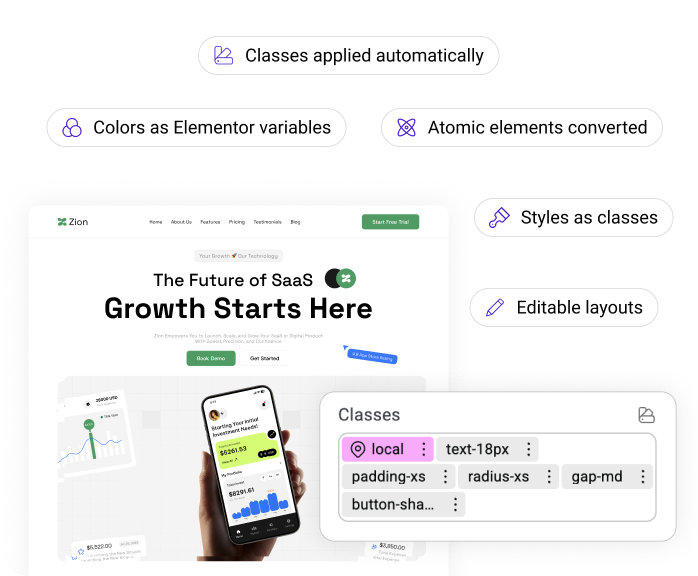
A converted page with the Elementor Classes panel showing text, padding, radius, gap and shadow classes already applied
One plugin, every global

Everything Under One Figma Plugin To Streamline Your Design Process Like Never Before

Choose Elementor Editor Version

UiChemy supports the new Elementor Editor V4, built with a CSS-first system. Simply select Editor V4 to generate structured, fully compatible layouts using Atomic elements and classes.
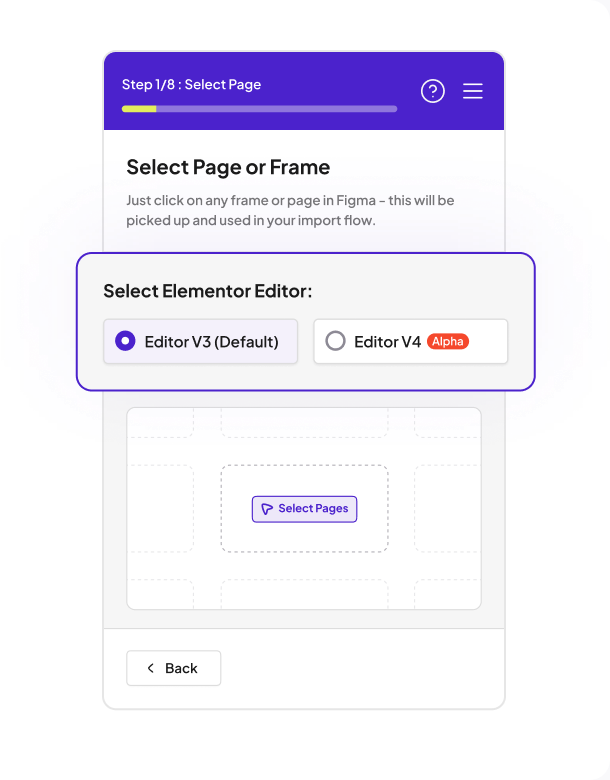
The UiChemy import flow on step 1, choosing between Editor V3 and Editor V4

Global Boxed Width Container Sync

Set your global container width and keep layouts consistent across all breakpoints. Easily control your site’s structure with centralized width settings.
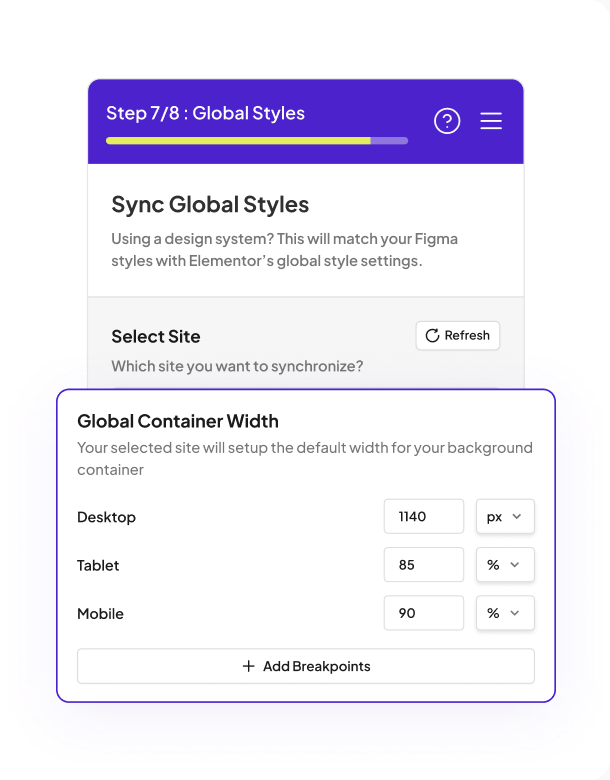
The Global Container Width panel with desktop, tablet and mobile width values

Global Typography

Sync your Figma text styles directly with Elementor. Maintain consistent fonts, sizes, and hierarchy across your entire website.
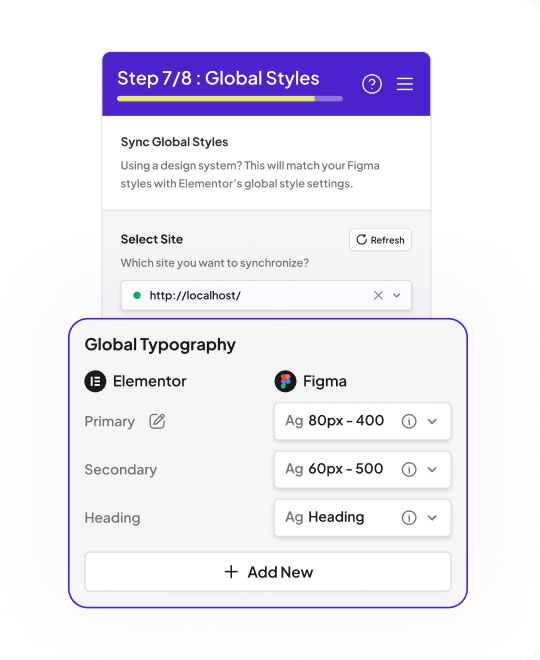
The Global Typography panel mapping Elementor primary, secondary and heading styles to Figma

Global Padding

Apply consistent padding values across all containers and sections. Keep spacing uniform and aligned with your design system.
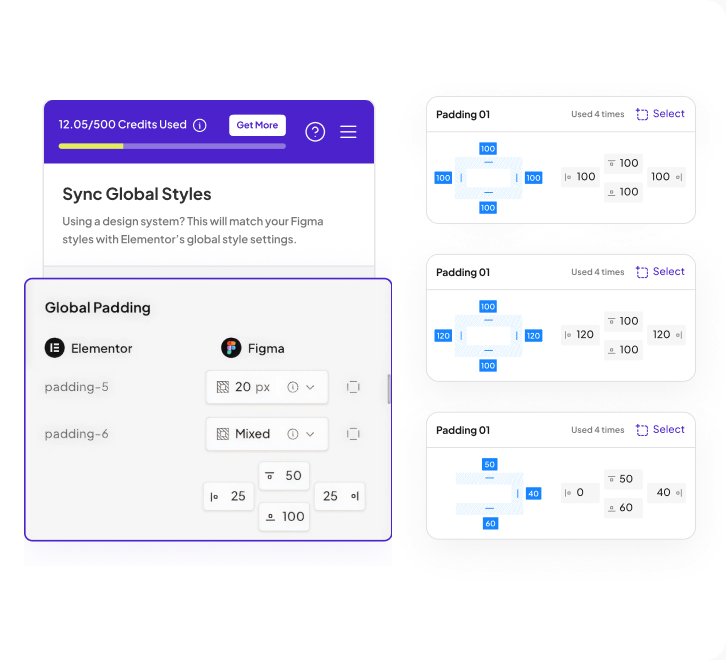
The Global Padding panel beside three padding classes and their per-side values

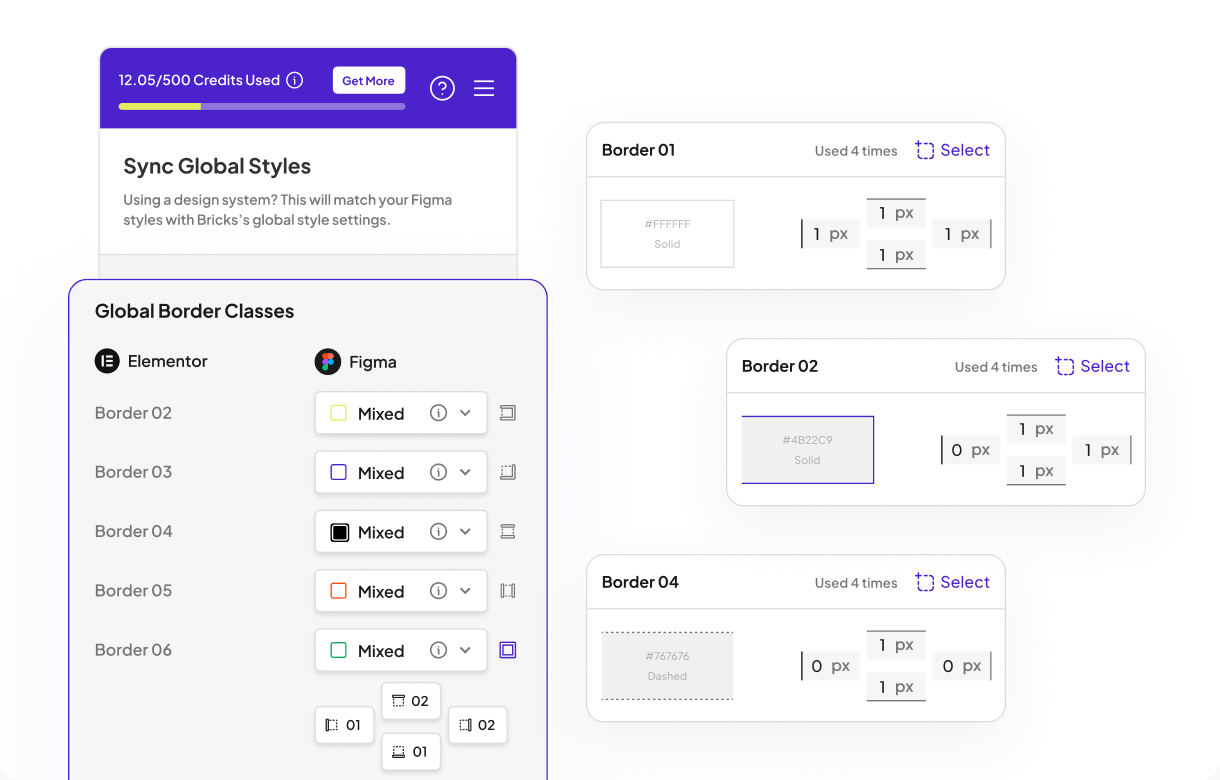
Global Border

Define border styles globally and maintain consistency across components. Easily manage border width, style, and color from one place.
The Global Border Classes panel beside three border classes with their width, style and color

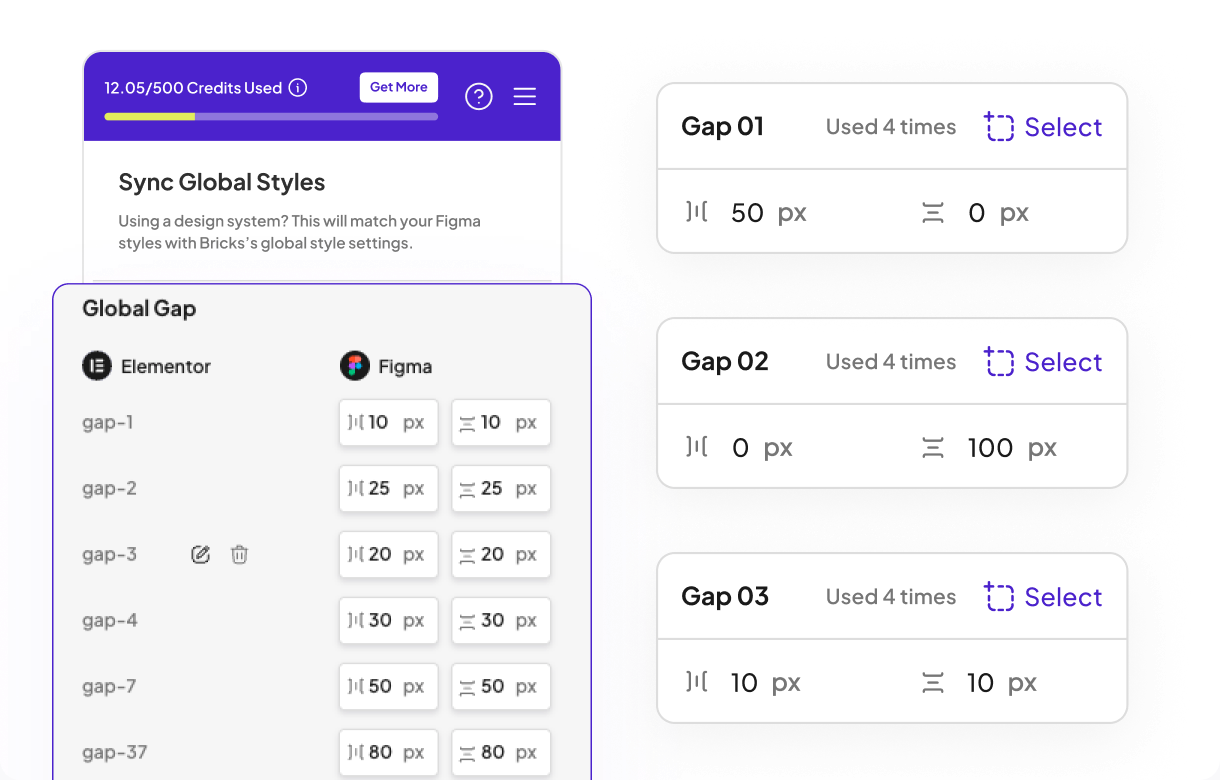
Global Gap

Control spacing between elements using global gap settings. Perfect for flexbox-based layouts in Atomic Elements.
The Global Gap panel listing gap classes beside three gap presets with their row and column values

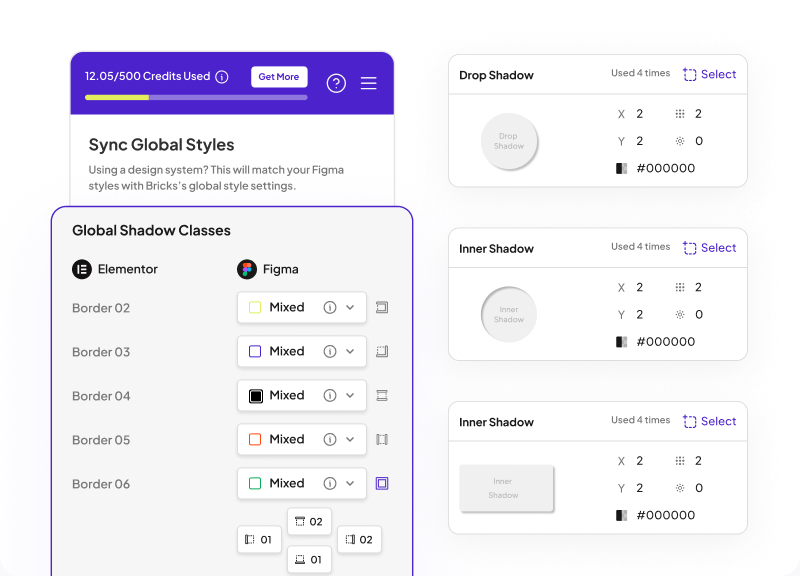
Global Box Shadow

Apply consistent shadow effects across all elements. Enhance depth and visual hierarchy with reusable shadow styles.
The Global Shadow Classes panel beside drop shadow and inner shadow presets

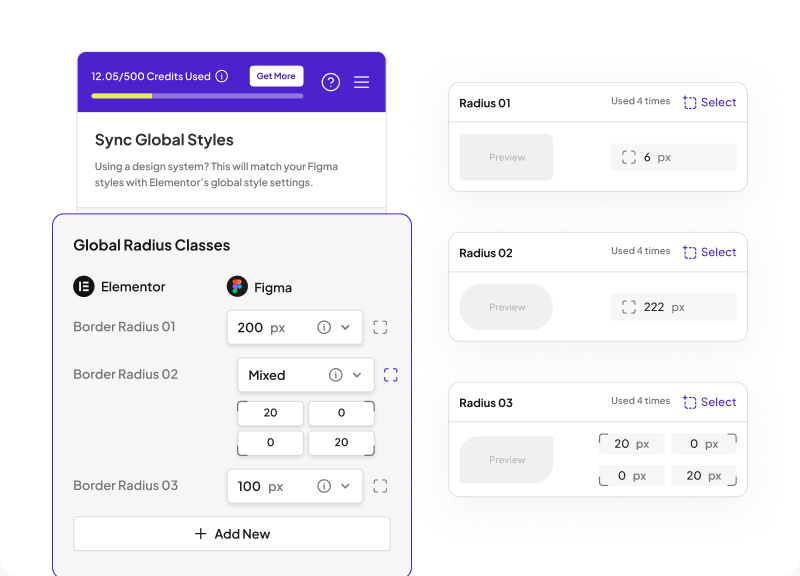
Global Border Radius

Maintain consistent corner radius across your design. Ensure uniform styling for buttons, cards, and containers.
The Global Radius Classes panel beside three radius presets and their corner values

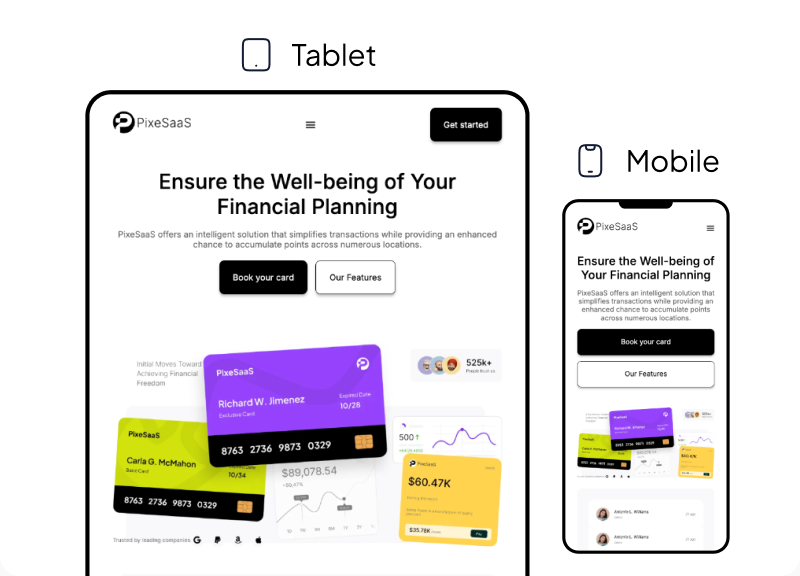
95% Responsive Conversion

Ensure your WordPress site looks great on any device with our 95% responsive conversion process.

The same converted page shown at tablet and mobile widths
Detection and sync

Design System Detection & Sync In Elementor V4

UiChemy detects your Figma variables and styles, and syncs only supported properties into Elementor as variables and reusable classes.

Figma Setup
Supported Styles
Supported Properties
VariablesStyles
ColorVariablesStyles
Color
Variables
TypographyVariables
Font FamilyFont SizeLine HeightFont WeightText CaseText DecorationLetter Spacing
Styles
PaddingStyles
Padding-LeftPadding-TopPadding-RightPadding-Bottom
Variables
BorderVariables
Border ColorBorder WidthBorder Style
Styles
Gap (Spacing)Styles
Horizontal GapVertical Gap
Variables
Border RadiusVariables
Top-LeftTop-RightBottom-LeftBottom-Right
Styles
Shadow EffectsStyles
ColorX PositionY PositionBlurSpreadShadow Type
Atomic and classic together

Going Atomic Does Not Cost You Your Native Widgets

You are not choosing one or the other. Tag the layouts that need a classic widget, leave the rest untagged, and you get a hybrid page where both behave correctly.

Tagged layers

They Stay Classic Elementor Widgets

Anything you tag with a classic widget, such as Navigation Menu or Icon Box, converts to that widget and uses your global colors and typography.

See Classic Mode
Untagged layers

They Become Atomic Elements

Everything you leave untagged is detected and converted into Atomic elements that use variables and reusable classes. One page, both systems, no conflict.

Get started

Convert Your Next Figma Frame Into Atomic Elementor

Pick Editor V4 in the plugin, sync your styles, and get a structured, class-based Elementor page you can keep editing.

Get Started
A converted page open in the Elementor V4 editor, showing the Classes panel and synced Figma variables
Other ways to convert

Prefer A Different Way To Build From Figma?

Atomic is one of three modes, and none of them replaces the others. Both of these are live today.

ucwr ai 3ucwr ai 2ucwr ai 1
Live now

AI Express Mode: Built For You Automatically

UiChemy reads your frame, builds the Elementor page, and fixes spacing and contrast. You review a finished page.

Explore AI Express Mode
ucwr classic 3ucwr classic 2ucwr classic 1
Live now

Classic Mode: You Control Every Pixel

You tag the layers yourself for pixel-level control, and we convert into native Elementor, Gutenberg, or Bricks right now.

Explore Classic Mode
Watch and learn

See Atomic Conversion In Action

Featured UiChemy video
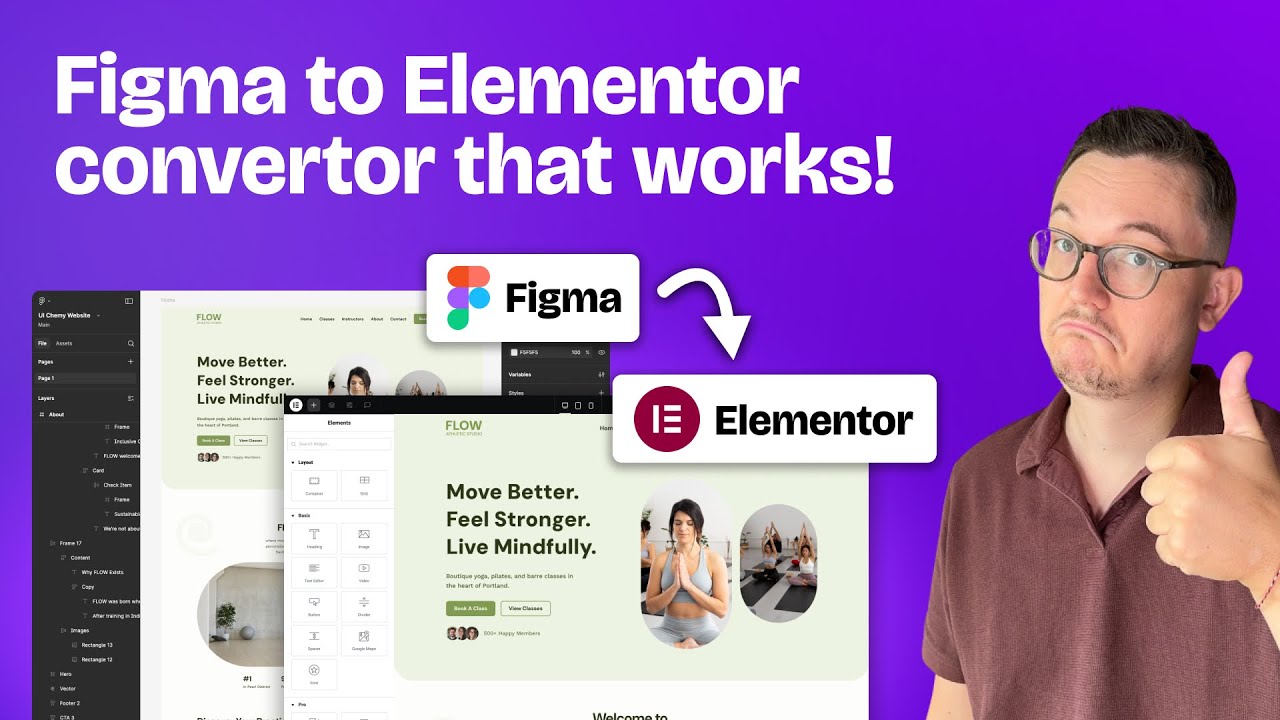
Figma to Elementor V4 with Atomic elements Figma to Elementor V4 with Atomic elements
Syncing your Figma design system into Elementor Syncing your Figma design system into Elementor
Class-based styling, start to finish Class-based styling, start to finish
Loved by designers

90,000+ Designers Rate Us 4.9 Out Of 5

90,000+ working Figma designers convert with us instead of rebuilding by hand, and rate it 4.9 out of 5.

Support

We Help You With Real Docs, Videos, And People

Search the docs, watch a walkthrough, or ask our team. Real answers from people who built the product.

Friendly support

Talk to a real person who knows the product and wants you to win.

Documentation

Clear, searchable docs for every feature and workflow.

Video tutorials

Follow along with step-by-step videos on every core feature.

Active community

Join 90,000+ designers sharing tips and templates.

FAQ

Elementor V4 Atomic, Answered

For any further help, reach us at [email protected] or start a live chat.

Elementor V4 introduces a structured, class-based workflow using Atomic elements. Instead of styling each element individually, styles are managed through reusable classes, which makes layouts more consistent and easier to scale.

No. You do not need to purchase anything separately. The Atomic (V4) experience is available directly inside the UiChemy plugin when you select the design screen and choose the Editor V4 option.

Yes. The exported layout is fully editable inside Elementor. You can update content, modify classes, and adjust the structure as needed.

Yes, if your design follows best practices. Proper structure, organized styles, and clean assets help UiChemy generate consistent and predictable output.

No. UiChemy automatically detects common elements such as headings, paragraphs, images, buttons, SVGs, and layout containers based on your design structure.

If your design includes layouts tagged with classic Elementor widgets, such as Navigation Menu or Icon Box, those sections convert into classic widgets. Layouts without tagging are automatically converted into Atomic elements, so you end up with a hybrid layout.

UiChemy detects buttons from the frame name in Figma. Make sure the frame name includes a keyword like “button” or “btn” so it can be identified and converted into a button element.

If your button layout includes both text and an icon, UiChemy converts it into the Elementor classic button widget, because the Atomic button element does not support icons yet.

Figma styles and variables are mapped into Elementor’s system when synced from the UiChemy plugin. Colors are converted into variables, while typography, spacing, and borders are converted into reusable classes.

If styles or variables are not created in Figma, UiChemy still detects the styling applied in your design. Those values are listed under the Document tab in the plugin rather than being treated as part of your design system.

First select Elementor Default in the UiChemy plugin and sync your global colors and typography. Then switch to Atomic Editor V4, open Sync Global Classes & Variables, and sync colors, typography, border, padding, gap, shadow, and radius. On export, classic widgets use global colors and typography, and Atomic elements use variables and reusable classes.

UiChemy maps Figma layout widths into Elementor flexbox settings. Container width is applied as flexbox width, and maximum width is applied as flexbox max width.

No spam guarantee

Get exclusive Figma tips, tricks, and product updates in your inbox.