

Export Figma to Elementor with Claude AI Using UiChemy MCP
 Sagar Patel

Quick answer: UiChemy MCP lets Claude take a Figma frame link and convert it into editable Elementor widgets on your WordPress site, after checking your global colors, fonts and container widths. You need Node.js 18 or newer, an administrator login and the connection from UiChemy, Home, AI Agent (MCP). Docs read November 18, 2026.
Every designer knows the feeling. You spend days perfecting a layout in Figma. The spacing is right, the typography is consistent, the whole thing looks exactly how it should. Then comes the handoff, and somewhere between your design file and the live WordPress page, something always goes wrong.
The developer interprets things differently. The fonts don’t match. The container is the wrong width. And before you know it, you’re in a back-and-forth that eats up more time than the design itself.
UiChemy MCP was built to close that gap entirely.
Want to see the full workflow before we get into the details? Watch the demo below, then read on for a breakdown of what’s actually happening under the hood.
Watch the Full Demo :
What Changed and Why It Matters
UiChemy has always been a Figma-to-WordPress converter. But the new MCP-based workflow takes it a step further by connecting three things at once: Figma, Claude Desktop, and your live WordPress site.
The manual route is explained in export Figma to Elementor without code.
For the original launch story see Introducing UiChemy.
What that means in practice: you paste a Figma frame link into Claude, ask UiChemy to export it, and Claude handles the rest. It scans your design structure, reads your typography, spacing, and color values, then checks them against your Elementor global settings before anything is imported. If there are mismatches like a missing color variable, a container width that’s off, or a font that hasn’t been registered, it catches them upfront and asks for your confirmation before making any changes.
No surprises on the other end. No cleanup after the fact.
The Part Most Export Tools Get Wrong
Here’s the problem with most Figma export tools: they give you code. Maybe clean code, maybe messy code, but code either way. And code sitting inside a WordPress page builder is essentially a black box. You can’t click into it, you can’t drag things around, and the moment you need to make a change, you’re back to square one.
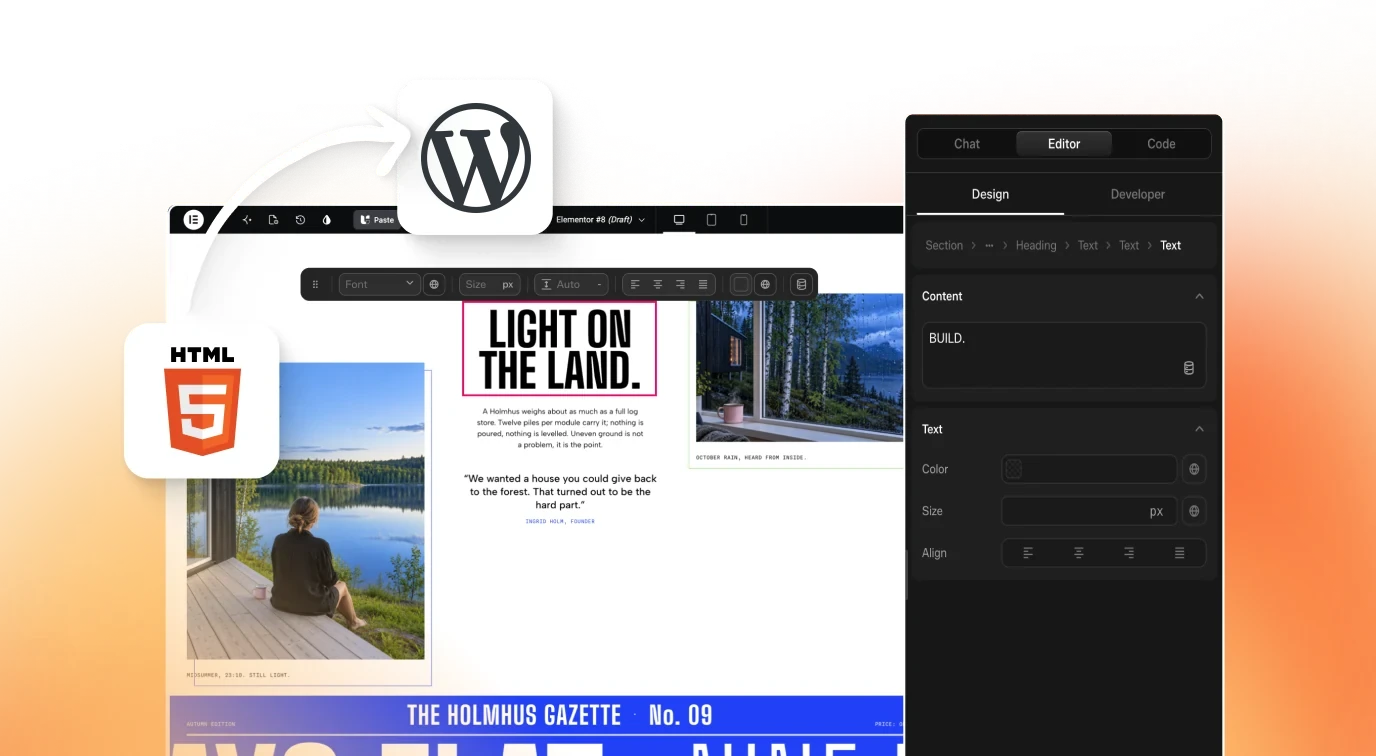
UiChemy MCP does something fundamentally different. Instead of converting your design into HTML, it maps your Figma layers to real, native Elementor widgets like Navigation Menus, Buttons, Image Boxes, Counters, Social Icons, and more. Once it’s inside Elementor, every single element behaves like something you built there yourself. You can click it, edit it, move it, restyle it, with no developer needed.
Your Design System Comes With It
One of the most tedious parts of any Figma-to-WordPress workflow is recreating your design system on the WordPress side. Colors, fonts, container widths, none of it transfers automatically with a typical export. You set it up in Figma, then you set it up again in Elementor.
UiChemy MCP handles that sync automatically. Before the export runs, it can:
- Add missing global colors to Elementor
- Update typography styles to match your Figma text styles
- Adjust container widths across breakpoints
- Align your Elementor global settings with your Figma design system
In one of the demo runs, the system caught new color variables, updated typography styles, and flagged a container width mismatch between 1280px in Figma and 1120px in Elementor, all before a single element was imported. Claude listed every change and waited for a green light before applying anything.
That level of control matters, especially when you’re working on a live site.
⚠️ If you hit MCP connection errors during setup, the troubleshooting guide at docs.uichemy.com/ai-to-wordpress/set-up has a troubleshooting list. The most common fix is to confirm Node.js 18 or newer is installed and then restart your AI tool.
The Details That Save You Time Later
A few things happen automatically during the export that are worth knowing about.
In the demo run, images were compressed on the way in and the responsive layout came across with the conversion. Treat that as a starting point: always check the result at tablet and phone widths in the editor before you publish.
These are the kind of details that usually become cleanup after an import, so having them handled during the export is a real time saver.
What’s Supported Right Now
This post walks through the Elementor workflow shown in the demo. UiChemy lists which builders the AI to WordPress route supports on its Set Up AI to WordPress page, so check that page before you plan a project on a different builder.
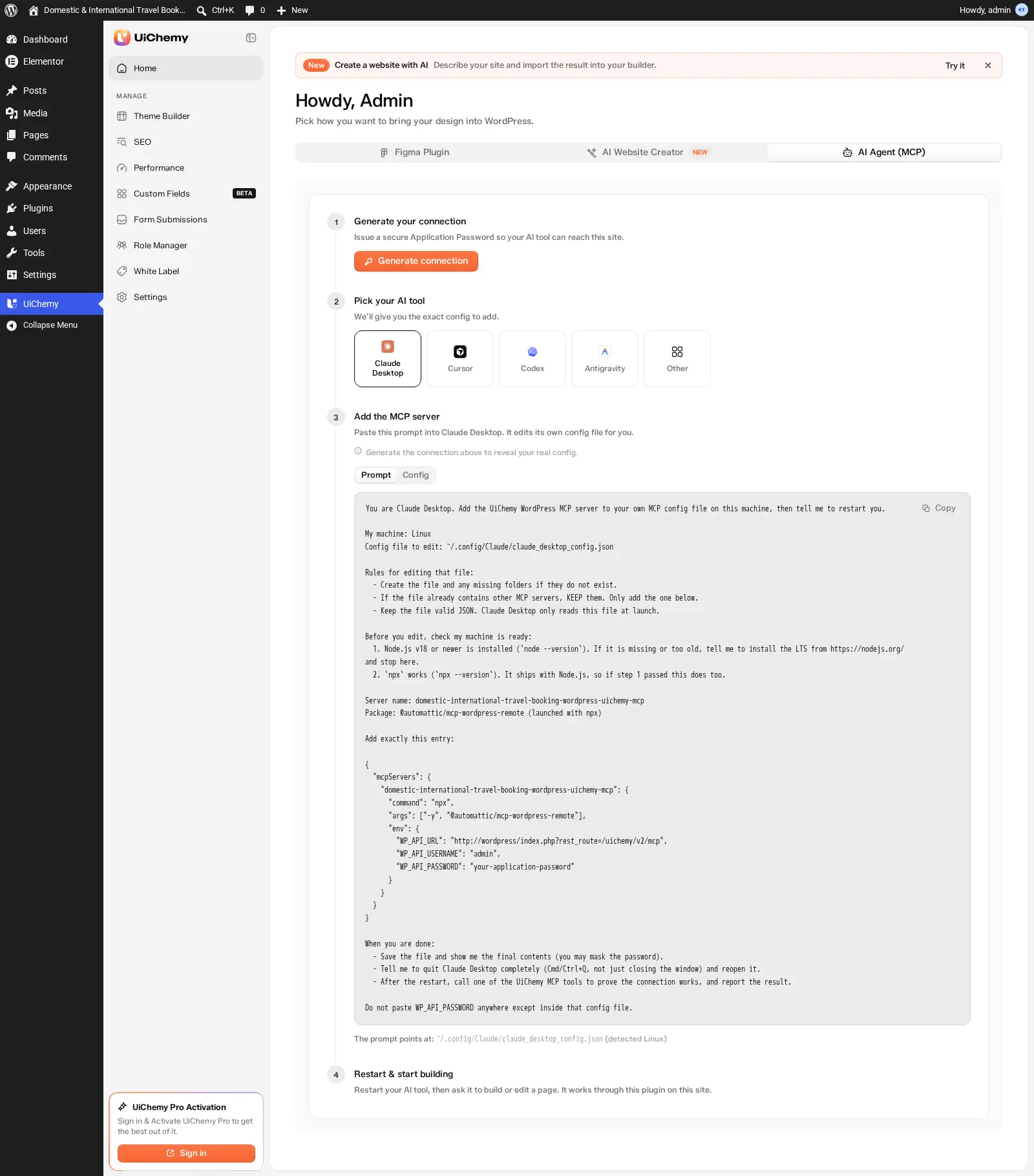
The route needs Node.js 18 or newer, an Administrator login and a connection generated under UiChemy, Home, AI Agent (MCP). Then pick your AI tool and add the config. UiChemy generates ready-to-paste config for four tools:
| AI tool | Config format | Where the config is saved |
|---|---|---|
| Claude Desktop | JSON | claude_desktop_config.json |
| Cursor | JSON | ~/.cursor/mcp.json |
| Codex | TOML | ~/.codex/config.toml |
| Antigravity | JSON | ~/.gemini/config/mcp_config.json |
Figma sets its own limits on how often an AI tool may read your file. Per Figma’s rate limits page, read on November 18, 2026, Starter plans and View or Collab seats get up to 20 tool calls a month, and a Full or Dev seat on a Professional plan gets up to 200 a day and 10 a minute. Larger exports can hit these limits, so check your seat first. The setup and limits are covered in setting up a Figma MCP server.
Is It Worth Trying?
If you’re a designer who spends any meaningful amount of time translating Figma work into WordPress, yes, without question.
The workflow isn’t just faster. It’s a different way of thinking about the design-to-production process. Instead of handing off a file and hoping it comes back looking right, you stay connected to the output from the first export to the final page. Your design system travels with the design. Your widgets are editable the moment they land in WordPress. Your images are already optimized.
The team keeps refining UiChemy MCP, and the changelog lists each release. If something doesn’t work the way you expect, tell the team and it goes into what gets built next.
What this means if you build WordPress sites
If you hand Figma designs to WordPress clients, the useful part is that the result stays editable in the builder, so the client does not need Figma or you for every text change. See UiChemy Figma to WordPress for the plugin route, Figma MCP plus UiChemy for the combined workflow, and the per-client config differences before you connect.
Frequently asked questions
What do I need to run UiChemy MCP with Claude?
Node.js 18 or newer, an Administrator login on your WordPress site, and the connection you generate in UiChemy under Home and the AI Agent (MCP) tab. Then add the config to your AI tool and restart it.
What does it import into Elementor?
It maps Figma layers to native Elementor widgets such as buttons, image boxes and counters, so each element stays editable in Elementor. It can also check and sync global colors, typography and container widths first, and it waits for your confirmation before changing them.
Which AI tools work with UiChemy MCP?
UiChemy generates ready-to-paste config for Claude Desktop, Cursor, Codex and Antigravity. Any other MCP-capable tool can use the Other option on the dashboard.
Does Figma limit how much I can export?
Yes. Figma’s own limits apply: up to 20 tool calls a month on Starter plans and View or Collab seats, and up to 200 a day on a Full or Dev seat on a Professional plan, per Figma’s rate limits page read on November 18, 2026.