Figma AI Website Builder: What That Phrase Actually Buys You
 Sagar Patel
Someone types “figma ai website builder” into Google expecting one product with one button. What they arrive at is three separate Figma products answering three different questions, plus a fourth route that leaves Figma entirely.
Picking the wrong one costs a rebuild, and you find out after the site is live.
The phrase is doing a lot of work. Figma Make is a prompt-to-app tool.
Figma Sites is a beta publishing product for pages you drew on the canvas. Figma Design plus its AI features is neither.
If the site has to run on WordPress, none of the three answers it.
This post separates them by what each hands you at the end: the file, the hosting, the code, and whether you can still edit it in a year. Every figure below was checked against Figma’s own product pages and help centre.
The Phrase Points at Three Different Products
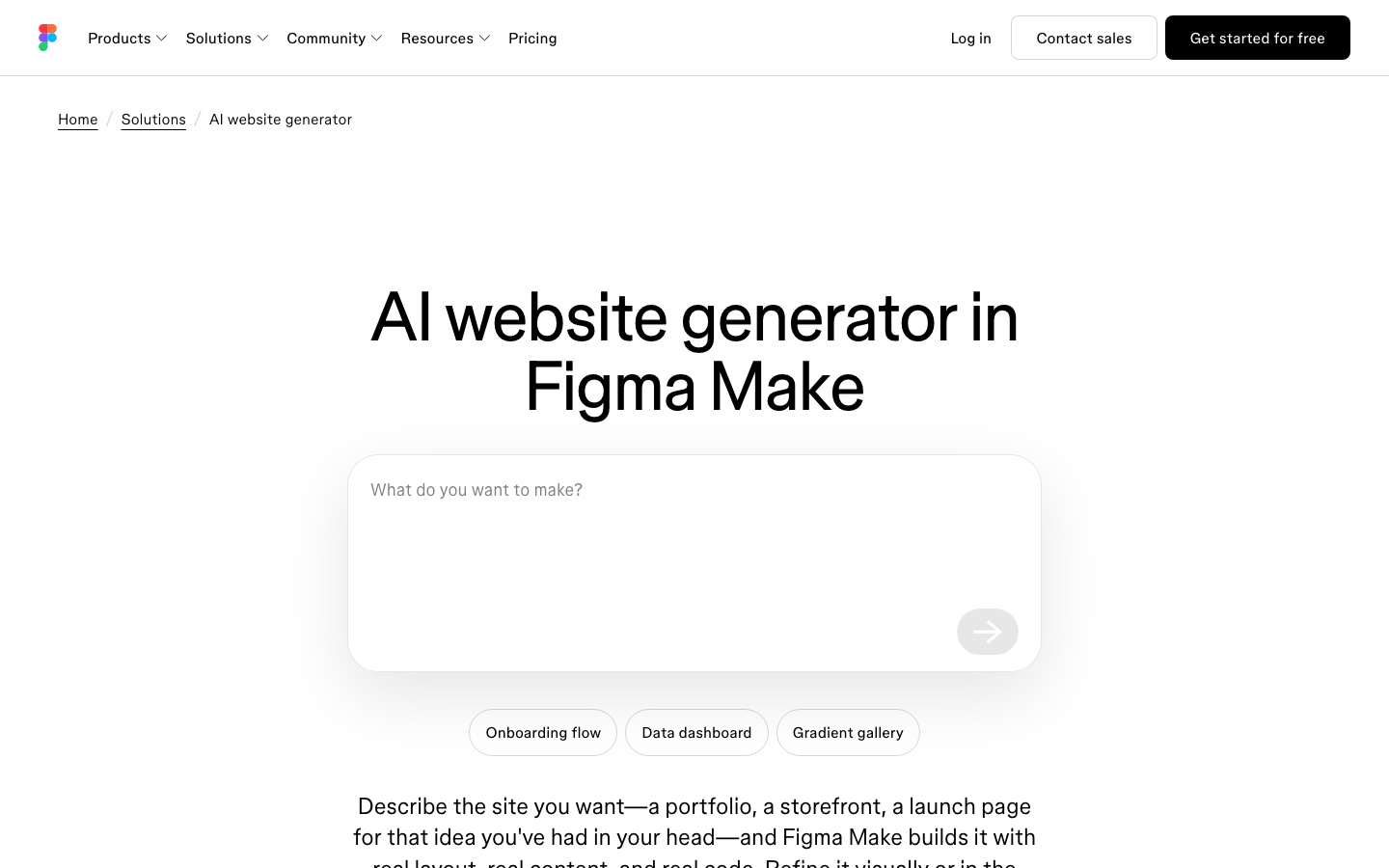
Figma publishes a page called AI website generator and it resolves to Figma Make, the closest thing Figma sells to the literal search phrase. It is not Figma Sites, which is where a design you drew becomes a published web page.
| Product | What you start from | What you get back | Where it publishes | Seat and plan |
|---|---|---|---|---|
| Figma Make | A text prompt, a frame, or your codebase | A working app with editable code and an optional backend | A Figma URL or a custom domain you own | Full seat on a paid plan |
| Figma Sites | Pages drawn on the Figma canvas | A published website, code not exportable | A random figma.site subdomain, or a custom domain | Full seat, publishing on paid plans |
| Figma Design AI | An existing design file | Renamed layers, generated images, edits to the design | Nowhere, it stays a design file | Varies by feature and credits |
| Figma to WordPress | An approved Figma frame | Native editable widgets on your own WordPress install | Your own hosting, your own domain | Third party plugin, Figma plan irrelevant |
| AI Website Creator | A text prompt or a client brief, no design needed | A whole site with a sitemap and pages, exported to Elementor | Your own hosting, your own domain | No Figma seat involved at all |
What Figma Make Actually Hands You
Figma’s help centre describes Make as a prompt-to-app tool for functional prototypes, web apps and interactive UI. That framing matters: it is an app builder that can also publish a site, rather than a website product with what a marketing site needs.
What you get is more than a mockup. You can edit the generated code directly, add a backend with state, login screens and stored content, and copy a Make preview back onto the Figma canvas as real layers.
Figma also lets you branch a Make file and open a pull request from inside it.
Two constraints deserve reading before you plan a client project around it. Creating Make files needs a Full seat on a paid plan, and the properties panel, annotations and the newer edit tool work only in new Make files, so a Make you started months ago keeps the old interface.
The third constraint is legal rather than technical, and Figma states it plainly: a Make output may incorporate third-party content from the internet such as fonts, code packages or images, and you are responsible for having the rights to all of it before publishing. On a client site that is your problem.
Credits Are the Real Meter on Any Figma AI Website Builder
Every AI action in Figma spends credits, and the allowance is per seat rather than pooled. Figma’s How AI credits work article sets the monthly grant per Full seat, and the credits reset monthly, do not roll over, and cannot be shared or transferred between users.
| Plan | Full seat credits per month | Dev, Collab and View seats | Extra limit |
|---|---|---|---|
| Starter | 500 | 500 | Also capped at 150 credits per day |
| Professional | 3,000 | 500 | None stated |
| Organization | 3,500 | 500 | None stated |
| Enterprise | 4,250 | 500 | None stated |
Figma Make is the most expensive thing on that meter, and the help centre gives worked examples rather than a fixed rate: a font change runs around 30 credits or more, making an attached design interactive around 75, and generating an app from scratch around 100 or more.
Against a Professional Full seat’s 3,000 a month, a generate-and-iterate week on one landing page is not the binding constraint.
Starter is where it bites. A 150 credit daily ceiling means roughly one from-scratch generation per day before you wait until tomorrow.
We covered the full rate card in Figma AI credits, explained without the marketing, including which actions are free and what running out actually looks like in the product.
What Figma Sites Publishes, and What It Locks In
Figma Sites has been in open beta since Config 2025 and is still labelled Beta in Figma’s own navigation. Editing a Sites file works on any plan.
Publishing requires a paid plan and edit access to the file, and the Education plan includes exactly one published site subject to bandwidth limits.
The single fact that should decide the question for an agency is in Figma’s publishing FAQ, and it is unambiguous: it is not currently possible to export your site’s code for external publishing.
Sites are hosted on AWS in the United States with Cloudflare handling domains and routing, and the figma.site address you are assigned starts as a random string, though Figma now documents choosing a personalised subdomain instead.
Custom domains do exist on paid plans and go some way to hiding that. Professional connects up to 10, Organization and Enterprise are unlimited, and setup is a TXT plus a CNAME record at your registrar.
If your domain sits behind Cloudflare it must be set to DNS only, with the proxy off.
- One custom domain per site at a time, with no wildcard domains
- No domain paths: a URL like example.com/about cannot be pointed at a Sites project
- Every webpage on the canvas is published, including CMS subpages, so unfinished work belongs in a different file
- Restricting a published site to an internal audience is Organization and Enterprise only
Responsiveness in Sites is breakpoint based rather than fluid. The presets are Desktop 1280, Tablet 800 and Mobile 375 plus a custom option, and every new webpage starts with only a desktop breakpoint.
Responsive components switch variants by matching the breakpoint name to a variant property value, so the naming in your component set is load bearing.
The CMS has three parts: a collection holding the data, a CMS page acting as a template that produces one URL per item, and a CMS list that repeats a block. Collections import from CSV.
Figma publishes no collection or item limit, so plan capacity by testing rather than by a number somebody quoted you.
The Question the Phrase Is Really Asking
Almost nobody searching for a Figma AI website builder wants a demo. They want a client site shipped, and what decides that is not generation quality.
It is what happens on the day the client asks for a change and you are not available.
| Ownership question | Figma Make | Figma Sites | Figma to WordPress |
|---|---|---|---|
| Can you export the code | Yes, code is editable and branchable | No, stated in the FAQ | Not applicable, output is already on your server |
| Who hosts it | Figma, or your own deploy | Figma, on AWS in the US | Your host |
| Who can edit it later | Anyone with a Full seat and the file | Anyone with edit access to the Figma file | Anyone with a WordPress login |
| Client edits without a Figma seat | No | No | Yes |
| If you stop paying | You lose Make file creation | Publishing and custom domains stop | The pages stay on your site |
| Content model | Your own backend | Sites CMS collections | WordPress posts, terms and custom fields |
Figma is honest about the search side too. Asked whether an AI generated site can rank, the AI website generator page answers that it can, but not on its own, and that Make gives you code a developer can optimise like any other site.
That is a fair answer, and it is also an admission that generation is the start of the work rather than the end.
The WordPress Route, and What It Costs You
If the deliverable has to be a WordPress site, the Figma products stop being candidates and the question becomes what you are starting from.
Since the 7 September 2026 rebuild UiChemy runs four routes on one engine: an approved Figma design, a text prompt or client brief, an existing AI build, or a prompt typed inside the builder. Only the first needs a finished design to exist.
The wider field of AI website builders aimed at WordPress divides on one point, which is whether the output arrives as native editable elements or as a flat export.
If you already have the signed-off frame, AI Express mode is the automatic version: no layer tagging, the AI reads the design and builds native widgets, with layout styling, spacing and motion handled for you rather than added by hand.
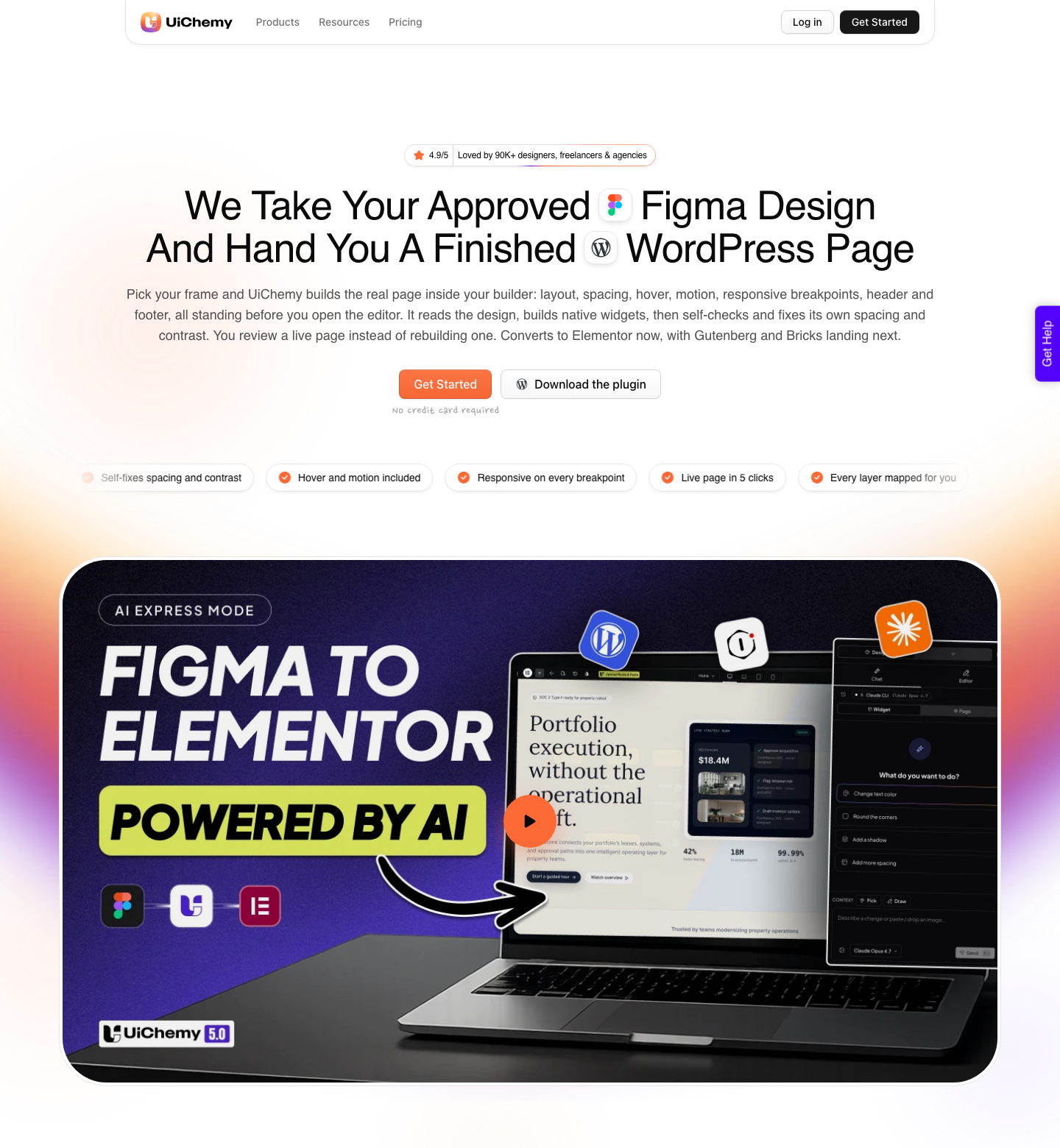
The sequence is five steps. Open AI Express in Figma and pick the frame.
Link your live WordPress site once with a single Connection Link. Choose the builder and the motion level.
Convert, which spends credits and returns native editable widgets. Preview the live page and start editing it.
Be precise about builder support, because this is where the marketing of every tool in this category gets loose. AI Express converts to Elementor today.
Gutenberg and Bricks are listed as coming soon on the product page and run through Classic mode in the meantime, which covers Elementor v3, Elementor v4 Atomic, Gutenberg core, Bricks, Nexter Blocks, GenerateBlocks, Spectra and Kadence.
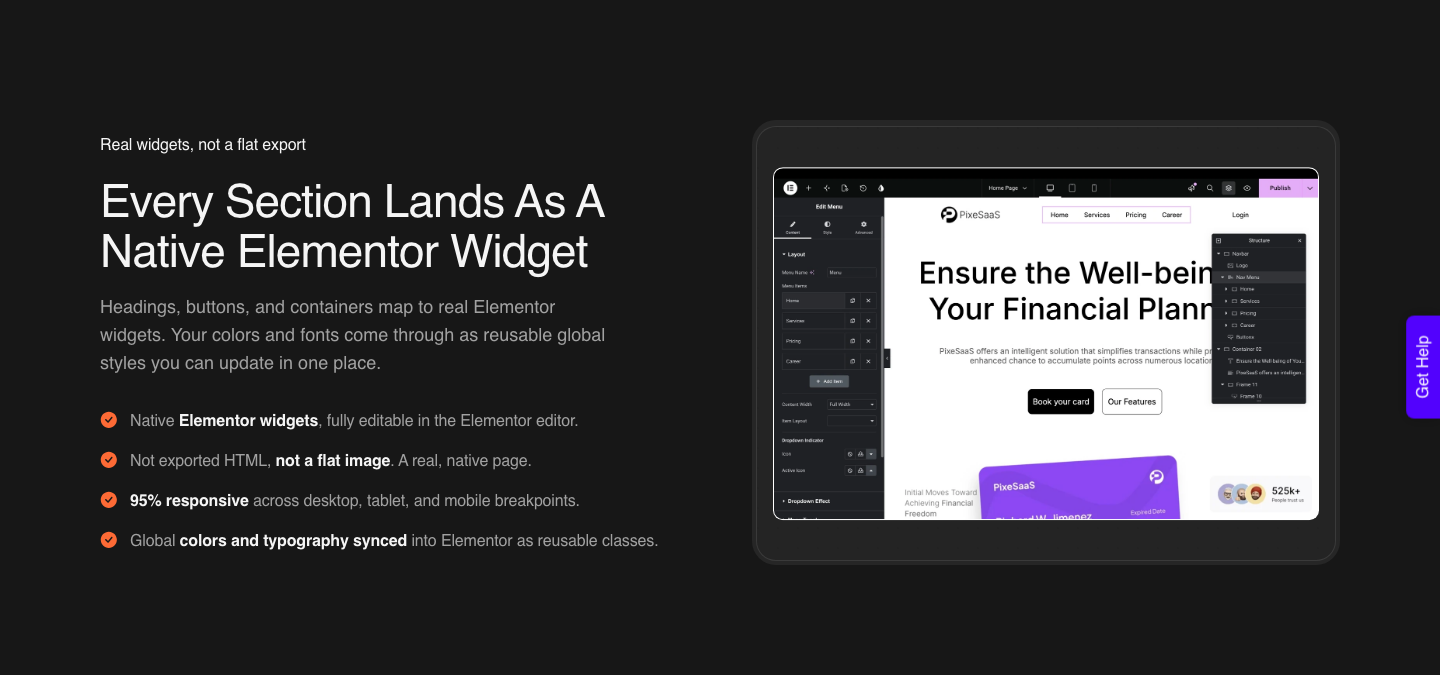
What arrives is a real Elementor page rather than a picture of one. The wording UiChemy uses for it is the test worth applying to every tool in this post: the marquee slides, the accordion opens, and every block stays fully editable, visually, in code, or by prompt.
Full detail is on the Figma to Elementor page.
The other routes matter because a Figma canvas is not where every project starts. UiChemy Composer is one widget you add to a page once, after which AI writes real editable HTML, CSS and JavaScript inside Elementor.
It is also how an existing Lovable, Claude, Bolt or v0 build reaches WordPress, which is the honest answer to the code-portability problem the Figma products leave you holding.
Where Each Route Is Honestly the Right Answer
Figma Sites is a good answer for a launch page, an event microsite or a portfolio, anywhere the design is the product and a client will not be editing the content. You trade code portability for the shortest path from canvas to live URL, and for that class of site the trade is reasonable.
Figma Make is a good answer when the thing you are building has behaviour: a calculator, a signup flow, a data view, an internal tool. The backend, the code editing and the pull request path exist because it is aimed at software rather than at pages.
WordPress wins when the site has to be maintained by someone who is not you, needs a content model with taxonomies and custom fields, or has to keep running on hosting you control. That is most client work, and it is the reason this category exists at all.
The way in no longer has to start on a Figma canvas either: AI Website Creator went live on 7 September 2026 and runs a prompt or a client brief through a Brief, Sitemap, Design and Export flow into the same native WordPress output.
The limits on the WordPress route, stated plainly
- AI Express outputs to Elementor only today. Gutenberg and Bricks are on the roadmap, not shipped
- AI Website Creator exports to Elementor too. Export To Gutenberg is marked Soon on all four plans, Agency included
- Composer’s own product page says it runs inside Elementor, so do not plan a Gutenberg or Bricks build around it
- A verified reviewer puts it at roughly 70 percent of the design work handled with 30 percent left to fine-tune in Elementor. Plan the afternoon
- Some Figma properties do not convert at all. The docs name video fills, layer blur and background blur, masks on any element, small caps, and fixed-size text among them
- The UiChemy MCP for Claude, Cursor, Codex and Antigravity is a developer bonus that starts on Studio at $29 a month, not a requirement and not on every plan
Those are the reasons the preparation guidance exists. A design cleaned up before conversion converts better, and converting a file you have not cleaned up wastes more time than the automation saves.
If you are new to the workflow, the Figma tutorial for websites covers the structure decisions that make the difference.
What It Costs on Each Side
The two meters are separate and they do not interact. Figma charges per seat per month and meters AI actions in credits.
UiChemy charges per plan and meters conversions in its own credits, with a seat defined as one session connecting either one Figma account or one WordPress site.
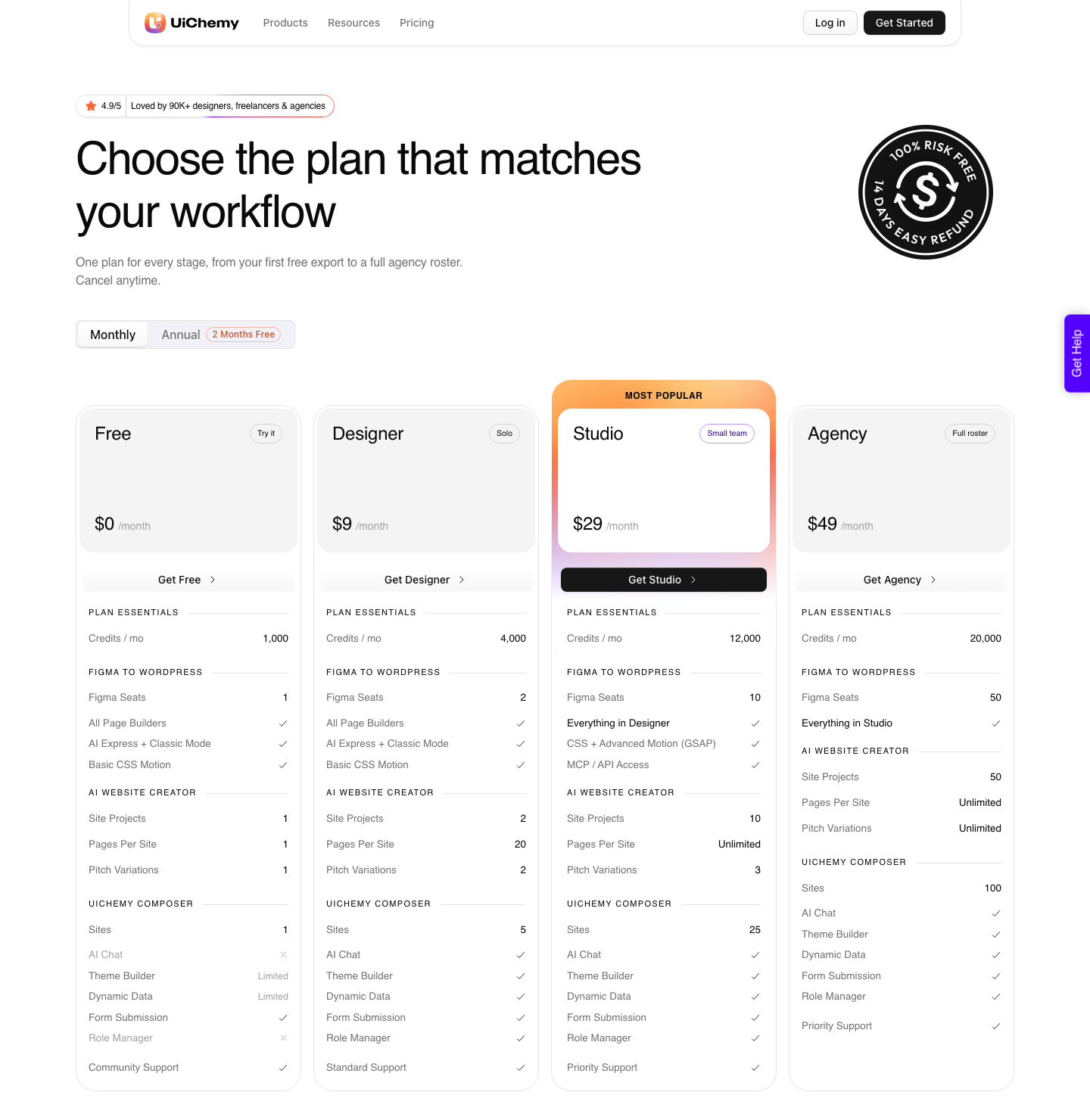
There is a Free plan at 0 dollars a month carrying 1,000 credits, 1 Figma seat, one AI Website Creator project of one page and one Composer site. Designer is 9 dollars a month with 4,000 credits and 2 Figma seats.
Studio is 29 dollars with 12,000 credits, 10 seats, GSAP motion and MCP access. Agency is 49 dollars with 20,000 credits and 50 seats.
Yearly billing is two months free, and there is a 14 day money-back guarantee. Current figures are on the pricing page.
Frequently Asked Questions
Is there an official Figma AI website builder?
There is no product with that name. Figma markets Figma Make as an AI website generator on its solutions pages, and Figma Sites as the way to publish pages drawn on the canvas.
They are separate products with separate gating, and the phrase is a search term rather than a menu item.
Can I export the code from Figma Sites?
No. Figma’s publishing FAQ states directly that it is not currently possible to export your site’s code for external publishing.
Republishing an earlier version restores the HTML and CSS generated at that time, but that happens inside Figma’s hosting and does not give you the files.
Do I need a paid Figma plan to publish a site?
Yes for Figma Sites. Designing and editing a Sites file works on any plan, but publishing and custom domains require a paid plan and a Full seat, with the Education plan an exception that includes one published site.
Figma Make file creation also requires a Full seat on a paid plan.
Can a Figma AI website builder output WordPress?
Not from inside Figma. Figma Sites publishes to Figma’s own hosting and Figma Make publishes to a Figma URL or a domain you own, with no WordPress target in either.
Getting to WordPress means a separate tool: AI Express and Classic mode read an approved frame and write native widgets into your install, and AI Website Creator skips the design step altogether by taking a prompt or a client brief and exporting the finished pages to Elementor.
How many AI credits does generating a site use?
Figma does not publish a fixed rate for Make, only the approximate examples quoted above. Included credits are also stated to be subject to change, so check the help centre before budgeting a month of work against them.
What the Phrase Buys You
Searching for a Figma AI website builder buys you speed to a first live URL, and it costs you the ability to move that URL somewhere else. Figma has built the fastest path from a canvas to a published page that has ever existed, and it has also built a path with no export door in it.
If the site is yours and its life is measured in months, take the speed. If it belongs to a client, will be edited by someone without a design tool login, and has to survive a hosting change, the work has to land in a CMS you control.
That is a different question with a different answer, and the starting point no longer has to be a Figma canvas for the answer to hold.