The Best AI Website Builder for WordPress, Honestly
 Sagar Patel
Eight months after launch, a client emails asking to swap the middle pricing card and add a fourth testimonial. That request takes four minutes on a page built from native WordPress elements.
On a page an AI generator produced as one styled block of markup with hardcoded colours, it takes an afternoon and a conversation about scope. The tool you chose at the start decides which of those two emails you are answering.
This is a crowded category and it deserves saying out loud.
Search the phrase and you get roundups of ten tools that are not doing the same job, priced from free to $199 a year, some of which never touch WordPress until the very last step.
Sorting them by “which is best” is a category error.
So this piece sorts them by the one thing that decides whether you regret the choice later: does the output arrive as native, editable WordPress elements, or as a black box the client cannot touch.
Everything here was checked against WordPress developer documentation, Elementor’s own 2026 roundup and the UiChemy product and pricing pages on 8 September 2026.
Five Different Tools Wearing One Label
The phrase “AI website builder for WordPress” covers at least five distinct products. They compete for the same search term and almost never for the same job.
Naming the shapes first makes the rest of the decision easy.
| Shape | What you give it | What it hands back | Named examples |
|---|---|---|---|
| Prompt to site generator | A sentence about the business | A whole multi page site, theme and plugins installed | ZipWP, Hostinger AI Builder, UiChemy AI Website Creator |
| Site cloner | A live URL | A rebuilt copy inside a page builder | 10Web |
| In editor assistant | A selected block or section | New copy, images or a restyled section in place | Divi AI, Brizy AI, Elementor AI |
| Agentic framework | A task, in plain language | Executed changes across the WordPress install | Angie by Elementor, CodeWP for logic |
| Design converter | An approved design file or URL | The same page rebuilt as native builder elements | UiChemy |
If you have no design and no client brief, a prompt to site generator is genuinely the fastest route to something on a screen.
Elementor’s roundup puts ZipWP at roughly 60 seconds for a complete site with copy, images, a lightweight theme and the plugins installed, and says 10Web and ZipWP both produce a baseline structure in 60 to 120 seconds.
Those numbers are the vendor claims as Elementor reports them, and for a first draft on a discovery call they are hard to argue with.
If you have an approved design, none of that helps. Generating a site from a prompt when a client has already signed off on a Figma frame is not speed, it is starting over.
The Test That Decides Whether You Regret It
WordPress stores post content as block markup, and that format is public and documented. A block is an HTML comment wrapping ordinary HTML, optionally carrying a JSON object of attributes.
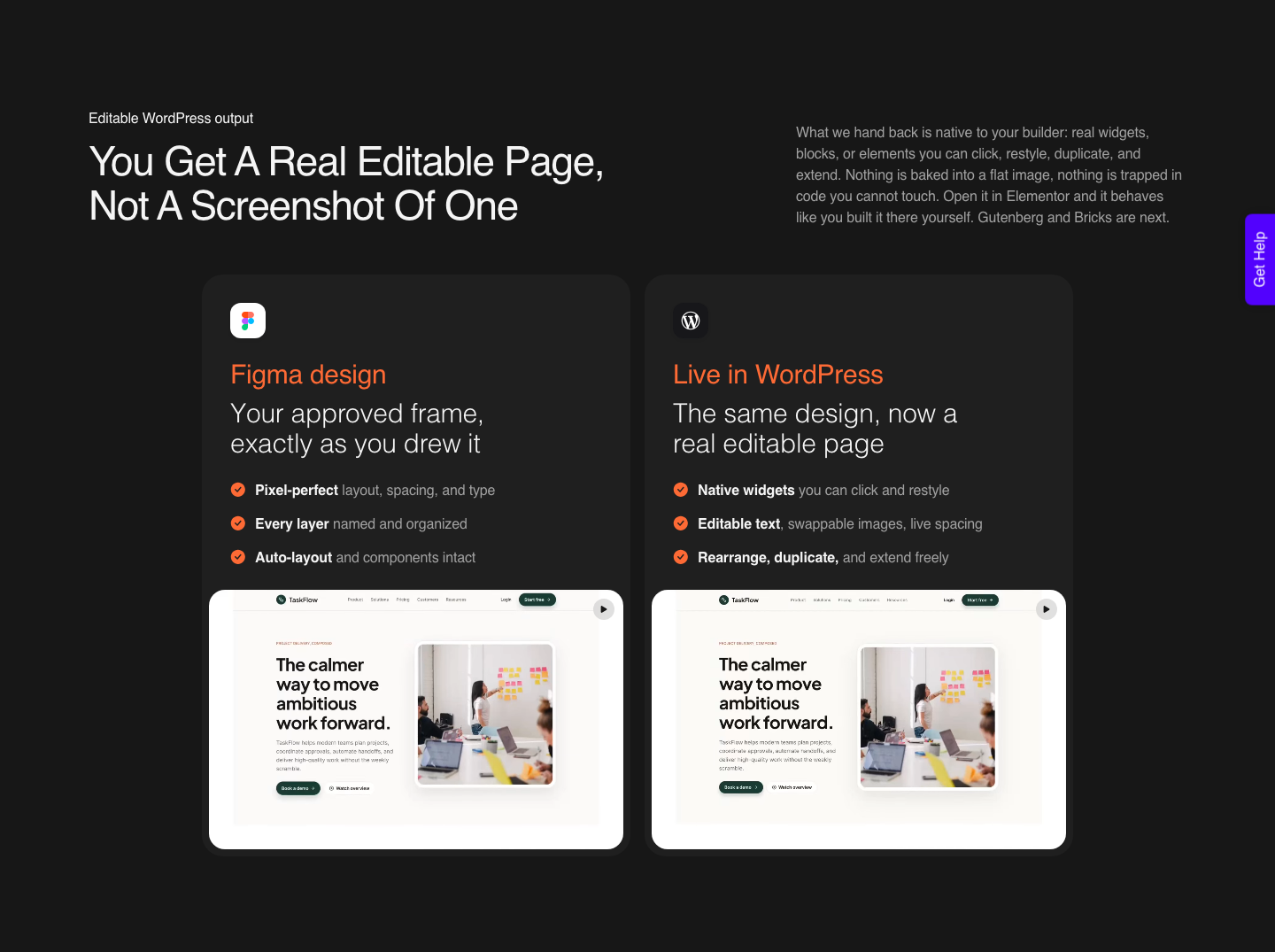
Anything written that way can be inserted, moved, reordered, duplicated, changed into another block type and deleted by anyone with edit access.
<!-- wp:paragraph {"key": "value"} -->
<p>Welcome to the world of blocks.</p>
<!-- /wp:paragraph -->
That three line example is from the WordPress Block Editor Handbook, and it is the whole argument. If a generator writes that, the client owns an editable page.
If it writes a single custom block with inline styles and a wall of nested divs inside, the client owns a picture of a page.
Elementor’s roundup lands in the same place from a different direction.
Its four selection criteria are contextual awareness of your theme and plugins, native output that stays editable in the block editor or your builder, code cleanliness with heavily nested divs as an automatic disqualifier, and iterative control so you can revise one section rather than regenerate the page.
There is a fifth criterion nobody puts in a roundup, and it is the one clients care about. Ask what happens to the pages if you stop paying.
Some tools answer this directly in their own documentation, saying generated content is standard block markup saved to your database and stays editable after cancellation. That is a real answer, and the absence of one is also a real answer.
Scoring the Category on One Criterion
Here is the same set of tools scored only on output, ignoring speed, price and marketing. The point is not to rank them but to show that the ranking changes completely depending on what you start with.
| Tool shape | Output format | Editable without the tool | Best when |
|---|---|---|---|
| Prompt to site generator | Standard blocks plus a lightweight theme, usually | Yes, in most cases | You have no design and need a draft today |
| Site cloner | Page builder widgets, rebuilt from the DOM | Yes, though nesting often needs cleanup | Moving a client off a closed platform |
| In editor assistant | Whatever its own builder uses | Only inside that builder | You already live in that builder |
| Agentic framework | PHP, JS and builder assets it writes for you | Yes, but you need to read code | Custom post types and backend logic |
| Design converter | Native widgets, blocks or elements | Yes, in the builder you chose | The design is approved and has to be matched |
| Raw model output pasted in | Hardcoded HTML and CSS in one block | Practically no | Never, on client work |
Notice that four of the six rows pass. The category is genuinely better than it was two years ago, and the honest version of this article is not “everything except ours is bad”.
It is that most of these tools solve the blank page problem, and only one shape of them solves the approved design problem.
Four Starting Points, One Kind of Output
An earlier version of this section said UiChemy is a converter and nothing else. The site was rebuilt on 7 September 2026 and that sentence stopped being true, so here is the corrected one.
There are four entrances now, and the site frames them as four products on one engine with one destination: real, editable WordPress in the builder the site already runs.
- A blank page. AI Website Creator takes a prompt or a client brief through four stages, Brief, Sitemap, Design and Export. It is the newest part of the product and it has the least history behind it, so read the page as a description of the flow rather than as a promise about the result, and test it on a brief whose answer you already know.
- An approved design. Figma to WordPress is the original job and still the one with the most documentation behind it, in AI Express Mode or Classic Mode.
- A prompt inside the builder. UiChemy Composer is one widget you add to a page once, after which AI writes real HTML, CSS and JavaScript you can edit by hand or by prompt. Design Mode gives you fields for text, images, links and colours; Developer Mode gives you a class editor, code tabs, a layers panel and global variables. It runs inside Elementor.
- An AI build you already have. AI to WordPress picks up work made in Lovable, Claude, Bolt or v0. The conversion is available today and the route for most of those tools is Composer. Claude to WordPress has its own dedicated flow; the per-tool landing pages for Lovable, Codex and Clone Site are the part still marked soon, not the conversion itself.
A prompt entrance does not change the argument this article makes. The criteria below still decide whether the page is worth having, and a page generated from a sentence has to survive them exactly as a converted one does.
What has changed is that “which shape of tool is this job” and “which vendor do I buy from” are no longer the same question.
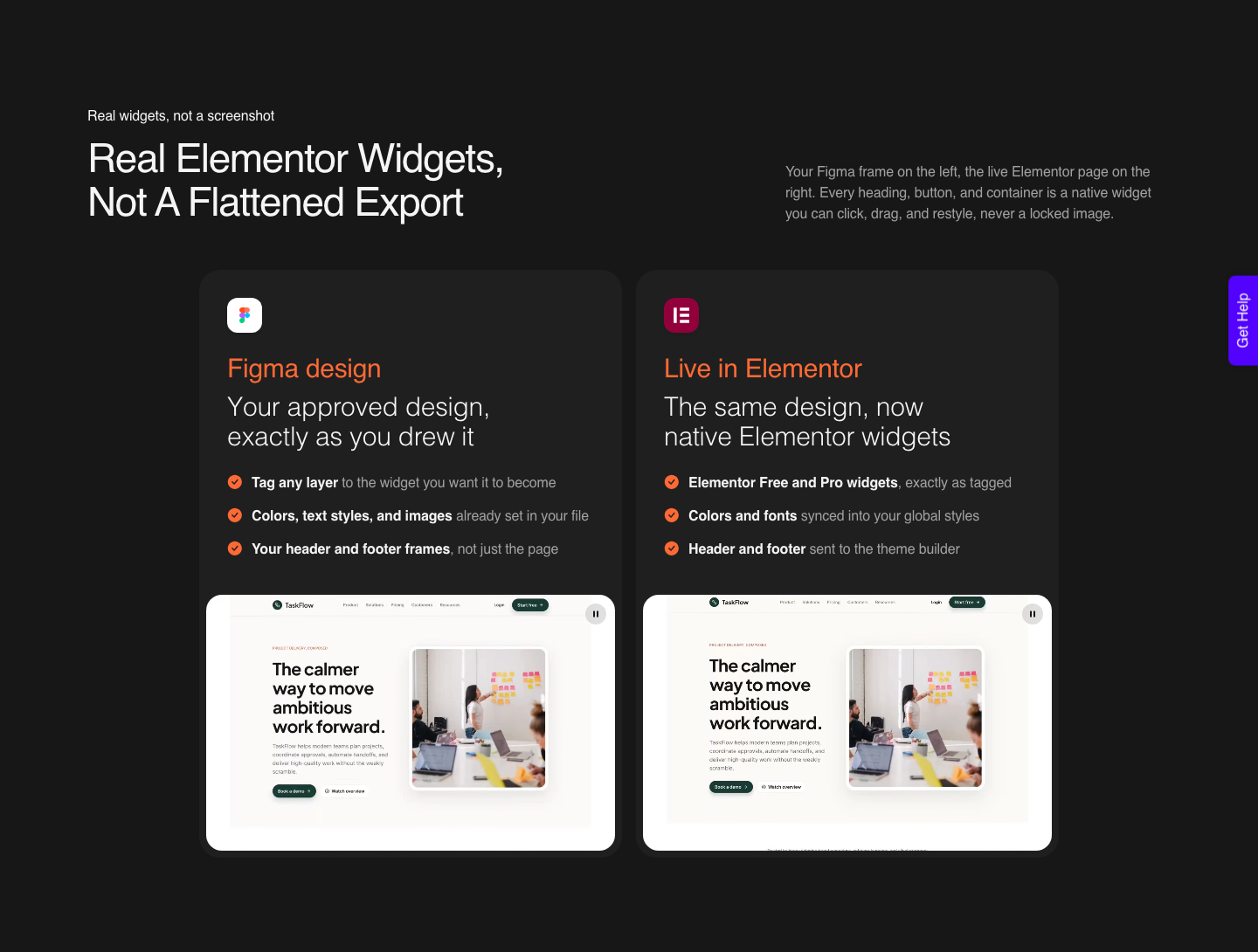
The input is not limited to Figma. A live URL, raw HTML, Lovable, Google Stitch, Relume, v0, Claude Design and Antigravity all reach native WordPress the same way.
That matters for this category specifically, because it means the output of a prompt based generator becomes the input here rather than a dead end, and it is worth knowing what Claude actually produces across its three surfaces before you plan a project around one of them.
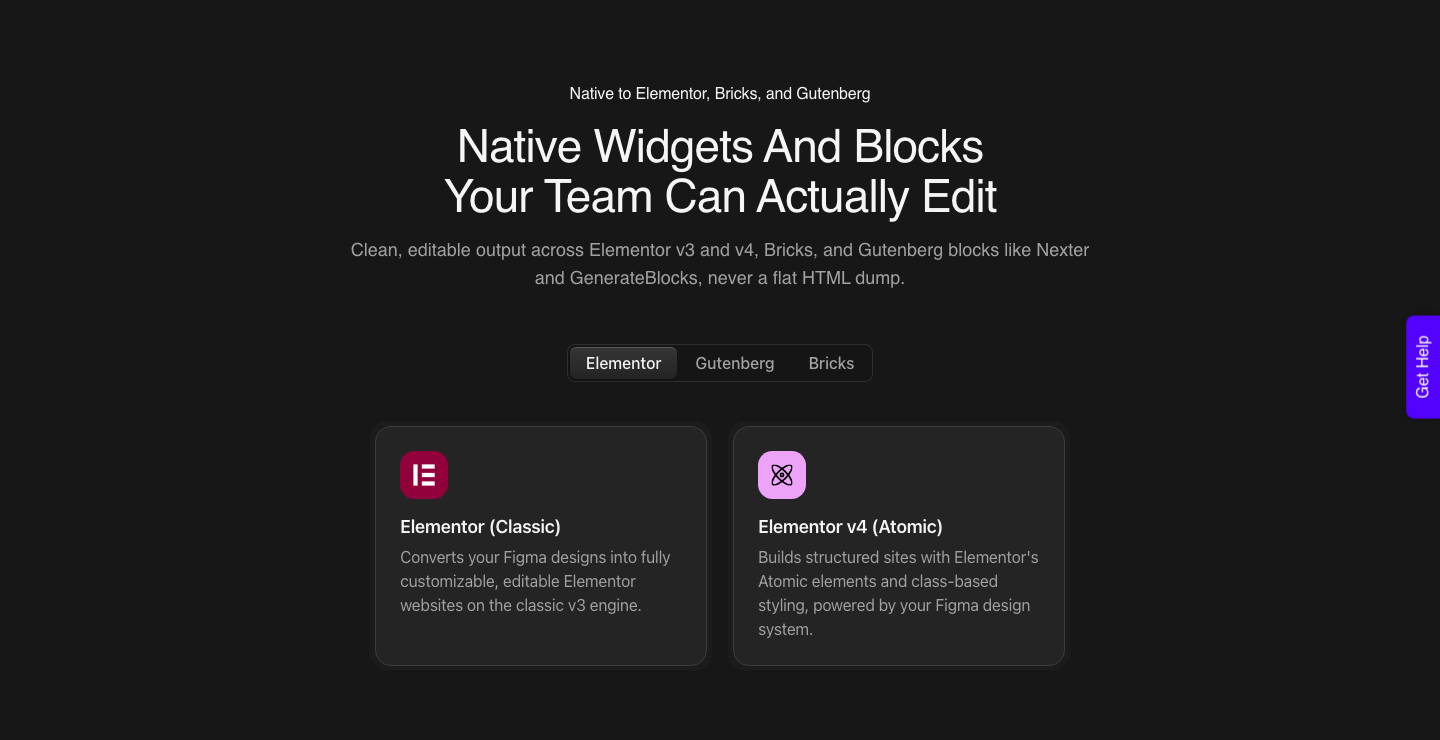
- AI Express Mode reads every layer with no tagging and builds the page, fixing its own spacing and contrast. It outputs to Elementor today, and Gutenberg and Bricks are marked coming soon.
- Classic Mode has you tag the layers and covers Elementor, Elementor v4 Atomic, Gutenberg, Bricks, Nexter Blocks, GenerateBlocks, Spectra and Kadence right now.
- Both modes, and every page builder, ship on every plan including Free. The tiers change Credits, seats, pages per site and the two gated features, not which builder you are allowed to target.
- Basic CSS motion is on every plan, Free included. Advanced motion using GSAP starts at Studio, $29 a month, so check the tier before you promise an animated hero.
- Header and footer detection sends those to the theme builder, so you are not separating them out on every page.
How To Actually Choose, in Four Questions
- Do you have an approved design? If yes, the Figma route is the shortest one and most of the category is noise. If no, you want a prompt or brief entrance, and since 7 September 2026 that is a decision you can make without changing vendor.
- Who edits this page in a year? If the answer is a client’s office manager, native output is not a preference, it is the requirement. If the answer is you, in code, an agentic tool is fine.
- Which builder does the site already run? An in editor assistant is only useful inside its own builder, so this question eliminates most of the list before you compare features.
- What happens if you stop paying? Ask it in writing. A tool that stores your pages as standard block markup in your own database has a good answer. One that renders pages from its own cloud does not.
Question two is the one designers skip and clients never do. WordPress won this market on editability, and a tool that gives that away in exchange for a faster first draft is trading the wrong thing.
Where This Falls Down
The honest limits, stated in the same place as the pitch rather than three clicks away.
- A converter cannot design. If the design is bad, the page is bad and faster. Nothing in this category fixes an unresolved layout.
- AI Express is Elementor only today. Gutenberg and Bricks are on the roadmap for that mode. If you build in Gutenberg, you are in Classic Mode, which means tagging layers.
- Output is not pixel identical. A verified reviewer on the product page puts it at about 70% of the design work handled, with the remaining 30% fine-tuned in Elementor. Treat that as the number you quote a client, because any vendor in this category promising 100% is guessing.
- AI Website Creator exports to Elementor only. Its Gutenberg export is marked Soon on every plan, Agency included, so a Gutenberg client site is a Classic Mode job today.
- Messy source files convert messily. Loose layer structure and inconsistent spacing produce a page that needs more cleanup than the file would have taken to tidy first.
- Credits are consumed per conversion. Reconverting the same page through several revision rounds costs more than converting it once, which is what the 1,000 credit Free plan is for: test the output before you buy the volume.
The design optimisation checklist covers that fifth point, and working through it before the first conversion is what moves the result from usable to close.
What Each Shape Costs
Pricing in this category is not comparable, which is itself worth knowing.
Elementor’s roundup reports Divi AI at $18 a month on top of a Divi membership from $89 a year, ZipWP premium from $39 a month with a free tier of three sites a month, CodeWP Pro from $28 a month, and SeedProd Pro from $199 a year.
Those are subscriptions to different jobs, not competing quotes.
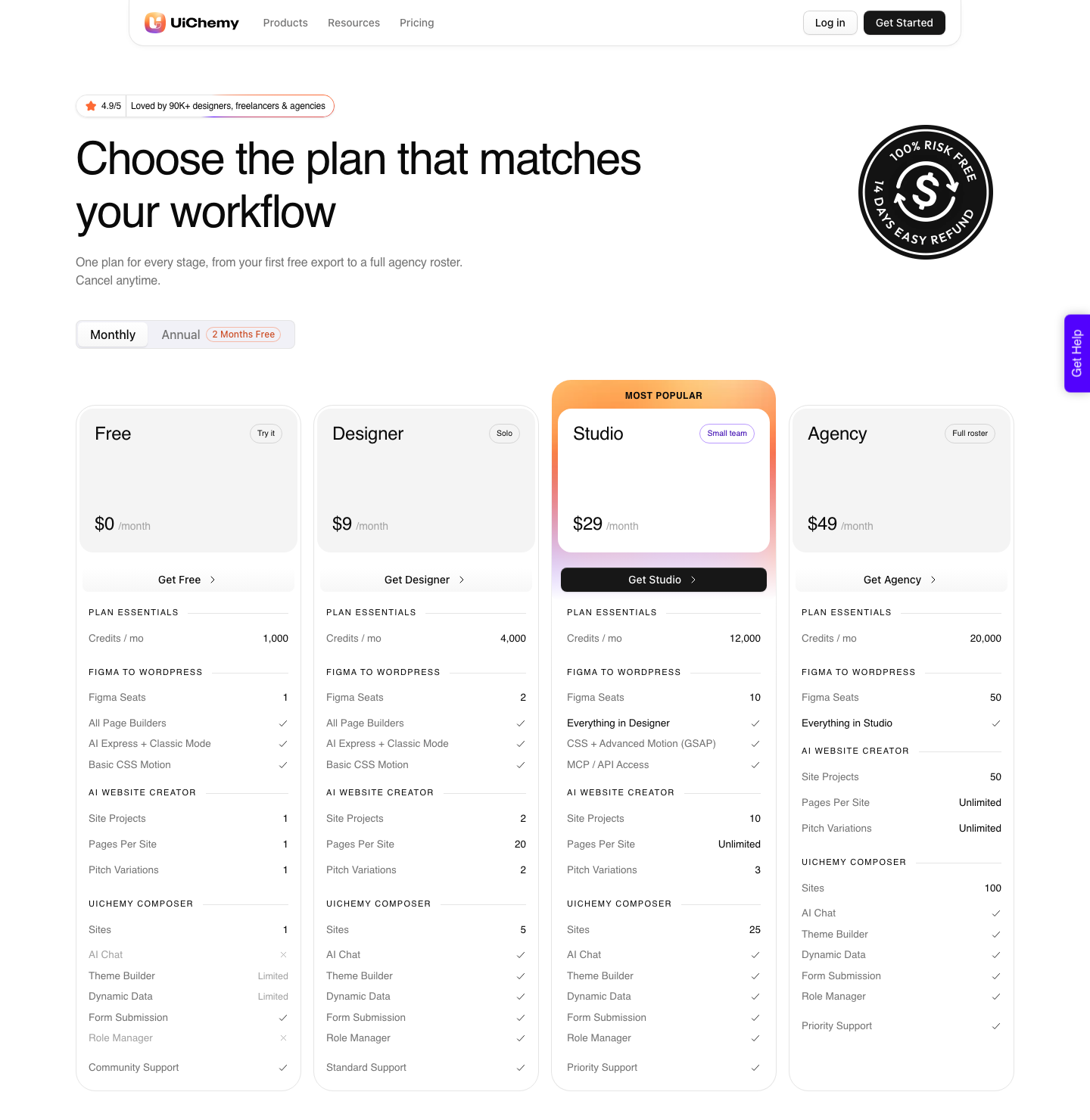
UiChemy starts at $0 a month on Free, with 1,000 Credits, one Figma seat, one AI Website Creator project of a single page and one Composer site.
Paid plans run $9 a month for 4,000 Credits and 2 Figma seats on Designer, $29 for 12,000 and 10 seats on Studio, and $49 for 20,000 and 50 seats on Agency, with annual billing advertised as two months free. MCP and API access, plus advanced GSAP motion, start at Studio.
Paid plans carry a 14-day money-back guarantee, and the detail sits on the pricing page.
Frequently Asked Questions
Is there one best AI website builder for WordPress?
No, and any list that says so is comparing tools that do different jobs. A prompt to site generator, an in editor assistant and a design converter are three different purchases.
Decide whether you are starting from nothing, from an existing site, or from an approved design, and the shortlist writes itself.
How do I tell whether the output is really editable?
Generate one page, then open the post in the code editor. If you see WordPress block comments wrapping ordinary HTML, or your builder’s own elements in its layers panel, it is editable.
If you see one container with hundreds of nested divs and inline styles, it is a picture. Do this on a trial, not on client work.
Can I use a prompt based generator and a converter together?
Yes, and it is a reasonable workflow. Generate the first draft wherever you like, including Lovable, v0, Google Stitch or Relume, then bring the result across as native WordPress elements.
Cloning a live URL works the same way. The generator handles the blank page, the converter handles the handover.
Does any of this work with the free version of my builder?
For UiChemy, yes: conversions land as native Elementor widgets and the free Elementor plugin is enough. The Free plan at $0 a month carries 1,000 Credits and one page of AI Website Creator, which is enough to convert something real and inspect the markup.
Paid plans add volume, seats, unlimited pages and the two gated features. Other tools in the category vary, so check before you promise a client anything.
What about the AI features already inside my page builder?
Use them. In editor assistants are good at what they do, which is copy, images and restyling a section you are already looking at.
They are not built to reproduce an approved design, and they only work inside their own builder. The two categories sit next to each other rather than replacing one another.
The Short Version
The category is crowded, and most of it is competent at the blank page. Judge every option on whether the page it produces is still native WordPress the day the subscription ends, because that is the only property a client will ever notice.
If you already have an approved design, skip the generators entirely and convert it.
Related reading on this site: our wider look at AI website builders and the piece on Figma as an AI website builder.
Primary sources: the WordPress Block Editor Handbook on key concepts and the global settings and styles documentation.
Also Elementor’s March 2026 roundup of AI website builders for WordPress and the WordPress plugin directory, both re-checked on 8 September 2026.