Claude AI Website Builder: What It Really Produces
 Sagar Patel
Search for a Claude AI website builder and you will not find one, because Anthropic does not sell a product by that name. What exists is three separate surfaces that each produce something website-shaped, priced differently, hosted differently, and useful for different halves of the job.
Those three are artifacts inside Claude, Claude Design, and Claude Code. One of them literally lists “single-page HTML websites” as a thing it makes.
None of them hands a client a site their marketing coordinator can update on Monday. That is the editability problem every AI website builder runs into, in Anthropic colours.
Everything below was checked against Anthropic’s product pages, pricing table and support centre on 8 September 2026. Where a rule is irreversible, that is stated, because one of them genuinely is.
The Three Surfaces, and What Each Returns
The confusion is worth clearing up before anything else, because people arrive expecting one product and find three overlapping ones.
| Surface | What it produces | Where the output lives | Who can edit it after |
|---|---|---|---|
| Artifacts in Claude | Single-page HTML websites, SVG images, diagrams, interactive React components, documents | Anthropic’s infrastructure, at a published link | You, by prompting, or anyone who copies the code |
| Claude Design | Prototypes, wireframes, mockups, decks, landing pages and campaign visuals | The Claude Design canvas, then exports | You, plus whoever receives the export |
| Claude Code | Changes to a real codebase, from terminal, IDE, web or Slack | Your repository | Any developer with repository access |
Notice what none of the three columns says. None of them produces a content-managed site.
There is no post type, no editor for a non-technical colleague, and no plugin ecosystem. That is not a criticism of Anthropic’s products, it is a description of what they are for.
Artifacts Are the Closest Thing to a Builder
An artifact is content Claude puts in a dedicated window beside the chat, created when the output is significant and self-contained, typically over fifteen lines, and something you are likely to edit or reuse. Anthropic’s own list of common artifact types includes single-page HTML websites outright.
They have to be switched on first. Artifacts require Code execution and file creation enabled under Settings, Capabilities on Free, Pro and Max, or under Organization settings, Capabilities on Team and Enterprise.
Anthropic states plainly that artifacts without that toggle are no longer supported.
Publishing is where the plan you are on changes the rules completely, and it is the detail that catches agencies out.
| Free, Pro and Max | Team and Enterprise | |
|---|---|---|
| The action is called | Publishing | Sharing |
| Who can reach it | Anyone with the link, no account needed | Only logged-in members of your organisation |
| Public web publishing | Yes | Not possible |
| Embedding elsewhere | Yes, with an allowed-domains list | Not offered |
| What viewers also get | The ability to copy the code | Access to attachments in the source conversation |
Then there is the rule that deserves reading twice. Once you unpublish an artifact, you cannot publish that same artifact again.
You have to create a new one. Unpublishing also permanently deletes all associated storage data if the artifact used persistent storage.
Embedding works, with a guard rail. After publishing you get a Get embed code button, and you must list which websites are allowed to embed it, entered as comma-separated URLs in the allowed domains field.
So you can put a Claude-built interactive widget inside an existing page, which is a genuinely useful and underused move.
One more thing artifacts do that no page builder does. An AI-powered artifact embeds Claude’s intelligence in the app itself, runs on Anthropic’s infrastructure, and charges usage to each viewer’s own Claude subscription rather than yours.
Anthropic’s wording is that whether it helps 10 people or 10,000, sharing is free.
Claude Design Is a Design Tool, Not a Publisher
Claude Design is the surface most people mean when they describe Claude building them a site. Anthropic positions it around six outputs: prototypes, wireframes and mockups, design explorations, pitch decks, marketing collateral and documents.
It is not on the Free plan. Anthropic’s own comparison table marks Claude Design as No on Free and Yes on Pro, Max 5x, Max 20x, Team and Enterprise, which puts the cheapest legitimate entry at $17 a month on an annual subscription.
Artifacts, by contrast, are marked Yes on every plan including Free.
The genuinely strong part is design system import. You bring your system in from GitHub, from design files, or from your local codebase, so the output uses your real components rather than a template.
Anthropic’s phrasing is that it should look like your company, not a template.
It also moves both ways with Claude Code. You can pull a design system in from Claude Code with /design-sync, or work directly in Claude Code with /design.
Exports run to PDF and PowerPoint, and the connector list now includes Adobe and Canva.
What it does not do is publish a website. Anthropic’s own partner quotes make the boundary explicit.
Lovable talks about bringing Claude Design ideas into Lovable as production-ready applications. Replit describes designing in Claude Design and then building, refining and shipping in Replit.
Adobe describes taking a Claude Design idea into Experience Manager to become a site or an email campaign. Every one of those describes handing the design to something else to become the live thing.
Claude Code Builds Sites, at Developer Prices
Claude Code is the surface that genuinely builds websites, because it works directly in a codebase and ships from terminal, IDE, Slack or the web. It runs on macOS, Linux and Windows, with extensions for VS Code and JetBrains and an integration for GitHub.
It is included in every paid consumer plan rather than sold separately. Pro is $17 a month on an annual subscription, billed as $200 up front, or $20 billed monthly.
Max starts at $100 a month and you choose 5x or 20x the usage of Pro. Free does not include Claude Code at all, and usage limits apply on every tier above it.
The catch is not the price, it is the deliverable. What you get is a repository.
Somebody has to host it, deploy it, and be on call when a form stops sending. For a product team that is normal.
For a designer handing a brochure site to a small business, it moves the maintenance burden from a CMS onto you, permanently.
Where All Three Stop
Collect the limits in one place and the pattern is obvious. Every surface is excellent at producing the thing, and none of them is designed for the years afterwards.
- No content model. A blog with twelve posts is twelve hand-built pages, in every one of the three.
- No non-technical editor. Changing a price means prompting Claude or editing code. There is no screen you hand to a client.
- No custom domain on artifacts. Published artifacts live at Anthropic’s link, and Team and Enterprise cannot publish publicly at all.
- Unpublishing is one-way. That specific artifact can never be published again.
- No plugin ecosystem. Forms, SEO, analytics, bookings and payments are all things you build rather than install.
Anthropic is straightforward about this in its own troubleshooting documentation, which carries an article on Claude producing links that do not work and falsely claiming it has produced external documents. Verify what comes back.
That is true of every generative tool and it is written down here rather than buried.
The Route That Ends in WordPress
There is a version of this workflow that keeps everything good about Claude and fixes the handover. Design in Claude, convert to WordPress, finish in the builder.
UiChemy stopped being a single Figma converter at the 7 September 2026 rebuild.
It is now one engine with four ways in: Figma to WordPress, AI Website Creator from a prompt or a client brief, UiChemy Composer for building sections by prompt inside the builder, and AI to WordPress for a build that already exists somewhere else.
Two of those four are the ones a Claude workflow lands on.
AI to WordPress is the door for an existing AI build.
A Claude Design output, a live URL, raw HTML, Lovable, Bolt, v0, Google Stitch, Relume and Antigravity all become native, editable WordPress, and the route that carries them is Composer.
Claude has its own dedicated flow at Claude to WordPress. The nav marks Lovable, Codex and Clone Site as Soon, and that label is about their dedicated one-click pages, not about whether the conversion works.
It works today, through Composer.
Composer is worth understanding on its own terms, because it is the piece that most resembles what people liked about Claude in the first place.
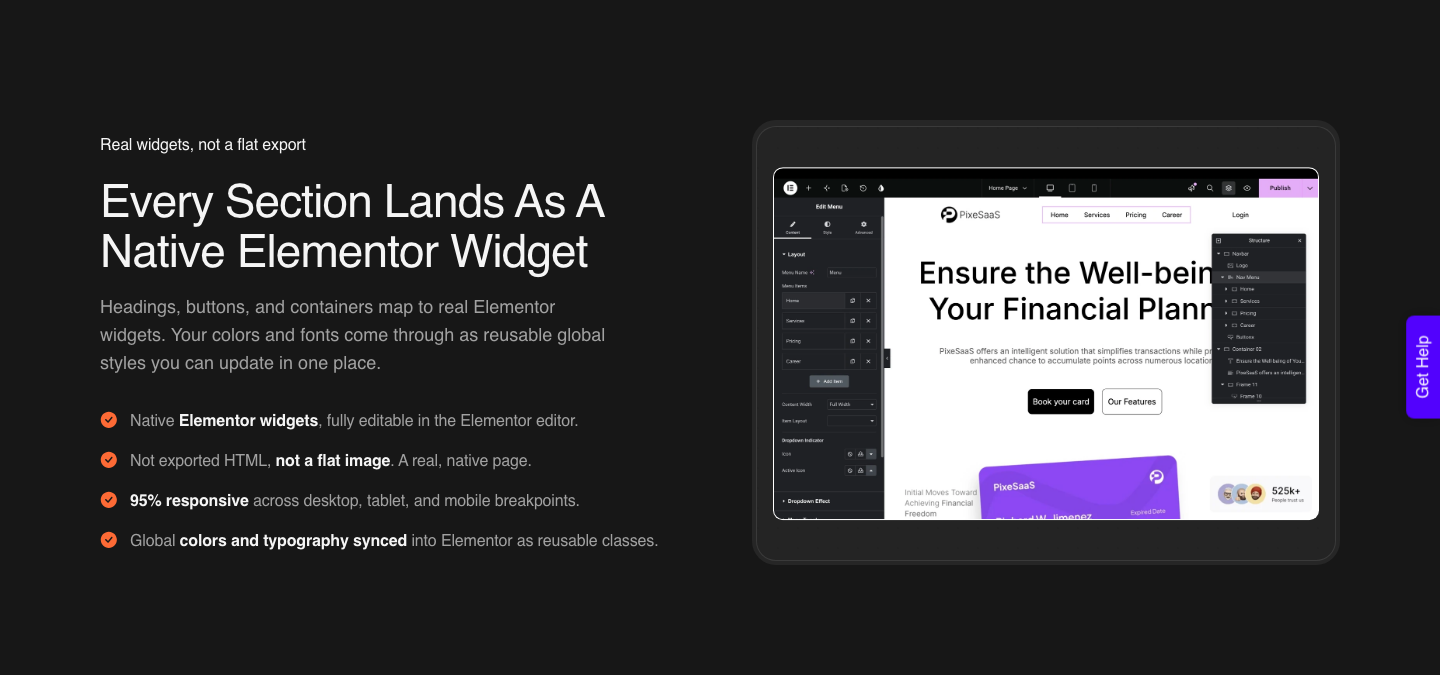
You add one Composer widget to a page inside Elementor, and from then on AI writes real HTML, CSS and JavaScript that you can change by hand or by prompt. Its own page is blunt about what it is not: “Not another page builder.”
Setup is four steps. Install the UiChemy plugin, drop the Composer widget in once, connect Claude from your terminal with a single command, then describe what you want in the Composer chat.
Design Mode gives you fields for text, images, links and colours with no code. Developer Mode adds a class editor, code tabs, a layers panel and global variables.
You bring your own key or agent, so nothing is locked to UiChemy’s service, and only the code you actually build ever ships.
If what you have from Claude is a client brief rather than a design, the entry point is AI Website Creator instead: brief, then sitemap, then design, then export. That export goes to Elementor.
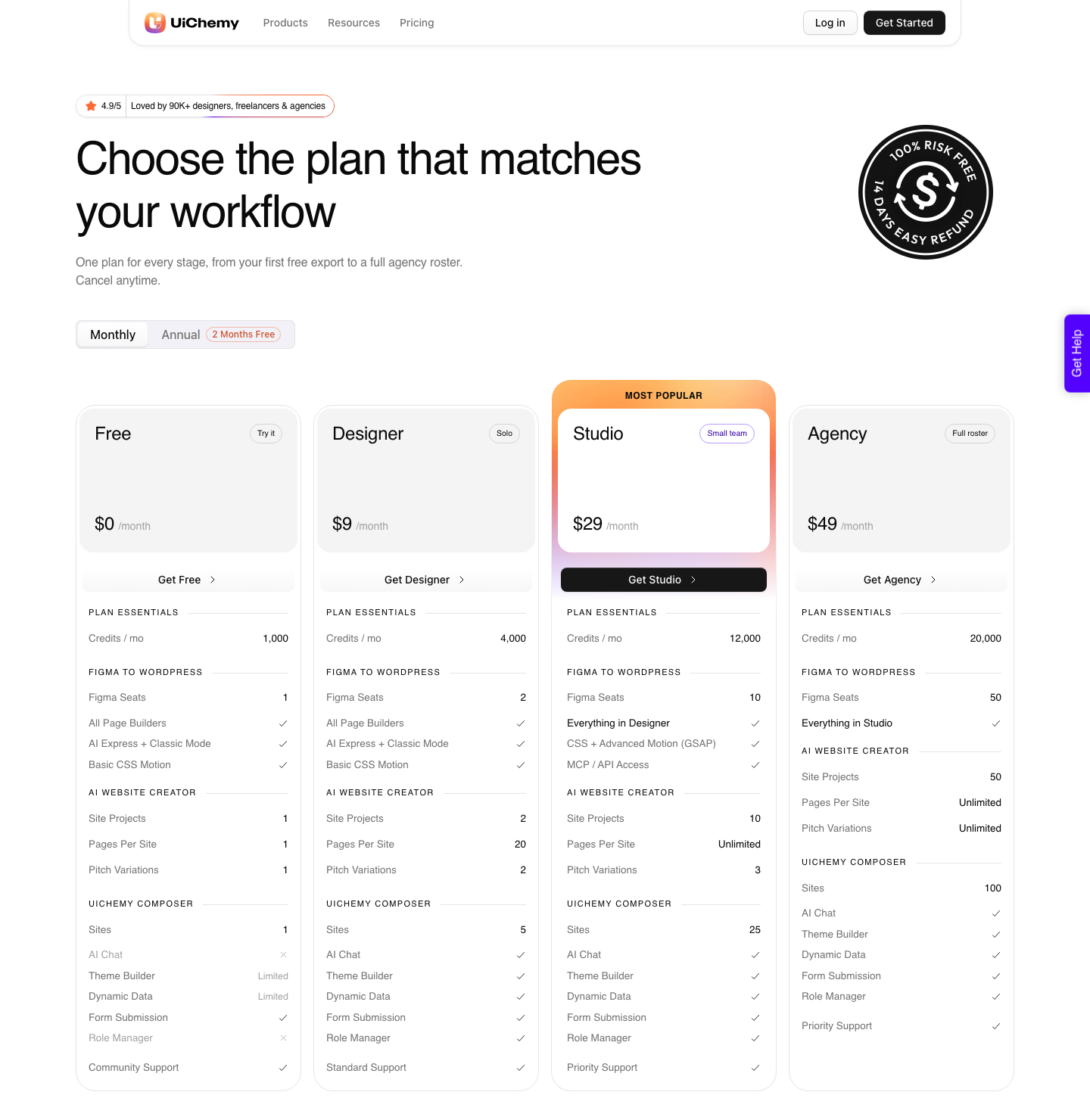
Gutenberg export is marked Soon on every plan, Agency included, so do not plan a Gutenberg build around it yet. Pages per site run 1 on Free, 20 on Designer and unlimited on Studio and Agency.
If the design started in Figma instead, the Figma route still runs on the same engine. AI Express Mode needs no layer tagging and outputs to Elementor today, with Gutenberg and Bricks named as coming next.
Classic Mode covers Elementor, Elementor v4 Atomic, Gutenberg, Bricks, Nexter Blocks, GenerateBlocks, Spectra and Kadence right now. Every plan including Free gets all page builders, both modes, and basic CSS motion.
Advanced motion with GSAP starts at Studio.
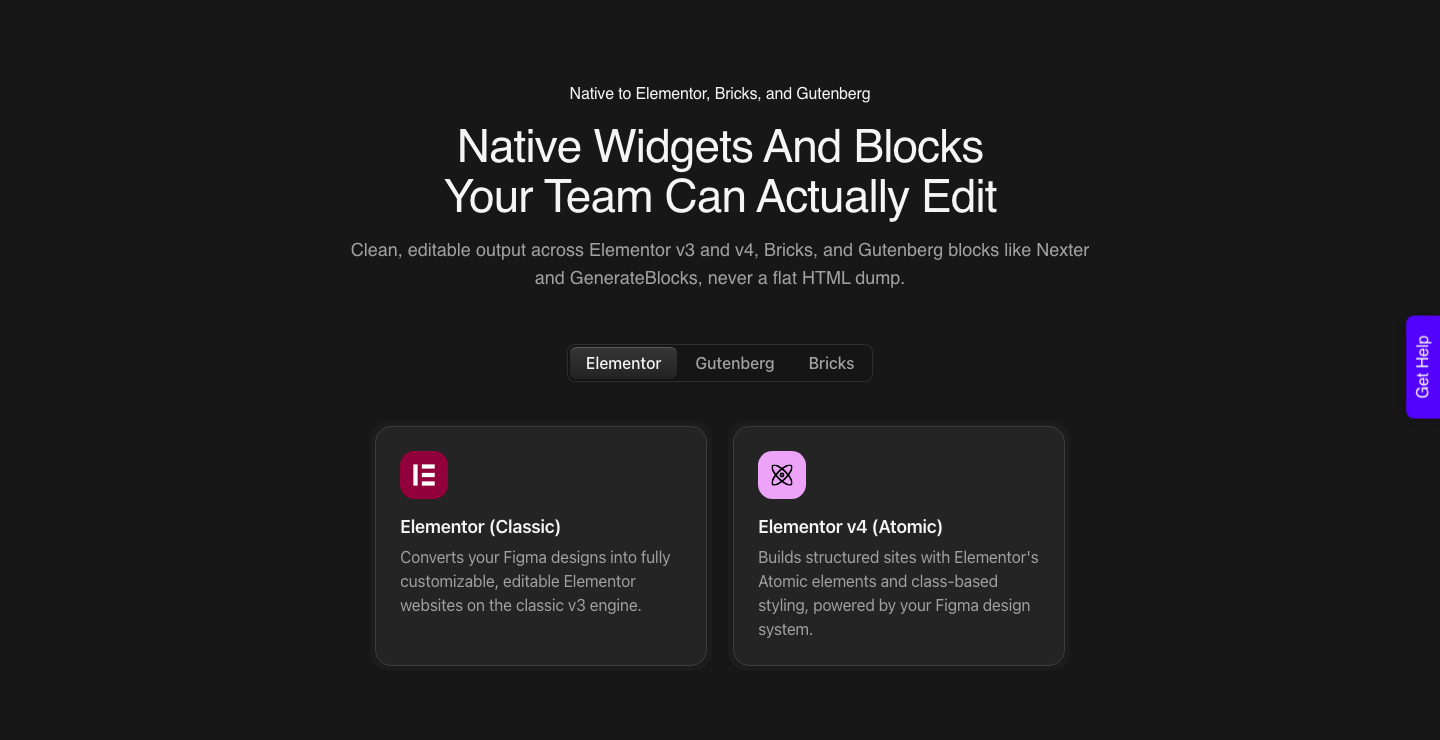
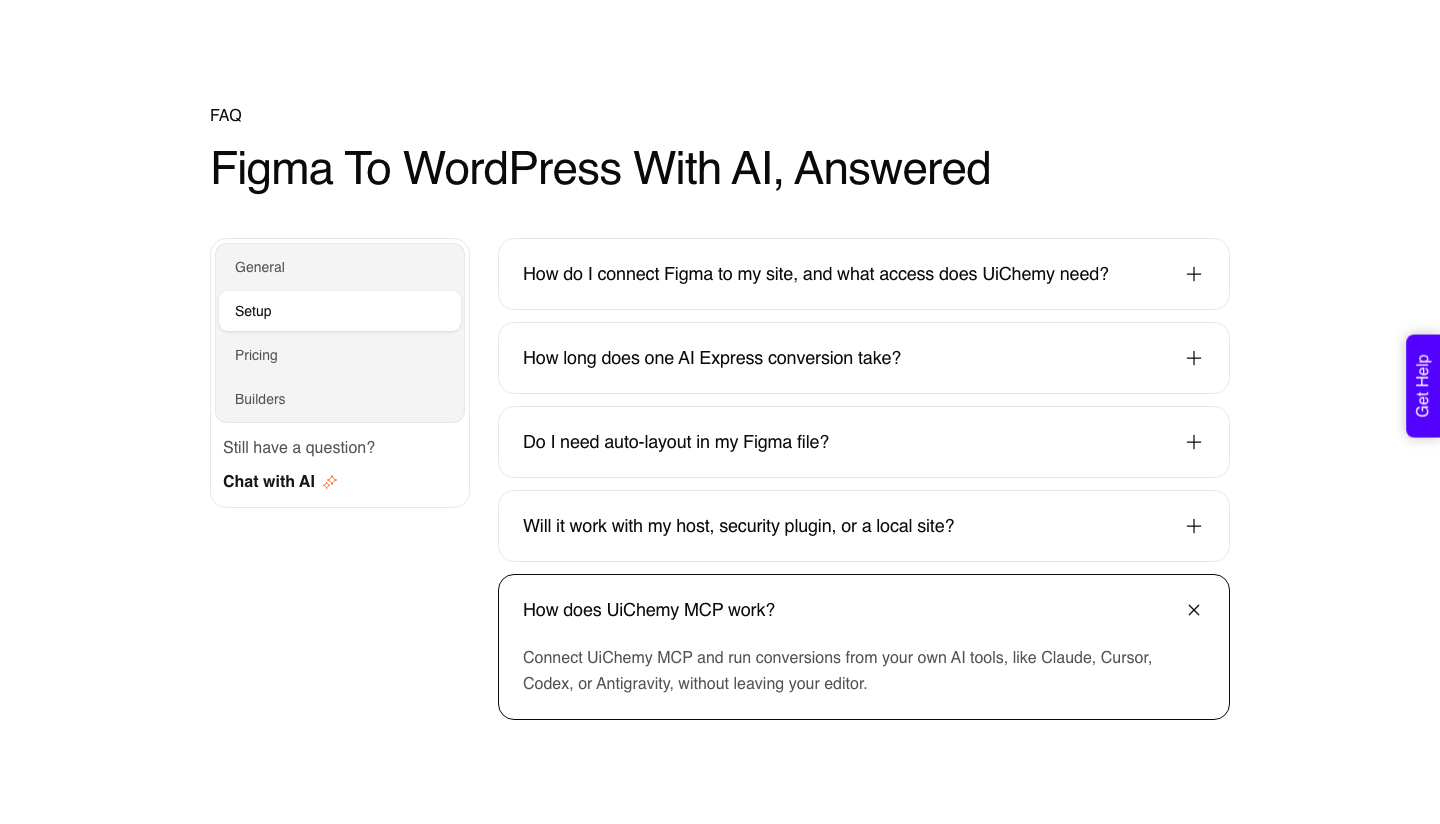
The MCP connection is the part developers enjoy. UiChemy MCP runs conversions from Claude, Cursor, Codex or Antigravity, so the design and the conversion happen in the same conversation.
MCP and API access start on Studio at $29 a month, not on Free and not on Designer, and UiChemy frames the whole thing as a bonus for developers rather than a requirement.
That is the honest framing and it is worth repeating, because MCP is the least important reason to pick any of this.
| Claude artifact or Claude Design | Converted into WordPress | |
|---|---|---|
| Who edits it next quarter | Someone with a Claude subscription | Anyone who can open the WordPress editor |
| Hosting and domain | Anthropic’s link, or you deploy it yourself | Your host, your domain, from the first minute |
| Blog and content model | Hand-built pages | The post types WordPress already provides |
| Forms, SEO and analytics | Built by prompt | Installed as plugins |
| Responsiveness | Generated, tuned by prompt | Automatic in AI Express Mode, tuned in the responsive manager |
| Reversibility | Unpublishing an artifact is permanent | Everything stays on your own site |
| Entry price | Pro at $17 a month annually, or $20 monthly | Free at $0 with 1,000 credits, paid from $9, 14-day refund |
A Sequence That Uses Each Tool Properly
- Explore directions in Claude Design, with your real design system imported from GitHub or a design file so the output is on brand rather than generic.
- Build one interactive artifact for the interaction you are unsure about, and publish it as a link for the client to click through.
- Get the approval on that link rather than on a static image, because clicking is what settles arguments.
- Convert the approved design into WordPress as native widgets rather than porting generated code.
- Finish the last 30% in the builder, where the client’s team can reach it without a subscription.
Step four is the one people skip, and it is the expensive skip. Generated React is not a shortcut into a WordPress theme, and unpicking it costs more than converting the design that produced it.
Cleaning the design first matters more than any setting in the converter.
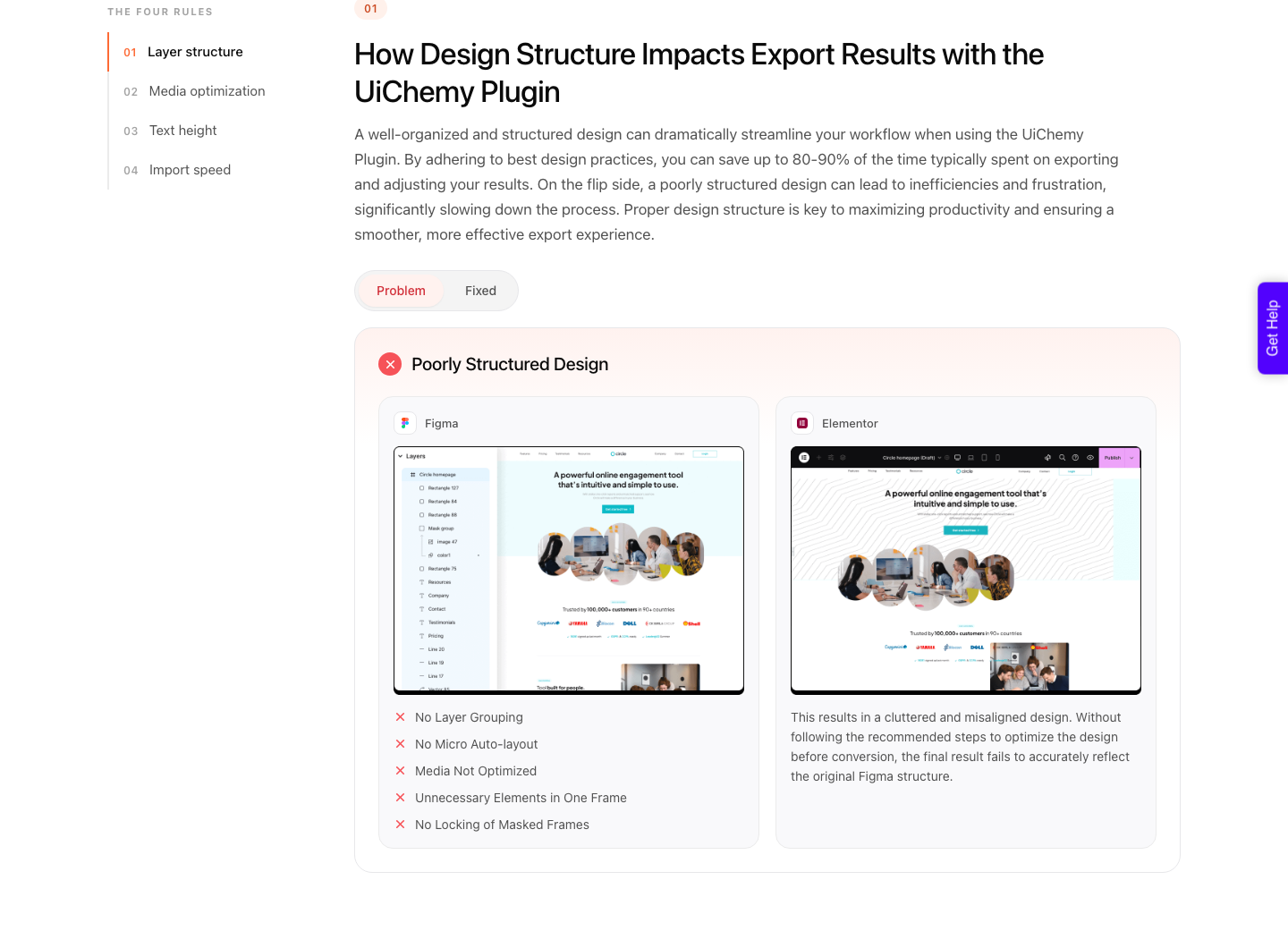
Our notes on preparing a design before export cover the specific structures that break a conversion, and the sibling piece on using Claude alongside Figma covers the design half of this workflow in more depth.
Frequently Asked Questions
Does Claude have a website builder?
Not as a named product. Claude produces single-page HTML websites as artifacts, page and landing page designs in Claude Design, and real site code through Claude Code.
None of the three is a website builder in the sense of a hosted, content-managed site with an editor for non-technical people.
Can I publish a website Claude built for me?
On Free, Pro and Max you can publish an artifact and anyone with the link can view it without an account. On Team and Enterprise you can only share it inside your organisation, and public publishing is not available.
Unpublishing is permanent for that artifact.
Can I put a Claude artifact on my own website?
Yes, by embedding. After publishing, use the Get embed code button and enter the websites allowed to embed it as comma-separated URLs in the allowed domains field.
That is the cleanest way to put a Claude-built calculator or interactive widget inside an existing page.
What does it cost?
Artifacts are available on the Free plan with Code execution and file creation switched on. Claude Design and Claude Code both start at Pro, $17 a month on an annual subscription billed as $200 up front, or $20 monthly, with Max from $100 a month.
On the WordPress side there is a UiChemy Free plan at $0 a month with 1,000 credits, and paid plans start at $9. Usage limits apply throughout.
Can Claude build a WordPress site?
Not directly. Claude Code can edit a WordPress codebase like any other repository, but nothing in the Claude line outputs builder markup.
Getting a Claude-made build into WordPress as editable widgets is a conversion step, and UiChemy Composer is the route that does it. It can also be fired from inside Claude over UiChemy MCP, which starts on the Studio plan at $29 a month.
Is the output actually editable afterwards?
It depends who is doing the editing. You can always keep prompting Claude, and you can copy the code out of any artifact.
What you cannot do is hand a client a visual editor. That is the specific gap a WordPress conversion closes, and it is the objection any AI site generator gets in a WordPress community within an hour.
The Short Version
There is no Claude website builder, and the three things people mean by it are all worth using. Artifacts for a clickable link that settles a client argument, Claude Design for exploring more directions than the deadline allows, Claude Code when you own the repository anyway.
The moment the deliverable has to be maintained by somebody other than you, the answer is a conversion into a real CMS rather than a better prompt. Design in Claude, ship in WordPress, and the handover stops being your problem.
Primary sources for this piece: the Claude Design product page, the Claude Code product page, the Claude pricing table, Anthropic’s guide to artifacts and its documentation on publishing and sharing them, plus the UiChemy pricing page, all fetched on 8 September 2026.