Elementor v4 Atomic Elements: A Designer’s Introduction
 Sagar Patel
You have spent two years building Figma files where a colour lives in a variable and a heading lives in a text style. Then you open Elementor and find the font size sitting on the heading itself, and the same brand blue typed into forty different colour pickers.
Elementor v4 closes that gap, and if you design in Figma the concepts will feel familiar before the interface does.
This is the designer’s version of the introduction.
Our existing walkthrough on converting Figma to Elementor with Atomic Elements covers the conversion steps, and the Elementor v4 Atomic product page covers what UiChemy syncs.
Neither explains what the model is or how it maps onto how you already think, so that is what this does.
Everything below is checked against Elementor’s own v4 documentation and the UiChemy product and pricing pages on 8 September 2026. Where Elementor’s docs give exact behaviour, that behaviour is quoted rather than paraphrased into something vaguer.
What Atomic Actually Means Here
Elementor’s documentation is direct about the borrowed idea. The editor adopts the principles of Atomic Design, a system based on creating small reusable elements, and in Elementor those reusable pieces are called classes, which is the same vocabulary CSS uses.
Two things follow from that sentence. The elements got smaller and more primitive, and the styles moved off the elements and into named classes.
A designer notices the second change far more than the first, because it is the one that decides how long a restyle takes in month nine.
The atomic element set is deliberately close to HTML rather than to a widget catalogue. Elementor’s help centre carries a separate article for each of Div Block, Flexbox, Heading, Paragraph, Image, SVG, Button, Tabs, YouTube and the Atomic Form element.
If that reads like a list of tags rather than a list of features, that is the point.
Turning it on is a settings toggle rather than a migration. Elementor’s own getting started article says you need Core 3.29 or higher, then Elementor, Editor, Settings, the Atomic Editor tab, and Try out the new experience.
Existing 3.x containers keep working, and dropping a V4 element on the canvas wraps it in a 3.x container automatically, which is why nothing you already built breaks.
The Mapping From Figma You Already Know
The fastest way into v4 is to stop reading it as a new page builder and read it as your Figma design system, expressed in CSS terms.
The mechanics of getting a Figma frame into Elementor do not change here; what changes is where the styles end up living. The correspondence is close enough to be useful and loose enough to be worth writing down.
| In Figma | In Elementor v4 | Where the analogy breaks |
|---|---|---|
| A colour variable | An Elementor variable | Close match, and UiChemy syncs colour from both variables and styles |
| A text style | A typography class | Seven typography properties carry over, not everything you can set |
| Auto layout on a frame | A Flexbox element with layout properties | Figma gaps become CSS gaps, and negative gaps have no equivalent at all |
| A component | A class applied to several elements | A class carries style, not structure or content |
| An override on one instance | The local class on that one element | The local class always wins, which is closer to an override than you expect |
| Hover state in a prototype | A state on a class | States are real CSS here, not a prototype interaction |
Elementor gives a worked example that is worth repeating because it explains the whole hierarchy in one paragraph. Make a Main button class at 200px wide by 50px tall with a background colour.
Make a Secondary button class at 100px by 50px with the font size set to 12.
Apply both to a button and it takes most of its look from Main button, because that class sits higher in the hierarchy, but it takes its font from Secondary button, because Main button never defined typography.
Priority between classes is the order they sit in the Class Manager: higher in the list wins, and you set it by dragging. The local class always has top priority regardless of that order.
Elementor’s own framing is that proper use of classes improves site performance, which is the other half of the argument for keeping the list short.
What Crosses Over From a Figma File
UiChemy publishes the exact property list rather than a promise, which is the useful way to read it. If a property is not on this list, plan to set it in Elementor rather than expecting it to arrive.
| Figma setup | Source | Properties that carry across |
|---|---|---|
| Colour | Variables and styles | Colour |
| Typography | Variables | Font family, font size, line height, font weight, text case, text decoration, letter spacing |
| Padding | Styles | Padding left, top, right and bottom |
| Border | Variables | Border colour, border width, border style |
| Gap | Styles | Horizontal gap, vertical gap |
| Border radius | Variables | Top left, top right, bottom left, bottom right |
| Shadow effects | Styles | Colour, X position, Y position, blur, spread, shadow type |
That table is also a design brief. If your Figma file has forty one-off colours instead of eight variables, the conversion has nothing to turn into a system, and you get a page that looks right and behaves like v3.
The work of making v4 pay off happens in Figma, before anything converts.
- Define colours as variables, not fills. A hex typed into a layer is a value. A variable is a token, and only tokens become Elementor variables.
- Name text styles for role, not appearance. Heading L survives a rebrand. Bold Blue 32 does not, and neither does the class it becomes.
- Set padding and gap as styles where you can. Both are on the supported list, and both are the values you will most want to change once and everywhere.
- Keep your radius and shadow set small. Three radius values and two shadows convert into a system. Nineteen of each convert into nineteen classes.
- Draw borders as borders. A line drawn as its own rectangle becomes its own element rather than a border property on the frame.
Classes Arrive Applied, Which Is the Real Time Saving
There is a version of this feature that would be useless: a converter that generates a pile of classes and leaves you to wire them onto elements by hand.
UiChemy states the opposite, that classes are generated and attached during conversion and that naming follows your Figma styles so the result reads like your own system.
That is a different job from what Elementor AI generates from a prompt, which starts from a description rather than from a design somebody already approved.
Worth saying once, because the product changed on 7 September 2026 and this post is about one corner of it: the Figma file is one of four starting points UiChemy now supports, alongside a text prompt or client brief in AI Website Creator, a prompt inside Elementor in UiChemy Composer, and an existing Lovable, Claude, Bolt or v0 build.
The atomic route is specific to the Figma one, because a class system can only be generated from a design that already has one.
Nothing is baked onto individual elements on export, which is the sentence that matters when a client asks you to change every card corner from 8px to 16px. In v3 that is a search through the page.
In v4 it is one radius class.
The globals that sync alongside the classes cover container width across breakpoints, typography, padding, border, gap, box shadow and border radius. Colours arrive as Elementor variables.
Between them, that is most of what a small design system actually contains.
You Do Not Have To Pick One System
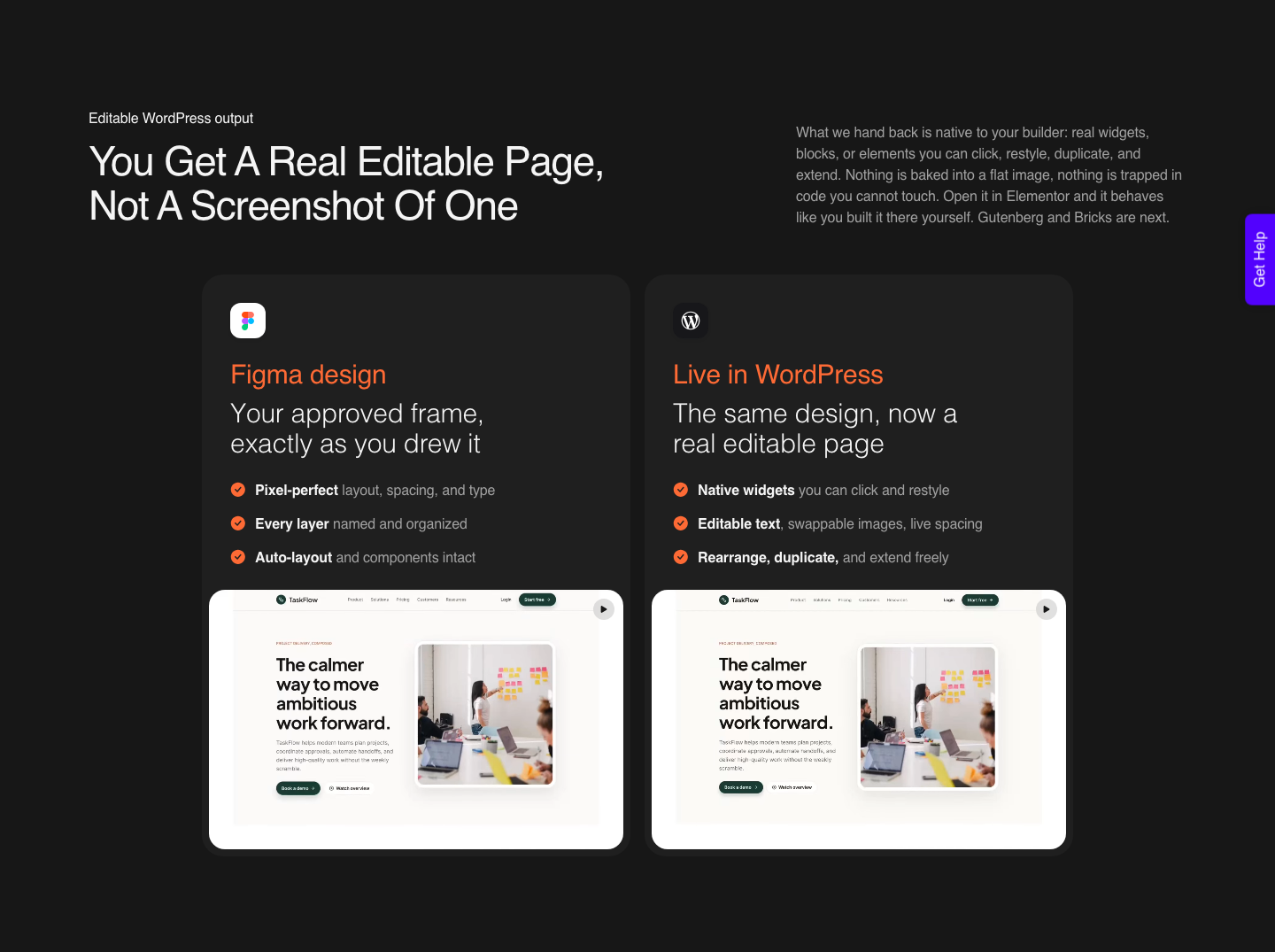
The question every designer asks second is whether going atomic means losing the classic widgets they rely on for a navigation menu or an icon box. It does not, and the mechanism is simple enough to describe in one line: tagged layers become classic widgets, untagged layers become atomic elements.
So a single page can carry a tagged Navigation Menu widget using your global colours and typography, and thirty untagged sections built from atomic elements using variables and reusable classes. One page, both systems, and the tagged widgets still respect the globals.
| Elementor v3, classic widgets | Elementor v4, atomic elements | |
|---|---|---|
| Where a style lives | On the individual element | In a class, reused across elements |
| Changing a brand colour | Global colours, plus anything set locally | One variable |
| Element vocabulary | Widgets, dozens of them | Div Block, Flexbox, Heading, Paragraph, Image, SVG, Button and a few more |
| Hover and focus | Per widget settings | States on a class |
| Best for | Pages leaning on Pro widgets | Pages leaning on a design system |
| UiChemy support | Live | Live |
Where This Gets Awkward
The parts worth knowing before you commit a client project to the atomic route.
- Class conflicts are a real cost. Elementor says so in its own documentation, warning that contradictions between classes waste time and can slow a site. A messy Figma file becomes a messy class list.
- The local class always wins. That is convenient for one off tweaks and quietly destructive at scale, because a value set locally will not follow the class when you change it later.
- Only the listed properties sync. Seven typography properties, four padding sides, three border properties and so on. Anything else is set in Elementor afterwards.
- Atomic is Elementor only. Classes are an Elementor v4 concept and there is no equivalent in Gutenberg or Bricks. If your site runs either, Classic Mode is the route today, and a Bricks conversion still lands as native Bricks elements.
- AI Express converts to Elementor today. Gutenberg and Bricks are marked coming soon for that mode, which is a separate question from the v3 and v4 choice.
- Responsiveness is automatic, not finished. AI Express sets the breakpoints and you tune the rest in the responsive manager. A verified reviewer’s 70/30 framing, roughly 70% of the design work handled and 30% fine-tuned in Elementor, is the honest expectation overall.
A Short Sequence for Your First Atomic Conversion
- In Figma, promote your colours to variables and your text to styles. Eight colours and six text styles is a system. Forty of each is not.
- Set padding, gap, radius and shadow as reusable values rather than typing them per layer, since those are the four that arrive as classes.
- Tag only the layers that must be a specific classic widget, such as a navigation menu. Leave everything else untagged.
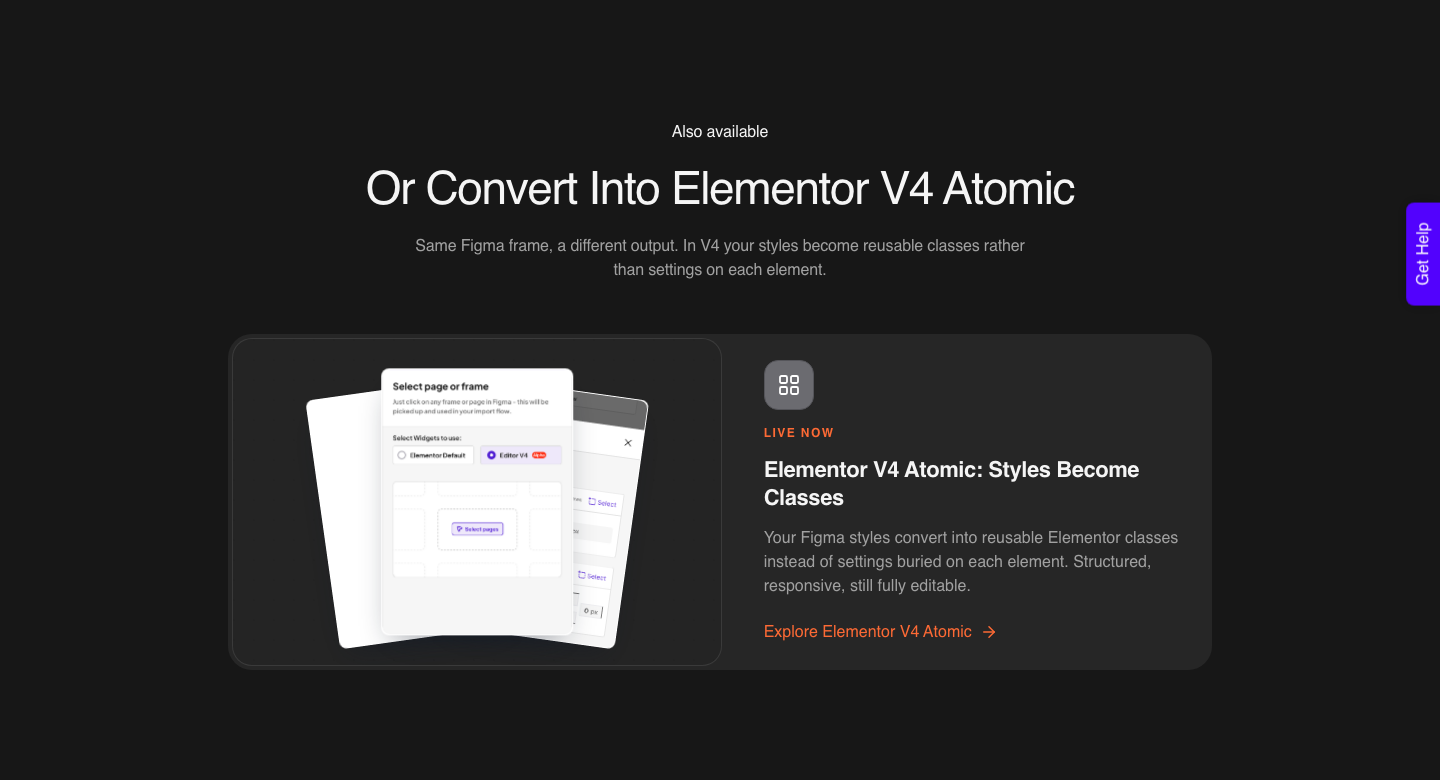
- In the UiChemy plugin, choose Editor V4 at the design screen rather than Editor V3.
- Sync the globals before converting, so the classes generate against your names instead of generic ones.
- Convert one section first, not the whole page. Look at the Classes panel and check the names read like your Figma file.
- Then convert the page, and tune the breakpoints in the responsive manager rather than going back to Figma.
Step six is the one worth insisting on. A class list you can read is the entire benefit of this system, and it is much cheaper to check on one section than to rename thirty classes after the fact.
The wider structural rules still apply underneath all of this. The design optimisation checklist covers them, and none of them change because you picked v4.
What It Costs
There is no separate purchase for the atomic route. UiChemy’s own FAQ says the V4 experience is available inside the plugin when you select the design screen and choose the Editor V4 option, with nothing bought separately.
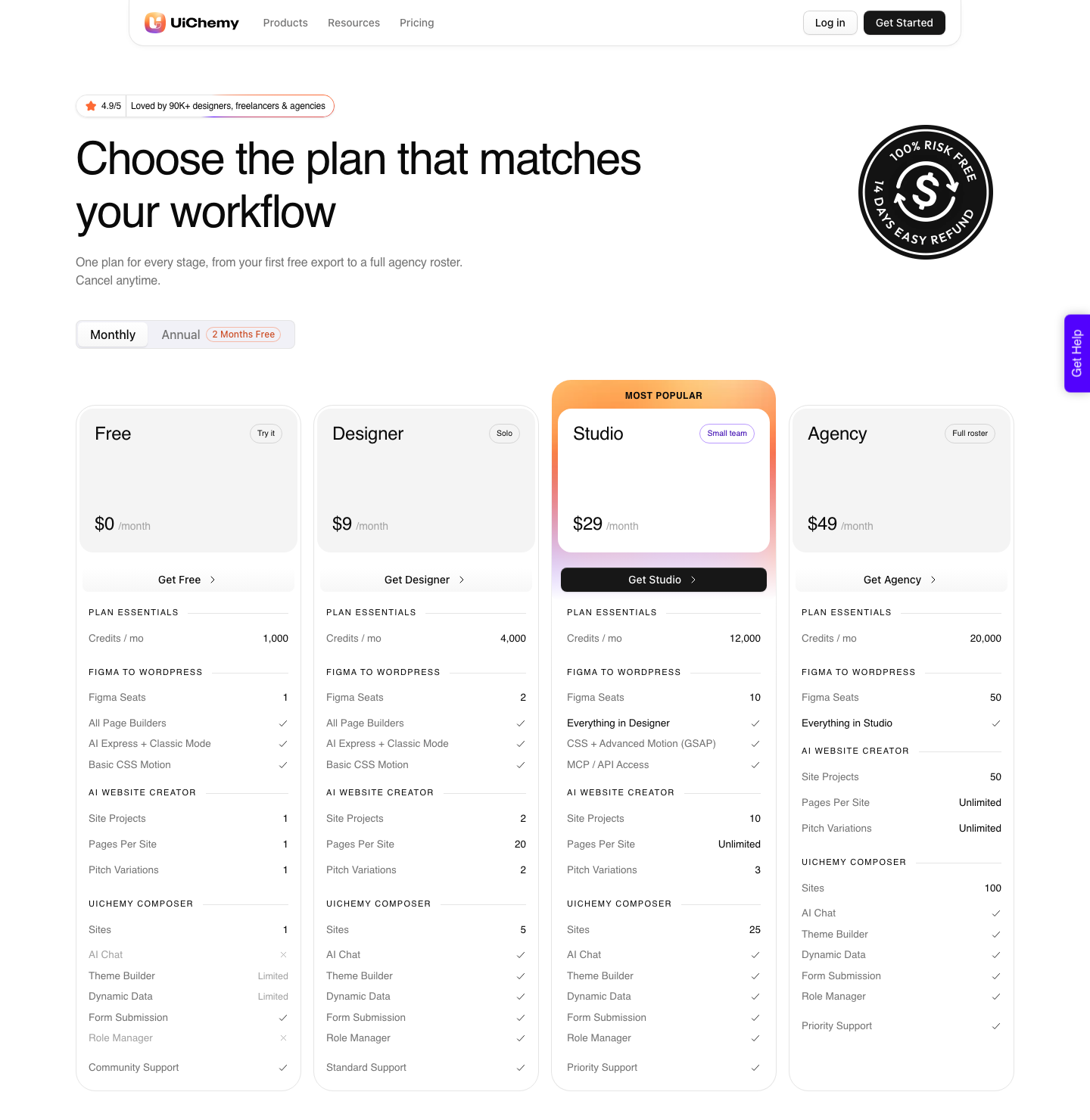
The Free plan is $0 a month with 1,000 Credits and one Figma seat, which is enough to convert a single section and read the class list before you commit.
Designer is $9 a month for 4,000 Credits and 2 Figma seats, Studio $29 for 12,000 and 10 seats, Agency $49 for 20,000 and 50 seats, with annual billing advertised as two months free.
Advanced GSAP motion and MCP access start at Studio, and paid plans carry a 14-day money-back guarantee. Details on the pricing page.
Frequently Asked Questions
Do I have to tag layers in Figma for atomic elements?
No. UiChemy detects headings, paragraphs, images, buttons, SVGs and flex containers on its own and assigns the right atomic element.
Tagging is for the exceptions, where you specifically want a classic widget such as a navigation menu or an icon box on that layer.
What is the local class, and should I use it?
Every element in v4 has a local class, and it defines that one element. Elementor’s documentation notes it always has top priority over other classes.
Use it for a genuine one off, such as a hover colour on a single button, and use a named class for anything that appears twice.
Can I mix atomic elements and classic widgets on the same page?
Yes, and it is the normal outcome rather than a workaround. Tagged layers convert to classic widgets and use your global colours and typography, untagged layers convert to atomic elements using variables and reusable classes, and both sit on one page without conflict.
Does v4 work for Gutenberg or Bricks?
No. Atomic elements are an Elementor feature, so the atomic route is Elementor only.
Gutenberg and Bricks convert through Classic Mode today, as native blocks and native elements respectively. In AI Express Mode, Elementor is the live output and Gutenberg and Bricks are still marked coming soon, so builder choice decides your mode before anything else does.
Will the page still be editable by a client afterwards?
Yes. The output is native Elementor, so content edits work exactly as they always did.
The difference is on your side rather than theirs: a style change is made once on a class instead of repeatedly on individual elements.
The Short Version
Elementor v4 is your Figma design system written as CSS classes, with a small set of primitive elements underneath. Variables map to variables, text styles map to classes, and the local class is the override you already understand.
Put the system in the Figma file first, because the conversion can only carry across what you actually defined.
Primary sources: Elementor’s documentation on classes in Elementor, element states and the Editor class manager, plus getting started with the Editor V4 and the UiChemy Elementor v4 Atomic and pricing pages, all re-checked on 8 September 2026.