Figma Sites vs Framer vs WordPress for Client Work
 Sagar Patel
A client asks for a marketing site, six pages, a blog, and a form that emails their sales inbox. You can design it in Figma either way, so the only real question is where it lives afterwards and who touches it when you are on holiday.
That question has three serious answers in 2026 and they are not interchangeable.
Figma Sites publishes straight out of the file you designed in. Framer is a mature design-led site builder with a strong CMS.
WordPress is the one your client’s next agency will already know. Each of them wins somewhere, and the losses are specific enough to be worth writing down.
Everything here was checked against the vendors’ own pages on 7 September 2026. No competitor product page is linked from this post, but the facts about each are theirs, not ours.
The Decision Is About Maintenance, Not Design
All three can carry a good design to a live URL. None of them will save a bad one.
So the comparison that matters starts at the day after launch, when the person editing the site is not you and has never opened a design tool.
Frame it as three questions. Who edits content, how many items will there be in two years, and who takes over if the client changes agency.
Answer those honestly and the platform choice usually stops being a debate.
| Figma Sites | Framer | WordPress | |
|---|---|---|---|
| Status | Beta, CMS also beta | Mature, generally available | Mature, open source |
| CMS items | 200 per collection while in beta | 1,000 on Basic, 2,500 on Pro, more as a paid add-on | No product limit |
| CMS field types | 7, including title and slug | Text, rich text, image, date, reference, toggle, icon, color, file | Core fields plus custom fields and post types |
| Localization | Not part of the CMS beta | A paid add-on, $20 per locale, up to 20 | Plugin territory |
| Content roles | Edit access to the site file | Team editing with drafts and publishing | Six documented roles |
| Design origin | The same Figma file | Its own canvas, or a Figma import | A builder, a conversion from Figma, a prompt, or an AI build |
| Where it is hosted | Figma | Framer | Any host you choose |
| Cost shape | Figma seats, from $16 a month for a full Professional seat | Per site, free tier then $10 and $30 a month | Hosting plus whatever plugins you add |
Where Framer Genuinely Wins
Framer has the strongest content model of the three for a design-led site. Its CMS carries text, images, rich text, dates and references, plus toggle, icon, color and file fields, and references are the one that matters.
A reference field is how a case study points at a client and an article points at an author without you retyping either.
Localization is part of the platform rather than a plugin hunt, though it is priced as an add-on at $20 per locale and capped at 20 locales. Anyone who has assembled a multilingual WordPress site out of plugins knows how much work that one line represents.
If the brief says two languages, Framer starts ahead, and it starts ahead at $20 a language on top of the plan.
The SEO handling on CMS pages is the third real advantage: dynamic titles and descriptions, schema and open graph tags generated per item rather than configured per page.
Framer also publishes a free tier with Basic at $10 and Pro at $30 a month, which is a legible number to put in front of a small client, though extra editors are $20 each on top. None of this needs qualifying, and pretending otherwise would make the rest of this post worthless.
Where Figma Sites Wins
Figma Sites wins on the distance between design and live. You paste existing designs into a site file and keep the responsive components, text and auto layout you already built, and the libraries, styles and components you maintain come with them.
There is no import step to debug because there is no import.
The interaction presets are the second win. Marquee scrolling, custom cursors and hover effects apply with a click, and AI can generate custom interactions you then refine by editing the code directly.
For the expressive end of web design, a launch page or a photo essay, this is the fastest good-looking route available.
The CMS also does the one thing a design tool is uniquely placed to do: it keeps the layout locked while collaborators update text and visuals. Nobody nudges the hero while fixing a typo.
Figma’s template library covers events, landing pages, personal sites, business sites and portfolios, and for a single-owner site all of this is enough.
Where WordPress Wins
WordPress wins on everything that happens after handover. Six documented roles, from Administrator down to Subscriber, let a Contributor write without publishing and an Editor manage everyone’s work.
That is not a feature you demo, and it is the reason the site is still being updated in 2029.
It also wins on ownership. The site runs on hosting you or the client chose, the content is in a database you can export, and no part of the arrangement depends on a subscription staying current at a vendor.
Converted pages are ordinary WordPress content, so they keep working whether or not any plugin licence is renewed.
The third win is the boring one: everything else already exists. Forms, memberships, invoicing, a shop, a booking system, an SEO plugin the client’s marketer already knows.
You are not asking a vendor to add a field type, you are installing something that shipped years ago.
The Cost Shapes Are Not Comparable
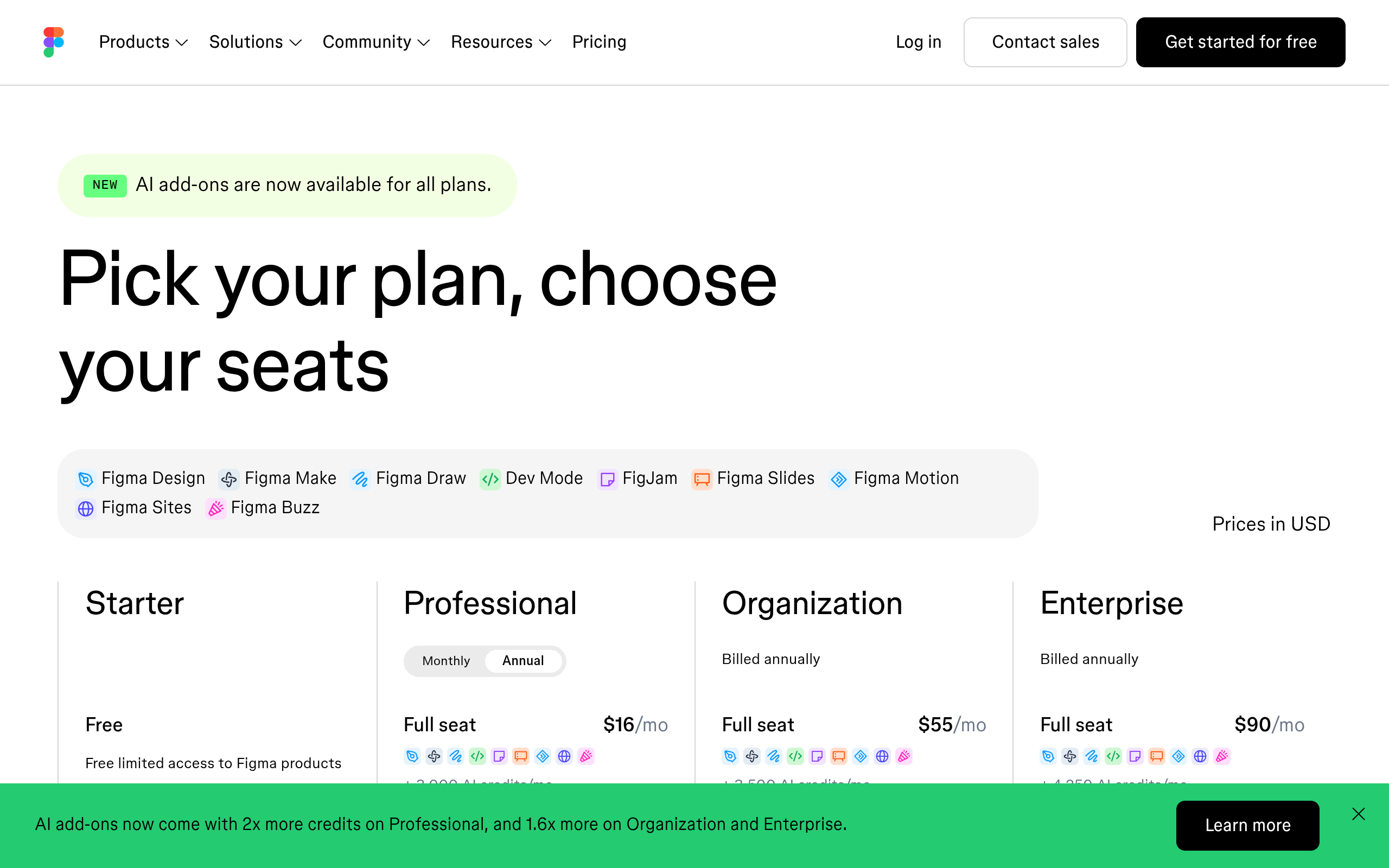
This is where most comparisons quietly cheat, because the three price different things. Figma charges per seat: a full Professional seat is $16 a month, a Dev seat $12, a Collab seat $3, and Organization and Enterprise step up from there.
That is a people cost, not a site cost.
Framer charges per site, with a free tier and paid plans at $10 and $30 a month, and higher limits available above that. WordPress charges nothing for the software and everything for hosting, so the number depends on a decision you make separately.
Comparing $30 a month to $16 a month to zero is meaningless without saying how many people and how many sites.
For an agency the shape usually decides it. Fifty client sites on a per-site subscription is fifty subscriptions somebody has to renew, and every one of them is a card that expires.
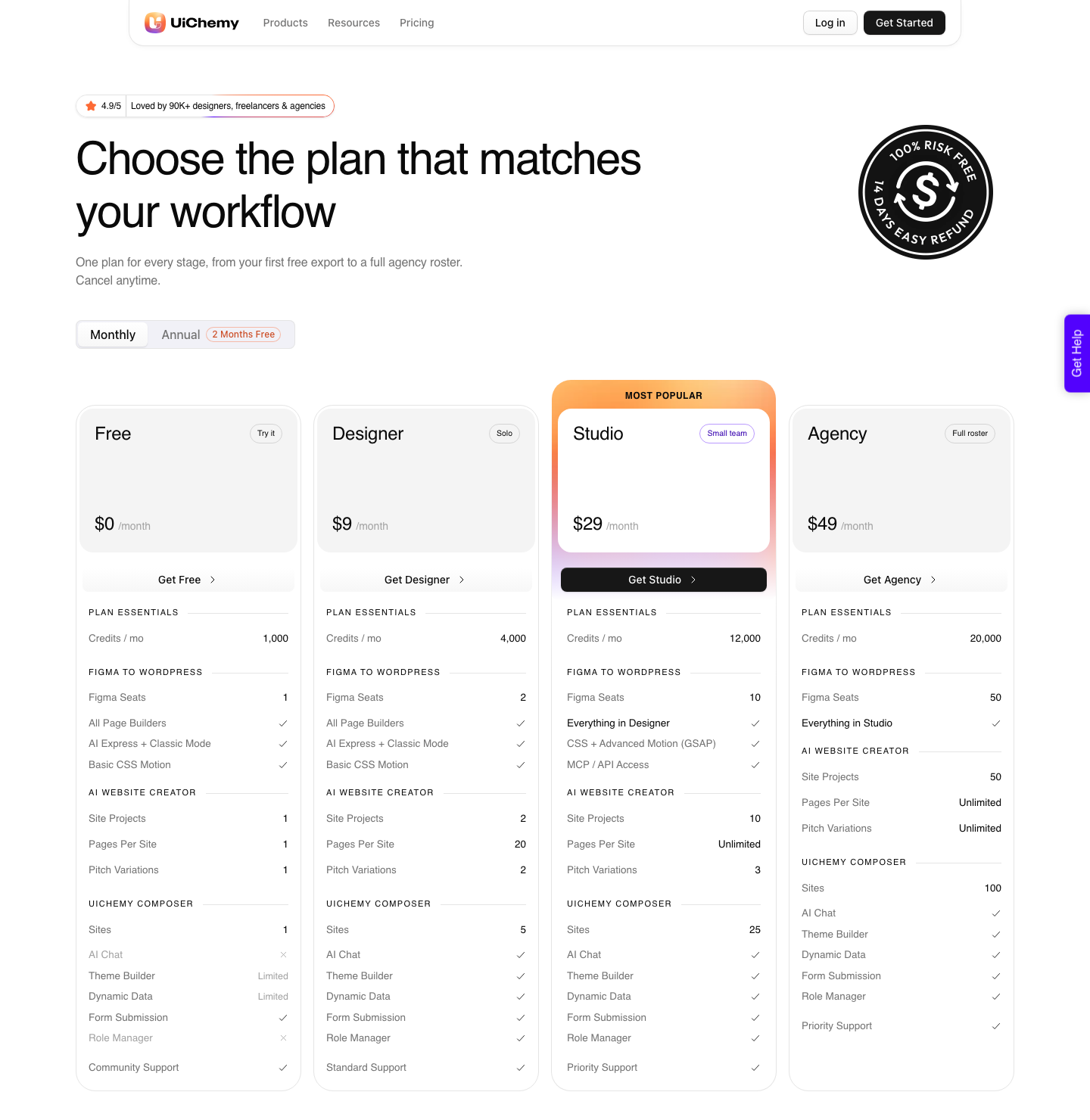
Fifty WordPress sites is fifty hosting accounts you already manage, plus one conversion plan: UiChemy Agency covers 50 Figma seats at $49 a month with 20,000 Credits.
There is also a Free plan at $0 with 1,000 Credits and one seat, which is enough to run a single page through the pipeline before you decide anything.
| The brief | Pick | Because |
|---|---|---|
| Personal portfolio, you own it forever | Figma Sites | No handover, and the design file is the site |
| Product launch page with heavy motion | Figma Sites | Preset interactions beat rebuilding them anywhere else |
| Bilingual marketing site, 400 case studies | Framer | Built-in localization and reference fields |
| Content site the client’s team edits daily | WordPress | Roles, drafts and a login that is not file access |
| Site with a shop or memberships attached | WordPress | Those systems already exist and are not CMS fields |
| Agency retainer across 50 client sites | WordPress | One conversion plan instead of 50 subscriptions |
| Client insists on owning everything | WordPress | Content in a database on hosting they control |
The Beta Label Is Doing Real Work
Figma Sites is labelled Beta and so is its CMS. That is not a smear, it is Figma’s own label, and it comes with a specific consequence: the 200 item cap per collection is explicitly described as a beta limit.
Limits tied to a beta can move in either direction, which is fine for your own site and awkward in a client contract.
There are practical edges too. Figma states the direct copy to Sites shortcut needs designs between 1200px and 1600px wide and is available only to file creators, and that code layers, embeds and certain interactions do not fully transfer between Sites and Design.
Any workflow that bounces between the two inherits all of that.
The fair reading is that Figma Sites is early rather than weak. Config 2025 was its open beta and it has moved quickly since.
If your project ships in six months rather than six weeks, watching is a legitimate strategy.
Getting The Same Design Into WordPress
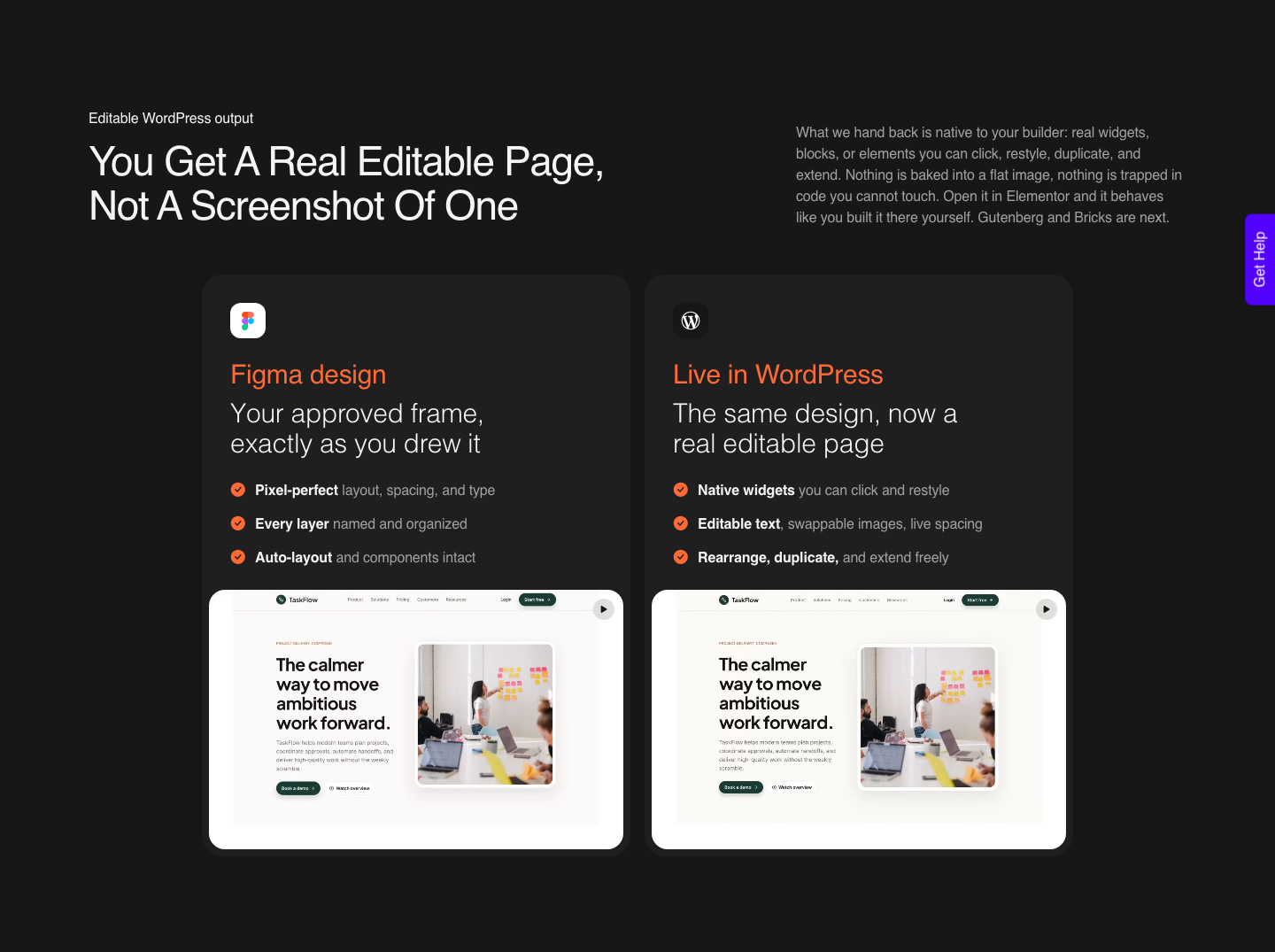
If the answers point to WordPress, the work is not redesigning. It is getting the approved frame into a builder without a manual rebuild.
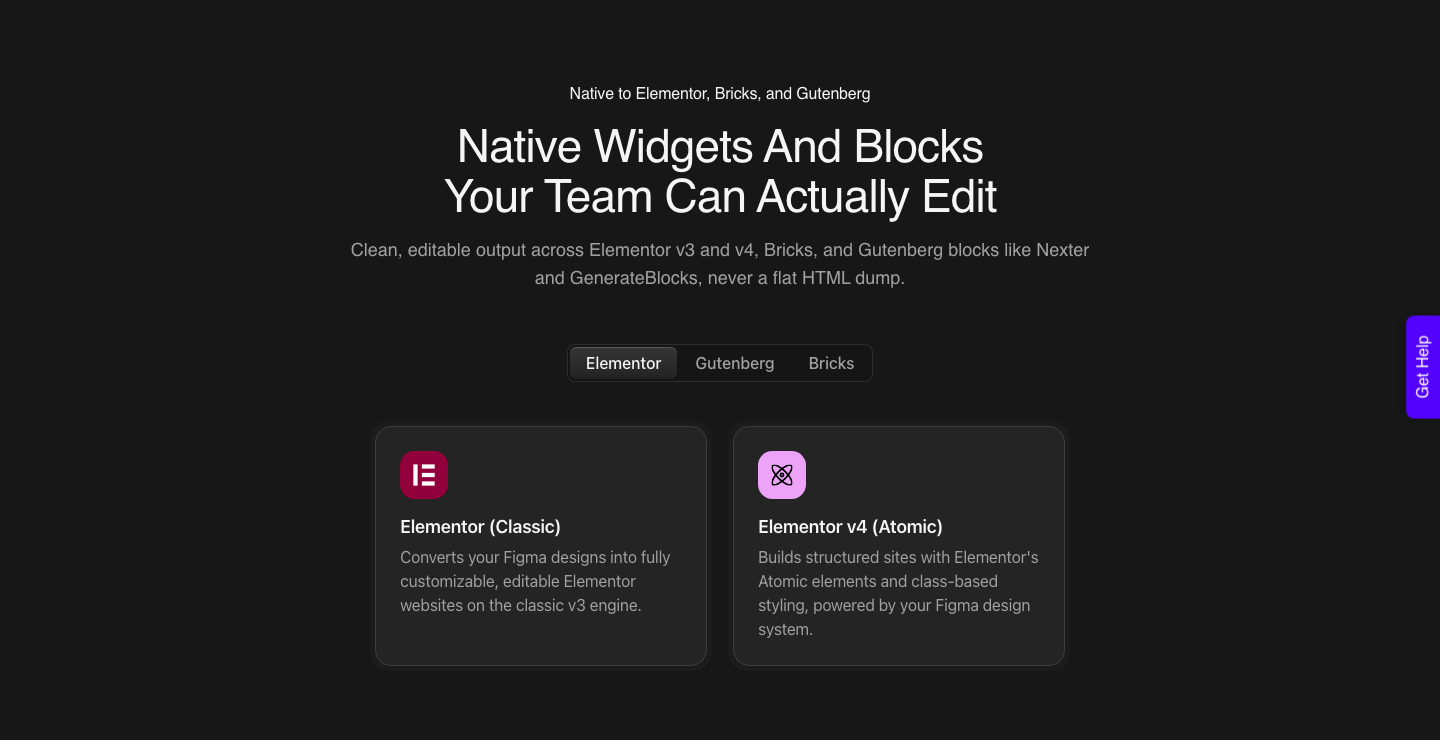
That is what UiChemy does with a Figma frame: native Elementor widgets, Gutenberg blocks or Bricks elements, with your Figma colors and typography synced into the builder’s global styles.
AI Express Mode does it without any layer tagging: pick the frame, pair the site once with a Connection Link, choose builder and motion, convert, preview. It outputs to Elementor only today, with Gutenberg and Bricks still coming.
Classic Mode covers all three now and is the one to use when a pixel is contractual.
The honest limits apply here as they do everywhere. Masks, layer blur, background blur, video fills and blend modes do not carry across, and a verified reviewer describes the realistic outcome as about 70% of the design handled with the remaining 30% fine-tuned in Elementor.
That is the number to quote a client, not a promise of a finished page. Responsive behaviour is generated and then tuned by hand in the responsive manager, which is the same half hour Framer and Figma Sites also cost you at the breakpoints.
The Figma route is the one this comparison points at, but it is not the only door into the same output.
AI Website Creator takes a written prompt or a client brief and produces a sitemap and a full set of pages, exporting to Elementor today with Gutenberg marked Soon on every plan including Agency.
UiChemy Composer is a single widget inside Elementor where AI writes real, editable HTML, CSS and JS for a section. And an existing Lovable, Claude, Bolt or v0 build comes into WordPress through Composer as well.
Four ways in, one destination, which is the part that actually decides this argument: whatever produced the design, the client’s team ends up editing ordinary WordPress.
Questions People Actually Ask
Is Figma Sites ready for client work?
For short-lived, single-owner sites, yes. For anything a client team maintains, the beta label and the 200 item cap per collection are real constraints you would have to explain later.
Match the tool to the life expectancy of the site rather than to the excitement of the launch.
Which has the better CMS, Figma Sites or Framer?
Framer, clearly, and it is not close today. Reference fields, more field types, built-in localization and per-item SEO generation are all things the Figma Sites beta does not offer.
Figma Sites is the better publishing surface for a design; Framer is the better content system.
Can I design in Figma and still end up on WordPress?
Yes, and the frame is only one of the starting points.
The same design becomes Elementor widgets, Gutenberg blocks or Bricks elements without a manual rebuild, and a prompt or a client brief can produce a whole site through AI Website Creator instead.
Your design tool and your content system do not have to be the same product.
What happens if a client wants to leave the platform?
On a hosted builder you take the design and rebuild the site. On WordPress you take a database and a set of files and move hosts.
That difference costs nothing on day one and decides the size of the invoice on the day it matters.
Do I have to choose one for everything?
No, and most working agencies do not. A launch page in Figma Sites this month and a client content site on WordPress next month is a perfectly coherent year.
The Figma file stays the source of truth in both cases.
How To Decide This Week
Write down three numbers before you open anything: how many people will edit content, how many items the CMS will hold in two years, and how many years the site is expected to last. One editor, under 200 items, under two years, and Figma Sites is a good answer.
Two languages and a real content model, and Framer earns it.
Everything else lands on WordPress, and the only real work left is getting your approved design there without rebuilding it.
Related reading: what Figma Sites templates carry across, what changed for Figma to WordPress in 2026, and designing in Figma for the web rather than for a canvas.
Figma’s own Sites page, its CMS guide and the WordPress roles documentation carry the facts behind this comparison.
Whichever way it goes, spend the first twenty minutes on the Figma file. Auto layout, real components, and text kept as text survive every one of these three routes, and nothing else does.