What Figma Sites Is, and When It Is The Wrong Choice
 Sagar Patel
A studio finishes a portfolio site in Figma Sites on a Thursday and it looks better than anything they have shipped in two years.
Six weeks later the client’s office manager needs to add a case study, and she has never opened Figma, does not have a seat, and is not going to get one. That is the whole decision in one sentence, and it has nothing to do with how good the tool is.
Figma Sites is genuinely good at several things and genuinely wrong for others. This piece covers both sides with the same care, because the version of this article that says “use WordPress instead” for every scenario would be dishonest and you would spot it immediately.
Everything here comes from Figma’s own help centre, checked on 8 September 2026. The status label matters and Figma still applies it: Figma Sites is in open beta, released at Config 2025.
What Figma Sites Actually Is
Figma describes it as designing, prototyping and publishing high quality websites in one place. In practice it is a second kind of Figma file where the frames are webpages, the layout tools are the ones you already use, and there is a Publish button that puts the result on the internet.
The left navigation carries six views and they describe the product better than any marketing line. File is where you build and publish.
Insert holds prebuilt nav bars, footers, page templates and embeds, plus your design libraries. Search finds elements.
Make gives you code layers. CMS creates and manages content.
Settings covers search engine and accessibility options.
Copy and paste works both ways between Figma Design and Figma Sites, which is the detail that makes the product feel like Figma rather than like a separate app. A page can start as a paste from an existing design file and end as a published URL without leaving the browser tab.
Where It Is Genuinely The Right Tool
Three cases where nothing else is as fast, and they have something in common. In all three, the people who design the site are the people who update it.
- Your own portfolio or studio site. You have a Figma seat, you are the only editor, and the design is the product. Publishing from the file you designed in removes an entire handoff.
- A pitch, a campaign page or a launch microsite. Short lived, visually ambitious, no long content backlog. Figma names marquee scrolling, custom cursors and hover effects as built in interactions, which is exactly what this kind of page wants.
- A usability test on something real. Figma lists sharing live websites with collaborators to explore ideas and test usability. A published URL tests better than a prototype because it behaves like a website, including on a phone.
The responsive model is also better than designers expect from a design tool. Each webpage carries breakpoints you add yourself, and when a page has more than one you can add, select and edit objects across all breakpoints at once.
That is a real editing model rather than three separate artboards you keep in sync by hand.
Preview is inline, on Shift and Space, so you check animations, interactions and responsiveness before publishing anything. For the three cases above, that loop is hard to beat.
The CMS Is Better Than People Assume
The common criticism is that Figma Sites has no content management. That stopped being true.
Figma Sites has a CMS on all plans, requiring edit access to the site file, and it is built from three pieces that will be familiar to anyone who has used a structured content tool.
| Piece | What it is | Nearest WordPress equivalent |
|---|---|---|
| CMS collection | A set of fields and items grouped by topic, like a spreadsheet of your content | A custom post type with custom fields |
| CMS item | One row: an article, a case study, a product | A single post |
| CMS page | A webpage acting as a template, giving each item its own URL | A single template |
| CMS list | A repeating design block showing multiple items from one collection | A query loop or archive template |
| Getting content in | Type it, start from a sample set, or import a CSV | The editor, or an importer plugin |
| Publishing content | Connected CMS data is included automatically when you publish the site | Publishing the post |
Editing is direct: change an item’s title, image or description from the CMS section in the left navigation, or by double clicking connected content on the canvas, and the update appears instantly in context. For a designer that is a pleasant way to work.
When It Is The Wrong Choice
The main one first, because it decides most projects on its own. If the client’s team has to maintain the site and already knows a CMS, moving them into a design tool is a cost you are asking them to pay so that you can save a handoff.
Editing CMS content in Figma Sites requires edit access to the site file. That means a seat, an account, and learning the Figma canvas well enough not to move a layer by accident.
An office manager who publishes a post in WordPress every fortnight is not going to enjoy that trade, and the churn lands on you.
- The client’s team already knows a CMS. This is the biggest one. Familiarity is worth more than elegance on a site somebody else maintains for five years.
- The site needs plugins. Membership, learning management, invoicing, a booking system, an existing CRM integration. WordPress has a directory for this and a design tool does not.
- You need a real store. A CMS collection can list products beautifully. Carts, tax, shipping rules and payment providers are a different category of problem.
- The content team is larger than the design team. Roles, editorial workflow and review are the CMS features that matter at that point, and they are not what Figma Sites optimises for.
- It has to be beta free. Figma states plainly that beta features can change during the beta period and that you may experience bugs or performance issues. That is honest and it is also a real answer to a procurement question.
- You want your own subdomain for free. A published site gets an autogenerated figma.site subdomain that currently cannot be changed, so a custom domain is the route to a branded URL.
One more operational detail worth knowing before your first publish. Figma’s own guidance during the beta is to move unpublished pages into separate files, because every webpage on the canvas is included in the published site.
A half finished page you were still thinking about goes live with the rest.
The Honest Comparison
| Figma Sites | WordPress with a page builder | |
|---|---|---|
| Status | Open beta since Config 2025 | Stable, and running a large share of the web |
| Who can edit content | Anyone with edit access to the site file | Anyone you give an editor role to |
| What they have to learn | The Figma canvas | A WordPress editor they may already know |
| Structured content | CMS collections, lists and pages, on all plans | Post types, fields, query loops |
| Extending it | Code layers, embeds | Plugins, themes, custom code |
| Where the design starts | In the same tool | In Figma, then converted |
| Default URL | An autogenerated figma.site subdomain, custom domain available | Whatever domain you point at the host |
| Best for | Your own site, campaigns, live usability tests | Anything a client maintains for years |
If WordPress Is The Answer, You Still Design In Figma
Choosing WordPress used to mean choosing the manual rebuild, and that is the reason designers reached for a publish button inside their design tool in the first place. The rebuild is the thing worth removing, not the CMS.
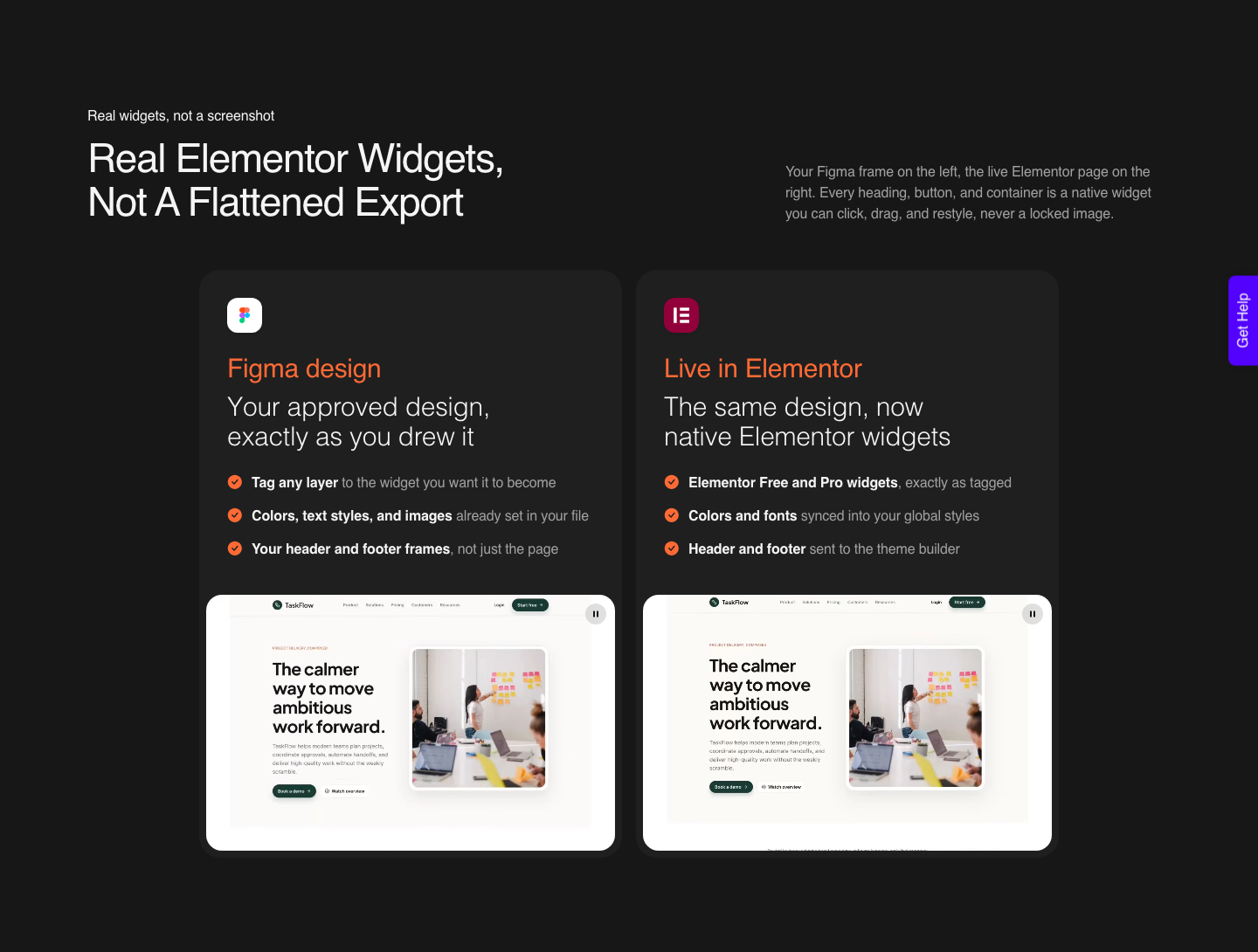
UiChemy converts an approved Figma frame into native WordPress elements: real widgets, blocks or elements the client can edit in the editor they already know.
AI Express Mode reads the layers with no tagging and outputs to Elementor today, with Gutenberg and Bricks marked coming soon.
Classic Mode covers Elementor, Elementor v4 Atomic, Gutenberg, Bricks, Nexter Blocks, GenerateBlocks, Spectra and Kadence right now.
The Figma frame is one of four starting points, which is worth saying because the older description of UiChemy as a Figma converter no longer covers it.
AI Website Creator takes a text prompt or a client brief and works through scope, sitemap and design before exporting to Elementor, with Gutenberg export marked Soon on every plan.
AI to WordPress moves an existing Lovable, Claude, Bolt or v0 build across.
And UiChemy Composer is one widget inside Elementor where AI writes real HTML, CSS and JavaScript, with a Design Mode for text, images, links and colours and a Developer Mode with a class editor and code tabs.
That last one is the closest thing on the WordPress side to the code layers you get in Figma Sites, except the output lives in a site the client already administers.
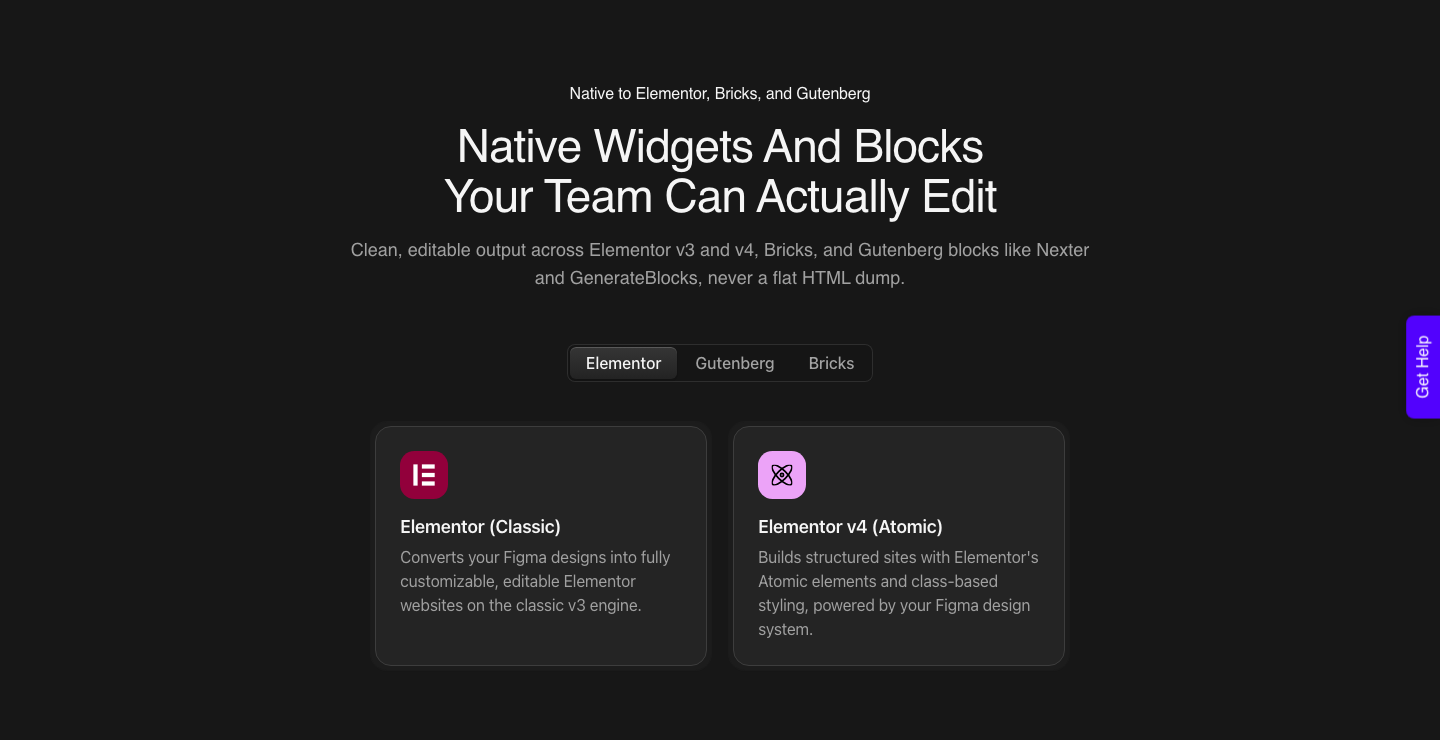
Be realistic about the output. A verified reviewer describes it as handling “about 70% of the design work and leaves the remaining 30% for us to fine-tune using Elementor”.
Output arrives responsive across the builder’s breakpoints with a manager for adjusting them, and how close the first pass lands depends heavily on how the Figma file was structured. That is a better trade than a manual rebuild and it is not zero work.
A Decision You Can Make In Two Minutes
- Who updates this site in year two? If it is you, Figma Sites is on the table. If it is the client’s team, ask question two.
- Does that team already use a CMS? If yes, use it. Retraining people onto a design canvas is a cost the project usually cannot see until it is paying it.
- Does the site need anything from a plugin ecosystem? Bookings, memberships, courses, a store with real checkout. If yes, that decides it.
- Is a beta label acceptable to this client? Some will not care. Some have a procurement policy. Figma states beta features can change and may have bugs, so quote that rather than guessing.
- How many pages of content will exist by year two? Twelve is fine anywhere. Two hundred wants an editorial workflow.
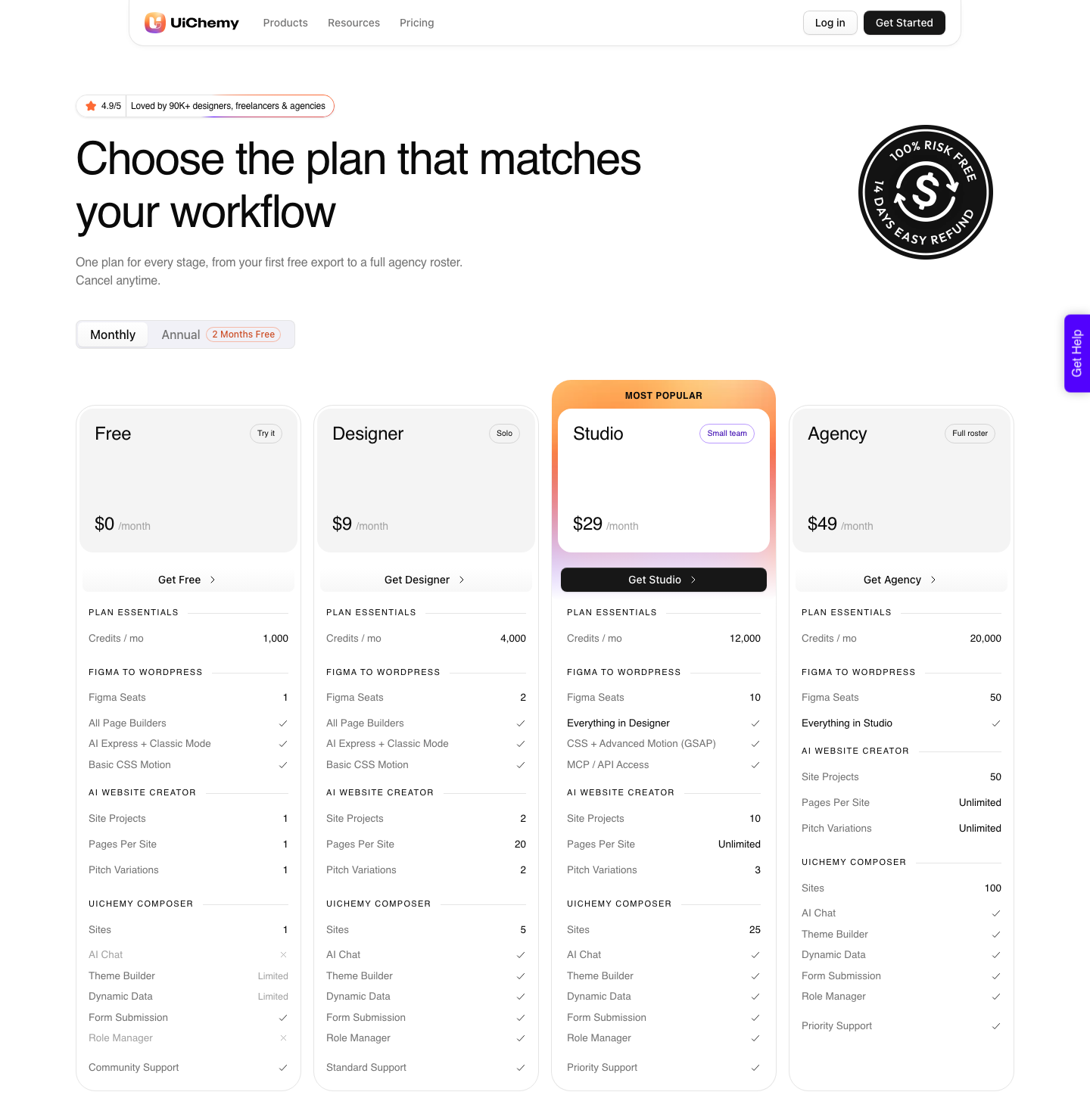
Costs are not really comparable between the two routes, and pretending otherwise is where most comparisons go wrong. Figma Sites is included in a seat you may already be paying for.
A WordPress build carries hosting and possibly a builder licence, and the conversion sits on top at the rates above, on the pricing page.
One balance covers conversions, site plans and Composer chat, it refreshes monthly, and you can top up between refreshes. Two things are gated by plan rather than included everywhere: Advanced Motion with GSAP, and MCP or API access, both of which begin on Studio at $29.
Frequently Asked Questions
Is Figma Sites out of beta yet?
No. Figma’s help centre still labels it open beta, released at Config 2025, and its beta article says features can change during the period and that you may hit bugs or performance issues.
That is Figma’s own wording, and it is worth quoting to a client rather than softening.
Does Figma Sites have a CMS?
Yes, on all plans, and it requires edit access to the site file. Collections hold your fields and items, CMS pages act as a template giving each item its own URL, and CMS lists repeat a design across many items.
You can import a collection from a CSV.
Can a client edit the site without learning Figma?
Not really. CMS editing requires edit access to the site file, which means a Figma account and enough comfort with the canvas to change content without moving a layer.
If that is a problem, it is the strongest single argument for a conventional CMS.
What URL does a published site get?
An autogenerated figma.site subdomain, and Figma notes those subdomains cannot currently be changed. You can connect a custom domain after publishing, and password protection is available as a site setting.
Can I design in Figma Sites and still end up on WordPress?
You can design in Figma Design and convert, which is the cleaner route because the structural rules for a clean conversion are documented.
If a page already exists as a published site, a live URL can be cloned into WordPress through Composer instead, though a properly structured design file still gives a better result.
The dedicated Clone Site landing page and its one-click flow are marked Soon; the conversion itself runs through Composer today.
The Short Version
Figma Sites is a real website tool with a real CMS, still in open beta, and it is excellent when the designer and the maintainer are the same person. It is the wrong choice when a client’s team has to run the site and already knows a CMS, when plugins are load bearing, or when a beta label is a procurement problem.
More on the surrounding ground in our pieces on Figma Sites templates and taking a Figma design to WordPress.
Primary sources: Explore Figma Sites, the Guide to Figma Sites CMS, Publish, update or unpublish a site and Figma’s open beta article, all fetched on 8 September 2026.