Why AI-Built React Sites Are Hard to Hand to a Client
 Sagar Patel

AI-built React sites are hard to hand to clients because the content lives in code, editing needs a developer, and deployment depends on a build pipeline the client does not own or understand. A site a client can run needs a visual editor, a login, a host they control and a way to change text without a commit.
This is an opinion piece, and I will label it as one. I think the handoff is where most AI-built client sites quietly fail, and the failure is easy to miss because the build itself usually works fine.
The test is not whether the site loads. The test is whether the client can fix a typo on a Tuesday without calling you. For the repeatable fix, see the handoff problem and a repeatable fix.
The Only Test That Matters
Imagine the client calls and says: “The opening hours changed, and the owner’s photo is the old one.” How many steps stand between that sentence and a corrected live page?
On a content-managed site the answer is short. Log in, open the page, change the text, replace the image, publish.
On a typical project generated from a prompt and kept as a code repository, the answer is: open the code, find the right component, edit the string, commit, wait for the build, check the deploy. Each step is trivial for a developer and impossible for the person who actually owns the opening hours.
That gap is the whole argument. Everything below is a specific version of it.
Seven Ways the Handoff Fails
1. Content lives in code
Headlines, prices and testimonials sit inside components as string literals. There is no field to edit. Changing copy means changing source, which means a developer is now in the loop for work that should cost nothing.
2. No editor, no roles
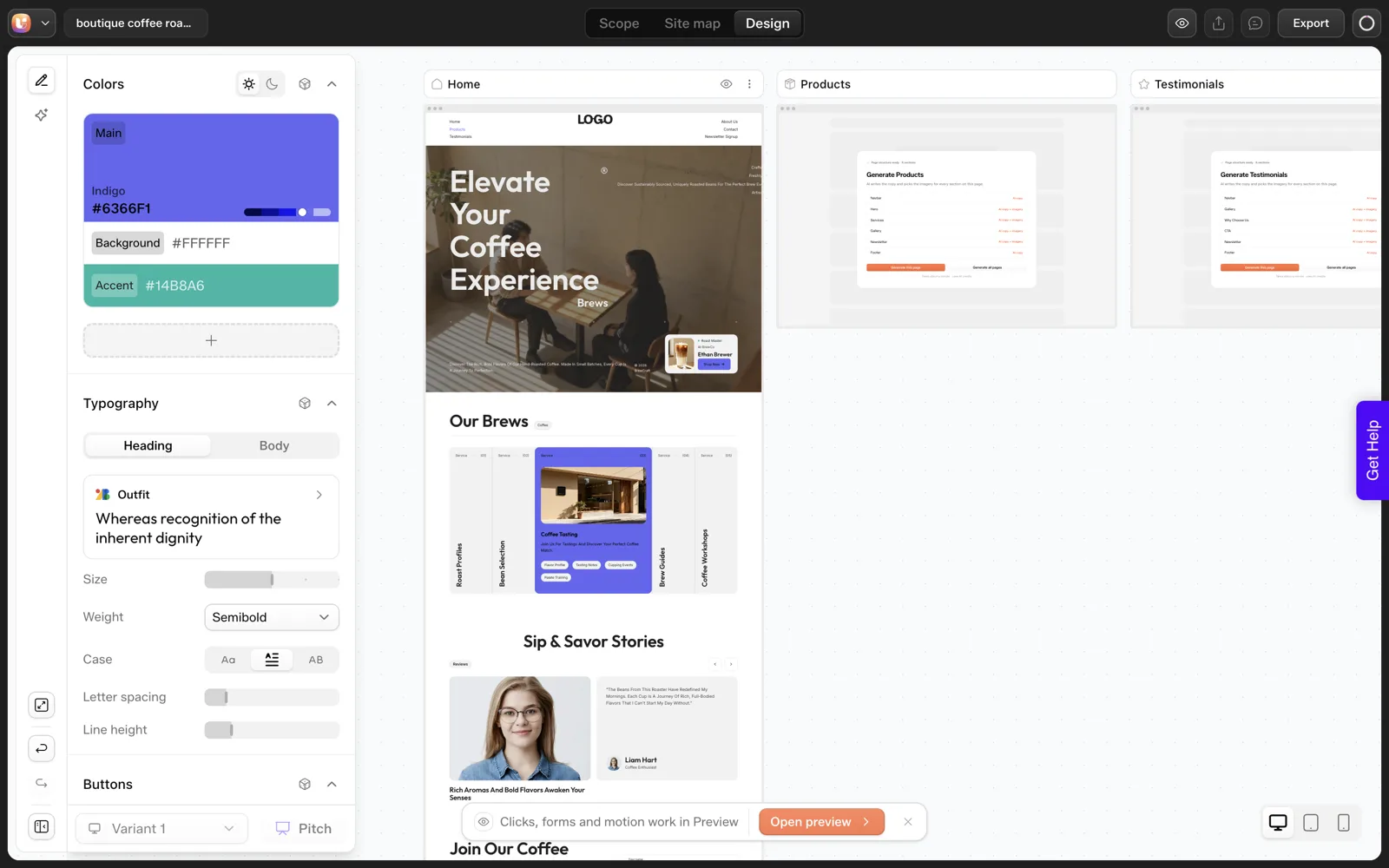
A client cannot be handed a partial login. There is no role that says “can edit text on these pages, cannot break the layout”. WordPress has had this for years, and the UiChemy docs mention a role manager for exactly this reason.
3. The deploy pipeline is invisible
Someone set up hosting, a repository, environment variables and a build command. That knowledge is in your head or in a dashboard under your account. If you stop answering emails, the site cannot be updated.
4. Accounts belong to the wrong person
The repository, the hosting project and the AI tool subscription are often under the builder’s own login. Ownership of the site is ambiguous at best. Who owns an AI-built website goes through the questions to settle before launch.
5. Dependencies age
A code project depends on packages, and packages release updates and security fixes. Someone has to run those updates and test the result. A client who does not know the dependency tree exists will not do it, and a site nobody maintains is a liability.
6. Growth means rebuilding
A blog, a store, a booking form, a members area. On a CMS these are additions. On a hand-assembled code project they are new features to build, each with their own testing. The cost of change after launch lays out that difference.
7. The SEO layer is whatever the tool wrote
Per-page titles, descriptions, social previews, redirects and sitemaps are things a CMS ecosystem provides through plugins. In a code project they are either present because the generator remembered, or absent. The UiChemy docs list the lack of a per-page SEO layer as one of the gaps for static builds.
Where React Sites Are Fine
My claim is narrow. React is the wrong shape for one particular job: a small business website that a non-developer will maintain.
A React build is a good fit when the thing is an application: accounts, dashboards, live data, a product the team owns and a developer maintains. It is also fine for a short campaign page with a known end date. In both cases the handoff problem does not apply, because either a developer keeps the code or nobody needs to edit it.
The trouble is that an AI tool makes both outcomes equally easy to produce, so a brochure site gets built as an app by default. The default is a side effect of how easy generation has become.
The Handoff Readiness Scorecard
Run this before you tell a client a site is finished. Each row is yes or no. Any “no” in the first four rows means the handoff is not ready.
| # | Question | Yes means |
|---|---|---|
| 1 | Can the client change a heading and an image without a developer? | Visual editor in place |
| 2 | Does the client have their own login with limited rights? | Roles configured |
| 3 | Is hosting in the client’s name or documented transfer-ready? | No hidden dependency on you |
| 4 | Is there a backup the client did not have to ask for? | Recovery plan exists |
| 5 | Can the client add a blog post or page? | Content model exists |
| 6 | Are titles and meta descriptions editable per page? | SEO layer present |
| 7 | Is there a one-page “how to edit” note for the client? | Documentation delivered |
| 8 | Who updates dependencies or plugins, and how often? | Maintenance owner named |
Three Ways Out
Rebuild by hand. Safe and slow. You recreate each section in the client’s CMS. It works, and it is exactly the double work AI was supposed to remove.
Convert the build. UiChemy documents a route that takes a project ZIP from Lovable, Bolt, v0, plain HTML or a cloned site, and brings it into WordPress as native editable content through Claude and the UiChemy MCP.
The Lovable to WordPress guide has the steps, and the HTML to WordPress docs page covers plain projects. Conversion carries the design, not application logic, so check what the project actually contains first. Three routes for converting React to WordPress shows where each breaks.
Generate into WordPress from the start. If you already know the site ends in WordPress, skip the intermediate build. UiChemy’s AI Website Creator is early access, and the AI website builder that exports real WordPress post explains the idea.
The common thread: choose the home of the content before you choose the generator. For the broader category debate, AI website builders and the editability problem is the longer read.
The Conversation to Have Before You Build
Most handoff trouble is predictable on day one. Five questions, asked before the first prompt, settle it. I ask them in this order and write the answers into the project brief.
- Who will change the text next year? If the answer is the client, the site needs an editor they can use.
- Who will pay for hosting and tools? Name an account holder. If it is you, say for how long.
- What happens if you are unavailable for a month? The answer should not be “the site cannot be updated”.
- Will content grow? A blog or news section changes the platform choice.
- Is any part of this an application? Logins, saved data and payments need a different home from brochure pages.
If the answers say “client edits, content grows, no application”, the case for a CMS is strong, and you know it before generating anything. If they say “developer team edits, application with accounts”, a React project is a fair fit.
The website brief template has a field for the editor and the approver. Filling them in forces the conversation at a point where changing the answer is cheap.
What the Client Actually Sees on Handoff Day
It helps to picture handoff from the client’s side. They receive a link and some credentials. Their first questions are simple, and the platform either helps or does not.
| What the client wants to do | On a CMS with a visual editor | On a code repository |
|---|---|---|
| Log in | Open the login page, use their own account | No login exists for the content |
| Fix a typo | Click the text and type | Ask the developer |
| Replace a photo | Choose from the media library | Ask the developer |
| Add a news post | Posts, Add New, Publish | Ask the developer, or wait for a new feature |
| See what changed | Revision history in the editor | Read the commit log |
| Hand the site to another agency | Share an admin account and a backup | Share repositories, build settings and secrets |
The right-hand column describes who the platform assumes is operating the site, and says nothing bad about code. A repository assumes a developer. A client who is not one will feel the gap on the first day.
That feeling is the real cost, and it shows up as a stream of small requests. If you want to count them, the cost of change after launch gives you a log to record each one.
Small Fixes That Make Any Handoff Safer
You may not be able to change platforms on every project. Even then, a few habits reduce the risk. These apply to any AI-built site, React or otherwise.
- Put accounts in the client’s name. Hosting, domain and any repository should belong to the business, with you added as a collaborator.
- Write the deploy steps down. One page listing the host, the build command and where environment values live. Store the secrets themselves in a password manager.
- Separate content from code where you can. Even a simple content file is better than strings scattered through components.
- Record the dependency update owner. A name and a frequency, in writing.
- Take a copy of everything. Keep a backup of the repository and any uploaded media outside the hosting account.
None of those makes a code project as easy to edit as a CMS site. They do make it possible for someone other than you to take over, which is the minimum a client should be able to count on.
For a client who needs a visual editor, the better fix is a different end state. An AI website builder for agencies looks at keeping many client sites manageable from the start.
FAQ
Why can’t clients edit an AI-built React site?
Because the text, images and layout live in source code, not in a database with an editor on top. Changing a heading means editing a component, committing and redeploying. Clients without developer skills have no safe way to do that, so every small change becomes a support request to the builder.
Is a React site bad for small business websites?
It is usually the wrong shape. Small business sites need frequent, small content edits by non-developers, which a CMS handles natively. React suits applications and sites a developer maintains. If a brochure site is built in React, plan how content edits will happen before launch, not after.
How do I hand over an AI-built site safely?
Put the content somewhere the client can edit it, give them a limited login, move hosting and accounts into their name, take a backup, and write a one-page editing guide. Then run the readiness scorecard above and fix any no in the first four rows before launch.
Can I move an AI-built React site into WordPress?
Often the design can move. UiChemy documents converting a project ZIP into native, editable WordPress content through Claude. Application logic, state and data fetching do not carry over as a running app, so keep those parts on their original platform and link to them from the WordPress site.
What should I tell a client about maintenance?
Say who does updates, how often, what it costs and what happens if you are unavailable. A CMS needs plugin and core updates, a code project needs dependency updates. Whichever you ship, name an owner and write it into the agreement, so the answer exists before something breaks.
If your next client site should end in an editor the client can actually use, Get Started and test the conversion on one page.
Every feature named in this post is listed by product: all UiChemy features, AI to WordPress features.