
An AI Website Builder That Exports Real WordPress, Not a Locked-In Site
 Sagar Patel
A good AI website builder ends in a normal WordPress site you can host anywhere. UiChemy’s AI Website Creator exports through the UiChemy plugin, and each page opens in Elementor as an editable Composer, with the existing pages on your site left alone. Gutenberg import is now live on every plan too, and Bricks is marked “Soon”.
I wrote this as the exit-side companion to our general piece on AI website builders and the editability problem. That post covers the editor. This one covers the door: what you carry out when the build is done.
What Is the Exit Test for an AI Website Builder?
Every AI builder looks good at minute one. A hero appears, the copy reads fine, the colors match. The question that decides whether you will still be happy in a year is different: if you stop paying, what do you own?
I run this test on any builder before recommending it to a client project. It has three parts.
- Format. Is the output a standard platform you can hire anyone to maintain, or a proprietary canvas only the vendor can open?
- Hosting. Can the site run on a server you choose, with a domain you control?
- Editing. After export, can a person who never used the builder change a headline, swap an image or add a page?
Plenty of tools pass the first draft and fail the exit test. Our own pick of AI website builders for WordPress uses the same three questions, and the later sections here apply them to UiChemy so you can check our answers.
What Does UiChemy Actually Export?
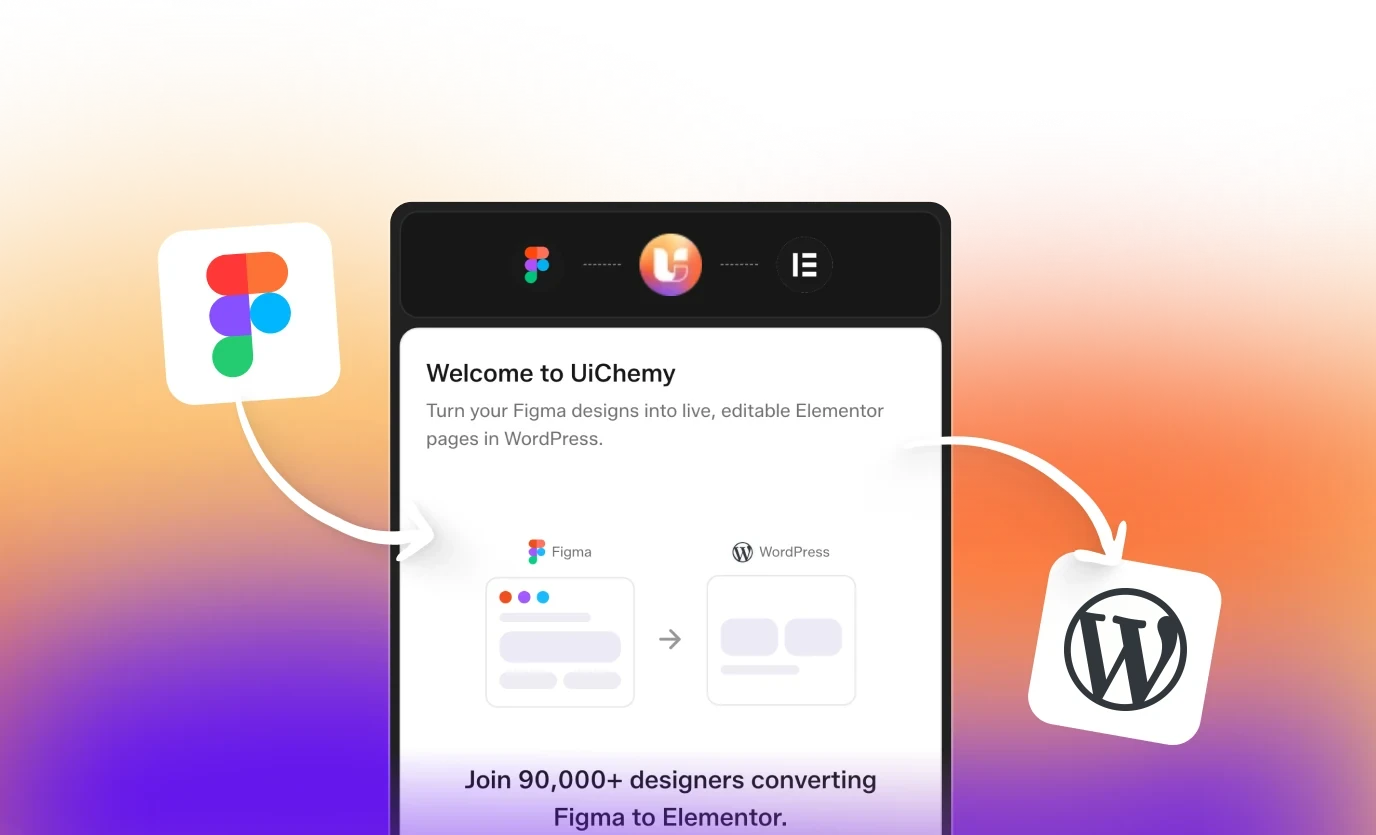
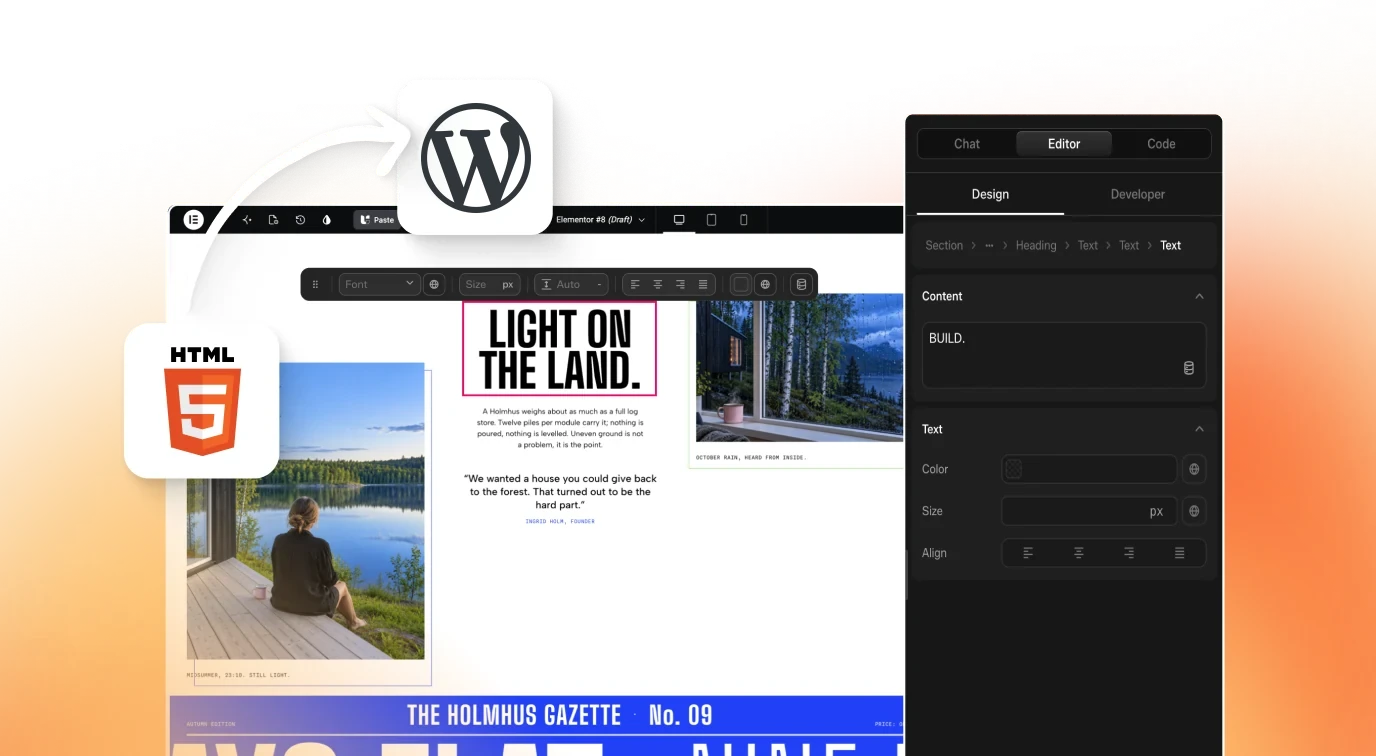
According to the docs, AI Website Creator packages the whole project (pages, sections, content and styles) and makes it available for import inside WordPress through the UiChemy plugin. In WordPress, each page lands as an editable Composer in Elementor, described in the docs as a native, editable Composer rather than a flat export or a locked image.
A Composer is a single widget that holds real HTML, CSS and JavaScript. That matters for portability because the page is made of code a developer can read, and the editor stays available for people who prefer clicking. We explain the widget in the Composer introduction.
| Layer | What you get after import | Source |
|---|---|---|
| Pages | New WordPress pages built in Elementor | Export to WordPress docs |
| Page content | Each page as an editable Composer | Export to WordPress docs |
| Existing site content | Left unchanged by default | Export FAQ in the docs |
| Gutenberg layouts | Live on every plan | Pricing page |
| Other platforms | A vote form, no export yet | Export modal, Other tab |
How Does the Export Work Step by Step?
Export happens in two places: the Design Editor and your WordPress admin. There is no push button that sends a site to a server. Here is the flow as the docs describe it and as our own capture of the dialog shows.
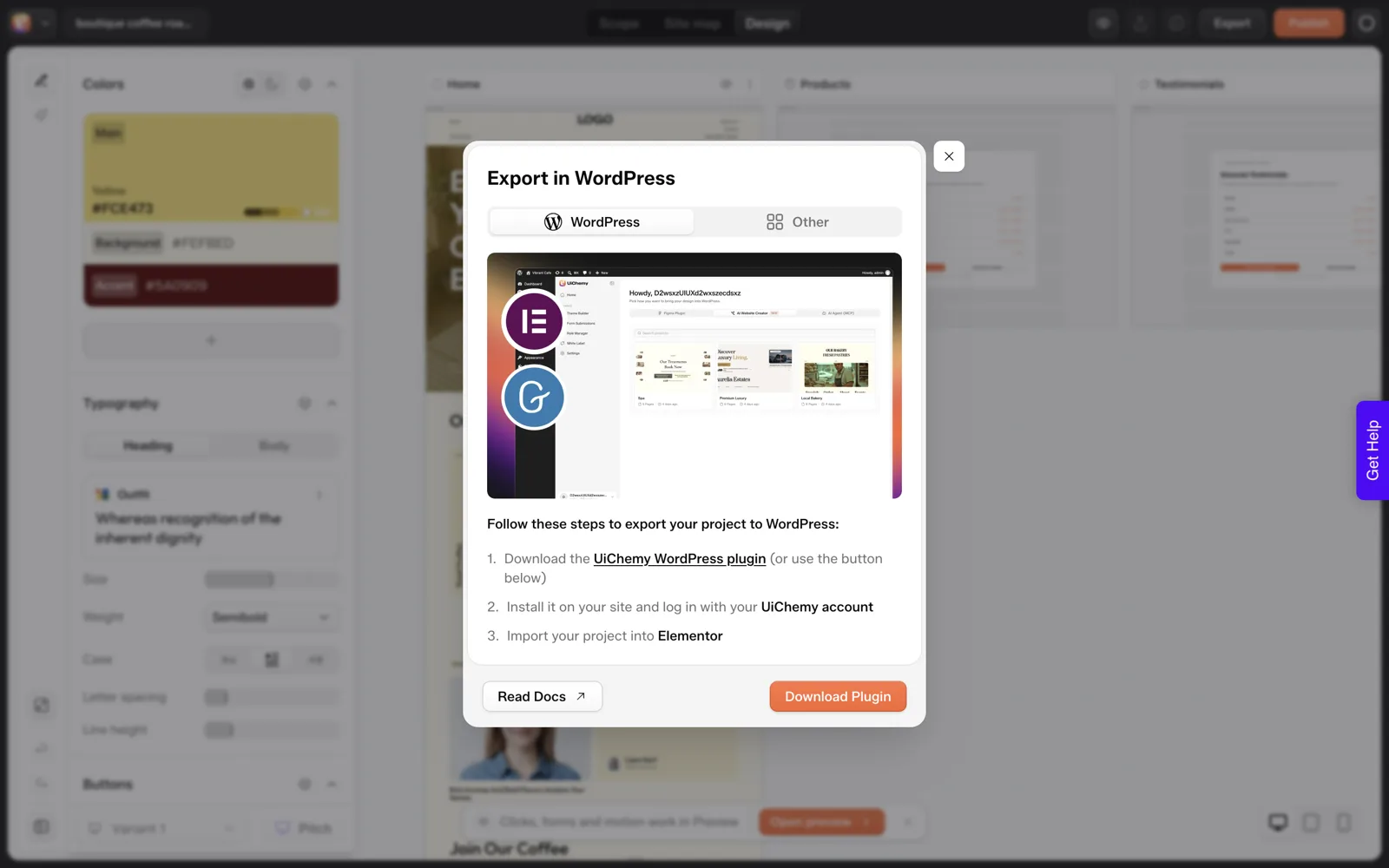
- In the Design Editor, click Export and pick the WordPress tab. The dialog lists three steps and offers Download Plugin and Read Docs.
- Install the UiChemy plugin on your WordPress site (it is also listed on wordpress.org), then log in with your UiChemy account.
- Open the AI Website Creator tab under UiChemy, pick your project, choose Elementor as the builder, and select which pages to import.
- Run the import. The docs list four phases: plugins and theme, site content, pages and layout, then final settings.
I did not run the import on a stage site for this article, so I will not describe what the finished front end looked like. The full sequence, including the page selection screen, is in the Export to WordPress docs.
What Stays Behind in the Builder?
A fair exit test names the things you do not take. Based on the docs and our own capture:
- The design canvas. The sitemap, scope brief and Design Editor live in your UiChemy account. After import, your pages are edited in WordPress.
- The account link. The plugin logs in with your UiChemy account to find your exported projects.
- Re-exports. If you change the design later and export again, you pull the update in from the plugin. The docs say this does not overwrite existing WordPress content.
That last point is worth pausing on. The import creates new pages. The docs also describe an opt-in checkbox that moves your current content to draft, and they state it is not deleted. Use it deliberately, and take a backup first, as you would before any bulk import.
In our own test on 2026-10-01, we imported a finished coffee roaster project into a fresh local WordPress site. The import ran for about 50 seconds, the Home page opened as an editable Elementor page, and the AI credit balance did not change during the import.
The plugin offered only the Home page for that project even though the sitemap had six, so check the selection screen before you plan on pulling every page in one pass.
Credits are a separate question. One shared balance covers every UiChemy product, and the docs explain how it works on the credits page. For a measured example of what a first draft cost, read our credit test.
The Ten-Line Portability Checklist
Copy this into your notes and run it against any AI builder, ours included. A “no” on lines 1 to 4 is a stop sign for client work.
PORTABILITY CHECKLIST (answer yes / no / unknown)

1. Output is a standard platform (WordPress, plain code), not a proprietary canvas
2. I can host it on a server I choose
3. I can point my own domain at it
4. A developer who never used the builder can edit it
5. Text and images are editable without the builder account
6. Existing pages on the target site are left alone on import
7. I can re-import after revising the design
8. I know which parts stay behind (design canvas, brief, history)
9. I know what happens to my content if I cancel
10. I tested a real export on a throwaway site before the client saw it

Score: count the yes answers. Treat any "unknown" as "no" until tested.
Line 10 is the one people skip. A stage site costs very little and shows you the real result in a way no feature list can. If you manage many sites, our note on running an AI builder across client sites shows where that test fits in a repeatable process.
What About Other Platforms?
The export dialog has a second tab, “Other”. It is a vote form listing React, Bricks, Divi, Gutenberg Core, Webflow, Framer and Wix, plus a free-text field. It collects requests and does not export anything. We captured it so you do not have to guess.
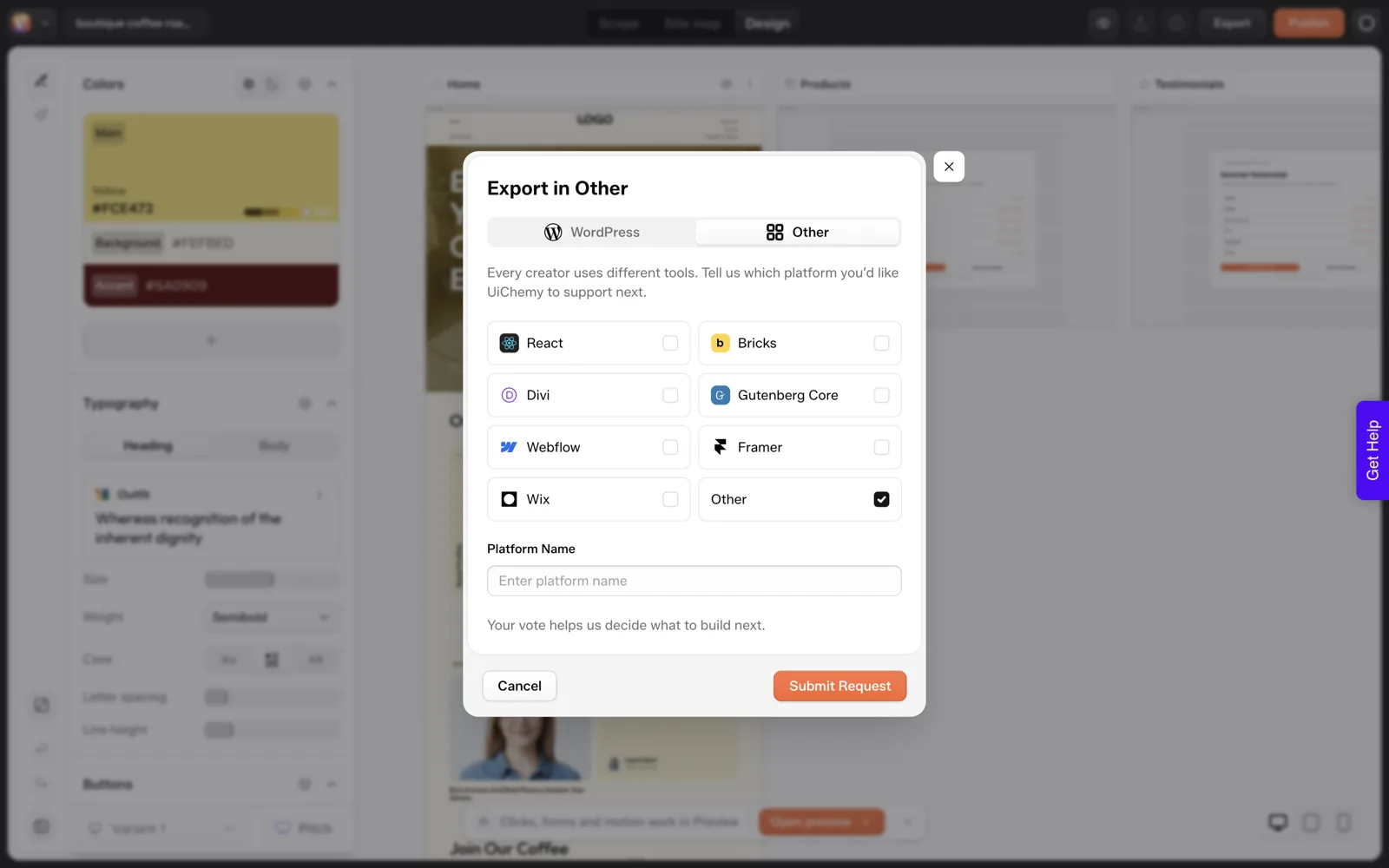
If you start from a Figma file instead of a prompt, the conversion paths are different and have their own export rules. Our Figma to WordPress guide covers them, and the ownership and portability explainer goes into the licence and lock-in side in more general terms.
Colors, fonts and voice carry across too, as explained in brand kit in an AI website build.
How Do You Test the Export on a Throwaway Site?
Line 10 of the checklist is the one that gives you a real answer, so here is the run we did on 2026-10-01. We used a fresh local WordPress install that held only the default pages.
- Open the UiChemy screen. Our first load showed a welcome wizard. It asked what describes you, how you will use UiChemy and which builder you work in, then offered Pro with a “Skip for now” button. We chose AI Website Creator and Elementor, and skipped Pro.
- Sign in. Clicking “Sign in with UiChemy” opened a consent screen on app.uichemy.com with Allow and Deny buttons. Our browser was already signed in to UiChemy, so we only clicked Allow, and the plugin showed our account name afterwards.
- Pick the project. A card for the coffee roaster project opened the “Choose Your Builder” dialog. Elementor was preselected and Gutenberg was greyed out with “Coming soon” at the time of our test; Gutenberg import is live now.
- Read the selection screen before you import. Ours said “1 of 1 Pages Selected” and listed only Home, although the project has six pages on the UiChemy side.
- Run the import. The progress panel started within a moment and moved through the four phases. We judge it finished at about 50 seconds.
- Check Pages in WordPress. We found exactly one new page, Home, set as the front page. The other two entries were the stock Privacy Policy and Sample Page that were already there.
- Open the page in Elementor. The canvas took about 39 seconds to finish loading on our slow local server, and then showed native Elementor containers and widgets we could select and edit.
The import itself used no credits. The AI credit balance read 49,936.1 before and after, and the usage log showed only the earlier generation steps.
Step 4 matters most for planning. If the plugin offers fewer pages than your sitemap holds, you need to know before you promise a client the whole site in one pass. Our 30-minute review routine is a good next step once the pages are in.
Which Export Mistakes Cost the Most Time?
These come from the docs, our stage run and ordinary habits with any bulk import. Each has a fix that takes a minute.
| Mistake | What goes wrong | Fix |
|---|---|---|
| Importing straight into the live site | A bulk import changes a site visitors are using | Run it on a stage copy first, then repeat on the real site with a backup |
| Assuming every page comes across | In our run the plugin offered only Home for a six-page project | Read the “pages selected” count before you click Import, and write down what is missing |
| Expecting a Bricks import | Bricks publishing is marked “Soon” | Choose Elementor or Gutenberg for the import |
| Judging the result in the editor only | In our run the hero text on the front end was clipped at the right edge at a wide desktop width | Open the front end too, and check it at more than one width |
If a mistake in this table matters to your client work, put it into your own project checklist. Our pricing and credits explainer helps you check that your plan covers the pages you intend to generate before you reach this stage.
What Should You Write for Whoever Inherits the Site?
The exit test is easier to pass when the next person gets a short note. Fill this in at handover and keep a copy with the project files. It takes ten minutes and answers the questions a new developer asks first.
SITE HANDOVER NOTE

Site / client:
Date exported:
Exported from: UiChemy AI Website Creator, project name: ______
Builder used after import: Elementor / Gutenberg

WHERE THINGS LIVE
Hosting account (name, who pays):
Domain registrar (name, whose login):
WordPress admin URL:
UiChemy plugin installed: yes / no
UiChemy account used to import (email):

WHAT WAS IMPORTED
Pages imported (list):
Pages in the project but not imported (list):
Existing content moved to draft: yes / no

HOW TO EDIT
Edit pages in WordPress with Elementor.

OPEN ITEMS
Bricks import is marked "Soon" at the time of export.
Items I have not verified:
The “not imported” line is the one people leave blank. Fill it in even if the answer is “none”, because a blank looks the same as “nobody checked”.
If the site came from a hand-coded or cloned source instead, the questions change, and our guide to moving a hand-coded site into WordPress lists the routes.
FAQ
Is the exported site really WordPress?
Yes. The import runs inside your own WordPress install through the UiChemy plugin, and the pages are built in Elementor. They are ordinary WordPress pages you can host on any server that runs WordPress, and edit with the same tools you use for any other page.
Can I export to Gutenberg?
Yes. Gutenberg export is now live on every plan, alongside Elementor, and Bricks is marked Soon. The Composer itself also works as a Gutenberg block, which the Composer docs describe separately from this export path.
Will the import overwrite my existing pages?
By default it creates new pages and leaves existing content alone, according to the docs. There is an opt-in setting that moves current content to draft first. Back up the site before using it, and try the import on a throwaway site before the real one.
Do I need to keep a UiChemy account after the export?
You need an account to log in to the plugin and pull projects across. Once pages are imported, you edit them inside WordPress. For the exact terms around cancelling, check the pricing page and the docs, because we do not summarise billing rules from memory here.
Can I get a site on a platform other than WordPress?
Not today. The Other tab is a request form for platforms people want next, and it does not produce an export. If WordPress is not your destination, an AI-first builder with a different export path may suit you better.
If you want to run the exit test yourself, you can Get Started and try a project on a throwaway site first.
Every feature named in this post is listed by product: all UiChemy features, UiChemy Composer features.