AI Website Builder for Agencies: Handling Many Client Sites Without Chaos
 Sagar Patel
An AI website builder helps an agency only if the process around it is fixed: one intake form, a sign-off gate before each expensive step, a credit log per client, consistent project names and a standard handoff. UiChemy’s Agency plan is $59 a month ($44 billed annually) with 20,000 credits, and the Seats and Sites page shows 50 Figma seats and unlimited WordPress sites.
Speed is the easy part. Chaos comes from ten half-finished projects, unclear approvals and a credit balance nobody tracks. This playbook covers those, and it extends our client brief to WordPress site workflow, which walks a single project through the five stages.
What Does the Agency Plan Give You?
Start with facts you can check. The pricing page lists three all-in-one plans: Designer at $11 a month, Studio at $35 and Agency at $59, with the annual price per month at $8, $26 and $44. Credits per month are 4,000, 12,000 and 20,000. Annual billing saves 25%, export to Elementor and Gutenberg is included, Bricks is marked “Soon”, and there is a 14-day refund.
The account’s Seats and Sites page shows what an Agency account is allocated. When we captured it on 2026-10-01 it read 0 of 50 Figma seats in use, 1 WordPress site with “Unlimited” allowed, and a site projects counter of 1 of 150 labelled “Early user bonus”.
Treat those as what the page showed for one account on one day, and read your own page, since allowances can change.
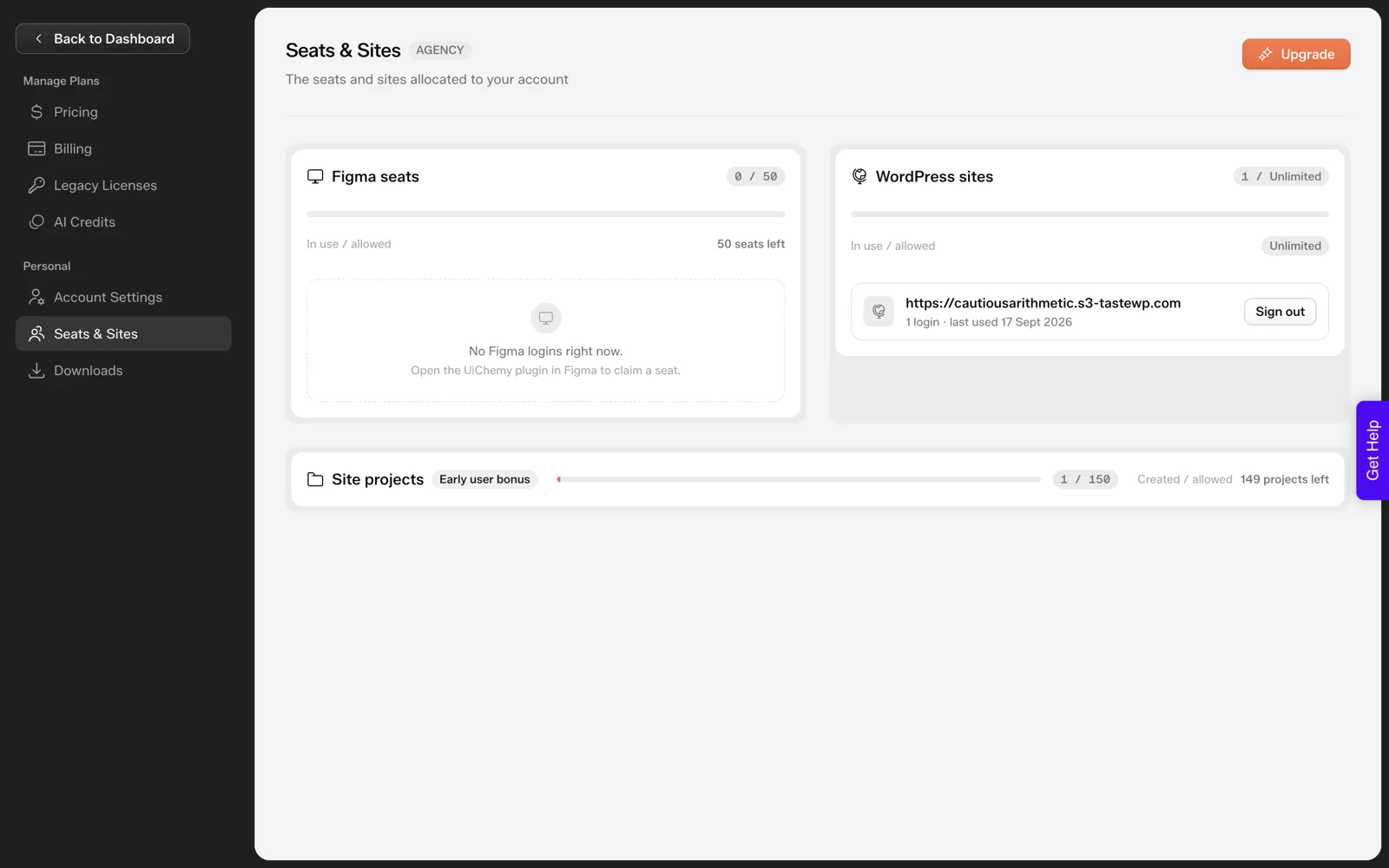
One number matters more than any other for planning: one credit balance covers all products, per the pricing page. If you also convert Figma designs for clients, that work draws from the same 20,000. For a plan-by-plan reading, see UiChemy pricing, credits and plans explained.
How Should You Standardize Intake?
The biggest source of rework is a thin brief. AI tools fill gaps with defaults, so every gap you leave becomes a revision round. Use one intake for every client and keep it short enough that clients finish it.
The Scope Editor in AI Website Creator asks for roughly what a good intake collects: up to five offers, a customer description, tone and tones to avoid, banned words, brand colors and fonts, liked and disliked reference sites, competitors, and the pages wanted and not wanted.
The docs say you can attach a PDF, DOC, TXT or image up to 25MB, or add a link. Build your intake form to mirror those fields, and the answers drop straight in. Our 25-question client questionnaire is a ready version.
What to refuse to start without
- The pages the client wants, by name, and the pages they do not want.
- One decision maker who signs off, with a name.
- Logo and brand colors, or a written statement that none exist.
- Facts you cannot invent: prices, hours, addresses, testimonials.
The last item protects you. An AI draft will produce plausible-sounding details unless you supply real ones, and a fabricated claim on a client’s site is your problem.
Which Gates Protect Your Margin?
Two gates matter most because they sit before expensive work. The first is the scope: the docs describe a shareable brief that a client can approve before design begins. The second is the sitemap: the page list drives every hour you quote, and the Sitemap Editor lets you add, remove, reorder and rename pages before design.
Make approval explicit. A reply to an email that says “approved” is enough, as long as the page list is in the email. Our piece on locking the sitemap to stop scope creep goes further into the wording.
A review gate before the client sees anything
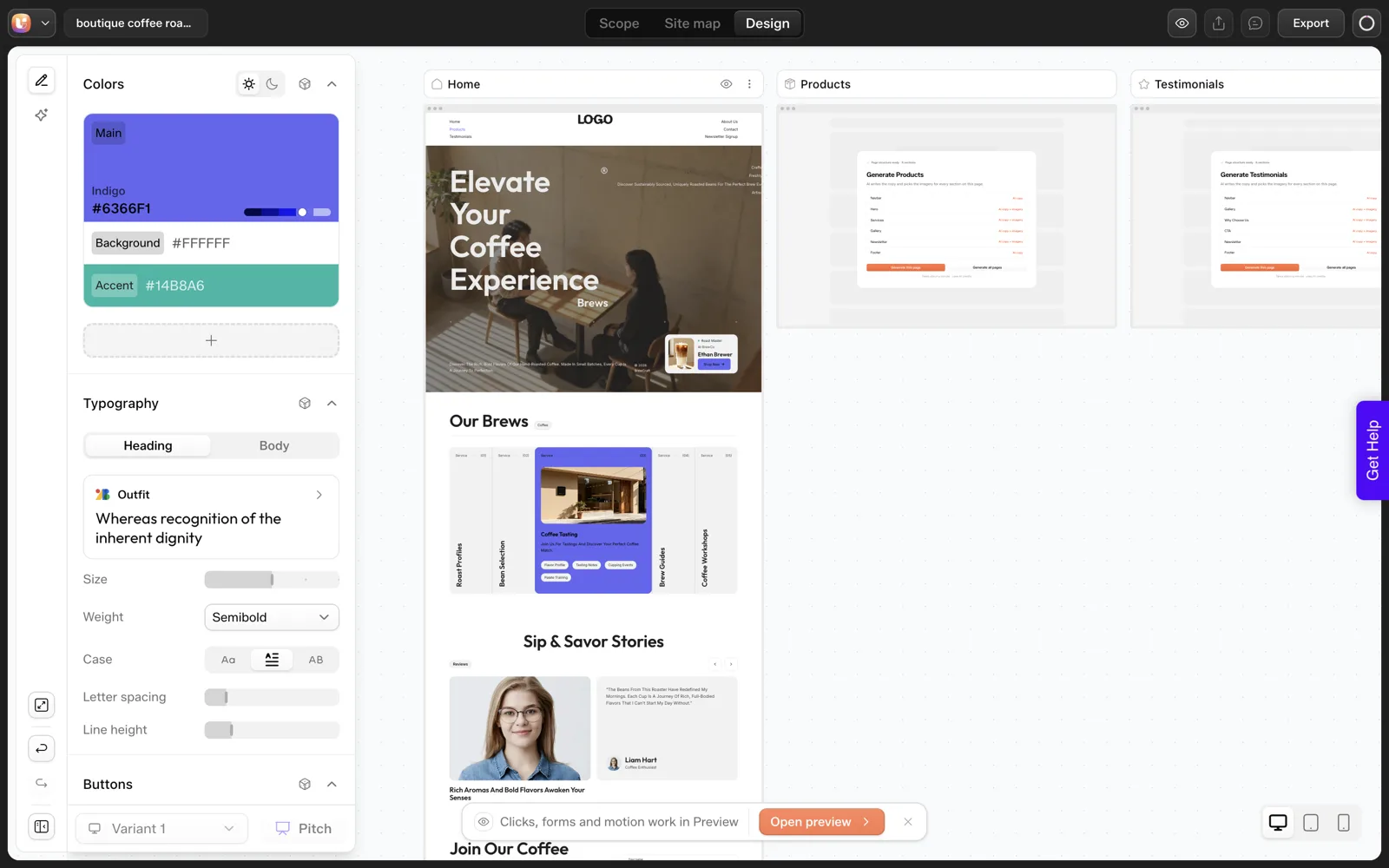
AI drafts contain small errors. In our coffee roaster run, we asked for three product cards and got five labelled “Service”. A client who sees that first loses confidence in you, not the tool. Run an internal check against the brief before sharing, using the 30-minute review routine.
How Do You Track Credits Per Client?
Credits are shared across everything on the account, so no client has a separate balance. You have to build the attribution yourself, and the tools exist.
The account has an AI Credit Usage page with a history table by feature, section, project and AI credits, and the docs say the balance is also visible in the Design Editor, in the Figma plugin and in the WordPress plugin under AI Tokens.
The one measured data point we have is small: a sitemap plus a Home page for the coffee roaster used about 64 credits, with the balance moving from 50,000 to 49,936.1. That is 0.32 percent of 20,000.
We did not measure a full site, so we will not tell you how many clients a month 20,000 credits covers. Measure it on your first three projects. Our credit budget worksheet is built for exactly this.
- Record the balance when you open a client project.
- Record it after the sitemap, after each page and after export.
- Use the project column in the usage history to cross-check your notes.
- Add a buffer for revisions to your forecast, and keep the actual ratio for next time.
Once you have three data points per project type, you can price with confidence. Our article on how to quote AI-built websites for clients shows how to turn that into a fixed fee.
How Do You Hand Off Cleanly?
Export is plugin-based. Per the docs and the dialog we captured, you download the UiChemy WordPress plugin, install it on the client’s site, log in, and import into Elementor, choosing which pages come across, per the docs.
In our own import test the plugin listed only Home for a six-page project, so check that screen on a real client project. Existing pages are not overwritten, and a reset option moves previous content to draft instead of deleting it. Pages land as editable Composers. Gutenberg import is now live too.
We did not run the import for this article, so we cannot tell you how a finished import looks or how long it takes. Do a dry run on a throwaway site before your first client handoff, then write down the steps you actually followed. The documented steps are in the Export to WordPress docs.
What the client should receive
- A working site on their own hosting, with their admin login.
- The approved sitemap and scope as a record of what was agreed.
- A short note on how to edit pages in Elementor.
- A statement of who owns ongoing changes. Our explainer on who owns an AI-built website covers the questions to settle in the contract.
The Agency Operating Table
Copy this into your project tracker. One row per habit, with an owner.
| Habit | Rule | Owner |
|---|---|---|
| Project naming | Client name, year, version, for example “Acme-2026-v1” | Account manager |
| Intake | One form for every client, no start without pages, decision maker and real facts | Account manager |
| Scope gate | Client approves the drafted brief in writing | Account manager |
| Sitemap gate | Client approves the page list in writing; changes after are requests | Designer |
| Internal review | Check every count, label and claim against the brief before sharing | Designer |
| Credit log | Balance recorded at start, after sitemap, per page and after export | Designer |
| Dry-run export | First handoff on a throwaway site, steps written down | Developer |
| Handoff pack | Site access, approved scope, edit note, ownership statement | Account manager |
For where AI fits across a wider agency workflow, our overview of AI workflows for WordPress agencies goes past website generation.
For a timed example of the whole flow, see the idea to live WordPress site run in one afternoon.
What Does One Client Look Like From Intake to Handoff?
Here is the operating table applied to a single project, so you can see where each row bites. The project is the coffee roaster from our test, and I am playing the agency. Only the observations marked as measured come from our run.
| Step | What the agency does | What we observed |
|---|---|---|
| Intake | Send the questionnaire, wait for pages, decision maker, logo and real facts | Our one-sentence prompt had none of these |
| Scope gate | Client approves the drafted brief | The draft appears on a “Review your draft” screen with “Looks right” and “Edit” buttons |
| Sitemap gate | Cut and rename pages, then get a written yes | We asked for a landing page and got six pages |
| Internal review | Check counts and labels against the brief | We asked for three cards and got five labelled “Service” |
| Credit log | Record the balance at each stage | The balance moved from 50,000 to 49,936.1 for a sitemap plus Home |
| Dry-run export | Import on a throwaway site | See the next section |
| Handoff pack | Access, approved scope, edit note, ownership statement | Not tested |
The pattern is clear. Every gate catches a specific miss, and the cheapest place to catch each one is before the next stage starts.
What Should a Dry-Run Export Record?
The section above on handoff says we did not run the import. We have since done it, on 2026-10-01, on a throwaway local WordPress install. Here is what a useful dry-run record contains, with our readings beside each line.
| Record this | Our reading |
|---|---|
| Plugin screen on first load | A setup wizard asked who we are, how we will use UiChemy and which builder we use, then offered Pro, which we skipped |
| Sign-in | A consent screen with Allow and Deny buttons, no password typed |
| Builder choice | Elementor preselected, Gutenberg shown as “Coming soon” at the time of our test (now live) |
| Pages offered | Only Home, for a project that has six pages |
| Import time | About 50 seconds, in four phases |
| Credits used by the import | None. The balance was identical before and after |
| Result in Elementor | Home opened as a native, editable Elementor page |
| Front end check | Hero text was clipped at the right edge at a wide desktop width |
Two of those lines change how you quote. If only one page is offered, a six-page promise needs a plan. A clipped hero means the client should not see the stage site until you have looked at the front end yourself.
Keep a record like this for every first import on a new client site. Our overview of AI workflows for WordPress agencies shows where such records fit in a wider process.
Which Mistakes Cost Agencies the Most Margin?
These are habits I would watch for in any agency using a generator. Each is cheap to prevent.
| Mistake | What it costs | Prevention |
|---|---|---|
| Skipping the written sitemap approval | Every later page change becomes a free favour | Put the page list in the approval email, see locking the sitemap |
| Showing the client the raw draft | The client sees errors first and blames you | Run an internal check against the brief before sharing |
| Regenerating instead of editing | Credits spent without progress. We have not measured the cost per regeneration | Fix counts and labels in the editor |
| Not logging credits per client | You cannot price the next project | Record the balance at each stage |
| First import on the client’s live site | Surprises with the client watching | Dry run on a throwaway site |
| Vague ownership wording | Disputes about who holds access | Settle it in the contract, with a lawyer’s review |
None of these needs new software. They need the habit of writing things down at each gate.
FAQ
Which UiChemy plan suits an agency?
The Agency plan is $59 a month, or $44 a month billed annually, with 20,000 credits. Your usage decides the right tier. Run a few real projects, log credits per project and see whether Studio’s 12,000 covers your volume before paying for more.
Do clients need their own UiChemy account?
Not to review. The docs say you can invite people from the dashboard and assign a role, with clients view-only by default, and describe a shareable preview link. For anything about seats on your plan, check your Seats and Sites page.
Can I run many client sites from one account?
Our Agency account showed unlimited WordPress sites and a site projects counter of 150 on 2026-10-01. Read your own Seats and Sites page for current limits, because allowances can change and the project counter was labelled an early user bonus.
How do I avoid blowing the credit balance?
Trim the sitemap before generating pages, fix counts by editing instead of regenerating, and log the balance at each stage. Credits refresh monthly and top-ups are available, so a bad month is recoverable, but a log shows you where it went.
If you want to pilot this process on one internal project first, you can Get Started and run it end to end before involving a client.
Every feature named in this post is listed by product: all UiChemy features, UiChemy Composer features.