Website Brief Template: The One-Page Version Agencies Fill In
 Sagar Patel
A website brief is a one-page document stating the goal, audience, pages, offer, proof, tone and constraints of a site before anyone builds it. The template below has 12 fields and works both as a prompt for an AI website builder and as a handoff to a human team.
Most briefs fail by being either empty or enormous. A single page with twelve specific fields is short enough to finish and long enough to stop the guessing. The client fills it in, and the agency asks the questions. If you want the longer discovery version first, start with the 25-question client questionnaire and condense the answers into this page.
The Template
Copy this into a document or form. Each field takes a line or two, and a blank field is a conversation you need to have before the build starts.
WEBSITE BRIEF

1. Business name and one-line description:

2. Primary goal of the site (one only): book a call / buy / sign up / call

3. Audience (who, where, what they already know):

4. The one offer you want them to take:

5. Pages needed (list them) and pages NOT wanted:

6. Proof you have: reviews, numbers, logos, certifications (real ones only):

7. Tone in one sentence, plus 3 words to avoid:

8. Brand assets: logo, colors, fonts (or "none yet"):

9. Three sites you like and why (one line each):

10. Must-have integrations: forms, booking, payments, newsletter:

11. Deadline and who approves:

12. Things that must be exact: counts, prices, hours, legal lines:
Why Each Field Earns Its Place
Every field exists because its absence causes a specific, repeatable failure. The table pairs each field with the failure it prevents.
| Field | Failure it prevents |
|---|---|
| 1 Business and one-liner | Generic copy that fits any competitor |
| 2 One primary goal | A site with five equal goals and no focus |
| 3 Audience | Copy pitched at nobody in particular |
| 4 One offer | A homepage with five competing buttons |
| 5 Pages wanted and not wanted | Extra pages nobody asked for, and missing ones nobody noticed |
| 6 Proof | Invented testimonials, which are a trust and legal problem |
| 7 Tone and words to avoid | A voice rewrite after the first review |
| 8 Brand assets | A design that ignores the logo and colors that already exist |
| 9 Three liked sites | Arguments over adjectives such as “modern” |
| 10 Integrations | Late discovery that the booking tool does not fit |
| 11 Deadline and approver | A project with no finish line and no one to say it is finished |
| 12 Things that must be exact | Wrong counts, prices and hours. In our own test, three requested cards became five |
Fields 2 and 4 do the most work. One goal and one offer force a decision the client may have been avoiding, and the whole site gets simpler once it is made. Field 5 is the second most useful because it gives you a reference when scope drifts, which a locked sitemap then protects.
A Worked Example From Our Test Prompt
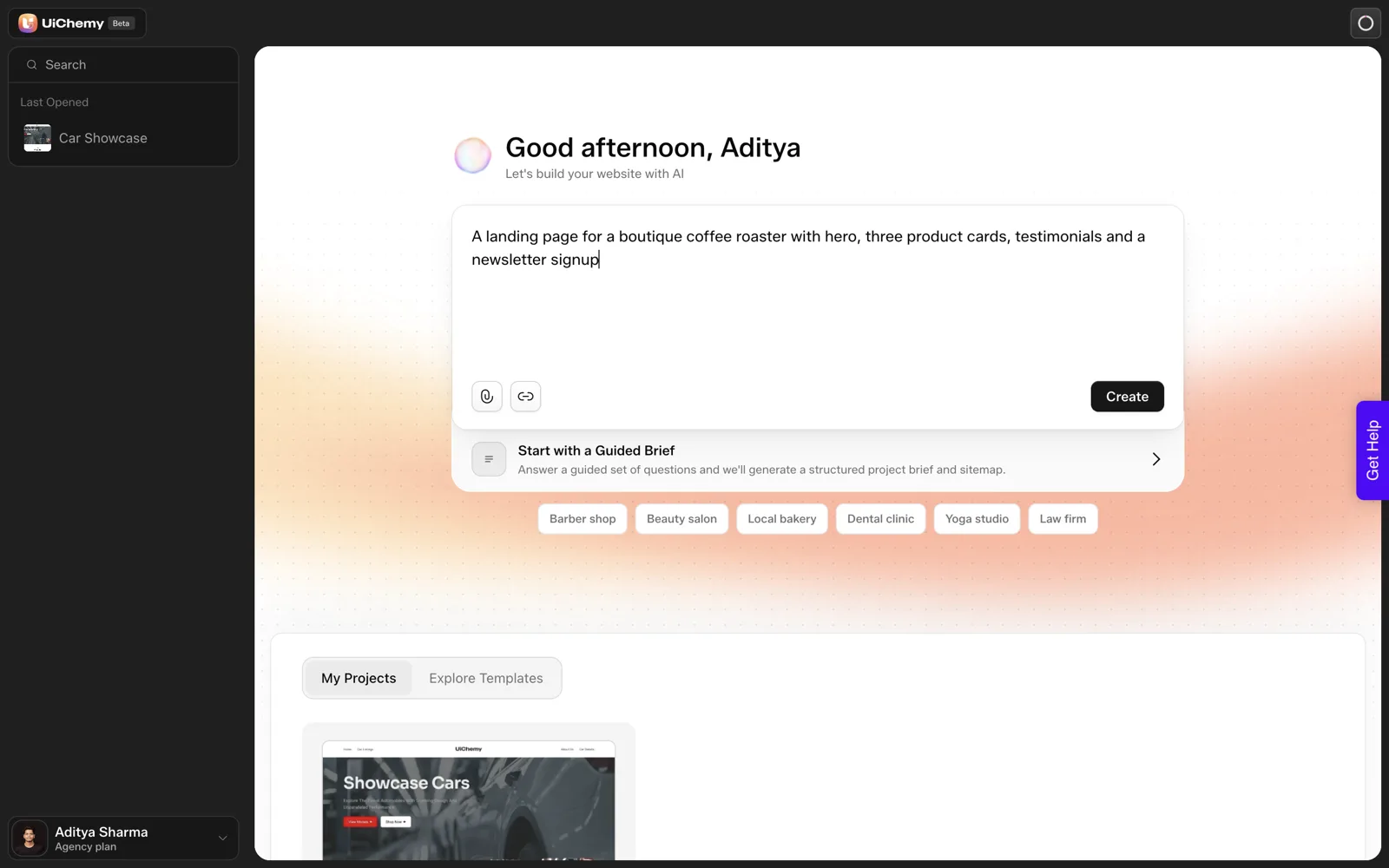
I will not invent a client. The only real brief we have is the single prompt from our own test on 2026-10-01: “A landing page for a boutique coffee roaster with hero, three product cards, testimonials and a newsletter signup”. Here is what that prompt covers in the template, and what it leaves empty, which is the useful part.
| Field | What the test prompt gave | What was missing |
|---|---|---|
| 1 Business | A boutique coffee roaster | Name and location |
| 2 Primary goal | Implied, a newsletter signup | Never stated as the one goal |
| 3 Audience | Nothing | Everything |
| 4 One offer | Three product cards | Which product, and which one to push |
| 5 Pages | A landing page | The tool returned six pages, which nobody asked for |
| 6 Proof | Testimonials requested | No real quotes supplied |
| 7 to 11 | Nothing | Tone, assets, references, integrations, deadline |
| 12 Exact things | “Three product cards” | Our draft showed five cards labelled Service |
That one run is not a benchmark. It does show how much a short prompt leaves to the tool. The result is in the coffee roaster test, step by step, and the page-count surprise is explained in why the sitemap review step prevents rework.
A filled-in version of your own client’s brief is the thing to build next, and the empty rows above are exactly what to ask them.
Using the Brief With an AI Builder
Paste fields 1 to 7 and field 12 into the prompt. Fields 8 to 11 are for the human side of the project: brand setup, references, wiring and scheduling. Then compare what the tool drafts with fields 5 and 12 before continuing to design.
In UiChemy’s AI Website Creator, which is early access, that comparison happens at a screen called Review your draft. It lists what the tool assumed from your prompt, with a Looks right button and an Edit button on most rows.
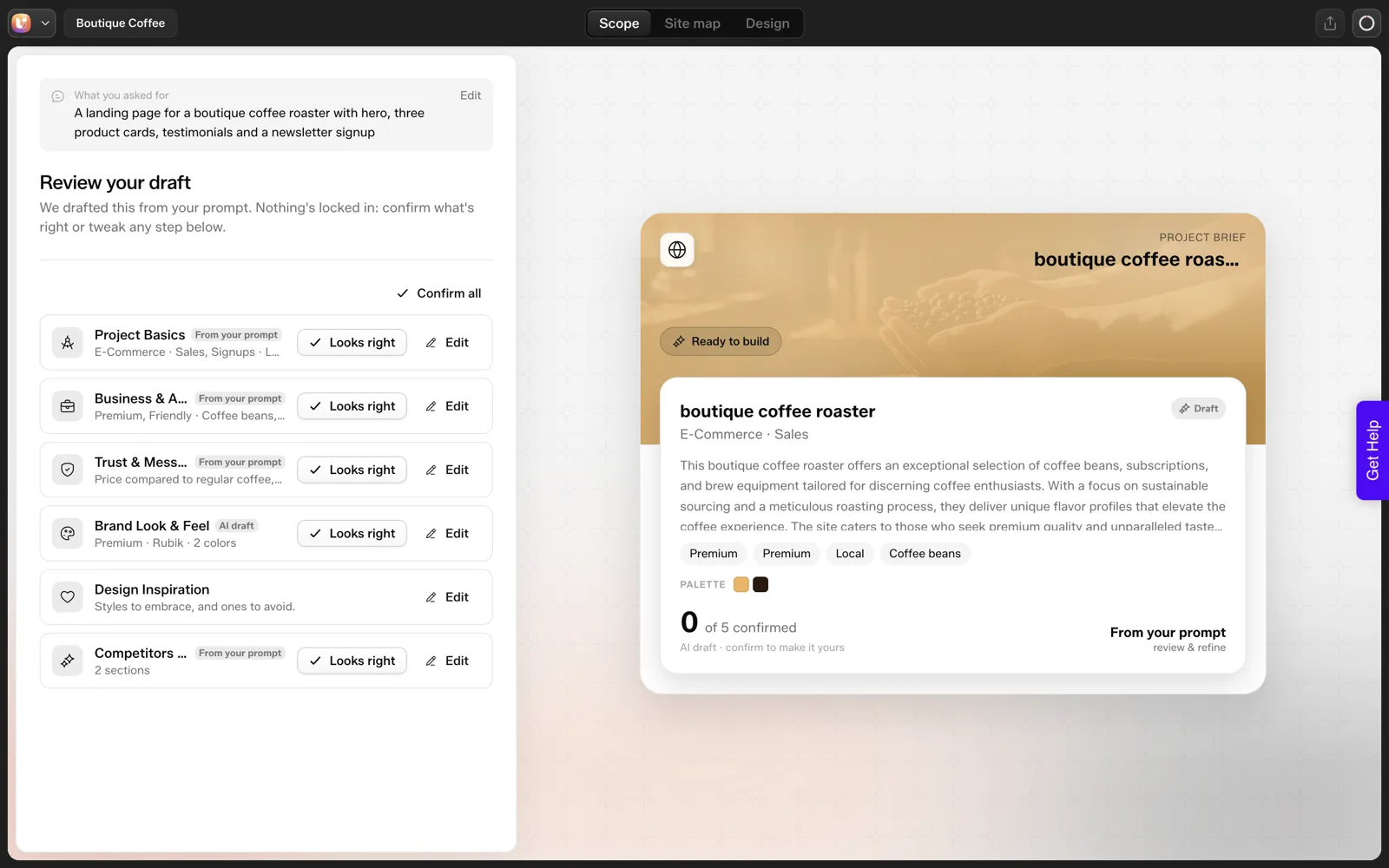
A written brief makes that review quick, because you are checking a draft against a document and not against your memory. If you run client projects at volume, the client brief to WordPress site agency workflow shows where the brief sits in the whole process, and the sitemap review screen by screen walks through the review itself.
Using the Brief With a Human Team
The brief does the same job for a designer or developer. It replaces the first three emails of questions and gives everyone the same source of truth. Three habits keep it useful.
- Version it. Date the brief and keep every revision. When something changes, the change is visible.
- Name the approver in field 11. One person, with a date. “The team” does not approve things.
- Mark unknowns as unknown. Leave a blank or write “to be supplied”. A guessed answer in a brief spreads through the project.
When the brief is complete and the sitemap is approved, the next step is connecting your tool to the site. The Set Up AI to WordPress page in the docs covers that connection.
Weak and Strong Answers, Field by Field
The template only works if the answers are specific. Here is what weak and strong look like for the fields that go wrong most often. The examples are made up to show the difference and describe no real client.
| Field | Weak answer | Strong answer |
|---|---|---|
| 2 Primary goal | Get more customers | Book a repair slot through the contact form |
| 3 Audience | Everyone who needs a bike fixed | Commuters in town who need a quick turnaround |
| 4 One offer | All our services | The full tune-up |
| 5 Pages | The usual pages | Home, Services, Prices, Contact. No blog. |
| 7 Tone | Professional | Plain and friendly. Avoid: premium, bespoke, luxury. |
| 9 Liked sites | Something modern | Three links, each with one line on what we like |
| 12 Exact things | Correct prices | List each price as it should appear, plus opening hours |
The strong answers share a trait: someone else could act on them without asking a follow-up. A weak answer sounds complete and passes the work to the next person to guess.
When you review a returned brief, circle every answer a stranger could not act on and send those back with a single clarifying question each. It beats rewriting the brief yourself, and it keeps ownership of the facts with the client. The longer version of this discovery is in the 25-question client questionnaire.
Why One Goal and One Offer Are Worth the Argument
Fields 2 and 4 cause the most pushback, because clients want everything. Holding the line pays off in three ways.
- The homepage gets a clear job. One goal means one main button, and visitors know what to do.
- The sitemap shrinks. Pages that do not serve the goal become sections or get cut.
- Measurement becomes possible. You can tell whether the site works if you know what it was meant to do.
When a client resists, try this question: “If a visitor could do only one thing on the site, what should it be?” Then ask for the second most important thing and list it as secondary. A ranked list satisfies most clients, because nothing is rejected, only ordered.
The offer works the same way. The client may sell five things, and the site can still lead with one. Other offers appear on the Services page and in the navigation. Leading with one does not hide the rest.
That ranking also feeds the sitemap review. A page that serves neither the goal nor the lead offer should justify its place, and how many pages a small business website needs gives you a six-question page test for exactly that.
Keeping the Brief Alive Through the Build
A brief written once and filed away stops working by the second week. Use it as a live reference at three points.
- At the sitemap review. Compare the page list against field 5 and the counts against field 12.
- At the first design round. Check the tone against field 7 and the brand against field 8.
- Before launch. Walk through every field and confirm it is reflected in the finished site.
When feedback arrives that conflicts with the brief, point to the field and ask whether the brief should change. If yes, update it with a date and a note on who agreed. If no, the brief has settled the question without an argument.
A short change note under the template keeps the history visible:
BRIEF CHANGES

Date | Field | Was | Now | Agreed by | Cost or time effect
-----|-------|-----|-----|-----------|--------------------
     |       |     |     |           |
Each row is a tiny change request. If it carries a cost or a delay, say so in the last column, and link the rule to the scope creep killer, which shows how to price changes after sign-off.
FAQ
How long should a website brief be?
One page. Twelve specific fields are short enough that a client will finish them and long enough to remove most guessing. If a client wants to write more, let them, and condense the answer into the field. The brief is the summary, and longer discovery notes can sit behind it.
Who fills in the website brief?
The client fills it in, and the agency asks the questions. The facts belong to the client, such as the goal, the offer and the proof. The agency’s job is to ask about the gaps, challenge fields that contradict each other, and refuse to guess a blank.
Does the template work without UiChemy?
Yes. It is a plain document, and any designer, developer or AI tool can use it. Pasting fields into an AI builder is one use of it. The same page works as a handoff to a freelancer or as the first document in a client folder.
Which fields matter most?
The single primary goal, the one offer, the pages wanted and not wanted, and the things that must be exact. They prevent the most expensive failures: an unfocused site, scope creep and wrong facts. If a client only completes four fields, make it those four.
What should I do with proof I do not have?
Leave it blank and say so. Never let a tool or a person invent testimonials, numbers or logos. A draft without a proof section is a normal draft, and a draft with fabricated proof is a liability. Ask the client for real quotes and permission to use them.
To try the brief on a real project, Get Started and paste fields 1 to 7 and 12 into your first prompt.
Every feature named in this post is listed by product: all UiChemy features, UiChemy Composer features.