WordPress MCP Options Compared: How to Choose One for Your Site
 adityauichemy
Short answer: there is no single WordPress MCP server to install. There are several, and they differ in where the server runs, how your AI client signs in, and how much of your site the agent can touch. Pick by those three questions, not by tool count.
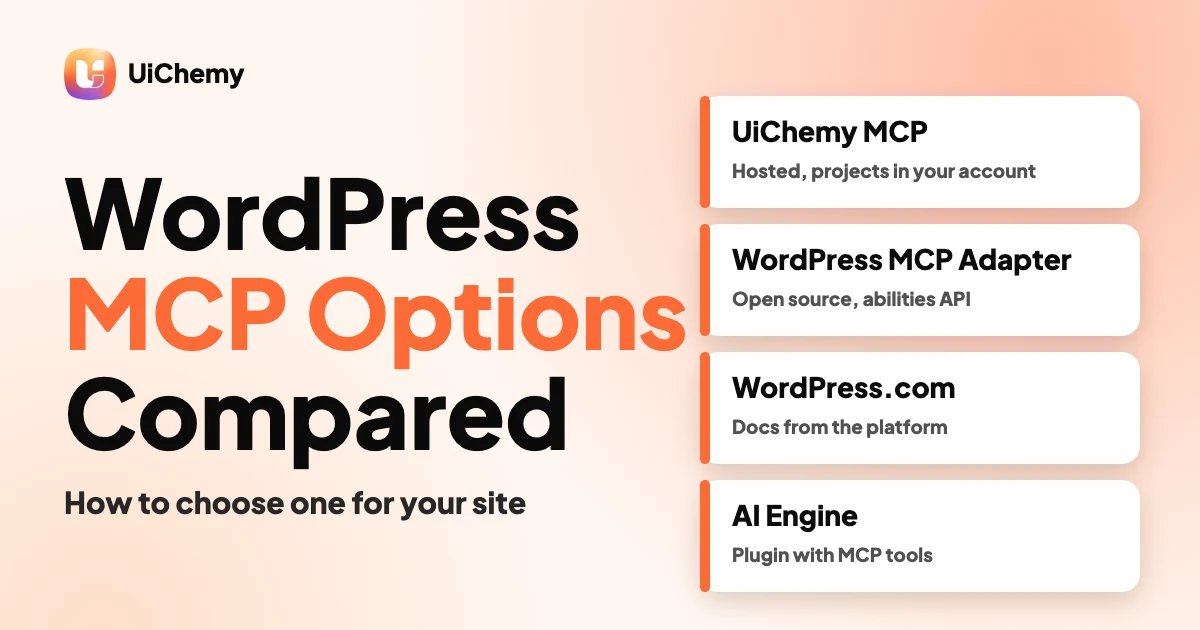
This guide compares the WordPress MCP options we could read on their own pages on November 12, 2026: the UiChemy MCP, the WordPress.com MCP server, the WordPress MCP Adapter, a proxy called mcp-wordpress-remote, and the AI Engine plugin. It then gives you a checklist for choosing and the security basics for any of them.
New to the idea? Start with what WordPress MCP is, then come back here to choose. Already chosen? The config guide for Claude Desktop, Cursor and Codex covers setup per client.
In short
- A WordPress MCP server lets an AI client call a defined list of actions on a site, such as listing pages or creating a post.
- Some servers run on your own site (the MCP Adapter, AI Engine). Some are hosted by a vendor (WordPress.com, UiChemy).
- Sign-in is the biggest difference: OAuth in a browser, or a WordPress Application Password.
- Whatever you choose, use a low privilege user, test on staging and keep a backup.
WordPress MCP in one minute
MCP, the Model Context Protocol, is an open standard for how AI applications talk to outside systems. A WordPress MCP server is the piece on the WordPress side. It publishes a menu of actions. Your AI client, such as Claude Code, Cursor or Codex, can only call what is on that menu.
So a “WordPress MCP plugin” and a “WordPress MCP server” are often the same thing seen from two sides. The differences below decide which one fits your site.
WordPress MCP options compared
Every cell comes from the option’s own page, read on November 12, 2026. Where a page did not say, we wrote “not stated” rather than guess. Check the source before you rely on a detail, because these projects change quickly.
| Option | What it is | How it connects | Can and cannot do (per its page) | License | Source |
|---|---|---|---|---|---|
| UiChemy MCP | A hosted MCP server for UiChemy projects and the UiChemy section library. | Remote HTTP at https://app.uichemy.com/api/mcp. Browser OAuth sign-in with a UiChemy account. | Search and place library sections, build pages, edit the design system, manage media, validate, and export or publish a WordPress site. It does not connect to a WordPress installation and does not import HTML, CSS or JS written elsewhere. | Not stated on the page | uichemy.com/uichemy-mcp/ |
| WordPress.com MCP server | A built in MCP server for WordPress.com accounts. Self hosted sites connected through Jetpack use the same server. | Remote endpoint https://public-api.wordpress.com/wpcom/v2/mcp/v1. OAuth 2.1 in the browser. | Read and Write tool categories. You can choose Full access or Read only on the authorization screen. The page does not list unsupported operations. | Hosted service, not stated | developer.wordpress.com/docs/mcp/ |
| WordPress MCP Adapter | A package that exposes WordPress Abilities as MCP tools, resources and prompts. | HTTP at /wp-json/mcp/mcp-adapter-default-server, or STDIO through WP-CLI. | Abilities are private by default, and you mark each one public to expose it. The default server offers three meta tools: discover, get info and execute. The README lists no limitations. | GPL-2.0-or-later | github.com/WordPress/mcp-adapter |
| mcp-wordpress-remote | A stdio to HTTP proxy for WordPress MCP servers, maintained by Automattic. | Runs locally. You point it at the Adapter endpoint. OAuth 2.1 with PKCE, JWT, or Application Passwords (listed as legacy). | Bridges clients that only launch local commands. It does not translate between MCP protocol revisions, and the README says you do not need it if your client supports Streamable HTTP and can authenticate. Needs Node.js 22 or newer. | README says GPL v2 or later, repository sidebar shows MIT. Check the LICENSE file. | github.com/Automattic/mcp-wordpress-remote |
| AI Engine | A WordPress plugin that adds AI chatbots and turns the site into an MCP server. | Apps connect directly to the site. Claude and ChatGPT use OAuth, and each person signs in with their own WordPress account. | The page says the MCP server is free, with Pro adding more tools such as plugins, themes, database and Elementor. Arbitrary PHP execution is excluded. Changes can be undone and deletions wait for approval. | Described as open source, license type not named on the page | wordpress.org/plugins/ai-engine/ |
Two things the table shows
- Where it runs. The Adapter and AI Engine run inside your WordPress site. WordPress.com and the UiChemy MCP run on the vendor’s side.
- Who you sign in as. OAuth ties the agent to a browser sign-in you can disconnect. Application Passwords tie it to a WordPress user. The Adapter article notes that by default its authentication uses Application Passwords.
How to choose a WordPress MCP option
Work through these in order and stop when one answer rules options out.
- Is the site on WordPress.com, or self hosted? The WordPress.com server covers WordPress.com sites and Jetpack connected self hosted sites. Plan and Jetpack requirements apply, so read its requirements section.
- Do you need to run code on your own server, or do you want a hosted service? If you want the server inside your site, look at the Adapter or AI Engine. If not, a hosted server avoids installing anything.
- What job is the agent doing? Managing posts, media and settings is one job. Building page layouts from ready made sections is another. Match the tool list to the job.
- How does your client sign in? If your client cannot do OAuth or Streamable HTTP, a proxy such as mcp-wordpress-remote may be needed. If it can, you may not need one.
- Can you limit access? Look for Read only modes, per ability permissions, per user sign in and undo. See the security section below.
- What does the page admit it cannot do? A vendor that lists limits is easier to trust. Our checklist for evaluating any WordPress MCP server turns this into a scorecard.
| If you want | Look at |
|---|---|
| A hosted server for a WordPress.com or Jetpack site | WordPress.com MCP server |
| A server inside your own site that exposes only abilities you approve | WordPress MCP Adapter |
| A plugin with a ready tool list and per user sign in | AI Engine |
| A client that only runs local commands to reach an Adapter endpoint | mcp-wordpress-remote |
| An agent that finds and places designed sections from a library | UiChemy MCP |
Security notes for any WordPress MCP server
An MCP client acts as a WordPress user or a connected account. The WordPress developer article on the Adapter says “MCP clients act as logged-in WordPress users”, so treat them as part of your attack surface.
- Application Passwords. WordPress core has shipped them since version 5.6, and the REST API documentation prefers them to the Basic Authentication plugin. They work over HTTPS. Create one per tool, name it, and revoke it when the work ends. Our guide to Application Passwords for MCP covers the routine.
- Least privilege. The Adapter article recommends dedicated low privilege users, advises against exposing powerful abilities to unaudited clients, and says to prefer read only abilities for public endpoints. Each ability’s permission check should require the minimum capability.
- Read only first. WordPress.com lets you pick Read only on the authorization screen, which turns off every Write tool. Start there if you only need to look.
- Revoke in the right place. On WordPress.com, access is removed under Security, then Connected applications. Disconnecting inside your AI client does not remove the entry.
- Backups and staging. The vendor pages we read do not set a backup rule, so this is our advice: test on a staging copy and take a backup before the first write. AI Engine says changes can be undone, which helps but is not a backup.
Where the UiChemy MCP fits
The UiChemy MCP is a hosted server. You do not install or self host it. You add the endpoint to a client such as Claude Code, Cursor, Codex or a VS Code MCP client, sign in once in the browser, and any signed in UiChemy account can connect. Guest sessions cannot.
According to the MCP overview in the UiChemy docs, its tools cover these groups:
- Account and projects.
- The section library: search layouts, inspect slots, and get layouts or whole pages as React and Tailwind code.
- Site creation from layouts and the business copy you supply.
- Design system edits: colors, fonts, spacing, buttons and cards.
- Pages and sections, media, and validation checks for content and responsive issues.
- Export: mark a project as exported for the WordPress plugin, or publish it as a WordPress site on a uichemysites.com address, plus status, list and unpublish.
Limits you should know before you choose it:
- The docs say it is not the WordPress plugin’s MCP. The hosted URL connects to your UiChemy account, not to a WordPress installation, and does not give unrestricted access to your WordPress site.
- Astro, Cloudflare and EmDash publishing is done in the Publish panel, not over MCP.
- HTML, CSS or JavaScript written elsewhere is not imported.
- Your plan’s limits on projects, pages and sections still apply. The docs also say a hosted project stores content in your UiChemy account, so review what you send.
- The UiChemy MCP page says placing sections on a WordPress page needs the UiChemy WordPress plugin, and lists Bricks as coming soon.
UiChemy also documents a setup that runs from the WordPress admin, which our config guide covers. It is a different route from the hosted server above, so confirm which one a tutorial means before you follow it. For what to ask of any vendor, see our evaluation checklist.
Frequently asked questions
What is a WordPress MCP server?
It is the part on the WordPress side of the Model Context Protocol. It publishes a defined list of actions that an AI client such as Claude Code, Cursor or Codex can call, for example listing pages or creating a post. The AI client can only use what the server lists.
Is there one WordPress MCP plugin I should install?
No. Several options exist and they work differently. The WordPress MCP Adapter runs inside your site and exposes abilities you mark public. AI Engine is a plugin that turns the site into an MCP server. WordPress.com and UiChemy run hosted servers. Choose by where it runs, how it signs in and what it can touch.
What is the WordPress MCP Adapter?
It is a package from the WordPress GitHub organisation that exposes WordPress Abilities as MCP tools, resources and prompts. Abilities are private by default, and you mark each one public to expose it. It supports HTTP and STDIO transports and is licensed GPL-2.0-or-later.
Do I need Application Passwords for WordPress MCP?
Not always. WordPress.com uses OAuth 2.1 in the browser, and the UiChemy MCP uses a browser OAuth sign-in. The Adapter’s default authentication uses Application Passwords, which core WordPress has shipped since version 5.6. If you use them, create one per tool and revoke it when you finish.
Can an AI agent break my WordPress site through MCP?
It can change whatever its tools and the signed in user allow. Limit that with a low privilege user, a Read only mode where one exists, a staging test and a backup before the first write. Review each change before you publish it.
Does the UiChemy MCP publish to Astro, Cloudflare or EmDash?
No. The UiChemy docs say Astro, Cloudflare and EmDash publishing is done in the Publish panel, not over MCP. Over MCP you can mark a project as exported for the WordPress plugin or publish it as a WordPress site on a uichemysites.com address.
Ready to try an agent that places designed sections on a WordPress page? Read the UiChemy MCP docs, then pick a plan that fits.
Sources read on November 12, 2026: the pages linked in the table and in each section. Details change, so check the source before you decide.