How to Evaluate Any WordPress MCP Server: A Capability Checklist
 Sagar Patel
To evaluate a WordPress MCP server, check seven things: how it authenticates, what it is allowed to touch, whether its tools are listed and documented, how it handles writes, whether actions can be reviewed or undone, what it logs, and how it fails. Score each from 0 to 2 and refuse to connect anything that scores 0 on authentication or scope.
MCP servers for WordPress are multiplying, and the demos all look the same: a chat window, a sentence, a finished page. The demo tells you nothing about what happens on your client’s live site on a bad day.
If you are new to the idea, start with what WordPress MCP is and what you can actually do with it, then come back here to judge a specific server.
Why You Need a Checklist Before You Connect
An MCP server is a set of actions an AI client may call on your site. That is a different risk from a plugin that adds a widget. A plugin does what its code does. An MCP server does what a model decides to ask for, using whatever permission you handed over at setup.
So the questions change. For a normal plugin you ask whether it works and whether it is maintained. For an MCP server you also ask what the worst request it could accept would be, and whether you would find out afterward.
The checklist below is vendor-neutral on purpose. It does not rank products. It gives you the same seven questions for every candidate, so the comparison is about evidence rather than the polish of a landing page.
Authentication: Who Is the Agent Pretending to Be?
Every MCP action runs as some WordPress user. Find out which one, and how the credential is issued.
- Credential type. WordPress Application Passwords are revocable per credential and do not expose the account password. A server that asks for your real login password is a red flag. Our guide to Application Passwords for MCP covers how to handle them.
- Which role. Ask whether the server needs an Administrator or can run with a lower role. If an Administrator is required, ask why.
- Revocation. Can you kill access in one click without changing anything else? Test it once on a staging site before you trust it.
- Where the secret lives. It will sit in a config file on the machine running the AI client. Treat that file like an SSH key.
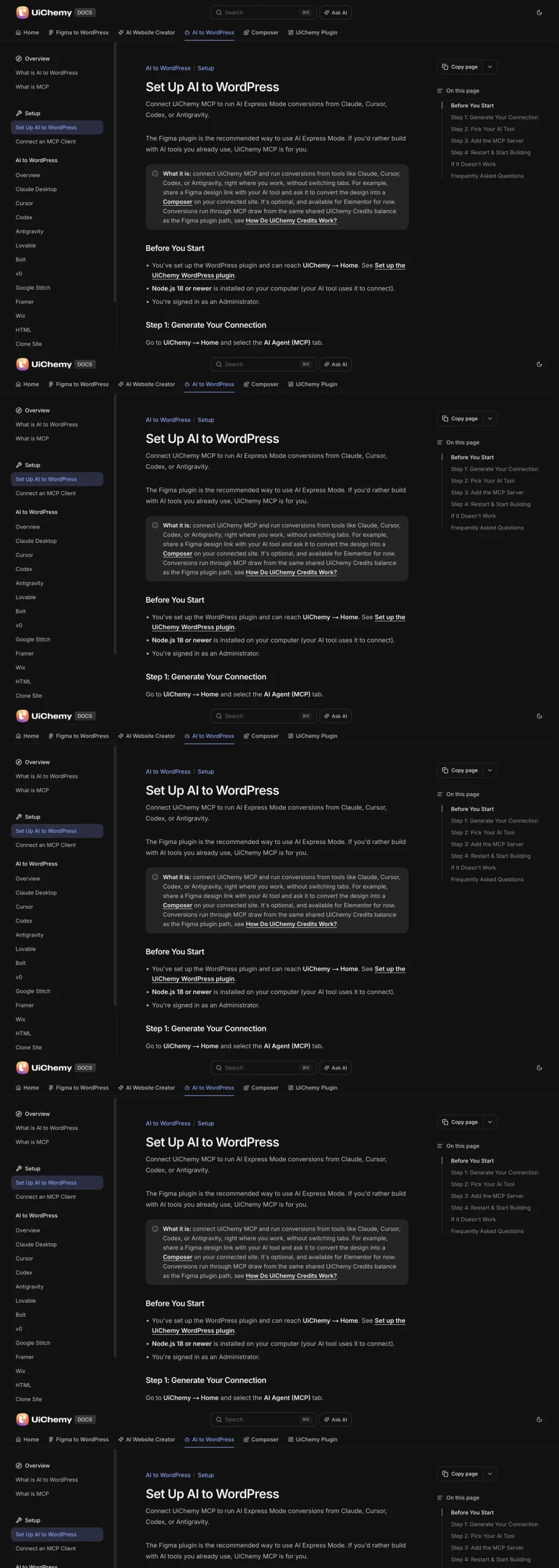
As an example of what a clear answer looks like, the UiChemy docs describe a Generate connection button inside the WordPress admin that issues an Application Password, and they state that an Administrator login and Node.js 18 or newer are required.
You can read the steps in the Set Up AI to WordPress page. Whether or not you use UiChemy, that is the level of specificity to demand from any server.
Scope: What Can the Server Touch?
A WordPress admin can do almost anything: install plugins, edit users, change settings, run code. A good MCP server uses only a slice of that power and says which slice.
Look for a written statement of boundaries. The UiChemy docs, for instance, say MCP access is scoped to pages, templates, Global Style, forms, media and site setup, and that it cannot install other plugins or change unrelated WordPress settings. That sentence is checkable and it is exactly what you want to read before connecting.
If a server’s documentation says only that it “manages your site”, assume the scope is everything the credential allows. Then compare that against the security checklist for giving an AI agent WordPress access and decide whether you are comfortable.
Tool Surface: Can You See What It Can Do?
Every MCP server exposes tools. You should be able to read the list before you connect, and the list should be specific.
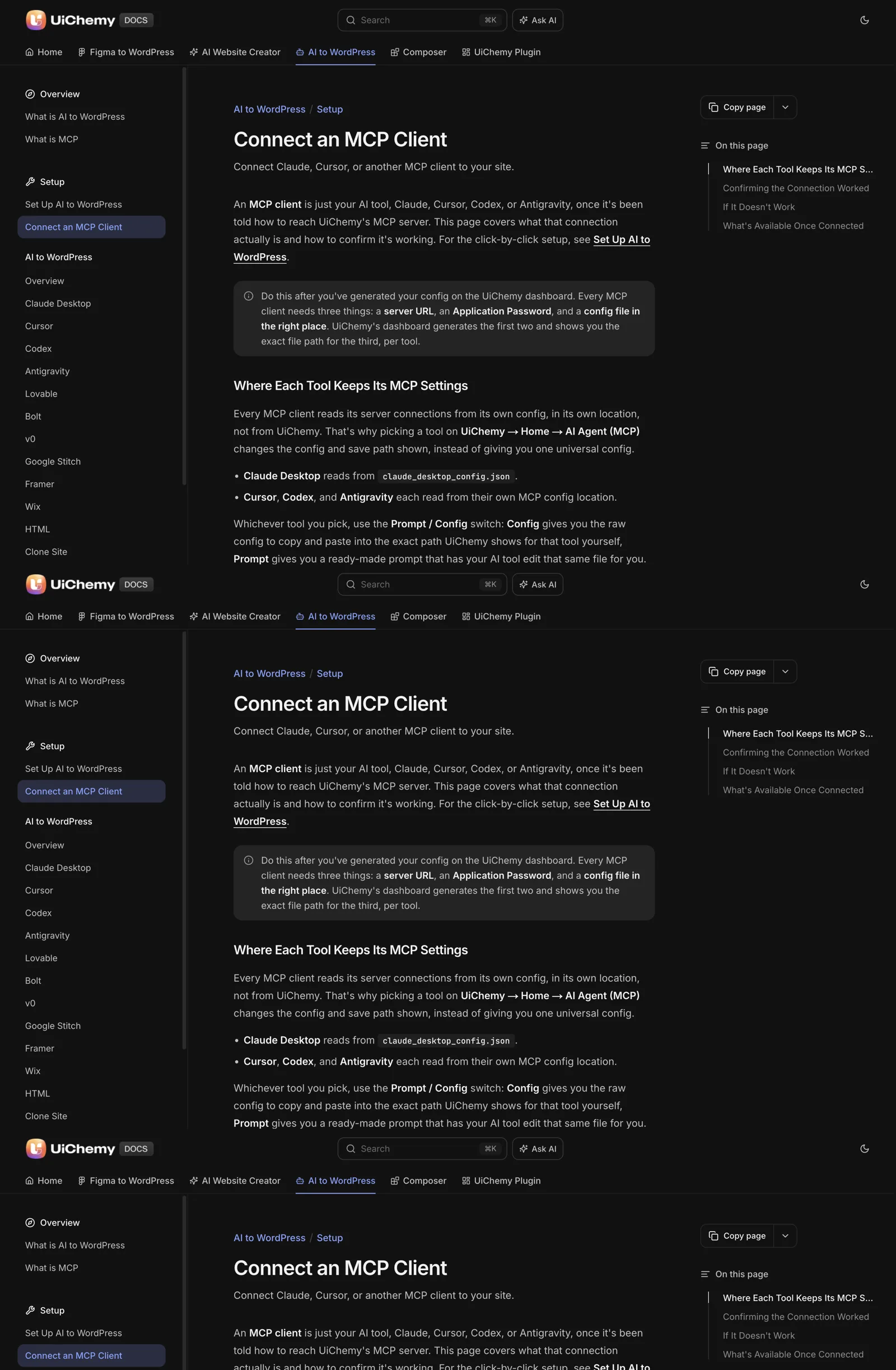
- A published reference. A page listing every tool with what it reads or changes. UiChemy keeps one in its MCP tools reference.
- Read tools and write tools separated. You want to know which calls only look and which ones change things.
- Sensible granularity. One giant “run anything” tool is harder to reason about than forty small named ones.
- Live discovery matches the docs. After connecting, ask the client what tools it sees. If the answer differs from the docs, trust neither until you know why.
The last test also doubles as your connection check. The UiChemy docs suggest asking the client what tools it has from the server, or to list the pages on your site, and confirming it returns your real page titles rather than a generic answer.
Writes, Review and Recovery
This is where servers differ most. Ask four questions.
- Does a write create or replace? Creating a new draft page is low risk. Overwriting a published page is not.
- Is there a review step? Some flows hand you a result to inspect before anything goes live. Others publish directly.
- Can you undo it? WordPress revisions cover post content. Check whether the server’s changes to templates, styles and settings are covered by anything.
- Where does the output land? Output that arrives as a normal editable page is easy to correct by hand. Output that arrives as an opaque blob is not.
Whatever the server claims, run the same dry test on staging: ask it to create one page, edit one heading, and change one color. Then try to reverse each one. If you cannot reverse a change, you have learned what to protect with a backup before production access.
Logging, Limits and Failure Behavior
Three more checks finish the list.
- Audit trail. After an agent session, can you see what it did? At minimum you want timestamps and the user it acted as. WordPress user activity logs can fill the gap if the server does not provide one.
- Cost and rate limits. If actions consume credits or API calls, find out where you can see the balance. A runaway agent loop should hit a ceiling, not an invoice.
- Failure behavior. Break the connection on purpose: stop the Node process, revoke the password, point at a wrong URL. A good server fails loudly with a message you can act on. A bad one makes the client invent an answer. The UiChemy docs warn about exactly this case, where a tool responds with generic made-up answers instead of real site data and has to be treated as not connected.
Failure tests also expose environment problems early. If the client cannot start the server at all, read the Node.js and npx prerequisite that quietly breaks MCP setups before blaming the server.
The Copyable Scorecard
Score each row 0 (missing or unclear), 1 (present but partial) or 2 (documented and tested by you). Anything with a 0 on rows 1 or 2 is a no for production. Run the test column on a staging copy, never on a live site first.
| # | Capability | What to check | Staging test | Score 0 to 2 |
|---|---|---|---|---|
| 1 | Authentication | Application Password or similar revocable credential, no real password | Revoke it, confirm access stops | |
| 2 | Scope | Written list of what it can and cannot touch | Ask it to install a plugin or change a setting outside scope | |
| 3 | Tool reference | Published list, read and write separated | Compare live tool list with the docs | |
| 4 | Write safety | Creates drafts before replacing, clear target | Create one page, edit one heading | |
| 5 | Recovery | Revisions or a way to reverse each change | Reverse every change from test 4 | |
| 6 | Logging and limits | Audit trail, visible balance or rate limits | Run a session, then reconstruct it | |
| 7 | Failure behavior | Loud, actionable errors | Wrong URL, stopped process, revoked password | |
| 8 | Client support | Your client is on the documented list | Restart client, ask for real page titles |
Server: ____________  Version/date: ________  Site: staging only
Auth ___/2   Scope ___/2   Tools ___/2   Writes ___/2
Recovery ___/2   Logging ___/2   Failure ___/2   Clients ___/2
Total ___/16
Rule: 0 on Auth or Scope = do not connect.
Rule: under 10 = staging only.
Rule: 12 or more = acceptable for one client site with a backup.
The thresholds above are our own working rules, not an industry standard. Adjust them to your risk tolerance. The point is to write them down before the demo, so the demo cannot move them.
After a Server Passes
Passing the scorecard earns a staging connection, not production access. Run one real task end to end, compare the result to what you would have built by hand, and note the cost.
If you work across many client sites, the agent workflow for managing many WordPress sites shows how to keep each connection separate. For the protocol side of the decision, MCP versus the REST API explains when a plain API call is the better tool.
A Worked Scoring Example With Two Imaginary Servers
The scorecard is easier to trust once you have filled one in. The servers below are invented for illustration, and no real product is described. The point is how the scoring works and where it changes a decision.
Server A publishes a tools reference, uses an Application Password and states in writing that it cannot install plugins or change unrelated settings. You test it on staging. Revoking the password stops access. A deliberate wrong URL produces a clear error. It creates draft pages before replacing anything. It shows no audit trail, and it does not mention rate limits.
Server B has a polished demo and a short features page. It asks for your login password. Its documentation says it “manages your site”. You cannot find a tool list, and when the connection fails the client invents an answer.
| Row | Server A | Server B |
|---|---|---|
| Authentication | 2 | 0 |
| Scope | 2 | 0 |
| Tool reference | 2 | 0 |
| Write safety | 2 | 1 |
| Recovery | 1 | 0 |
| Logging and limits | 0 | 0 |
| Failure behavior | 2 | 0 |
| Client support | 2 | 1 |
Server B scores 0 on authentication and scope, so it is a no regardless of the total. Server A reaches 13 out of 16, which meets the threshold for a single client site with a backup. Its zero on logging does not block it. It does tell you to keep your own log and to add a user activity plugin.
The exercise earns its value in the notes, not the numbers. Write a sentence next to each score saying what you saw. Those sentences are what you will want when you revisit the decision in six months.
Red Flags in Documentation and Demos
You can often spot a weak server before you connect anything. These phrases and omissions are worth a second look.
| What you read or see | Why it matters | What to ask |
|---|---|---|
| “Full control of your site” | The scope is probably the whole credential | Which actions exist, and which are excluded? |
| No tool list anywhere | You cannot reason about what it can do | Can I see every tool before I connect? |
| Asks for a real login password | No revocable credential | Do you support Application Passwords? |
| Demo only shows publishing straight to live | No review step may exist | Can it create drafts, and can I review first? |
| No mention of what happens on error | Failures may be silent | What message appears when the connection breaks? |
| Support requires sharing your credentials in a ticket | Bad handling of secrets | How do you debug without my password? |
A missing answer is information, not a gap to fill with optimism. If a vendor cannot tell you the scope in a sentence, you should assume it is wide.
When a vendor states its limits plainly, including what the server cannot do, that is the opposite signal and worth a point.
A Staging Test Script You Can Paste
The scorecard asks for tests on staging. This script turns them into prompts you can run in order. Run it against a copy of the site, with a backup, and write the result next to each line.
STAGING TEST SCRIPT (copy, then run top to bottom)
1. "What tools do you have from this server?"
   Compare the answer with the documentation.
2. "List the pages on my site."
   Real titles mean the connection is live.
3. "Create a draft page called Test Page One with
   the text 'Hello'. Do not publish it."
   Check it is a draft. Check nothing else changed.
4. "On Test Page One, change the heading to 'Hello again'."
   Open the page and confirm only the heading changed.
5. "Install a new plugin."
   A server with a limited scope should refuse.
6. Revoke the Application Password, then ask for the
   page list again. Access should stop.
7. Delete Test Page One and confirm the site is back to
   its starting state.
Line five is the one people skip, and it is the most revealing. A refusal confirms the stated scope is real, and a compliant answer tells you the documentation and the behaviour disagree.
If you are comparing servers for an agency, keep one copy of this script per server and file the results. For the day-to-day routines once a server passes, see Claude Desktop, Cursor and Codex: WordPress MCP config differences and Elementor MCP: controlling your builder from an AI client.
FAQ
What is a WordPress MCP server?
A WordPress MCP server is a service that exposes a defined set of site actions, such as creating a page or reading form entries, to an AI client over the Model Context Protocol. The client asks, the server performs the action on your WordPress site and returns the result. It is the layer between the AI tool and your site.
Is it safe to connect an MCP server to a live WordPress site?
It can be, if you test first. Connect to a staging copy, use a revocable Application Password, confirm what the server is allowed to touch, and keep a backup before any production use. Safety depends on scope, review steps and recovery, which is what the scorecard above measures.
Do I need Node.js to run a WordPress MCP server?
Often the client side does. Many setups, including the UiChemy one, start the connection through npx, which comes with Node.js. The UiChemy docs list Node.js 18 or newer as a requirement. Check your server’s documentation for its own prerequisites, and verify with node -v before you debug anything else.
How do I know if my MCP connection is really working?
Ask the client to list the pages on your site or to name the tools it has from the server. A working connection returns your real page titles. If the answer is generic or invented, the client is guessing, and you should recheck the config path, restart the client and confirm the credential is current.
Should I give an MCP server an Administrator account?
Only if the server requires it and its scope is documented. Some servers, UiChemy included, require an Administrator login for setup. Use a dedicated credential for the agent, keep it revocable, and never share your personal login. Prefer the narrowest role that still lets the documented tools work.
If you want to see a server that publishes its scope, tools and setup steps in the open, Get Started and read the docs before you connect anything.
Every feature named in this post is listed by product: all UiChemy features, UiChemy Composer features.