What Is WordPress MCP, and What Can You Actually Do With It?
 Sagar Patel
WordPress MCP is a way for an AI tool, such as Claude, Cursor or Codex, to call a defined list of actions on your WordPress site through the Model Context Protocol. The AI tool is the client, a plugin on your site is the server, and the server decides which actions exist and what each may change.
The rest of this guide explains the pieces in plain language, shows what an agent can do through a UiChemy MCP connection, and lists the limits. If you want the setup steps right away, go to how to connect Claude to WordPress with UiChemy MCP.
What MCP Is
MCP stands for Model Context Protocol. It is an open standard that describes how an AI application talks to outside systems. Before a standard existed, every AI tool needed its own custom connection to every service. With MCP, a service publishes one server, and any AI tool that speaks the protocol can use it. The protocol is documented at modelcontextprotocol.io.
The useful mental model is a menu. The server publishes a menu of actions, each with a name, a description and the inputs it expects. The AI tool reads the menu, decides which action fits your request, and calls it. The server runs the action and returns the result.
WordPress MCP is that arrangement applied to a WordPress site. Different plugins can publish different menus. One might offer actions on posts, another on pages and styles, another on forms. The word “WordPress MCP” therefore describes a pattern, and the capabilities depend on whose server you connect. A practical way to compare servers is in how to evaluate any WordPress MCP server.
UiChemy’s own docs describe its MCP in a short explainer, what is MCP, which is a good companion to this page.
The Three Pieces: Client, Server and Credentials
| Piece | What it is | Where it lives |
|---|---|---|
| Client | The AI tool you talk to: Claude Desktop, Cursor, Codex, Antigravity and others | Your computer |
| Server | The plugin that publishes the menu of actions and carries them out | Your WordPress site |
| Credentials | A WordPress Application Password that proves the client may connect | Your client’s config file |
The client never edits your database. It sends a request to the server, and the server performs the work using WordPress’s own functions. That separation is the main safety property of the design, because the menu is a fixed list. An action that is not on the menu cannot be called.
The credential is the part to treat with care. In the UiChemy flow, the Generate connection button creates a WordPress Application Password. Anyone who holds it can connect as that user, so it belongs in your config file and nowhere else. The handling rules are in WordPress Application Passwords for MCP.
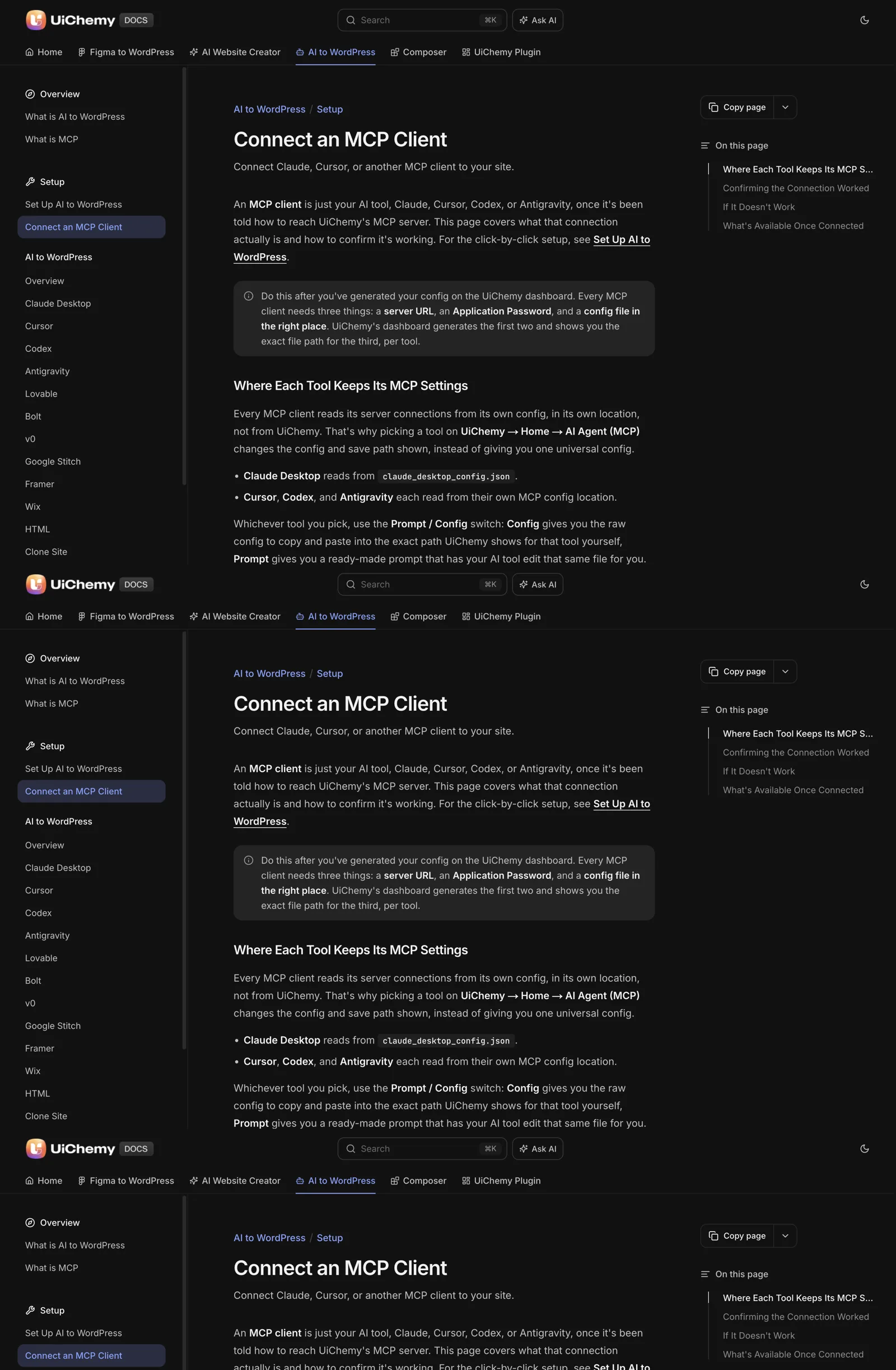
Most clients also need Node.js 18 or newer, because they start the connection with a command that ships with Node. The UiChemy docs list Node.js 18 or newer and an Administrator login as requirements. A longer treatment of the Node side is on the way in the sibling post about Node.js and npx.
What an Agent Can Do on Your Site
The scope depends on the server. For the UiChemy MCP, the docs describe access to pages, templates, Global Style, forms, media and site setup. In practice that means you can ask a connected client to work on the kinds of things you would otherwise click through in the editor.
- Read the site. Ask which pages exist and the client answers from your real site, which is also the quickest test that the connection works.
- Build and edit pages. The output arrives as an editable page on your own site, not as a locked export.
- Work with templates and Global Style. Colours and fonts live at site level, so an agent can change them in one place.
- Handle forms and media. These are listed in the docs as part of the scope.
- Convert a design. The docs describe an MCP route that runs a Figma-link conversion into a Composer. It is available for Elementor for now, and it draws from the same credit balance as the Figma plugin.
That last item is specific, so keep it specific. The controls over an Elementor build from an AI client are covered in Elementor MCP: controlling your builder from an AI client. For the credit side and what the plans include, read the docs, which explain setup and credit use.
For a wider view of the routes from Claude into WordPress, including the ones that do not use MCP at all, see Claude to WordPress: choose the right workflow for your website.
Where It Stops
Understanding the limits is part of understanding the tool.
- It reaches what the server exposes. The UiChemy docs state that the MCP cannot install other plugins or change unrelated WordPress settings.
- It acts as a real user. The connection uses a WordPress account, and the docs say an Administrator login is needed. Other roles see an “Administrator access required” message.
- It follows your instructions literally. A vague request gets a plausible but possibly wrong result. Review what it builds.
- It needs a working client. A missing Node.js, a stale config or a rotated Application Password stops the connection, and the symptom is often a generic answer.
A client that answers questions about your site without naming real pages is probably guessing. When the connection is live, a request such as “list the pages on my site” returns your actual page titles.
What a First Session Looks Like
This is the order that works, taken from the UiChemy setup docs.
- In the WordPress admin, open UiChemy, then Home, then the AI Agent (MCP) tab.
- Click Generate connection. This creates the Application Password.
- Choose your AI tool. UiChemy shows the config for that tool and the path to save it in.
- Paste the config, save it and restart the tool, because most clients read their config only at startup.
- Ask “What tools do you have from UiChemy?” and then “List the pages on my site.”
Each client has its own file format and path. The differences are collected in Claude Desktop, Cursor and Codex: WordPress MCP config differences.
Before You Connect Anything
Giving an AI tool the ability to change a live site deserves a short routine.
- Try it on a staging copy first.
- Take a backup before the first session.
- Connect with an account whose role is appropriate to the job.
- Keep the Application Password out of screenshots and repositories.
- Know how to revoke it. Deleting the Application Password in the user’s profile ends access.
The full list, with the reasoning behind each item, is in the security checklist before giving an AI agent WordPress access.
A Plain-Language Glossary
MCP comes with its own vocabulary, and the terms are easy to mix up. This table translates the ones you will meet when you set up a connection.
| Term | What it means here |
|---|---|
| Client | The AI tool you type into, such as Claude Desktop or Cursor |
| Server | The plugin on your site that publishes actions and carries them out |
| Tool or action | One named operation on the menu, with a description and expected inputs |
| Config | The small file that tells the client where the server is and how to start the connection |
| Application Password | A WordPress credential that lets the client act as one user |
| npx | A command that comes with Node.js and starts the connection program |
| Scope | The set of things the server allows the client to touch |
If you remember only one row, remember scope. Every question about what an AI tool can do on your site is a question about the server’s scope plus the permissions of the account it uses.
The two moving parts that cause most setup trouble are Node.js and the credential. The sibling post on Node.js and npx covers the first, and the Application Password guide above covers the second.
Five Example Requests and How to Check Each One
Understanding MCP is easier with concrete requests. Each example below uses the scope the UiChemy docs describe, and each ends with a quick check so you know the result is real.
First, “List the pages on my site.” The check is simple. The reply should name pages that actually exist. Generic answers mean the connection is not live.
Second, “Create a draft About page using this text.” Paste the exact text. The check is to open the page in the editor and compare it with your text, word for word.
Third, “Change the primary colour in Global Style to this value.” The check is to look at three pages and confirm the colour changed everywhere it should have, and nowhere it should not.
Fourth, “Convert this Figma link into a Composer.” This uses the conversion route the docs describe, for Elementor for now, and it draws from the same credit balance as the Figma plugin. The check is to open the result in the visual editor and confirm you can edit it.
Fifth, “Add a contact form to the Contact page.” The check is to submit a test entry and confirm it arrives where you expect.
The pattern is the same each time: ask narrowly, then verify in the place you would normally work. A tool that describes its own work is not proof. The page is.
Five Misconceptions Worth Clearing Up
These come up whenever the idea is explained to someone new.
“MCP is a plugin.” The server side lives in a plugin, but MCP is the standard the plugin follows. Different servers behave differently.
“An AI tool with MCP can do anything on my site.” It can do what the server exposes. For UiChemy, the docs say it cannot install other plugins or change unrelated WordPress settings.
“It replaces the REST API.” They sit at different layers, and a server may use the REST API underneath. The trade-offs are compared in MCP vs the REST API for WordPress automation.
“I need to be a developer.” You paste a config and restart a tool. You do need Node.js 18 or newer and an Administrator login.
“One connection is enough for every site.” Each site has its own server and its own credential. If you run many, see an AI agent workflow for managing many WordPress sites.
A good habit after your first connection is to write down what you learned in one paragraph: which client you used, what the first test returned and what you would change next time. It takes two minutes and becomes your own setup note.
That note also helps when you add a second site or a second client. You start from a working pattern instead of rediscovering each step. The per-client config comparison is a good companion when you reach that stage, because it shows which parts change between tools and which stay the same.
FAQ
What is WordPress MCP in simple terms?
It is a standard way for an AI tool to ask your WordPress site to perform specific actions. A plugin on the site publishes the allowed actions, and the AI tool calls them. You stay in control through the account and permissions you connect with.
Is MCP the same as the WordPress REST API?
They are different layers. The REST API is a general interface to WordPress data. MCP describes a menu of actions that an AI tool can discover and call. An MCP server may use the REST API underneath. The comparison is covered in the post on MCP versus the REST API.
Do I need to code to use WordPress MCP?
You paste a config into your AI tool and restart it. UiChemy generates the config, including a Prompt option that has your AI tool edit its own config. You need Node.js 18 or newer and an Administrator login, but you do not write code.
Can an AI agent break my site through MCP?
It can change what the server exposes, so mistakes are possible. For UiChemy that means pages, templates, Global Style, forms, media and site setup. Use a staging site, keep backups and review results before publishing.
Which AI tools work with WordPress MCP?
UiChemy’s setup screen lists Claude Desktop, Cursor, Codex, Antigravity and an Other option. The same server and the same capabilities apply to each of them. Only the config format and the file path differ.
When you are ready to try it on a staging site, you can Get Started and follow the connection steps in the docs.
Every feature named in this post is listed by product: all UiChemy features, UiChemy Composer features.