Claude Code and WordPress: A Developer Workflow That Ships
 Sagar Patel
A workable Claude Code workflow for WordPress is local first, git for every change, WP-CLI for checks, and staging before production. Give Claude Code a project instruction file, keep it away from live credentials, and review every diff the way you would review a colleague’s pull request.
This is a developer workflow, so it covers code in a repository: themes, plugins and configuration. It is general advice that works with any WordPress stack. UiChemy appears once, as one option for the page-building side. For a map of the routes from Claude into WordPress, see Claude to WordPress: choose the right workflow for your website.
Two Different Jobs
People use the phrase “Claude and WordPress” for two jobs that need different tools.
| Job | Where the work happens | Typical tool |
|---|---|---|
| Code work | A repository on your machine: theme, plugin, build config | Claude Code in a terminal |
| Site work | A running WordPress site: pages, styles, forms, media | An MCP server on the site, such as the UiChemy MCP |
This post covers the first. The second is explained in what is WordPress MCP. Mixing them up causes most of the confusion, because an agent that edits files in a repository has no access to a live site’s pages unless you connect it separately.
The Setup
- Run WordPress locally. Any local environment works. The point is a site you can break freely.
- Put the code in git. The theme or plugin folder is the repository. Commit before each session so you can see exactly what changed afterwards.
- Keep secrets out of the repo. Use environment files that git ignores, and never paste production credentials into a prompt.
- Use a staging site that mirrors production, for the review step. Block search engines on it.
- Keep production out of reach. The agent works on your machine and on staging. Deployment is a separate step that you trigger.
The rule behind this list is simple. Give an agent the smallest world that lets it do the job. A local copy and a git history let it move fast while keeping every mistake cheap.
The Project Instruction File
Claude Code reads a project instruction file, called CLAUDE.md, at the start of a session. Put the facts there that you would otherwise repeat in every prompt. A short, accurate file beats a long one, since the model has to carry it through the whole task.
# Project: [client or plugin name]

## Stack
- WordPress [version], PHP [version]
- Theme: [name], child theme at wp-content/themes/[child]
- Build: [npm run build / none]

## Commands
- Local site: [URL]
- Lint PHP: [command]
- Lint JS/CSS: [command]
- Tests: [command]
- WP-CLI is available as `wp`

## Rules
- Follow WordPress coding standards.
- Escape all output, sanitise all input, check capabilities and nonces.
- Prefix all functions, hooks and options with [prefix_].
- Never edit files in wp-content/plugins/ that we do not own.
- Never run commands against production.
- Ask before deleting files or touching the database.

## Definition of done
- Lint passes
- Tests pass
- Tested on the local site at desktop and phone width
- Diff reviewed by a human
Fill the brackets with real values and delete lines that do not apply. Every line should be something you would enforce in code review. If a rule matters enough that a mistake would be costly, back it with a real check, such as a linter or a git hook, instead of relying on the instruction file alone.
WP-CLI as the Checking Layer
WP-CLI is the command-line interface for WordPress, and the commands are documented in the WordPress developer reference. It gives an agent a precise, scriptable way to inspect a site instead of guessing. A few commands that suit a review loop:
wp core version
wp plugin list --status=active
wp theme list
wp option get siteurl
wp db export backup-before-change.sql
wp search-replace 'old-domain' 'new-domain' --dry-run
wp cache flush
Two habits matter here. Export the database before any change that touches it. And run search-replace with the dry-run flag first, so you can read what would change before it does. Let the agent propose commands, but run anything that writes to a database yourself, on local or staging only.
The Daily Loop
- Start from a clean git state on a new branch.
- Describe one task in a few sentences, with the acceptance test.
- Let the agent read the relevant files and propose a plan. Read the plan.
- Let it make the change.
- Run lint and tests. Open the local site and click through the change.
- Read the diff, file by file.
- Commit with a message that says what and why.
- Push, deploy to staging, repeat the checks there.
Small tasks are the secret. A request to change one template and one stylesheet is easy to review. A request to “modernise the theme” produces a diff nobody can read, and unread diffs are how bugs reach production. The review habits for any generated code are in keeping AI-written code clean.
Review Gates Before Anything Ships
- Security. Escaping on output, sanitising on input, capability checks and nonces on every action that changes data. WordPress documents escaping in its escaping guide.
- Dependencies. Did the agent add a library? Is it needed, and is it maintained?
- Performance. Compare before and after with the method in how to test the performance of AI-generated sections.
- Behaviour. Test logged out, logged in as a lower role, on a phone width and with a caching plugin on.
- Rollback. Know the git revert and the database backup that undo this change.
Agencies that repeat this across many client projects can standardise it. AI workflows for WordPress agencies describes a wider playbook around the same ideas.
Where Page Building Fits
Not every task belongs in a repository. Content pages, landing sections and design edits live inside the WordPress site, not in your theme folder. For that work, UiChemy offers Composer, which the Composer docs describe as writing real HTML, CSS and JavaScript inside Elementor or Gutenberg, and an MCP server that lets an AI client act on pages, templates and Global Style.
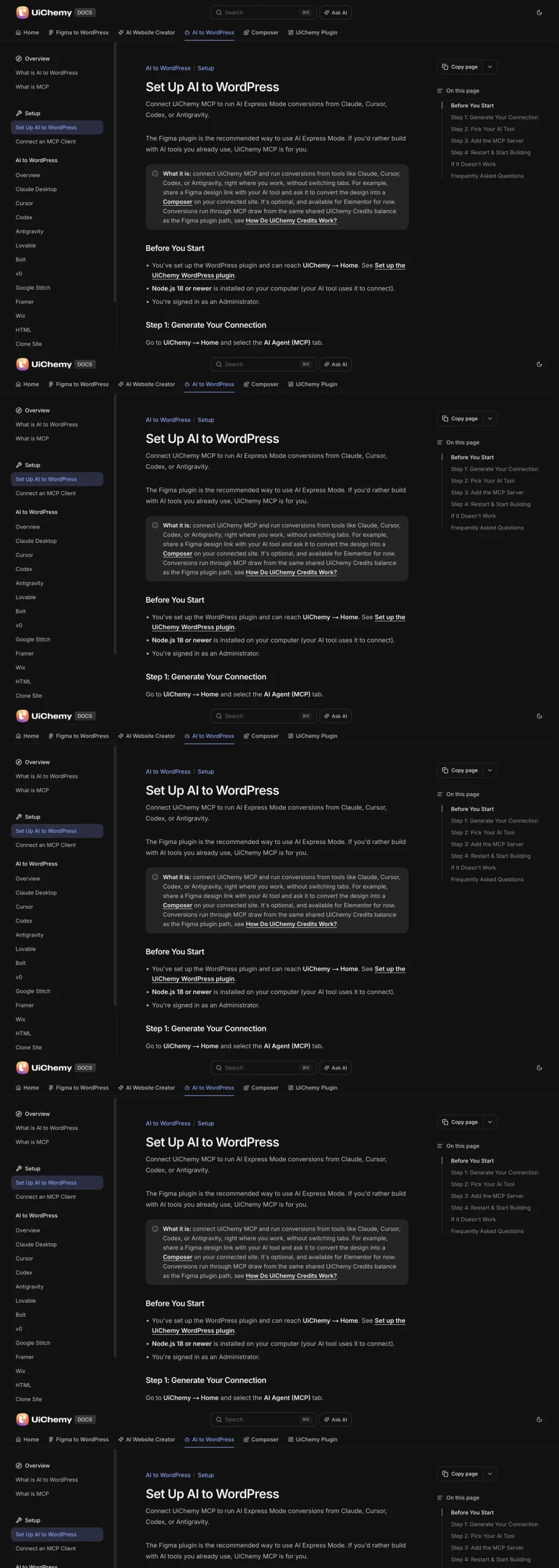
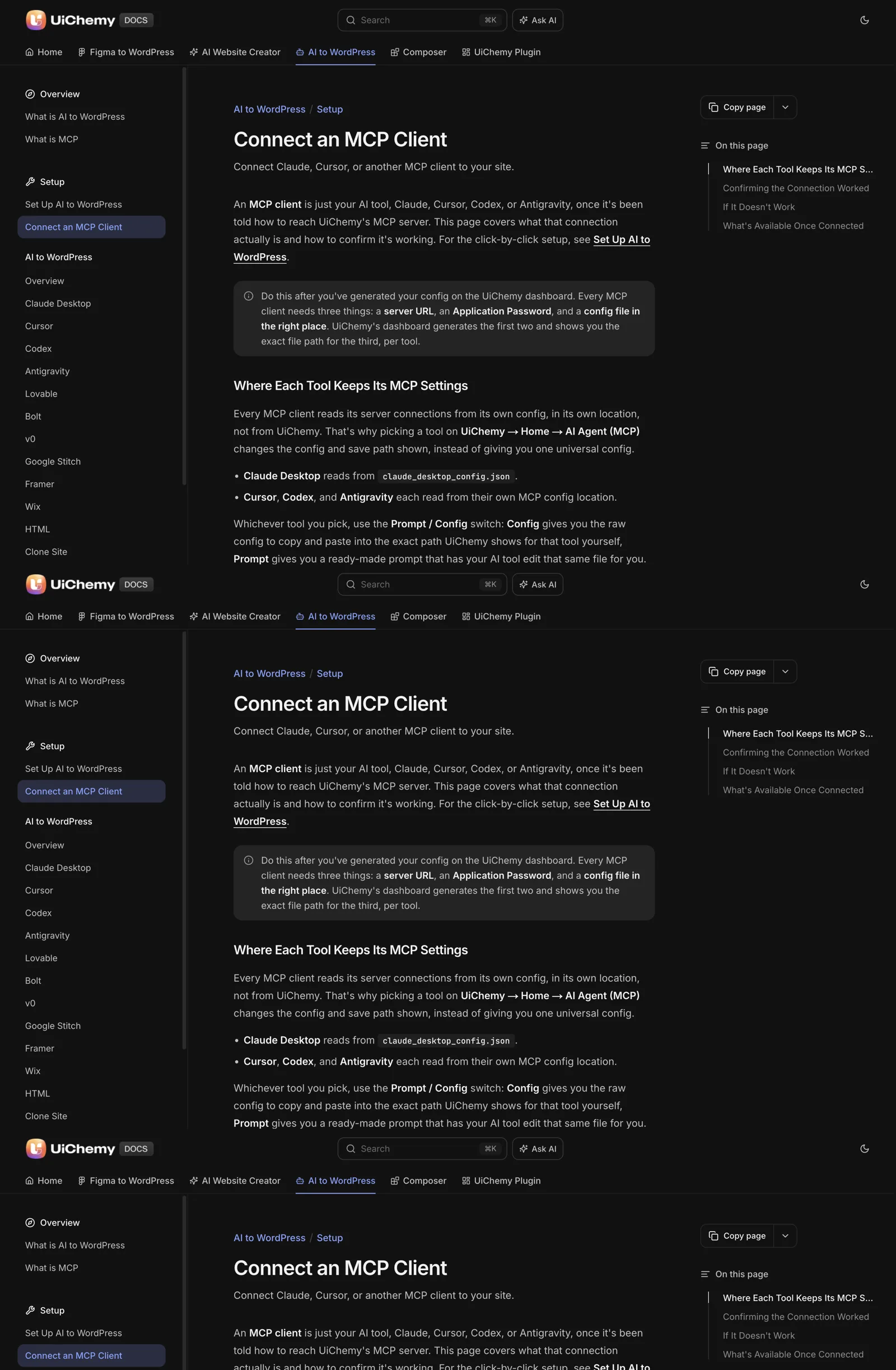
The setup screen names Claude Desktop, Cursor, Codex and Antigravity, plus an Other option. Claude Code is not one of the named cards, so check the docs for the Other route before you plan around it.
The docs also state that the MCP cannot install other plugins or change unrelated WordPress settings, which makes it a fit for page work and a poor fit for plugin development. The comparison of the two approaches is in MCP versus the REST API for WordPress automation.
A Worked Task: Adding a Custom Post Type to a Plugin
A concrete task shows how the loop fits together. Say a client plugin needs a “Case Study” post type with a few fields. The details below are illustrative, so adapt the names to your own project.
Start on a clean branch. Write the task in a few sentences with a testable result: “Register a Case Study post type with title, editor and featured image. It should appear in the admin menu, have archive pages, and not be indexed until we turn that on.”
Ask for a plan before any code. A good plan names the file to edit, the hook it will use, the prefix for function names and the escaping approach. Read it. If it proposes new files or a new dependency you did not expect, say so before it writes anything.
Let it write the change, then run the checks from your instruction file. Open the local site, find the new menu item, create an entry and view it on the front end at phone width. Flush rewrite rules with WP-CLI so the archive URL works.
Finally, read the diff file by file and ask three questions. Is everything prefixed? Is every output escaped? Did it touch anything outside the task? Commit only when the answers are clear.
Common Mistakes and How to Avoid Them
Most problems with agent-assisted WordPress work come from process, not from the code itself. This table lists the ones worth planning for.
| Mistake | What goes wrong | Prevention |
|---|---|---|
| Starting a session on a dirty working tree | You cannot tell your changes from the agent’s | Commit or stash first, work on a new branch |
| Asking for a large refactor in one go | The diff is too big to review | One task per branch, a few files at most |
| Letting the agent edit third-party plugins | Changes vanish on the next update | State in the instruction file that only your own code may change |
| Running database commands without a backup | A bad search-replace is hard to undo | Export the database first, use the dry-run flag |
| Pasting production credentials into a prompt | The secret leaves your control | Use local and staging credentials only |
| Trusting a green result without opening the site | Passing tests miss visual and behaviour bugs | Always click through the change in a browser |
Each prevention is a habit, and habits are easier to keep when something enforces them. That is the idea behind the next section.
Backing Your Rules With Real Checks
An instruction file is a request. A check is a fact. For any rule that would be costly to break, add a check that fails the commit instead of relying on the model to remember. A small git pre-commit hook is a good start. This sketch assumes a PHP project using PHP_CodeSniffer with the WordPress coding standards installed.
#!/bin/sh
# .git/hooks/pre-commit  (make it executable)
FILES=$(git diff --cached --name-only --diff-filter=ACM | grep '\.php$')
[ -z "$FILES" ] && exit 0

vendor/bin/phpcs --standard=WordPress $FILES || {
  echo "Coding standards failed. Fix before committing."
  exit 1
}
Adjust the standard and paths to match your project. The point is that the same check runs for you and for the agent, so a violation stops the commit whoever wrote the line.
Add checks gradually. Start with linting, then add tests for the behaviour that matters most. When something slips through, ask which check would have caught it, and add that check.
If you manage several client projects, keep a template instruction file and hook in one place and copy them into each repository. The workflow for managing many WordPress sites shows how a registry and runbook make this repeatable, and WordPress Application Passwords for MCP explains the credential side for when you do connect an agent to a running site.
One more thing worth recording is what the agent got wrong. Keep a short list in your instruction file of mistakes it made on this project, such as a missing prefix or an unescaped output. Each entry is a rule you now enforce, and over a few weeks the list becomes the most useful part of the file.
FAQ
Can Claude Code work on a WordPress plugin or theme?
Yes, because those are files in a repository, and Claude Code reads and edits files. Run the site locally, commit often, run your linters and tests, and review every diff. Keep production credentials out of the session and deploy through your normal process.
Should I let Claude Code run WP-CLI commands?
For read commands on a local or staging site, usually yes. For anything that writes to a database, review the command first and run it yourself. Always export the database before a risky change, and use the dry-run flag with search-replace.
What goes in the CLAUDE.md file for a WordPress project?
The stack and versions, the commands for linting and testing, your coding rules, what must never be touched and your definition of done. Keep it short and accurate. If a rule is critical, enforce it with a check instead of relying on text.
Is it safe to point an AI agent at a production site?
Work on staging and let a human push to production. If an agent must reach a live site, use the lowest role that works, take a backup first and revoke the access afterwards. The checklist is in the security guide linked below.
How is this different from using MCP?
Claude Code edits code in a repository on your machine. An MCP server lets an AI client act on a running site’s pages, styles and settings. Developers often use both, for different layers of the same project.
For the security side of giving any agent access, read the security checklist before giving an AI agent WordPress access, then Get Started on a staging site when you are ready to try page building with an AI client.
Every feature named in this post is listed by product: all UiChemy features, AI to WordPress features.