Which AI Website Builder for Which Job: A Chooser by Task
 Sagar Patel
The right AI website builder depends on the job. Prototypes suit prompt-to-app tools, client sites that must be edited suit builders that end in a CMS such as WordPress, web apps suit app builders, and design-led work suits design-to-code routes. Start with who edits the site next, then shortlist tools.
A comparison that ranks brands answers a question nobody has. Nobody needs the best builder in general. They need the best one for a Tuesday-afternoon task with a deadline and a client attached. This guide sorts the field by job and gives you a worksheet.
I am deliberately light on claims about other vendors, because their features and prices change faster than a blog post does. For the broader category view, see AI website builders and the editability problem.
Why Compare by Job
Every AI builder looks good in its own demo. A demo shows the first draft, and the first draft is the cheapest part of a project. The expensive parts come later: a client asks for a change, a form needs a destination, a page needs a title tag, someone else takes over maintenance.
So the useful comparison axis is the job, and each job has a different cost curve.
- A prototype lives for a week. Draft speed matters and editability barely does.
- A client site lives for years. Editability, ownership and handoff dominate.
- A web app has data and accounts. A CMS is the wrong shape for it.
- A redesign starts from existing content and constraints. Import and fidelity matter most.
The Job Chooser
This table describes categories of tools and where UiChemy fits, based on how each category works in general. I have not benchmarked named competitors for this post, so confirm current capabilities on each vendor’s own site before you decide.
| Job | What matters most | Tool category to shortlist | Check before committing |
|---|---|---|---|
| Show a client an idea this afternoon | Speed to a draft | Prompt-to-app generators | Whether the draft can be thrown away without regret |
| Small business site the client will edit | Editor, roles, ownership | Builders that end in WordPress or another CMS | Can the client change a heading alone? |
| Site from a finished Figma design | Fidelity to the design | Design-to-WordPress route | Quality of your Figma file |
| Redesign of an existing site | Import, redirects, content reuse | Migration or conversion route | URL map and redirect plan |
| Landing page with custom interaction | Code control | AI that writes code inside your page builder | Review the generated code |
| Web app with accounts and data | Backend, auth | App builders | Who maintains it after launch? |
| Online store | Catalog, payments, tax | A commerce platform, with AI as a helper | Payment and legal requirements |
| Many sites for many clients | Repeatable process, handoff | A workflow, not one tool | Per-site cost and handoff time |
Client Sites That Must Be Edited
This is the job where most agencies get hurt, so it gets the longest section. The deciding question is where the content lives after launch. If the client will edit the site, choose a path that ends in an editor they can use. UiChemy’s own range is built for WordPress as the end state, and there are four ways in.
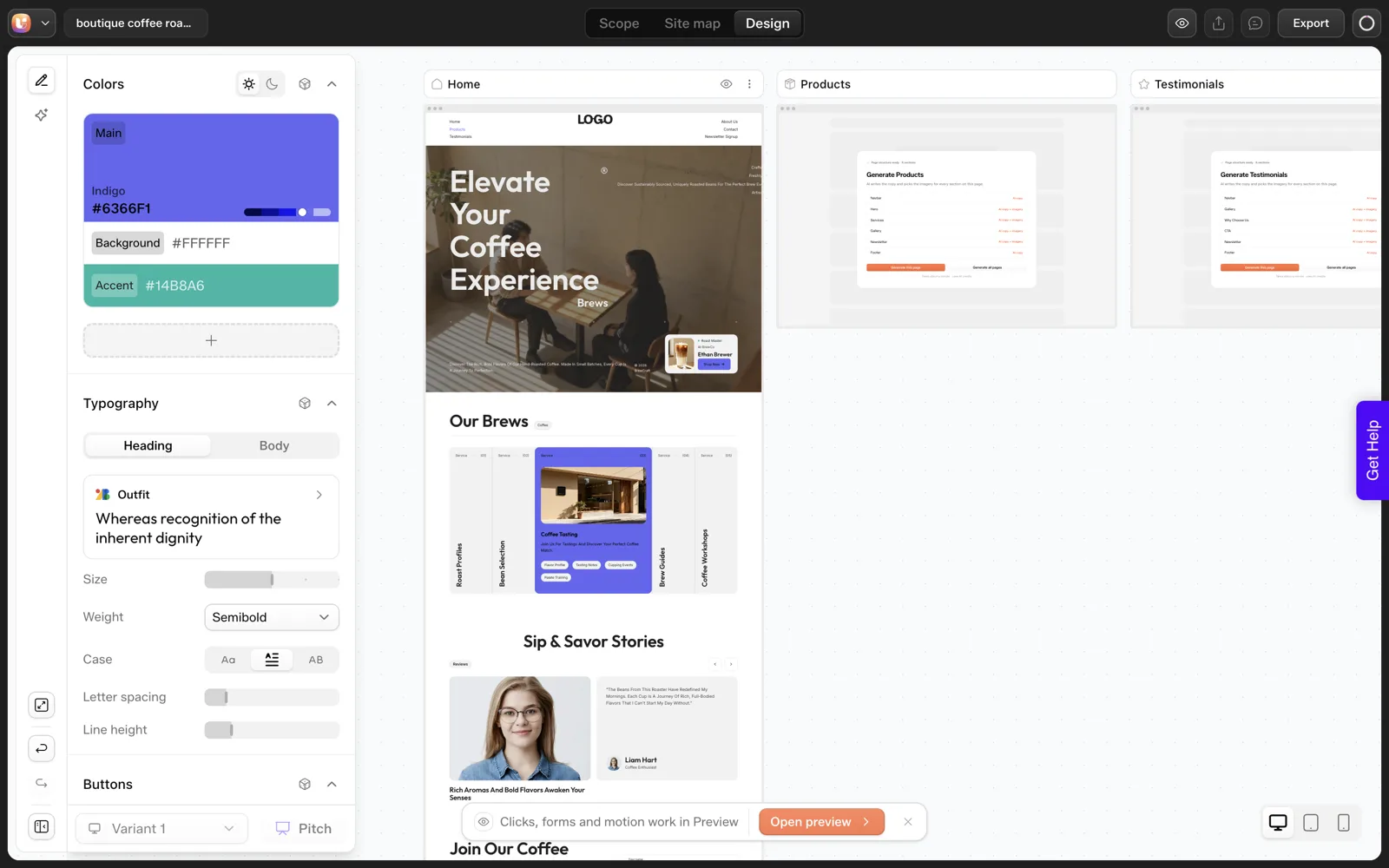
- From a prompt: the AI Website Creator is early access, shown as “Soon” on the pricing page. The AI website builder that exports real WordPress explains the idea, and the coffee roaster test shows one real run.
- From a design: Figma to WordPress keeps the design as the source of truth.
- From another AI builder’s output: the AI to WordPress setup covers bringing in Lovable, Bolt, v0, HTML and cloned projects through Claude.
- From inside the builder: UiChemy Composer writes real HTML, CSS and JavaScript within Elementor or Gutenberg.
Whichever you pick, run the handoff test: can the client change a heading and an image alone? Why AI-built React sites are hard to hand to clients goes through the failure modes in detail.
Prototypes and Throwaway Pages
If the page has a short life, the editability argument loses its force and speed wins. Prompt-to-app generators are well suited here, and there is no shame in using them. The mistake is letting a prototype quietly become the production site.
Decide at the start which one you are building, and write the decision down. If a prototype survives and needs a CMS home later, Lovable to WordPress and Bolt and v0 to WordPress cover what carries across.
Apps, Stores and Memberships
A site with accounts, a database or payments has needs a page builder was never meant to meet. For those, pick the platform that owns the backend and use AI inside it. A brochure site gets the opposite treatment: keep the logic out of the page and let the CMS do the boring parts.
The common hybrid is worth knowing. Marketing pages and the blog live in WordPress, the application lives on its own subdomain, and the two link to each other. It gives the content team an editor and the product team a codebase.
The Shortlist Worksheet
Copy this, fill it in for the job in front of you, then test one real page in each tool left standing. The thresholds are our own working rules, not an industry standard.
AI builder shortlist: one job, one page

Job: ______________________   Deadline: ____________
Who edits after launch?  me / client / developer team
End state: WordPress / app host / commerce platform / other: ______

Hard requirements (any "no" removes the tool)
[ ] Output lands where the client can edit it
[ ] I can export or take the work with me
[ ] Forms and email destinations work
[ ] Per-page SEO titles and descriptions are editable
[ ] A backup and restore path exists

Test (same page in every tool)
Prompt or brief used: ______
Time to first draft: ____   Time to client-approved version: ____
Changes requested: ____   Changes the tool handled cleanly: ____
Errors found in the first draft (wrong count, wrong copy): ____
Handoff test passed (client edited a heading alone): yes / no

Decision
Chosen: ______   Reason in one sentence: ______
Runner-up and why it lost: ______
The line about errors in the first draft is not decoration. In our own single test on 2026-10-01 (one run, not a benchmark), we asked for three product cards and the draft returned five. Every tool makes mistakes of this kind, and the useful question is how cheaply you can catch and fix them.
For a longer question list, see how to evaluate any AI website builder in 12 questions, and for ranked lists and what they miss, the best AI website builder roundups, read critically. If the answer is a WordPress end state with several clients in flight, AI workflows for WordPress agencies shows how to run it at volume.
Five Mini Cases: Matching the Job to the Path
These are composite illustrations built to show the thinking, and none of them describes a real client. Each starts with the job and ends with a path.
The bakery that needs a site by Friday
Two pages, one owner, a menu that changes. The owner will edit the menu, so the site must end in an editor. A quick generator can produce the draft, and a WordPress end state keeps the menu editable. Pick a WordPress-ending path and test the menu edit.
The founder who wants a demo for investors
The page lives for a month and nobody edits it. Speed beats editability. A prompt-to-app generator is fine, and the only rule is to label it a prototype so it does not become the production site by accident.
The studio with a finished Figma file
Fidelity is the requirement, so convert the design. See AI Express Mode versus Classic Mode for choosing between automatic and manually tagged conversion.
The agency with ten small clients
The job is a repeatable process, so the answer is a workflow with review gates, a handoff pack and a quote template. No single tool is the answer.
The SaaS team with a product site
Accounts and data mean an application. Use an app builder or a normal codebase, and keep the marketing pages in WordPress where the content team can reach them.
Signals That You Picked the Wrong Tool
Sometimes you only find out mid-project. These warning signs show up early, so watch for them in the first day and not the last.
- You are editing the same section for the third time. The tool may be fighting your structure. Step back and check the brief.
- You are explaining the tool’s limits to the client. That means the output does not match the end state.
- You are copying content between systems by hand. A path that ends elsewhere than the client’s editor costs you hours.
- You cannot say where the site will live. An undecided end state makes every later step guesswork.
- The preview looks right and nobody can edit it. That is the handoff gap showing up early.
When two of those appear, pause and run the shortlist worksheet again with what you now know. Switching on day one costs little, and switching at launch costs the project.
The reverse check helps too. If a tool is working, you should be able to say why in one sentence tied to the job. For a longer set of questions, the 12 questions for evaluating any AI website builder gives you a thorough pass.
Combining Tools Without Making a Mess
Many real projects use two or three tools. A prompt generator makes the draft, a design tool refines the brand, and WordPress holds the final site. That is fine, provided each handoff between tools is deliberate.
Rules that keep a multi-tool project clean:
- One source of truth for content. Decide where the final text lives, and copy from there only.
- One owner per stage. A named person owns the draft, the conversion and the launch.
- A written end state. Every stage serves the sentence that names the host, the editor and the owner.
- A checkpoint at each handoff. After every move, compare the page list and the counts against the brief.
The checkpoint matters because errors compound as content moves between tools. A count that is wrong in the first draft is still wrong two tools later, only harder to find.
For a worked example of a draft-then-convert route, see Lovable to WordPress, and for the process around it, the client brief to WordPress site agency workflow.
FAQ
Which AI website builder is best?
No single builder is best across jobs. Prototypes favor fast prompt-to-app tools, client sites favor builders that end in an editable CMS, and apps favor platforms with a backend. Pick the job first, shortlist two or three tools, then build the same real page in each and compare the results.
What is the best AI website builder for WordPress?
It depends on your starting point. From a prompt, an AI builder that exports to WordPress. From a design, a Figma-to-WordPress route. From an existing AI build, a conversion route. UiChemy covers all three, with the AI Website Creator in early access, so check the current status before planning around it.
Can an AI builder replace a web designer?
For first drafts it can replace a lot of blank-page time. For brand decisions, client-specific copy and the review of what the AI assumed, someone still needs to judge the work. A review step such as a sitemap and scope check keeps that judgment cheap and early.
Should I use one builder for everything?
Probably not. Jobs differ enough that one tool rarely fits all of them. A small kit works better: one fast generator for prototypes, one WordPress-ending path for client sites, and a platform with a backend for apps. Keep the kit small enough that you actually learn each tool.
How do I compare builders fairly?
Use the same brief and the same page in every tool, record time to a draft and time to a client-approved version, count the errors, and run the handoff test. Avoid comparing demos or vendor claims. Note the date and tool version, because results change as products update.
To test the WordPress-ending path on your own brief, Get Started and run one page through the worksheet.
Every feature named in this post is listed by product: all UiChemy features, UiChemy Composer features.