How to Evaluate Any AI Website Builder: 12 Questions
 Sagar Patel
To evaluate any AI website builder, ask twelve questions: what you can edit afterwards, what you can export, who owns the output, whether you can review before design, how credits and prices work, how it handles your brand, what it gets wrong, how fast it is, and what happens if you leave.
Roundups rank tools by feature lists. These questions test the things that decide whether a site survives past launch. For a view of what the roundups skip, see best AI website builder: what the roundups miss. This post is vendor-neutral until the end, where we answer the verifiable questions for UiChemy.
How to Use the Questions
Ask each tool the same questions and write the answers down. Where a vendor cannot answer, mark it “unknown” and treat that as a cost. Test claims with a real small project rather than the demo prompt, since a demo is chosen to look good.
The questions work for any category, from prompt builders to design-to-site converters. If you are still deciding which category you need, no-code AI website builders: the category nobody defined maps the field.
Questions 1 to 4: Ownership and Editing
1. Who owns the output?
Read the terms. You want the site and its content to be yours, with no licence that stops you from moving it. Who owns an AI-built website goes through what to look for.
2. Can a non-developer edit it afterwards?
Open the result and try to change a headline and an image without help. If edits need the tool or a developer, ongoing cost rises. This is the editability problem described in AI website builders and the editability problem.
3. Can you export it?
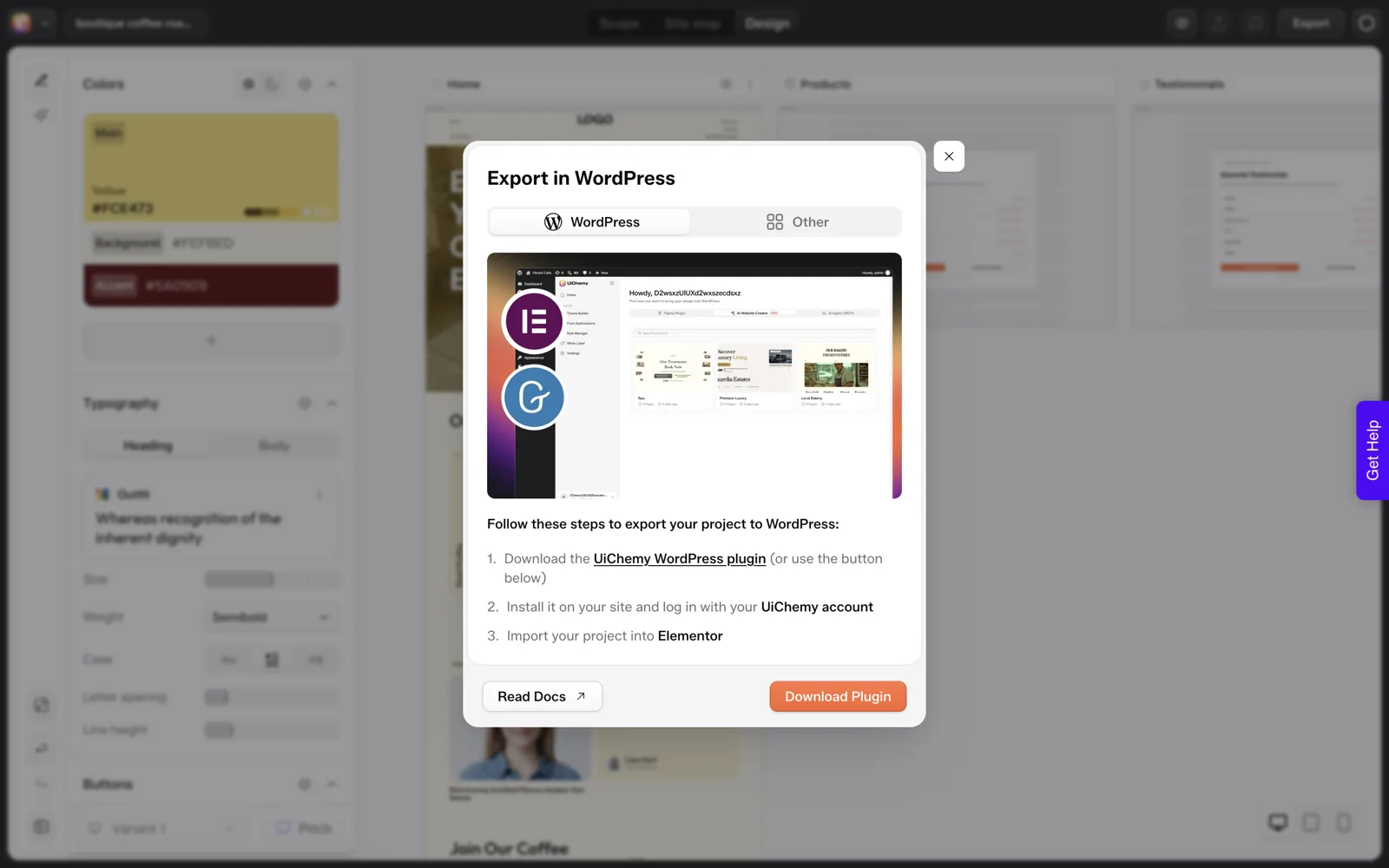
Ask exactly what the export produces and where it can run. A hosted-only site ties you to the vendor. Check whether the export is real files and content you can use elsewhere, as covered in an AI website builder that exports real WordPress.
4. What happens if you stop paying?
Ask whether the site stays live, whether you keep your content, and whether you can download it first. A tool that holds the site hostage is a risk.
Questions 5 to 8: Process and Accuracy
5. Is there a review step before design?
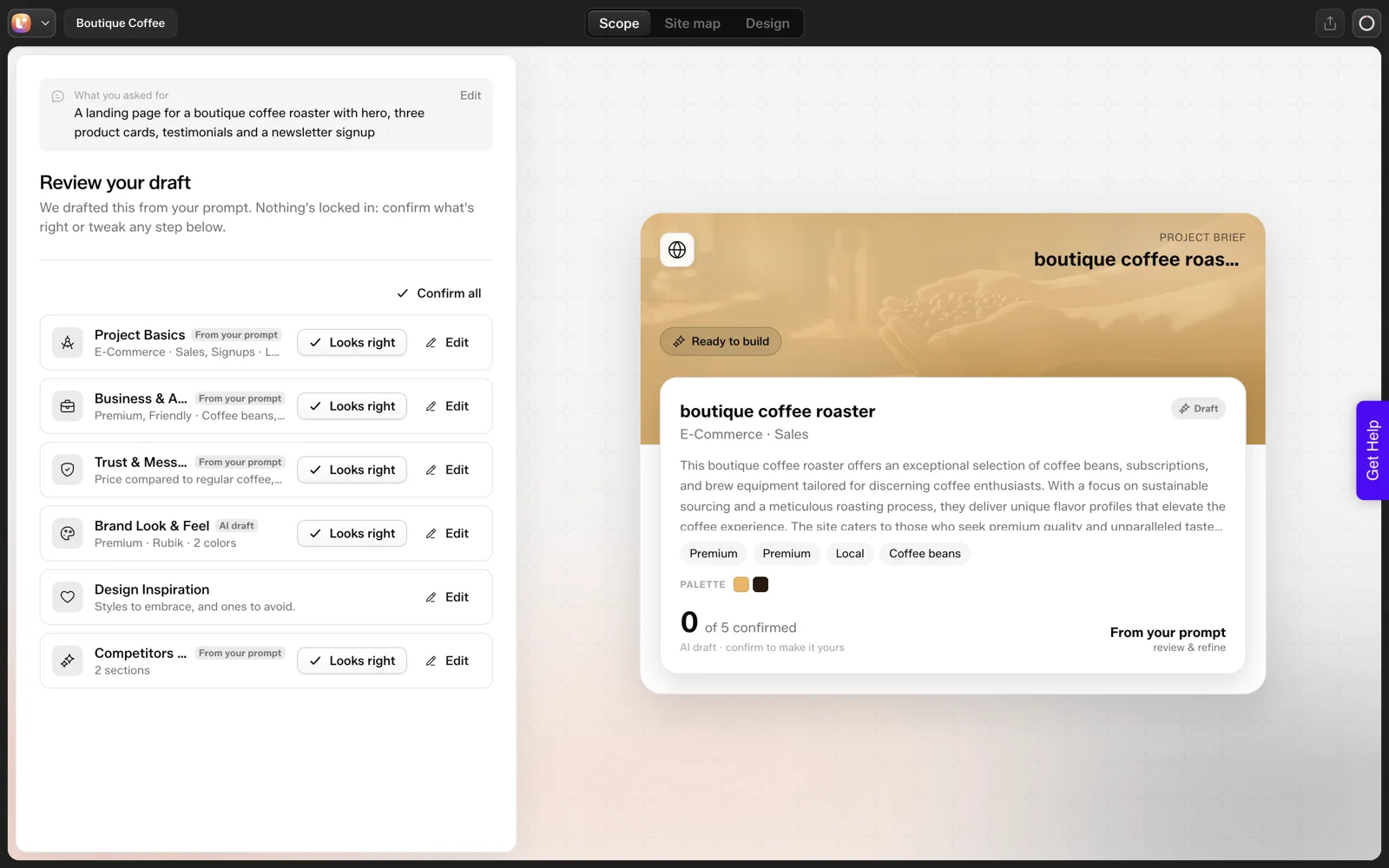
A structure review before visuals saves rework. See why a review step prevents rework. If the tool goes straight from prompt to finished pages, you review after the money is spent.
6. Does it follow your brief?
Run a prompt with specific counts, such as three cards, and count what comes back. Specifics are where tools drift.
7. How does it handle your brand?
Check whether colours, fonts and voice can be set once and applied everywhere, or must be repeated for each page.
8. What does it get wrong, and does the vendor say so?
Every tool gets things wrong. A vendor who can list the common misses is more trustworthy than one who claims none. Compare with what we found in what AI gets wrong when it builds a website.
Questions 9 to 12: Cost and Risk
9. How is it priced?
Find out whether you pay per site, per seat, per credit or per month, and which actions use credits. A low entry price can hide metered limits. Free AI website builders and where the free ends shows how this plays out.
10. Can you try before paying?
Look for a trial with no card, a refund window or both. A tool you cannot test is a bet.
11. How fast and how reliable is it?
Time a real run and note failures. Our own single run is the sort of data to collect: project in about 9 seconds, sitemap in about 13 and a Home page in about 35. Your result will differ, so measure it yourself.
12. What does the finished site cost to run?
Hosting, plugins, updates, licences and your time to maintain it all count. Compare the full cost over a year, not the first month. For agency work, see AI website builder for agencies.
The Scorecard to Copy
Score each tool 0 (fails or unknown), 1 (partial) or 2 (clear yes). A total below 16 out of 24 means the tool needs a closer look before it handles a client project.
AI WEBSITE BUILDER SCORECARD

Tool: ____________   Tested with: ____________   Date: ______

                                                     Score (0/1/2)
 1. Output ownership is clear in the terms           ___
 2. Non-developer can edit text and images           ___
 3. Export produces real, portable files/content     ___
 4. Site survives if you stop paying                 ___
 5. Review step before design                        ___
 6. Follows counts and specifics in the brief        ___
 7. Brand set once, applied everywhere               ___
 8. Vendor is honest about common errors             ___
 9. Pricing and credit use are clear                 ___
10. Trial or refund available                        ___
11. Speed and reliability measured by you            ___
12. Running cost over 12 months known                ___

TOTAL: ____ / 24

Dealbreakers (any one = stop):
[ ] Cannot export   [ ] Cannot edit without the tool   [ ] Terms deny ownership
How UiChemy Answers the Verified Ones
As requested at the top, here is what we can state from checked sources, with the gaps left visible.
| Question | What we verified |
|---|---|
| 3. Export | Export to Elementor and Export to Gutenberg are included. The WordPress side is plugin-based: install the UiChemy plugin from wordpress.org, log in and import into Elementor or Gutenberg. There is no one-click push. |
| 5. Review step | A Scope review and a Site map review come before design. The screen says “Nothing’s locked in”. |
| 6. Follows the brief | Not reliably in our single run: three product cards requested, five labelled “Service” returned. |
| 9. Pricing | Designer $11 a month with 4,000 credits, Studio $35 with 12,000, Agency $59 with 20,000, plus Composer plans from $5 a month. |
| 10. Trial | No card needed to try, and a 14-day refund. |
| 11. Speed | One run: about 9 seconds for the project, 13 for the sitemap, 35 for the Home page. |
Questions 1, 4, 7 and 12 we have not answered here, and we would rather leave them open than guess. Read the terms yourself for ownership. Details on pricing are in UiChemy pricing explained, and the AI Website Creator overview describes the flow.
A Worked Example: Scoring Two Tools on One Brief
Here is how the scorecard works in practice. “Tool A” and “Tool B” are placeholders, and the scores are invented to show the method. They say nothing about any real product.
| Question | Tool A | Tool B | Note |
|---|---|---|---|
| 3. Export | 2 | 0 | A exports real files. B is hosted only. |
| 5. Review step | 1 | 2 | B shows a sitemap before design. A reviews only at the end. |
| 6. Follows the brief | 1 | 1 | Both returned the wrong number of cards. |
| 9. Pricing | 2 | 1 | A lists what uses credits. B is vague. |
| 12. Running cost | 1 | 0 | B’s hosting fee only appears at checkout. |
Notice that the totals matter less than the zeros. Tool B scores a 0 on export, which is a dealbreaker on the scorecard however well it does elsewhere. The totals rank the tools, and the dealbreaker line decides whether either one is allowed on a client project.
Fill in the whole sheet for each tool and keep it. When a vendor changes its terms or pricing, you can score it again and see what moved.
A Test Brief to Run on Every Tool
Give every tool the same brief, written with specifics you can count. Our own test used one like this, and the count was the part that failed. The post on AI website prompts that get the sitemap you want explains how to word one.
EVALUATION BRIEF (copy and edit)

Business: [one line, a real business you know]
Site type: a landing page
Required sections, with counts:
  - hero with one headline and one button
  - three product cards
  - testimonials: two (I will supply the quotes myself)
  - newsletter signup
Pages wanted: one
Tone: plain, friendly, no hype
Brand: colours [hex], font [name]

RECORD FOR EACH TOOL
Time to project / sitemap / first page:   ___ / ___ / ___ seconds
Pages proposed:                           ___ (wanted 1)
Cards returned:                           ___ (wanted 3)
Labels correct?                           yes / no
Invented claims or testimonials found:    ___
Edits needed before it is presentable:    ___
Can I edit text and images without help?  yes / no
Export attempted? What did it produce?    ___________
Supply the testimonials yourself, so you can spot invented ones. Run the brief once per tool at the same time of day, and note failures as well as successes. Your own timings are the evidence. Anything a vendor tells you is a claim until you have run it.
Red Flags in a Vendor’s Answers
Some answers should make you ask a second question. This table lists patterns I would follow up, without assuming bad faith.
| What you hear | What it may mean | Follow-up question |
|---|---|---|
| “You can export anytime.” | The export might be partial or a screenshot-level copy | “Show me what the export produces and where it runs.” |
| “Unlimited” with no detail | A fair-use limit that is not on the pricing page | “What is the limit, in numbers?” |
| “Our AI never makes mistakes.” | No one has tested it on specifics | “What are the common misses, and how do users catch them?” |
| “Edit anything, anytime.” | Editing may need the vendor’s tool | “Can a non-developer edit after I stop paying?” |
| A price shown without the billing period | The low number may be annual | “What is the monthly price, and what do I pay up front?” |
| No refund or trial | You carry all the risk | “How do I test it before paying?” |
Weigh the answers against your own use. For a side project, a few yellow flags may be acceptable. For client work, the cost of a surprise is much higher.
That matters when you set a price. Seehow to quote AI-built websites for clients for how to build a margin for review into your quote, and when not to use UiChemy for an example of a vendor listing its own limits.
FAQ
What is the most important question to ask an AI website builder?
Whether you can edit and export the result without the vendor. A site you cannot change or move ties you to the tool for as long as it exists. Test it by changing text, replacing an image and downloading what the tool gives you.
How do I compare AI website builders fairly?
Give each the same real brief with specific requirements, then score them against the same questions. Avoid demo prompts. Record timings, counts and anything you had to fix, and compare the full running cost over a year. A fair comparison needs the same brief, the same reviewer and the same checklist for every tool.
Are free AI website builders worth using?
For learning and quick drafts, yes. Check what the free tier limits, such as exports, domains and editing. Many free plans hold back the features you need for a client project, so compare the free tier with the question list before relying on it.
Should I trust vendor roundups and rankings?
Treat them as a starting list. Rankings often reflect features rather than outcomes, and some are affiliate driven. The scorecard gives you your own measure, which is more reliable than a rank on a page. A roundup cannot know your brief, your client or your tolerance for rework.
How long should an evaluation take?
A fair test of two or three tools takes a few hours: build one small real project in each, review the output with a checklist and fill in the scorecard. It is a small cost against a wrong choice for a client project.
If you want to run the scorecard on UiChemy, you can Get Started without a card.
Every feature named in this post is listed by product: all UiChemy features, UiChemy Composer features.