
When Not to Use UiChemy
 Sagar Patel
Do not use UiChemy when you are writing a custom theme from scratch, when a mature site already works, when you need Bricks export today, when your target is a platform other than WordPress, or when you want full manual control of every line. Other tools or plain WordPress fit those jobs better.
We make UiChemy, and a tool that claims to fit every job usually fits none well. This post lists the cases where we would point you elsewhere. If the opposite question is on your mind, which AI builder for which job compares the options by task. For what the Elementor-native tool does, see Elementor AI: what it generates and what it cannot.
You Are Building a Custom Theme
If your work is hand-built themes with your own templates, hooks and build pipeline, a layout generator adds little. You already have a workflow that gives you total control, and you probably want clean code you wrote yourself.
What to use instead: your existing theme framework and block editor knowledge. If you still want help on specific parts, such as a custom section, our post on Composer vs custom HTML widgets and code snippets shows where generated sections can slot into a hand-built site without replacing it.
You Have a Mature, Working Site
A site that is live, ranking and maintained does not need a rebuild from a prompt. Rebuilding adds risk to something that works. If the site has years of content, redirects and tuned plugins, leave it alone unless you have a clear reason.
What to use instead: targeted fixes to the existing site. If the reason to change is speed or design, work on those specific pages. And if you are weighing a move, read your AI site vs a WordPress site: the cost of change after launch before deciding.
You Need Bricks Export Today
Export to Elementor and Export to Gutenberg are included on every all-in-one plan. Bricks publishing from AI Website Creator is marked “Soon”. If a prompt-built project must land as native Bricks elements this week, UiChemy’s export is not the route.
What to use instead: if the design exists in Figma, Classic Mode converts it into native Bricks elements today. The Figma to Bricks guide covers that route and its trade-offs. Without a design, build the pages in Bricks by hand.
Your Target Is Not WordPress
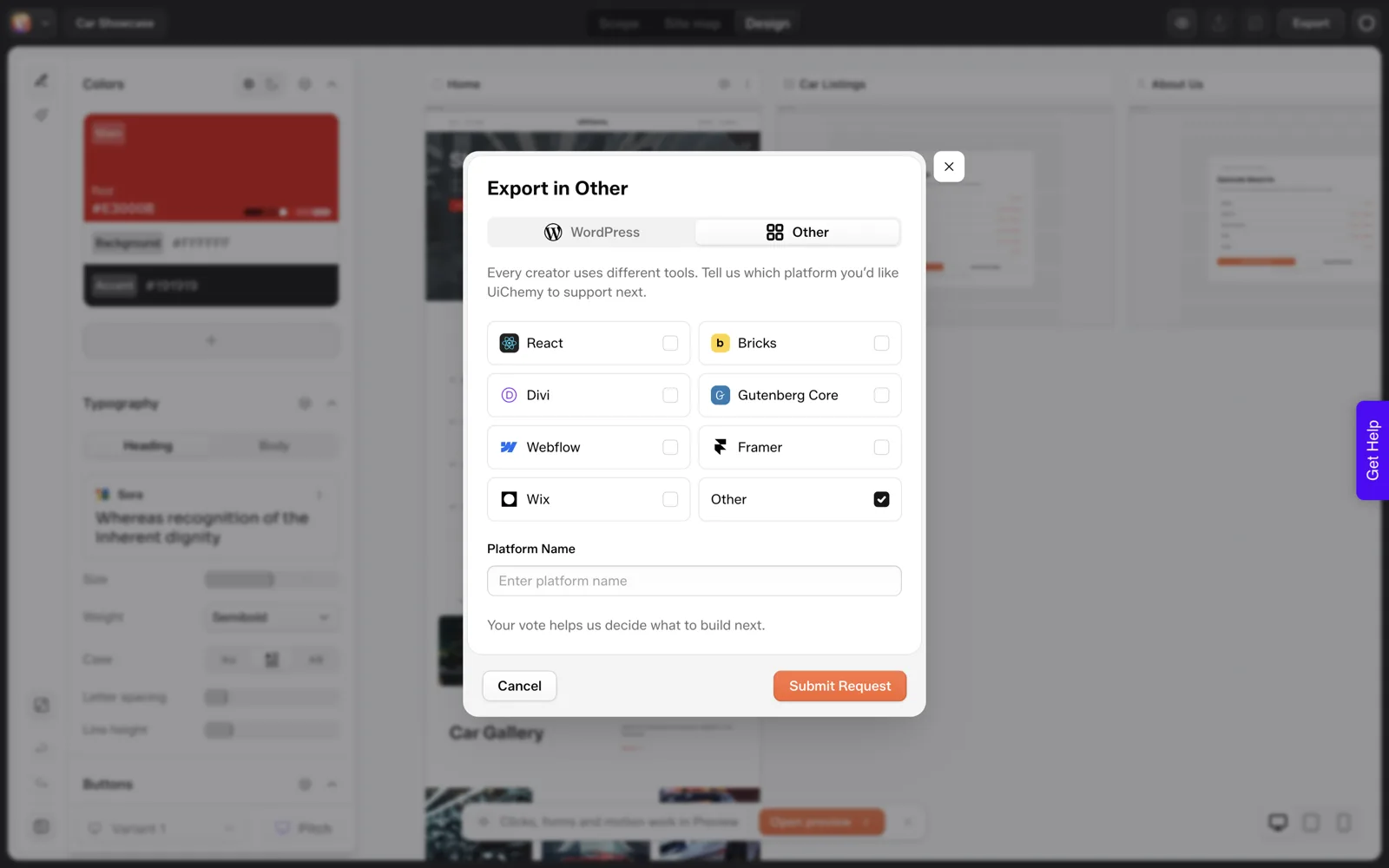
UiChemy is built for WordPress. If you are shipping to Webflow, Framer, Wix or a custom React app, it is not the right tool today. The export vote tab lists those as requests, which tells you they are not available now.
What to use instead: the tool native to your platform. If you are deciding between a prompt-built React app and WordPress, why AI-built React sites are hard to hand to a client covers the handoff side, and Lovable alternatives when you need WordPress compares what each tool leaves you with.
You Want Full Control of Every Line
AI-generated output is a starting point that needs review. If you cannot accept generated code or markup in your project, or your standards require every line to be written and reviewed by a person, a generator creates extra work.
Our test showed it can also drift from a brief: we asked for three product cards and got five labelled “Service”. That is manageable when you review, and it is a cost when every line must be signed off.
What to use instead: writing it yourself, or using generated output only as a reference. If you do use generated code, keeping AI-written code clean gives quality checks to apply.
Better-Fit Options at a Glance
| Situation | UiChemy fit | Consider instead |
|---|---|---|
| Hand-built custom theme | Poor | Your own theme and block editor workflow |
| Live, ranking, maintained site | Poor for a rebuild | Targeted fixes to the existing site |
| Bricks export from a prompt now | Not available (marked Soon) | Classic Mode from a Figma design, or a hand build in Bricks |
| Webflow, Framer, Wix or React target | Not supported today | The native tool for that platform |
| Every line must be human-written | Poor | Manual build |
| Standard small business site on WordPress with Elementor | Good | Start with the prompt flow and review |
| Figma design to Elementor | Good | AI Express or Classic Mode |
| Custom section inside Elementor or Gutenberg | Good | Composer |
The last three rows show where we think it earns its place. If your job is on those rows, read the best AI website builder for WordPress, honestly for the wider comparison.
A Fit Check to Copy
UICHEMY FIT CHECK

Answer yes or no.

1. Is the destination WordPress?                          yes / no
2. Is the builder Elementor or Gutenberg?                 yes / no
3. Does the project need Bricks export right now?         yes = not a fit today
4. Is this a new build or a clear redesign?               yes / no (no = leave it)
5. Can you review generated output before launch?         yes / no
6. Is the budget for a hand-built theme unnecessary?      yes / no
7. Are you comfortable with plugin-based import?          yes / no

Reading the result
- 1, 2, 4, 5, 7 yes and 3 no: good fit, try a small page first
- 1 no: not a fit
- 3 yes: not a fit until Bricks export ships
- 5 no: not a fit; review is required, not optional
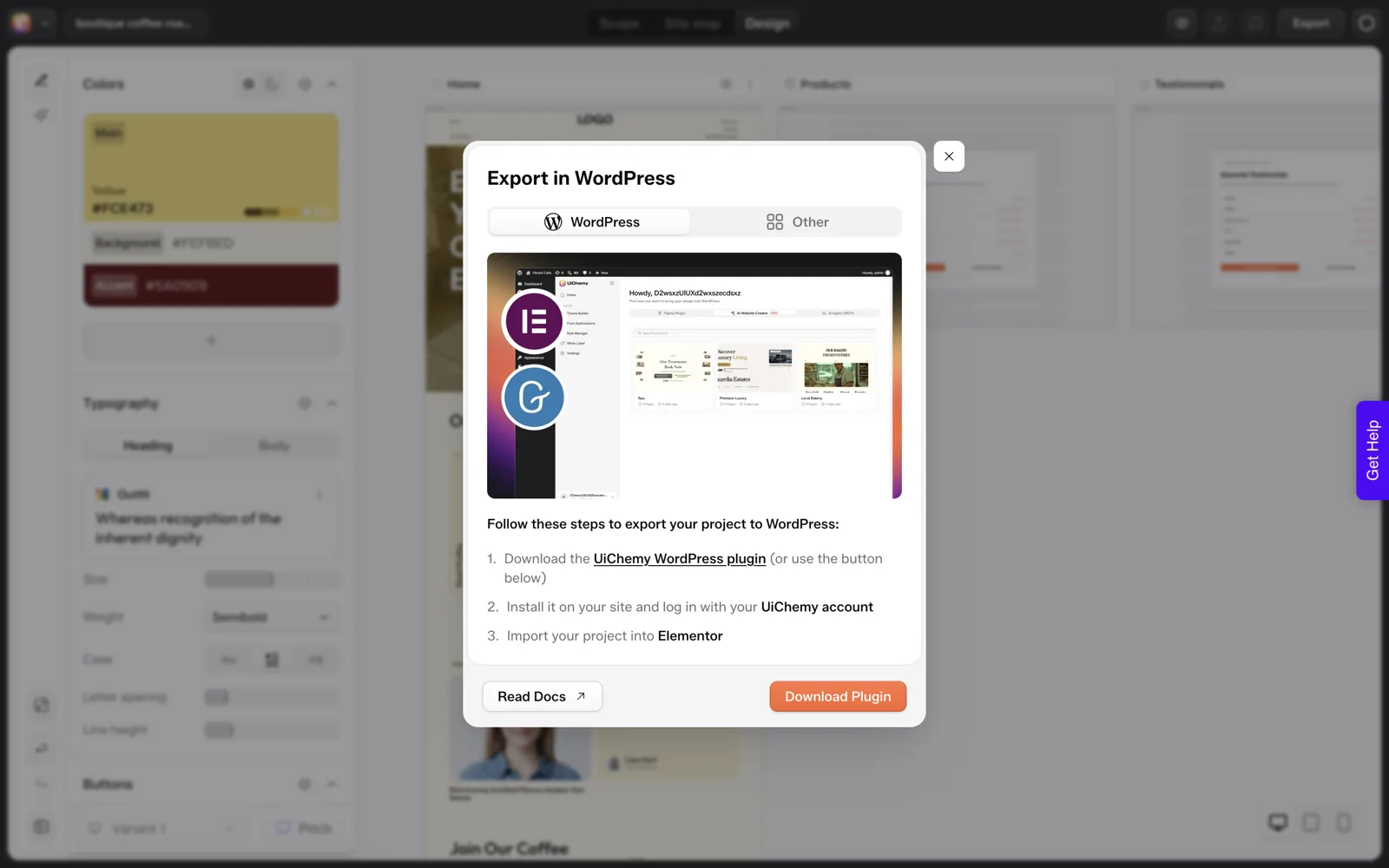
The export route has one more practical limit. The export to WordPress documentation describes a plugin-based flow: install the UiChemy plugin on the target site, log in and import. There is no one-click push to a server, which suits some workflows and irritates others. If you need to publish straight from a dashboard, plan for the extra steps.
If a project passes the check, start small. A single page tells you more than any comparison article, ours included. See UiChemy pricing explained before choosing a plan, and note the 14-day refund and the option to try without a card.
A Worked Example: The Fit Check on Three Projects
The fit check is easier to trust once you have seen it run. These three projects are examples I made up to show the logic. Your own answers will differ.
| Project | Answers that matter | Verdict |
|---|---|---|
| A new five-page site for a dental clinic, built in Elementor on WordPress | WordPress yes, Elementor yes, new build yes, review possible yes, Bricks export not needed | Good fit. Start with one page and review it. |
| An agency’s hand-built theme with its own templates and build pipeline | The theme is the product, and every line is written and reviewed by the team | Poor fit for generation. Keep the pipeline. |
| A client who wants a prompt-built site delivered in Bricks this week | Bricks export is needed now, and it is marked “Soon” | Not a fit today. Use another route. |
The first row passes on every question. The second fails on control, and the third fails on a single hard requirement. Two of three are a no, and that is a normal result. A tool that fits every project in a list would be a tool you should distrust.
Partial Fits: Where It Helps One Part of a Project
A no on the whole project does not always mean a no on every part. Some of the cases above leave room for a narrow use.
- Custom theme, one unusual section. Keep your theme, and consider Composer for a single section that would take you hours to hand-code. Our post on Composer vs custom HTML widgets and code snippets compares the options.
- Mature site, one new page. Leave the live site alone and test on a staging copy first. A single new page limits the risk compared with a rebuild.
- Bricks project, Elementor budget. If the client would accept Elementor or Gutenberg, the export that exists today applies. If not, and there is a Figma design, Classic Mode reaches Bricks.
- Another platform later. If WordPress is on your roadmap but not today, wait until it is.
Treat each of these as an experiment with a clear stop point, and write the stop point down before you begin. A small test costs little, and the 14-day refund and no-card trial limit the downside further. For sites you inherit as raw code instead, moving a hand-coded or cloned site into WordPress lists the options.
Signals to Stop Midway
You can start a project and discover it is not a fit. Decide in advance what would make you stop, so sunk cost does not decide for you.
| Signal | What it suggests | Next step |
|---|---|---|
| The sitemap review keeps showing pages you never asked for | The brief is too loose for the tool | Rewrite the prompt with named pages, or build the structure by hand |
| You are rewriting most generated text | The output is not saving time | Stop after the first page and compare effort honestly |
| The client needs a feature marked “Soon” | The tool cannot deliver it yet | Choose another route for that feature |
| Your review list is longer than your build time | Rework outweighs speed | Use the refund window if you are inside it |
| You cannot accept generated code in the project | A policy mismatch | Use it as reference only, or not at all |
Before you start, note the date your 14-day refund window ends. If you choose to try a different tool, which AI builder for which job compares the options by task, and UiChemy pricing explained shows what you would be paying for if you stay.
When to Run the Fit Check Again
A verdict is not permanent. Run the check again when the project, the tool or your own situation changes.
- The project scope grows. A five-page site that becomes a store may fail a question it passed before.
- A feature leaves “Soon”. Re-read the pricing page, because a blocker today may be gone later.
- Your team changes. A new reviewer can make a hard no into a workable yes.
- A trial result surprises you. Your own test counts for more than any list.
Keep your answers in the project notes, with the date. A dated no is easy to revisit, while a vague memory of a no is not.
FAQ
When is UiChemy not a good fit?
It is a poor fit for hand-built custom themes, mature sites that already work, projects that need Bricks export today, non-WordPress targets and teams that require every line to be human-written. For standard WordPress builds with Elementor, it is a better fit.
Does UiChemy work with platforms other than WordPress?
No. UiChemy is built for WordPress. The export dialog has a vote tab listing React, Bricks, Divi, Gutenberg Core, Webflow, Framer, Wix and others, which are requests rather than available targets. Use the native tool for those platforms. If WordPress is in your plans later, UiChemy will make sense then.
Can I use UiChemy to redesign an existing live site?
You can, though we would think twice about it. A live, ranking site carries redirects, content and tuned settings, and a rebuild adds risk. If the reason to change is clear, test on a staging copy first and compare it carefully with the live site before you switch anything over.
What if I need Gutenberg blocks?
Export to Gutenberg is live on every plan, alongside Elementor, so AI Website Creator can deliver the site as blocks. Composer also writes inside Elementor or Gutenberg. Bricks is the export still marked “Soon”; for Bricks today, convert a Figma design with Classic Mode. Check the pricing page for the current status of each export.
Is there a risk of paying for something that does not fit?
There is a 14-day refund and you can try without a card, so the risk is limited. Run the fit check above, try one small page, and judge from the result. If the review shows too much rework, stop there and you have lost very little.
If your project passes the fit check, you can Get Started with one small page.
Every feature named in this post is listed by product: all UiChemy features, UiChemy Composer features.