Figma AI Agents and the MCP Shift in Design Tooling
 Sagar Patel
A client approves a homepage frame on a Friday. On Monday someone forwards a thread claiming an agent can now read that frame, write the components back into your Figma file, and produce the front end without a handoff meeting.
Half of that is true, the half that matters for a WordPress build is not, and the difference is worth about a day of your week.
The phrase Figma AI agents now covers three separate products that arrived within six months of each other. They have different pricing, different permissions and different failure modes.
Treating them as one thing is how people end up surprised by a bill or by an empty Elementor page.
Agent workflows on the WordPress side changed in the same window. UiChemy is now four products on one engine rather than a single Figma converter, and two of them are driven by prompt rather than by a frame, so “an agent cannot get you into WordPress” stopped being true somewhere around the start of September.
Everything below was checked against Figma’s own product pages, help centre and developer documentation on 8 September 2026. Where a feature carries a beta label or a published rate cap, the label and the number are stated, because both change what you can promise a client.
What Figma AI Agents Mean In September 2026
The first thing is the agent inside Figma Design. Figma describes it as an AI design agent native to the canvas that reasons, takes action and runs multi-step design tasks using your real components, tokens and variables rather than placeholder UI.
It lives in a panel in the design file, it can run several prompts in parallel, and threads can be shared so a teammate sees the whole prompt history.
The second thing is the Figma MCP server. That is a server your coding tool connects to, which hands design context to a model and, since March 2026, lets that model write back to the canvas.
It is the piece that makes Claude Code or Codex able to touch a Figma file at all. Where Claude sits as a design tool rather than a coding one is a separate assessment.
The third thing is the habit rather than the product: firing design work from a chat window instead of a plugin panel. That habit is what the other two exist to serve, and it is the one that changes how an agency actually schedules a week.
| The agent in Figma Design | The Figma MCP server | |
|---|---|---|
| Where you use it | A panel inside a Figma Design file | Your code editor or CLI, through an MCP client |
| Who drives it | You, in Figma | Claude Code, Codex, Cursor, VS Code and others |
| Status today | Open beta | Beta, with write to canvas free during the beta |
| What it costs now | Free, consumes no AI credits yet | Free, described by Figma as eventually usage-based paid |
| What it will cost | AI credits, same pool as Figma Make | A paid API, priced later |
| Reads your design system | Yes, components, tokens and variables | Yes, plus Code Connect mappings |
| Writes to the canvas | Yes | Yes, via the use_figma tool on the remote server |
| Produces WordPress | No | No |
The Two Tools That Do The Real Work
Figma names two tools explicitly in its March 2026 announcement, and knowing which is which saves you from prompting for the wrong thing. The older one is generate_figma_design, which translates HTML from live apps and websites into editable Figma layers.
The newer one is use_figma, which lets an agent operate on the canvas using your design system.
Figma frames them as complementary rather than competing. When designs drift out of sync with what shipped, generate_figma_design pulls the live interface back onto the canvas.
From there use_figma edits those layers or builds new assets out of your existing components and variables.
Underneath both sits the ordinary read side of the server, which has been in beta since June 2025.
It returns pattern metadata, screenshots, a React and Tailwind code representation, and the text, SVG, layer names and annotations that tell a model what the interface is meant to contain.
Figma’s own framing is that a screenshot combined with the code output performs better than either alone.
There are two ways to connect. The remote server at https://mcp.figma.com/mcp is the one Figma recommends and the only one that supports writing to the canvas.
The desktop server runs locally through the Figma desktop app and is described as primarily for specific organization and enterprise cases.
Skills sit on top of all of this. They are markdown instruction files that tell an agent which tools to call, in what order, and which conventions to follow.
Figma shipped nine example skills alongside the launch, several written by practitioners outside Figma, with a foundational /figma-use skill that the others build on.
The Rate Limits Figma Publishes
This is the part most write-ups skip, and it is the part that decides whether an agent workflow survives contact with a real project week. Figma publishes per-seat and per-plan caps on MCP tool calls in its developer documentation, and they are strict enough at the bottom of the range to rule the workflow out entirely.
| Seat | Starter | Professional | Organization | Enterprise |
|---|---|---|---|---|
| View or Collab | Up to 20 per month | Up to 6 per month | Up to 6 per month | Up to 6 per month |
| Dev or Full | Not available | 200 per day, 10 per minute | 200 per day, 15 per minute | 600 per day, 20 per minute |
Read that Collab row twice. Six tool calls a month on a paid plan is not a workflow, it is a demo, and a single serious prompt can burn several tool calls on its own.
Education plans get the same allowance as a Dev or Full seat on Professional, which is 200 calls a day at 10 a minute.
The caps apply to tools that read data from Figma. Three write-side tools are exempt: add_code_connect_map, create_new_file and whoami.
Figma also states plainly that it reserves the right to change these numbers, so treat any figure you build a client quote on as a September 2026 snapshot.
Which Clients Get Write Access
Figma keeps a public MCP catalog, and only clients listed there can connect to the remote server at all. The catalog splits into three groups that matter: read and write, read only, and remote versus local.
Picking the wrong tool is the fastest way to conclude, incorrectly, that agents cannot design.
- Read and write, remote and local: Claude, Claude Code, ChatGPT, Codex, Cursor, VS Code, GitHub Copilot CLI, Warp, Factory, Augment, Kiro, Grok and Devin.
- Read and write, remote only: Xcode, which the catalog still marks beta.
- Read only: Google Antigravity, Replit, Rovo Studio, Android Studio, Amazon Q, OpenHands, Zed and ServiceNow Build Agent.
Coverage of Figma surfaces varies inside those groups too. ChatGPT is the only client the catalog lists as supporting Figma Slides alongside Design, FigJam and Weave.
Notion and Slack appear in the catalog supporting FigJam alone, which is a reminder that this list is about integrations generally, not about a single design-to-code path.
Enterprise-managed authorization exists but is narrow. Figma supports it only for Claude, through Okta Cross App Access, so a member signs in once through Okta rather than running the OAuth flow per user.
Everyone else authorises individually.
What This Costs Once The Beta Ends
Right now the answer is nothing, and that is the trap.
Figma states in its help centre that Weave tools and the agent in Figma Design are free during open beta and do not consume credits yet, then says both are moving from open beta to general availability, at which point they draw from the same AI credit pool as every other Figma AI feature including Figma Make.
That pool is per seat, resets monthly, does not roll over, and cannot be shared or transferred between users. The allowances published in the help centre are 500 credits a month for a Full seat on Starter, 3,000 on Professional, 3,500 on Organization and 4,250 on Enterprise.
Dev, Collab and View seats get 500 a month regardless of plan, and Starter or View users also hit a 150 credit daily ceiling.
Figma widened the paid add-on packages on 25 August 2026, giving twice the credits at the same subscription cost on Professional and 1.6 times on Organization and Enterprise. Seat credits themselves did not change.
We covered the mechanics of that pool separately in our breakdown of Figma AI credits, and the beta status of the Weave side in the Figma Weave review.
For agentic features Figma refuses to publish a fixed rate, and the refusal is honest rather than evasive.
Its own examples for Figma Make put a font change at roughly 30 credits, making an attached design interactive at roughly 75, and generating an app from scratch at roughly 100 or more. The agent in Figma Design is expected to behave the same way once it is metered.
The practical consequence is simple. Any agent-driven design habit you form during a free beta should be costed twice: once at zero, and once at Figma Make rates, because the second number is the one that arrives.
Where The Agent Stops And WordPress Begins
Everything the Figma MCP server returns on the code side is framed around React and Tailwind by default, with Code Connect pointing at component paths in a JavaScript codebase. That is a reasonable default for a product team shipping an app.
It is the wrong shape entirely for a WordPress site built in Elementor, Gutenberg or Bricks.
An agent with canvas write access can restructure your frame, apply your variables and fix your spacing. It still cannot hand a WordPress editor a native widget tree.
Pasted markup lands as code a client cannot touch, which is exactly the objection every AI site generator collects in WordPress communities.
UiChemy runs its own MCP server for that last step, and the framing on the site is deliberately modest: a bonus for developers, never a requirement to get value.
You call it from Claude, Cursor, Codex or Antigravity, and a Figma frame comes back as native, editable Elementor widgets on your own site.
Setup notes, including the Node.js and HTTP Basic Auth cases that trip people up, live in the UiChemy MCP troubleshooting guide.
There is a second agent-shaped route that does not involve MCP at all, and since the 7 September 2026 rebuild it is the more interesting one. UiChemy Composer is a single widget you drop into an Elementor page once.
You connect Claude from your terminal with one command, then describe sections in the Composer chat and get real, editable HTML, CSS and JavaScript back. Design Mode is fields only, Developer Mode adds a class editor, code tabs, a layers panel and global variables.
The distinction that matters to an agency: you bring your own key or agent, so nothing is locked to a vendor’s service, and only the code you actually build ships. That is a different bargain from an agent that writes into a canvas you then still have to convert.
The Figma agent and Composer are answering opposite ends of the same week.
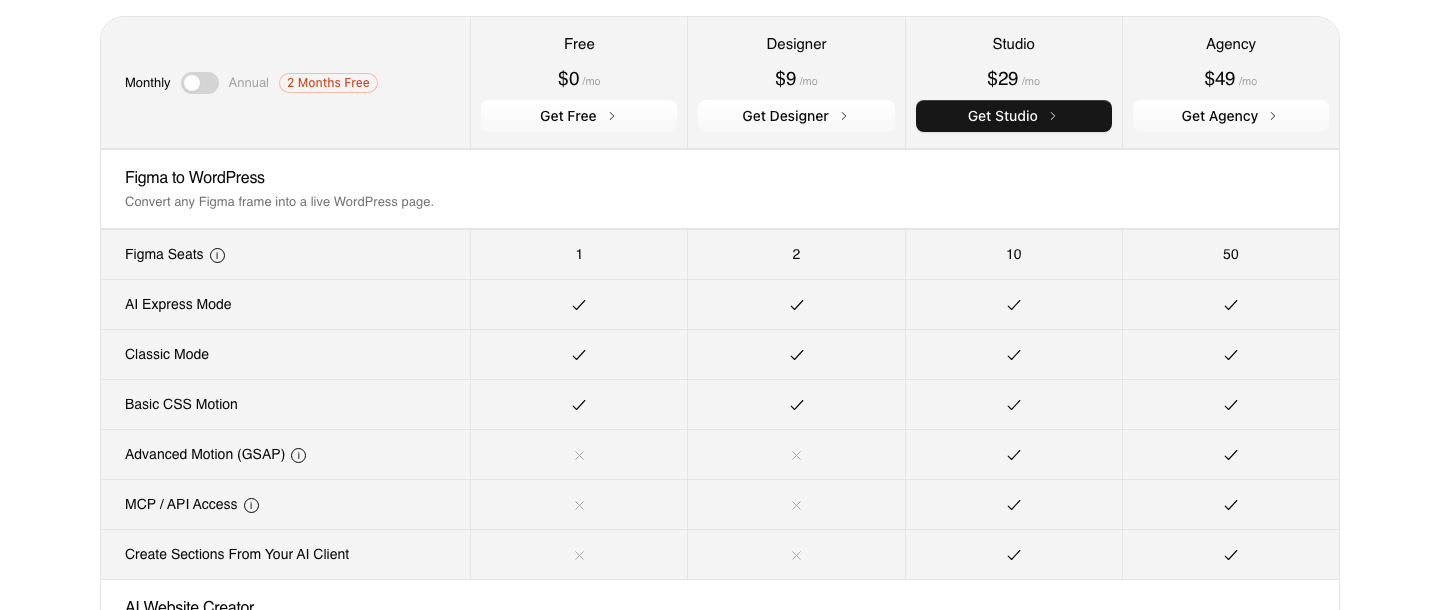
Access is by plan rather than by seat, which is the opposite of how Figma gates its own server. MCP and API access start on Studio at $29 a month with 12,000 credits, and continue on Agency at $49 with 20,000.
Advanced GSAP motion starts on the same tier. The $0 Free plan carries 1,000 credits and Designer at $9 carries 4,000, and both cover every builder and both conversion modes, but neither includes MCP.
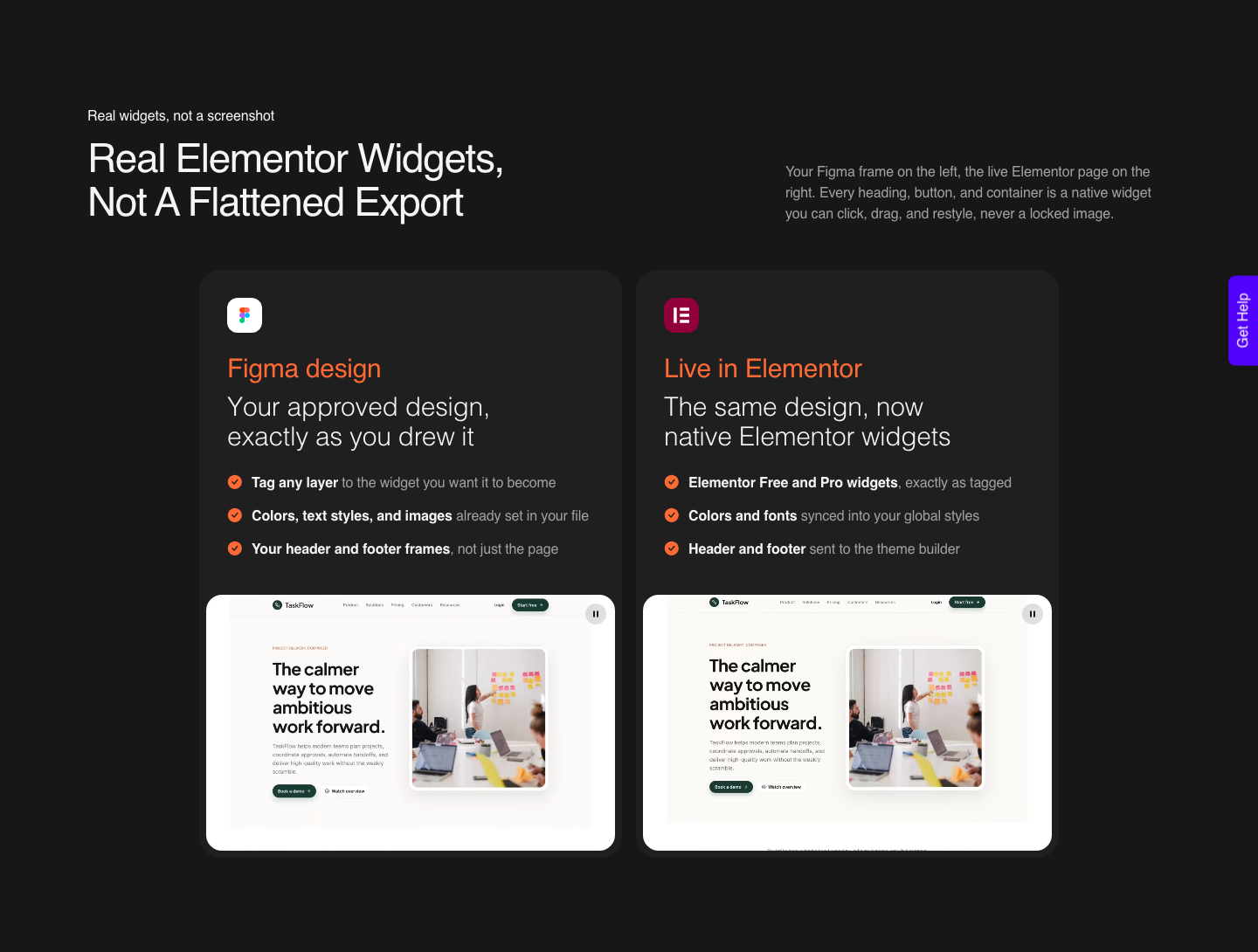
The honest division of labour looks like this. Figma’s agents are good at the design system work: auditing a library, generating variants, pulling a live interface back onto the canvas so the file matches production.
The conversion into a builder is a different problem with different rules, and it is the one a Figma to Elementor converter exists to solve.
Honest Limits Worth Knowing First
Output is not repeatable. Figma says so directly: AI models are inherently non-deterministic, so the same prompt can produce different results, and skills exist partly to make that behaviour more predictable by encoding steps and guidelines.
If a client expects the same output twice, skills reduce the variance rather than remove it.
Permission errors are common and usually boring. You can only reach Figma content you already have permission to view or edit, and Figma’s own troubleshooting order is to check the file link, run whoami to confirm which account authenticated, then confirm the user belongs to the plan that owns the file.
Canvas writing needs the remote server, not the desktop one, and it is not supported by every client even among those that connect. Sending live UI to Figma is narrower still, listed as supported by select clients only.
On our side the limits are just as specific. AI Express outputs to Elementor today, with Gutenberg and Bricks coming next, and Classic mode covers all three now.
Composer runs inside Elementor and the site does not claim Gutenberg or Bricks for it. AI Website Creator exports to Elementor, with Gutenberg export marked Soon on every plan including Agency.
One verified reviewer’s framing of roughly 70 percent of the work handled with 30 percent left to fine-tune in Elementor is the honest version of what any conversion delivers.
Design hygiene still decides quality. Converting a file you have not cleaned up wastes more time than it saves, which is why the design optimisation guide is worth twenty minutes before your first run rather than after your third disappointing one.
Frequently Asked Questions
Do Figma AI agents cost credits right now?
No. Figma’s help centre states that Weave tools and the agent in Figma Design are free during their open beta and do not consume AI credits yet.
Both are moving to general availability in a few weeks according to that article, and Figma has said it will give notice before credit consumption begins.
Can an agent write to my Figma file, or only read it?
Both, since March 2026. The use_figma tool lets clients such as Claude Code and Codex create and modify frames, components, variables and auto layout, using your design system as the source of truth.
It requires the remote MCP server, and the client has to be one the catalog marks with write access.
Which seat do I need for the Figma MCP server?
The remote server is available on all seats and plans, but the useful allowance is not. A Dev or Full seat on a paid plan gets 200 tool calls a day on Professional and Organization, or 600 on Enterprise.
A View or Collab seat gets 6 a month on paid plans and 20 a month on Starter.
Will a Figma agent build my WordPress page?
Not into a builder. The MCP server returns React and Tailwind by default and writes to the Figma canvas, neither of which is an Elementor, Gutenberg or Bricks structure.
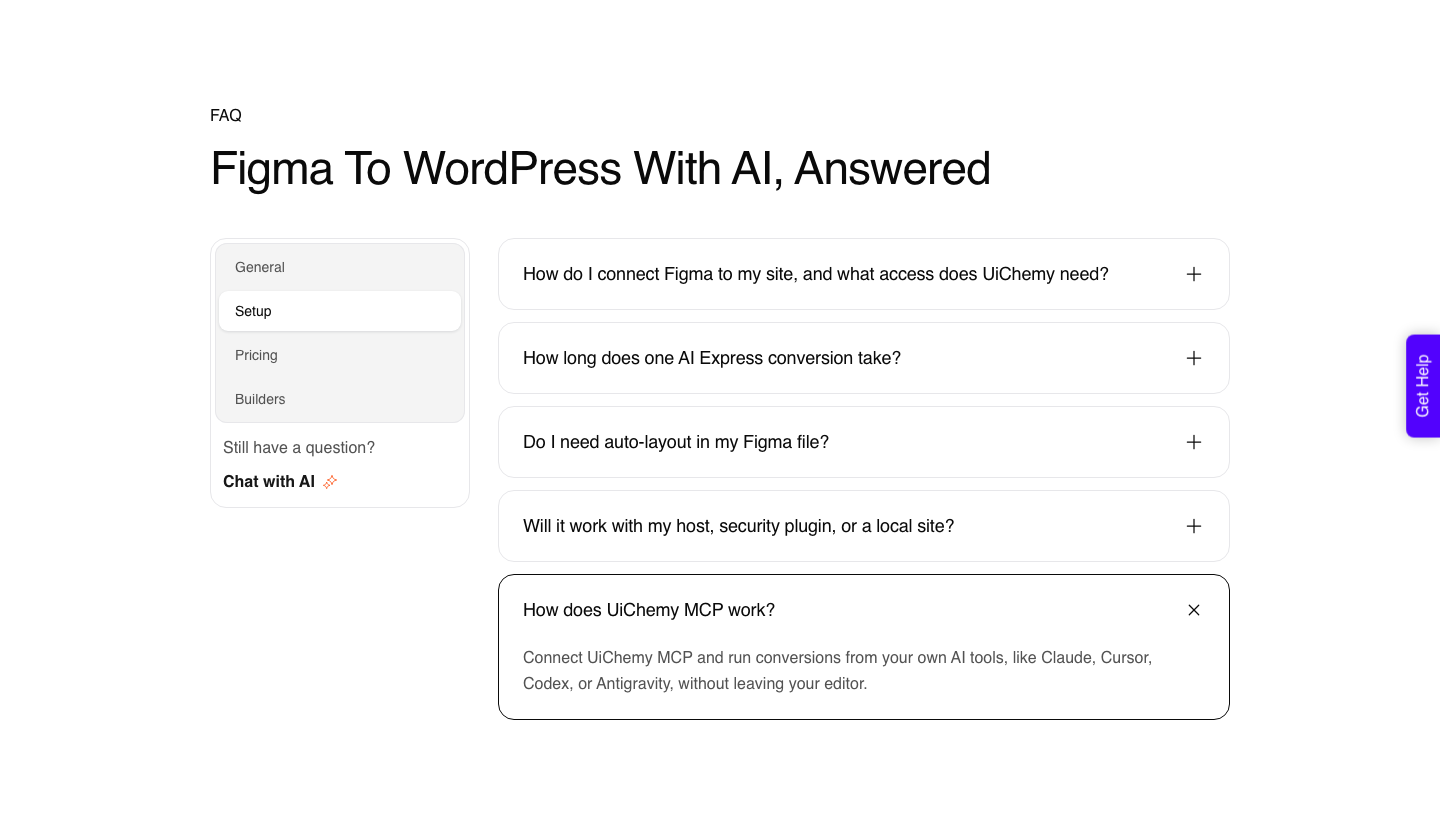
UiChemy handles that step, either by converting the approved frame or by building the section in Composer with Claude connected from your terminal. UiChemy also exposes its own MCP, from Studio at $29, so the request can start in Claude or Cursor.
What are skills, and do I need to write code for them?
Skills are markdown files that give an agent instructions for a workflow: which tools, in what order, under which conventions. Figma states that anyone can author one and that writing one does not require building a plugin or writing code.
Community skills are published in the Figma Community and in Figma’s community-resources repository.
What To Do With This On Monday
If you have a Dev or Full seat on a paid plan, connect the remote server and spend a session on one narrow job: pulling a shipped page back onto the canvas so the file matches production. That is the task where the agent story is already fully true, and it costs nothing while the beta holds.
Then keep the WordPress step separate in your head and in your budget. The canvas work and the builder work are two different conversions with two different price lists, and the moment you plan them as one you will be surprised by whichever one you forgot to cost.
The WordPress side has a $0 tier with 1,000 credits, so the second half of that experiment costs nothing to start either.
Sources checked for this post: the Figma MCP server guide, Figma’s published rate limits and access rules, the Figma MCP catalog, the March 2026 canvas announcement and the AI credits documentation.