Figma Make Alternatives for People Who Need a Real Website
 Sagar Patel
Something is happening with Figma Make. Searches for alternatives to it are up roughly twelve times year on year, off a base that barely existed.
That is not idle curiosity. That is people who tried it and went looking for something else.
Having watched a fair number of these projects, the reason is usually the same, and it is not that Make is bad at its job. It is that its job is not the one people assumed.
What Figma Make Is Actually For
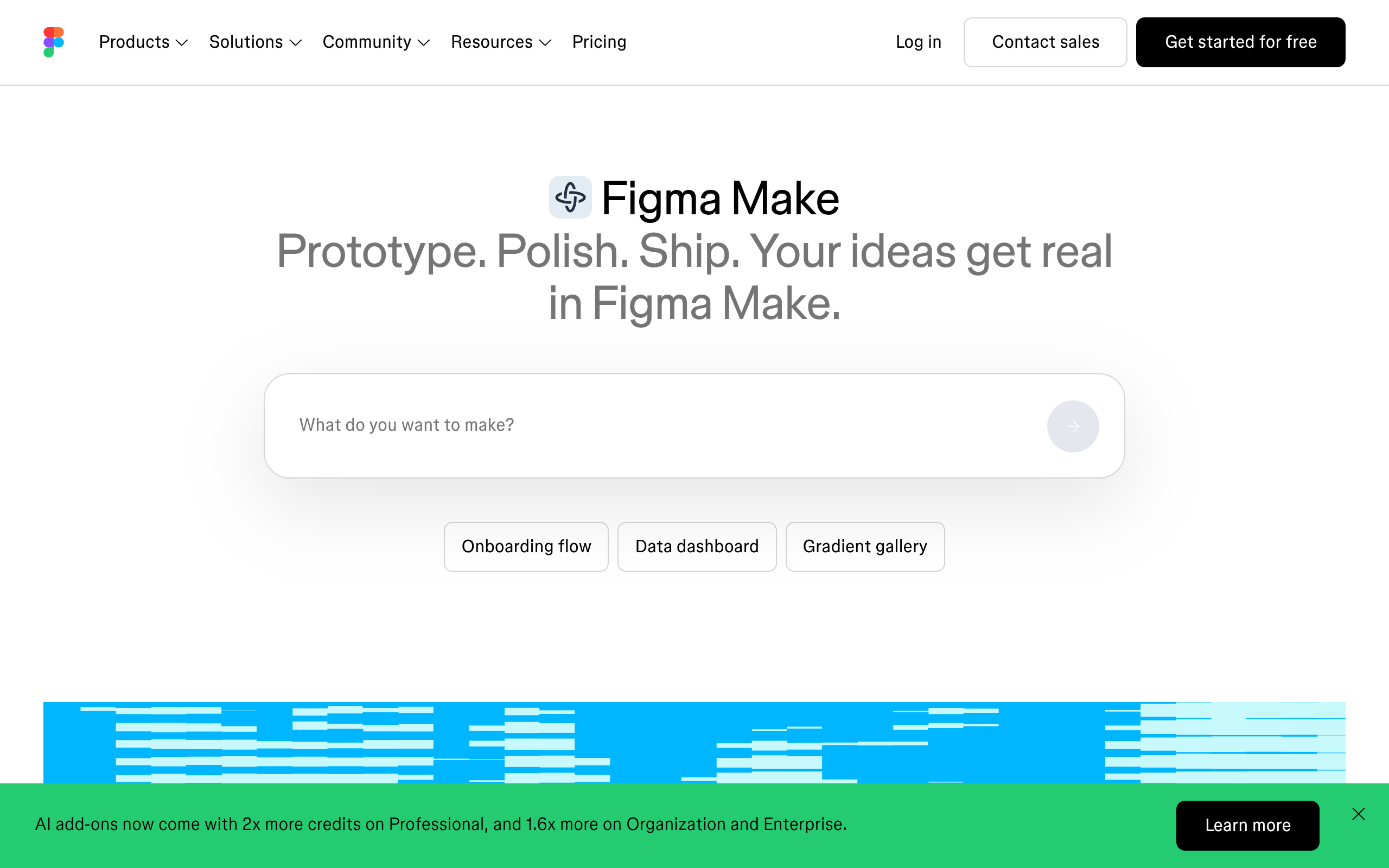
Figma describes Make as prompt to code. You give it an instruction and it produces working code.
It can also connect to your own repository and open a pull request against it, though that part is a Mac-only closed beta on a waitlist as of 8 September 2026. Read the first sentence again, because it contains the whole problem.
It is a tool for teams who ship software from a repository. If you have a codebase, engineers and a review process, Make slots into it well.
Most people searching for an alternative do not have a codebase. They have a client, a deadline and a WordPress site.
For them a pull request is not a deliverable, it is a bill from a developer they were trying not to need.
Who Can Actually Use It, And Where
Before the reasons people leave, it is worth knowing how many of them never really arrived.
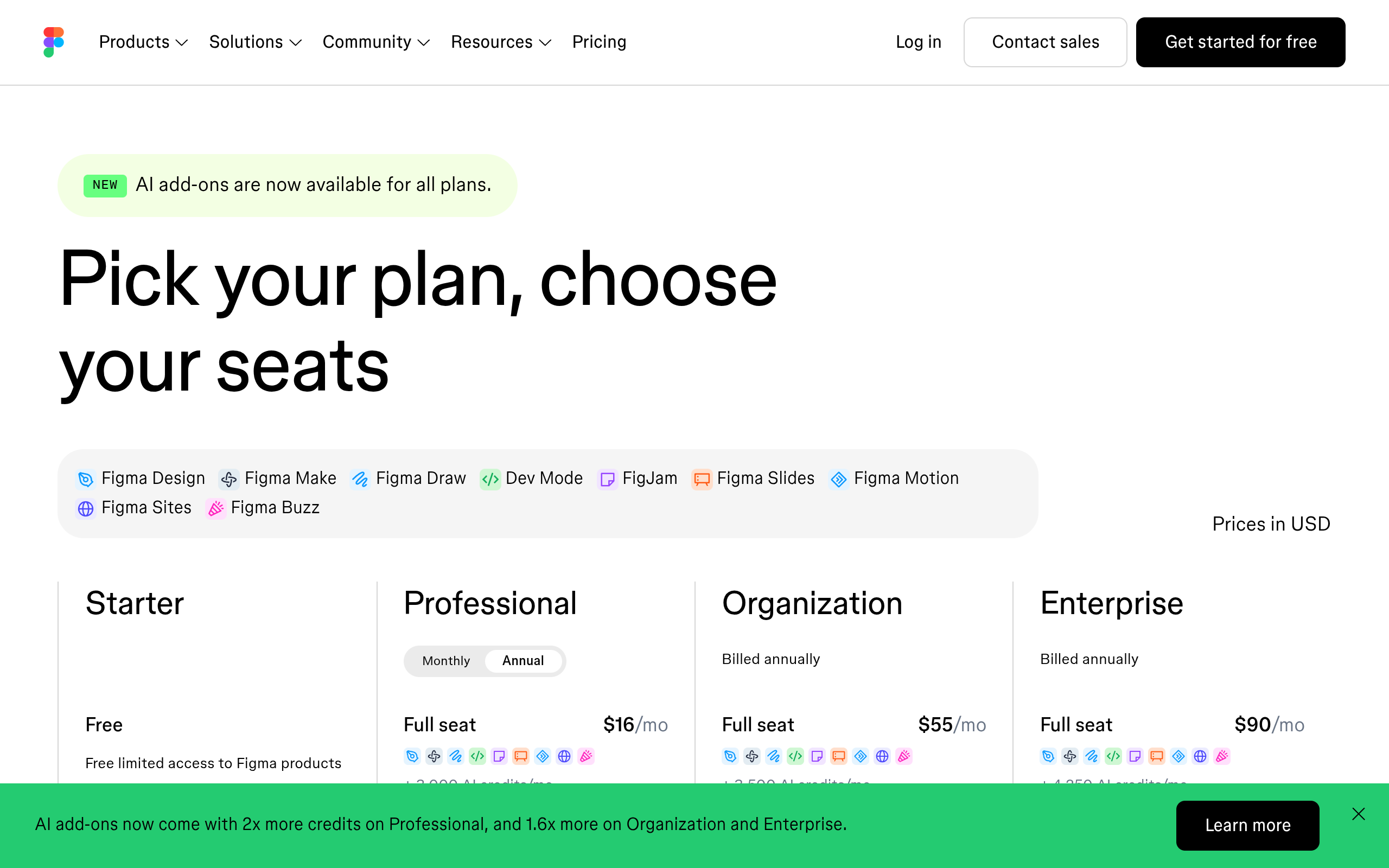
Figma Make is included with a Full seat on a paid plan.
Every other seat can try it, and the word try is doing a lot of work in that sentence.
A Dev, Collab or View seat can create Figma Make files in drafts only. Those files cannot be shared and cannot be published, which means nobody else on the team can see the thing you made, let alone comment on it.
Figma states that plainly in its own Make FAQ.
| What you want to do | Full seat | Dev, Collab or View seat |
|---|---|---|
| Create a Make file in a team or folder | Yes | No |
| Create a Make file in drafts | Yes | Yes |
| Attach a design, point and edit, use the code editor | Yes | In drafts only |
| Share the file with a colleague | Yes | No |
| Publish it to the web | Yes | No |
This is why the search volume looks the way it does. A designer on a Dev seat who tried Make in drafts, liked it, and then found they could not hand the result to anybody is not a churned customer.
They are somebody who never had the product in the first place, and they go looking for a tool that does not have that shape.
The Three Reasons People Leave
The output is not editable by the client. Generated code inside a page is a black box. Nobody without a developer can move a section, swap an image or change a headline.
Every future edit becomes a ticket.
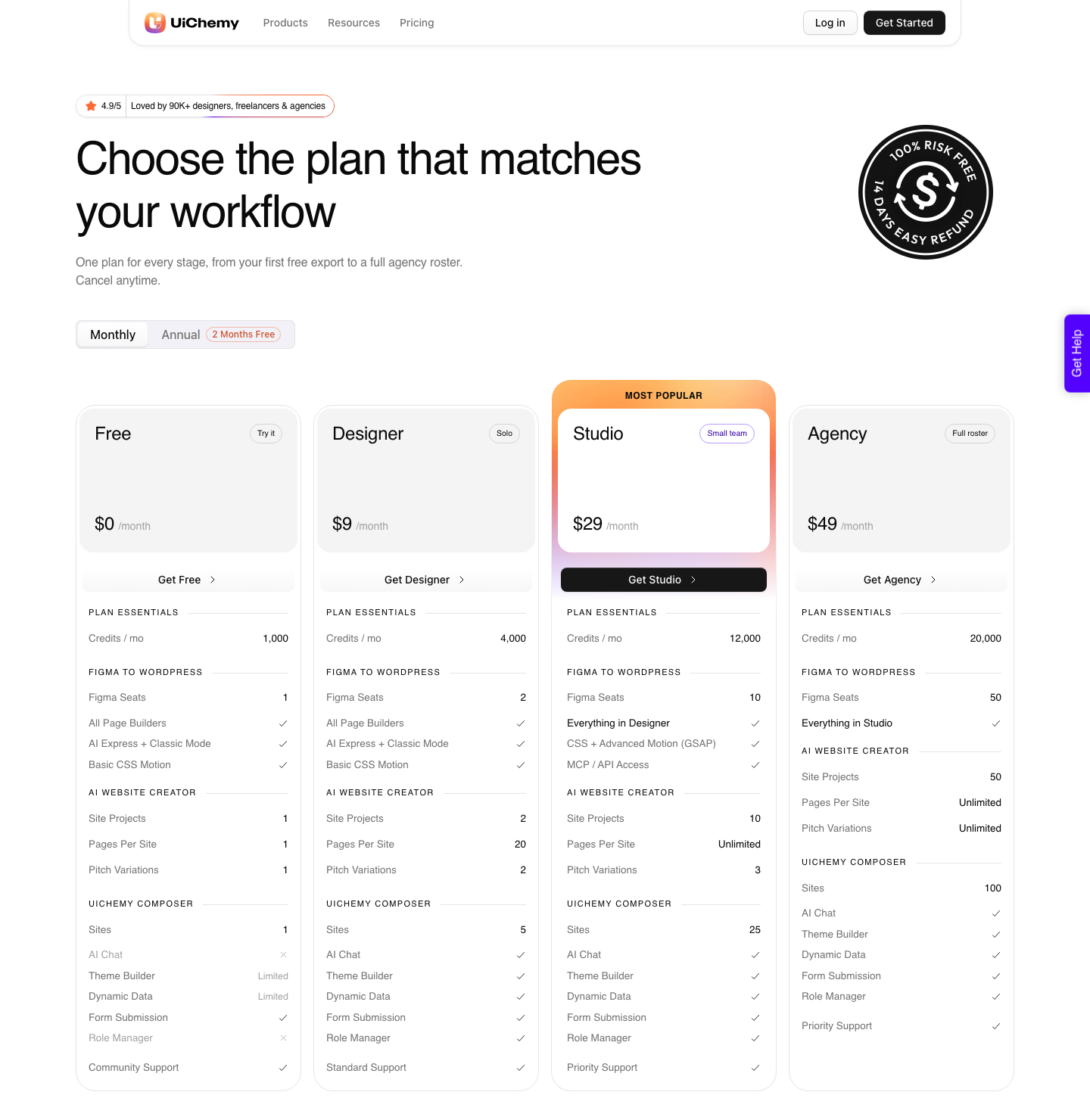
The credits run out. Make draws from the same seat credit pool as the rest of Figma AI, from 500 a month on Starter to 4,250 on Enterprise.
Those credits do not roll over and cannot be shared with a colleague. Iterating on one real project burns through them faster than people expect, which is worth costing out before the first prompt.
It ignores the design system. This is the one that stings. You spend weeks building variables, components and a type scale, then generation produces something that looks approximately right and is built from none of it.
What Publishing From Make Actually Gives You
Publishing sounds like the end of the story and it is where most of the surprises live. A published Figma Make file goes onto the public web at a dedicated URL, hosted on Amazon Web Services with the domain and routing served by Cloudflare.
Anyone with the URL can open it, and Figma says you cannot restrict access to the published version.
The next detail decides whether this can be a client’s website at all. By default a published Make file is not indexed by search engines.
You can change that in the settings, but Figma states there is no specific customisation for SEO beyond its own automatic optimisation, and there is no analytics dashboard.
You can add a Google Analytics ID, or paste another analytics snippet into the head or body through the settings. That is the whole measurement story.
For a prototype nobody cares. For a business page that has to rank and report, it is the difference between a website and a demo with a domain on it.
- Custom domains are allowed, and the limit is per plan: Professional connects 10, Organization and Enterprise connect as many as needed.
- That domain allowance is shared between Figma Make and Figma Sites, so the two products compete for the same pool.
- Hosting is included in your existing paid plan while publishing is in beta, with no separate charge.
- Deleting the Make file automatically unpublishes the site, and the file data is deleted with it.
That last point deserves a moment. The live site and the design file are the same object, so an ordinary bit of housekeeping in a Figma team takes a client’s site down.
Nothing about that is hidden, and nothing about it matches how a person expects a website to behave.
To be fair to Figma, there is a route back. On a paid plan you can copy the preview as design layers and paste them into Figma Design.
Figma also notes that changes to those layers do not flow back to the Make file, and the layers are not tied to your design system, so it is a rescue rather than a workflow.
The Alternatives, By What They Hand You
Comparing these on features is a waste of time. The only question that matters is what you are holding at the end and who can maintain it.
| Option | What you end up with | Who can edit it after |
|---|---|---|
| Figma Make | Code, and a pull request in the closed beta | A developer |
| Figma Sites | A published site hosted by Figma, still in beta | Whoever has Figma access |
| Lovable, Bolt, v0 | A generated app or page, as code | A developer |
| Hand rebuild in a page builder | A native, editable site | Anyone, after four to eight hours of your time |
| Conversion into native elements | A native, editable site | Anyone, in minutes |
Who Maintains It In Year Two
The table above answers what you are holding on the day you finish. This one answers the more expensive question, which is who is responsible for the thing eighteen months later when the person who built it has moved on.
| Option | Where the site lives | Who maintains it | What takes it down |
|---|---|---|---|
| Figma Make, published | Figma hosting on AWS, routed by Cloudflare | Whoever holds the Full seat that owns the file | Deleting the Figma Make file |
| Figma Make, code exported | Wherever your team deploys it | A developer with repository access | The usual deployment risks |
| Figma Sites | Figma hosting, still in beta | Whoever has Figma access | Figma access changes |
| Lovable, Bolt, v0 | Wherever the generated code is deployed | A developer | The usual deployment risks |
| Hand rebuild in a page builder | Your own WordPress host | Anyone who can use the builder | Your own hosting decisions |
| Conversion into native elements | Your own WordPress host | Anyone who can use the builder | Your own hosting decisions |
None of this makes the generators bad software. It makes them a poor fit for one specific job, which is a small business site that has to sit somewhere stable, be edited by someone who is not a designer, and still be there when nobody remembers which account it was made under.
If The Destination Is WordPress
Then the alternative is not another generator. It is conversion.
The difference is what lands on the page. A code exporter gives you markup sitting inside a builder, which the builder cannot meaningfully edit.
Conversion maps your Figma layers onto real Elementor widgets, Gutenberg blocks or Bricks elements, so the output behaves exactly like something built by hand in that builder.
That is what UiChemy does.
Two modes are included on every plan: AI Express reads the layers and builds the page with no tagging, and Classic gives manual control over how each element maps.
Your Figma colours and typography sync into the builder’s global settings rather than being flattened into one-off values.
Conversion is only one of the four ways in, and the other three matter here because most people searching for a Figma Make alternative do not have a finished Figma frame either.
AI Website Creator is the prompt-first route: a text prompt or a client brief becomes a scope, then a sitemap, then a design, then an Elementor export.
Export To Gutenberg is marked Soon on all four plans, so that is a plan for later rather than a deliverable today.
UiChemy Composer is the third.
One widget, dropped into an Elementor page once, after which AI writes real editable HTML, CSS and JavaScript with a Design Mode for text, images and colours and a Developer Mode with a class editor and code tabs.
Composer is also the route a Lovable, Claude, Bolt or v0 build takes to get into WordPress, which is the answer for anyone who reached this page from a different generator rather than from Make.
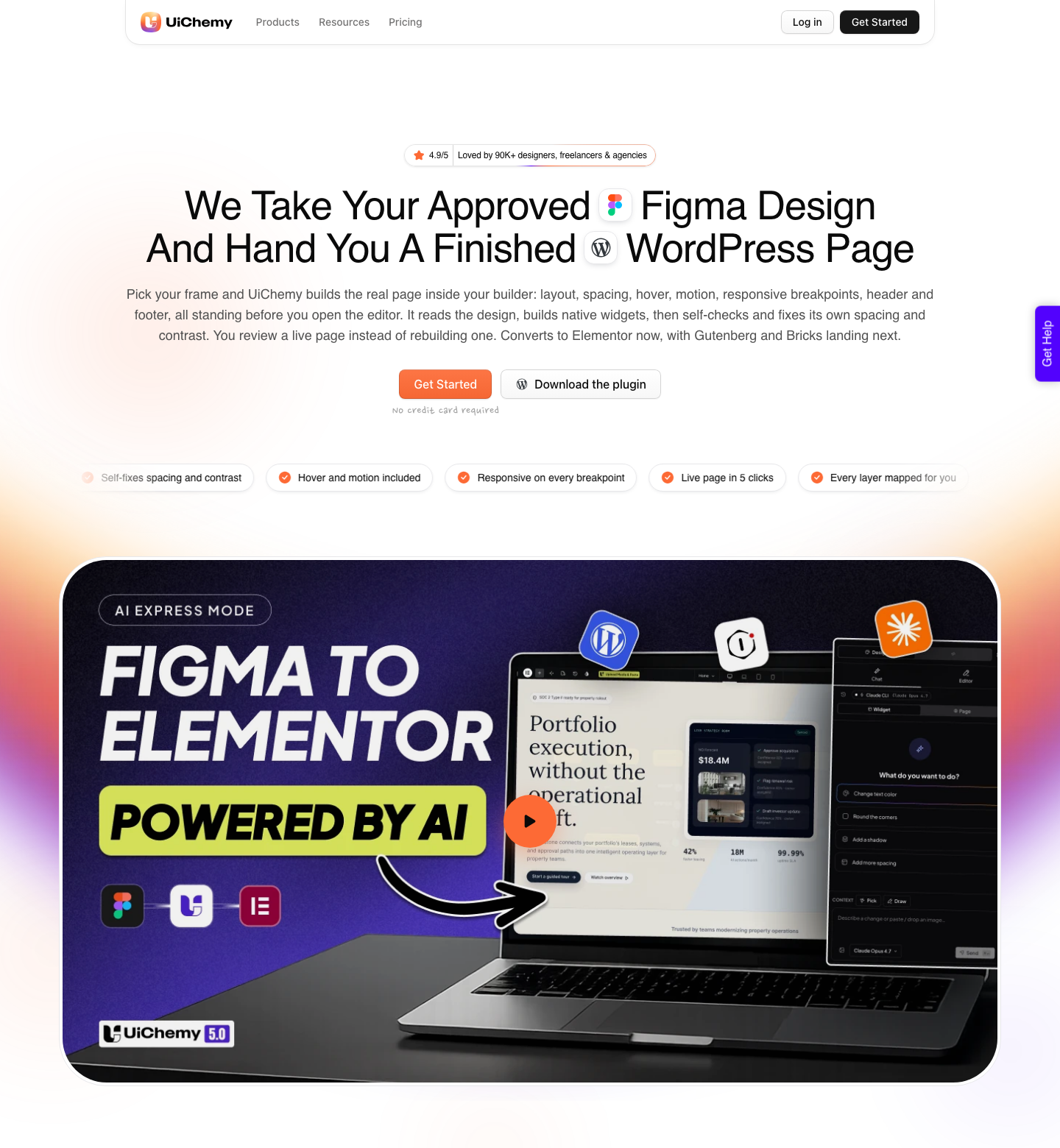
The honest limits, since this is a post about honest limits. AI Express currently outputs to Elementor only, with Gutenberg and Bricks covered by Classic mode today.
A verified reviewer describes the realistic split as about 70 percent of the design work handled and the remaining 30 percent fine-tuned in Elementor, which is a fairer promise than any claim of a finished page.
And a badly built Figma file still converts badly, because no tool can infer structure that was never there.
A Note On Credits, Since That Is Why Many People Look
UiChemy also runs on credits, so it is fair to compare directly. There are four plans, and the first one costs nothing: Free is $0 a month with 1,000 credits, one Figma seat, one AI Website Creator project of a single page and one Composer site.
Designer is $9 for 4,000 credits and 2 Figma seats, Studio is $29 for 12,000 and 10 seats, Agency is $49 for 20,000 and 50 seats. Annual billing is advertised as two months free.
The structural difference from Figma is where the credits are attached. Figma seat credits belong to an individual person and cannot be shared or transferred.
UiChemy credits belong to the plan, which is why a two-person studio on Designer is not rationing two separate balances. Two gates are worth knowing before you buy: Advanced Motion with GSAP and MCP or API access both start on Studio at $29, not on Free and not on Designer.
There is a 14-day refund if it turns out to be the wrong fit.
Four Questions Before You Choose
Feature lists will not settle this because every option on the list can produce a page that looks correct. These four questions separate them in about a minute, and they are worth asking out loud with the client rather than in your own head.
- Where does this live? On hosting you control, or on hosting attached to somebody’s design subscription. That answer decides most of the rest.
- Who owns the domain and the analytics? If measurement is a Google Analytics snippet pasted into a settings panel and nothing else, say so before the contract, not after.
- What takes it offline? A published Figma Make site disappears when the file is deleted. Anything that shares a lifecycle with a design file has a failure mode a website should not have.
- Does it need to be found? Published Make files are not indexed by default and offer no specific SEO customisation, so a page that has to earn search traffic starts at a disadvantage.
Answer those four and the shortlist usually collapses to one option. A prototype for a pitch on Thursday and a small business site that has to run for three years are different jobs, and the mistake is not picking the wrong tool.
It is not noticing which job you are doing.
Frequently Asked Questions
Can I export the code and host it myself?
Yes. Figma lists export code as available on a Full seat and on a Dev seat, and in drafts for Collab and View seats.
What you get is a codebase, so hosting, deployment and every future change belong to whoever can work in that codebase. That is a fine answer if you have one and a poor one if you do not.
Why does my attached design come out wrong?
Figma’s guidance is specific about this. Anything you attach has to be a component or sit inside a frame, and you should attach one design per prompt rather than several.
Pasting a link to your file does not work either, because the model may try to read the URL itself rather than the design behind it.
What happens to a published site if I stop paying?
Figma documents two things: hosting is included in your existing paid plan while publishing is in beta, and deleting the Make file unpublishes the site. It does not document what happens to a live published site when a plan lapses.
Treat that as an open question rather than an assumption, particularly on client work.
Is there a WordPress output from Figma Make?
No. The documented outputs are a published page on Figma’s hosting, exported code, and design layers copied back into Figma Design.
Getting from a Figma file to an editable WordPress page is a different operation, and conversion is the name for it.
Does the alternative have to be an AI tool?
No, and pretending otherwise is how people end up on their third generator in a month. The honest list of alternatives includes the manual rebuild, which is slow but produces exactly what you asked for.
Every option worth considering should be measured against that, not against another prompt box.
How To Pick
One question decides it. After this ships, who edits it?
If the answer is an engineer with repository access, Figma Make is a reasonable tool and you probably do not need an alternative.
If the answer is a client, a marketing team, or you at eleven at night making a copy change, you need native editable output, and no amount of better prompting will turn generated code into that.
The people abandoning Figma Make are not rejecting AI. They are discovering that the last mile of a website project is maintenance, and that generated code is the wrong shape for it.