


July has been an exciting one for us, packed with a major release, some behind-the-scenes improvements, and new ways to help you build faster and better with UiChemy.
Let’s break down what’s changed (and why you’ll love it):
- A Fresh New Look: We’ve redesigned the entire UiChemy interface to be cleaner, more focused, and easier to use. From the dashboard to preview panels, everything now feels more polished and intuitive, making your workflow feel less like work.
- Live Preview Before You Import: No more guessing. Now, you can preview each design section or page visually inside UiChemy before importing. It helps you decide faster and ensures you’re choosing the right layout for your needs.
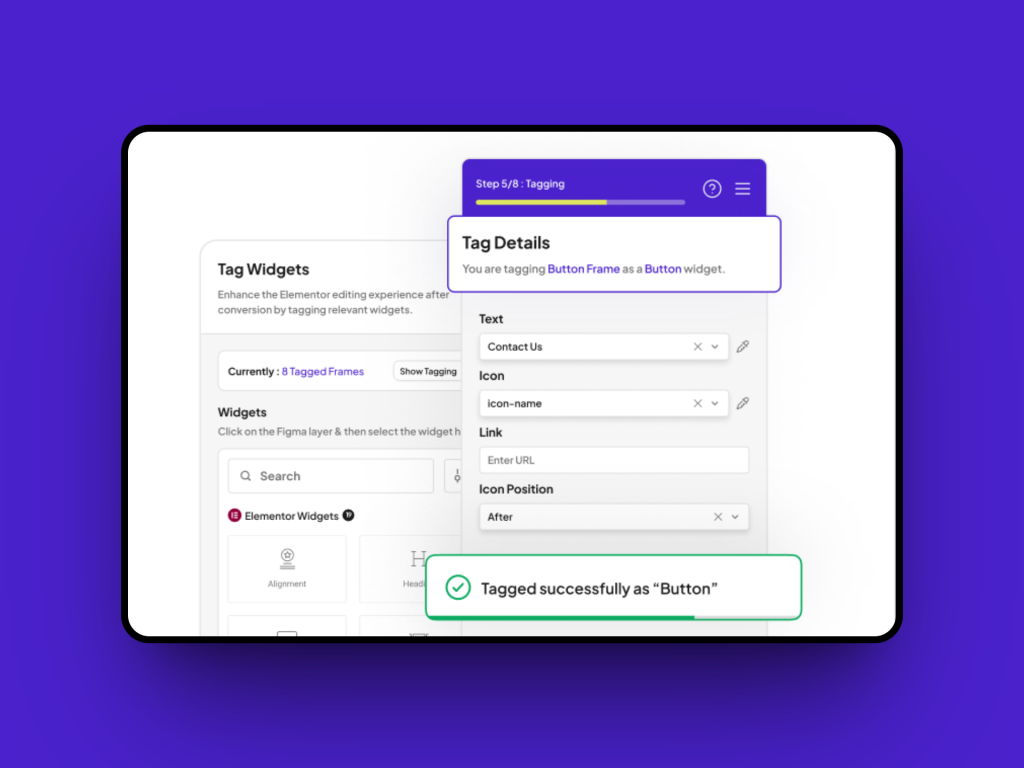
- Tagging Got Smarter: We’ve improved the tagging experience from the ground up. Now, as soon as you tag an element, it instantly reflects in the design, no need to re-click or guess if it worked. It’s fast, clear, and frustration-free. And here’s something new: You’ll now also see a live count of tagged elements. This makes organizing and tracking your progress super simple.
- Control Your Image Export Sizes: Need high-res exports for a client? Or want faster exports with lighter files? You can now scale images up or down based on your needs, all within the export flow. This gives you more control, whether you’re exporting for quality or speed.
- Templates Inside the Plugin: You asked, we delivered. We’ve added 10+ free ready-made templates directly inside UiChemy. No more switching tabs or digging through folders, browse and import what you need, without leaving the plugin.
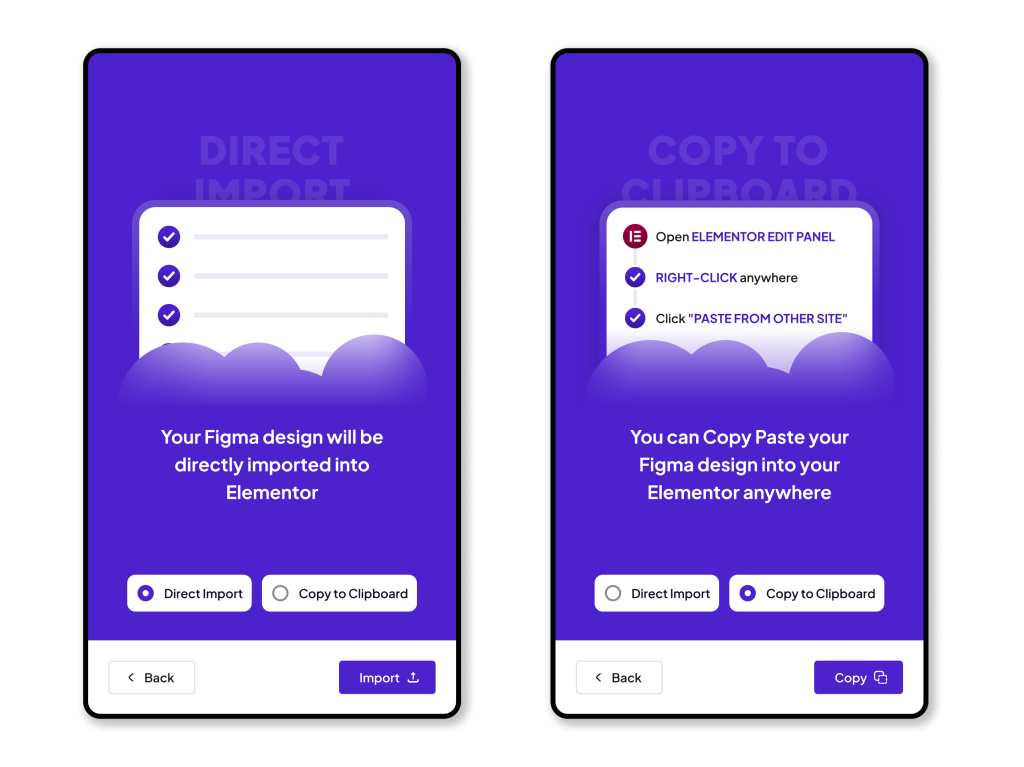
- Export Your Way: Choose ‘Direct Import’ for instant transfer to Elementor, or ‘Copy to Clipboard’ to paste in the editor, both give you clean, fast-loading output.
- Better Typography + Spacing: We’ve refined the way typography and spacing are handled during import. The result? More consistent design and less post-import tweaking.
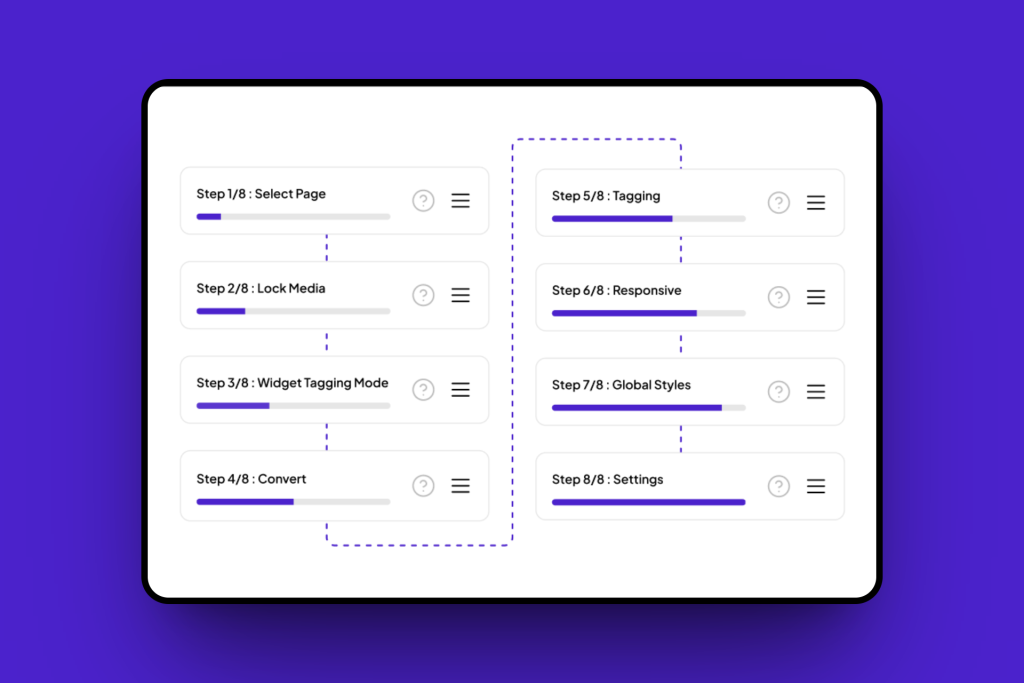
- Onboarding That Actually Helps: New to UiChemy? We have added a simple onboarding flow to guide you through your first few steps, from uploading your Figma file to importing your first block. No more getting lost.
All of these updates are now live in your plugin, no extra steps needed. Just update to the latest version and explore!
👉🏻 Get the full story in our release blog
🎥 Watch the video to see UiChemy 4.0 in action
Thank you for being part of this journey. The feedback, the love, the support – it’s what drives us every day.
Let us know what you think, we’re always listening.
More good stuff is on the way. Stay tuned.
For all the changes, Check out the complete changelog here.
📈 — What’s Next at UiChemy?
We know it’s been a while, things were on hold as we focused on a major update for UiChemy. But we’re back! Over the next couple of months, you’ll start seeing new educational videos and blog posts that’ll make working with Figma to Elementor even easier. We’ve got some really helpful stuff coming your way.
Till then, if you haven’t already, subscribe to our channel to stay in the loop.
We’re also planning more updates to the Responsive Manager, improving its layout and reducing complexity so you can create perfect responsive designs faster than ever.
🔥— Feature Spotlight
Responsive Preview, Now in Real-Time
We introduced real-time responsive preview in UiChemy. As you adjust layouts or change screen sizes, you can instantly see how your design will adapt, no need to re-export or re-click anything. It’s all about building with confidence, faster.
📰 — Figma & Tech Bytes
- Figma has introduced smarter vector drawing, layout variables, and enhanced object swapping tools to streamline design workflows. The update also brings improved keyboard navigation, Dev Mode enhancements, and video background support for Sites.
- Figma has introduced major enhancements to its Variable Width Stroke feature, allowing users to input exact values, navigate width points with keyboard tabbing, preview custom profiles, and enjoy more precise control while resizing or designing.
- Figma rolls out a wave of new features including the glass effect, iOS & iPadOS 26 UI kit, Supabase integration in Figma Make, and support for apex domains and custom subdomains in Sites. The update also brings improved grid controls and Dev Mode enhancements like annotations and Code Connect snippets. [Read more information here]
- Chrome launches a trial to improve Core Web Vitals for JavaScript-heavy websites. Google is testing a new API aimed at accurately measuring performance in single-page applications (SPAs).
- Google reverses course on Google URL shortener plans. The company announced continued support for select links from the deprecated service, noting that 99% of shortened URLs see no traffic.
- WordPress Coding Standards 3.2.0 released. The update introduces enhanced code quality checks, adds new rules to detect potential issues, and improves compatibility with WordPress 6.8.1 and newer PHP versions. It also removes outdated checks, boosts performance, and expands documentation to support cleaner and more reliable code development.
- The latest Elementor 3.30 update introduces key improvements aimed at enhancing the design experience. It includes early capabilities of Editor V4, advanced styling options, and access to full Website Templates hosted in the cloud. These additions are designed to help users build accessible, scalable websites more efficiently.
- WordPress 6.9 Roadmap Highlights Ahead of December Release: Scheduled for release on December 2, 2025, WordPress 6.9 will bring simplified site editing, expanded template management, block hiding options, block-level commenting, command palette enhancements, and more.
- Recent experiments suggest that ChatGPT might rely on Google Search as a fallback when Bing doesn’t return indexed results. While not officially confirmed by OpenAI, this behavior has been observed in various scenarios where Bing data appears incomplete.
- Google has clarified that CSS class names have no influence on SEO and are not interpreted as content. However, large or bloated CSS files can negatively affect Core Web Vitals by slowing down page speed. To maintain optimal performance and indexing, Google recommends keeping CSS crawlable for proper rendering.
- The WordPress Foundation has introduced the WordPress Credits system, aimed at helping university students engage with WordPress in a structured and meaningful way. This initiative provides guided learning and hands-on experience in contributing to the open-source WordPress project, fostering early involvement in the community.
💡— Figma Tips, Tricks & Tools
Tool of the Month
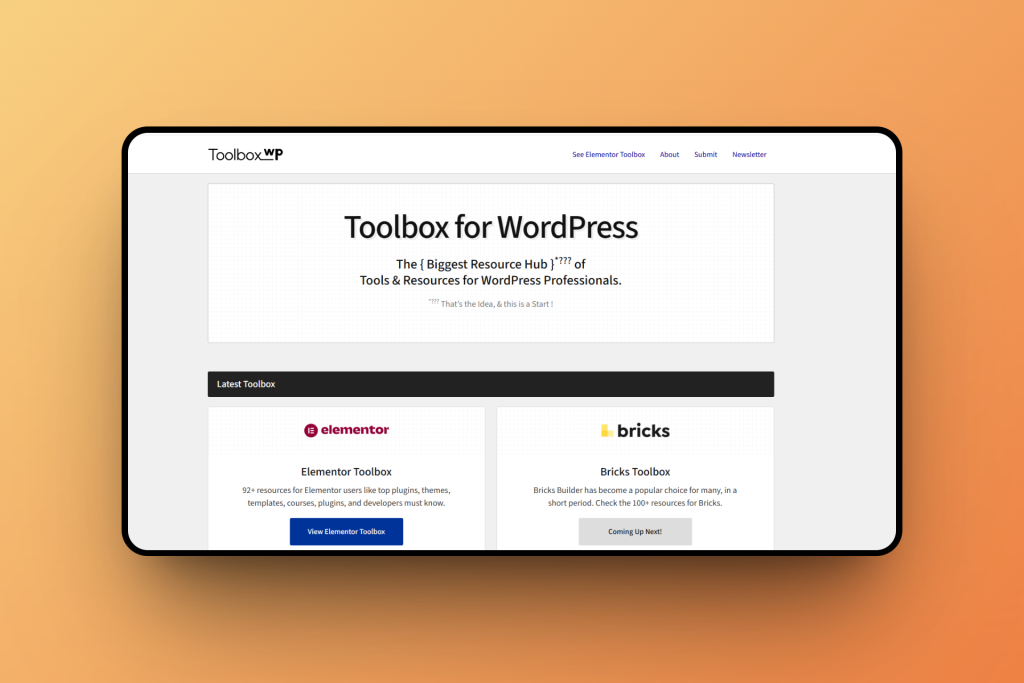
ToolboxWP
A growing resource hub created for WordPress professionals. It’s a growing collection of tools, plugins, and resources, picked for people who actually work with WordPress every day. Big company or solo creator, if it’s useful, it’s in here. The goal? To make life a little easier for WordPress pros like you.
Tip of the Month
Use Fewer Fonts for a Cleaner Design.
Stick to 1–2 fonts in your designs or websites. It improves readability and makes your brand look more professional.
🗣️— From the Community
Excellent Plugin & Outstanding Support!
Really impressed with UiChemy! The plugin is smooth, easy to use, and has already saved me a lot of time in my workflow. The support team is also super responsive and helpful, Mohit got back to me quickly and gave a clear solution that worked right away.
It’s great to see developers who genuinely care about both their product and their users. Highly recommend this to anyone looking for a reliable and well-supported tool!
Subscribe our Newsletter, get Monthly & Weekly Product updates, News and more….✉️