Figma AI Credits, Explained Without the Marketing
 Sagar Patel
Most people meet Figma AI credits the same way: mid-project, when something stops working. You are three prompts into cleaning up a layout, and the tool tells you the balance is gone.
Nobody reads the credit documentation before that moment, and Figma’s own pricing pages do not make it easy to find.
So here is the whole thing in one place, re-checked against Figma’s help centre and the UiChemy pricing table on 8 September 2026, with no marketing language in front of it.
What A Figma AI Credit Actually Is
A credit is the unit Figma spends when you run an AI action. That covers Figma Make, AI image editing, and the AI workflows spread across the platform.
Credits are included with every seat on every plan, including the free one, so you already have some whether or not you have used them.
- Credits are assigned to an individual user, not to your team or organisation.
- They reset monthly and do not roll over. An unused month is simply gone.
- They cannot be shared or transferred to another user, ever.
How Many Credits Each Plan Gives You
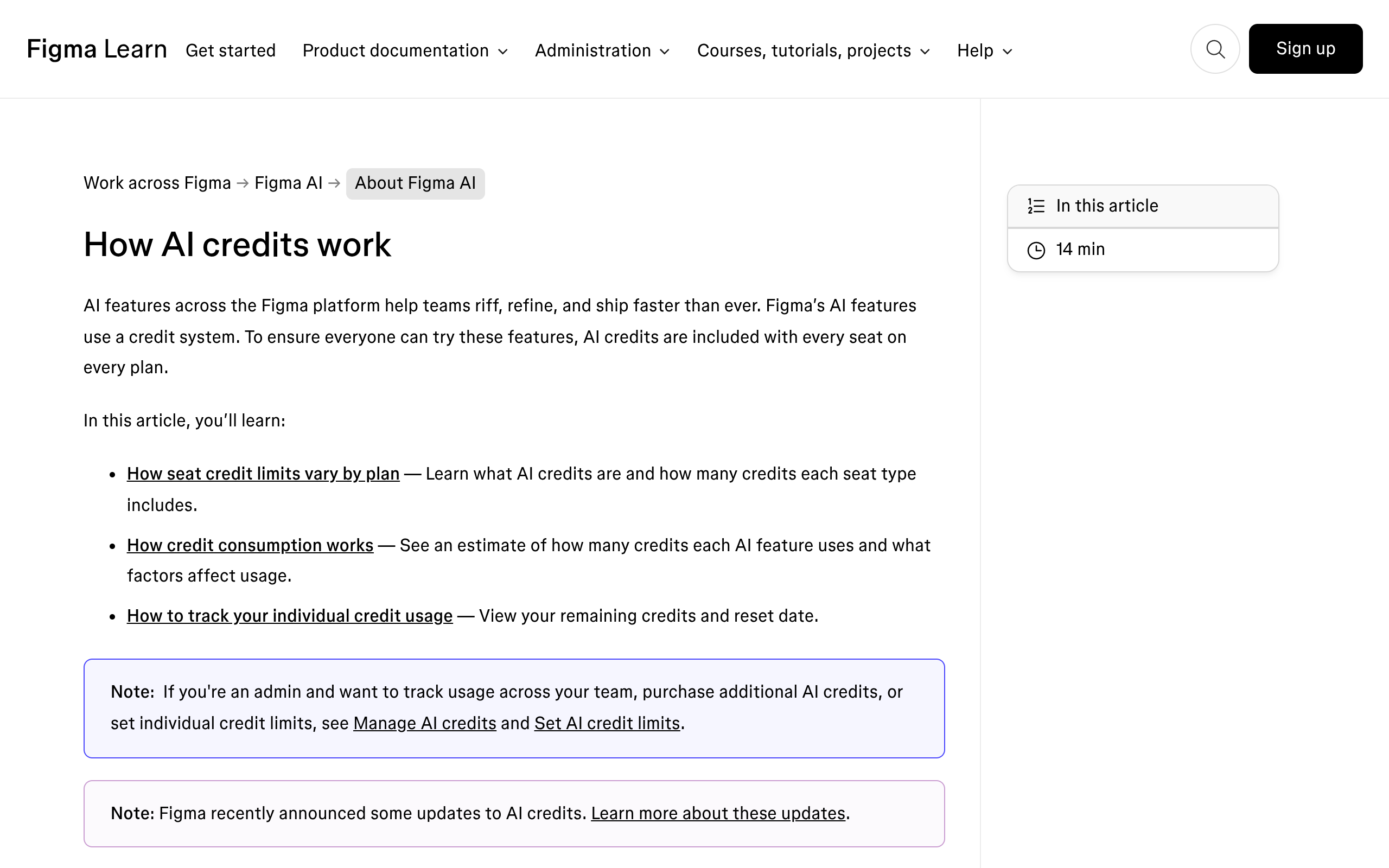
This is the table people are actually looking for. These are the monthly allocations for a full seat.
| Plan | Credits per month, full seat |
|---|---|
| Starter | 500 |
| Professional | 3,000 |
| Organization | 3,500 |
| Enterprise | 4,250 |
Look at the shape of that table rather than the numbers. Starter to Professional is a six times jump.
Professional all the way up to Enterprise is only about 42 percent more. If credits are the reason you are considering an upgrade, the meaningful step is the first one.
Paying for Enterprise to get more AI runs is close to the worst value in the table.
Your Seat Changes The Number As Much As Your Plan
The table above is the Full seat allocation, and it is the only number most pricing comparisons quote. Figma gives the other seat types a different figure, and that figure does not scale with the plan at all.
A Dev, Collab or View seat gets 500 credits a month on Professional, on Organization and on Enterprise alike.
That lands harder in an agency than it looks on paper. If your developers sit on Dev seats to keep the licence bill down, they have the same monthly AI budget as somebody on the free plan.
The 3,500 on an Organization plan belongs to whoever holds a Full seat and to nobody else in the building.
| Seat | Starter | Professional | Organization | Enterprise |
|---|---|---|---|---|
| Full | 500 | 3,000 | 3,500 | 4,250 |
| Dev, Collab, View | Seat types not offered | 500 | 500 | 500 |
The Daily Cap Nobody Reads About
There is a second meter under the monthly one, and it only applies to two groups. Figma states that Starter plan users and anyone on a View seat also carry a daily limit of 150 credits.
Hitting it does not burn the rest of the month. You stop for the day and pick the balance up again tomorrow.
The practical effect is on a single working session rather than on the month. Figma’s own example figures put a generate an app from scratch prompt in Figma Make at roughly 100 credits or more.
On a Starter plan that is one serious attempt and one small correction before the day ends for you.
The Change That Will Alter Your Bill
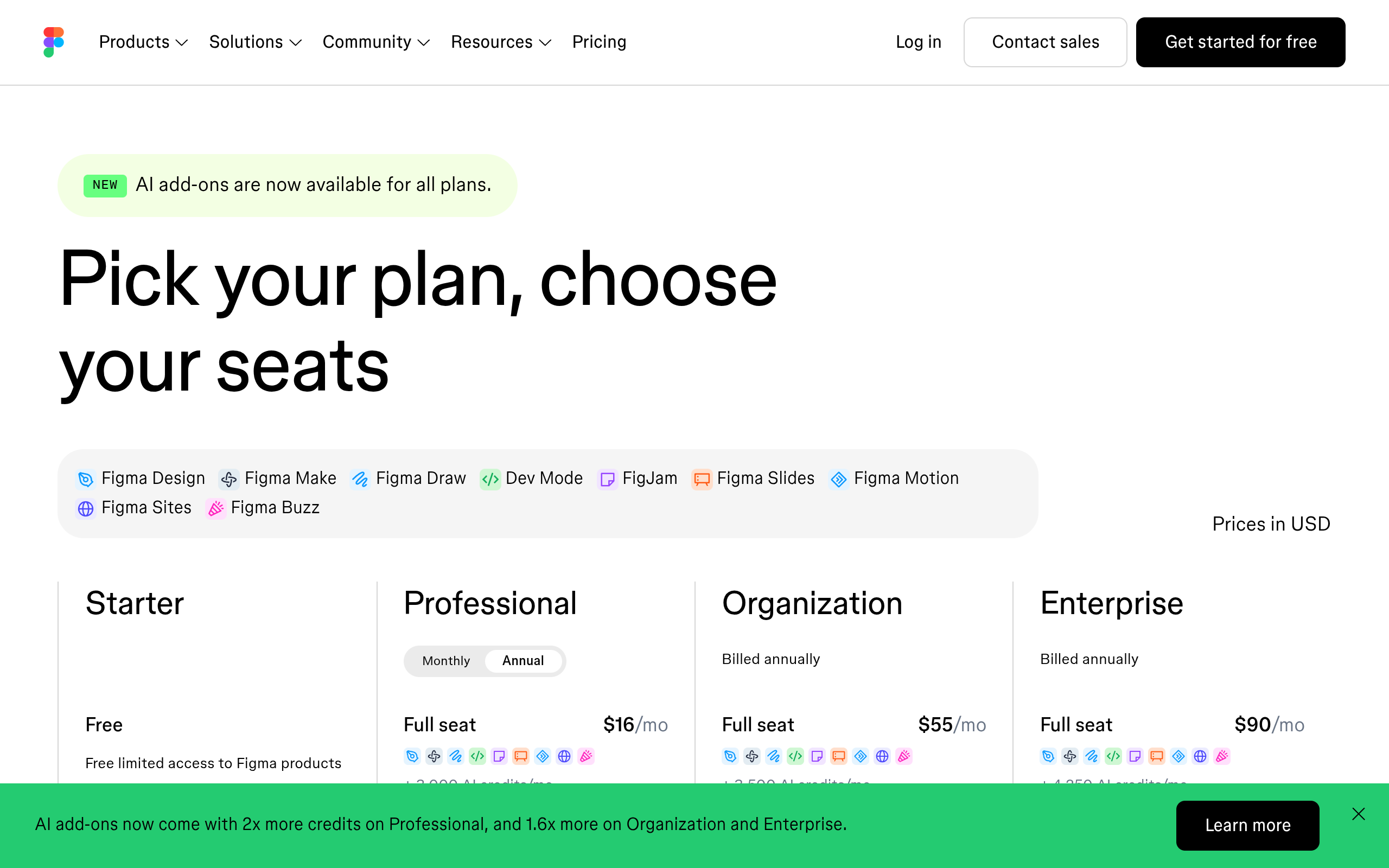
This is the detail worth the whole article. In its AI credit updates FAQ, Figma confirms that Weave tools and the agent inside Figma Design are free while they are in open beta, so they do not consume credits yet.
Both are moving to general availability “in a few weeks”, at which point they draw on the same pool as Figma Make. Weave tools will get set costs per tool; the agent will vary by prompt.
What Changed On 25 August 2026
The same update moved a second number, and this one moved in your favour. Figma increased what a paid AI credit add-on includes at the same price: two times more credits on the Professional plan, and 1.6 times more on Organization and Enterprise.
Existing subscriptions and pay as you go billing were updated automatically, with no repurchase and no support ticket.
Read the boundary carefully, because it is the whole point. Seat credits did not change.
The 500, 3,000, 3,500 and 4,250 figures are exactly what they were, and the extra volume sits entirely in the add-on packs an admin buys on top.
Figma AI Is Six Products Sharing One Balance
Part of why credits vanish faster than expected is that Figma AI is no longer one feature inside Figma Design.
It is a set of products that happen to draw on the same pool: the agent in Figma Design, Figma Make, Figma Weave, Figma Motion, Figma Sites and Figma Buzz. Three of those still carry a beta label.
Generating a handful of layout directions is cheap. Running Figma Make repeatedly against a real project is not.
The pool is shared, so the expensive product quietly drains the budget for the cheap ones.
What Figma Charges For Each Action
Figma publishes a per feature price list, and it is worth reading once because the spread is enormous. Image features cost a fixed amount per run.
Agentic features, meaning Figma Make and anything that decides its own next step, cost whatever the work turns out to take.
| AI action | Credits per use |
|---|---|
| AI search | Free |
| Rename layers | Free |
| Summarize, cluster or update stickies in FigJam | Free |
| Remove background | 1 to 5 per image |
| Vectorize image | 2 to 5 per image |
| Generate templates and diagrams in FigJam | 2 to 24 per prompt |
| Boost image resolution | 5 to 10 per image |
| Erase object, isolate object, expand image | 5 to 10 per image each |
| Make image or edit image | 2 to 16 per image, by model |
| Add interactions | 20 per use |
| Figma Make | Varies with the task |
The model choice inside one feature is the sharpest cost difference on that list. Make image runs at 2 credits with ChatGPT Images 2.0 and 16 with Nano Banana 2, an eight times gap for the same click.
Nobody picks a model by price by default, and on a 500 credit month that single habit is the difference between 31 images and 250.
Rename layers being free is the quiet detail worth acting on. Layer naming is exactly the chore designers skip, it is the thing that makes a file readable to the next person and to any tool that reads the file, and Figma charges nothing for it.
What Figma Make Costs In Practice
Figma gives three worked examples, calculated on its default model, and calls them approximate because the model decides its own actions. They are still the most useful numbers published anywhere, because they attach a credit figure to a task a designer recognises.
- Change the font. Roughly 30 credits or more.
- Make an attached design interactive. Roughly 75 credits or more, covering transitions and animation between screens.
- Generate an app from scratch. Roughly 100 credits or more, including layout, theme, placeholder content and a key value backend.
- Generate a Figma Slides file through ChatGPT. Varies, on the same agentic basis as Make. Generating a FigJam file that way consumes nothing at this time.
Do the arithmetic against a Professional seat and the shape of the month appears. Three thousand credits is about thirty from scratch generations if you never iterate, and nobody never iterates.
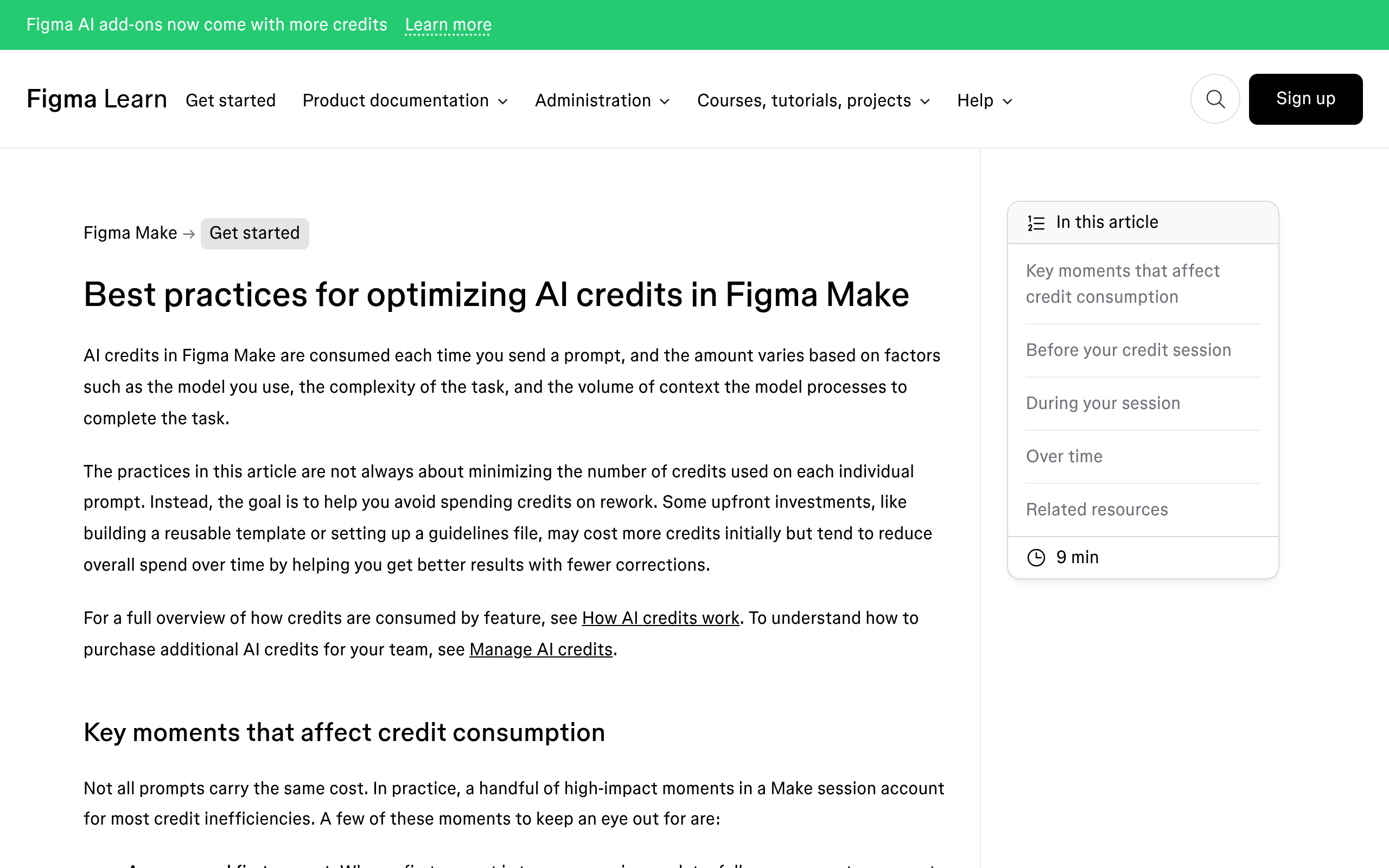
Context is charged too, so a long chat with an attached library costs more per prompt than the same prompt sent cold.
Plan mode is the exception worth paying for. Figma says it can consume more credits than a straight build prompt because the plan is a separate action, then argues that a well scoped plan produces a better first build and fewer correction prompts.
That trade is real, and correction prompts are where budgets actually die.
Two places to look before you guess. Main menu, then AI balance, shows what you have used, what is left and when it resets.
After a prompt finishes, hovering the AI credits icon under it shows what that one cost. On Organization and Enterprise, an admin can export a CSV of free beta usage to forecast what the agent will cost once it is metered.
How To Not Waste Them
- Check the balance before a large run, not during one. Running out halfway through leaves you with half a result and no credits to finish it.
- Spend credits on exploration and on the tedious middle, image edits, background removal, diagram generation. That is where the tools are genuinely strong.
- Do not spend them on the final structural pass. AI output tends to arrive with hard-coded spacing instead of auto layout and one-off colour values instead of variables. It looks right and is built wrong, and you pay for that in rework.
- Remember credits die at month end. If you are near the reset with a balance left, that is the moment to run the experiments you have been putting off.
The MCP Server Runs On A Separate Meter
This trips people up often enough to be worth its own section. If you connect Figma to Claude Code, Cursor, VS Code or Codex through the Figma MCP server, those tool calls are not billed in AI credits.
They are rate limited, by plan and by seat, on a meter that has nothing to do with your credit balance.
Figma publishes the limits in its developer documentation rather than the help centre, which is part of why the two meters get confused. Per minute limits apply on top of the daily or monthly tool call limits.
| Seat | Starter | Professional | Organization | Enterprise |
|---|---|---|---|---|
| View, Collab | Up to 20 a month | Up to 6 a month | Up to 6 a month | Up to 6 a month |
| Dev, Full | Seat types not offered | 200 a day, 10 a minute | 200 a day, 15 a minute | 600 a day, 20 a minute |
Two details make this usable rather than academic. The limits apply to tools that read from Figma, and a short list of tools is exempt, including whoami and create_new_file.
Education plans get the Professional treatment at 200 a day and 10 a minute.
The part with a date on it is write to canvas. Figma says plainly that agents writing into your Figma files is free during the beta and will eventually be a usage based paid feature.
That is a second future bill sitting alongside the Weave one, on the same page, in the same quiet note.
Frequently Asked Questions
Do Figma AI credits roll over?
No. Figma’s answer in How AI credits work is one line: credits expire monthly and do not roll over.
They are also tied to an individual user rather than to the team, so a colleague who never touches AI cannot lend you theirs.
Does undoing an AI action refund the credits?
No. Undo reverts the change in your file, and Figma states the credits are gone because the task was already processed.
That makes a bad prompt cost the same as a good one, which is the strongest argument for writing the prompt properly the first time.
Do Auto fix and Fix for me cost credits?
No, and this is the most useful free thing on the list. Figma treats error correction as adjusting what is already there rather than a new request, so it draws nothing.
Retyping the same fix as a fresh prompt does consume credits, so use the button rather than the prompt box.
Can I see what a prompt will cost before I run it?
No. Figma says the model decides its own actions, so the cost is not knowable in advance.
You can see it afterwards by hovering the AI credits icon under a completed prompt, and your own history is the only accurate forecast you will get.
Where This Gets Uncomfortable
Being straight about the shape of this: none of the numbers above are stable. Figma’s own credit article carries a dated footnote saying the rates change as models are optimised or replaced, and the credit updates FAQ exists because two of them changed in August 2026 alone.
That has one consequence for anyone quoting client work. Do not build a fixed price around a credit count you measured last quarter.
Quote the outcome and absorb the credit variance yourself.
The same caution applies on our side of the fence, which is why the comparison below is about the rules rather than a value claim.
A Note On Credits That Behave Differently
Since this post is about credit models, it is worth naming a different one for contrast. UiChemy also runs on credits, and the rules are not the same.
Since the 7 September 2026 rebuild it is four products on one engine rather than a single converter: a Figma design, a text prompt, a client brief or an existing AI build all become native, editable WordPress in the builder the site already runs.
All four spend from the same credit pool.
The first difference is that there is a real free tier rather than a trial.
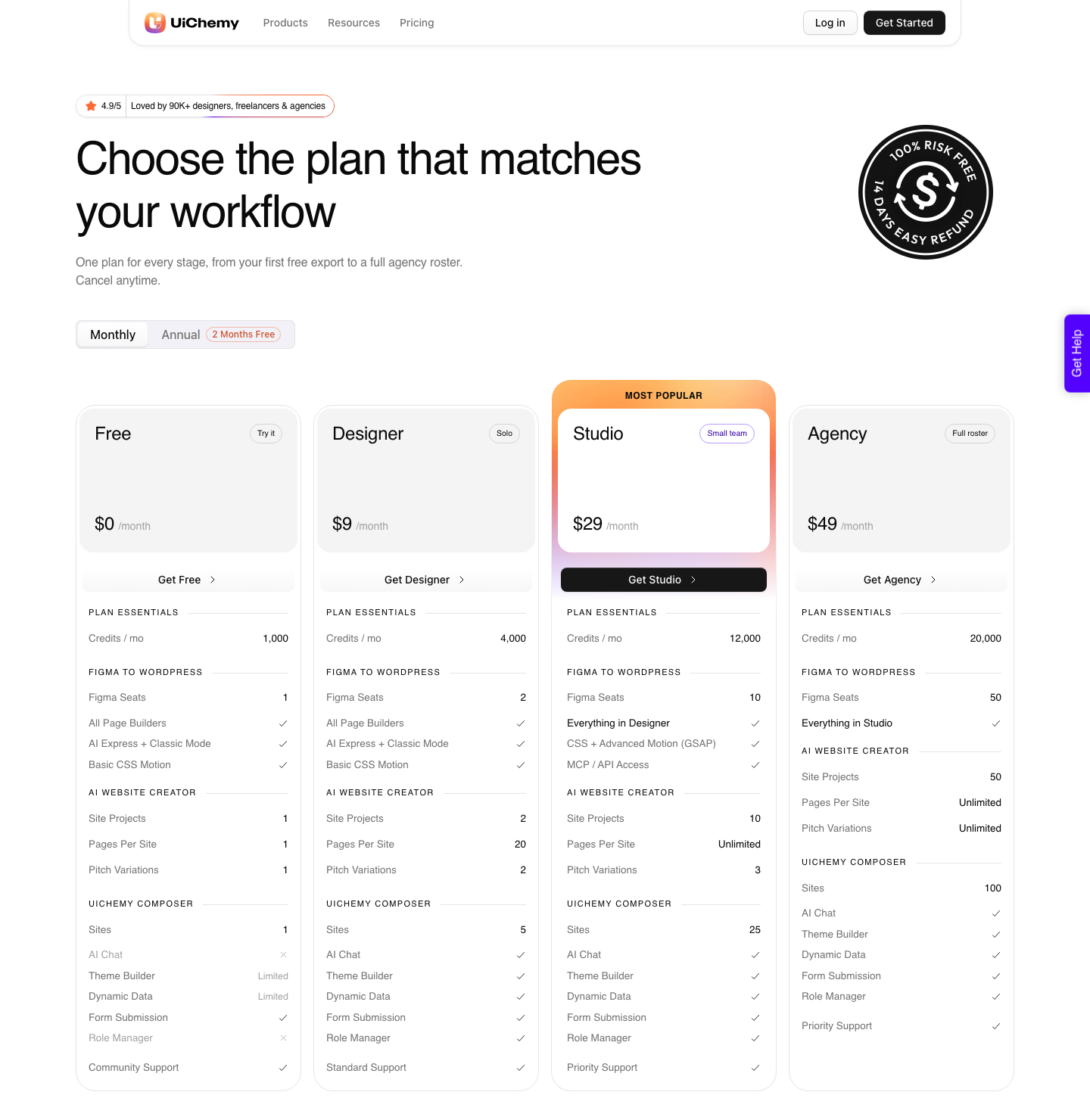
The Free plan is $0 a month and carries 1,000 credits, one Figma seat, one AI Website Creator project of one page, one Composer site and community support.
Every plan, Free included, gets all page builders, both AI Express and Classic Mode, and basic CSS motion.
| Figma AI credits | UiChemy credits | |
|---|---|---|
| Free tier | Starter seat, 500 credits, 150 a day ceiling | Free plan at $0, 1,000 credits, no daily ceiling published |
| Monthly rollover | No | No |
| Attached to | An individual user, never transferable | A plan, with Figma seats from 1 to 50 by tier |
| Monthly allowance | 500 to 4,250 | 1,000 free, then 4,000, 12,000, 20,000 |
| What a paid tier costs | Seat price, credits sold as an admin add-on | $9, $29 or $49 a month, credits included |
| Getting your money back | Credits are not redeemable for monetary value | 14-day refund on the subscription |
The one that matters in practice is who the allowance belongs to. Figma credits are welded to an individual seat, so a colleague with an untouched balance cannot lend you any of it.
UiChemy credits sit on the plan, and the seat count is a separate number: 1 Figma seat on Free, 2 on Designer, 10 on Studio, 50 on Agency.
Worth mapping that before anyone buys either. A UiChemy seat is one Figma account or one WordPress site, which is a different unit from a Figma seat, and confusing the two is how a two-person studio ends up on the wrong tier.
To be straight about the limits on our own side.
AI Express outputs to Elementor only right now, with Gutenberg and Bricks named as coming next, while Classic Mode covers both of those today.
AI Website Creator exports to Elementor and Gutenberg on every plan, Agency included, with Bricks marked Soon. Composer runs inside Elementor.
Two features are gated by tier rather than by usage, and posts that say otherwise are out of date. Advanced motion with GSAP and MCP or API access both start at Studio, $29 a month.
Neither is on Free and neither is on Designer. Theme Builder and Dynamic Data are limited on Free, Global Collections are capped at 3 there, and White Label is not on Free at all.
The Short Version
Figma gives every seat credits, from 500 a month on Starter to 4,250 on Enterprise. They reset monthly, never roll over, and cannot be handed to a colleague.
Weave and the design agent are free right now and will not stay free. The upgrade that actually changes your credit situation is Starter to Professional, and everything above that is a rounding error by comparison.
On the WordPress side the free tier is a plan rather than a trial: $0 a month, 1,000 credits, one page, one Composer site. It is enough to find out whether a conversion is any use to you before a card is involved, which is the only honest way to evaluate a credit product.
Spend them on the thinking. Do the structure yourself.