Idea to Live WordPress Site in an Afternoon: The Timed Run
 Sagar Patel
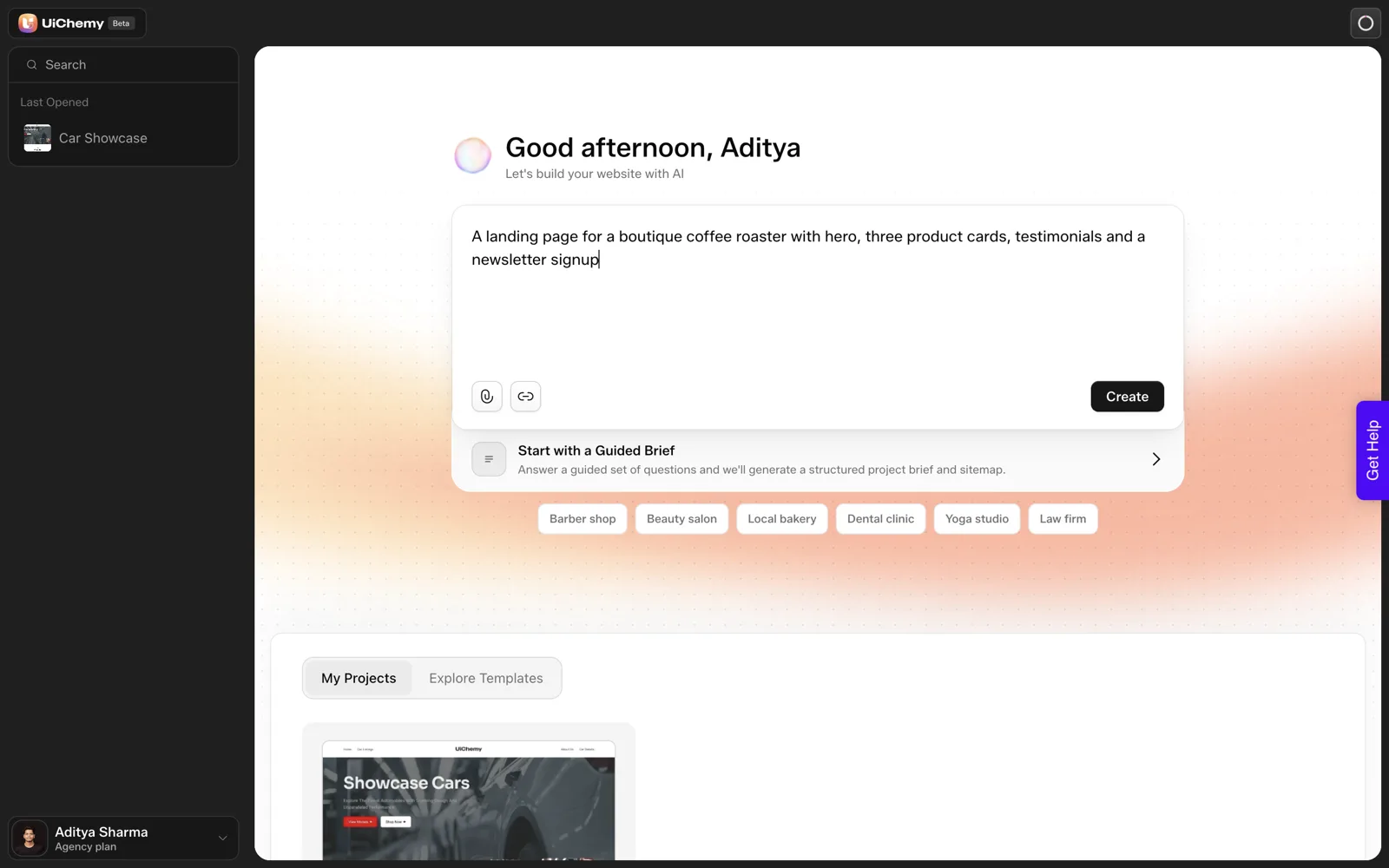
In our run on 2026-10-01, UiChemy created a project in about 9 seconds, a six-page sitemap in about 13 seconds and a Home page in about 35 seconds. We did not time the review, edits, plugin install or import, so we cannot honestly promise a live site in an afternoon. Below is a planned schedule you can test yourself.
“Live in an afternoon” is a claim many AI website builders make with a screenshot and no stopwatch. I would rather separate what I measured from what I am guessing. The measured part comes from our coffee roaster test, and the guessing is labelled as a plan.
What Did the Stopwatch Show?
We used one prompt: “A landing page for a boutique coffee roaster with hero, three product cards, testimonials and a newsletter signup”. We pasted it into the dashboard box and watched.
| Step | Measured time | Credits |
|---|---|---|
| Project appears after Create | About 9 seconds | Not separated |
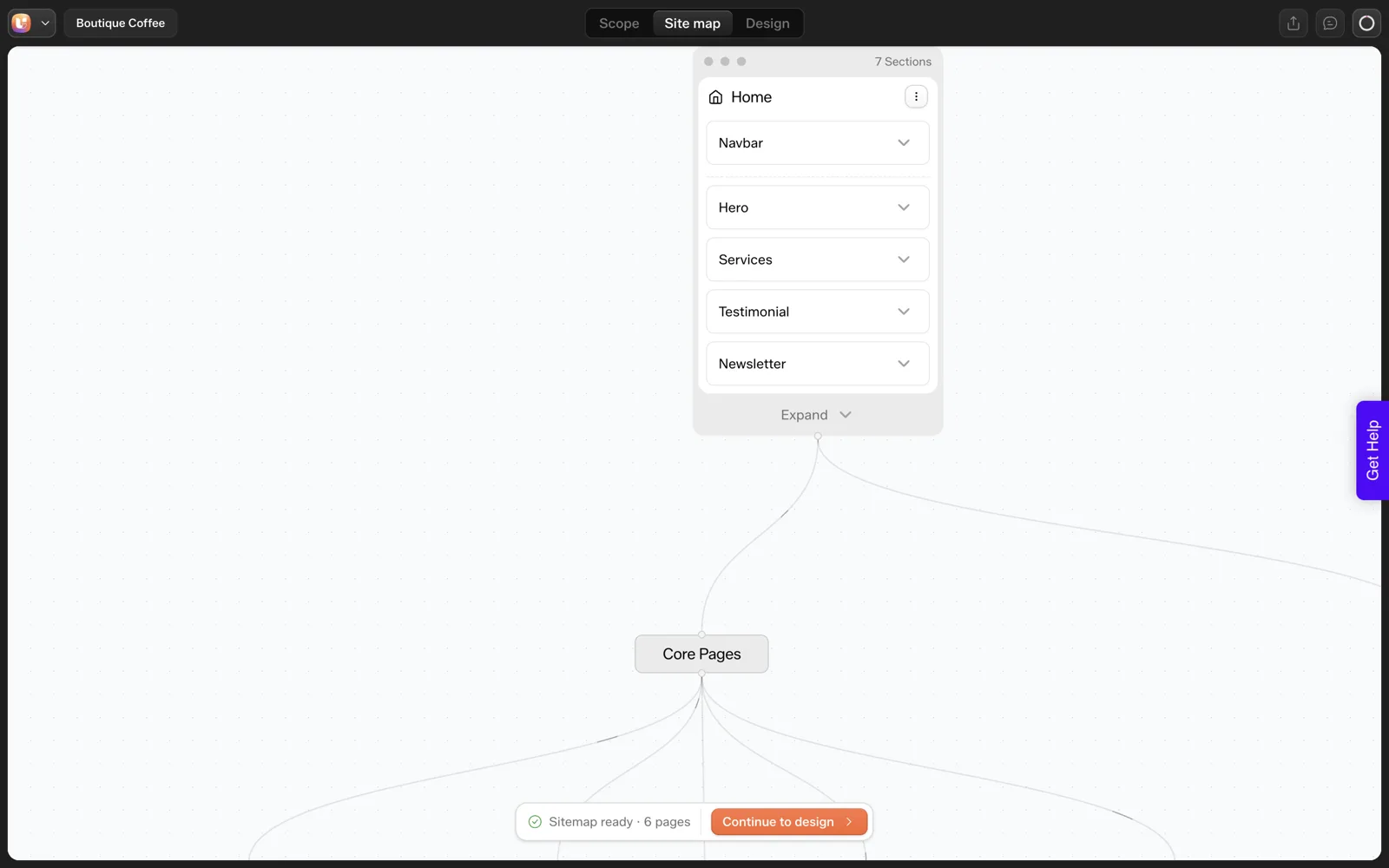
| Six-page sitemap | About 13 seconds | Sitemap plus Home: about 64 |
| Home page generated | About 35 seconds | Included in the 64 |
The balance moved from 50,000 to 49,936.1. These are single readings from one run. A second run could land differently, and a longer sitemap would take longer.
What Did We Leave Untimed?
Everything that takes human time. That is most of an afternoon, and the honest answer to “how long does it take” depends on these steps.
- Reviewing the draft. The brief, sitemap and each page need a careful read.
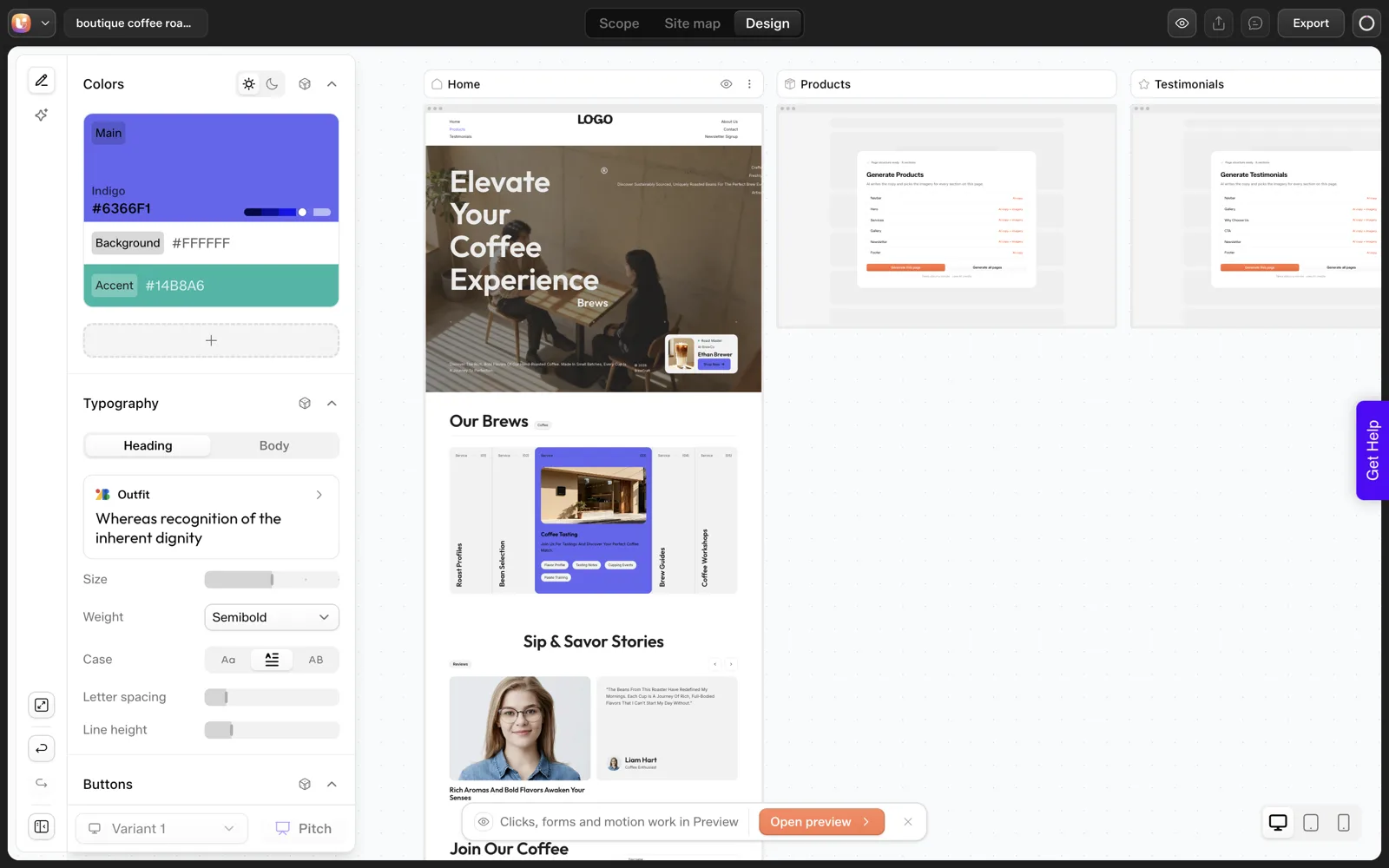
- Fixing misses. Our draft had five cards labelled “Service” where we asked for three product cards.
- Generating the other five pages. We generated only Home.
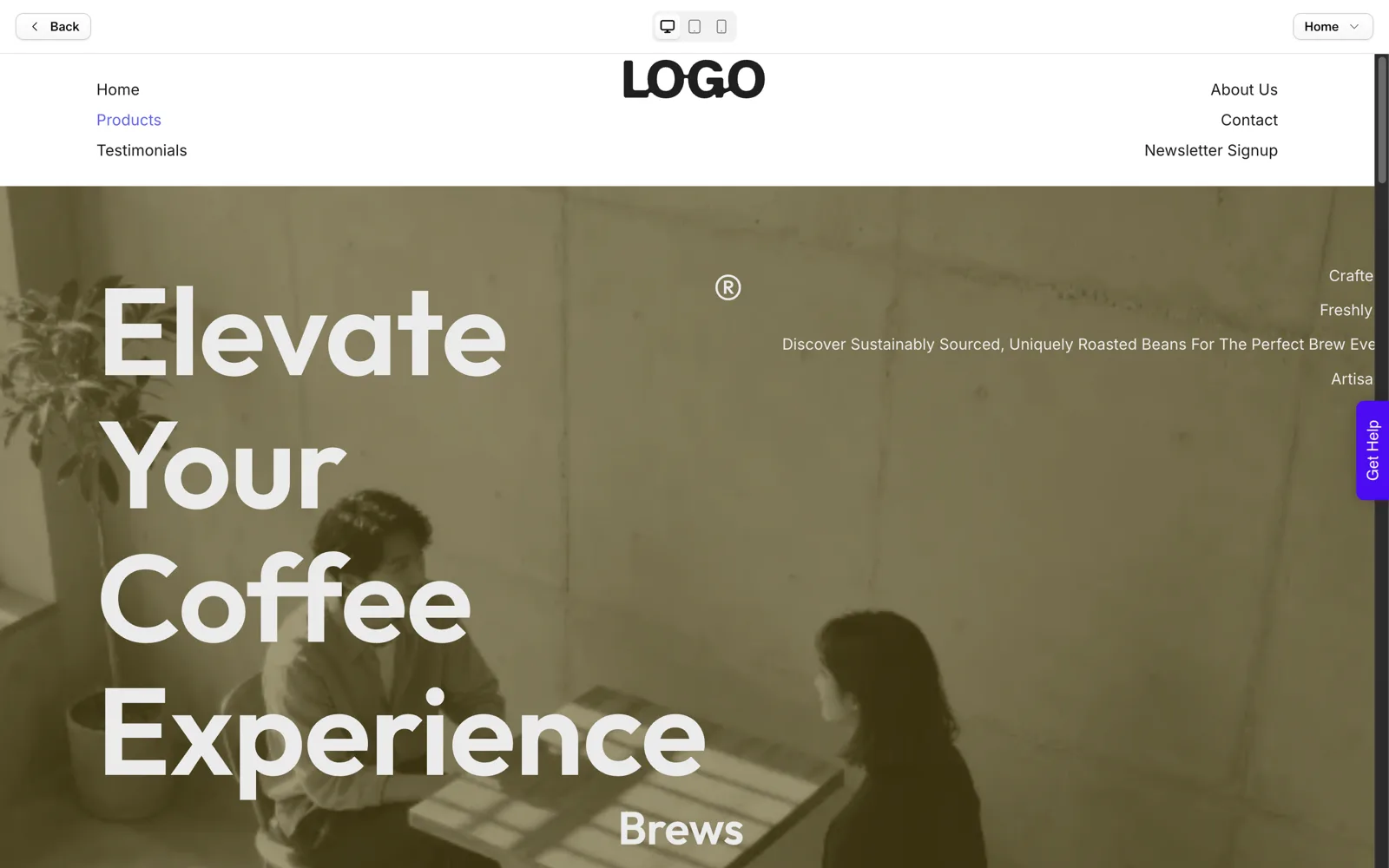
- Replacing placeholders. In the preview dialog we saw a placeholder logo and a hero where text at the right edge looked cut off. It may have been an animation state, and we did not investigate.
- Export. Downloading and installing the plugin, logging in and importing into Elementor. Per the docs, the import runs four phases. We did not run it.
- Checking the live site. Mobile, speed, forms and links.
We did not run the import for this post, so we make no claim about how the finished site looked or how long it took. The documented steps are in the Export to WordPress docs.
A Planned Afternoon, Hour by Hour
This is a plan, not a measurement. The time boxes are our guesses for a six-page site with a prepared brief. Run it once and replace our guesses with your numbers.
| Block | Planned time | What happens | Output |
|---|---|---|---|
| 0. Prep (before the afternoon) | Done in advance | Brief, logo, colors, real facts, photos | Handover checklist filled |
| 1. Generate | 10 to 15 minutes | Prompt or guided scope, review drafted cards | Approved scope |
| 2. Sitemap | 15 minutes | Cut and rename pages | Locked page list |
| 3. Design | 60 to 90 minutes | Fix counts and labels, set brand, replace text and images | Reviewed pages |
| 4. Export | 30 to 45 minutes | Plugin install, login, import into Elementor | Site on a stage |
| 5. Check | 30 to 45 minutes | Mobile, links, forms, speed, copy | Fix list |
| 6. Go live | 15 minutes | Fix items, final read, switch DNS or publish | Live site |
The total is roughly three to four hours. The generation steps we measured are a minute or so of that. Time disappears into review and fixes, which is why prep before the afternoon matters more than any tool speed.
Which Checkpoints Keep You on Time?
Four checkpoints stop an afternoon from becoming a week.
- Scope approved. The drafted brief is correct. The docs describe a “Review your draft” screen with “Looks right” and “Edit” buttons on each card.
- Sitemap locked. No page changes after this point. Our sitemap review walkthrough shows what to cut.
- Design frozen. Stop restyling at a set time. Colors and fonts apply globally, so decide them once.
- Staged and checked. Nothing goes live until you have run a review routine such as our 30-minute review of an AI-generated site.
Where Do Afternoons Go Wrong?
No brief
A thin prompt yields generic output, and you rewrite it by hand. A guided brief takes longer up front and saves rounds later. Our website brief template is a fast way to prepare it.
Too many pages
Our sitemap had six pages for a “landing page” request. Every page is another review. Cut to the pages the site needs.
No real content
Placeholders and invented facts are the slowest thing to fix, because you have to find each one. Gather prices, hours, photos and quotes first. Our list of common AI website misses shows what to look for.
What to prepare the night before
A short prep list removes most of the delay. None of this needs a tool, and all of it is faster when you are not also watching a progress bar.
- A WordPress site ready to receive the import, with Elementor installed, since that is the documented export target today. A staging copy is better than a live one. See our AI website builder for WordPress overview for what else to check.
- Your UiChemy login and enough credits for the pages you plan to generate.
- Logo files, hex colors and font choices written down.
- Photos named and cropped, and every price, hour and address typed out in one document.
If prep is done, the afternoon is mostly decisions. If it is not, the afternoon is mostly searching for files.
Skipping the dry run
Do your first export on a throwaway WordPress site. Plugin installation, login and the import each have their own ways to stall, and you want to meet them when nothing is at stake. If you need a broader comparison of builders first, see our AI website builder overview.
A Timing Log to Fill In
Copy this and time your own afternoon. After one run you have real numbers and can discard ours.
AFTERNOON BUILD TIMING LOG

Date / project:
Plan and credits at start:

STEP                          START   END   MINUTES   NOTES
Prompt entered to project
Sitemap ready
Scope cards reviewed
Sitemap edited and locked
Home generated
Other pages generated (each)
Fixes: counts and labels
Brand: colors, fonts, logo
Text and images replaced
Export: plugin downloaded
Export: plugin installed and logged in
Export: import finished
Stage review: mobile, links, forms
Fixes after review
Live

Credits at end:
Total minutes:
Biggest time sink:
What I would prepare next time:
What Did the Import Add to Our Timing?
The section on untimed work says we did not run the import. We have since run one, on 2026-10-01, on a throwaway local WordPress install. These are the timings from that session, all single readings.
| Step | Reading |
|---|---|
| Setup wizard in the plugin | One time only, user-driven, not timed |
| Sign in with UiChemy, then Allow | A couple of seconds each |
| Choose a builder, then pick pages | A couple of seconds each |
| Import of one page | About 50 seconds, in four phases |
| Open the page in Elementor, canvas ready | About 39 seconds on a slow local server |
| Credits used by the import | None |
The editor time depends on your server and your browser, so treat it as a ceiling for a slow machine. Only the Home page was offered for import, so a full site means extra manual steps that we did not time.
Seconds for the import, again, do not change the plan above. The long blocks are still review, fixes and checking.
What Does the Timing Log Look Like for Our Run?
Here is the log from the end of the post, filled in with what we measured and left blank where we did not time anything. A half-filled log is more honest than a full one with guesses.
| Step | Minutes | Notes |
|---|---|---|
| Prompt entered to project | About 0.15 | About 9 seconds |
| Sitemap ready | About 0.2 | About 13 seconds, six pages |
| Home generated | About 0.6 | About 35 seconds |
| Scope cards reviewed | Not timed | |
| Sitemap edited and locked | Not done | |
| Other pages generated | Not done | |
| Fixes: counts and labels | Not done | |
| Export: import finished | About 0.8 | About 50 seconds, Home only |
| Stage review | Not timed | |
| Credits at end | 49,936.1 left, from 50,000 |
The measured rows add up to under two minutes. The blank rows are the afternoon. If you fill in your own log and the blanks come to more than three hours, that tells you where to prepare next time.
How Do You Shorten the Afternoon Without Cutting Corners?
Speed comes from removing decisions, not from skipping checks. These are the changes I would make first, in order of effect.
- Finish the brief the day before. The slowest step in any plan above is searching for files and facts.
- Cut the sitemap hard. Our request for a landing page returned six pages. Every page you delete is a page you do not review.
- Decide colors and fonts once. They apply globally, so a second round costs little, but a third is a sign of no decision.
- Review in the triage order. Pages, sections, counts, labels, facts, as in our list of common AI website misses.
- Do the dry run on a stage site in a separate window. Import takes under a minute for one page, so start it while you review the next one.
- Set a stop time for design. A frozen design at a fixed hour keeps the checks from being squeezed.
What you should not shorten is the front end check. In our import test the editor looked fine, and the clipped hero text only showed on the live page.
FAQ
How long does it take to build a website with AI?
Generation took seconds in our run: about 9 for the project, 13 for the sitemap and 35 for the Home page. The rest is review, fixes, export and checking. We did not time those, so we will not promise an afternoon. Our plan estimates three to four hours.
Can I really go live the same day?
Possibly, for a small site with a prepared brief and real content. We have not demonstrated it end to end, because we did not run the import for this post. Test your own export on a throwaway site first, then judge the timing.
What slows the build down most?
Missing content and unfixed misses. In our test, five cards labelled “Service” replaced three product cards, and placeholder logos stayed in the draft. Prepare facts and photos before you start and review each page against the brief.
Does it cost many credits to build a site?
We measured about 64 credits for the sitemap plus a Home page and nothing else, so a full-site cost is unmeasured. Plans include 4,000, 12,000 or 20,000 credits a month. Our credit worksheet helps you record your own numbers.
If you want to time your own build, you can Get Started and fill in the log as you go.
Every feature named in this post is listed by product: all UiChemy features, UiChemy Composer features.