Figma Pricing in 2026: Which Plan a Web Designer Needs
 Sagar Patel
A freelance designer with four client projects open at once hits the Figma paywall in a specific way. Not on features, and not on file size.
It happens the day a fourth collaborative file has to exist and the Starter plan says no, because Starter allows three collaborative files with three pages each.
That is the actual shape of Figma pricing in 2026. The plan names matter less than two things: which seat type each person on the project holds, and which limit you hit first.
Almost every upgrade decision resolves to one of those, and almost every pricing article skips both.
Below is what Figma lists today, what each plan blocks, how the AI credit allowance works alongside the seat price, and which combination a web designer shipping client sites actually needs.
Every figure was read off Figma’s own pricing page and help centre on 8 September 2026, and where Figma does not publish a number this post says so rather than filling the gap.
Figma Charges for Seats, Not for People
The single most expensive misunderstanding about Figma pricing is buying a Full seat for someone who never opens a design file. Figma sells four seat types, and three of them cost less than the one everybody defaults to.
The definitions come straight from Figma’s Manage seats article.
| Seat | Figma Design | Dev Mode | Slides and FigJam | Who it is for |
|---|---|---|---|---|
| Full | Full access, plus Make, Draw and Sites | Full | Full | Designers who build the work |
| Dev | View and comment only | Full | Full, no design mode in Slides | Developers implementing the design |
| Collab | View and comment, basic inspection | None | Full, no design mode in Slides | Project managers, copywriters, marketers |
| View | View and comment, basic inspection | None | View and comment | Clients and reviewers, free of charge |
Figma Sites and Figma Motion are both in beta and both restricted to Full seats. Figma Buzz beta runs on all seats and is free during the beta.
That gating is stated in the footnotes of the pricing page, not in the plan cards, which is why teams keep buying Dev seats and then finding they cannot publish a site.
The Prices Figma Lists Today
Here is the full grid as figma.com/pricing renders it, with the monthly AI credit allowance that arrives with each seat. Prices are in USD and Figma states no other currency on the page.
| Plan | Full seat | Dev seat | Collab seat | View seat | Billing shown |
|---|---|---|---|---|---|
| Starter | Free | Not offered | Not offered | Free | Free |
| Professional | $16/mo, 3,000 credits | $12/mo, 500 credits | $3/mo, 500 credits | Free | Monthly or annual toggle |
| Organization | $55/mo, 3,500 credits | $25/mo, 500 credits | $5/mo, 500 credits | Free | Billed annually |
| Enterprise | $90/mo, 4,250 credits | $35/mo, 500 credits | $5/mo, 500 credits | Free | Billed annually |
One caveat that belongs in bold and never appears in pricing roundups. The Professional card has a Monthly and Annual toggle, and Figma prints only one price set at a time.
Its own FAQ confirms a separate figure exists: if you add paid seats during an annual term, Figma charges you a separate monthly subscription for those seats at the monthly price. That monthly price is not published anywhere on the page.
So treat $16 as the number Figma shows you, flip the toggle yourself before you sign anything, and budget for the month-to-month figure being higher. Figma’s Manage billing on the Professional plan article confirms both options exist without stating either price.
What Each Plan Blocks, Which Is the Real Decision
Nobody upgrades because of a feature they read about. They upgrade because something stopped working.
These are the walls, in the order a web designer tends to hit them.
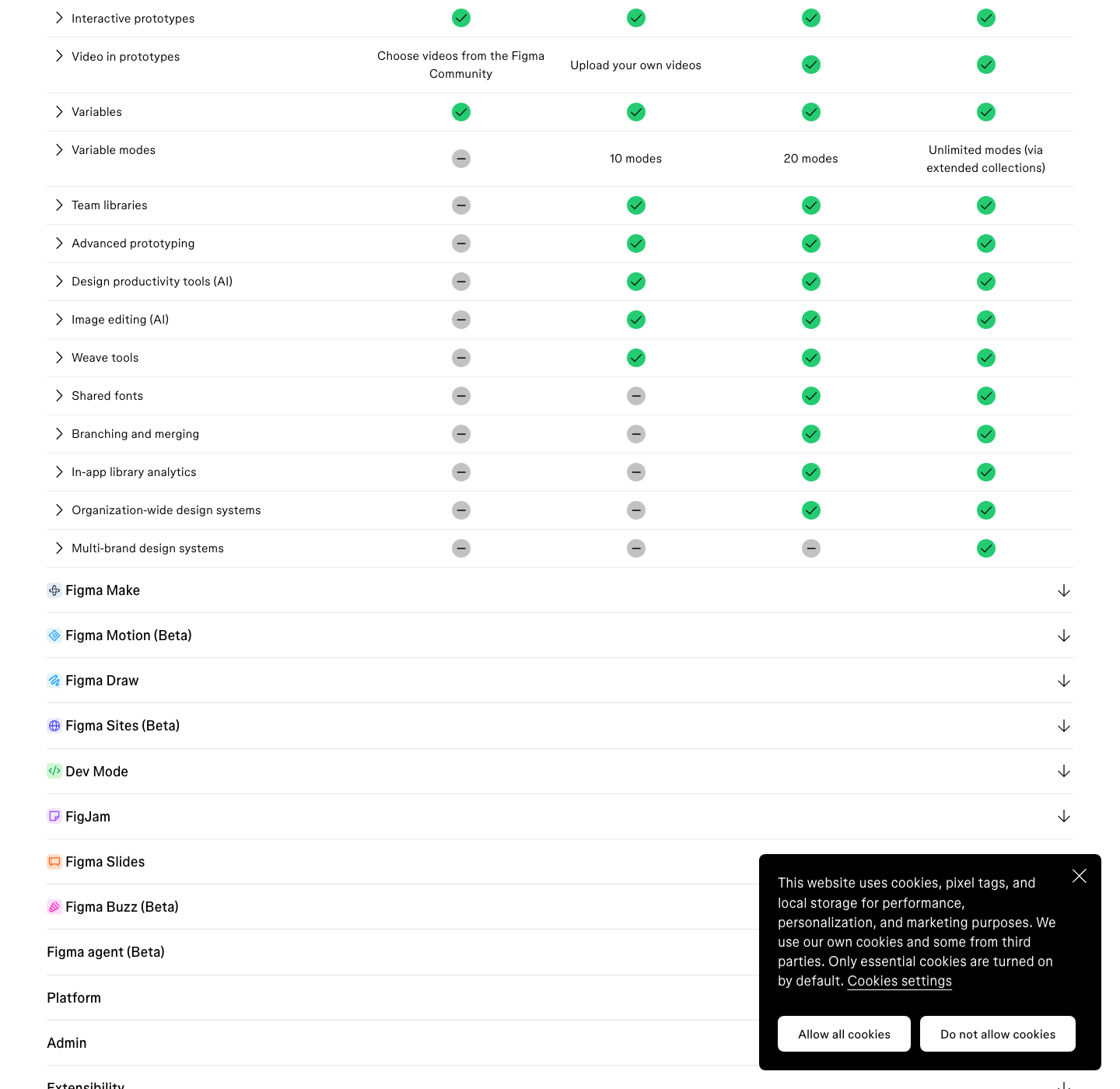
| Limit | Starter | Professional | Organization | Enterprise |
|---|---|---|---|---|
| Collaborative files | 3, with 3 pages each | Unlimited | Unlimited | Unlimited |
| Version history | 30 days | Unlimited | Unlimited | Unlimited |
| Figma Sites publishing | Not available, limited experience listed as coming | Full seats | Full seats | Full seats |
| Custom domains on Sites | None | 10 | Unlimited | Unlimited |
| Figma MCP server | 20 tool calls per month | 200 per day, 10 per minute | 200 per day, 15 per minute | 600 per day, 20 per minute |
| Publishing motion systems | Not available | Available | Available | Available |
| Dev Mode | Ready for dev on canvas only | Full on Dev and Full seats | Full | Full |
| Publishing a Figma Make | Via Figma Community only | Publish direct | Publish direct | Publish direct |
| Restrict a published site internally | No | No | Yes | Yes |
Downgrading is worth understanding before you commit annually. Figma states that cancelling Professional restricts your team to three collaborative files and removes access to paid features including the team component library and unlimited version history.
Your files are not deleted, but a shared design system stops being shared, which on a live client project is the same thing as an outage.
Two Starter limits get missed because they sound generous. Unlimited files applies to Drafts, which are personal and not collaborative.
And Figma Make on Starter can publish only via Figma Community, so a Starter account cannot quietly ship a client microsite through Make.
AI Credits Are a Second Meter Running Every Month
Figma’s AI features are metered separately from the seat price, and the allowance is attached to the individual seat rather than pooled across the team. How AI credits work states the rules plainly: credits are assigned to an individual user, reset monthly, do not roll over, and cannot be shared or transferred.
| Plan | Full seat credits per month | Dev, Collab and View seats | Daily cap |
|---|---|---|---|
| Starter | 500 | 500 | 150 per day |
| Professional | 3,000 | 500 | None, except View seats |
| Organization | 3,500 | 500 | None, except View seats |
| Enterprise | 4,250 | 500 | None, except View seats |
Consumption varies by feature, and Figma publishes rates dated 25 August 2026. AI search, layer renaming and FigJam summarising are free.
Background removal is 1 to 5 credits per image, vectorising 2 to 5, and resolution boost, object erase, object isolate and image expand run 5 to 10 each. Adding interactions costs 20 per use.
Figma Make is the expensive one and has no fixed rate. Figma’s own worked examples put a font change at roughly 30 credits or more, making an attached design interactive at roughly 75 or more, and generating an app from scratch at roughly 100 or more.
A Professional Full seat’s 3,000 covers a normal month of design work comfortably and a heavy Make month uncomfortably.
If you run out, Figma is blunt: with no credits you cannot complete any further AI actions until the monthly reset, or the next day if the daily cap was what stopped you.
Admins can buy an additional credits subscription or pay as you go, and unlike seat credits those purchased credits are a shared pool the whole team draws on.
Our full breakdown of Figma AI credits goes through the rate card action by action.
Which Plan a Web Designer Actually Needs
Three real configurations, with the arithmetic done. These assume the seat prices Figma displays and no purchased credit top-ups.
Solo freelancer, one to three live projects
Starter, until it stops working. Three collaborative files with three pages each is genuinely enough for a small site if you keep exploration in Drafts.
The two things that will push you off it are the 30 day version history, which matters the first time a client asks to revert a decision from six weeks ago, and the inability to publish anything from Sites.
Two designers, a copywriter and client reviewers
Professional, with the seat types split. Two Full seats at $16 and one Collab seat at $3 comes to $35 per month, with clients on free View seats.
That configuration carries 6,500 AI credits a month across the two Full seats plus 500 on the Collab seat, and it unlocks the team library, which is the actual reason small studios upgrade.
Agency shipping client sites onto WordPress
Still Professional in most cases. Organization at $55 per Full seat is a governance purchase, not a design one: it buys unlimited custom domains, a higher MCP rate limit, and the ability to restrict a published site to an internal audience.
If none of those words describe a problem you currently have, the extra $39 per designer per month is buying nothing you will use.
Where the Figma Bill Stops and the Build Bill Starts
Your Figma plan has no effect on what happens after sign-off. Figma Sites publishes to Figma’s hosting, Figma Make publishes to a Figma URL or a domain you own, and neither produces a WordPress page.
If the deliverable is a WordPress site, that is a second tool and a second line on the invoice.
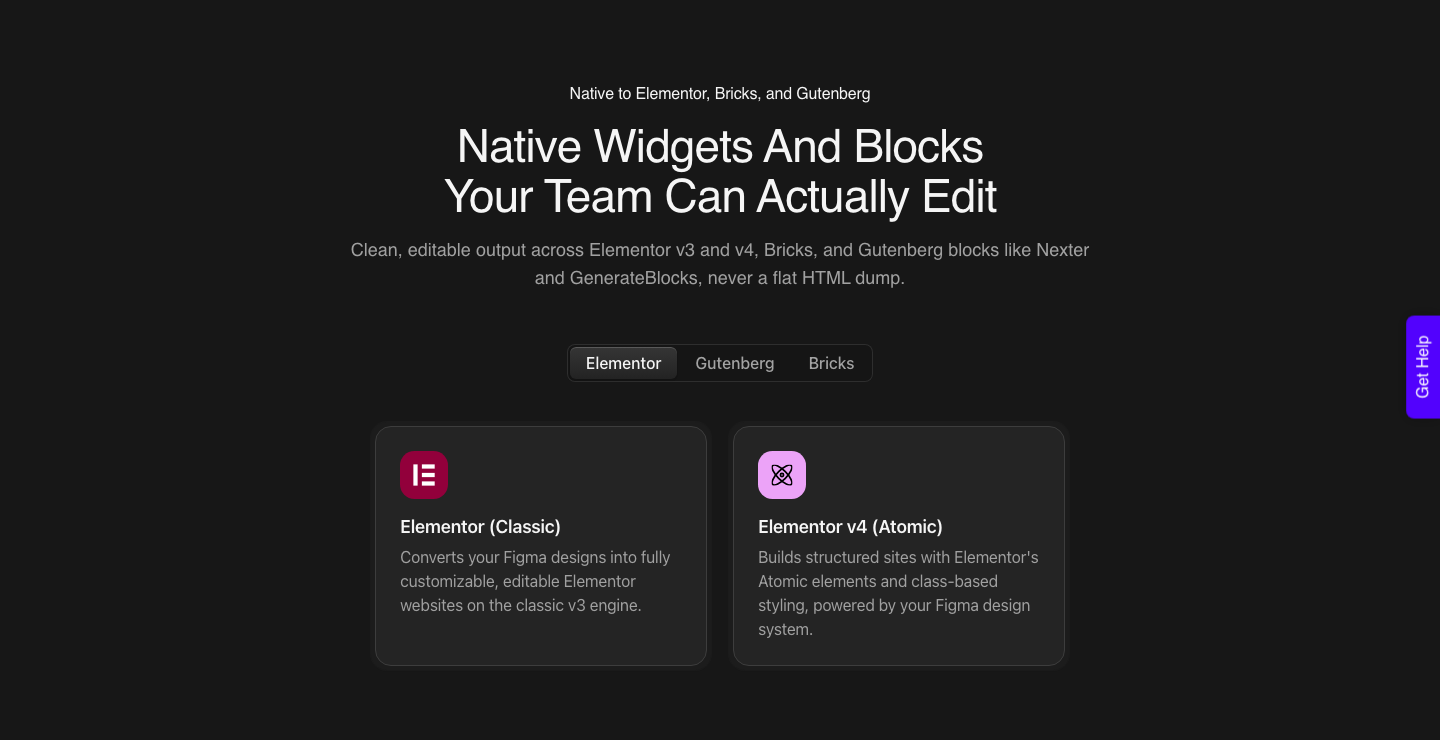
UiChemy prices that side by credits rather than by person, and it is four products on one meter rather than a single converter.
Figma to WordPress takes an approved design, AI Website Creator takes a text prompt or a client brief and produces a scope, a sitemap and pages, UiChemy Composer writes real HTML, CSS and JavaScript inside Elementor, and AI to WordPress moves a Lovable, Claude, Bolt or v0 build across.
One credit balance covers all of them.
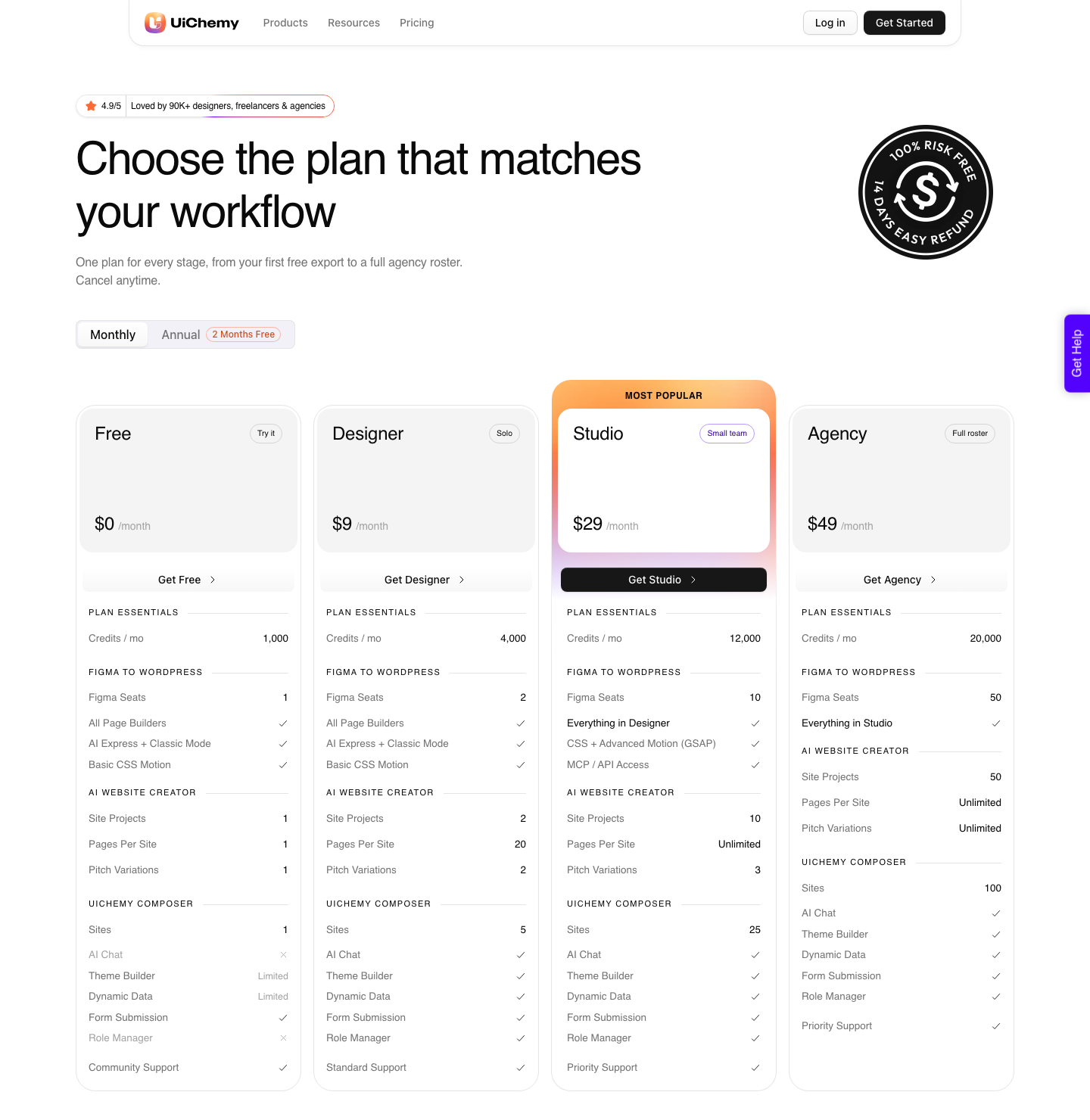
There are four plans and the first one costs nothing. Free is $0 a month with 1,000 credits, one Figma seat, one AI Website Creator project of one page and one Composer site, on community support.
Every plan including Free carries all page builders, both AI Express and Classic Mode, and basic CSS motion, so the tiers change volume rather than capability.
| Plan | Price | Credits per month | Figma seats | Pages per site | Composer sites |
|---|---|---|---|---|---|
| Free | $0/mo | 1,000 | 1 | 1 | 1 |
| Designer | $9/mo | 4,000 | 2 | 20 | 5 |
| Studio | $29/mo | 12,000 | 10 | Unlimited | 25 |
| Agency | $49/mo | 20,000 | 50 | Unlimited | 100 |
A seat there means one Figma account or one WordPress site, which is a different unit from Figma’s per-person seat and worth mapping before anyone buys either. An agency with twelve client installs counts installs, not staff.
| What you are paying for | Figma | UiChemy |
|---|---|---|
| Unit of billing | Per person, per month | Per plan, with a credit pool |
| What the meter counts | AI actions in credits | Conversions in credits |
| Unused allowance | Expires monthly, no rollover | Balance refreshes monthly, top up before the refresh if you run low |
| What a heavier action costs | Varies by feature, Make has no fixed rate | Varies by action, a Classic Mode conversion costs less than an AI Express one |
| Free tier | Starter, 500 credits a month | Free plan, $0 a month, 1,000 credits |
| Where the output lives | Figma hosting or a Figma URL | Your own WordPress install |
Annual billing on that side is advertised as two months free, and every plan carries a 14-day money-back guarantee rather than the 60-day window older write-ups quote.
The practical read is that a designer on Figma Professional at $16 and UiChemy Designer at $9 is spending $25 a month to go from a blank canvas to an editable Elementor page, which is the comparison most people are actually running when they search for Figma pricing.
The Honest Gaps in Figma’s Pricing Page
Four things are genuinely unclear, and a pricing article that pretends otherwise is guessing. Naming them is more useful than filling them in.
- The month-to-month Professional price is never printed. Only the toggled view shows it, and Figma’s FAQ confirms it is a distinct, higher number
- Included AI credits are stated to be subject to change, and Figma runs a separate credit updates FAQ, so any credit figure has a shelf life
- The help centre still says custom domains are free of charge through 2025 with limits subject to change afterwards, and does not say what replaced that
- Figma Sites and Figma Motion are both beta, so the features their price gates protect are not finished products yet
None of that makes Figma expensive. It makes the annual commitment worth thinking about, because you are locking in a year against a product line where two of the newest pieces still carry a beta label.
Frequently Asked Questions
Is Figma still free in 2026?
Yes. The Starter plan is free and gives you three collaborative files with three pages each, unlimited personal Drafts, 30 days of version history, and 500 AI credits a month capped at 150 per day.
What it does not give you is Sites publishing, unlimited version history, or a shared team library.
How much is Figma Professional per month?
Figma displays $16 per month for a Full seat, $12 for a Dev seat and $3 for a Collab seat. The card carries a monthly and annual toggle and only one set of numbers renders at a time, so flip it on the page before budgeting.
Organization is $55 and Enterprise $90 per Full seat, both labelled billed annually.
Do Figma AI credits roll over?
No. Figma’s help centre states that seat credits reset monthly, do not roll over, and cannot be shared or transferred to other users.
Purchased credits behave differently and are a shared pool the whole team can draw on, which is the workaround for a team where one person does all the generation.
Which Figma plan do I need to publish a website?
Any paid plan, on a Full seat, for Figma Sites. Starter cannot publish a site and Figma lists a limited Starter experience as coming.
Professional connects up to 10 custom domains, while Organization and Enterprise are unlimited and add the option to restrict a site to an internal audience.
Does a bigger Figma plan help with WordPress?
No. Nothing in Figma outputs a WordPress page, so plan tier makes no difference to that part of the job.
The WordPress side reads the approved frame, or a prompt, or a brief, and writes native widgets into your install, and the two bills stay separate.
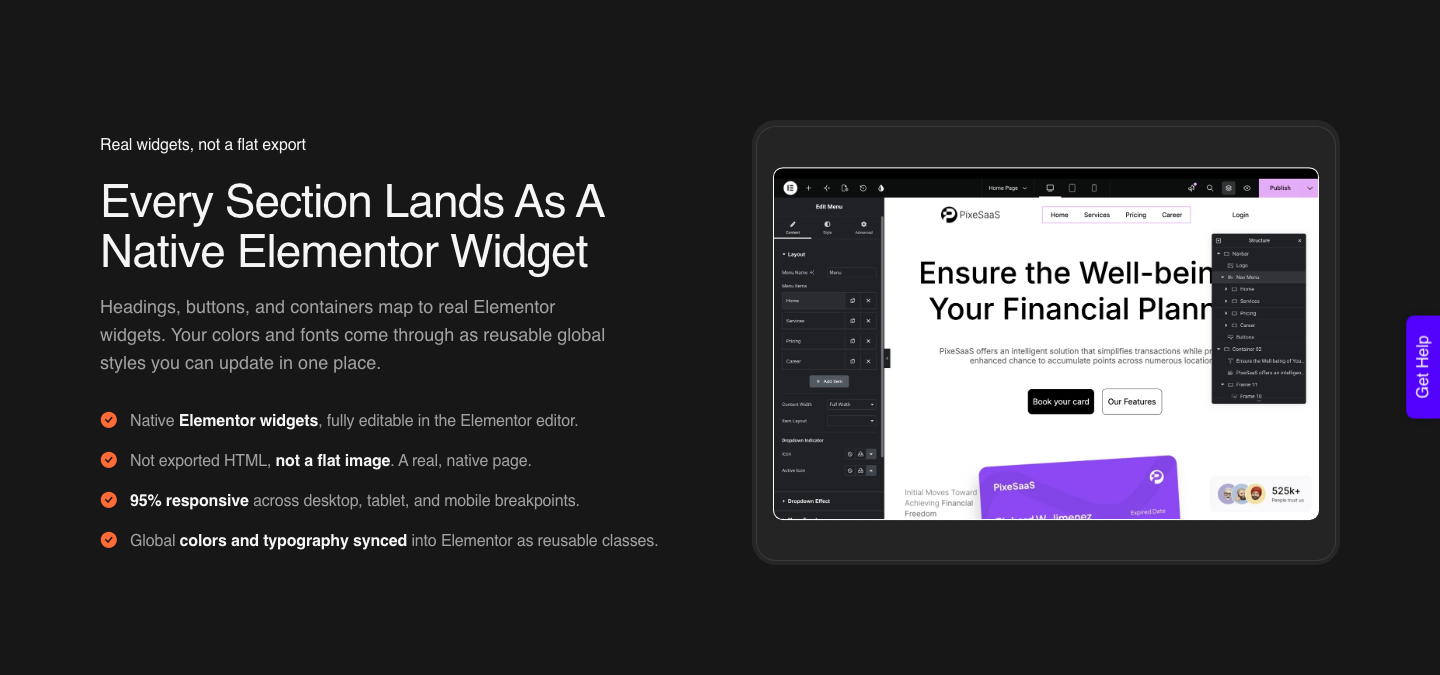
AI Express mode is one route, and the Figma to Elementor page covers what the output looks like.
The Short Answer
Stay on Starter while three files is enough and you do not need version history past a month. Move to Professional the day a shared component library would save you an afternoon, and buy Collab seats rather than Full seats for everyone who comments but does not draw.
Organization is a policy purchase, not a design one. And whichever plan you land on, remember that the number on Figma’s card is the design bill.
The build bill is separate, it is smaller than most people expect, and it is the one that decides whether the finished design ever reaches a live site.
If your Figma structure is what is slowing that down, the Figma tutorial for websites is the place to start.