Relume Wireframes and What Happens Next
 Sagar Patel
A brief lands on Monday. By Tuesday afternoon you have a fourteen page sitemap, wireframes for every one of them, and a style guide, because Relume produced all three from a paragraph of description.
Then you open the calendar and remember the client’s site runs WordPress.
That gap is the entire subject of this post. The Relume Figma kit is genuinely good at the part it covers, and the part it does not cover is the one that eats the week.
What follows is a practitioner assessment of both, checked against Relume’s own product pages on 8 September 2026.
No affiliate framing here and no attempt to talk you out of a tool that works. Relume is named accurately, its published destinations are listed as published, and the honest assessment is that its output structure converts better than most hand-built Figma files do.
What The Relume Kit Actually Is Now
Calling it a Figma kit undersells what it became. Relume today is a builder that takes a brief and produces a sitemap, then wireframes, then a styled design, with a component library sitting underneath all of it.
The Figma file is one of several things you can take out at the end.
Relume splits this into four products on its own navigation. Export builds a project and sends it to Figma, Webflow or React.
Publish, which launched in beta on 24 August 2026, hosts and publishes the site on Relume itself. There is also an MCP library for AI editors and a React library of 1,000 or more components.
| Relume product | What it hands you | Status |
|---|---|---|
| Export | The project in Figma, Webflow or React | Available |
| Publish | A live site hosted by Relume, custom domain and SSL | Beta since 24 August 2026 |
| MCP Library | The component library inside an AI editor | Available |
| React Library | 1,000 or more React components | Available |
The workflow tabs across the top of the builder are Brief, Sitemap, Wireframe, Style Guide, Design, then Share and Export or Publish. That ordering is the product’s real opinion: structure first, styling second, and it is a defensible opinion that most agencies claim to hold and few actually work in.
Why Relume Output Converts Better Than A Hand Built File
This is the part nobody says out loud, and it is the most useful thing in this post. A converter reads your frame tree.
Files assembled from a consistent component library have a predictable tree, and files drawn freehand over three weeks do not.
Our own conversion guidance asks for a specific structure: everything inside one top level frame, sections stacked vertically inside it, elements only inside sections. A component-assembled page arrives in roughly that shape by default, because that is how the components were authored.
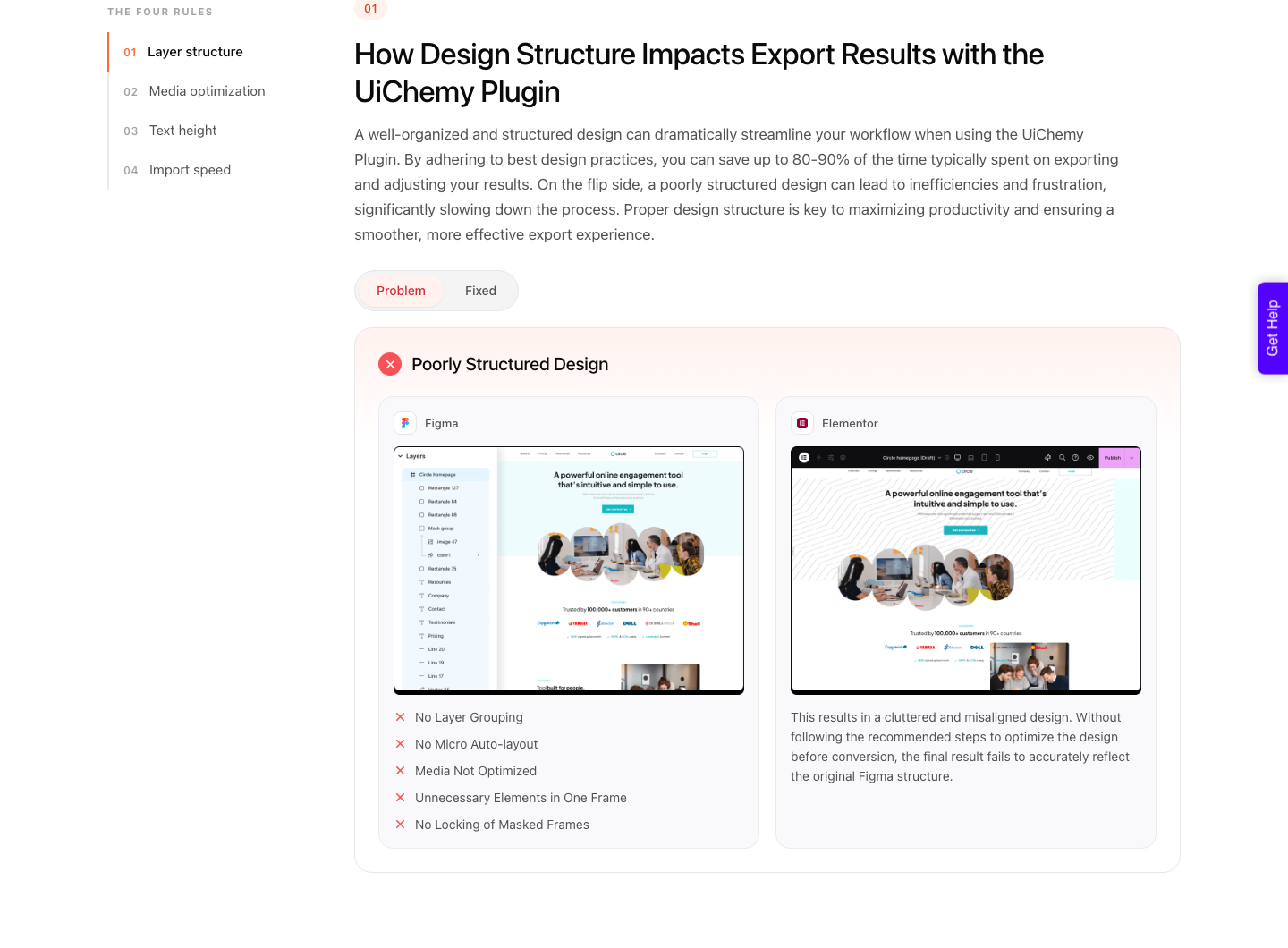
The three habits that wreck a conversion are absolute positioning instead of auto layout, negative item gaps, and stray elements sitting outside the top level frame. A library-assembled wireframe rarely does any of the three.
That is a real advantage and it belongs in the assessment.
The negative gap point is worth spelling out because it surprises people. CSS flexbox does not allow a negative gap, so a minus twenty in Figma becomes zero on the site.
The design looked right and the build does not, and nothing in either tool warns you.
Where The Wireframe Advantage Runs Out
The first limit is that a wireframe is deliberately unstyled. Grey boxes and placeholder type convert into grey boxes and placeholder type, so the conversion step has to happen after the Design stage rather than after the Wireframe stage.
Converting a wireframe gets you a working skeleton and a second full pass.
The second is frame count. A library optimised for flexibility nests more than a hand-built page needs, and every frame becomes a container in the builder.
Our documentation is blunt about this: more frames means more containers and a page that is harder to edit afterwards.
The third is that a style guide is not a set of WordPress globals. Colours and type in the Relume style guide are Figma styles and variables.
They map, but the mapping is a step someone performs rather than something that happens because both tools use the word token.
The Overlap Nobody On Either Side Mentions
Read Relume’s workflow tabs again, then read ours, because the two products now cover a lot of the same ground. Relume goes Brief, Sitemap, Wireframe, Style Guide, Design, then Export or Publish.
UiChemy AI Website Creator goes Brief, Sitemap, Design, Export, and its export destination is Elementor rather than Figma, Webflow or React.
That is worth saying plainly, because UiChemy spent years being described as a Figma converter and that description is now one product out of four.
The other three are AI Website Creator, which takes a text prompt or a client brief and plans the whole site from it, AI to WordPress, which moves a Lovable, Claude, Bolt or v0 build across, and UiChemy Composer, a single widget inside Elementor where AI writes real HTML, CSS and JavaScript you can then edit by hand or by prompt.
So the decision in front of you is not only how to get a Relume file into WordPress. It is whether the brief needs to go through a design tool at all.
If the client has a signed-off visual direction and the Figma file is the deliverable, Relume plus a conversion is the right shape. If the brief is a PDF and a meeting transcript and nobody has drawn anything yet, handing that straight to AI Website Creator skips a platform.
Its Export To Elementor is live; Export To Gutenberg is marked Soon on every plan, Agency included, so check the client’s builder before you pick.
The Three Routes Out, Assessed Honestly
| Route | Best when | The cost you accept |
|---|---|---|
| Publish on Relume | A marketing site with no existing WordPress estate | The site lives on a beta product with its own hosting |
| Export to Webflow | The client is already a Webflow shop | A second platform licence and a second CMS to teach |
| Export to React | An in-house engineering team owns the front end | Marketing cannot edit a page without a deploy |
| Export to Figma, then convert to WordPress | The client already runs WordPress and edits their own pages | A design pass and a conversion step before it is live |
The WordPress route is the one people search for and the one nobody documents, which is presumably why you are reading this. It is also the only route where the existing site, plugins, forms and analytics stay where they are rather than being rebuilt on a new platform.
Publishing on the design tool’s own platform carries the same trade-off wherever you meet it, which is the argument we make about Figma Sites as a hosting destination.
A Worked Sequence From Relume To A Live Page
Do the styling before the conversion, not after.
Take the export into Figma, apply the client’s real brand rather than the generated style guide using the same web design method you would apply to a file you drew yourself, and replace every placeholder image with the actual asset at a web-optimised size.
Heavy images slow the import itself, not just the page.
Then flatten what you do not need. Walk the layer tree and delete wrapper frames that exist only to hold one child.
Each one you remove is a container you will not have to click through in Elementor for the next two years of that client relationship.
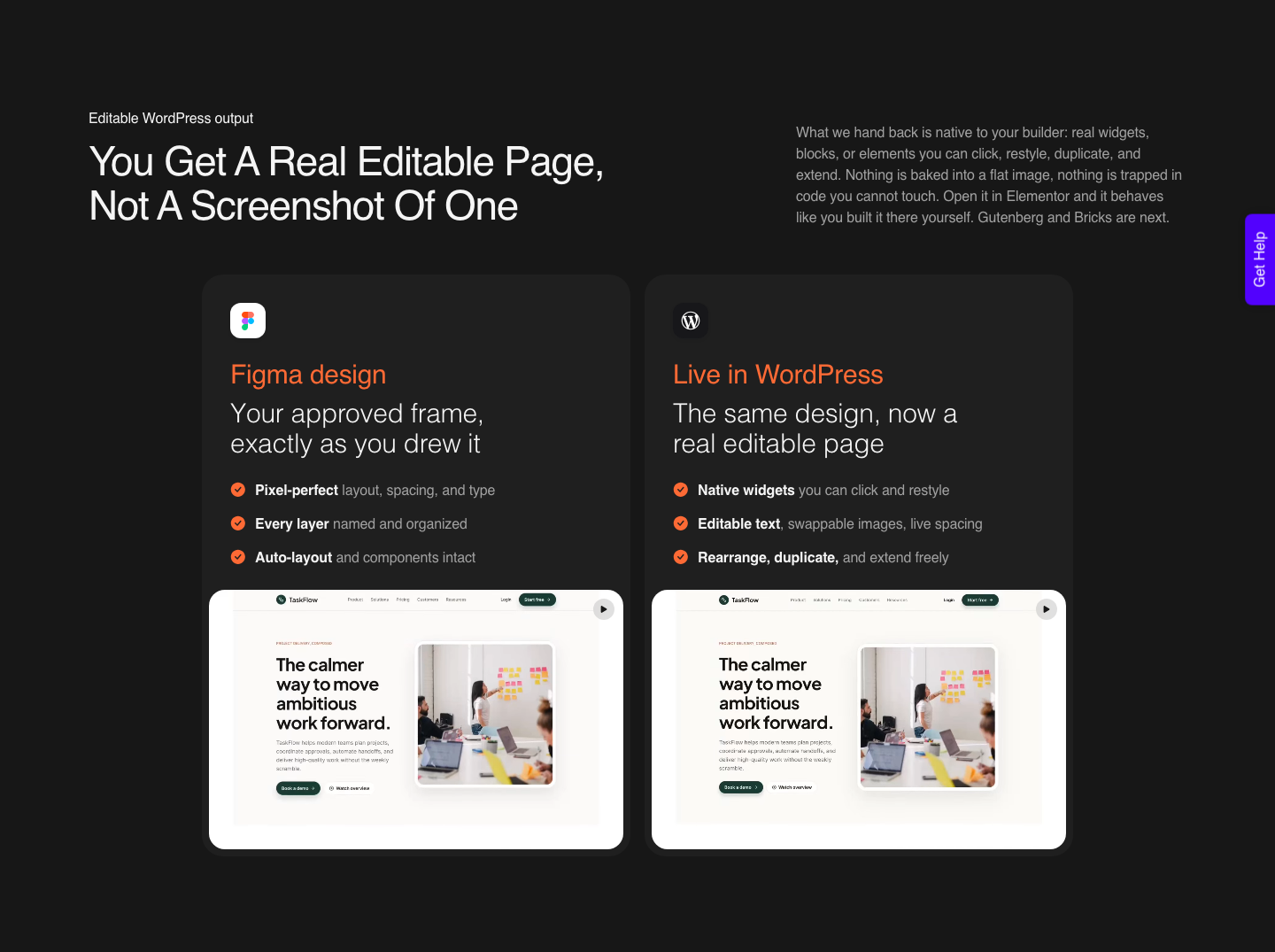
Set the top level frame properly before you convert. Auto layout on, vertical, aligned top centre, padding and gap at zero, and a fixed width you have chosen deliberately.
Sections inside it should be set to fill container for width and hug contents for height.
Then convert one page, not fourteen. Look at what came across, fix the design rather than the output, and convert again.
The second page will be better because you changed the file, and the fourteenth will be almost free. Our design optimisation guide is the checklist for that loop.
What Does Not Survive The Trip
Some Figma properties never make it into a builder, regardless of what produced them. Our published list of Figma properties not connected to Elementor names masks on any element, layer blur and background blur, video fills, blend modes on text, and gradient or image fills applied to text.
Constraints are the other one to watch. When a frame does not use auto layout, horizontal and vertical constraints set to left and right, or to scale, are not carried across.
That combination is common in a hand-adjusted wireframe and rare in a component you left alone.
Plan for cleanup rather than pretending it away. A verified reviewer of our own tool puts the split at roughly 70 percent of the design work handled and 30 percent left to fine-tune in the editor.
Anyone quoting you zero cleanup on any route in this post is selling something.
The Breakpoint Question Nobody Asks Early Enough
Relume components are built to be responsive, which is a claim about the component rather than about your file. Once you have restyled and rearranged them, the responsive behaviour you end up with is yours, and it needs checking before conversion rather than after.
A converted page arrives on the builder’s own breakpoints, desktop, tablet and mobile in Elementor’s case, with a responsive manager for adjusting them.
The honest number is the one a verified reviewer gave: about 70 percent of the design work handled, the remaining 30 percent fine-tuned in Elementor. Any tool promising more than that is describing a demo file.
The practical move is to set your intent in Figma while you still have the design open. The responsive manager lets you define desktop, tablet and mobile behaviour before export, which is faster than discovering a stacked card grid in the editor and repairing it there.
If You Already Work Through An AI Editor
Both halves of this pipeline now have an MCP server. Relume publishes one that exposes its component library inside an AI editor.
UiChemy publishes one that fires a conversion from Claude, Cursor, Codex or Antigravity, available on the Studio plan at $29 a month and above.
That combination is a genuine pipeline rather than a novelty, and it is also the least mature part of this post. Treat it as a developer convenience for repeat work, not as the reason to choose either tool, and keep a manual route working before you depend on it for a client deadline.
Cost, Realistically, Across Both Tools
Two subscriptions, not one, and they bill on different logic. Relume charges for building and for publishing.
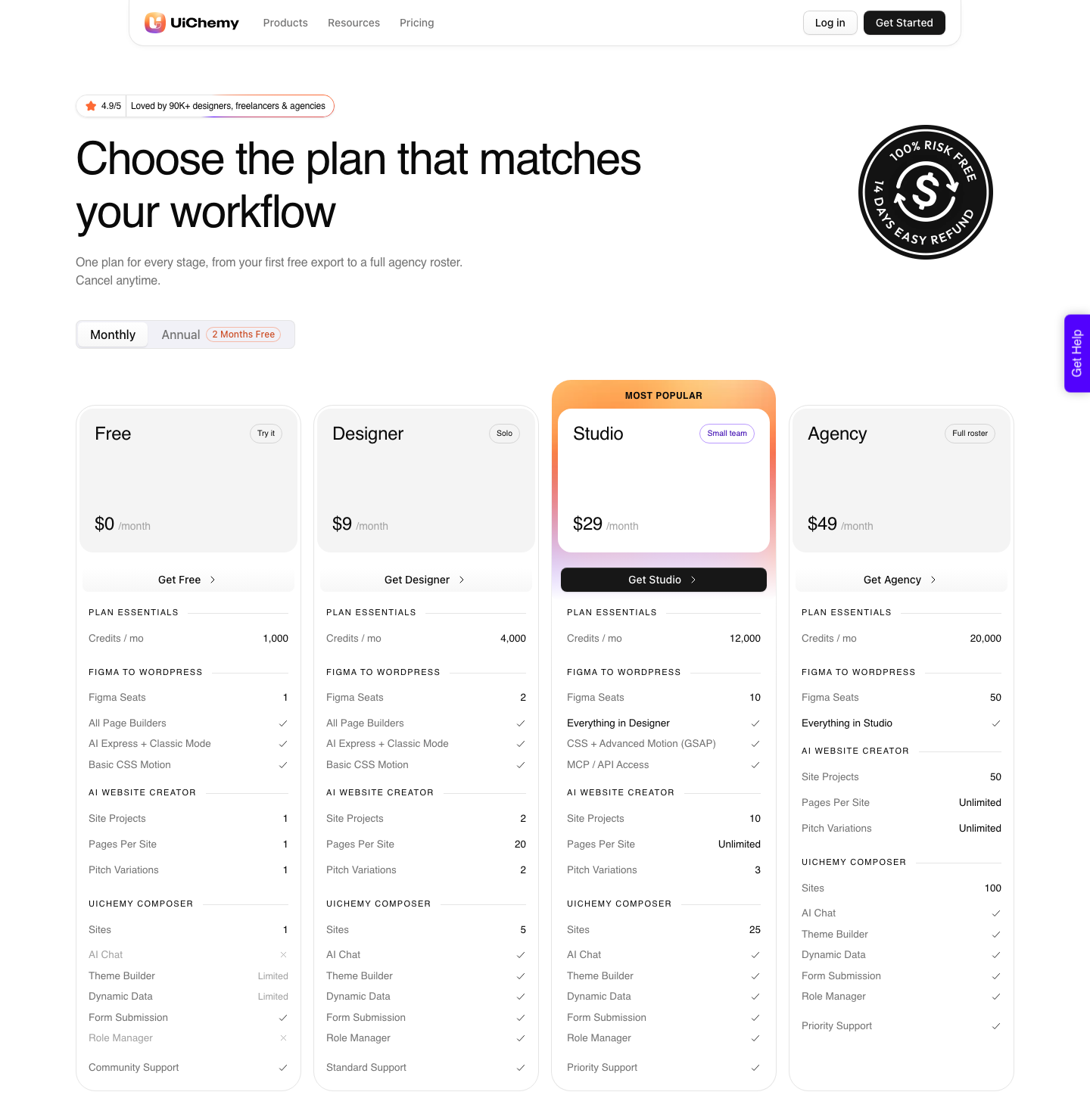
The WordPress side is credit-based, and there is a Free plan at $0 a month with 1,000 credits that is enough to run one page through and see the output before you commit.
Paid plans start at $9 for Designer with 4,000 credits a month, then 12,000 on Studio at $29 and 20,000 on Agency at $49, all documented on the pricing page.
Your balance refreshes monthly and you can top up between refreshes; the page publishes no pack sizes or top-up prices, so budget against the plan allowance rather than a number nobody printed.
An automatic conversion draws more credits than a hands-on one, which matters when a Relume sitemap gives you fourteen pages at once rather than one. Converting the three template pages and duplicating them inside WordPress is usually cheaper than converting all fourteen.
Questions People Ask About This Route
Does Relume export to WordPress?
Not directly. Relume’s published export destinations are Figma, Webflow and React, and its own Publish product hosts the site on Relume.
Getting to WordPress means taking the Figma export and converting it, which is a separate step with a separate tool. If the design has not been signed off yet, the shorter road is to give the brief to AI Website Creator and export to Elementor from there.
Should I convert the wireframe or the design?
The design. Converting a wireframe produces a page of grey boxes with correct structure, which is only useful if you intend to style inside WordPress.
If you are going to style in Figma anyway, do it once and convert once.
Do the Relume style guide colours become WordPress globals?
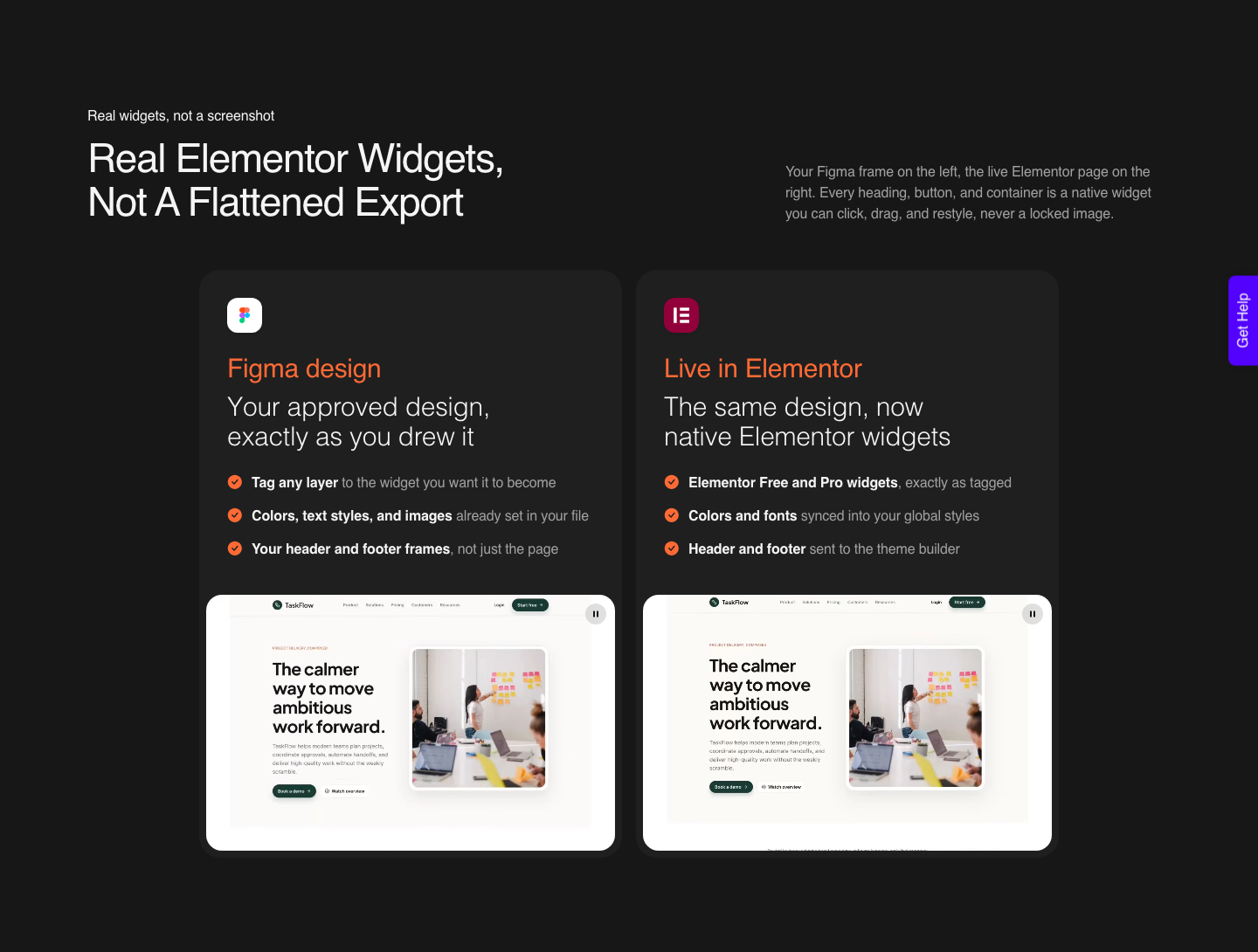
They can. One-click global styles sync maps Figma styles, variables and colours into the builder’s global styles, currently for Elementor and Bricks, with Gutenberg on the way.
Elementor v3 global colours and v4 Atomic classes are both handled.
Which builder should I convert into?
Whichever the client already uses. Elementor is the widest supported today and the only target for AI Express right now, while Gutenberg and Bricks are both available through Classic mode.
Changing a client’s builder to suit your workflow is a cost they will notice.
Is a component library a substitute for design work?
No, and treating it as one is how a portfolio of sites starts looking identical. The structure is the free part.
Type, spacing rhythm, imagery and motion are the parts a client is paying for, and none of them arrive in a wireframe.
The Assessment In One Paragraph
Use Relume for what it is genuinely good at, which is collapsing the brief-to-structure stretch from a week to an afternoon and producing a layer tree that behaves. Do not use it as a reason to move a WordPress client onto another platform, because that decision costs them more than it saves you.
Then treat the Figma export as a real design file rather than a finished product. Style it, prune the nesting, fix the frame settings, and convert into the builder the client already knows.
That sequence is four steps, the same four that any Figma to WordPress handover comes down to, and it is the only one that ends with a page they can edit themselves.
Sources checked on 8 September 2026: Relume’s own product and export pages for the destination list and the Publish beta date, our documentation on auto layout for accurate conversion and things to avoid in a Figma design, plus Figma’s own guidance on component instances, variables and styles.