Design System Sync From Figma to Bricks
 Sagar Patel
A brand review lands and the corner radius moves from 8 pixels to 4. In Figma that is one variable.
In Bricks, before this year, it was an afternoon of opening elements and typing the same number into sixty of them, and missing four.
That gap is what the UiChemy Bricks sync closed. This post covers exactly what now travels from a Figma design system into Bricks, what still does not, and how to sequence a Bricks project so the sync does the work instead of you.
The conversion step itself, and the Bricks elements it targets, sit in the Figma to Bricks walkthrough. Every product claim here was re-checked against the UiChemy docs and pricing page on 8 September 2026.
Two things are stated up front because they change how you plan. Bricks conversions run through Classic mode today, which means tagging layers rather than hands-free automation.
And Bricks is the narrowest of the four routes UiChemy now offers, so a Bricks project is a Figma project by definition. Neither is a reason to avoid the route, and both are reasons not to promise something on a call.
What Now Syncs From Figma Into Bricks
The earlier version of the sync covered four things: global colours, global typography, global container width and global padding. Useful, and incomplete in a specific way that Bricks users felt every week.
Four more properties were added, and they are precisely the ones that had to be configured by hand inside Bricks afterwards. Global border radius, global border, global gap and global box shadow now sync directly from Figma, as described in the Bricks design system sync update.
| Design system property | Before the update | Now |
|---|---|---|
| Global colours | Synced | Synced |
| Global typography | Synced | Synced |
| Global container width | Synced | Synced |
| Global padding | Synced | Synced |
| Global border radius | Manual in Bricks | Synced |
| Global border | Manual in Bricks | Synced |
| Global gap | Manual in Bricks | Synced |
| Global box shadow | Manual in Bricks | Synced |
The detail that matters most is where the values land. They are applied at the global level in Bricks and also inside the imported design, so a converted page picks up the same radius and shadow that the rest of the site uses rather than carrying its own copy of them.
Colours and typography arrive as reusable classes rather than as values pasted onto elements. That is the difference between a design system and a coincidence: change the class once and every element using it updates, which is the whole reason to run a system in the first place.
Generated output is the counter-example, since Figma Make writes hard-coded spacing and one-off colour values rather than referencing the system you already built.
Why Those Four Properties Were The Painful Ones
Colour is easy to notice and easy to fix, because a wrong blue announces itself. Radius, border, gap and shadow are the opposite: individually invisible, collectively the reason a build looks slightly cheaper than the design did, and nobody can say why in the review.
They are also the properties that drift. A card built in week one gets a 12 pixel radius, a card built in week five gets 10 because someone typed it from memory, and six months later the site has four radii and no rule about which is correct.
Syncing them from Figma removes the typing, which removes the drift. That is a smaller claim than the feature list suggests and a bigger deal in practice, because consistency is a maintenance property rather than a launch-day one.
Where Bricks Sits In The UiChemy Line
Worth being exact about this, because the product changed shape on 7 September 2026 and a Bricks reader inherits only part of it.
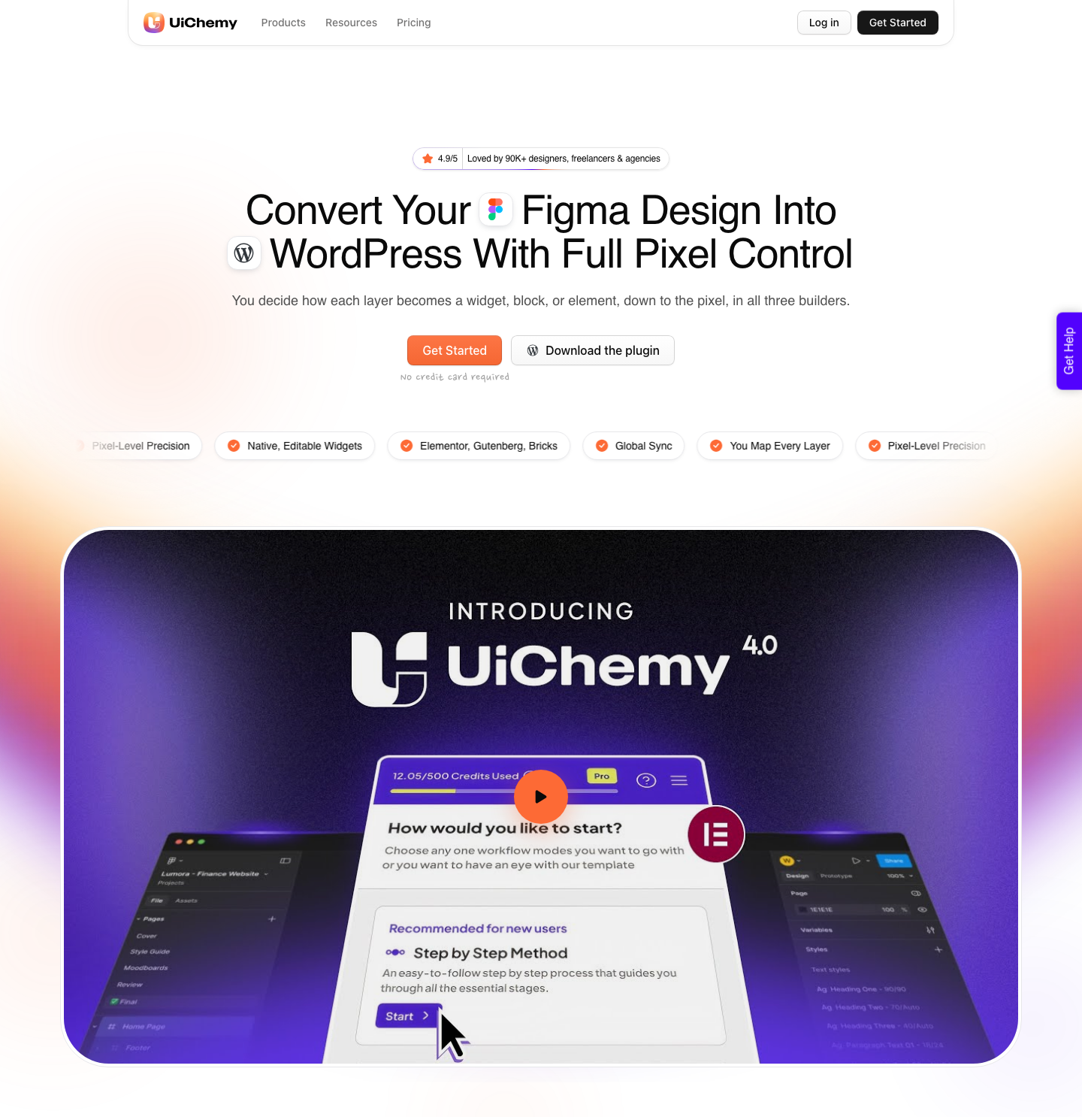
UiChemy is now four products on one engine, framed on its own homepage as starting from a prompt, a client brief, a Figma design or an AI build and ending in native, editable WordPress in the builder you already use.
- Figma to WordPress converts an approved design. This is the one that reaches Bricks, through Classic mode, and it is where the design system sync lives.
- AI Website Creator takes a text prompt or a client brief and produces a whole site, brief to sitemap to design to export. Its export target today is Elementor; Gutenberg is marked Soon on every plan, Agency included.
- UiChemy Composer is one widget you drop into a page once, after which AI writes genuine HTML, CSS and JavaScript you can edit by hand or by prompt. Its product page says it runs inside Elementor.
- AI to WordPress brings an existing Lovable, Claude, Bolt or v0 build across, and the route for most of those is Composer.
Read that list as a scoping tool rather than a pitch. Three of the four end in Elementor today, so if a client is committed to Bricks, the Figma route is the whole of what is available to you, and the sync described here is the part that makes it worth running as a system rather than as a one-off export.
Bricks Runs Through Classic Mode Today
Say this part plainly. AI Express, the automatic no-tagging conversion, outputs to Elementor only for now.
Bricks and Gutenberg are named as coming next. Everything Bricks does today happens in Classic mode, where you tag layers and get pixel-exact control in exchange.
That trade is not obviously bad. Classic is the mode people reach for when a design has to be exact, and a design system project is exactly that kind of work.
Tagging is a cost you pay once per component pattern, not once per page.
The tag vocabulary is generated inside the plugin rather than published in a fixed list. Select your top level frame, choose Optimize & Convert, then open the Element Tags tab to see the supported Bricks elements for your version.
The documented set today is broad: Heading, Button, Icon List, Icon Box, Video, Image Gallery, Carousel, Counter, Alert, Countdown, Rich Text, Basic Text, Table Of Contents, Excerpt, Post Title, Instagram Feed, Logo, Audio, Meta Data, Code, Related Posts, Reading Time, Map, Text Link, Posts, Testimonials, Team Members and Form.
A Working Sequence For A Bricks Project
Sync the system before you convert a single page. Get the colours, typography, container width, padding, radius, border, gap and shadow into Bricks first, so the first conversion lands into a site that already agrees with the design file.
Doing it the other way round is the common mistake and it costs twice. You convert, restyle the page by hand to match the design, then sync the system and watch the global values fight the manual overrides you just added.
Then set the file structure, following the same auto layout rules that decide whether a design survives the build.
Top level frame with auto layout, vertical, aligned top centre, padding and item gap at zero, a fixed width you chose. Sections inside it set to fill container for width and hug contents for height, elements only inside sections.
Tag the layers that have an obvious Bricks element, convert one page, and review it in the Bricks builder rather than on the front end. The front end shows you whether it looks right; the builder shows you whether the classes came through and whether a client can maintain it.
| Step | Where it happens | What it prevents |
|---|---|---|
| Sync the global styles | Plugin to the live Bricks site | A page that disagrees with the rest of the site |
| Fix the top level frame | Figma | Sections arriving missing or badly stacked |
| Prune single-child wrappers | Figma | A structure nobody wants to edit later |
| Tag the repeated patterns | The Element Tags tab | Generic containers where a real element belongs |
| Convert one page and review | The Bricks builder | Repeating a mistake across fourteen pages |
Keeping The System In Sync After Launch
The value of a sync is not the first run, it is the fifth. When the brand refresh arrives in month seven, the correct move is to change the Figma variables and re-sync rather than to open Bricks and start typing, and that only works if nobody overrode the globals in between.
So write the rule down for whoever maintains the site. Element-level overrides are for genuine exceptions, and everything else changes at the class or global level.
A system that anybody can quietly bypass is a convention, not a system.
For ongoing page work, section-level conversion is usually the right size. Copy one section from Figma into an existing page rather than rebuilding the page, and the credit cost stays proportional to the actual change.
What A Bricks Project Actually Costs In Credits
Conversions draw from one shared credit pool covering both modes, and the arithmetic favours Bricks work for a reason that is easy to miss. An automatic AI conversion draws more credits than a hands-on Classic one, and Bricks is Classic, so the same monthly pool goes further here.
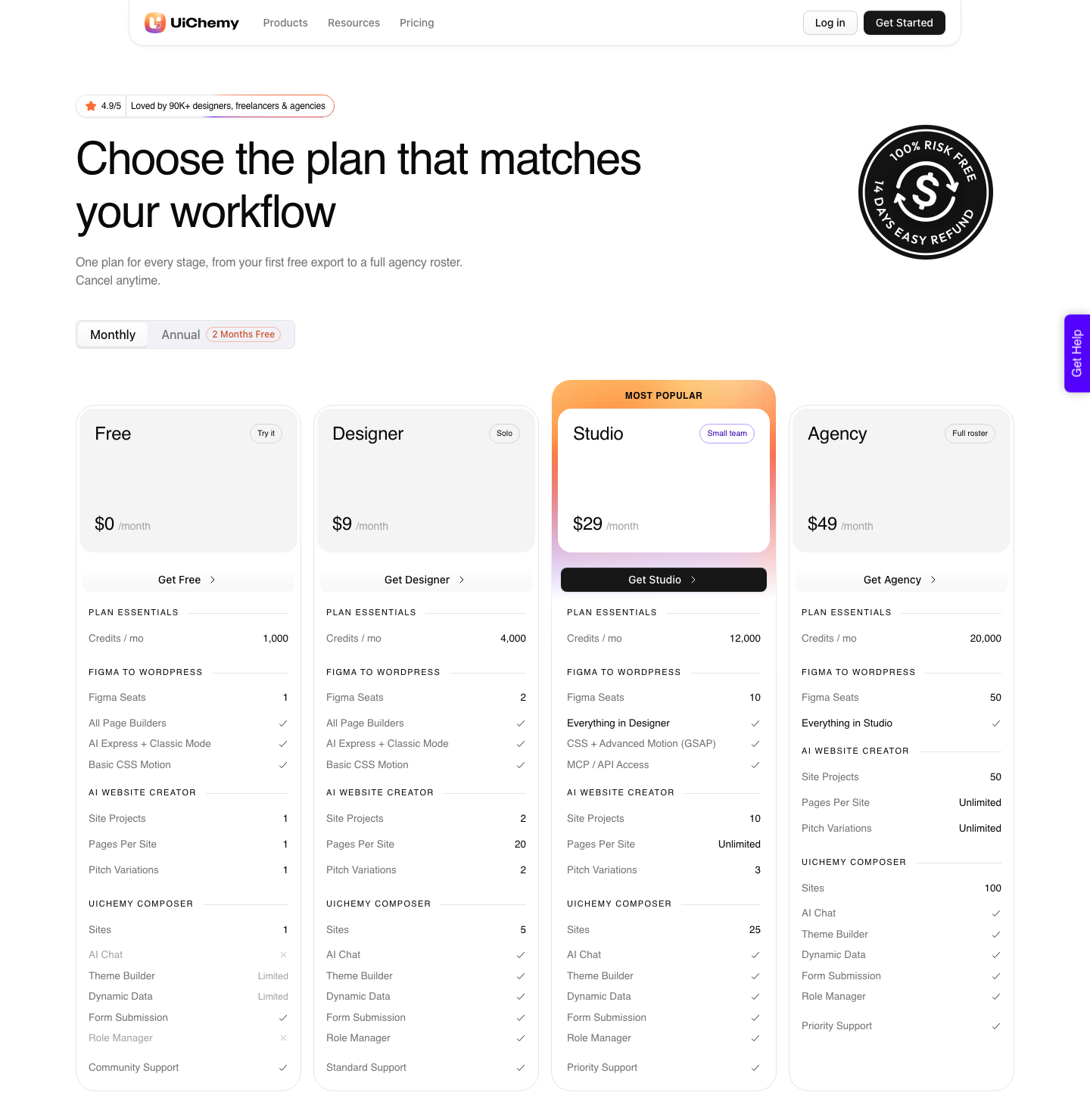
The Free plan is $0 a month with 1,000 credits and one Figma seat, which is enough to sync a system into a staging site and convert one section before spending anything. Designer at $9 a month carries 4,000 credits, Studio at $29 carries 12,000 and Agency at $49 carries 20,000.
Figma seats scale 1, 2, 10, 50, where a seat is one Figma account or one connected WordPress site, and that is the number an agency runs out of first.
Pages per site is the other line to read before quoting a build: 1 on Free, 20 on Designer, unlimited on Studio and Agency. A fourteen page client site is a Studio job on that row alone, whatever the credit arithmetic says.
Annual billing is advertised as two months free, and paid plans carry a 14-day money-back guarantee.
Two features do change by tier. Basic CSS motion is on every plan, and advanced GSAP motion starts at Studio, $29, alongside MCP and API access for firing conversions from Claude, Cursor, Codex or Antigravity.
Neither is on Free or Designer, so check the tier before an animated Bricks hero goes into a proposal.
What Is Not There Yet
Post-conversion Chat AI, where you select a section and describe a change instead of editing it by hand, happens inside Elementor. On Bricks you edit in the Bricks builder like any other Bricks page.
Plan the build around native Bricks elements, because that is exactly what you get and nothing more.
AI Express on Bricks is not available today either. If a project genuinely depends on hands-free conversion right now, that project is an Elementor project, and pretending otherwise on a client call is a problem you are scheduling for later.
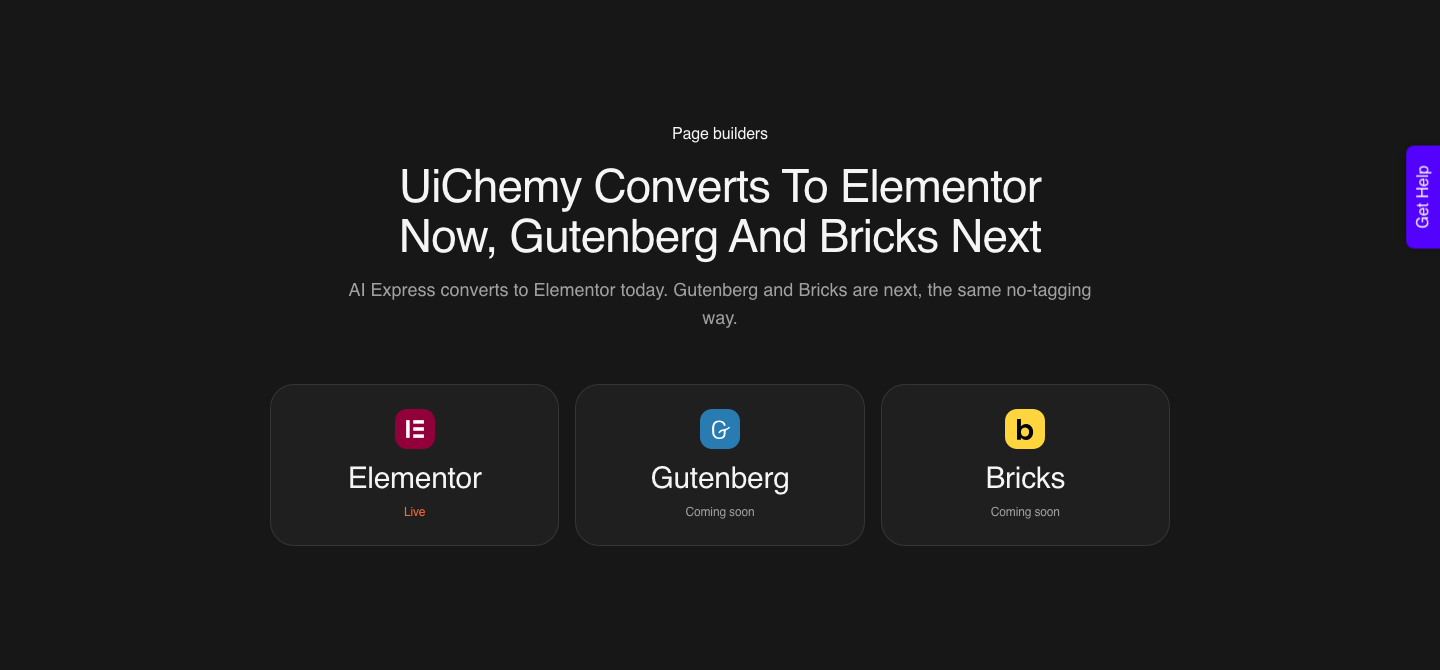
Gutenberg is the third gap. One-click global styles sync covers Elementor and Bricks today, with Gutenberg on the way, so a block-based site still needs a manual pass to set its global palette and type.
Honest Limits On The Bricks Route
Some Figma properties do not connect to a builder at all, and no amount of syncing changes that. Masks on any element, layer blur and background blur, video fills, blend modes on text and gradient or image fills on text are documented as unsupported.
Structural mistakes cost the same here as anywhere. Elements outside the top level frame are ignored on export.
Negative item gaps in auto layout become zero, because CSS flexbox does not allow a negative gap. Excess frames become excess containers you will click through for years.
And the realistic expectation is unchanged by any of this. A verified reviewer describes the plugin as handling about 70 percent of the design work and leaving the remaining 30 percent to fine-tune in the builder, which they call a fair trade for the time saved.
Quote that split to a client rather than a promise of a finished page.
Questions Bricks Users Actually Ask
What exactly does the Bricks sync cover?
Global colours, typography, container width and padding, plus the four added by the design system update: border radius, border, gap and box shadow. They apply at the global level and inside imported designs.
Does AI Express work with Bricks?
Not yet. AI Express outputs to Elementor only for now, with Bricks and Gutenberg named as next.
Bricks conversions run through Classic mode, which means layer tagging rather than hands-free automation.
Do I need a separate plan for Bricks?
No. Every plan includes all page builders and both modes, starting with the Free plan at $0 a month and 1,000 credits.
Designer is $9 for 4,000 credits, Studio $29 for 12,000 and Agency $49 for 20,000, and the tiers differ by credits, seats, pages per site and two gated features rather than by builder.
Will the sync overwrite styling I set by hand in Bricks?
Global values are what sync, so element-level overrides you added by hand keep winning at the element level. That is why the sensible order is to sync first and override rarely, rather than to restyle everything and sync afterwards.
Which Figma features should a Bricks design system use?
Variables for the values that change, styles for type and effects, and component instances for the patterns you repeat. Those three are what a sync has to read.
What To Do This Week
Take one live Bricks site and audit its radii. Count how many distinct values are in use and how many were meant to exist.
That number is the honest measure of whether your current process needs a sync, and it takes about fifteen minutes to find.
Then run the sync on a staging copy before you touch production. Check the globals landed, convert one section, and look at whether it inherited the class rather than carrying its own values.
That single check tells you whether the system is real.

Sources re-checked on 8 September 2026: the Bricks design system sync announcement, the list of Bricks elements compatible with conversion, things to avoid in a Figma design and the pricing page for builder and mode availability, plus Figma’s own documentation on variables and styles.