Figma Make Pricing Against What You Actually Ship
 Sagar Patel
Figma Make has no price. It has a seat requirement and a credit meter, and the two together decide what a month of work actually costs you.
That is why the question “what does Figma Make cost” never has a single number in the answer.
The useful version of the question is different: how many pages can I ship this month before something stops. This post answers that with Figma’s own published figures, checked live on 8 September 2026, and then sets them beside a WordPress build meter so you can see how differently the two behave.
Nothing here is estimated. Every credit number below is Figma’s, every dollar figure is from the vendor’s own pricing page, and where Figma publishes a range rather than a figure the range is quoted as a range.
The Seat Is The First Cost
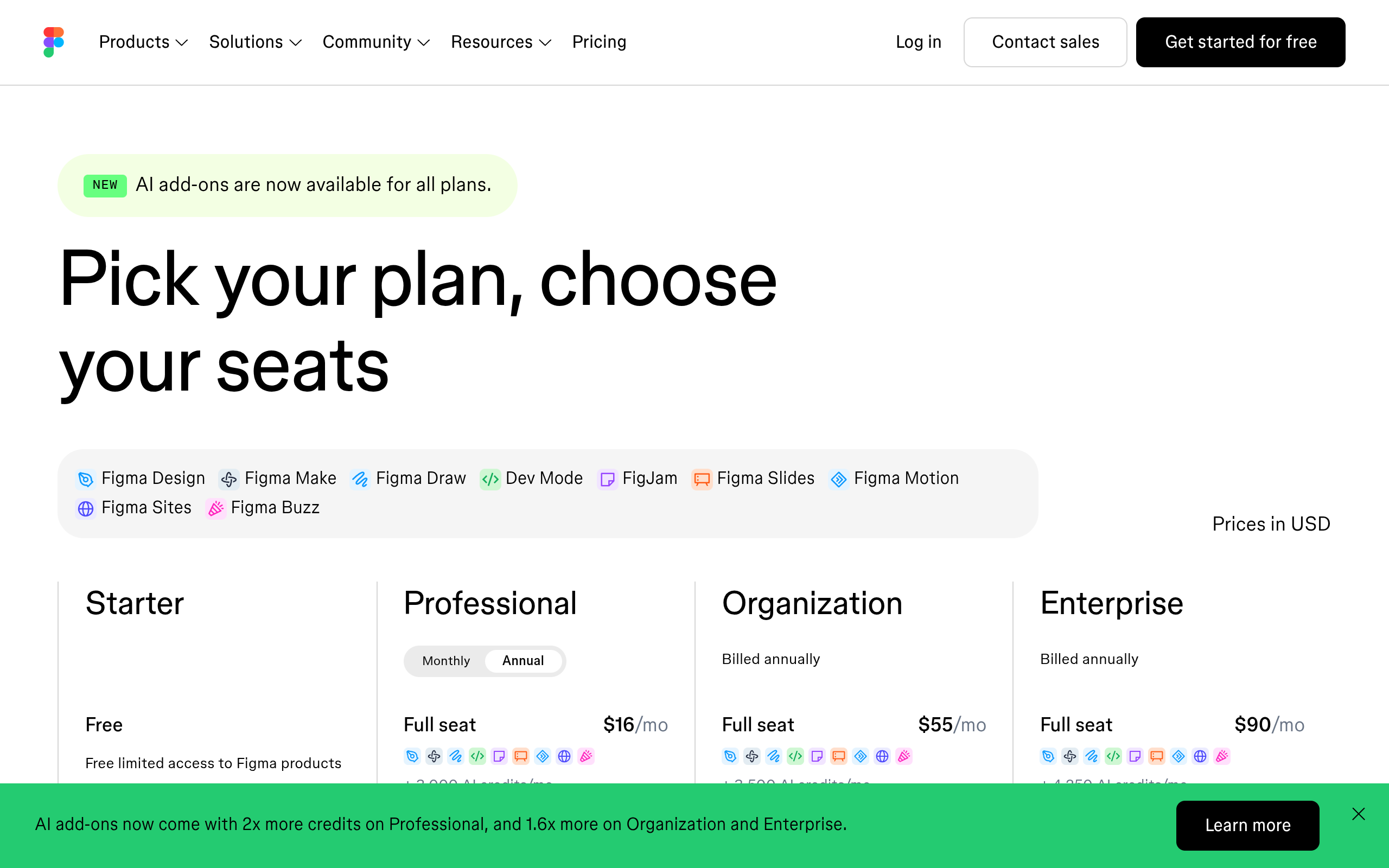
Figma states that Make is available for Full seats on paid plans, with the ability to try it on other seats and plans. So the entry cost is a Full seat, and Full seats are the expensive kind.
On Professional a Full seat is $16 a month, a Dev seat $12, and a Collab seat $3.
Above that, Organization prices a Full seat at $55 a month and Enterprise at $90, both billed annually, with Dev seats at $25 and $35 and Collab seats at $5 on each. Those are per person per month, not per project, so a three person team on Organization is already $165 a month before a single credit is spent.
This is the part people skip when comparing tools, because a per-seat price and a per-site price are not the same shape. A build tool that charges per plan with a number of connected sites is answering a different question from a design tool that charges per person.
The Credit Allowance Is The Second Cost
Every Figma plan includes a monthly AI credit allowance per seat, and Make draws from it. Starter gives 500 credits a month, Professional 3,000, Organization 3,500 and Enterprise 4,250.
Dev, Collab and View seats get 500 a month on every plan, which is enough to look around and not enough to build with.
Four rules govern that pool and all four matter. Credits are assigned to an individual user, they reset monthly, they do not roll over, and they cannot be shared or transferred.
A colleague sitting on an untouched 3,000 cannot lend you any of it, and being a member of two plans gives you two separate allocations that never combine.
When the pool empties, Figma shows an in-product message and further AI actions stop until credits return or an administrator grants more. Undoing an AI action reverts the file and does not refund the credits, because the work was already processed.
On a deadline that is a wall rather than a bill, which changes how you plan a heavy week.
| Plan | Full seat price | AI credits per Full seat per month | Other seats | Rollover |
|---|---|---|---|---|
| Starter | Free | 500, capped at 150 a day | Not applicable | No |
| Professional | $16 a month | 3,000 | 500 a month | No |
| Organization | $55 a month, annual | 3,500 | 500 a month | No |
| Enterprise | $90 a month, annual | 4,250 | 500 a month | No |
What A Credit Buys In Figma Make
Figma states that consumption varies with the underlying model, the complexity of the task and the context materials, then publishes approximate figures. Generating an app from scratch runs 100 credits or more.
Making an attached design interactive runs 75 or more. Changing the font runs 30 or more.
Elsewhere in the same documentation the fixed-price actions are listed outright. Adding interactions in Figma Design is a flat 20 credits.
Image generation ranges from 2 credits an image on the cheapest model to 16 on the most expensive. Background removal costs 1 to 5, vectorising 2 to 5, and boosting resolution 5 to 10.
AI search, layer renaming and FigJam summarisation cost nothing at all.
Two exemptions are worth knowing because they change how you correct a bad build. Auto fix and Fix for me do not consume additional credits, since the model is adjusting what is already there.
Retyping the same fix as a fresh prompt does consume them, which makes the repair button materially cheaper than the chat box.
Put those together against a 3,000 credit Professional allowance and the arithmetic is unsentimental. Thirty cold generations, or roughly ten generations with a normal amount of iteration on each, or one very indecisive week.
The font change figure is the one that catches people, because a cosmetic tweak costs a third of a generation.
The Same Month, Priced Two Ways
Now set that beside the meter that gets the result onto a real site, because the two answer different questions and the comparison is only fair if you say so.
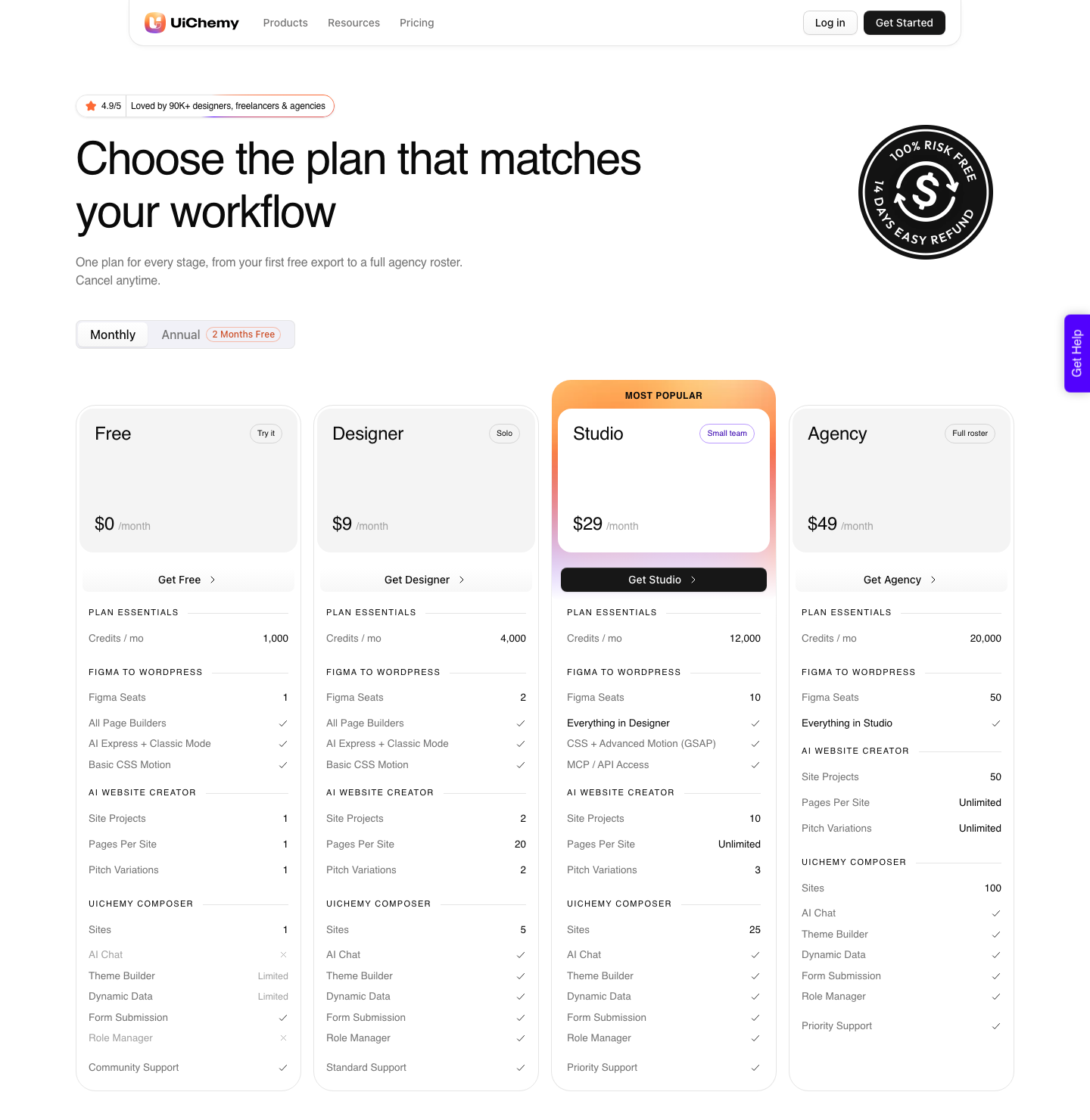
UiChemy prices per plan rather than per person, and it starts at zero: the Free plan is $0 a month with 1,000 Credits, one Figma seat, one AI Website Creator project of one page and one Composer site.
Above that, Designer is $9 a month with 4,000 Credits and 2 Figma seats, Studio $29 with 12,000 Credits and 10 seats, Agency $49 with 20,000 Credits and 50 seats. Annual billing is advertised as two months free, you can cancel at any time, and every plan carries a 14-day money-back guarantee.
A seat there means one Figma account or one WordPress site, which is a different unit from a Figma seat and worth mapping before anyone buys either. An agency running fifteen client sites is counting sites, not staff, and that is the whole reason the curve looks different from Figma’s.
| Figma AI credits, used by Make | UiChemy Credits | |
|---|---|---|
| Charged per | Seat, per person | Plan, with seats meaning Figma accounts or sites |
| Free entry | Starter, 500 a month capped at 150 a day | Free plan, $0 a month with 1,000 Credits |
| First paid tier | $16 a month for a Professional Full seat | $9 a month for Designer |
| Included allowance there | 3,000 a month | 4,000 a month |
| Largest published tier | 4,250 a month on Enterprise at $90 | 20,000 a month on Agency at $49 |
| Rollover | None, credits reset monthly | Monthly allowance by plan |
| Transferable | No, cannot be shared between users | Pooled across the plan’s seats |
| Annual discount | Set per plan on the pricing page | Two months free, cancel anytime |
| Refund window | Standard plan terms | 14-day money-back guarantee |
What The Four Products Cost To Run
The second meter is not a single feature any more, and that matters when you are picking a tier.
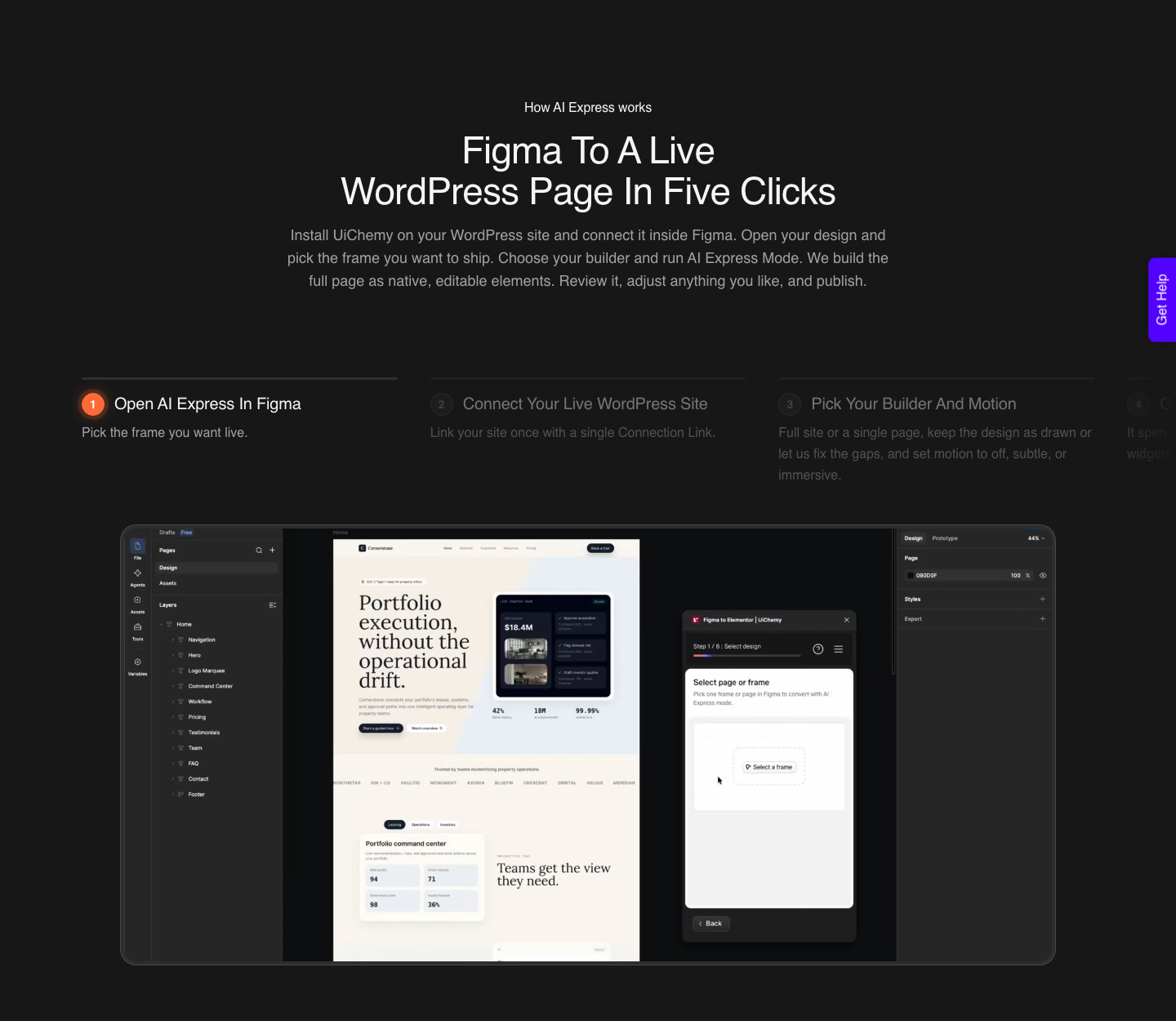
One engine sits behind four ways in: Figma to WordPress from an approved design, AI Website Creator from a prompt or a client brief, Composer for sections written as real HTML, CSS and JavaScript inside the builder, and AI to WordPress for an existing Lovable, Claude, Bolt or v0 build.
The plan you need depends on which of those you lean on. AI Website Creator projects run 1 on Free, 2 on Designer, 10 on Studio and 50 on Agency, with pages per site capped at 1, then 20, then unlimited on both upper tiers.
Composer sites go 1, 5, 25 and 100 across the same four plans. Client pitch variations go 1, 2, 3 and unlimited.
Two gates sit higher up and posts on this topic routinely get them wrong. Advanced Motion with GSAP and MCP or API access both start at Studio, $29, so neither the Free plan nor Designer carries them.
On the Free plan, Composer’s Theme Builder and Dynamic Data are limited rather than absent, White Label is not included at all, and Global Collections are capped at three.
Buying More Credits, And Who Controls Them
Running past Figma’s included allowance is possible, but it is an administrator’s decision rather than yours.
Figma states that seat credits exist so you can try what its AI does, and that ongoing everyday use runs through an admin adding an AI credits subscription or pay-as-you-go billing. If you are a designer on somebody else’s plan, your ceiling is set by someone in another meeting.
Those two purchase shapes behave differently under pressure. A subscription buys a monthly package for the plan, and pay-as-you-go charges only for what gets used.
The second is the safer one for agencies with uneven months, because it turns a hard stop into a controlled cost.
Admins also control distribution, and can set a custom paid credit limit per person or switch paid credit access off entirely. When you hit a limit rather than an empty pool, Figma offers a request button that emails your admin.
That is a sensible governance feature and it is also a reason to ask about your own limit before planning a build around Make.
A Worked Month On A Professional Seat
Take a freelancer on one Professional Full seat, so $16 a month and 3,000 AI credits. Two client projects, each needing a prototype before the design is signed off, then a real site afterwards.
Project one: one generation from scratch at 100 credits or more, four rounds of interactivity at 75 or more each, two font decisions at 30 or more each, and eight generated images at up to 16 each. That is somewhere above 590 credits before anything is approved.
Project two behaves the same, so call it 1,200 credits for two prototypes with normal indecision.
That leaves roughly 1,800 credits for everything else Figma AI does in a month, and it leaves both sites still unbuilt. The build is a separate meter: on Designer at $9 a month, 4,000 Credits and 2 seats covers two client sites.
Total tooling for the month is $25, which is a number you can put in a quote.
If the same freelancer wanted to test the workflow before spending anything, the Free plan at $0 gives 1,000 Credits, one Figma seat and one Composer site. That is enough to convert a real section and find out whether the file is clean, which is the only question worth answering before a purchase.
Where This Pricing Goes Wrong
The first trap is treating credits as a budget when they are a rate limit. There is no overage to absorb: run out and AI actions stop until the next cycle or an administrator intervenes.
A fixed-fee project that stalls on day 22 costs more than the credits would have.
The second is iteration cost. The published figures make generating cheap relative to fiddling: 100 or more to create, but 75 or more every time you add interactivity and 30 or more to change a font.
Plan mode is a separate action that can cost more than a plain build prompt, and Figma’s argument for it is that a well-scoped plan needs fewer corrections afterwards.
The third is assuming the prototype is the deliverable. Figma warns that Make may incorporate third-party content from the internet, including fonts, code packages and images, and that you are responsible for rights before publishing.
That review is unpaid work that belongs in the estimate.
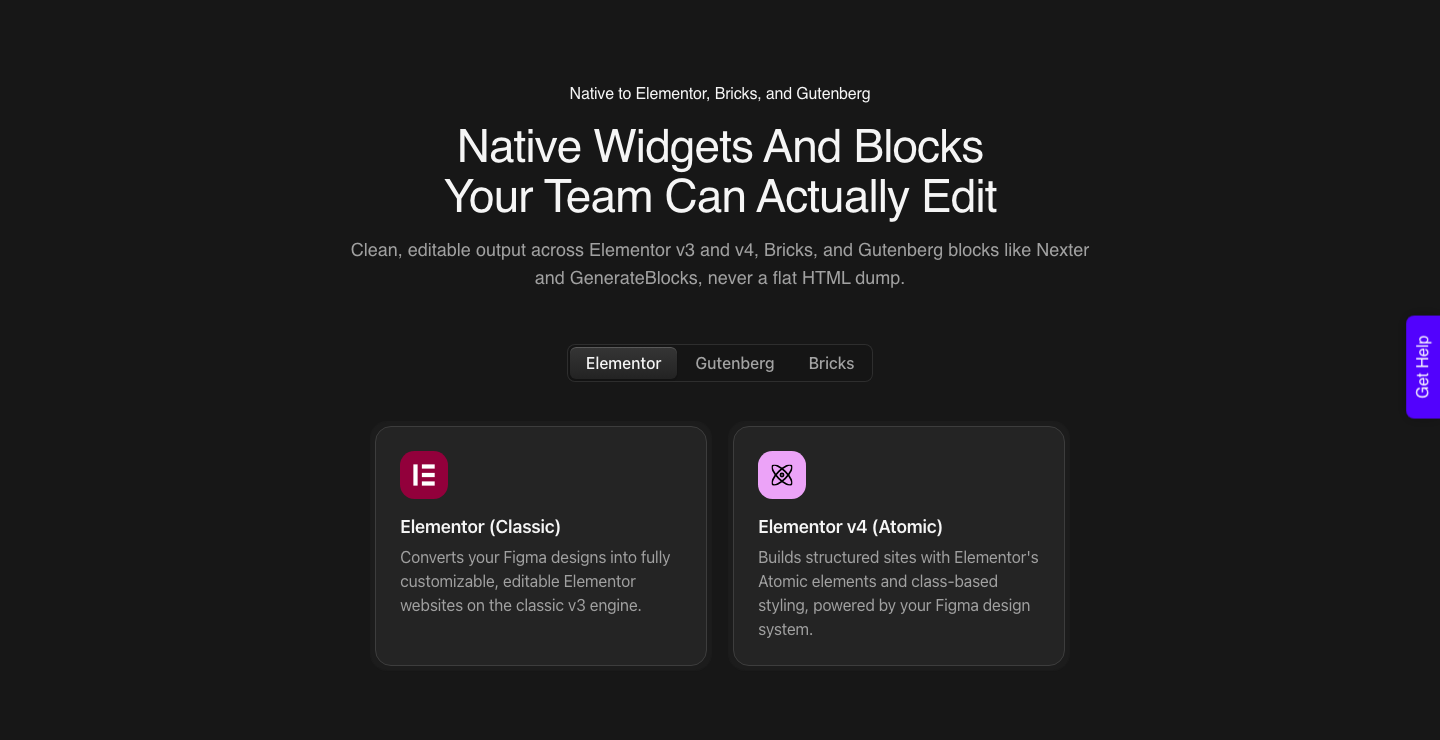
The build side has its own honest limits and they belong in the same paragraph as the price. AI Express outputs to Elementor today, with Gutenberg and Bricks still on the roadmap.
AI Website Creator exports to Elementor, and Gutenberg export is marked Soon on every plan including Agency. Composer runs inside Elementor.
A verified reviewer puts the realistic result at about 70% of the design work handled with 30% fine-tuned by hand.
Questions People Actually Ask
Is Figma Make free?
You can try it outside a Full paid seat, and the free Starter plan carries 500 AI credits a month with a 150 a day cap. Since one generation runs 100 credits or more, that is a look rather than a workflow.
Figma states Make is available for Full seats on paid plans.
How many Figma Make generations do I get on Professional?
Around thirty cold generations, taking 3,000 credits against Figma’s stated 100 or more per generation. Real projects land far lower because iteration is metered too, at 75 or more for interactivity and 30 or more for a font change.
Ten to fifteen properly worked prototypes is a more realistic monthly figure.
Do Figma AI credits roll over?
No. Figma states that credits reset monthly, do not roll over, and cannot be shared or transferred to other users.
Credits held on two different plans do not stack either, so a contractor with a client seat and a personal seat has two separate pools.
What does it cost to get the result onto a real site?
Less than most people assume, because there is a Free plan at $0 a month with 1,000 Credits. Designer is $9 with 4,000 Credits, Studio $29 with 12,000, and Agency $49 with 20,000.
See the pricing page for what each tier includes.
Which plan do I need for MCP access?
Studio at $29 a month is where MCP and API access start, and Agency at $49 has them too. Advanced Motion with GSAP begins on the same tier.
Neither the Free plan nor Designer at $9 includes either one, though both cover every supported page builder.
Which plan should an agency actually buy?
Count people for Figma and count sites for the build. Figma seats scale with headcount, so three designers on Professional is $48 a month before credits.
The build side scales with client sites, so Agency at $49 covers 50 seats and 100 Composer sites, which is a different curve entirely.
Budgeting Your Next Project
Write two numbers before you quote: how many generations the exploration needs, and how many pages the build needs. Multiply the first by 100 or more credits and check it against your seat’s monthly allowance.
Multiply the second by conversions and check it against a Credit pool that pools across your sites.
Doing that once will change how you sequence a project, because it makes plan mode and a clean Figma file look like cost control rather than tidiness.
Related reading: how Make credits are metered per action, the wider Figma AI credit picture, and what a Figma seat costs across plans.
Figma’s own pricing page, its AI credits documentation and the Explore Figma Make article are where every Figma figure here came from.
Then build one real section rather than a whole site. The Free plan costs nothing and the 14-day guarantee covers the rest, and twenty minutes on your own file tells you more than any pricing table, including this one.