Figma Sites Pricing Against a WordPress Build
 Sagar Patel
A client sees the site in Figma, likes it, and asks the reasonable question: can you just publish it from here rather than building it again? On the surface the arithmetic looks obvious.
One subscription instead of a hosting bill, a builder licence and a plugin.
The arithmetic gets less obvious the moment you extend it past launch week. Figma Sites is still labelled beta on Figma’s own pricing page, and the line item nobody puts in the spreadsheet is who is allowed to change a headline in fourteen months.
What follows is total cost of ownership for both routes, using published prices from Figma and Elementor as they stood on 8 September 2026, and naming the things a price page does not cost.
What Figma Sites Costs, Line by Line
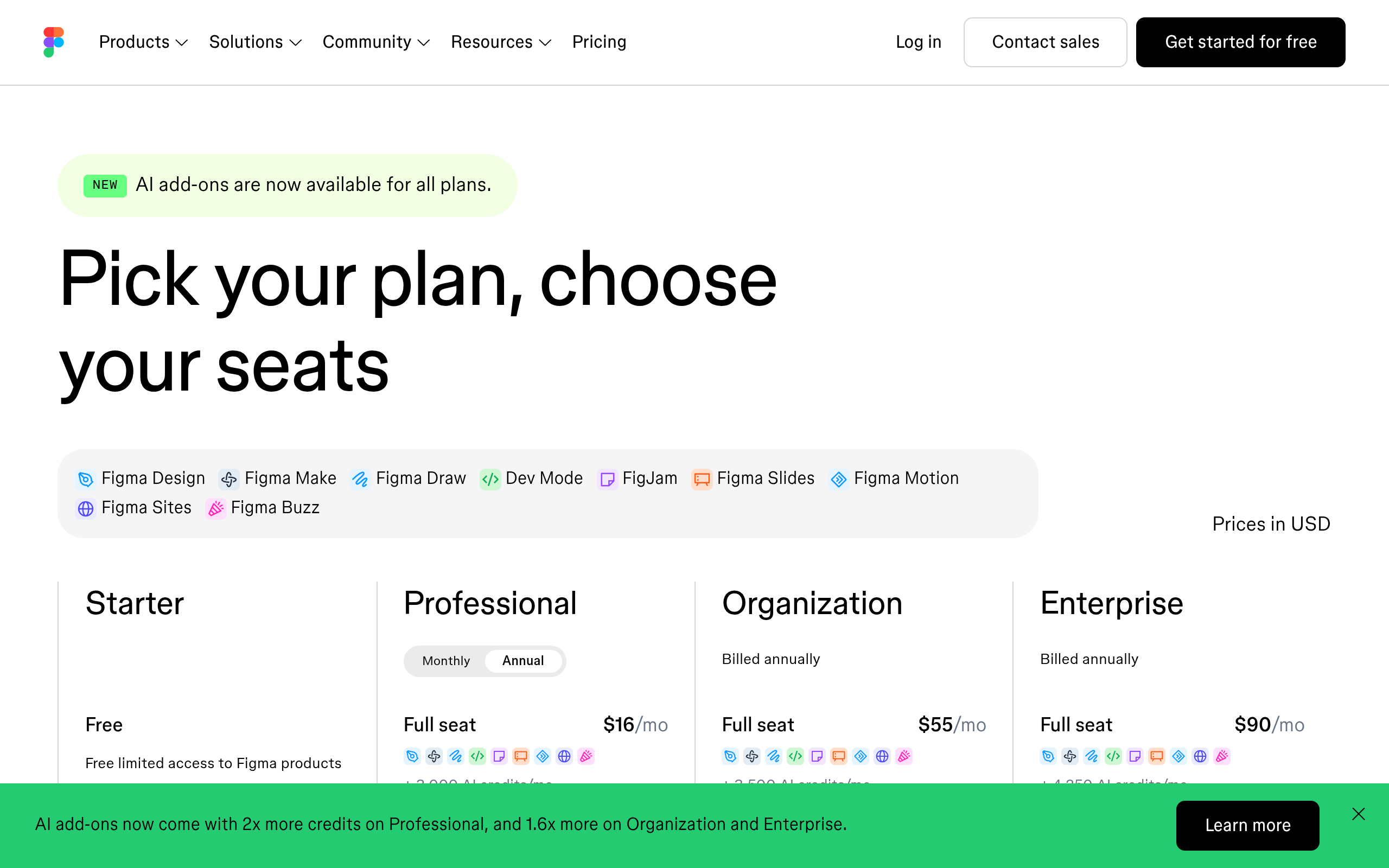
Figma does not sell Sites separately. It is bundled with a seat, which means the pricing question is really a seat question, and Figma’s pricing page states plainly that the Figma Sites beta is available on Full seats.
| Plan | Full seat | Dev seat | Collab seat | AI credits, Full seat |
|---|---|---|---|---|
| Starter | Free, limited access | Not applicable | Not applicable | 150 a day, up to 500 a month |
| Professional | $16 a month | $12 a month | $3 a month | 3,000 a month |
| Organization | $55 a month, billed annually | $25 a month | $5 a month | 3,500 a month |
| Enterprise | $90 a month, billed annually | $35 a month | $5 a month | 4,250 a month |
What that seat includes is genuinely good. Prebuilt blocks with auto layout already applied, breakpoints, preset interactions such as marquee scrolling and custom cursors, code layers for custom interactivity, video, password protection, a CMS, and publishing to a personalised subdomain or a custom domain.
The Sites CMS is the part designers underrate. Content lives in its own view and the design layout stays locked, so a collaborator can update text and visuals without moving anything on the canvas.
What a WordPress Build Costs, Line by Line
The WordPress column has more rows, which is why it looks worse at a glance and often is not. Every row is optional in a way the Figma seat is not, and several are one-off.
| Line | Typical published price | Notes |
|---|---|---|
| WordPress itself | Free | Open source, no licence |
| Hosting | Varies by host | The one number you have to source yourself |
| Domain | Varies by registrar | Needed on either route |
| Elementor Essential | €60 a year, 1 site | 57 Pro widgets, Theme Builder included |
| Elementor Advanced Solo | €84 a year, 1 site | Adds popups, custom code and eCommerce |
| Elementor Advanced | €108 a year, 3 sites | The usual agency starting point |
| Gutenberg or Bricks | Core is free, Bricks is licensed | Elementor is not compulsory |
| UiChemy Free | $0 a month | 1,000 credits, 1 Figma seat, 1 Composer site |
| UiChemy Designer | $9 a month | 4,000 credits, 2 Figma seats |
| UiChemy Studio | $29 a month | 12,000 credits, 10 Figma seats, GSAP and MCP |
| UiChemy Agency | $49 a month | 20,000 credits, 50 Figma seats |
Hosting is deliberately left blank above. Prices vary too widely by host and region for a printed figure to be honest, and quoting one would be the sort of invented number this blog avoids.
Get it from your own host before you build the comparison.
The Shape of the Bill, Not the Size
Set the totals aside for a moment. The two routes bill on completely different axes, and that difference outlives any price change.
- Figma bills per person, forever. One designer is $16 a month on Professional. Four people who need to edit sites are $64 a month, whether or not you publish anything.
- Figma does not bill per site. Twelve client sites on one Full seat cost the same as one, which is genuinely strong for a solo designer with a roster.
- WordPress bills per site, mostly once a year. Hosting and a builder licence scale with the number of sites and not with the number of hands.
- The conversion tool bills per action. Credits are spent in proportion to the work, so a Classic Mode conversion costs fewer than an AI Express one or a full site plan, and the balance refreshes every month.
- Only one of the two stops charging. Cancel Figma and the published site’s editing surface goes with the seat. Cancel a conversion plan and the pages you already converted stay on your own server.
That last point is the one to put in a client proposal. It is not a marketing line; it is a straightforward consequence of where the files live.
The Cost Nobody Puts in the Spreadsheet
Fourteen months after launch, the client’s marketing coordinator needs to change a headline, swap a photograph and add a paragraph to the careers page.
On the Figma route, that person needs a Figma account, a seat with the right permissions, and enough familiarity with the canvas or the Sites CMS to not break the layout.
The CMS genuinely helps here, because the layout is locked while content is edited. It does not remove the account, the seat, or the fact that Figma is a design tool the person has never opened.
Price that as an hourly retainer and the comparison moves. Two small change requests a month at even a modest rate outruns the difference between the two subscription columns inside a year, and it lands on you rather than on the client’s existing staff.
When the Client’s Team Already Knows WordPress
This is the decisive case and it comes up constantly. If the client already has a WordPress site, a person who logs into it, and a habit of publishing their own blog posts, moving them to Figma Sites means retraining a working process.
There is a second, quieter cost in that migration. Whatever the client’s WordPress install already does, forms, a membership plugin, WooCommerce, a booking system, an email integration, does not come along.
Figma Sites publishes a site; it does not replace an ecosystem.
If the honest answer is that the client’s team is competent in WordPress and happy there, the design question and the platform question are separate, and only one of them was actually asked.
Where Figma Sites Is the Right Answer
Being fair about this matters, because the tool is good and the answer is genuinely yes in several common situations. The cases where Sites is the wrong choice are narrower than the criticism suggests.
- Your own portfolio. You are the designer, the editor and the owner. There is no handover to price.
- A launch page with a deadline. Design, publish to a subdomain or a custom domain, done, with password protection while it is in review.
- An event or campaign site with an end date. Nobody is maintaining it in fourteen months because it will not exist.
- A design-led team that already pays for Full seats. The marginal cost of publishing is zero and the design system is already there.
- A site whose only ongoing edit is content. The Sites CMS handles exactly that case, with the layout locked.
The Beta Label, and What It Means for an Invoice
Figma labels Sites as beta on its own pricing page and in its own help centre navigation. That is Figma’s label, not a critic’s, and it is worth taking at face value rather than treating as a formality.
A beta label means the feature set can move, the pricing arrangement can move, and support expectations are different. Figma has already shown it will change AI pricing during a beta, and it says openly that Weave tools become credit-consuming at general availability.
None of that makes it unusable. It makes it a poor foundation for a fixed multi-year client price, which is a narrower and more useful criticism than saying it is not ready.
The Conversion Route, Priced Honestly
The third option is designing in Figma and converting into the client’s existing WordPress install, which keeps the design work in one place and the maintenance in another.
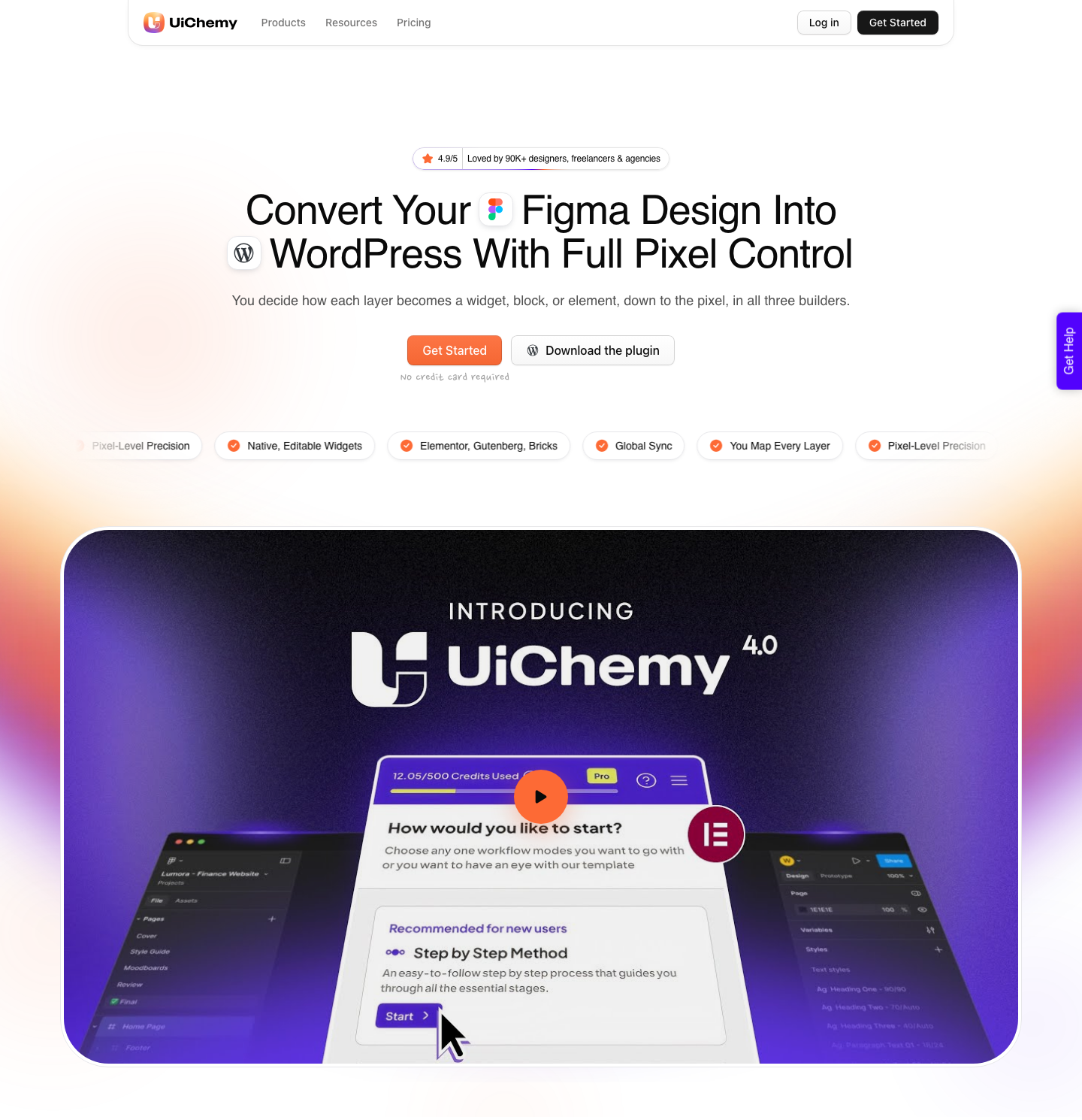
Two modes ship in the same plugin and every plan carries both. AI Express Mode reads every layer with no tagging and outputs to Elementor today, with Gutenberg and Bricks marked as coming.
Classic Mode needs tagging and already covers Elementor, Elementor v4 Atomic, Gutenberg, Bricks, Nexter Blocks, GenerateBlocks, Spectra and Kadence.
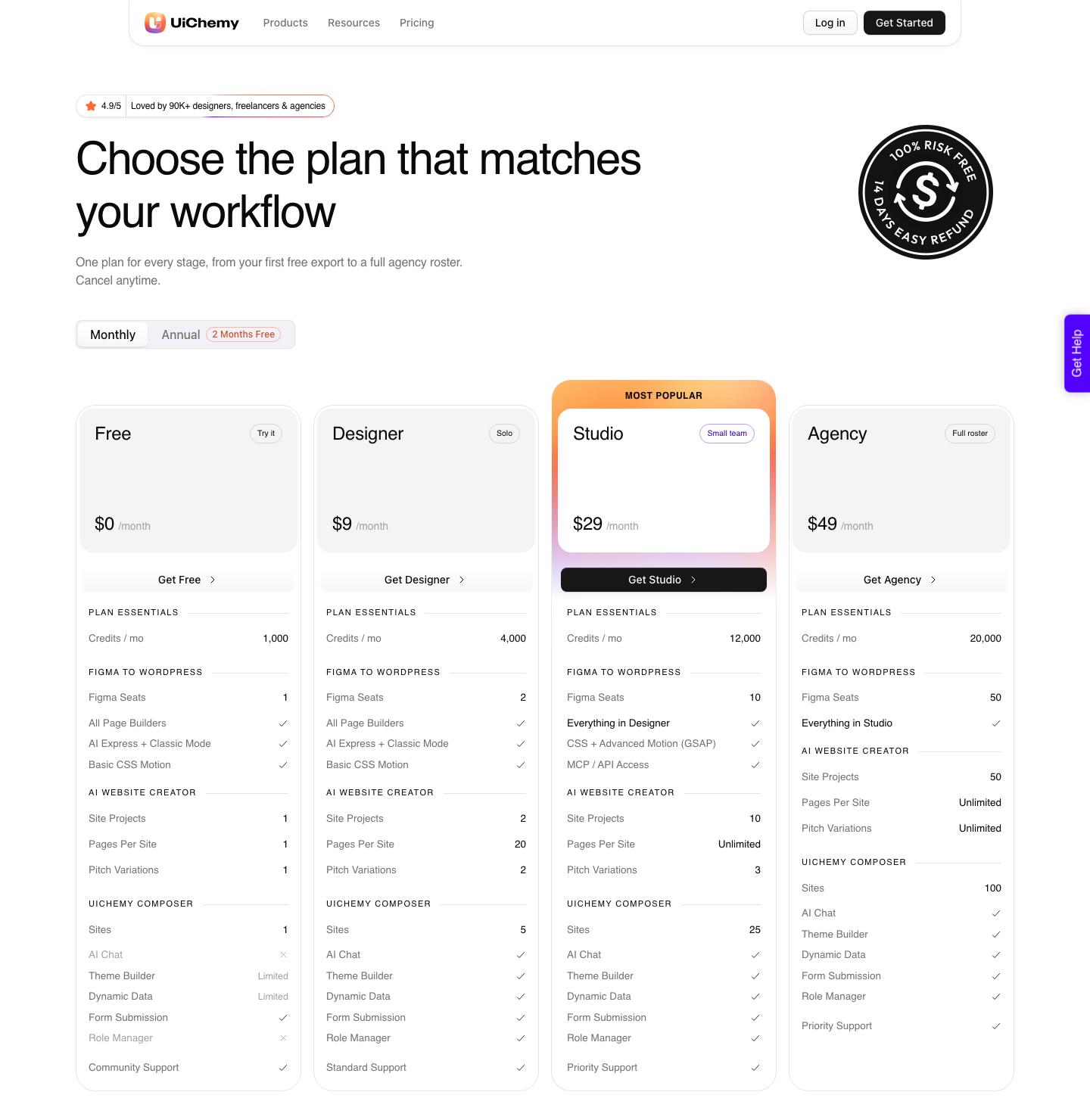
The tiers change volume rather than capability, and there are four of them including a real one at nothing. Every plan, Free included, carries all page builders, both AI Express and Classic Mode, and basic CSS motion.
Two things start at Studio and only at Studio: Advanced Motion with GSAP, and MCP or API access.
| Plan | Price | Credits per month | Figma seats | Composer sites | Support |
|---|---|---|---|---|---|
| Free | $0/mo | 1,000 | 1 | 1 | Community |
| Designer | $9/mo | 4,000 | 2 | 5 | Standard |
| Studio | $29/mo | 12,000 | 10 | 25 | Priority |
| Agency | $49/mo | 20,000 | 50 | 100 | Priority |
One more thing changes the comparison rather than the price. The Figma frame is one of four ways into WordPress here.
AI Website Creator takes a text prompt or a client brief and produces a scope, a sitemap and pages, exporting to Elementor with Gutenberg marked Soon on every plan.
UiChemy Composer writes real HTML, CSS and JavaScript inside Elementor, and AI to WordPress brings a Lovable, Claude, Bolt or v0 build across.
If the brief is a PDF and a meeting transcript rather than a finished design, the comparison against a hosted site builder starts in a different place.
Honest Limits on the WordPress Column
- It is more moving parts. Hosting, a builder, a theme, updates and backups are real work that a hosted product does for you.
- Conversion is not cleanup-free. A verified reviewer puts it at roughly 70% of the design work handled, with 30% fine-tuned in Elementor.
- Responsive still needs a pass. Output arrives across the builder’s breakpoints with a responsive manager for tuning, and the tuning is real work rather than a formality.
- A messy Figma file converts messily. Anything loose outside the page container is ignored, which the design optimisation checklist covers.
- AI Express is Elementor only today. Gutenberg and Bricks are named as coming for that mode, and Gutenberg export from AI Website Creator is marked Soon on every plan including Agency.
- Hosting prices are not printed here. They vary too much to state as a fact, and inventing one would be worse than leaving it out.
Frequently Asked Questions
How much does Figma Sites cost?
There is no separate price. Figma Sites is in beta and available on Full seats, so the cost is the seat: $16 a month on Professional, $55 a month on Organization billed annually, and $90 a month on Enterprise billed annually.
A Starter account has free limited access to Figma products.
Is Figma Sites free?
Not for the full product. Figma’s pricing page lists the Sites beta as available on Full seats, and a Full seat is a paid seat on Professional or above.
Figma Buzz beta is available on all seats, which is why the two are sometimes confused.
Can I use a custom domain with Figma Sites?
Yes. Figma’s publishing feature covers publishing to the web with options to personalise your subdomain or set up a custom domain, and password protection is available for sharing work before launch.
Is Figma Sites cheaper than WordPress?
For one designer running several small sites, often yes, because Figma charges per person and not per site. For a team of four, or for a client whose staff will maintain the site themselves, usually no, because seats multiply and every content change routes back through someone with a Figma login.
Can I move a Figma Sites project to WordPress later?
There is no WordPress export. The practical route is to convert the underlying Figma Design frames into native Elementor, Gutenberg or Bricks elements, which is a different operation from exporting a published site and produces something the client can edit.
The Short Version
Figma Sites is priced per person and WordPress is priced per site, so the cheaper option depends entirely on how many people and how many sites you have. Neither number is on a comparison chart, and both are on your own client list.
Then add the row the price pages leave out. If the client’s team already logs into WordPress every week, publishing from Figma moves work onto your desk and calls it a saving.
Our piece on picking a Figma Sites template that travels covers what survives the move.
Primary sources for this piece: Figma’s pricing page, the Figma Sites product page, how AI credits work and Elementor’s pricing page, all fetched on 8 September 2026.