
AI Website Generator vs Hiring a Freelancer: How to Decide
 Sagar Patel
Choose an AI website generator when speed, a small page count and your own time to review matter most. Choose a freelancer when strategy, custom functionality, original copy or accountability matter most. For many projects a hybrid wins: generate the draft, then pay a person to review, correct and finish it.
I build tools in this space, so read this with that bias in mind. I have tried to write the framework so that it points to a freelancer when that is the right answer, and I include a table with blank cells for your own quotes, because I will not invent cost figures for you.
If you are still choosing a tool, our roundup of what the best AI website builder lists miss is the companion piece.
What Are You Actually Comparing?
People compare price, but the real comparison is who carries each job. A website project has at least six jobs: deciding what the site is for, choosing pages, writing copy, designing, building and maintaining. An AI generator takes on some of these quickly. A freelancer takes on all of them slowly, and brings judgment.
Seen that way, the question changes from “which is cheaper” to “which jobs do I want to do myself”. If you are willing to write a brief, review a sitemap and fix details, an AI generator removes a lot of mechanical work. If you want to hand over a goal and get back a finished site, you are buying a person’s time and accountability.
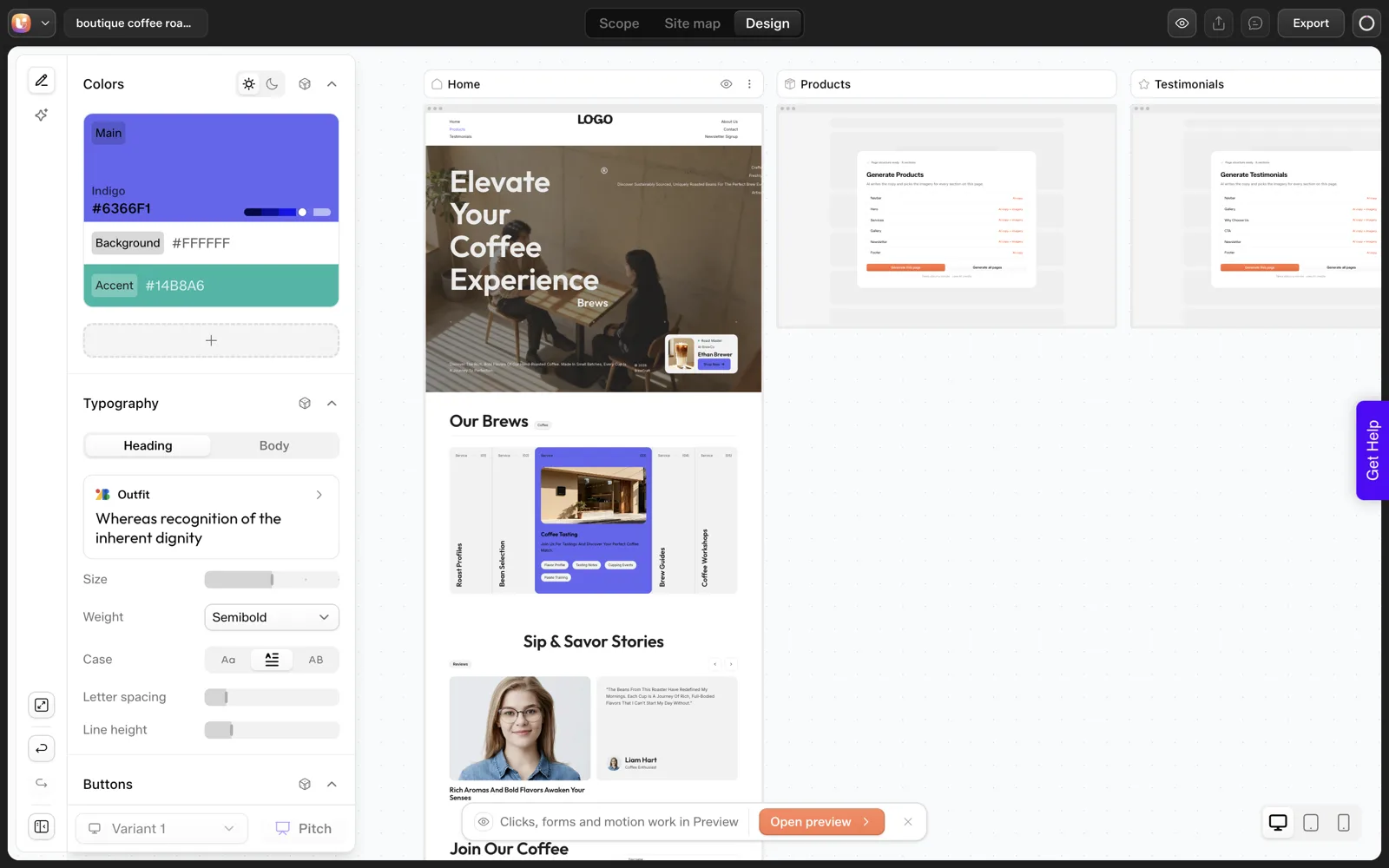
It also helps to separate the first draft from the finished site. In our coffee roaster test, one sentence produced a sitemap in about 13 seconds and a Home page in about 35.
That is a first draft, and it still needed fixes: we asked for three product cards and got five labelled “Service”. Whether you can spot and fix that kind of miss is the heart of the decision.
Where Does an AI Generator Win?
- Speed to something you can react to. A visible draft in minutes beats a blank page. Most people are better at reacting than at describing.
- Small, standard sites. A local business with a handful of pages follows familiar patterns that generators handle well.
- Iteration. Swapping palettes, fonts and layout variants costs seconds in the design editor, as the docs describe.
- Control of the process. You see the sitemap before design starts and can change it. The review step lets you object early.
- Repeatable agency work. If you serve many similar clients, a tool with a fixed flow gives you a process, not a one-off.
The cost side is easy to check with your own numbers. We measured about 64 credits for a sitemap plus a Home page in one run, and the plans list their monthly allowances. The details are in our credit test. A freelancer’s cost is a quote, so fill that cell in yourself.
Where Does a Freelancer Win?
- Strategy. If you do not yet know who the site is for or what it should make people do, a person can ask the right questions. A tool will take whatever you type.
- Original copy and photography. Generated copy is generic until you supply facts. A writer or photographer who spends a day with your product writes things a prompt cannot.
- Custom functionality. Bookings, memberships, integrations and complex shop logic need someone who owns the outcome.
- Accountability. A person can be told something is wrong and asked to make it right. Software gives you tools instead.
- Your time. Reviewing an AI draft takes attention. If your time is the scarcest thing you have, paying for delegation can be the cheaper path.
None of this is a criticism of AI tools. It is a list of jobs where judgment, taste and responsibility count for more than speed. Our piece on when not to use UiChemy applies the same honesty to our own product.
What Does the Hybrid Route Look Like?
The hybrid route is often the most sensible. You generate the structure and first draft with an AI tool, then bring in a freelancer for the parts that need a person. In practice it can look like this:
- You write the brief and approve the sitemap yourself, so you stay in control of scope.
- The generator produces the first design, and you export it into WordPress.
- A freelancer reviews counts, labels, copy and accessibility, then adds custom functionality.
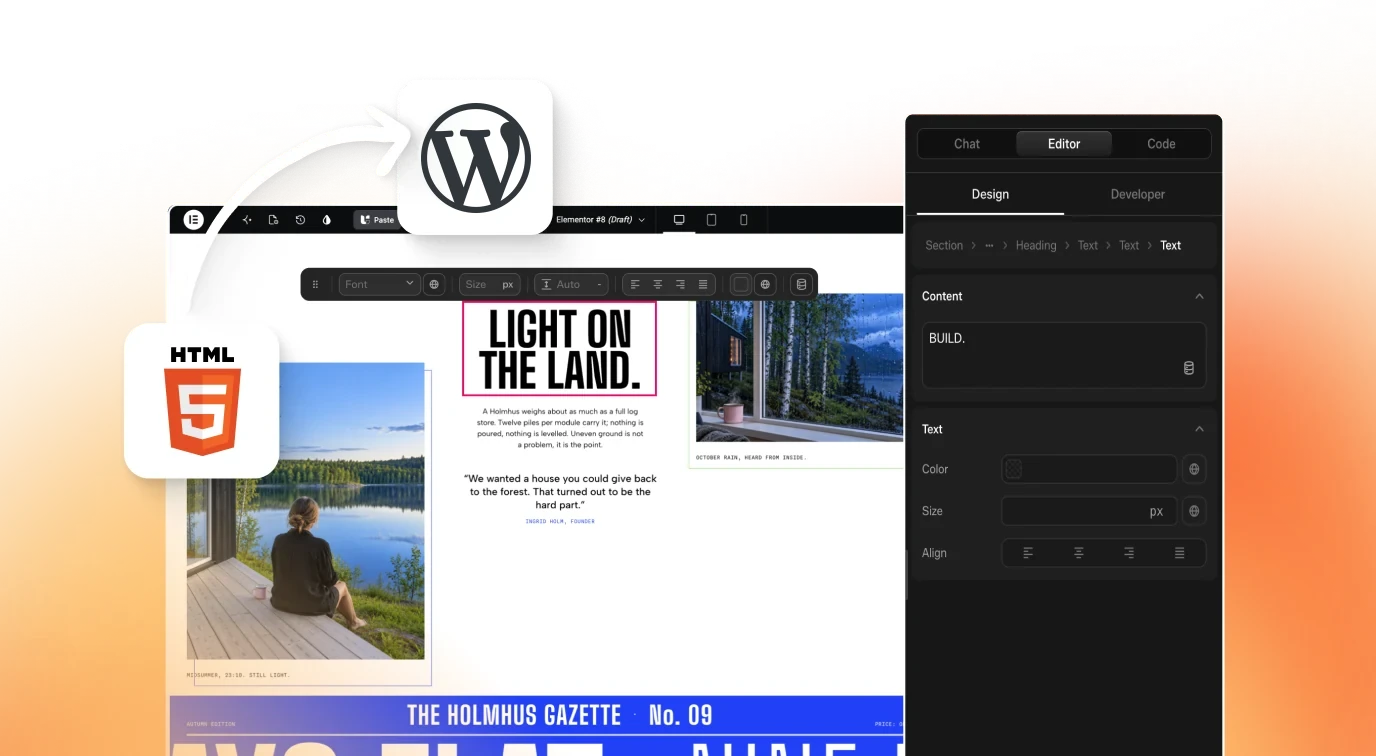
This works best when the export is a normal WordPress site. UiChemy’s AI Website Creator exports through the plugin into Elementor, and pages land as editable Composers, so a freelancer can pick the site up without special access to a proprietary canvas.
The steps are in the Export to WordPress docs. I did not test the import for this article, so check it on a throwaway site before you promise a freelancer a clean handover.
For the review pass itself, our 30-minute review routine is a checklist a freelancer can run too.
The Decision Scoring Table
Score each row from 1 to 5 for how much it matters to your project. Then read down the “leans” column for the rows you scored 4 or 5. The cost row has blanks on purpose: fill in your own quote and your own measured credit use.
| Factor | Importance (1 to 5) | If high, it leans |
|---|---|---|
| I need a draft I can react to today | AI generator | |
| The site has 10 or fewer standard pages | AI generator | |
| I am willing to review every count, label and line of copy | AI generator | |
| I do not yet know what the site is for | Freelancer | |
| I need original photography or deep copywriting | Freelancer | |
| I need bookings, memberships or custom integrations | Freelancer | |
| I want one person accountable for the result | Freelancer | |
| I want to keep control of the site after launch | Either, if the output is standard WordPress | |
| Cost: my freelancer quote | Your quote: ____ | Compare to your own measured credits |
Five Questions That Settle Most Cases
- Can I write a one-paragraph brief? If not, start with a freelancer or a questionnaire. Our website brief template is a good first step either way.
- Will I read the draft closely? If you will skim it, errors will ship.
- Who will own changes in a year? Choose a path where that person can open the site.
- Is the site a commodity or a differentiator? Commodity sites suit generators. Differentiators suit people.
- What happens if I am wrong? A throwaway test costs little. A rebuild after launch costs more.
If you work for clients and need to price either route, how to quote AI-built websites without underpricing covers the agency side. For a free-tier angle before you commit, see where the free ends in AI website builders.
What Does a Filled-In Scoring Table Look Like?
A blank table is easy to nod at, so here is a filled-in one. The business is a small coffee roaster, the same one from our test. The scores are my own illustration of how I would rate a typical owner, not data.
| Factor | Score (1 to 5) | Leans |
|---|---|---|
| I need a draft I can react to today | 5 | AI generator |
| The site has 10 or fewer standard pages | 5 | AI generator |
| I am willing to review every count, label and line of copy | 3 | Mixed |
| I need original photography or deep copywriting | 4 | Freelancer |
| I need bookings, memberships or custom integrations | 1 | Not a factor |
| I want one person accountable for the result | 2 | Not a factor |
Read down the rows scored 4 or 5. Two lean toward a generator and one toward a freelancer. That points to the hybrid route: generate the structure, then pay for the photography and the copy.
The row scored 3 is the swing vote. If the owner will not read the draft closely, our single test shows why that matters, because the draft had five cards labelled “Service” where we asked for three product cards. Score that row honestly before you decide.
What Should You Ask a Freelancer Before You Hire?
If the answer from the table is a freelancer or the hybrid route, a few questions up front save the awkward conversations later. These are the ones I would ask.
- Can I see two sites you built that look like mine? A close match matters more than a famous client.
- Who writes the copy? If the answer is “you”, you are buying a build, not a site.
- What do I get at handover? Admin login, hosting access, a short edit guide and the files for logos and images.
- What happens after launch? Is a month of fixes included, and what costs extra?
- Which tools will you use, and may you use AI drafts? Both answers are fine. A hidden answer is the problem.
- Who owns the finished site? Our piece on who owns an AI-built website has the questions to settle in writing.
- How many revision rounds are in the price? Get a number.
Put the answers in the agreement. Verbal answers fade, and a short written scope protects both sides.
How Should You Split the Work in a Hybrid Project?
The hybrid route fails when nobody knows who does what. Write the split down before anyone opens a tool. This is the split I would start from.
| Job | Who | Why |
|---|---|---|
| Brief and facts (prices, hours, quotes) | You | Only you know them, and they are the cheapest quality lever |
| Sitemap draft and approval | You, with the generator | You see the page list before any design work starts |
| First design draft | Generator | A visible draft in minutes gives everyone something to react to |
| Counts, labels and claims check | Freelancer | A second reader catches what the first one is used to |
| Photography and original copy | Freelancer or specialist | A prompt cannot photograph your premises |
| Import onto the real site | Freelancer | Do a dry run on a throwaway site first |
| Custom functionality | Freelancer | Someone should own the outcome |
On the import row, here is what we saw in a later stage test on 2026-10-01. The post above says we did not import. We have since run one on a throwaway local WordPress install.
The plugin offered only the Home page of our six-page project, and the import took about 50 seconds. Tell your freelancer to check that screen before promising the whole site.
For a ready-made checklist the freelancer can run, see the 30-minute review routine.
FAQ
Is an AI website generator cheaper than a freelancer?
It can be, but we will not quote a freelancer’s price because it varies widely. Measure your own credit use on a real project, get an actual quote and compare. Include the time you spend reviewing, since that is part of the cost of the AI route.
Can a freelancer edit a site that an AI tool built?
If the output is standard WordPress, yes. UiChemy’s AI Website Creator exports into Elementor through its plugin and pages land as editable Composers. Test the export on a throwaway site first so you know what the freelancer will actually receive.
What does an AI generator usually get wrong?
In our single test it ignored an exact count, drawing five cards instead of three, and used a label that did not fit the business. Generic copy is a common issue across tools. Our list of five-minute fixes covers the pattern.
Should I use both?
For many projects, yes. Generate structure and a first draft yourself, then hire a person for strategy, copy, custom functionality and a final review. It keeps control of scope with you and uses the freelancer’s time where judgment counts.
If you want to test the generator side before deciding, you can Get Started and run one prompt without a card.
Every feature named in this post is listed by product: all UiChemy features, UiChemy Composer features.