Figma Make vs Lovable: Two Prompt-to-Code Tools Compared
 Sagar Patel
A three-person studio has a signed-off marketing site in Figma, a client who wants to click through it next Tuesday, and two subscriptions on the table. One is already paid for because the team lives in Figma.
The other charges by credit and promises a working app.
Both tools will produce something clickable by Tuesday. That is not the interesting part of the decision, and comparing them on generation quality is a fast way to pick the wrong one.
Both write code, both let you edit by prompt, and both are improving faster than any review can track.
The question worth answering is what you are holding in March, and who is allowed to change it. Every figure below is from Figma’s and Lovable’s own published pages and documentation, checked on 8 September 2026.
What Each One Is, in Its Own Words
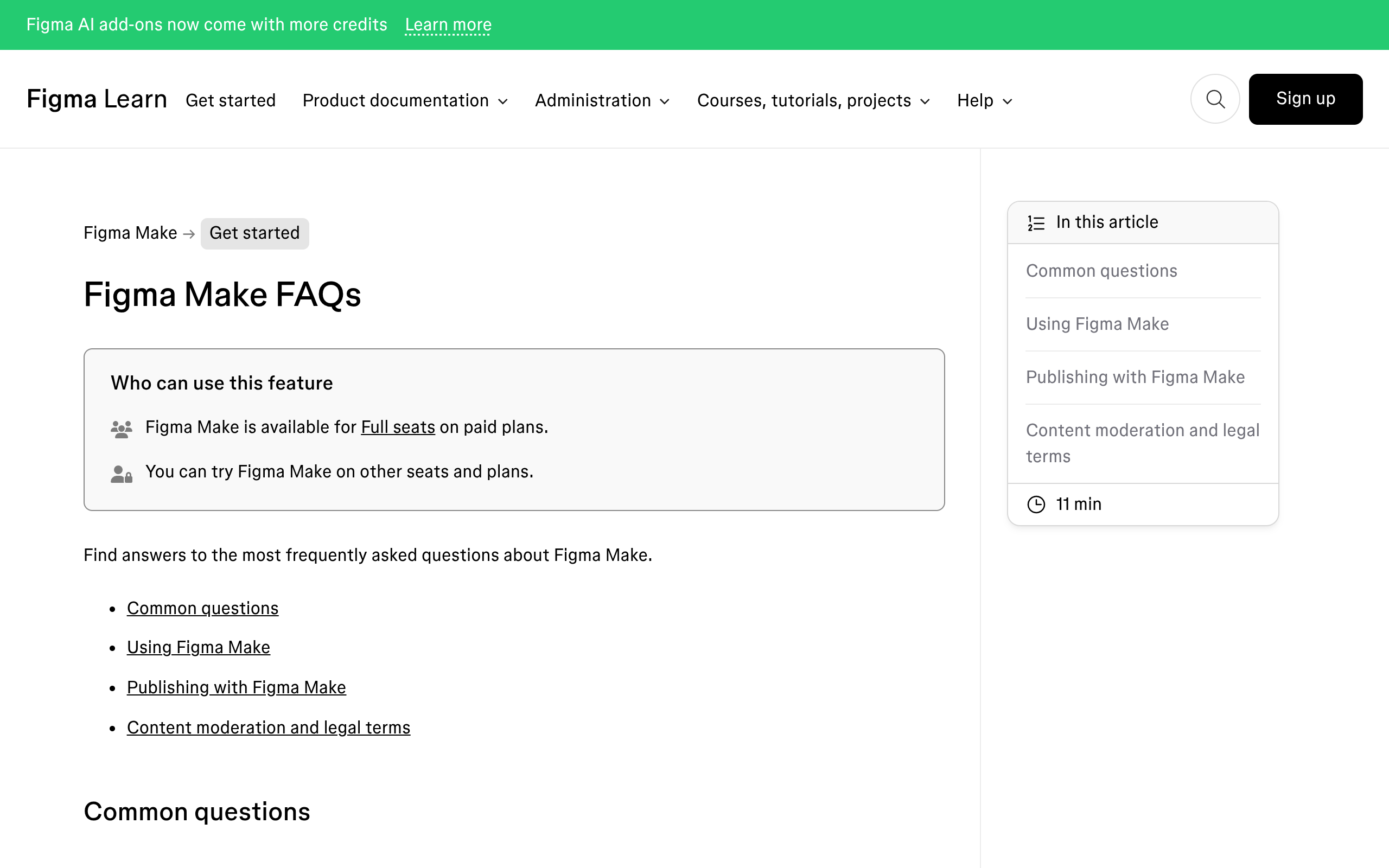
Figma describes Make as prompt to code, with everything you build code-backed and visually editable so you can move between code and canvas. It sits inside the Figma platform, reads your design context, and can push a pull request back to a connected codebase.
Lovable describes itself as an AI software engineer that lets anyone build for the web by chatting, with no technical knowledge needed. It is a standalone platform with its own hosting, its own backend called Cloud, and its own workspace model.
Those two sentences already contain the real difference. One is a feature of a design tool with a route into an existing engineering workflow.
The other is a place where the application lives.
Where They Overlap, and Where They Do Not
| Figma Make | Lovable | |
|---|---|---|
| Output | Code-backed prototype or app | Web app you own the code to |
| Lives where | Inside your Figma file | In a Lovable workspace |
| Access | Full seat on a paid plan, try on others | Free account, paid plans for volume |
| Design context | Make kits, Figma libraries, attached frames | Attached references and uploads |
| Backend | Supabase connection for auth and data | Built-in Cloud with database and storage |
| Publishing | Dedicated URL on paid plans, Community on Starter | Hosting included, custom domains supported |
| Back to design | Copy as design layers onto the canvas | No canvas to return to |
| Into a codebase | Pull request from Make | Git sync |
| Team model | Priced per seat | Unlimited workspace members, priced by credits |
Copy as design layers deserves a sentence of its own, because nothing on the Lovable side matches it. A Make preview can come back onto the Figma canvas as real layers you tweak until the details are right.
For a design-led team that is a genuine loop rather than a one-way export.
The Credit Systems, Side by Side
Both meter by credit and the credits are not comparable. What is comparable is how the meter behaves when a project runs long, which is the failure mode that actually bites.
| Figma Make | Lovable | |
|---|---|---|
| Free allowance | 500 credits a month, 150 a day on Starter | 5 build credits a day, up to 30 a month |
| Paid allowance | 3,000 a month on a Professional Full seat | Subscription credits from 100 a month on Pro at $25, into a shared balance |
| Sample cost | About 100 credits or more to generate an app from scratch | 2.00 credits for a landing page with generated images, a theme and sections |
| Small edit | About 30 credits or more to change a font | 0.50 credits to make a button gray |
| Roll over | No, seat credits reset monthly | Yes, unused plan credits roll over while active |
| Expiry | Not applicable, they reset | Monthly credits expire 2 months after issue |
| Top-ups | AI credit subscription or pay as you go | One-time top-ups, valid 12 months |
| Hosting cost | Not metered separately | Cloud usage draws on the same balance |
The structural difference is that Lovable’s meter keeps running after launch. Hosting, the built-in backend and any AI features inside your deployed app all draw on the same credit balance, with a monthly grant of 20 Cloud credits and 4 AI credits before general credits take over.
Figma’s meter stops at generation. Nothing about a published Make prototype costs credits to keep serving.
If you are pricing a client engagement, that is a different risk profile rather than a better one: Figma bills you for people every month whether or not you generate anything.
What a real Make project burns through is the number to run before either subscription is signed.
What You Own When You Stop Paying
Lovable’s answer is unusually direct for this category. Its FAQ says the customer owns the code, the projects built on the platform, the customer data held there and the generated output, with the usual caveat about rights in the underlying models.
Cancel and you keep spending remaining credits until the billing period ends, then the workspace drops to Free.
Figma’s answer is different in kind rather than worse. Make output is code you can push into your own repository through a pull request, so a team with an existing codebase ends up owning it in the ordinary way.
A team without one ends up with a prototype living inside a Figma file that needs a Full seat to open and edit.
Neither is a trap. Both are worth writing into the client contract before the first prompt, because “who can open this in a year” is a question clients ask at exactly the wrong moment.
Where Figma Make Genuinely Wins
- Design context is already there. Make kits package a design system into reusable AI context, and libraries, frames and PDFs attach directly to a prompt.
- The loop back to the canvas. Copy a Make file to design layers, refine it in Figma, keep going. No other tool in this comparison offers that direction.
- The route to production. Connect a codebase, share a PRD, and open a pull request from Make. For a product team this is the difference between a demo and a shipped change.
- No extra vendor. If your team already pays for Full seats, Make adds no new subscription, no new login and no new security review.
- Plan mode. A structured plan before any code is written costs a separate action and tends to reduce correction prompts afterwards.
Where Lovable Genuinely Wins
- Team economics. Workspaces support unlimited members on all plans, and inviting more people does not change the subscription cost. Only the shared credit pool moves.
- Spend control. On Pro and Business, owners and admins can set a default monthly credit limit and per-member overrides, so one enthusiastic member cannot drain the pool.
- Cost transparency. Published example prompts with exact credit costs, and the cost of each message visible in the history by hovering its menu.
- A real backend without a second product. Cloud covers database, storage, network and realtime for a deployed app.
- The free tier is usable for evaluation. Five build credits a day is small, but it is a daily refill rather than a one-off.
- Ownership stated plainly. The docs and FAQ say you own the output, in those words.
The Question Neither Product Answers
Who edits this in six months, and can they do it without you? For a product team the answer is fine either way, because the maintainer is an engineer who reads React.
For a client site the answer is usually a marketing coordinator who wants to change a headline and swap a photo. Neither Figma Make nor Lovable gives that person a route in.
One requires a Full seat and Figma literacy, the other requires prompting a platform the client does not have an account for.
That is not a criticism of either tool. It is the boundary of what a prompt-to-code product is for, and it is why so many of these projects end with a rebuild in a CMS the client already uses.
If the Destination Is WordPress
A React bundle does not drop into WordPress. The three usual routes are hosting it separately and losing the CMS, embedding it in an iframe and losing the indexing, or rebuilding it by hand, which is the one that quietly costs the most.
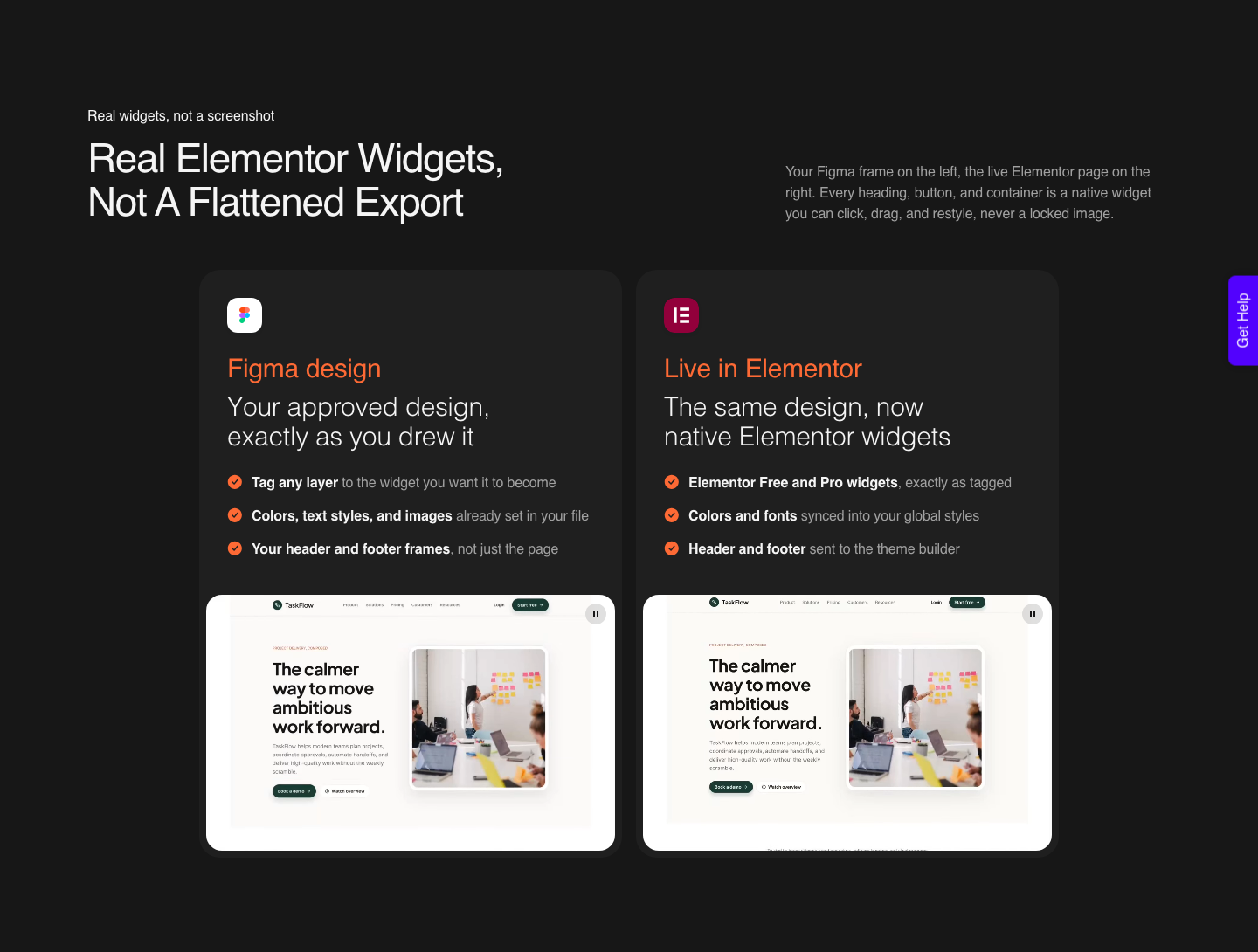
The fourth route is conversion, and it is the one I reach for. UiChemy is one engine with four ways in: an approved Figma design, a prompt, a client brief, or a build that already exists somewhere else.
That last door is the relevant one here.
A Lovable or v0 build, a live URL, raw HTML, Google Stitch, Relume, Claude Design or Antigravity output comes into WordPress through the UiChemy Composer widget, which writes real, editable HTML, CSS and JavaScript inside Elementor instead of pasting a flat export.
One label on the site is easy to misread, so it is worth stating plainly. The nav marks dedicated landing pages for Lovable, Codex and Clone Site as Soon.
That refers to those per-tool pages and their one-click flows, not to whether the conversion works. Moving a Lovable build into WordPress is live today, and the route is Composer.
If the client work is starting rather than finishing, the same account has AI Website Creator, which takes a prompt or a client brief and returns a sitemap, pages and a design that exports to Elementor.
Gutenberg export is marked Soon on every plan, Agency included, so Elementor is the honest answer today. That product is the closest thing here to what Make and Lovable do, with one difference that matters to the client: what lands is a WordPress site their own team can edit.
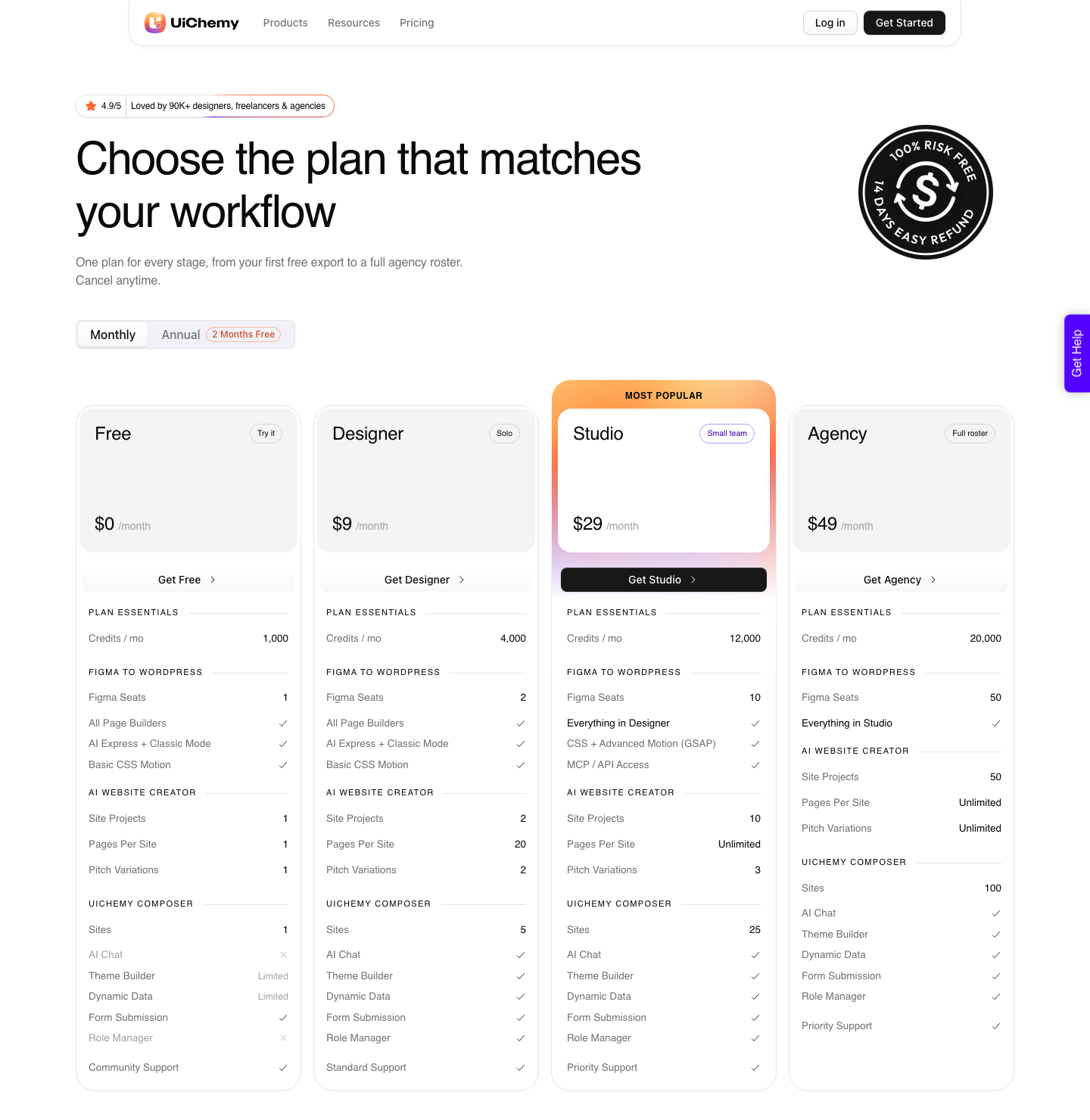
There is a Free plan at $0 a month, paid plans start at $9, and there is a 14-day money-back guarantee.
For the Figma route, two modes ship in the same plugin. AI Express Mode reads every layer without tagging and outputs to Elementor today, with Gutenberg and Bricks marked as coming.
Classic Mode requires tagging and already covers Elementor, Elementor v4 Atomic, Gutenberg, Bricks, Nexter Blocks, GenerateBlocks, Spectra and Kadence.
Honest Limits on Both Sides
- Neither tool outputs WordPress. That is not a flaw, it is a scope. Both are aimed at web apps rather than at CMS pages.
- Figma Make needs a paid Full seat for real use. On Starter, publishing goes through Figma Community rather than a dedicated URL.
- Lovable’s credits expire. Monthly plan credits expire two months after issue, and daily build grants expire at the end of each day.
- Both meters punish long conversations. Figma names chat history as a cost driver; Lovable’s default mode varies cost by task complexity.
- Conversion is metered too. Every conversion spends UiChemy Credits from the same monthly balance, which is 1,000 a month on the $0 Free plan and 4,000 on Designer at $9.
- Conversion is not cleanup-free. A verified reviewer puts it at roughly 70% of the design work handled with 30% fine-tuned in the builder. The output arrives responsive and is then tuned in the responsive manager.
Frequently Asked Questions
Is Figma Make better than Lovable?
Not in general. Make is better when your team already lives in Figma, wants design context in every prompt, and needs a route into an existing codebase.
Lovable is better when the project needs hosting and a backend without a second vendor, or when a lot of people need access without buying seats.
Which is cheaper?
It depends on team size and on whether the output stays live. Figma charges per seat, so a team of eight Full seats on Professional is $128 a month before any generation.
Lovable charges for credits with unlimited workspace members, but hosting and backend usage keep drawing on the same balance after launch.
Can either one publish a real website?
Both can publish something at a URL. Figma Make publishes a functional prototype or web app with a dedicated URL on paid plans.
Lovable includes hosting and supports custom domains. Neither produces a WordPress site, and neither hands a non-technical client an editor they already know.
Do I own the code from Figma Make?
Make output is code-backed and can be pushed to a connected codebase as a pull request, so a team with a repository owns it there in the normal way. Lovable states ownership more directly, including the apps, the customer data stored with them and the AI output, subject to third-party rights in the models.
Can I move a Lovable app into WordPress?
Not by export, because there is no WordPress export.
Conversion is the practical route: UiChemy takes a Lovable build, a live URL or raw HTML and rebuilds it inside Elementor through the Composer widget, as real HTML, CSS and JavaScript the client can edit visually or by prompt rather than a React bundle nobody on their side can open.
The Short Version
Pick Figma Make if the team is design-led, already paying for Full seats, and shipping into a codebase. Pick Lovable if the project needs hosting and a backend, if many people need access, or if you want per-prompt costs you can quote to a client.
Pick neither as the final destination if the client site runs WordPress. Both are good at getting to something real quickly, and neither is where a marketing coordinator changes a headline.
Our comparison of Figma Make alternatives by what they hand you covers the wider field.
Primary sources for this piece: the Figma Make product page, Figma’s pricing page, how AI credits work and Figma’s AI workflows page, together with Lovable’s own published pricing page and credits documentation, all fetched on 8 September 2026.