Lovable, Bolt and v0 Judged on What They Hand You
 Sagar Patel
A designer sends you a link. It is a Lovable project, the client has already seen it, and the brief is now four words long: put it on WordPress.
The page looks finished, so the estimate feels like it should be an afternoon.
It is not an afternoon, and the reason has nothing to do with quality. Lovable, Bolt and v0 are all good at what they do.
They just do not produce the thing WordPress consumes, and the gap between those two facts is where the estimate goes wrong.
This post judges the three on one axis only: the artefact they hand you at the end, and what that artefact costs to maintain in a WordPress site somebody else edits.
Every claim below comes from each vendor’s own documentation, read on 8 September 2026, plus Google Search Central, the Tailwind CSS docs and the WordPress documentation.
The Three Tools, In Their Own Words
Lovable’s documentation describes it as a full-stack AI development platform for building and deploying web applications from natural language, generating frontend, backend, database, authentication and integrations, all backed by editable code.
Project code is stored and managed inside the Lovable platform unless you connect a repository.
Bolt, from StackBlitz, publishes to a free address ending in bolt.host and lets you mark a site public or private at publish time. Its docs note a useful billing detail: using the Publish or Update button does not consume tokens, while prompting Bolt to publish your project does decrease your token balance.
v0, from Vercel, describes itself in its docs as an AI agent that creates real code and full-stack apps, with one-click deployment to Vercel infrastructure or a pull request for review. All three descriptions agree on the important word, and that word is code.
Why A React Bundle Does Not Drop Into WordPress
The default stack across all three is some arrangement of React, TypeScript, Tailwind CSS and a component library, built by Vite or Next.js. That stack is excellent, widely understood and easy to hire for.
It also assumes a build step, and that assumption is the whole problem.
The Tailwind CSS installation guide is explicit about the mechanism.
Tailwind scans your HTML files and JavaScript components for class names, generates the corresponding styles, and writes them to a static CSS file produced by a build process you run with a command.
Copy the markup without running that build and every utility class in it refers to CSS that was never generated.
That is why pasting a generated component into a Custom HTML block produces an unstyled column of text rather than the page you saw in the preview. Nothing is broken.
The stylesheet simply does not exist yet, and building it means a Node toolchain living somewhere in a stack that did not previously need one.
Client-side rendering adds a second cost on the search side.
Google Search Central documents that Google processes JavaScript apps in three phases, crawling, rendering and indexing, and that Googlebot queues pages for crawling and for rendering separately.
Server-rendered HTML skips the queue that the other approach has to wait in.
What Each One Actually Hands You
The three differ more in portability than in output format, and portability is the part worth checking before you promise a delivery date. All of the following comes from the vendors’ own documentation rather than from a review.
| Question | Lovable | Bolt | v0 |
|---|---|---|---|
| Default hosted address | A URL on lovable.app | A free address on bolt.host | Vercel deployment |
| Custom domain | Paid plans | Paid plans, connect or buy | Supported, documented separately |
| Code out | Git sync to GitHub or GitLab, or Download codebase | GitHub integration for version control | GitHub connection and pull requests |
| Publishing model | A snapshot, updated only when you publish again | Publish or Update button, public or private | One-click deploy or open a PR |
| Native WordPress output | No | No | No |
The last row is not a criticism. None of the three claims to output WordPress, and holding that against them would be like marking down a hammer for not being a saw.
It is only a problem when the brief says WordPress and the shortlist was drawn up before anyone checked.
Where Each Of Them Genuinely Wins
Lovable is the strongest of the three when the thing you are building is an application rather than a page.
Its documentation covers database, authentication, connectors, a security view that scans for vulnerabilities before publishing, and a trust centre that exposes verified checks at a well-known URL. That is application infrastructure, and no page builder competes with it.
Bolt wins on immediacy. The project runs in the browser, publishing is one button, and the free bolt.host address means a stakeholder can look at real work within minutes of the first prompt.
For a Monday morning concept that has to be shown on Tuesday, that loop is hard to beat.
v0 wins for teams already on Vercel. Deployment is one click into infrastructure the team already runs, the output lands in the same component conventions their engineers use daily, and the pull request path means generated work goes through the same review as everything else.
That is a real workflow advantage, not a marketing line.
Lovable also takes search seriously in a way that is easy to miss.
Its docs describe an SEO and AI search review covering sitemap, robots.txt, metadata, semantic HTML, alt text, canonical tags and indexing, with Semrush-powered research and Google Search Console setup available from the same tab.
If your objection to generated sites is that they ignore SEO, that objection is dated.
The Three Routes From A Generated App To WordPress
Once the brief says WordPress, there are exactly three honest options, and it is worth pricing all three rather than defaulting to the first one that occurs to you.
UiChemy groups the third of those under AI to WordPress, and it is worth being exact about what is available, because the page is easy to misread.
The conversion itself is live today, and the route is UiChemy Composer: the hero says so in plain words, “Lovable, Claude, Bolt, v0.
Turn any AI build into a real, editable WordPress site with UiChemy Composer.” What is marked Soon is the dedicated per-tool landing page and its one-click flow. Claude to WordPress already has its own page.
For a Lovable, Bolt or v0 build today you go through Composer rather than through a button with the tool’s logo on it.
- Keep the generated app where it is and point a subdomain at it, accepting two systems, two logins and two update paths.
- Export the code, build it, and embed the compiled result in WordPress, which works and produces the black box described below.
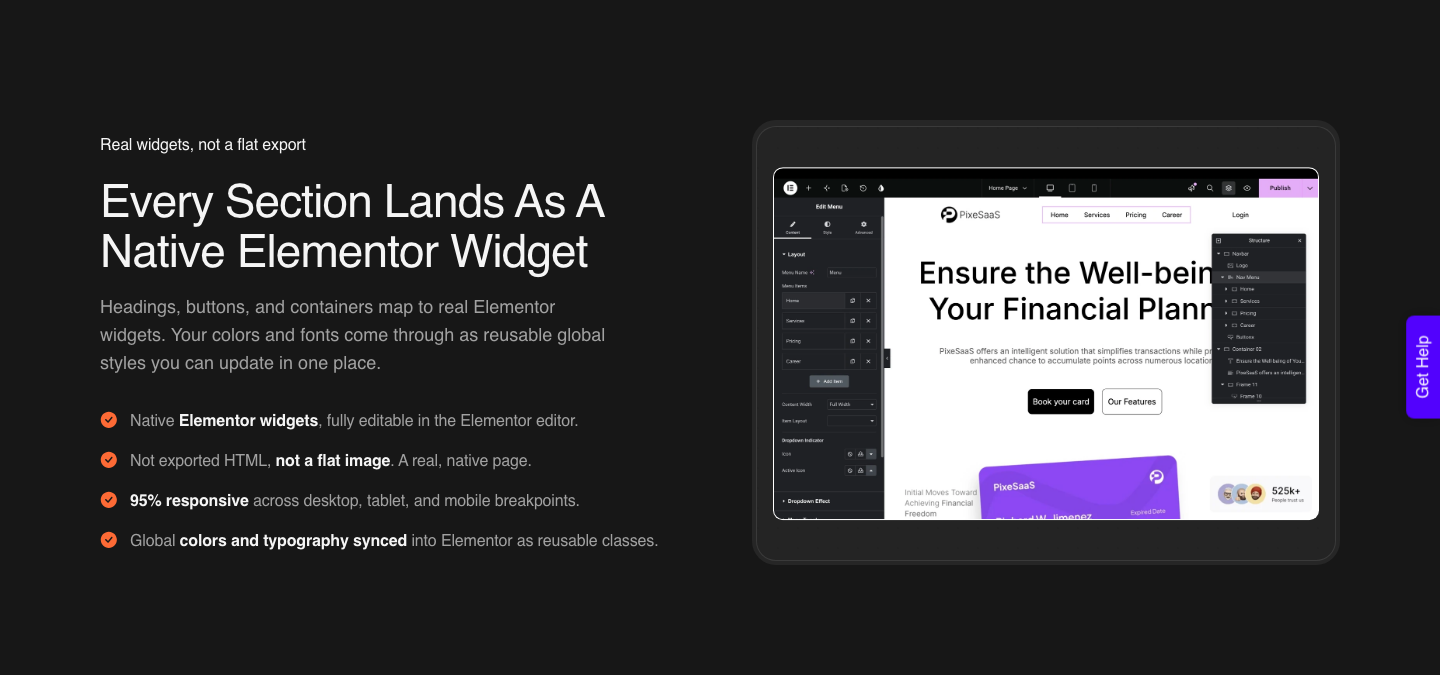
- Rebuild or convert the design into native WordPress elements through Composer, so the page behaves like every other page on the site.
Route one is the right answer more often than agencies admit, particularly for an application with its own login. Route two is the one that quietly costs the most, because the embed looks like success on day one and behaves like a liability on day sixty.
The Embed Route, Priced Honestly
A compiled bundle enters WordPress through a Custom HTML block or a builder’s HTML widget. The core blocks reference lists the Custom HTML block as core/html with a single attribute, content, so the editor shows one text area and no controls for anything inside it.
Permissions bite next.
The WordPress roles and capabilities documentation defines unfiltered_html, present since WordPress 2.0, as the capability allowing a user to post HTML markup or JavaScript in pages, posts, comments and widgets, and records that on Multisite only Super Admins hold it.
Your client’s editor usually does not.
So the cost is not the embed. It is every subsequent copy change arriving as a ticket, a rebuild of the bundle, and a redeploy, for edits that would take four seconds in a native block.
Price that at your hourly rate across a year and the embed route is usually the most expensive option on the list.
The Conversion Route, And What It Assumes
The third route rebuilds the generated design as real WordPress instead of embedding compiled output. This is the part of UiChemy that has changed most, so the old shorthand is worth dropping: it is no longer just a Figma converter.
It is one platform with four ways in. A Figma file goes through AI Express Mode or Classic Mode.
A text prompt or a client brief goes through AI Website Creator, which plans a sitemap and produces the pages. A Lovable, Claude, Bolt or v0 build goes through AI to WordPress.
And Composer sits inside Elementor writing real HTML, CSS and JavaScript from a prompt, which is what the AI build route uses to land your generated page as something editable.
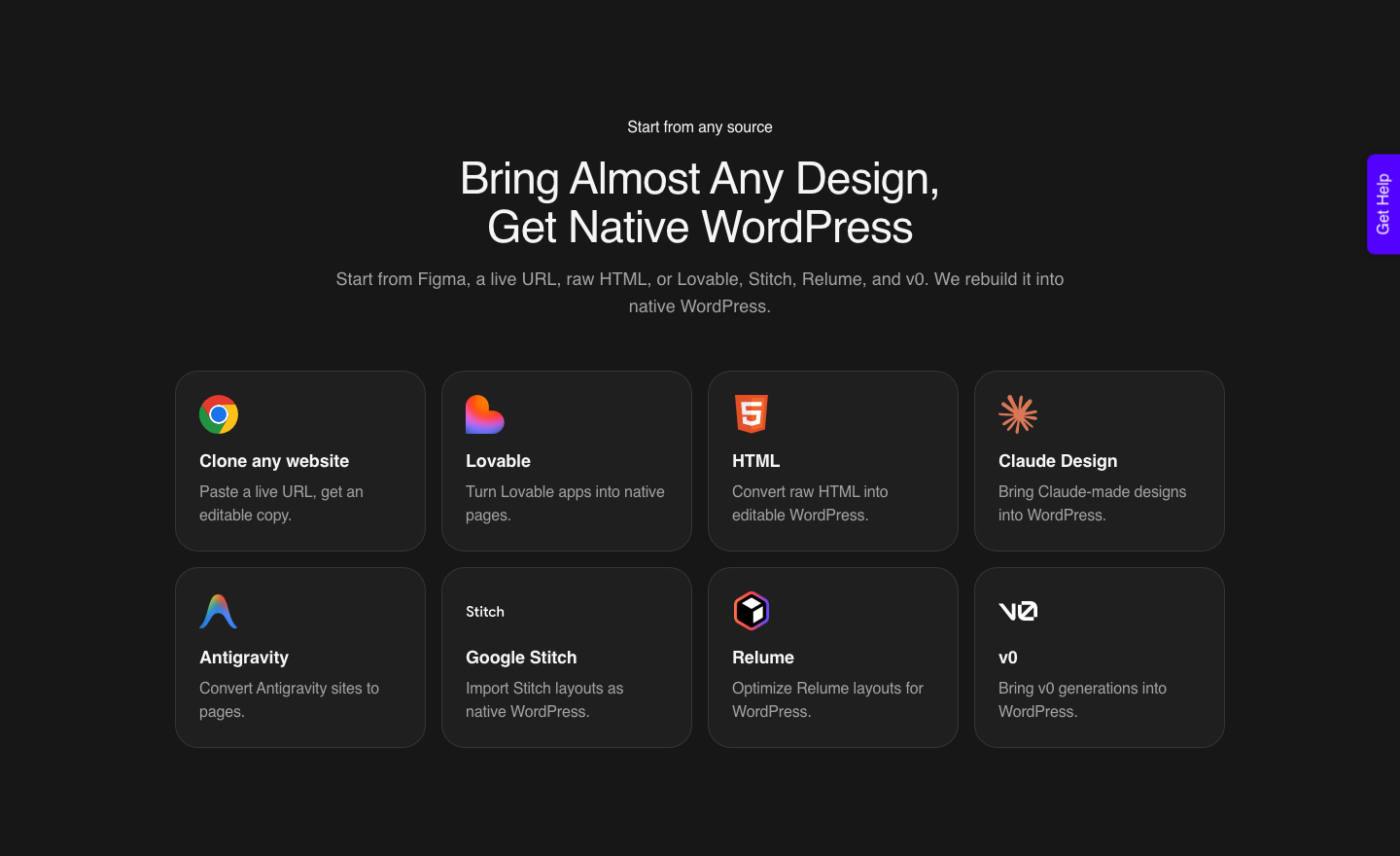
The source list is long. Claude, Lovable, Bolt, v0, Cursor, Codex, Google Stitch, Antigravity, Framer, Wix, raw HTML and a live URL you want cloned.
Relume and Claude Design come in through the Figma side. The destination is identical whichever door you use.
What arrives is editable WordPress rather than a code panel.
The pricing FAQ is blunt about ownership: every site lives on your own install as real, native content, “never a flat export or a locked image”, and a client can open it in their own builder and keep editing with nothing tied back to your UiChemy account.
That is the property that decides whether the client can make their own small edits. On the Figma side, colours and typography sync to the builder’s global styles, so a later brand change still propagates from one place.
The assumption underneath is that the generated thing really is a page. A marketing site, a landing page, a pricing section: those convert.
An application with authentication, a database and per-user state is not a page, and no converter turns it into one. Route one is the correct answer there.
| What you are shipping | Best route | Why |
|---|---|---|
| Investor demo, two weeks of life | Keep it hosted | No migration cost is worth paying |
| Marketing page inside an existing WordPress site | Convert to native elements | Client edits it without you |
| App with logins and a database | Keep it hosted, link from WordPress | WordPress is the wrong container |
| Campaign microsite, six weeks | Either, decide on who edits copy | Edit frequency is the deciding factor |
| Client site handed over on completion | Convert to native elements | Handover means no ongoing tickets |
Honest Limits On The Conversion Side
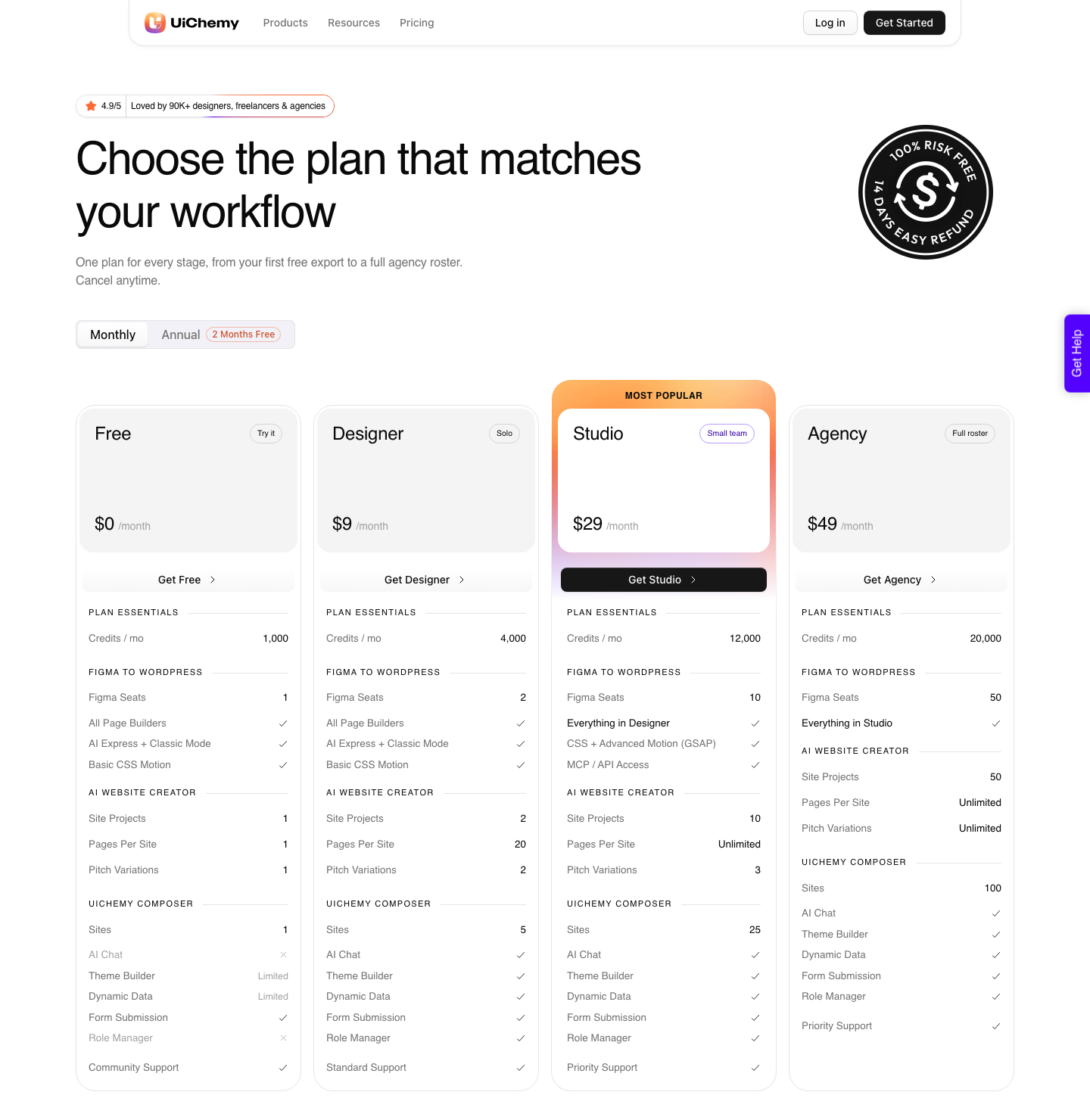
Conversion is not free of caveats, and pretending otherwise sets a client up for a bad Friday. AI Express outputs to Elementor today; Gutenberg and Bricks are on the roadmap and not live in that mode yet.
Classic Mode covers Elementor, Elementor v4 Atomic, Gutenberg, Bricks, Nexter Blocks, GenerateBlocks, Spectra and Kadence right now.
A verified reviewer on the product page describes the split as roughly 70% of the design work handled with the remaining 30% fine-tuned in Elementor.
Output arrives responsive across the builder’s breakpoints with a manager for adjusting them, which is a qualifier worth repeating to anyone expecting pixel-perfection with no review pass.
Interactive behaviour is the sharpest limit. A generated app’s state, form validation and API calls are application logic, and converting a layout does not carry them across.
Plan those as a separate build, quoted separately, or you will discover them in the final week.
What It Costs To Run Monthly
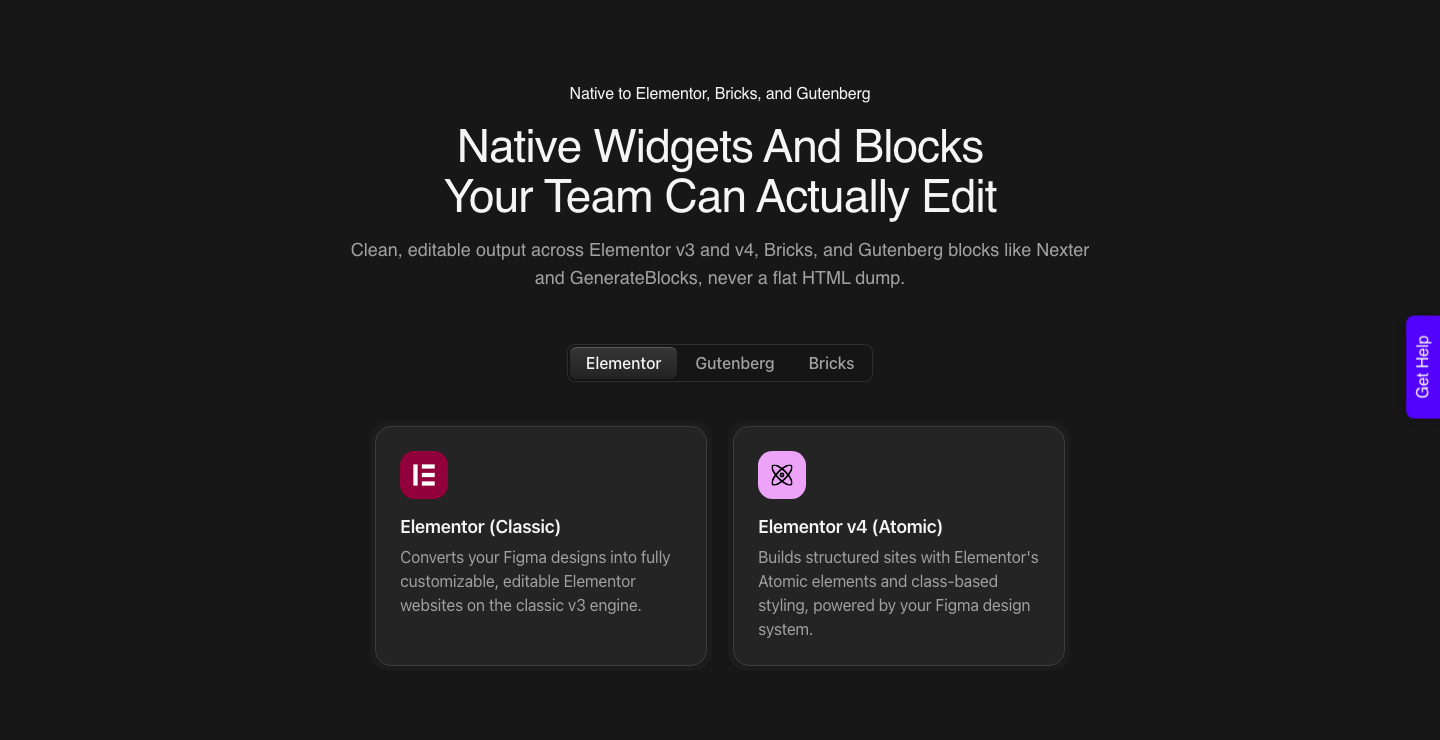
All of it runs on one credit balance rather than per-site licences. There is a Free plan at $0 a month with 1,000 credits, one Figma seat and one Composer site, which is enough to run a real page through and see what comes out.
Designer is $9 a month with 4,000 credits and 2 seats, Studio is $29 with 12,000 credits and 10 seats, and Agency is $49 with 20,000 credits and 50 seats, with yearly billing giving two months free on each. A seat is one Figma account or one WordPress site.
Two things on the pricing page matter for planning. The heavier the work the more it draws, so a Classic Mode conversion costs less than an AI Express one or a full site plan, and the same balance also pays for Composer’s AI chat.
Your balance refreshes every month and you can top up between refreshes; the page publishes no pack sizes or top-up prices, so do not budget against a number nobody has printed.
The two features gated by plan are Advanced Motion with GSAP and MCP or API access, both of which start on Studio at $29.
Questions People Ask Before Committing
Is Lovable an AI website builder or an app builder?
Its own documentation calls it a full-stack AI development platform covering frontend, backend, database, authentication and integrations. It builds websites well, but the feature set is aimed at applications, and that is the honest way to read the product.
If your output is a five-page marketing site, you are using a fraction of what you pay for.
Can I export the code and host it myself?
Yes in all three cases. Lovable documents two-way Git sync with GitHub or GitLab plus a Download codebase option on paid plans, Bolt documents a GitHub integration for version control, and v0 documents a GitHub connection with pull requests.
Exporting the code is the easy part. Running the build and owning the deployment afterwards is the commitment.
Why does my page look unstyled after I paste it in?
Almost always the missing Tailwind stylesheet. The utility classes in the markup only mean something once a build has scanned the source and written the CSS file, so markup pasted without that file renders as plain text.
Running the project’s build and including the compiled CSS fixes the appearance, though it does not fix editability.
Will a generated site rank as well as a WordPress one?
It can, with work. Google renders JavaScript with an evergreen Chromium, but crawling and rendering sit in separate queues, so server-rendered output has a structural head start.
Lovable’s own SEO tooling exists precisely because the foundations still need attention, and Figma says of its own generated sites that they can rank “but not on its own”.
Which one should I pick for client work?
Pick by who edits the site in month three. If that person is you, any of the three is fine and the choice is taste.
If it is the client’s marketing coordinator with an Editor role, the output has to reach WordPress as native elements, whichever tool drew the first version.
And if there is no generated build yet, the shorter road is to hand the client brief straight to AI Website Creator and skip the migration question entirely.
The Short Version
Lovable, Bolt and v0 are strong tools that hand you a codebase and a hosted URL. That is exactly what they promise and exactly what their documentation describes.
None of them promises WordPress, so the WordPress question has to be answered by you, before the estimate rather than after it.
Ask who edits the page, on what schedule, holding which role. Then pick the route that matches that answer.
Related reading: what the best AI website builder roundups miss, the free AI website builder tiers compared, and the Figma to Elementor workflow.