Turning a Flat Mockup Into an Editable Page
 Sagar Patel
The email arrives with one attachment: a 2400 pixel wide JPEG of a homepage, exported by an agency that no longer answers messages. Sometimes it is a PDF instead.
Either way the question is the same, and it is always phrased as if it were small. Can you just rebuild this.
This post is about that exact situation, which is more common than the tooling admits. What a flat image genuinely contains, what can be recovered from it, what cannot be recovered at any price, and the three routes out ranked by how much of the design survives.
The honest headline is that no converter turns a JPEG into editable Elementor widgets in one step, and anything that claims to is producing a guess. What you can do is reconstruct a layered source and convert that, which is a real workflow with a real cost.
What A Flat Image Actually Contains
A JPEG is a grid of pixels and nothing else. It has no layers, no text objects, no named elements, no idea which rectangle is a button and which is a card.
It also has no second state, so every hover, focus and open accordion in the original design is simply absent.
Compression makes it worse in a way people underestimate. JPEG artefacts sit around every letter edge, so a colour sampled from a heading is approximately the brand colour rather than the brand colour.
On a 60 percent quality export, the difference is visible when you place the two side by side.
A PDF is a better hand, and worth checking before you assume otherwise. If it was exported from a design tool rather than scanned, the text is often still text, the vectors are still vectors, and you can pull real type and real shapes out instead of tracing them.
| What you want back | From a flat JPEG | From a vector PDF |
|---|---|---|
| Layout structure and proportions | Yes, by measuring | Yes, by measuring |
| Text content | By retyping or OCR, with errors | Usually selectable and exact |
| Exact brand hex values | Approximate, degraded by compression | Usually exact |
| The typeface | Identifiable by eye, never certain | Often named in the file |
| Logos and icons as vectors | Only by tracing | Frequently intact |
| Hover, focus and open states | No | No |
| Responsive intent at other widths | No | No |
| Motion and scroll behaviour | No | No |
| Anything below the exported crop | No | No |
Before Anything Else, Look For The Real Source
Spend ten minutes on this before you spend a day on the image. Ask directly for the Figma file, the Sketch file or the original PDF export.
Previous agencies part with source files more often than clients expect, particularly when the client asks rather than the new agency.
Then check whether the design is live anywhere. A staging URL, an old subdomain, or the current site the client wants replaced all count.
A rendered page in a browser carries structure, real text, real colours and real fonts, which is a completely different starting point from an image of one.
Get the permission question settled in writing while you are asking. Rebuilding a design your client owns is ordinary work.
Rebuilding a competitor’s page because it was easy to point a tool at is not, and the fact that a tool accepts a URL is not the same as the right to use what comes back.
Route One, Rebuild The Layers In Figma
This is the route that produces a result you can defend, and it is genuinely faster than it was two years ago because parts of it are now automated inside Figma itself rather than done by hand.
Start by placing the image on a frame at its real width and locking it as a background. Everything you build sits on top of it, which turns reconstruction into tracing against a reference rather than guessing from memory.
Our design optimisation guide covers the settings to apply as you go.
Use Figma’s vectorize tool on the logo and the icons. Figma documents it as converting static images into editable vector layers, costs 2 to 5 credits per image, and it is far quicker than pen-tooling a mark you were never given.
Then rebuild the type and layout by hand. This is the part that stays manual and it is also the part that matters, because the decisions you make here are the ones a conversion will reproduce faithfully.
Structure the file properly and you convert once; structure it badly and you convert four times.
An AI assist is available for the first draft.
The Figma agent accepts attached images as context and can generate an initial layout from them, and Google Stitch documents generating a UI from an uploaded image or wireframe.
Treat both as a starting skeleton you correct, never as the finished reconstruction.
The Frame Rules That Decide The Conversion
Once you are rebuilding anyway, build it the way a converter reads best, because the marginal cost is zero. These are the same habits that make any Figma website design survive the build.
One top level frame with auto layout, vertical, aligned top centre, with horizontal padding, vertical padding and item gap set to zero and a fixed width you chose deliberately.
Sections stack vertically inside that frame, set to fill container for width and hug contents for height. Elements live inside sections.
Anything left outside the top level frame is ignored on export, which is exactly the failure mode that looks like a bug and is not one.
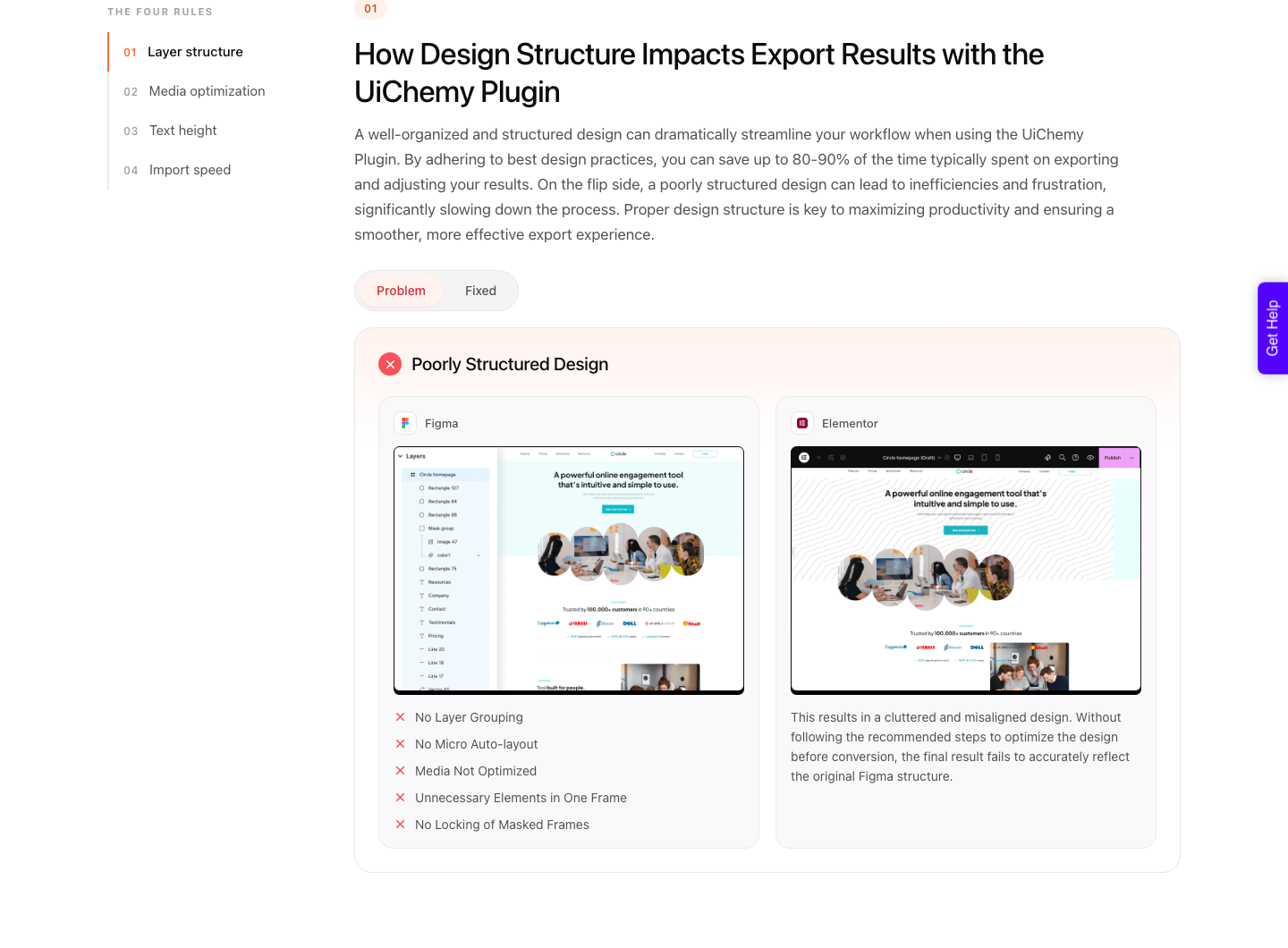
Avoid absolute positioning while you trace. It is tempting when matching a reference exactly, and it is the habit that produces a page which looks perfect at 1440 pixels and falls apart at 900.
Auto layout costs you five minutes now and saves the responsive pass later.
Route Two, When The Design Is Still Live
If the page exists on the web and your client owns it, skip the image entirely. Pasting the URL gives you an editable copy built from the rendered page, which carries real text, real colour values and real structure instead of an interpretation of a picture.
Being concrete about the tool, and disclosing that it is ours: this is UiChemy, and the route for a live URL or a pile of markup is UiChemy Composer. Composer is not a converter and not another page builder.
It is one widget you add to an Elementor page once, after which AI writes the section as genuine, editable HTML, CSS and JavaScript that you can then change by hand, by class, or by prompt.
Setup is four steps: install the plugin, drop the widget in, connect Claude from your terminal with one command, then describe what you want in the Composer chat.
The same door takes an existing AI build. If the previous agency’s handover turns out to be a Lovable, Claude, Bolt or v0 project rather than an image, that moves into WordPress through Composer too.
The site marks dedicated per-tool landing pages for some of those as Soon; that label is about the landing page, not about whether the conversion works today.
The common version of this is a redesign brief where the client sends a screenshot of their own current site to explain what they want kept. The screenshot was never the point, and the live page is sitting right there.
Raw HTML counts too. If the previous agency handed over a static export or a theme folder, that markup is a supported starting point and it beats an image by every measure that matters.
Route Three, Accept The Image As An Image
Occasionally the right call is to stop reconstructing. A stylised hero panel, an illustrated section header or a complex composited graphic can ship as an image on the live page, with real text placed over or beside it rather than baked into it.
Our own documentation describes this as a deliberate technique for elements that will not convert cleanly, including anything using a mask, since masks are not supported on any element. Locking the group and exporting it as an image is the documented workaround.
The rule for when this is acceptable is simple. Never for text a client will want to edit, never for anything that needs to be found by a search engine or read by a screen reader, and never for a section whose content changes.
For decoration, it is often the correct answer.
The Three Routes Compared
| Route | Time before conversion | What you end up with | Use when |
|---|---|---|---|
| Rebuild layers in Figma | Hours per page | A design file you own and can reuse | The design matters and no source exists |
| Convert from the live URL | Minutes | An editable copy of the rendered page | The page is live and the client owns it |
| Convert from raw HTML | Minutes | Native builder elements from real markup | A static export was handed over |
| Ship the image as an image | None | A picture on the page | Decoration only, never editable content |
Why A Layered File Always Converts Better
A conversion reads structure, not appearance. A layered Figma file tells it that this group is a section, that this text is a heading, that this frame stacks vertically with a 24 pixel gap.
A flat image tells it nothing, so every one of those facts has to be inferred or invented.
That difference shows up in the output rather than in the preview. Both routes can produce something that looks close.
Only the layered Figma to Elementor route produces a page where the heading is a heading widget, the button is a button, and a client changing the copy does not break the layout.
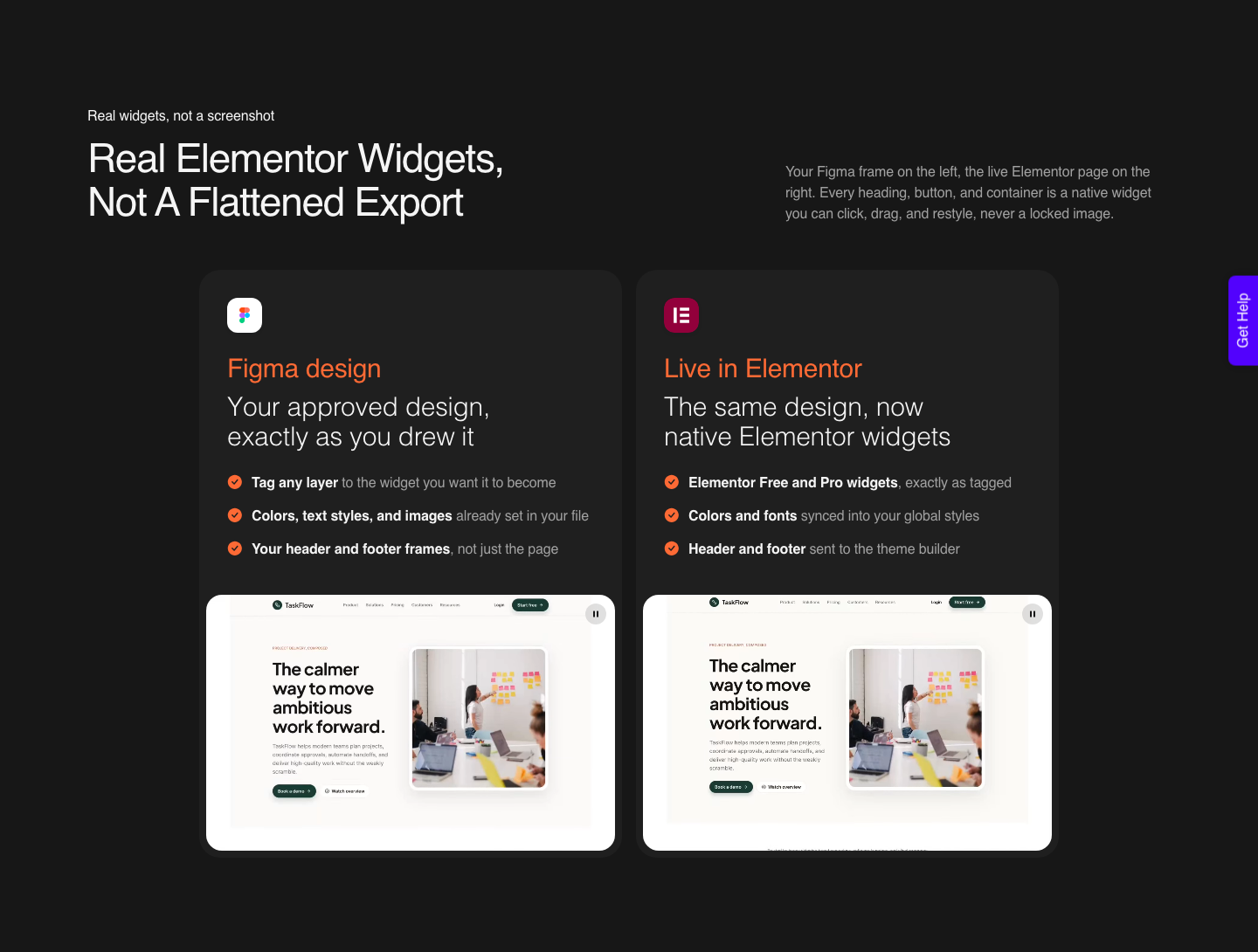
It also changes what the next job costs. A reconstructed Figma file is an asset the client owns, so the second page, the seasonal campaign and next year’s refresh all start from something.
An image-derived page is a dead end you will rebuild again.
Honest Limits Worth Quoting To The Client
Say plainly that a single image contains one screen, at one width, in one state. Everything else in the site is a new design decision that somebody has to make and pay for, and getting that on the record before you start is the difference between a project and an argument.
Fonts are the second conversation. Identifying a typeface from a JPEG is a guess, and licensing it for web use is the client’s cost, not a detail.
If the original used a licensed face nobody can find the paperwork for, the honest move is to choose a close alternative deliberately.
And no conversion route ends with zero cleanup. A verified reviewer puts the realistic split at roughly 70 percent of the design work handled and 30 percent left to fine-tune in Elementor, and calls that a fair trade for the time it saves.
The design checklist is blunter: it says it cannot guarantee 100 percent accuracy and that good design practice gets you between 85 and 99 percent. Quote that range, not a rounder number.
Questions People Ask With A JPEG In Hand
Is there an image to Elementor converter?
Not in the sense people mean. Converters read a layered design, a rendered page or markup.
Anything that promises widgets straight from a JPEG is reconstructing a guess, and you inherit every wrong guess as editing work later.
Can I convert a PDF instead?
Check what is inside it first. A vector PDF exported from a design tool often still holds selectable text and real shapes, which makes rebuilding in Figma much faster.
A scanned or rasterised PDF is a flat image wearing a different extension.
How long does rebuilding a page from an image take?
Hours rather than minutes for the Figma reconstruction, then a normal conversion. The reconstruction is the whole cost, so quote it separately rather than folding it into the build and absorbing it.
Will AI trace the image for me?
Partly. Vectorising a logo works well and costs a few credits.
Generating a full layout from an attached image gives you a plausible skeleton with invented details, which is useful as a first pass and unsafe as a final one.
What if the client only has a screenshot of their own live site?
Then use the site. Pasting the live URL gives an editable copy with real content, and the screenshot goes back in the email thread where it belongs.
What To Reply To That Email
Ask three questions before quoting. Does anyone still have the source file, is the design live anywhere you have rights to, and is this one page or the pattern for a whole site.
The answers change the estimate by an order of magnitude.
Then price the reconstruction as its own line. It is design work, it produces an asset the client keeps, and calling it that is more honest than burying it inside a build fee and quietly resenting it for three weeks.
There is a fourth answer worth putting on the table when the honest reading of the JPEG is that the client likes the feel rather than the file.
Hand the brief to AI Website Creator instead of tracing: it takes a written prompt or an attached client brief and produces a scope, a sitemap, a design and an Elementor export.
The Free plan at $0 a month covers 1 project of 1 page, which is enough to test whether the client actually wants the old design or just a competent one. Export To Elementor is live; Export To Gutenberg is marked Soon on every plan, so do not promise it.
Sources checked on 8 September 2026: Figma’s documentation on converting static images to vector layers, AI credit costs per action and attaching files to agent prompts, Google’s Stitch announcement for image input, and our own guidance on exporting a group as an image and frame structure for accurate conversion.