Elementor AI: What It Generates and What It Cannot
 Sagar Patel
A client approves a homepage in Figma on Tuesday. On Wednesday you open a blank Elementor canvas and have to make that exact page exist in WordPress.
At that moment Elementor AI and a Figma converter look like the same tool, and they are not the same tool at all.
Both tools end with Elementor widgets on a page, and that shared ending is what makes people compare them badly. The real question is where the design decision gets made: by a model reading your prompt, or by you and a client in a file that has already been signed off.
One thing to correct before anything else, because half the comparisons online still get it wrong. UiChemy stopped being a single Figma converter at the 7 September 2026 rebuild.
It is now four entry points on one engine, and two of them generate from a prompt, so “generator versus converter” is no longer the line between these products.
Everything below was checked against Elementor’s own product and help pages and against the UiChemy pricing table on 8 September 2026. Where Elementor AI is the better answer, this post says so, because pretending otherwise would be useless to anyone actually choosing.
What Elementor AI Actually Generates
Elementor’s AI page builder page describes output in four groups: full pages and layouts, design systems, forms and dynamic loops, and code.
The layout output arrives as real, structured Elementor content rather than an embedded picture, which is the single most important thing to know about it. Forms and loops are listed as needing Elementor Pro.
The code side is broader than most people expect.
Angie Code covers custom Elementor widgets built from scratch or extending existing ones, WordPress admin snippets, custom post types and fields, CSS and JavaScript snippets, and small front-end apps such as quizzes, calculators, custom 404 pages and store locators.
If you have ever written forty lines of CSS to nudge one hover state, that category alone justifies the feature.
The branding moved. What used to be marketed as Elementor AI is now Angie, Elementor’s agentic AI for WordPress, and the product page is written almost entirely in Angie’s name.
Super Admin Mode is the other half of it, aimed at bulk edits, debugging and SEO fixes rather than layout.
Read the page-building line carefully, because it is the detail people quote wrongly. Angie builds the complete layout, then you “review and refine it manually in the Editor”.
Elementor’s own wording is that describing a change and having Angie make it directly is coming soon. Today the generation is agentic and the revision is still yours.
Angie runs on credits. Elementor states a free plan with daily renewing AI credits, and says that during that free period you cannot purchase additional Angie credits.
Elementor One is where credits get unified across the AI tools, image optimization and the rest of the suite, which is the route out of a daily ceiling.
Four Ways In, Not One
UiChemy has four entry points and they answer different weeks of a project. Figma to WordPress takes an approved frame.
AI Website Creator takes a text prompt or a client brief and produces a sitemap and pages.
UiChemy Composer writes real HTML, CSS and JavaScript from one widget inside Elementor. AI to WordPress takes a build that already exists in Lovable, Claude, Bolt or v0.
So the useful distinction is not generation against conversion. It is what happens to the design decision.
When nobody has approved anything, a model deciding the layout costs you nothing. Once a frame is signed off, every deviation from it is a revision request waiting to happen, and only the Figma route reproduces the file rather than describing it.
Angie sits squarely in the first half of that. It generates real, structured Elementor content from a prompt, a screenshot or a reference, and it is good at it.
What it cannot do is read a specific Figma file and reproduce its 32px gaps and its type ramp, because a prompt is a description and a frame is a specification.
| Angie, Elementor AI | UiChemy, all four routes | |
|---|---|---|
| Input | A prompt, a reference, or a screenshot | A Figma frame, a prompt, a client brief, or an existing AI build |
| Who decides the layout | The model, then you correct it | You did in Figma, or the model did in AI Website Creator |
| Output | Structured Elementor content, code, images, copy | Native widgets and containers, or real HTML, CSS and JS from Composer |
| Design system | Generated colors, fonts, classes and variables | Your Figma colors and type synced to Elementor globals |
| Best used | Before anyone has approved anything | Either side of sign-off, depending on the entry point |
| Builder coverage | Elementor, including Pro-only forms and loops | AI Express is Elementor only today, Classic covers Gutenberg and Bricks as well |
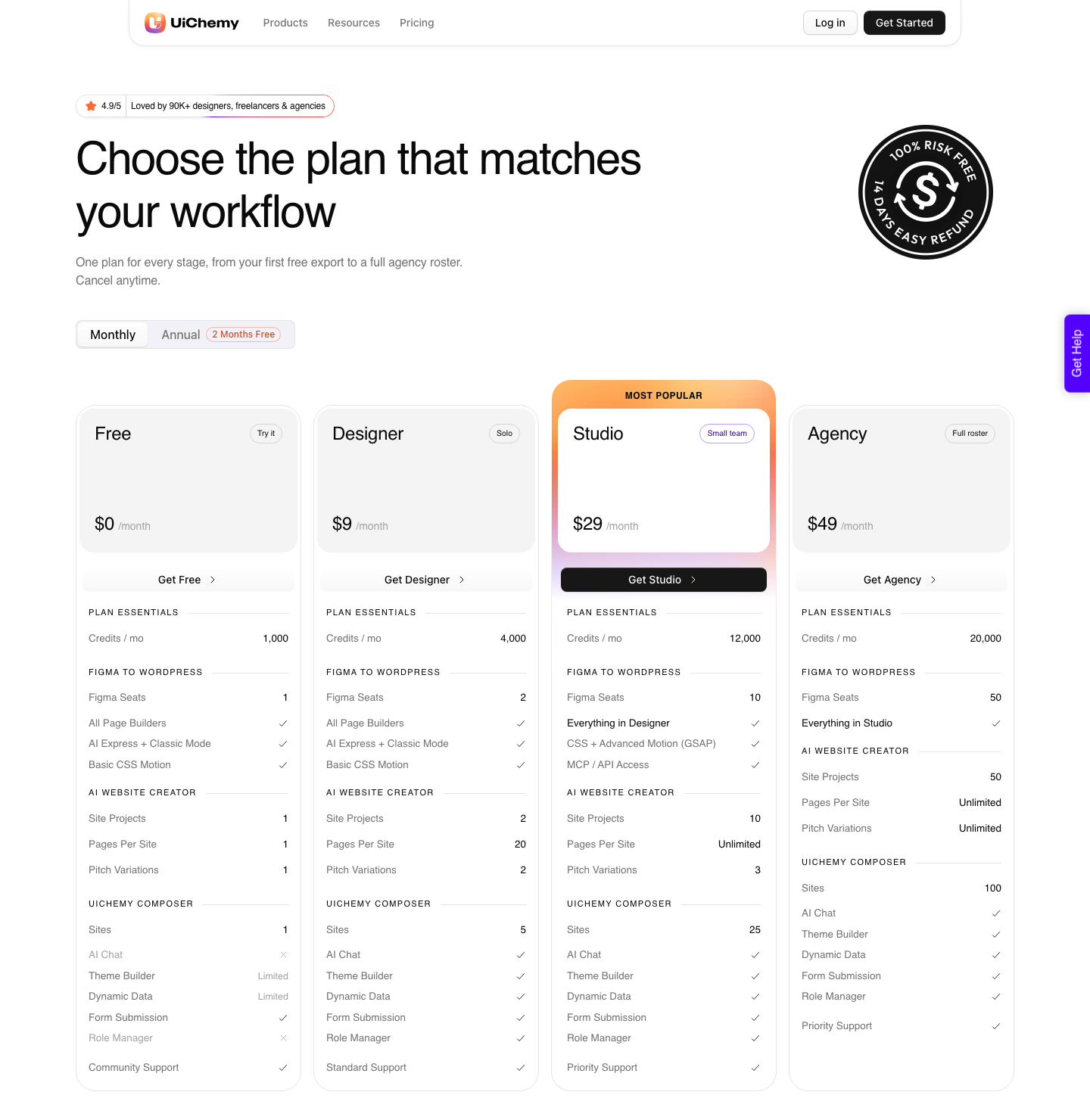
| Metering | Angie credits, free tier renews daily | UiChemy Credits, pooled monthly: 1,000 free, then 4,000, 12,000, 20,000 |
Where Elementor AI Is The Right Tool
There are jobs where reaching for a converter would be silly. A client asks for a pricing section that was never designed, and asks for it during the call.
Generating three options inside the editor is faster than opening Figma, and nobody has approved anything yet, so nothing is being violated.
The same goes for the site planning end. Elementor documents an AI Site Planner that produces a brief, a sitemap and wireframes, which is genuinely useful on the day a project starts and has no equivalent in any conversion tool.
Converters begin at the point where planning has finished.
Code generation is the third clear win. Custom widgets, a custom post type, a CSS snippet to fix a stubborn breakpoint: none of that lives in a Figma file, so no converter will ever produce it.
If your bottleneck is code rather than layout, Elementor AI is the answer and a converter is not.
Where A Converter Wins Instead
The converter case is narrow and specific: a design exists, it has been approved, and it now has to appear in WordPress without drifting. No prompt reliably reproduces a specific frame, because a prompt is a description and a frame is a specification.
Asking a model to hit an exact 32px gap and a specific type ramp is asking it to guess your file.
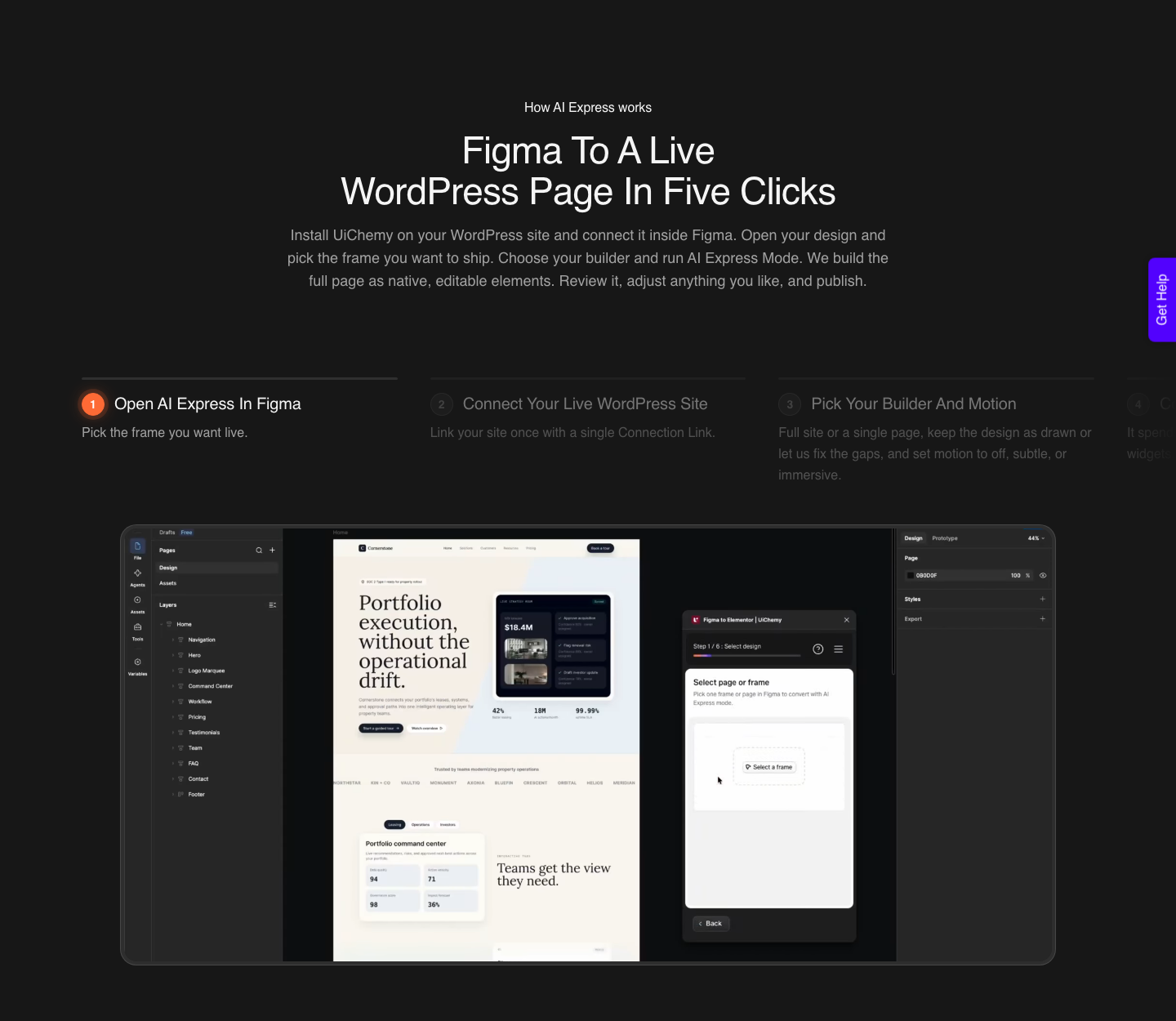
UiChemy’s AI Express Mode reads every layer of the frame, builds native Elementor widgets, then checks and corrects its own spacing and contrast.
The site describes the run as five clicks: open the frame, connect the site with one Connection Link, pick builder and motion, convert, preview. Motion is set at conversion time as Off, Subtle or Immersive rather than added afterwards.
Classic Mode is the other half of the same plugin, and it is the one to use when a pixel has to be exact. You tag each layer to the widget it should become, which is slower and more predictable, and it reaches Elementor, Gutenberg and Bricks today.
AI Express outputs to Elementor only right now, with Gutenberg and Bricks still on the way.
| The situation on your desk | Reach for | Why |
|---|---|---|
| No design yet, client wants to see something today | Angie | Nothing to reproduce, and wrong guesses are free |
| Signed-off Figma homepage, build due Friday | UiChemy AI Express | The layout decision is already made and paid for |
| Signed-off design where a pixel is contractual | UiChemy Classic | You map each layer yourself instead of trusting a pass |
| One section missing from an otherwise finished page | Angie, UiChemy Chat AI, or Composer | All three work in place inside the editor |
| A custom widget or a CSS fix | Angie Code, or UiChemy Composer | Code is not in your Figma file |
| Same design onto Gutenberg or Bricks | UiChemy Classic | Angie targets Elementor |
| Only a client brief and a deadline, no design at all | UiChemy AI Website Creator | Brief to sitemap to pages, exported to Elementor |
Who Can Edit The Result Six Months Later
This is the question that decides whether a build survives handover, and it is the one nobody asks during the demo. A page is only finished if the client’s marketing assistant can change a heading without calling you.
Both tools pass this test in a way that a flat export never does.
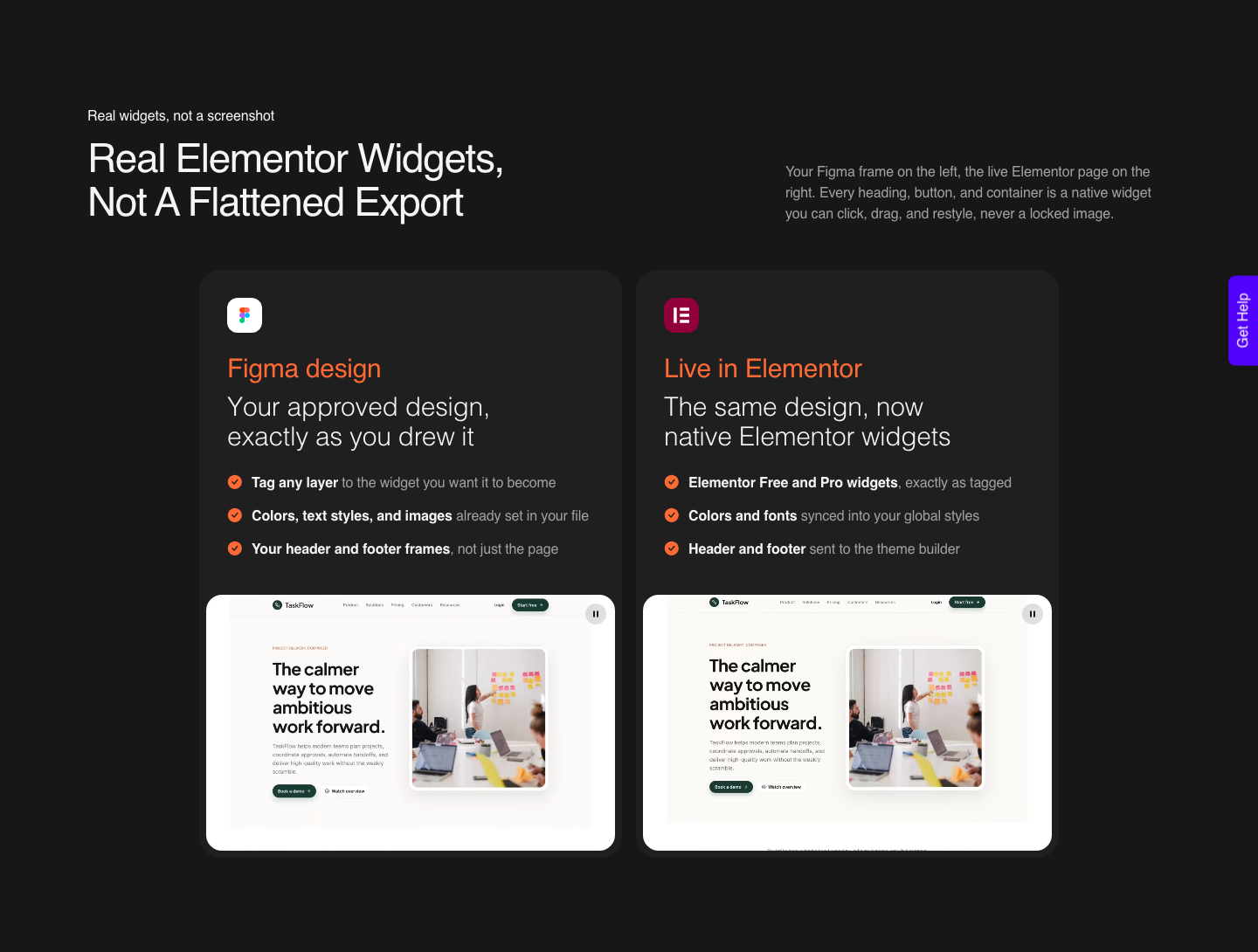
Elementor AI output is structured Elementor content, so it opens in the editor like anything else you built by hand.
UiChemy output lands as native widgets with your Figma colors and typography synced into Elementor’s global styles, which means one global change still updates everywhere. Neither produces a locked image or a code block your client cannot touch.
The practical difference shows up in the design system rather than the page. A generated design system is invented, so it matches nothing your brand guidelines say unless you fed those in.
A converted one carries the exact values from the file the client approved, which is the version you can defend in an email.
The Honest Limits On Both Sides
Start with the converter, because its limits are documented and specific. UiChemy’s docs list Figma properties that do not carry into Elementor at all: masks on any element, layer blur and background blur, video fills, and blend modes on text and images.
If your hero depends on a mask, you export that piece as an image or you redraw it.
Constraints are the other common failure. On a frame without auto layout, any element set to Left and Right or to Scale is listed as unsupported, and those two settings are exactly what breaks a responsive result.
Text has its own list, including fixed-size resizing, small caps, truncation and inner shadow.
A verified reviewer puts the realistic outcome at about 70% of the design work handled, with the remaining 30% fine-tuned in Elementor. That is the number to quote a client, not a promise of zero cleanup.
Twenty minutes cleaning the Figma file before you convert changes that ratio more than any setting in the plugin.
Angie has a different limit, and it is not a bug. A generator cannot reproduce a frame it has never seen at the precision a client sign-off implies.
It will produce a good pricing section; it will not produce your pricing section. Its free credits also renew daily rather than pooling, so a heavy build day hits a ceiling that a monthly pool would not.
UiChemy’s own gaps are worth naming in the same breath. AI Website Creator exports to Elementor today and its Gutenberg export is marked Soon on every plan, Agency included.
Composer runs inside Elementor, not Gutenberg or Bricks. Advanced motion with GSAP and MCP access both start at Studio, $29, so a Designer plan does not have them.
A Realistic Sequence For One Client Page
Here is how the two tools actually share a single build. Day one, before any design exists, Elementor’s Site Planner produces the brief, sitemap and wireframes, and Elementor AI drafts placeholder copy so the wireframe is not full of dummy text.
Nothing here is precious and nothing is approved.
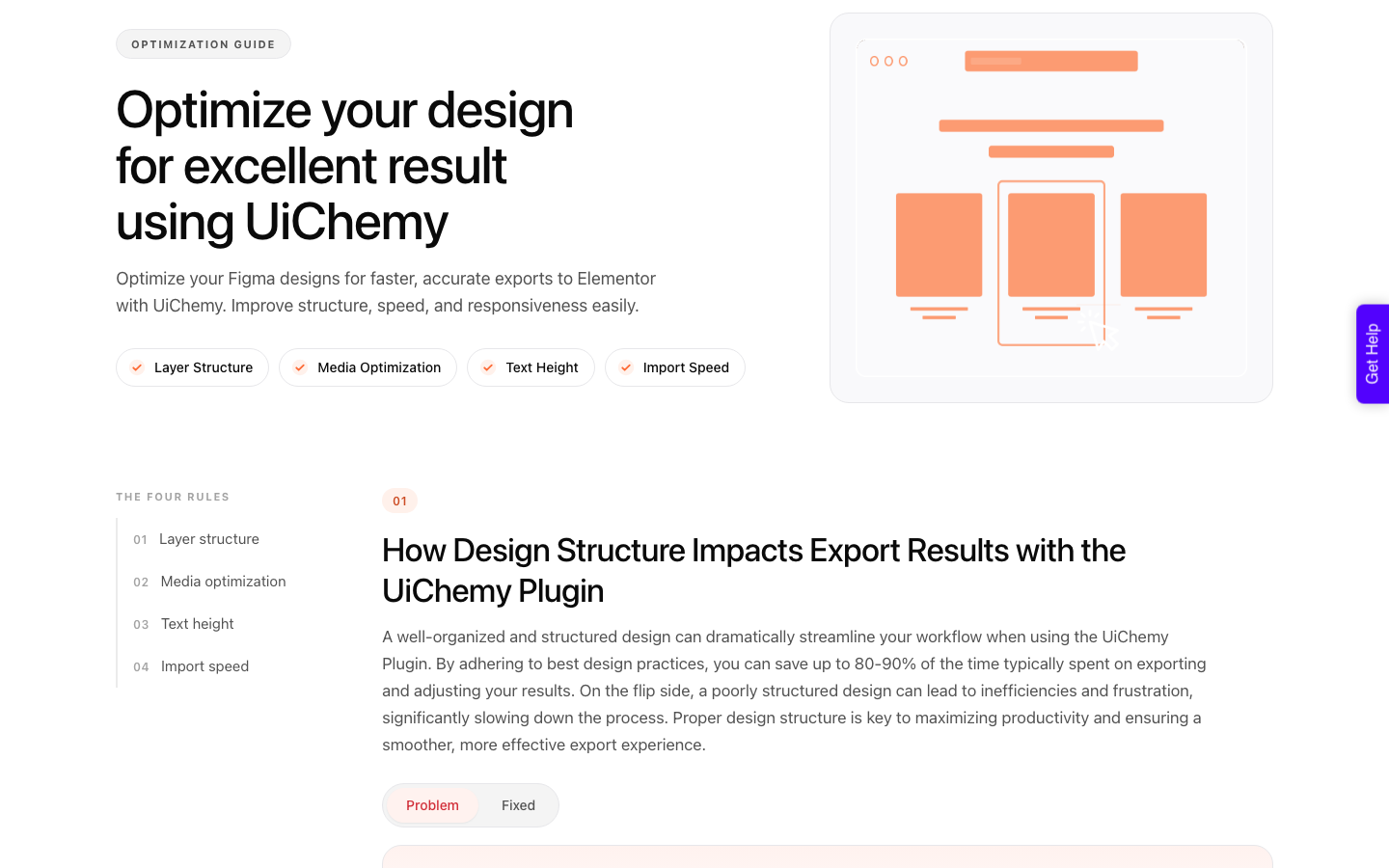
You then design the real thing in Figma and get it signed off. Before converting, run the optimizer over the frame: it flags groups that should be frames, redundant wrapper layers, oversized line heights above 160%, and frames with no auto layout.
This is the twenty minutes that decides your 70/30 split.
Convert the frame with AI Express, spending Credits from the same monthly pool both modes draw on.
The Free plan is $0 a month with 1,000 Credits and one Figma seat, Designer is $9 with 4,000, Studio $29 with 12,000 and Agency $49 with 20,000, and annual billing is advertised as two months free.
Then finish in the editor, where Angie is the right tool again for the CSS snippet and the one section nobody designed.
Questions People Actually Ask
Can Elementor AI rebuild my Figma design?
It can generate a layout from a screenshot or a reference, and Elementor documents design systems built from references. What it will not do is reproduce a specific approved frame with the exact spacing and type ramp in that file.
For that you need a tool that reads the file itself rather than a picture of it.
Do I need Elementor Pro for Elementor AI?
Not for everything. Elementor’s product page marks the form and dynamic loop generation as needing Elementor Pro, while the free Editor tier still gets AI tools with daily renewing credits.
UiChemy conversions land as native widgets that work with free Elementor, so the Pro question is separate from the conversion question.
Is AI generated Elementor content editable afterwards?
Yes. Elementor describes the output as real, structured Elementor content that is editable and customizable rather than a locked export, and you refine it manually in the Editor.
Editing by prompt is listed as coming soon. Either way it beats an AI site generator that hands you a hosted page you cannot open.
Which one costs less on a five page client site?
It depends on how many times you re-run. Elementor’s free Angie credits renew daily, which suits a slow week and stalls a fast one.
UiChemy pools Credits monthly: the $0 Free plan carries 1,000 and allows one page in AI Website Creator, while five pages fit comfortably in the 4,000 Credits on the $9 Designer plan.
What if the site runs Gutenberg or Bricks?
Angie targets Elementor, so a Bricks site gets nothing from it.
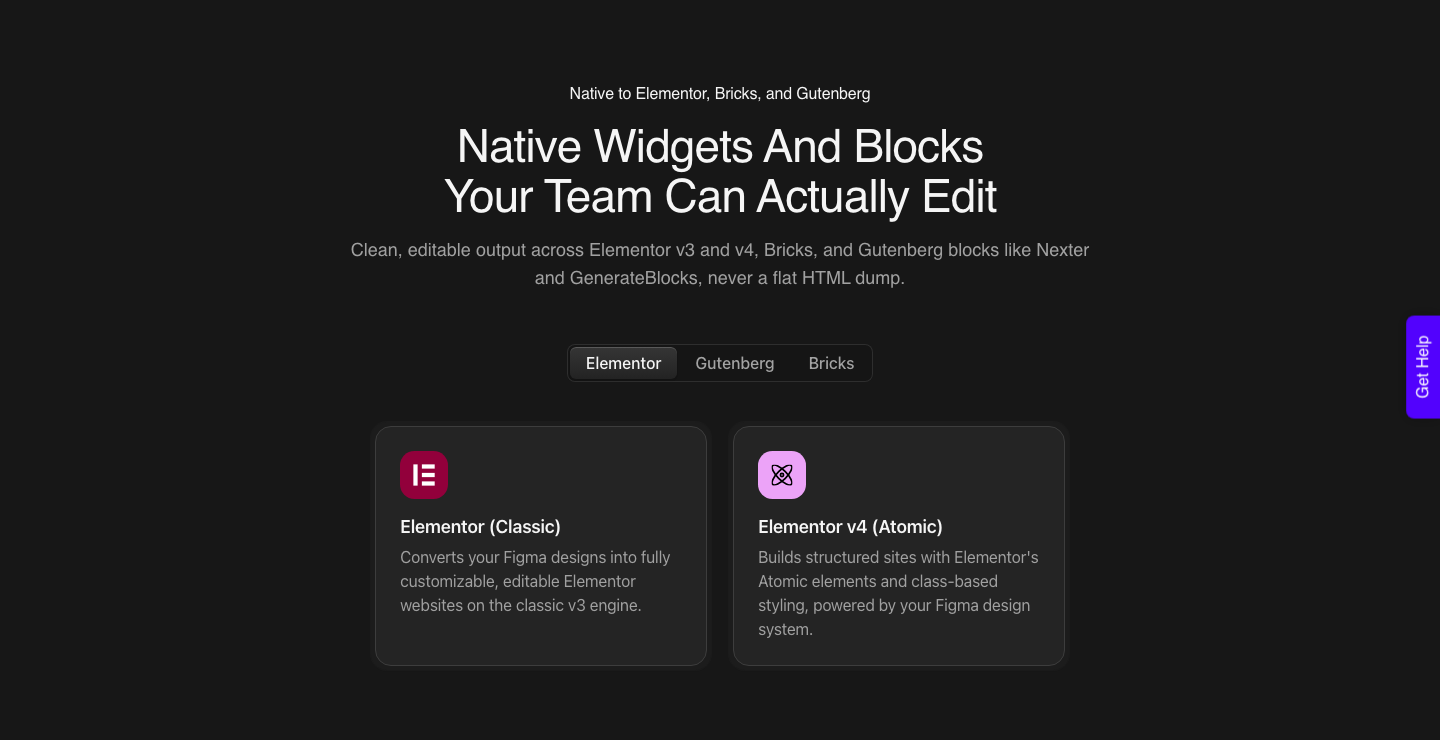
UiChemy Classic Mode converts to Gutenberg and Bricks today with layer tagging, alongside Elementor v4 Atomic, Nexter Blocks, GenerateBlocks, Spectra and Kadence.
AI Express, AI Website Creator and Composer are all Elementor only for now.
How To Choose On Your Next Build
Ask one question: has anyone approved a design yet. If the answer is no, generate, and Angie and AI Website Creator are both reasonable places to do it.
If the answer is yes, convert the file rather than describing it, because every difference between the approved frame and the live page is a conversation you have to have.
The pairing that works is generation before sign-off and conversion after it, with generation coming back for code and for the sections nobody designed. Composer is the one that blurs the line, because it generates code inside a page you already built.
Related reading: the full Figma to Elementor workflow, what AI website builders leave you holding, and what actually changed for Figma to WordPress in 2026.
Elementor’s own generate with AI docs and its Angie overview are worth reading before you decide.
Start with the optimize guide and one real frame rather than a test file. A frame with auto layout, real components and text still stored as text converts on the first pass.
Everything else is the 30% you were always going to fine-tune.