An AI-Built Website for a Local Coffee Roaster, Page by Page
 Sagar Patel
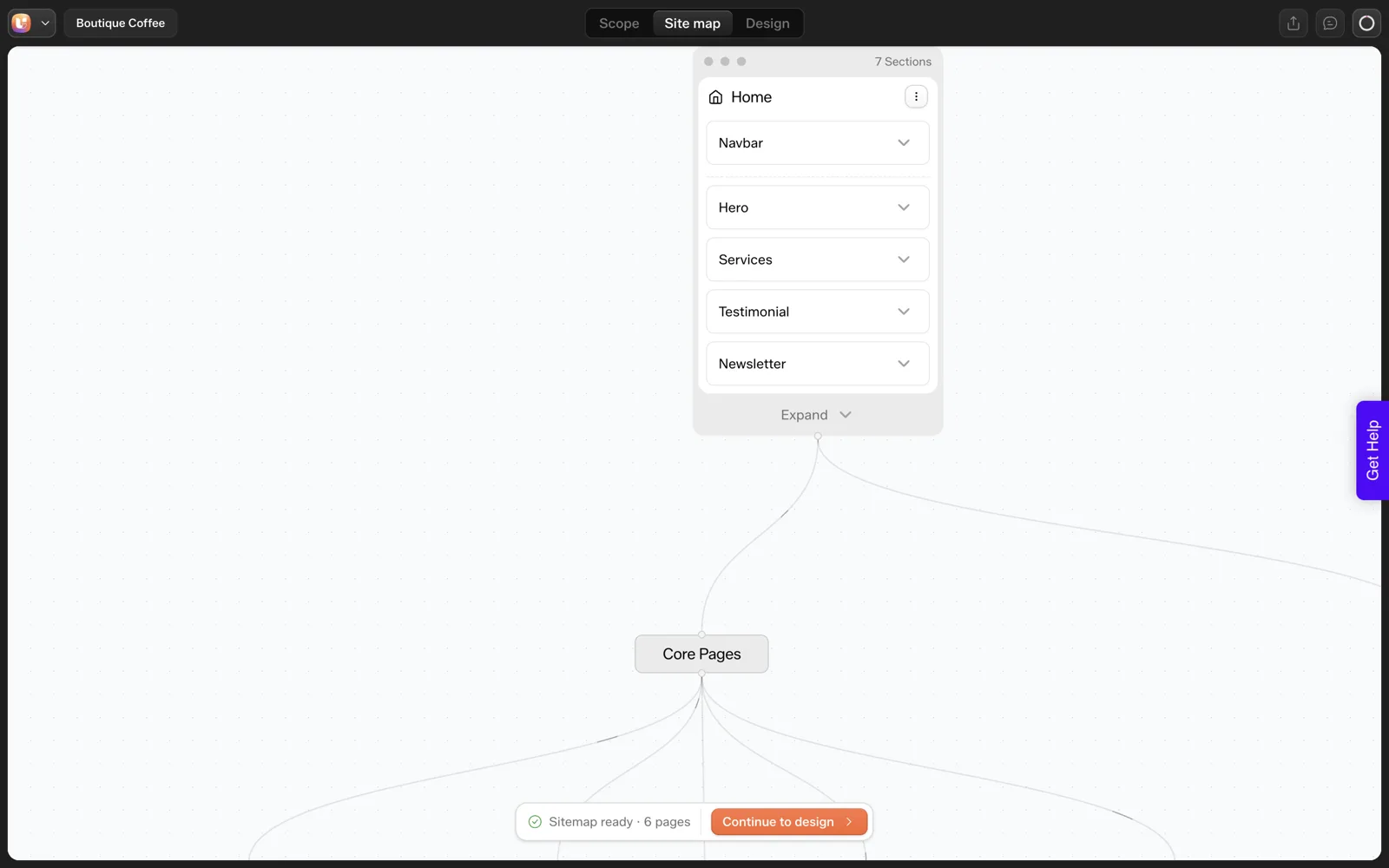
For a local coffee roaster, an AI website builder gave us a six-page sitemap from one sentence: Home, Products, Testimonials, About Us, Contact and Newsletter Signup. We would keep four pages, fold Testimonials and the newsletter into other pages, and spend the saved effort on real photographs, which no generator can supply.
Small businesses are the audience most AI website builders for WordPress target, and the least served by generic output. This post takes our one-prompt coffee roaster test and works through the result page by page, as an owner would. Only the Home page was generated in our run, so every judgement on the other pages is a plan, not a result.
What Did the AI Draft?
The prompt was: “A landing page for a boutique coffee roaster with hero, three product cards, testimonials and a newsletter signup”. On 2026-10-01 the project appeared in about 9 seconds, the sitemap in about 13 and the Home page in about 35. The sitemap and Home page cost about 64 credits. It is one run, so treat the numbers as an observation.
Notice that we asked for a landing page and got six pages. The tool filled gaps with defaults. That is fine as a starting point, and it is why the review step exists.
What Would We Do With Each Page?
This table is our editorial judgement for a small roaster, and the “keep” column is ours, not a tool recommendation. Only the Home page was generated in our run.
| Page | In the AI draft | Our call for a small roaster | Why |
|---|---|---|---|
| Home | Yes, generated | Keep | Entry point: hero, products, proof, signup |
| Products | In sitemap | Keep | The page that sells; needs real names, notes and prices |
| Testimonials | In sitemap | Fold into Home | A page of quotes rarely earns a visit; three real quotes on Home do the job |
| About Us | In sitemap | Keep | Local roasters sell a story: who roasts, where, how |
| Contact | In sitemap | Keep | Address, hours, wholesale enquiries |
| Newsletter Signup | In sitemap | Fold into footer | A signup is a block, not a destination |
If you disagree with a call, that is the point of the sitemap step. The Sitemap Editor lets you add, remove, reorder and rename pages, as the docs describe. For a general rule on page counts, see how many pages a small business site needs.
How Did the Home Page Turn Out?
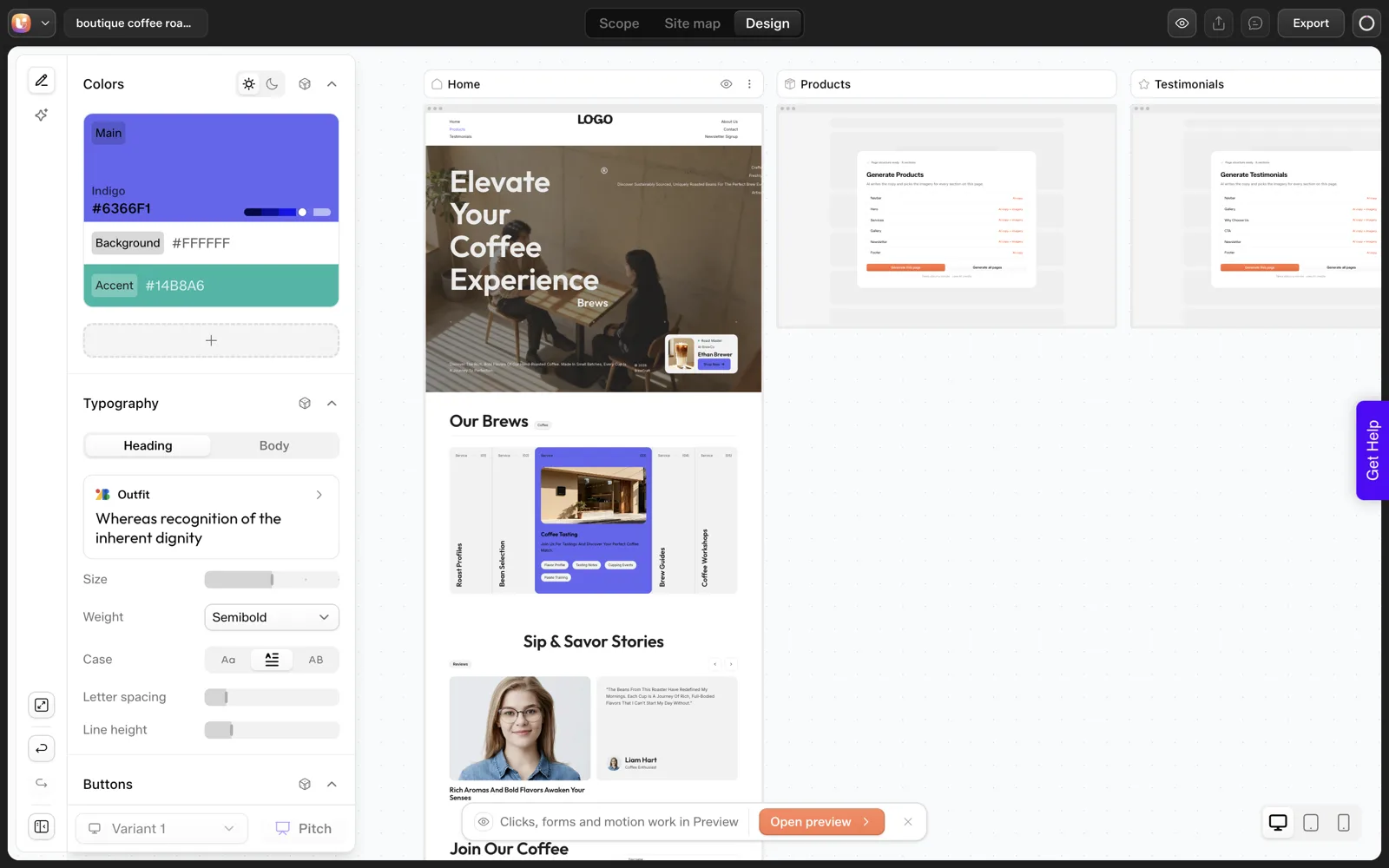
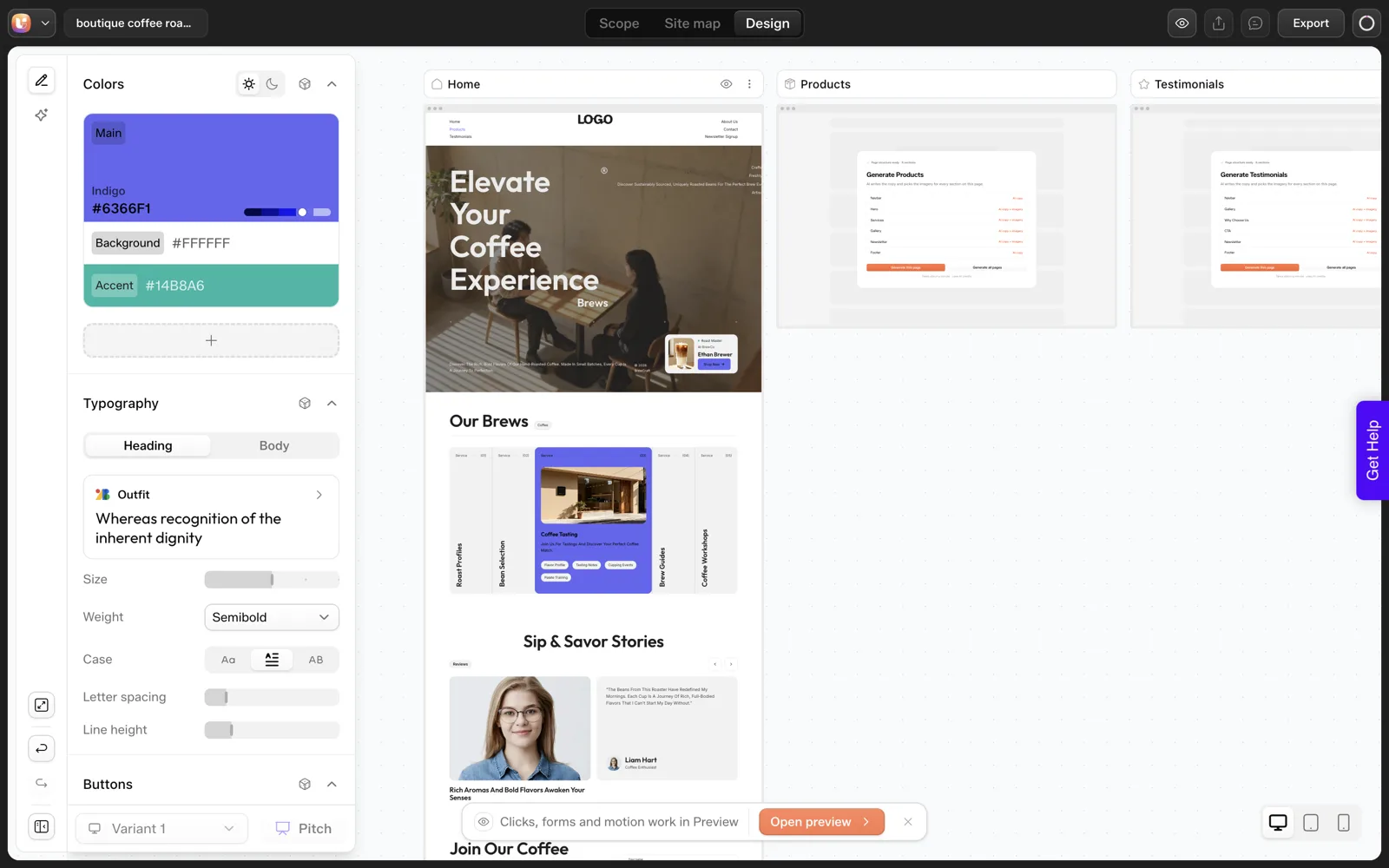
It had a hero, a cards section, testimonials and a newsletter block, which covers every section we named. It also had a miss: we asked for three product cards and got five, labelled “Service”. We would not publish it as it came out.
The fixes we would make on this page
- Cut the five cards to three, and relabel them as products.
- Replace every placeholder with a real coffee: name, origin, roast level, price.
- Replace testimonial text with real quotes from real customers, with permission.
- Check that the newsletter block says what subscribers get and how often.
Our list of AI website misses covers the pattern, and the 30-minute review routine is the checklist to run before it goes live.
The Photo Shot List
This is where a local roaster wins. A generator can place an image, and it cannot photograph your roaster. Real photographs are the part of the site customers will believe. Give the owner this list and an afternoon.
COFFEE ROASTER SHOT LIST

HERO (1 to 2 shots)
[ ] Roaster in action, steam or smoke visible, natural light
[ ] A hand pouring beans, shallow depth of field

PRODUCTS (one per coffee, same background and angle)
[ ] Bag front, straight on
[ ] Beans in a scoop, close
[ ] Brewed cup, top-down
Count: ____ coffees x 3 shots = ____

ABOUT US
[ ] Owner at the roaster, looking at the camera
[ ] The space: shelves, sacks, scales
[ ] Hands at work: cupping, bagging, labelling

PROOF
[ ] A customer with a bag, with their permission in writing
[ ] The cafe or market stall where you sell

CONTACT
[ ] The shopfront or entrance, so people recognize it
[ ] A map screenshot or a landmark photo

TECH NOTES
Landscape for hero, square for product cards
Name files plainly: ethiopia-yirgacheffe-bag.jpg
Write a one-line alt text for each image
Never use a stock image of coffee you do not sell
The Design Editor lets you replace an image from stock, from a library or by generating one, according to the docs. We would use stock only for abstract backgrounds, and real photos for anything that shows a product, a person or a place.
Which Facts Must the Owner Supply?
An AI draft will fill gaps with plausible text. For a business that sells a physical product, every plausible-but-invented detail is a false statement under the owner’s name. Provide these up front:
- Names, origins, roast levels and prices of each coffee.
- Shipping rules, regions and costs, or a statement that you do not ship.
- Opening hours and address.
- Real customer quotes, with permission.
- The story: when you started, who roasts, what you do differently.
The Scope Editor takes a good deal of this, including up to five offers, tone, banned words and the pages you want, per the Scope Editor docs. Our website brief template is a form the owner can fill in before you open any tool.
What Makes a Local Roaster Site Work?
These are our editorial opinions, not measured results.
- One clear action per page. Home: shop or visit. Products: buy. Contact: call or get directions.
- Specific over generic. “Roasted Tuesdays and Fridays” beats “freshly roasted”.
- Local proof. Mention the neighbourhood, the market, the cafes that serve your beans.
- Mobile first. Most people check hours and directions on a phone.
We also did not run the export into WordPress for this post. Export is plugin-based, with steps in the Export to WordPress docs. A small shop would normally land on Elementor, which the docs name as the supported export today, with Gutenberg marked “Soon”. For a wider look at tools for small business sites, see our no-code AI website builder overview.
What Happened When We Imported the Roaster Draft?
The text above says we did not run the export. We have since done it, on 2026-10-01, on a throwaway local WordPress install, using the same project. Here is what we saw, and none of it replaces your own test.
- The plugin offered only the Home page, for a project that has six pages.
- The import took about 50 seconds, in four phases: plugins and theme, site content, pages and layout, final settings.
- WordPress ended up with one new page, Home, set as the front page, and the site title changed to “boutique coffee roaster”.
- Home opened in Elementor as a native page with editable widgets, not a locked picture.
- The import used no credits.
- On the front end, short text fragments at the right edge of the hero were clipped at a wide desktop width.
For a roaster, the first bullet decides the plan. If you want Products, About Us and Contact on the site, check the page selection screen before you start, and build a fallback in Elementor for any page that is not offered. The export guide covers the plugin route in detail.
What Does the Owner Do With a Free Weekend?
A small roaster does not have a week to spend on a website, so this is the order I would use for a weekend. The time boxes are my guesses, not measurements.
| Block | Task | Output |
|---|---|---|
| Saturday morning | Write down every coffee: name, origin, roast level, price, shipping rule | One product sheet |
| Saturday midday | Take the photos on the shot list, one coffee at a time | A folder of named files |
| Saturday afternoon | Write the story: when you started, who roasts, what is different | Five to ten plain sentences |
| Sunday morning | Run the generator, then review the sitemap and cut it to four pages | An approved page list |
| Sunday midday | Replace placeholders with the facts from Saturday | A reviewed draft |
| Sunday afternoon | Check it on a phone, then decide whether to import it yourself or ask a freelancer | A fix list |
Most of the weekend goes on facts and photos, and the generation step is the short part. That matches the afternoon timing log, where the measured generation times were seconds and the rest was review.
What Should the Contact Page Say?
The Contact page is where a local business wins or loses a visit, and a generator cannot know any of its details. Supply these yourself.
- Street address, written exactly as it appears on a map.
- Opening hours, including the days you are closed and any market stalls.
- A phone number or email that someone answers.
- How to get there: a landmark, parking, nearest stop.
- Wholesale and cafe enquiries, with a separate line saying who to contact.
- Shipping and pickup rules, in one plain sentence.
- A photo of the entrance, so people know the door.
Read the finished page on a phone, because that is where most visitors will check hours. If the draft shows placeholder hours or an address you did not supply, it is a false statement on your site, so replace it before anything goes live.
For a form to collect all these details from the owner, use our website brief template.
FAQ
Can a one-sentence prompt really produce a business website?
It produced a six-page sitemap and a Home page in our run, which is a usable first draft, which still needs a human pass. The Home page needed fixes, including a wrong card count and label. Treat the output as a draft you review, with real facts and photos added.
How many pages does a coffee roaster need?
Our judgement is four: Home, Products, About Us and Contact, with testimonials on Home and the newsletter in the footer. A larger shop with wholesale or classes may need more. That is an editorial opinion, not a rule, and the sitemap step lets you change it.
Should the photos be AI-generated?
For anything that shows your product, your people or your premises, use real photographs. Generated images of coffee you do not sell are a false claim. Stock or generated images suit abstract backgrounds only. The shot list above fits one afternoon.
Do I need to know WordPress?
Export goes through the UiChemy plugin into Elementor on a WordPress site you host. We did not run that import for this post, so we make no claim about how smooth it is. Try it on a throwaway site first, or ask a freelancer to do the install.
If you run a small shop and want to try the first step, you can Get Started and see what one sentence gives you.
Every feature named in this post is listed by product: all UiChemy features, AI to WordPress features.