Client Brief to WordPress Site: An Agency Workflow With AI Website Creator
 Sagar Patel
To go from a client brief to a WordPress site with AI Website Creator, attach the brief, review the drafted scope, lock the sitemap, adjust the design globally, then export through the UiChemy plugin into Elementor. Get client sign-off on the scope and the sitemap before design, because changes are cheapest at those two gates.
This is the workflow I would hand to a small agency, built only from the steps the product shows and the docs describe. It sits next to our broader AI workflows for WordPress agencies, and it assumes you start from a brief or a prompt rather than a Figma file.
Stage 1: How Do You Feed the Brief In?
You have two entry points. A one-line prompt creates a project fast. A guided brief goes step by step through the Scope Editor. For client work I use the guided path, because the drafted answers come from what you type and thin input gives thin output.
The docs say you can attach a PDF, DOC, TXT or image up to 25MB in the project basics step, or add a reference link. If the client already wrote a brief, attach it. If this is a redesign, add their current site as a reference link and the tool crawls it for colors, fonts, navigation and tone.
Before you start, collect these from the client, even if they are rough:
- What they sell, in up to five offers.
- Who the customer is, in plain words.
- Three sites they like and any they dislike.
- Brand colors and a logo file if they exist.
- Words or phrases that must never appear.
If you need a ready-made intake, our website brief template covers the same ground in a form a client can fill in themselves.
Stage 2: What Do You Sign Off in the Scope?
As soon as a project is created from a prompt, the tool drafts answers for six areas and shows them as cards on a “Review your draft” screen. The docs list them: Project Basics, Business and Audience, Trust and Messaging, Brand Look and Feel, Design Inspiration, and Competitors and Structure. Each card has “Looks right” and “Edit” buttons.
The docs also describe the completed brief as a deliverable you can share with the client for sign-off before design begins. That is the first gate. Send it, get a yes in writing, and only then move on. Details are in the Scope Editor docs.
Stage 3: How Do You Lock the Sitemap?
The sitemap is the second gate and the more important one. Page count drives hours, and hours drive your quote. In the Sitemap Editor you can add, remove, reorder and rename pages and sections. The docs note Blog, Legal and Site Extras pages come pre-built, so a privacy policy or 404 page does not start from zero.
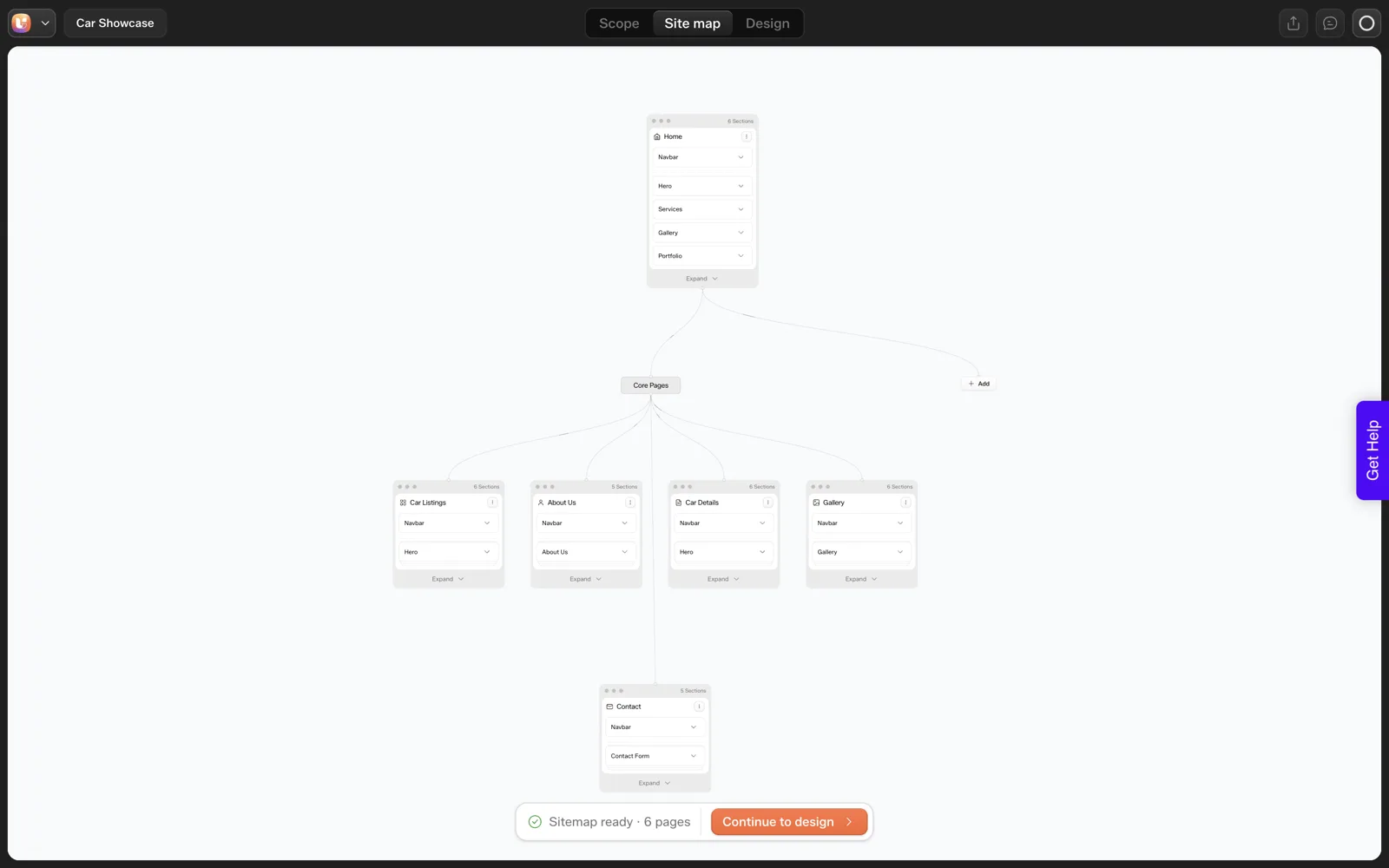
In our own coffee roaster run, the sitemap had six pages including a separate Newsletter Signup page that most people would fold into the footer. That is the kind of thing to settle with the client here. We walk through the screens in the sitemap review, screen by screen, and the scope-control logic is in the locked sitemap piece.
Ask the client to approve the sitemap as a list, with the page names, and write “changes after this point are a change request”. This one sentence saves more money than any feature.
Stage 4: How Do You Handle Design Rounds?
The Design Editor has a left panel for global styles: colors, typography, buttons, cards, section style and spacing. Changes there apply across every page, so a client’s “can the green be warmer” request becomes one edit and not forty.
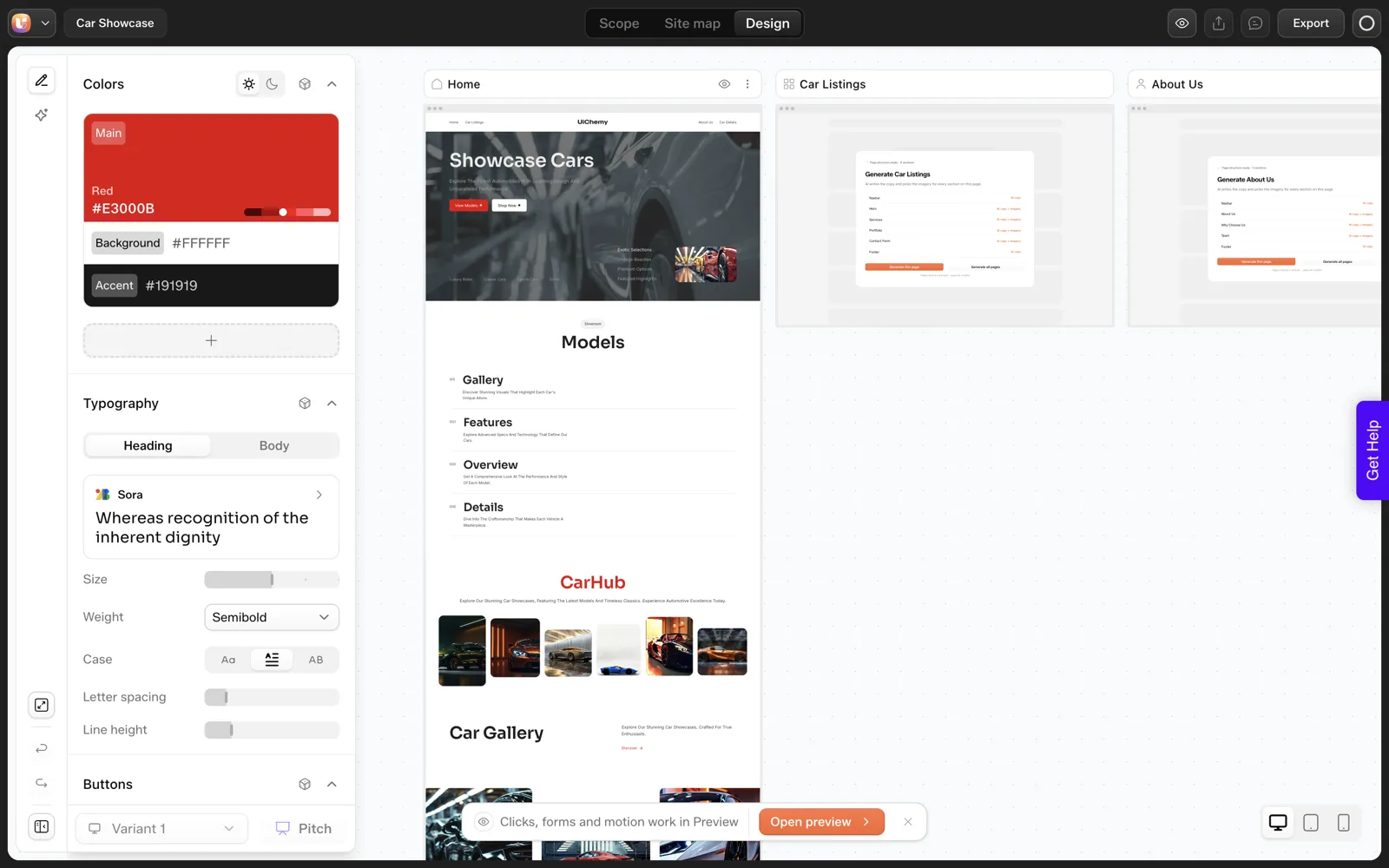
For client review, the docs describe a live preview link from the eye icon on any page tab or the Preview button, and an invite flow where clients get view-only access by default. A “Pitch” feature is marked as coming soon, so do not promise it.
Two practical rules for design rounds:
- Batch feedback. Ask for one consolidated list per round, not messages through the week.
- Check every count and label against the brief. In our run the AI drew five cards where we asked for three. Our 30-minute review routine is a good pass before the client sees anything.
What to say to the client about AI drafts
Be plain with clients that the first design is a draft. In our own coffee roaster run the AI drew five cards when we asked for three, and it labelled them with a word that did not fit the business.
Clients forgive a draft that is described as a draft. They do not forgive a surprise. A single line in your kickoff email does the job: “The first design is generated from your brief and we will review every count and label together.”
Stage 5: How Do You Hand Off to WordPress?
Export is plugin-based. Click Export in the Design Editor, download the UiChemy plugin, install it on the client’s WordPress site, log in with your UiChemy account, and import into Elementor. The docs describe an import screen for picking which pages come across, and the docs say existing content is left alone unless you tick the option that moves it to draft.
Gutenberg import is marked coming soon. Pages land as editable Composers, which is the whole point of the handoff: the client or the next developer edits in a normal builder.
The steps are in the Export to WordPress docs. We did not run the import on a stage site for this post, so we make no claim about the imported result here. Test on a throwaway site first.
If you run several sites at once, the agency account guide covers seats and site limits.
Who does what on your team
A small agency can split the five stages across three roles without meetings. The account manager owns stages 1 and 2, because they are conversations. The designer owns stages 3 and 4, because structure and styling are design decisions. Whoever manages hosting owns stage 5. The point is that every stage has one name next to it, so nothing waits for “someone”.
The Agency Gate Table
Copy this into your project template. Each row is a point where you stop and get a yes before spending more time or credits.
| Stage | You hand the client | You need back | If changed later |
|---|---|---|---|
| 1. Brief | Intake form or template | Completed answers, logo, three liked sites | Re-run the scope |
| 2. Scope | The drafted brief | Written approval | Re-draft, then re-sign |
| 3. Sitemap | Page list with names | Written approval | Change request |
| 4. Design | Preview link | One consolidated feedback list per round | Next round |
| 5. Export | Stage site on the client’s host | Final check and go-live approval | Re-export and re-import |
If you want to price all this, our guide on quoting AI-built websites without underpricing picks up from the sitemap gate.
What Does the Workflow Look Like on a Real Brief?
Here is the five-stage flow applied to our coffee roaster project, so you can see what each gate catches. This uses only what we observed in the single run on 2026-10-01.
| Stage | What we had | What the gate would catch |
|---|---|---|
| 1. Brief | One sentence about a boutique coffee roaster | Thin input. A client brief would add offers, audience and banned words |
| 2. Scope | A “Review your draft” screen with “Looks right” and “Edit” buttons | Wrong assumptions in the drafted cards, before any design |
| 3. Sitemap | Six pages, including Newsletter Signup | Pages the client does not need. We would fold two of them away |
| 4. Design | Home page with five cards labelled “Service” | Wrong count and wrong label, against the brief |
| 5. Export | Plugin-based, into Elementor | The page-count and login questions, on a stage site first |
Notice that the client would have seen the problems at stages 3 and 4, and only the first of those is cheap to change. That is the argument for getting a written yes at the scope and the sitemap.
What Should the Kickoff Email Say?
A kickoff email sets the rules once, so you do not repeat them in every message. Copy this and edit it. It has no promises that depend on tool behaviour we have not tested.
Subject: [Client] website: how we will work and what we need from you

Hi [name],

We are building [client] site in five steps. At steps 2 and 3
we need a written yes from you before we go further.

1. Brief. Please send: what you sell (up to five offers), who
   your customer is, three sites you like, your logo and colors,
   and any words that must never appear on the site.
2. Scope. We will send a short brief drafted from your answers.
   Please reply "approved" or list corrections.
3. Sitemap. We will send the page list with names. Please reply
   "approved". Changes after this point are a change request.
4. Design. We send a preview link. Please send one consolidated
   list of feedback per round.
5. Handover. We install the site on your hosting, check it with
   you and then go live.

The first design is generated from your brief, and we will
review every count and label with you.

Please send real prices, hours, addresses and testimonials. We
do not invent them.

[Your name]
The line about real prices and testimonials protects both of you. Our 25-question client questionnaire is a good attachment for step 1.
What Do You Do When the Client Changes the Brief Mid-Project?
It will happen, so decide in advance where each kind of change sends you back to. This table follows the stages above and the docs described earlier in this post.
| The client asks for | Go back to | What to do |
|---|---|---|
| A different business offer or audience | Stage 2, scope | Re-draft the scope cards and get a new written yes |
| A new page | Stage 3, sitemap | Add it in the Sitemap Editor, log it as a change request |
| A warmer or darker color | Stage 4, design | Edit it in the design step and check every page again |
| A different headline or photo | Stage 4, design | Edit on the canvas, then record it in the feedback list |
| A change after the site is on their hosting | Stage 5, export | Edit in WordPress, and agree in writing what counts as a new project |
The pattern is that the later the request arrives, the more expensive it is. Say that plainly in your agreement. Our guide on free, AI and by-hand sitemap tools can help you pick how to produce the page list you ask them to approve.
FAQ
Can a client review the project without a paid seat?
The docs say you can invite people from the dashboard and assign a role, with clients view-only by default. They also describe a shareable live preview link. For seat and site allowances on your plan, check the dashboard and pricing page rather than relying on a summary.
Can I change the sitemap after design starts?
Yes. The docs say you can add, remove, reorder and rename pages and sections at any time, before and after moving to the Design Editor. Changes are cheaper before design, so treat the sitemap sign-off as the real gate.
Which builder does the export target?
Elementor today. Gutenberg import is marked coming soon in the plugin and docs. Pages land as editable Composers, and the docs describe an import selection screen for choosing pages. In our own import test the plugin offered only the Home page for a six-page project, so confirm the selection screen lists every page before you promise a client a one-pass import.
What if the client already has a brief document?
Attach it in the project basics step. The docs list PDF, DOC, TXT and image files up to 25MB. The tool uses it to guide the draft, and you review the drafted answers on the card screen before anything moves forward.
To try this flow on a real brief, Get Started and run one project end to end on a throwaway site.
Every feature named in this post is listed by product: all UiChemy features, UiChemy Composer features.